

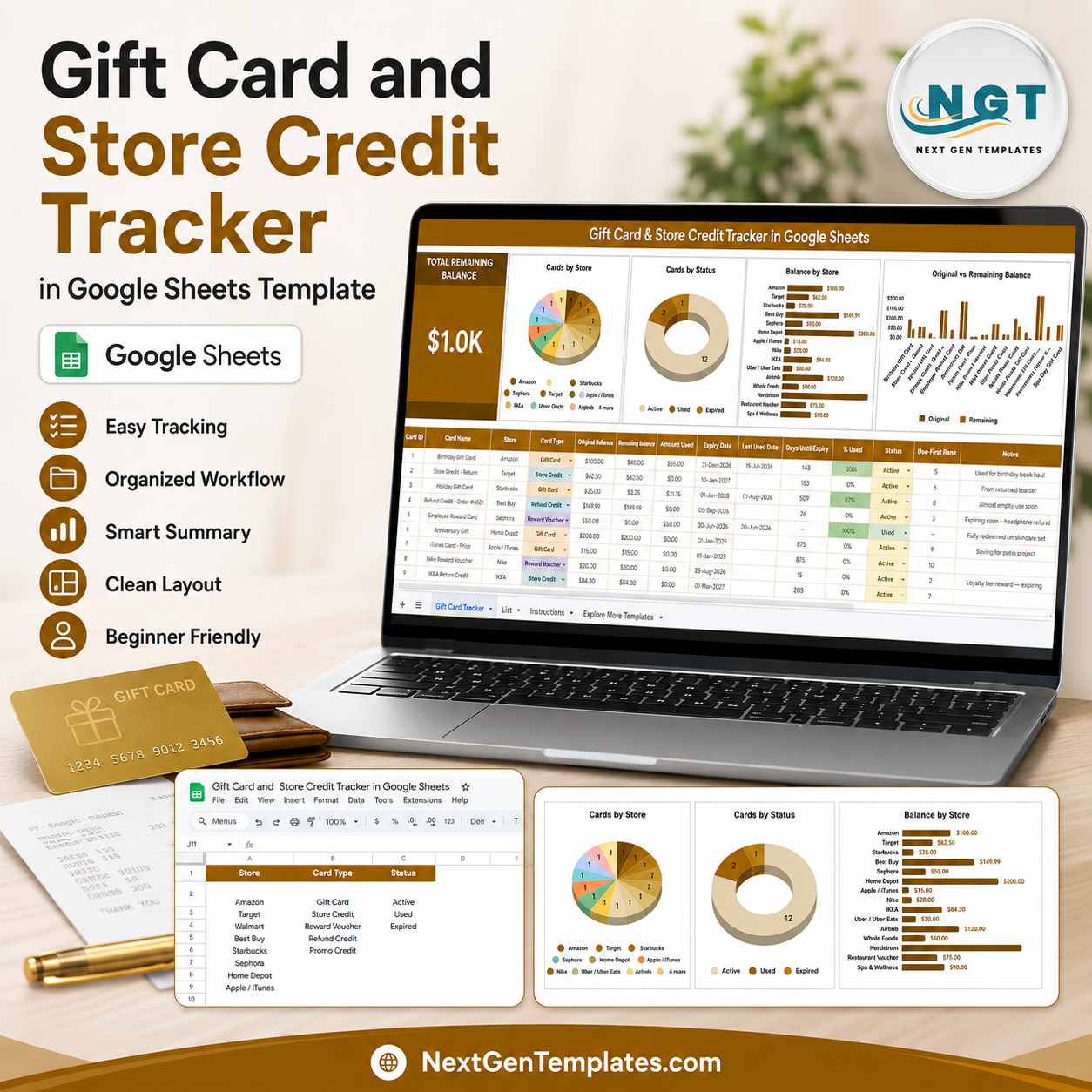
Gift Card and Store Credit Tracker in Google Sheets helps turn scattered balances into a visible money list. Bankrate reported that 43% of U.S. adults had at least one unused gift card, voucher, or store credit, with $244 unused on average, and 34% had lost money through expiration, loss, or a store closure. This tracker gives shoppers, families, assistants, and small teams a low-risk way to track store, card type, status, original balance, remaining balance, and expiration notes in one Google Sheets file. Buy once, copy the sheet to Drive, and keep control without a subscription or wallet app login.
Key Features of Gift Card and Store Credit Tracker in Google Sheets
- Total Remaining Balance card: See the remaining value across all listed cards and credits before deciding what to use next.
- Store-level tracking: Group gift cards and store credits by retailer so unused value is easier to find before a shopping trip.
- Status monitoring: Track active, used, expired, lost, pending, or other custom statuses from one clean list.
- Original and remaining balance view: Compare starting value against what is still available for each card name.
- Card type dropdowns: Separate gift cards, e-gift cards, refund credits, merchandise credits, vouchers, rewards, and custom types.
- Interactive slicers: Filter the overview by store, status, card type, or other fields without changing formulas.
- List Sheet controls: Maintain store selection values, card type values, and status values in one setup tab.
- Google Sheets workflow: Copy the tracker to Google Drive, update it from any browser, and share controlled access with a trusted person.
What’s Inside the Gift Card and Store Credit Tracker in Google Sheets
1 – Overview Page
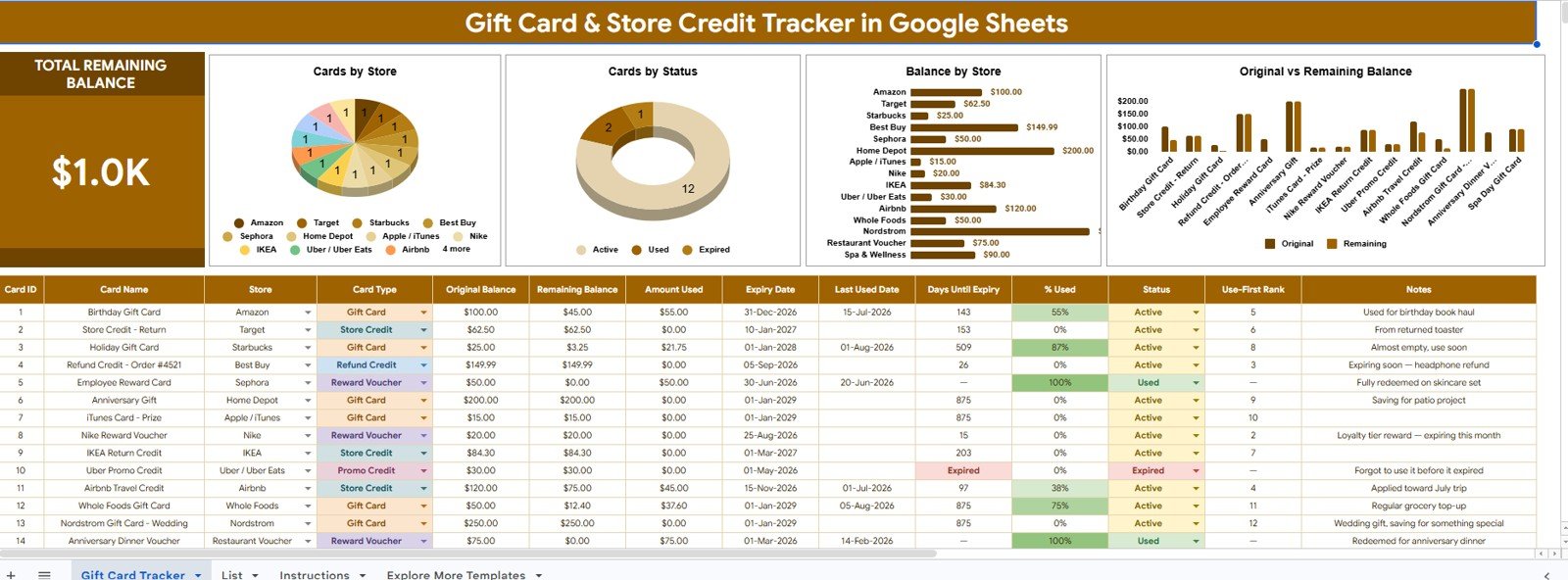
The Overview Page is the main dashboard sheet. At the top, the Total Remaining Balance card shows the high-level value still available across the cards and store credits entered in the file. It gives users one number to review before shopping, gifting, redeeming, or cleaning up old balances.
Cards by Store: This chart groups the number of tracked cards by store. It helps users see where their unused balances are concentrated and which retailers deserve attention first.
Cards by Status: This chart separates cards and credits by status. It quickly highlights active, used, expired, lost, or pending items so users can clean up the tracker and focus on usable value.
Balance by Store: This chart sums remaining balance by store. It is useful when one retailer has several smaller credits that should be combined into the next purchase plan.
Original Balance and Remaining Balance by Card Name: This comparison shows each card’s starting value beside the amount left. It helps users spot partially used cards and decide which balances to finish first.
2 – List Sheet
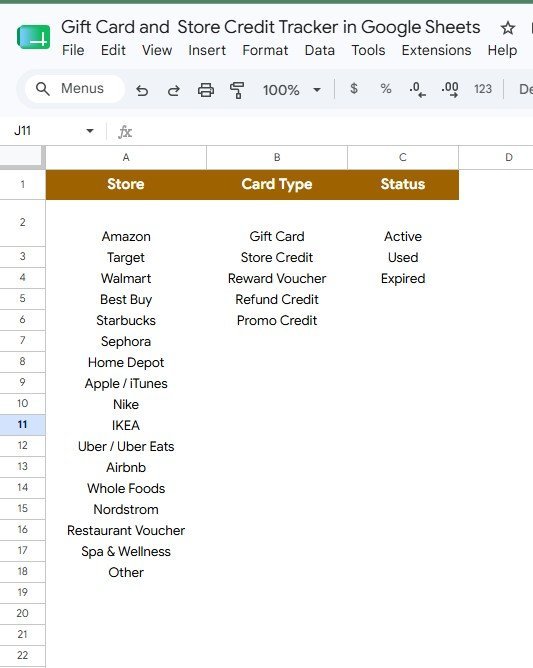
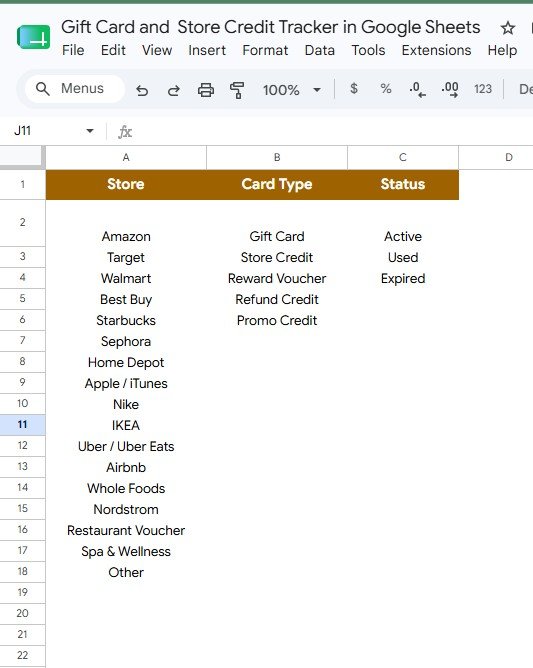
The List Sheet is the setup area for dropdown values used across the tracker. Keeping the lists in one place reduces inconsistent spellings and makes the dashboard easier to filter.
Store selection values: Add the store names or retailer labels you use most often. Consistent store values make the Cards by Store and Balance by Store charts easier to trust.
Card Type selection values: Maintain options such as gift card, e-gift card, store credit, merchandise credit, refund credit, voucher, reward, or custom type.
Status selection values: Control status labels such as Active, Partially Used, Used, Expired, Lost, Pending, or Replaced so every card record is clear.
Gift Card and Store Credit Tracker in Google Sheets vs. Microsoft Excel Tracker vs. Paid Finance SaaS – Where This Fits
| Feature | This Google Sheets tracker | Microsoft Excel tracker | Paid finance or wallet app |
|---|---|---|---|
| Cost | $6.99 one-time sale price | Template cost plus possible Microsoft access | Often monthly, annual, or account based |
| Platform | Google Sheets in Drive | Excel desktop or Excel Online | Vendor-hosted app |
| Setup time | Copy the file, edit lists, enter cards | Open workbook and customize fields | Create account and learn the app flow |
| Real-time team collaboration | Native Google Drive sharing | Depends on OneDrive or SharePoint | Plan dependent |
| Mobile access | Google Sheets app or browser | Excel app or browser | Usually included |
| Customizable fields | Edit stores, card types, statuses, notes, and charts | Editable if workbook is unlocked | Limited by app settings |
| Share with link | Yes, using Google permissions | Yes, through Microsoft sharing | Usually login controlled |
| Year-1 cost at 5 users | $6.99 before any Google Workspace costs | Template plus license costs | Can become recurring per user or household |
| Gift card balance review | Total balance, store, status, and card-level views included | Must be built or customized | Depends on supported merchants |
Who This Template Is For – and Who It’s Not For
This template is for individuals, couples, families, shoppers, executive assistants, office admins, teachers, nonprofit coordinators, and small businesses that want a practical way to manage gift cards, refund credits, rewards, and store credits in one place.
It is not a payment processor, bank product, gift card resale marketplace, fraud recovery service, accounting ledger, or replacement for the retailer’s official balance check. Users should still verify final card balances with the store before checkout.
How to Use the Gift Card and Store Credit Tracker in Google Sheets
- Open the PDF guide included with the download and click the Google Sheets copy link.
- Go to the List Sheet and customize store names, card types, and status values.
- Enter each card or credit with card name, store, type, original balance, remaining balance, status, and useful notes.
- Open the Overview Page and review Total Remaining Balance.
- Use slicers to filter the dashboard by store, type, or status during shopping reviews.
- Update remaining balances after each redemption so the file stays current.
Real-World Use Cases
Maya, household shopper: checks the Balance by Store chart before buying school supplies, then uses two small store credits that were almost forgotten.
Daniel, office admin: tracks employee reward cards, client thank-you credits, and pending store refunds so the team does not lose value in a shared drawer.
Priya, budget coach: helps clients find unused gift card value before a no-spend month and uses the status chart to clean up expired or fully used cards.
Frequently Asked Questions
What does this tracker record?
It records gift cards, store credits, card types, stores, statuses, original balances, remaining balances, and notes in an editable Google Sheets workflow.
Does it check live balances automatically?
No. The tracker is for manual entry and dashboard review. Always confirm the final usable amount through the retailer’s official balance check before purchase.
Can I customize the stores and statuses?
Yes. The List Sheet lets you edit store selection values, card type values, and status values so the tracker matches your real cards.
Can multiple people use the same tracker?
Yes. After copying the file to Google Drive, you can share the sheet with view or edit permissions.
Is this only for personal use?
No. It can also help admins, nonprofits, classrooms, and small teams track reward cards, refund credits, and small stored-value balances.
Do I need Excel?
No. The tracker is built for Google Sheets and works in a browser or the Google Sheets mobile app.
About the Author
Built by PK – Microsoft Certified Professional with 15+ years of Excel, Google Sheets, and Power BI experience. Founder of NextGenTemplates, reaching 300K+ subscribers across YouTube channels. Every template is hand-built and tested before release.
Explore Related Templates
- Cash Envelope Budget Tracker in Google Sheets for envelope balances and household spending control.
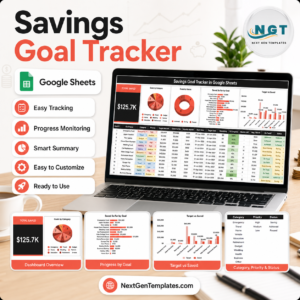
- Savings Goal Tracker in Google Sheets for target amounts, priorities, and saved-so-far progress.
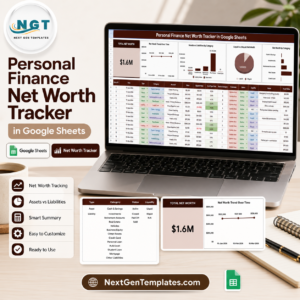
- Personal Finance Net Worth Tracker in Google Sheets for assets, liabilities, and liquidity review.
- Browse Google Sheets tracker templates.
- Browse Google Sheets financial tools.
Download the Gift Card and Store Credit Tracker in Google Sheets when you want a simple way to find, use, and update scattered gift card balances before they become forgotten money.
Watch the step-by-step video Demo:
Last updated: August 10, 2026.





















Reviews
There are no reviews yet.