

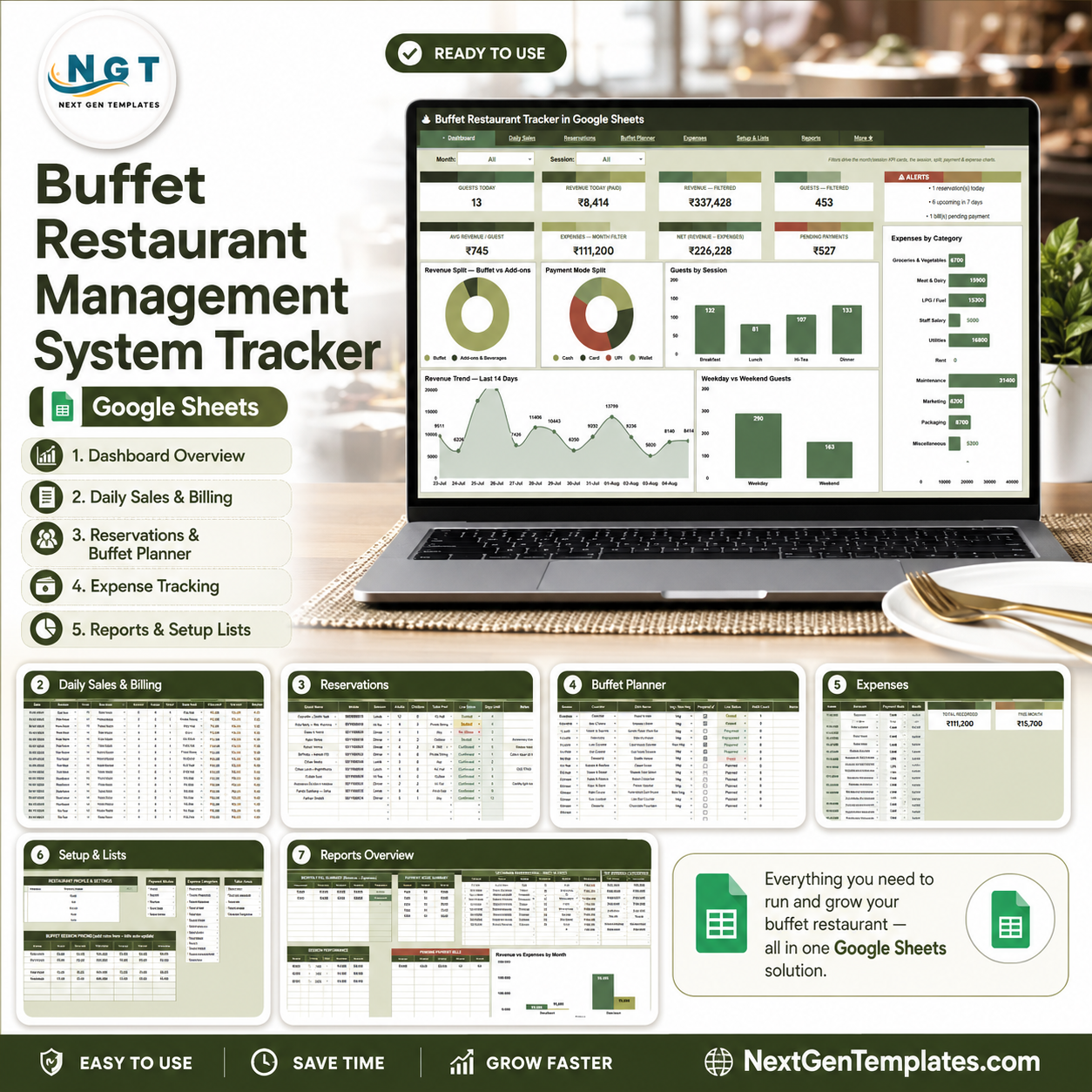
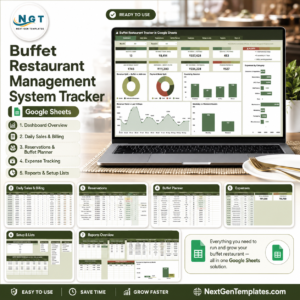
Buffet Restaurant Management System Tracker in Google Sheets gives buffet owners and restaurant managers one editable file for 7 operating areas: overview, daily sales, reservations, buffet planning, expenses, setup lists, and reports. The tracker includes 9 overview cards, 6 overview charts, multiple slicers, and focused analysis sheets for guest count, paid revenue, pending payments, reservations, food counters, refill activity, expense categories, and monthly profit review. Built by PK for a 300K+ analytics training audience, it gives small food-service teams a practical $9.99 alternative to scattered notebooks or recurring restaurant SaaS.Buffet Restaurant Management System Tracker in Google Sheets
Key Features of Buffet Restaurant Management System Tracker in Google Sheets
- 7 sheet tabs for overview, daily sales, reservations, buffet planner, expenses, setup lists, and reports.
- 9 high-level overview cards for guests, paid revenue, filtered revenue, filtered guests, average revenue per guest, monthly expenses, net value, pending payments, and alerts.Buffet Restaurant Management System Tracker in Google Sheets
- 6 overview charts covering buffet revenue, add-on revenue, payment modes, sessions, expense categories, date trends, and weekday vs weekend guests.Buffet Restaurant Management System Tracker in Google Sheets
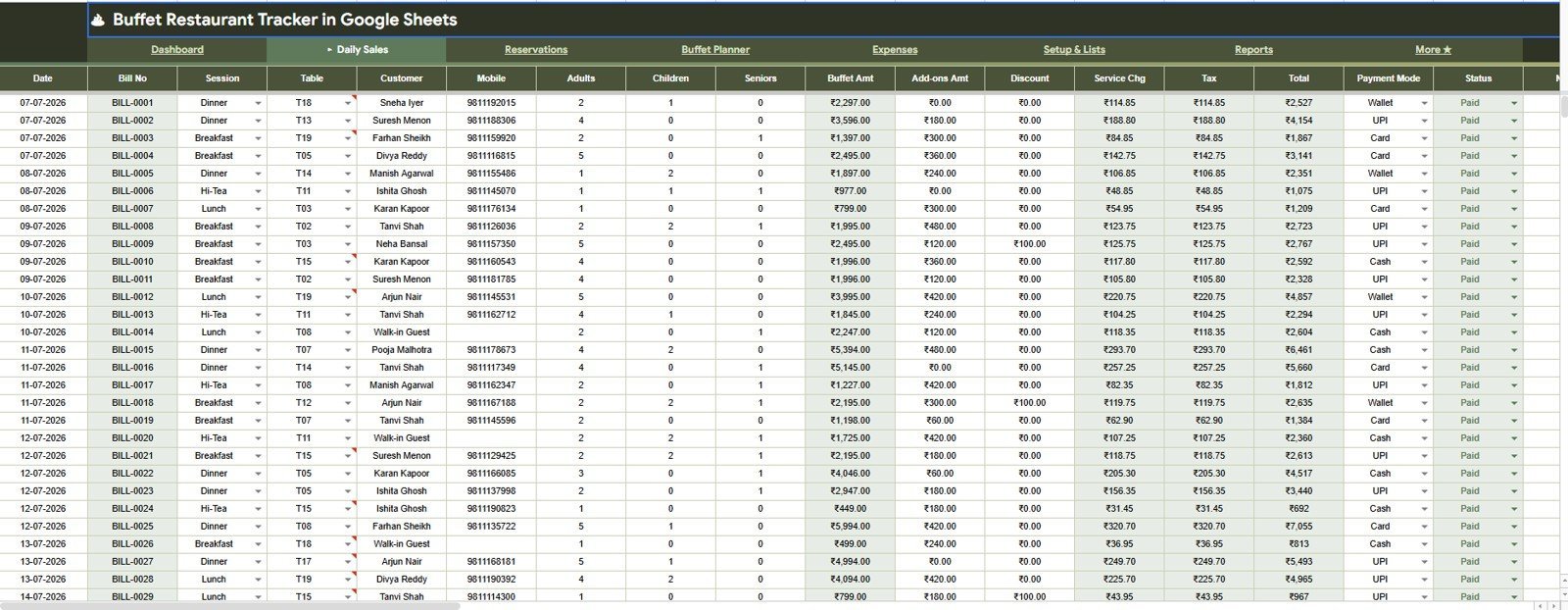
- Daily Sales analysis for bill dates, buffet amount, add-ons amount, total by payment mode, payment status, and guest sessions.
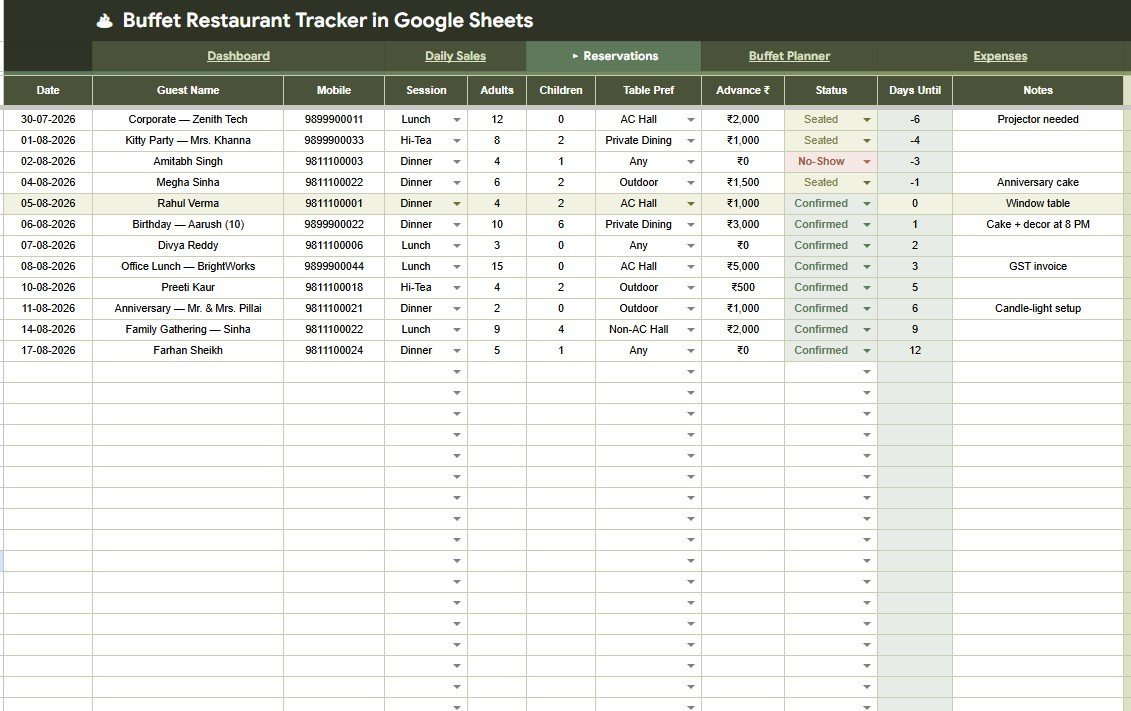
- Reservation tracking by date, session, guest count, advance amount, reservation status, days until visit, table preference, and notes.Buffet Restaurant Management System Tracker in Google Sheets
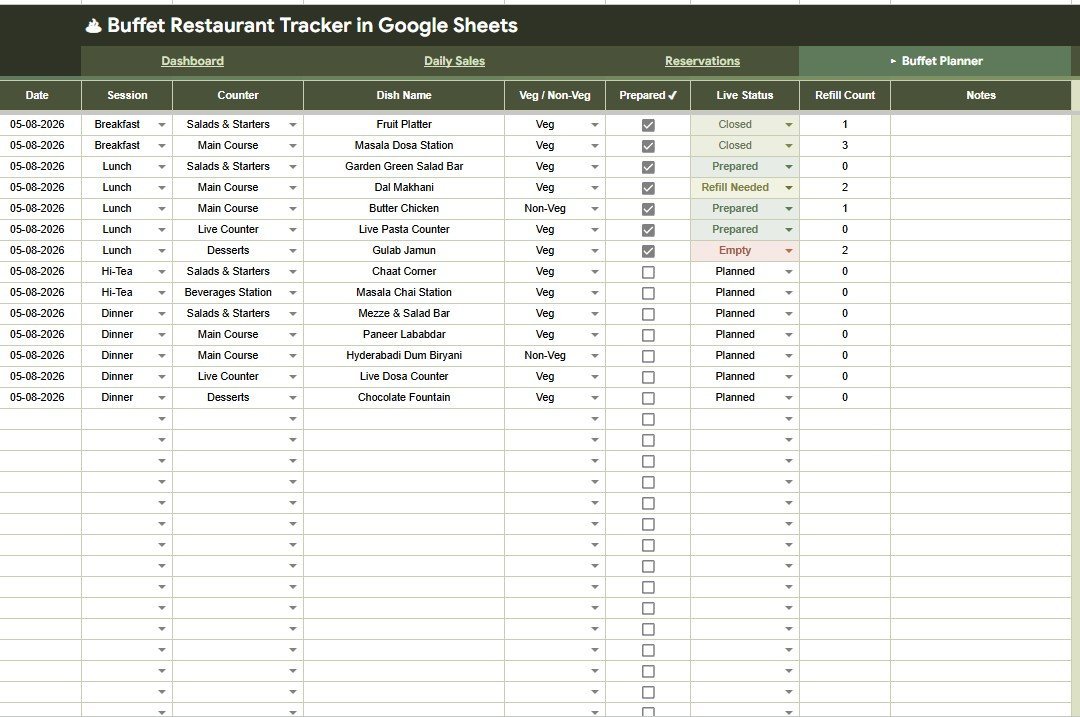
- Buffet planning views for dish preparation, counter assignment, veg and non-veg mix, live status, and refill count.
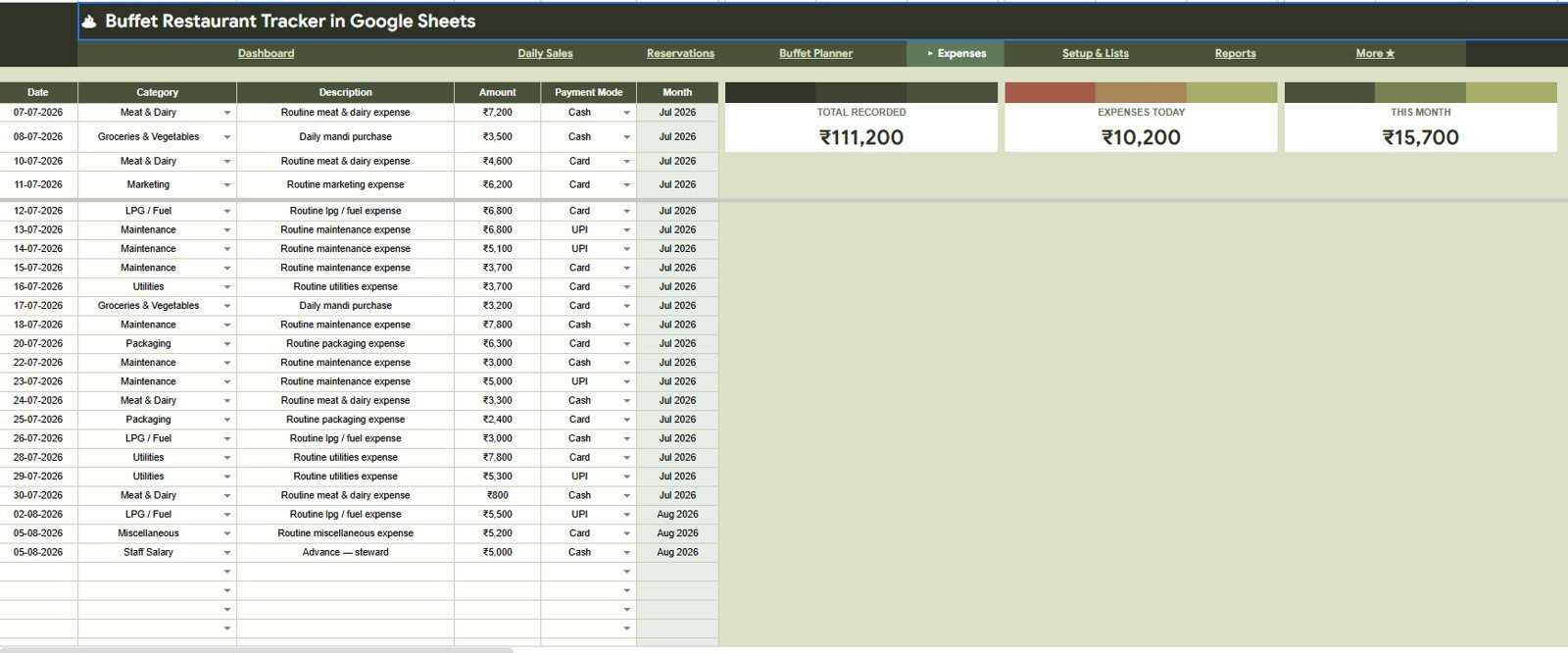
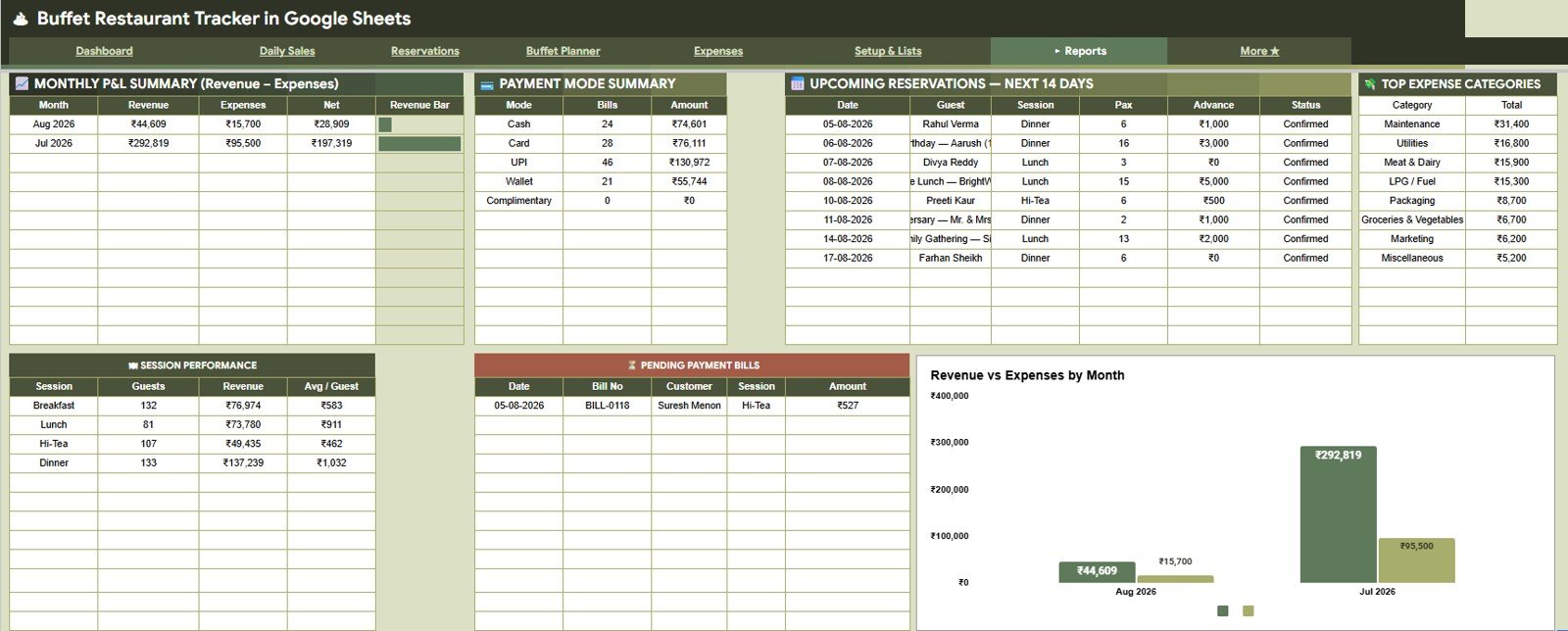
- Expense register and report views for daily costs, monthly totals, payment modes, category spend, and P&L review.
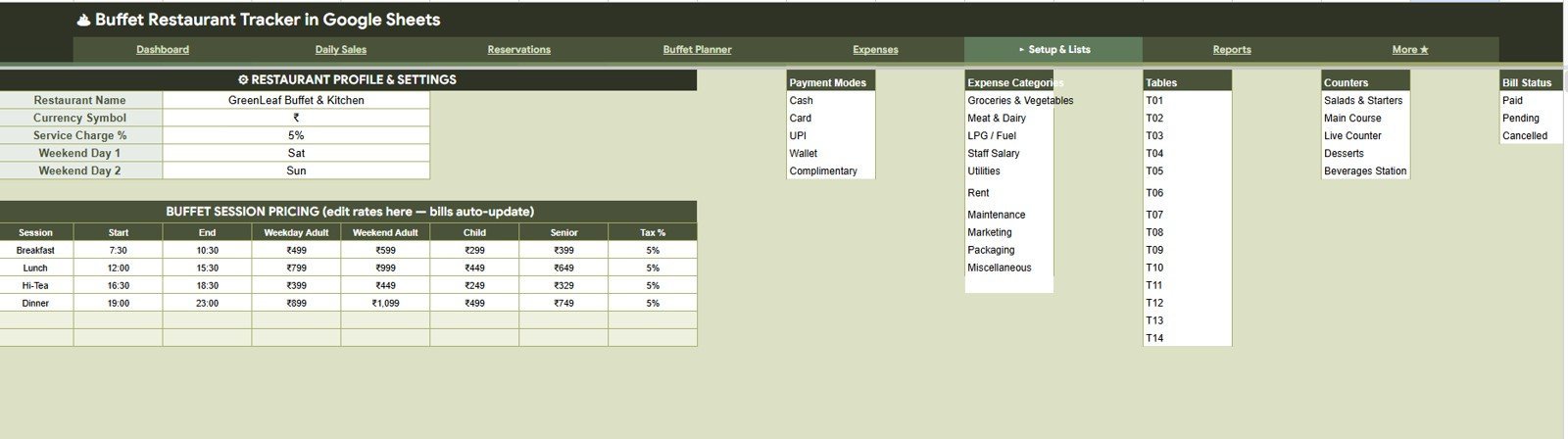
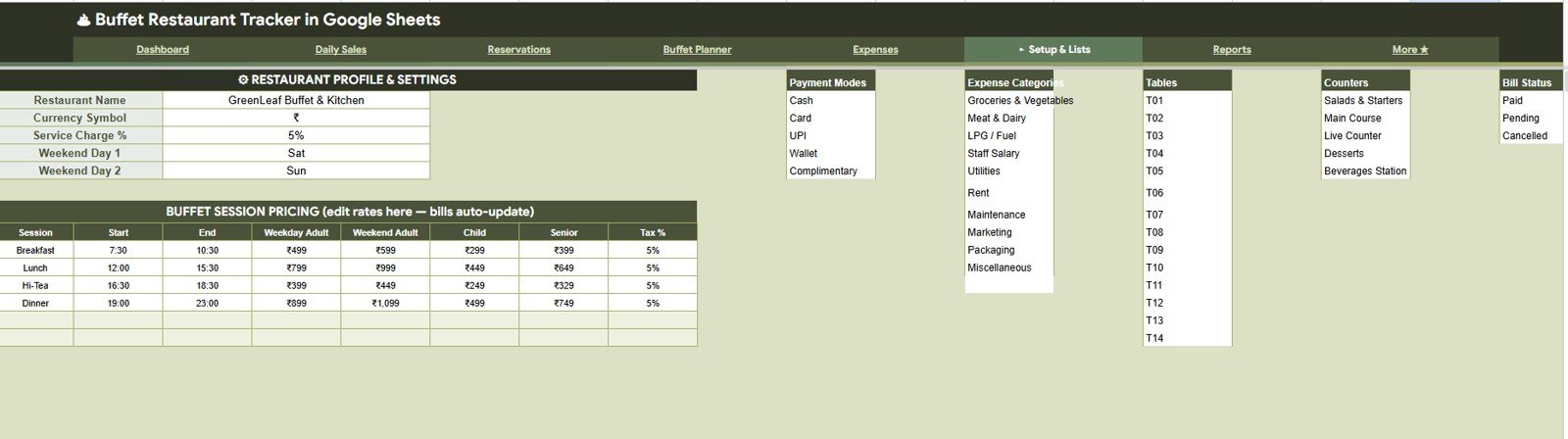
- Editable setup lists for restaurant profile, buffet sessions, pricing, payment modes, tables, counters, expense categories, and bill statuses.
What’s Inside the Buffet Restaurant Management System Tracker in Google Sheets
1. Overview Page
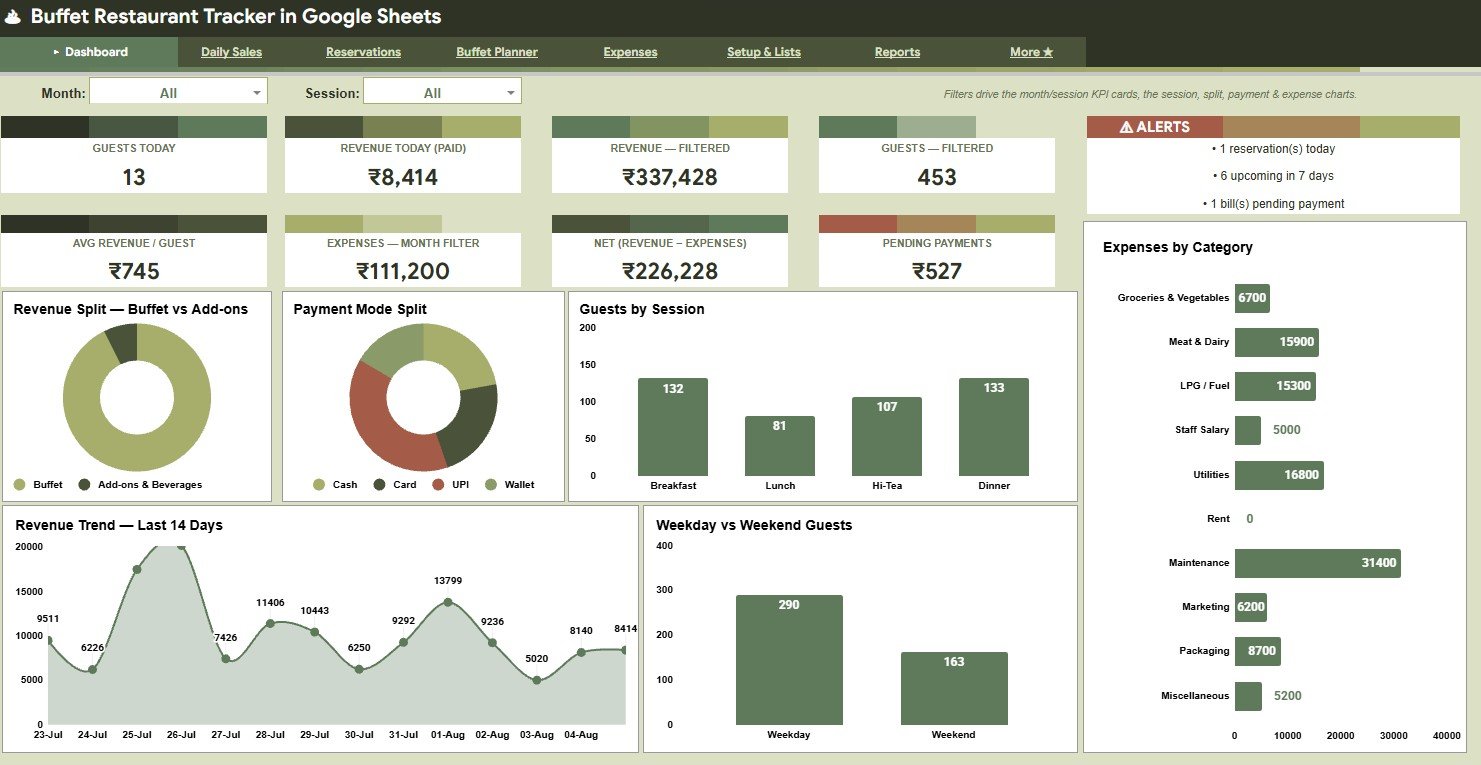
The Overview Page is the control center for daily restaurant review. Cards show Guests Today, Revenue Today (Paid), Revenue – Filtered, Guests – Filtered, Avg Revenue / Guest, Expenses – Month Filter, Net (Revenue – Expenses), Pending Payments, and Alerts.
Revenue Split by Buffet vs Add-ons: This chart separates core buffet sales from add-on revenue. It helps managers see whether extra items are improving ticket value or if the buffet package carries most revenue.
Payment Mode Split by Payment Mode: This chart shows how customers pay across cash, card, UPI, wallet, or other modes. It supports cash reconciliation and payment-mode review at closing time.
Guests by Session: This chart compares guest volume by breakfast, lunch, dinner, or custom sessions. It helps plan staffing, prep quantity, and seating coverage for busy sessions.
Expenses by Category: This chart groups costs by category so owners can see food, utilities, staff, supplies, and other spend patterns. It is useful for margin control when revenue looks healthy but net value drops.
Revenue Trend by Date: This trend shows how revenue changes day by day. It helps identify slow days, peak dates, and promotion impact.
Weekday vs Weekend Guests: This chart compares guest traffic by day type. It helps restaurants prepare stronger buffet quantities and staffing levels for weekend demand.
2. Daily Sales
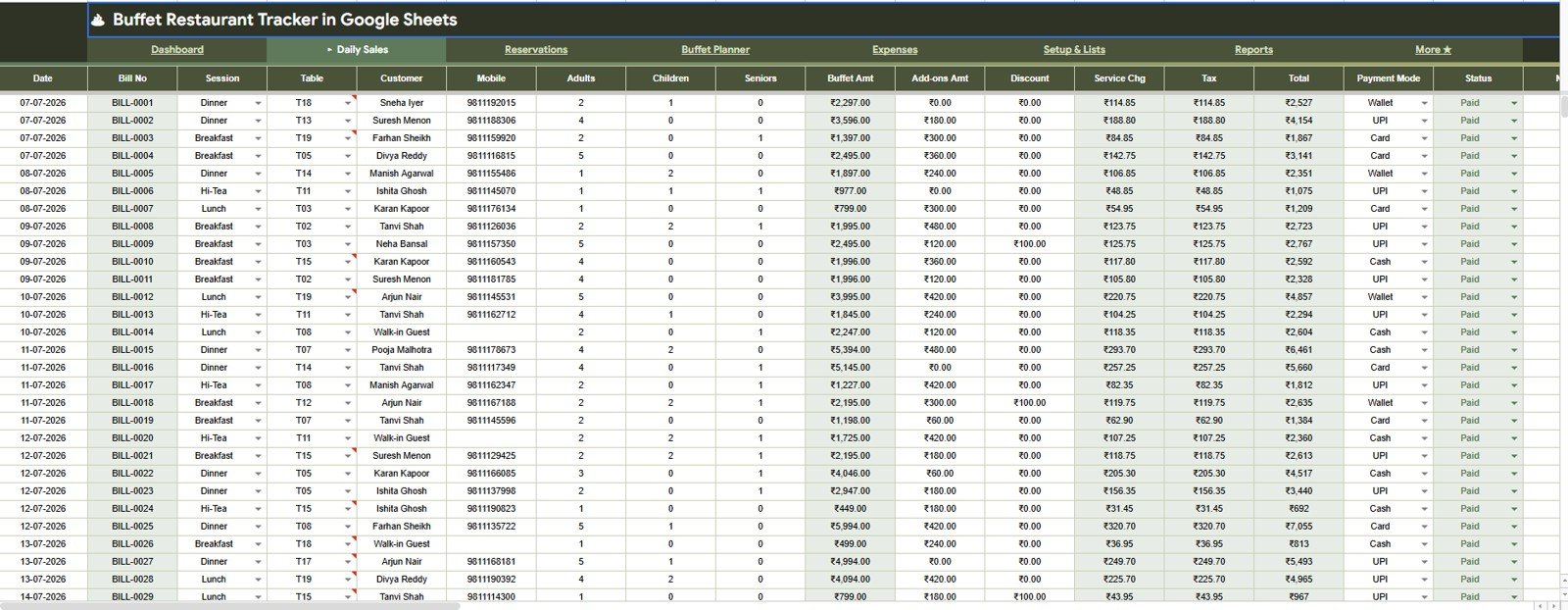
The Daily Sales tab analyzes Bills by Date, Buffet Amount by Bill No, Add-ons Amount by Bill No, Total by Payment Mode, Payment Status by Bill No, and Guests by Session. It is designed for checking bill-level performance and payment completion.
3. Reservations
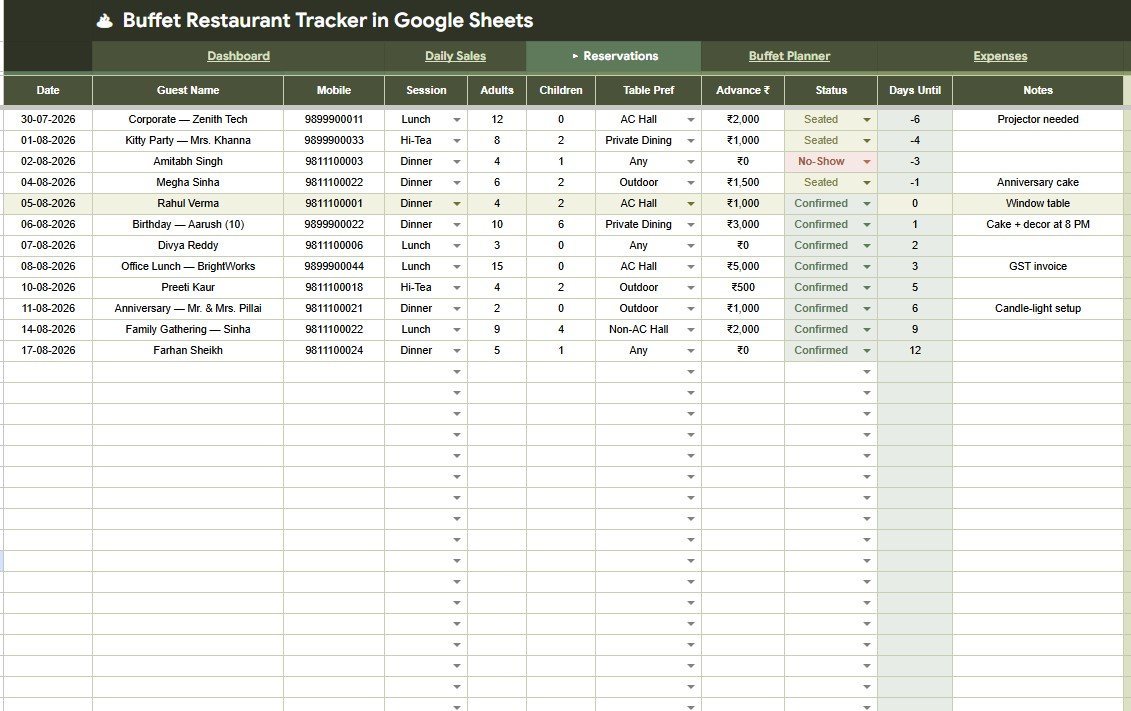
The Reservations tab reviews Reservations by Date, Guest Count by Session, Advance Amount by Guest, Reservation Status by Days Until, Table Preference by Guest, and Reservation Notes by Guest. It helps front-office teams prepare tables, follow up on advances, and plan upcoming guest flow.
4. Buffet Planner
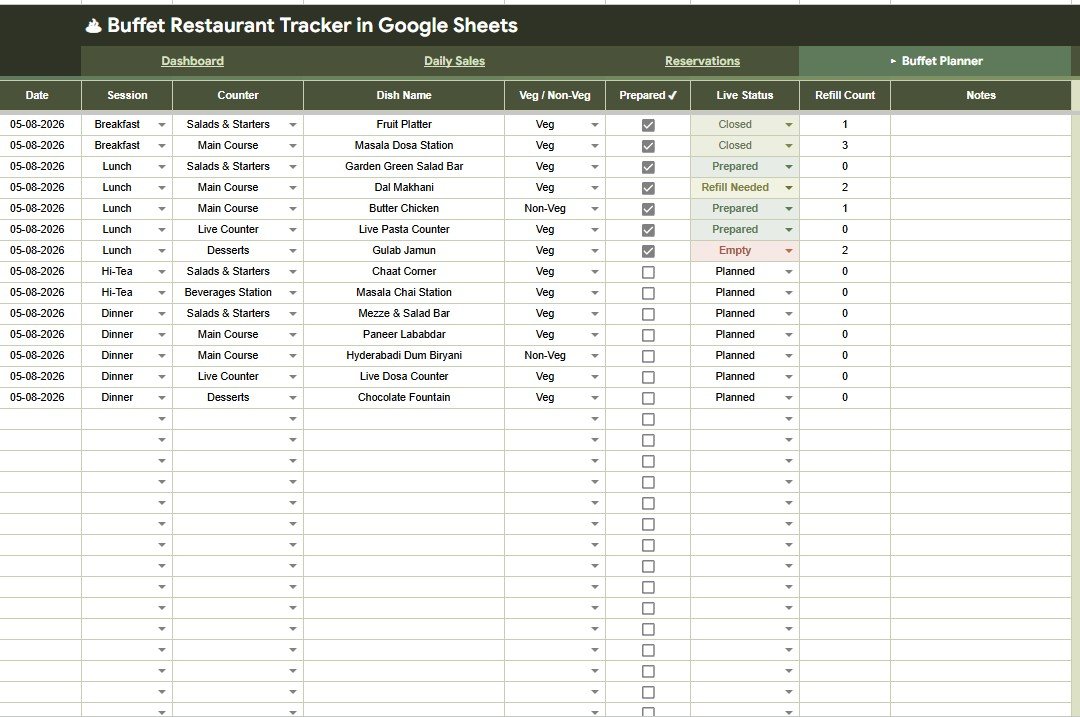
The Buffet Planner tab focuses on Dish Preparation by Session, Dish Name by Counter, Veg and Non-Veg Items by Counter, Live Status by Dish Name, and Refill Count by Dish Name. It gives kitchen and service teams a clearer view of counter readiness and refill needs.
5. Expenses
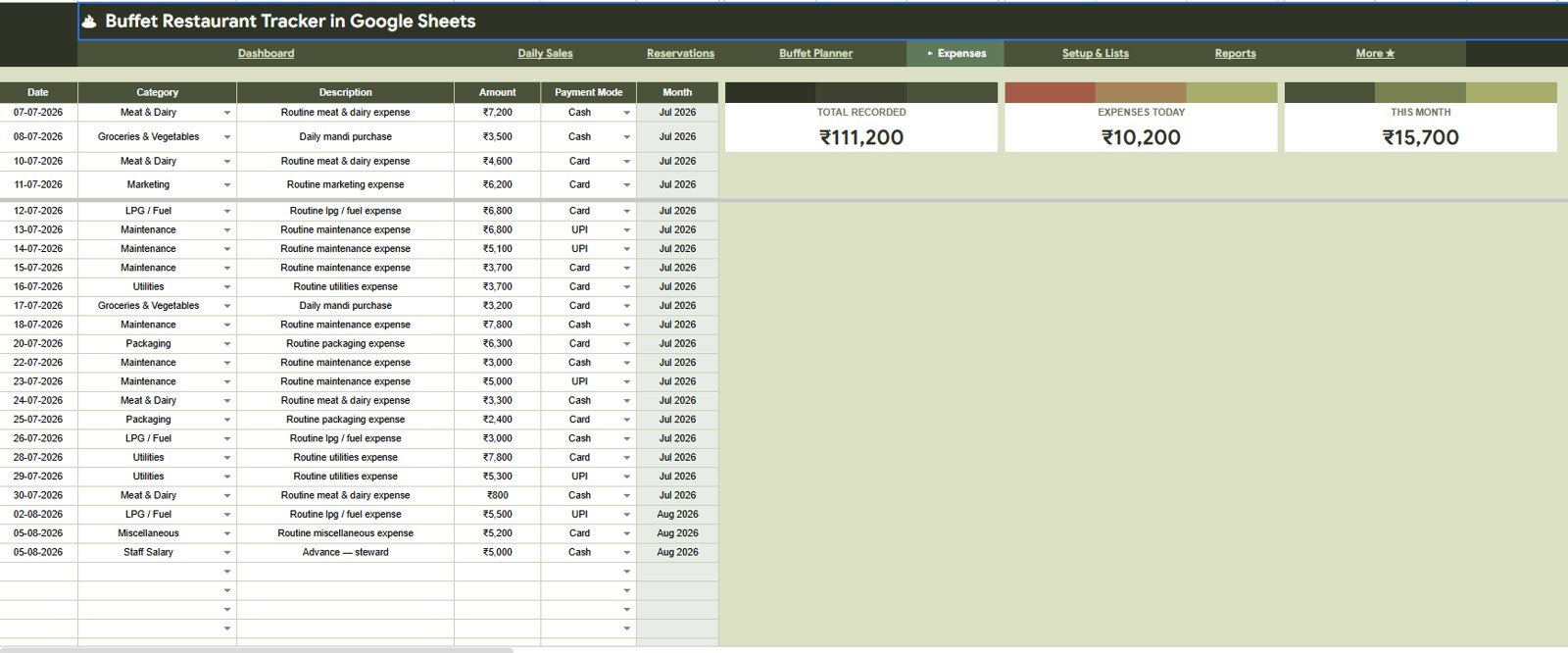
The Expenses tab tracks Total Recorded by Month, Expenses Today by Date, This Month Expenses by Month, Expense Amount by Category, Expense Amount by Payment Mode, and Expense Description by Date. It keeps daily and monthly restaurant spending visible beside sales performance.
6. Setup & Lists Tab
The Setup & Lists tab lets users manage the restaurant profile and the values that power the tracker. It includes restaurant settings, buffet session pricing, payment modes, expense categories, table lists, counter lists, and bill status lists.Buffet Restaurant Management System Tracker in Google Sheets
7. Reports
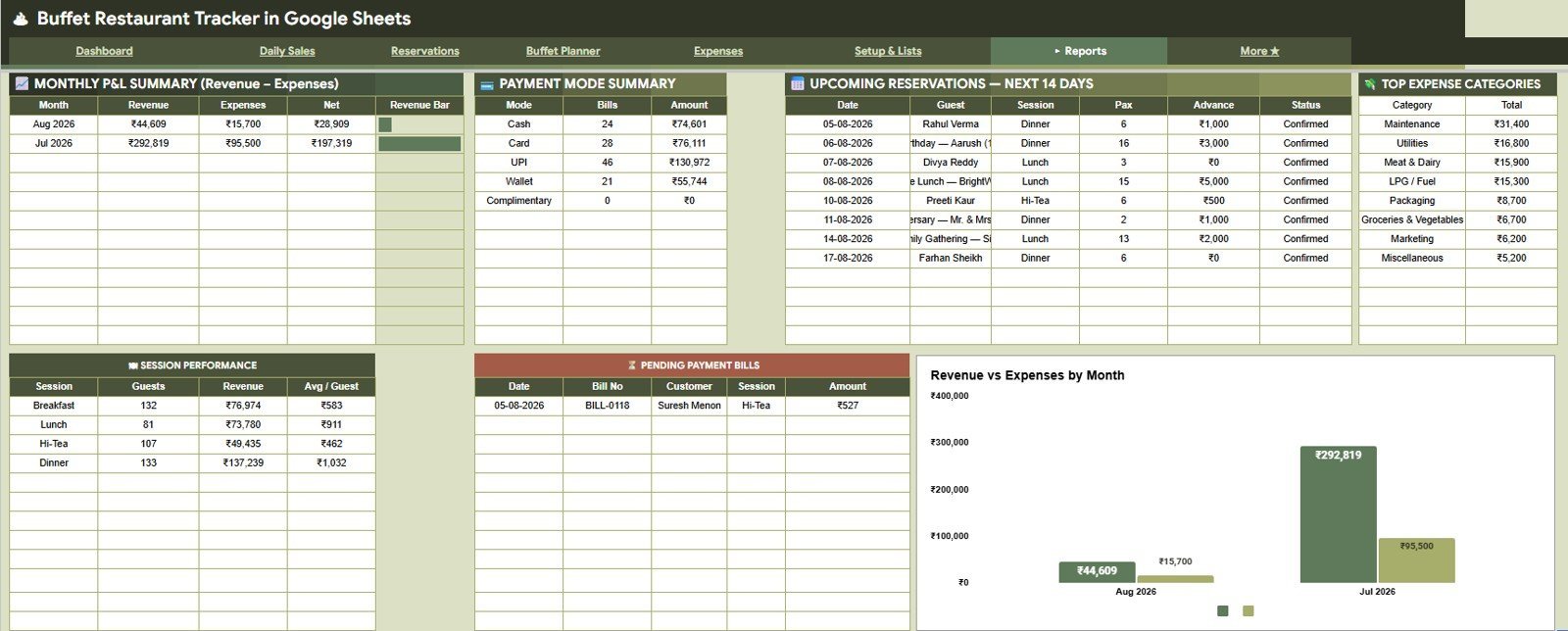
The Reports tab brings together Monthly P&L Summary by Month, Payment Amount by Payment Mode, Upcoming Reservations by Date, Top Expense Categories by Category, Session Performance by Session, Pending Payment Bills by Bill No, and Revenue vs Expenses by Month.Buffet Restaurant Management System Tracker in Google Sheets
Buffet Restaurant Management System Tracker in Google Sheets vs. Microsoft Excel vs. Paid Restaurant SaaS – Where This Fits
| Feature | This Google Sheets tracker | Microsoft Excel tracker | Paid restaurant SaaS |
|---|---|---|---|
| Cost | $9.99 sale price | Template cost plus Excel access | Usually monthly or annual subscription |
| Platform | Google Sheets in Drive | Excel desktop or Microsoft 365 | Vendor-hosted app |
| Setup time | Copy file, update setup lists, add records | Open workbook and configure sheets | Account setup, roles, imports, and training |
| Real-time team collaboration | Built into Google Drive sharing | Best with OneDrive or SharePoint | Usually included by plan |
| Mobile access | Google Sheets app or browser | Excel mobile app | Usually included |
| Customizable fields | Editable lists, formulas, labels, and charts | Editable if workbook is unlocked | Limited by vendor settings |
| Share with link | Yes, with Drive permissions | Yes, with Microsoft sharing | Usually account based |
| Year-1 cost at 5 users | $9.99 template before any optional Workspace cost | Template plus licensing | Often much higher |
| Buffet workflow | Sales, reservations, buffet counters, expenses, P&L, and reports | Requires custom setup | Usually deeper but less flexible |
Who This Template Is For – and Who It’s Not For
This tracker is for buffet restaurant owners, outlet managers, F&B supervisors, front-desk teams, kitchen leads, accounts assistants, and consultants who need a shared sheet for daily sales, reservations, buffet planning, expenses, and reports.
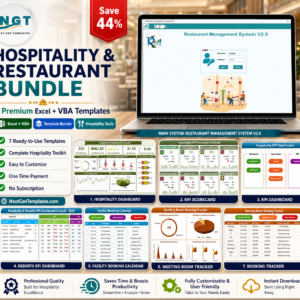
It is not a POS billing system, payment gateway, inventory barcode system, payroll app, online reservation portal, or kitchen display system. If you need a larger restaurant operations setup, review the Hospitality & Restaurant Bundle or related restaurant tools.
How to Use the Buffet Restaurant Management System Tracker in Google Sheets
- Open the PDF guide from your download and copy the Google Sheets file to Drive.
- Update restaurant profile, buffet sessions, prices, payment modes, tables, counters, categories, and status lists.
- Enter daily bills, buffet amount, add-ons, payment mode, payment status, session, and guests.
- Add reservations with guest count, advance amount, status, table preference, and notes.
- Use the Buffet Planner to track dishes, counters, veg/non-veg mix, live status, and refills.
- Record expenses by date, month, category, payment mode, and description.
- Review Overview and Reports before daily close, weekly review, and monthly P&L checks.
Real-World Use Cases
Riya, buffet restaurant owner: checks Guests Today, Revenue Today, pending payments, and alerts before the evening close.
Aman, kitchen supervisor: uses the Buffet Planner to review dish status, counter coverage, veg/non-veg mix, and refill count during service.Buffet Restaurant Management System Tracker in Google Sheets
Neha, accounts assistant: updates payment status, expense categories, payment modes, and monthly net value before the owner review.Buffet Restaurant Management System Tracker in Google Sheets
Frequently Asked Questions
What is included in this buffet restaurant tracker?
It includes Overview, Daily Sales, Reservations, Buffet Planner, Expenses, Setup & Lists, and Reports tabs.
Can I customize sessions and buffet pricing?
Yes. The setup tab includes buffet session pricing and editable lists so you can adjust sessions, prices, payment modes, counters, tables, and bill statuses.
Does it track add-on revenue separately from buffet revenue?
Yes. The overview includes a Revenue Split by Buffet vs Add-ons chart, and the Daily Sales tab includes bill-level add-ons analysis.
Can multiple team members use it?
Yes. Because it runs in Google Sheets, you can share the file through Google Drive with the permissions you choose.
Does this replace restaurant POS software?
No. It is a management tracker and analysis template. It does not process payments, print bills, or integrate with POS hardware.
Is this a subscription?
No. This is a one-time digital template purchase.
About the Author
Built by PK – Microsoft Certified Professional with 15+ years of Excel, Google Sheets, and Power BI experience. Founder of NextGenTemplates, reaching 300K+ subscribers across YouTube channels. Every template is hand-built and tested before release.Buffet Restaurant Management System Tracker in Google Sheets
Explore Related Templates
- Hospitality & Restaurant Bundle
- Banquet Hall Tracker in Google Sheets
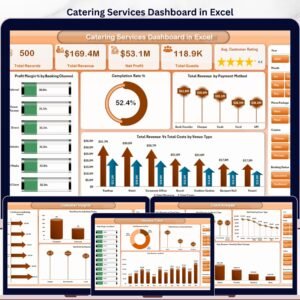
- Catering Services Dashboard in Excel
- Restaurant Order Data Entry System in Excel
- Browse more Google Sheets templates and Google Sheets tracker templates.
Use the Buffet Restaurant Management System Tracker in Google Sheets to review guests, revenue, payments, reservations, buffet counters, expenses, and reports in one shared restaurant workbook.Buffet Restaurant Management System Tracker in Google Sheets
Watch the step-by-step video Demo:
Last updated: August 5, 2026.




















Reviews
There are no reviews yet.