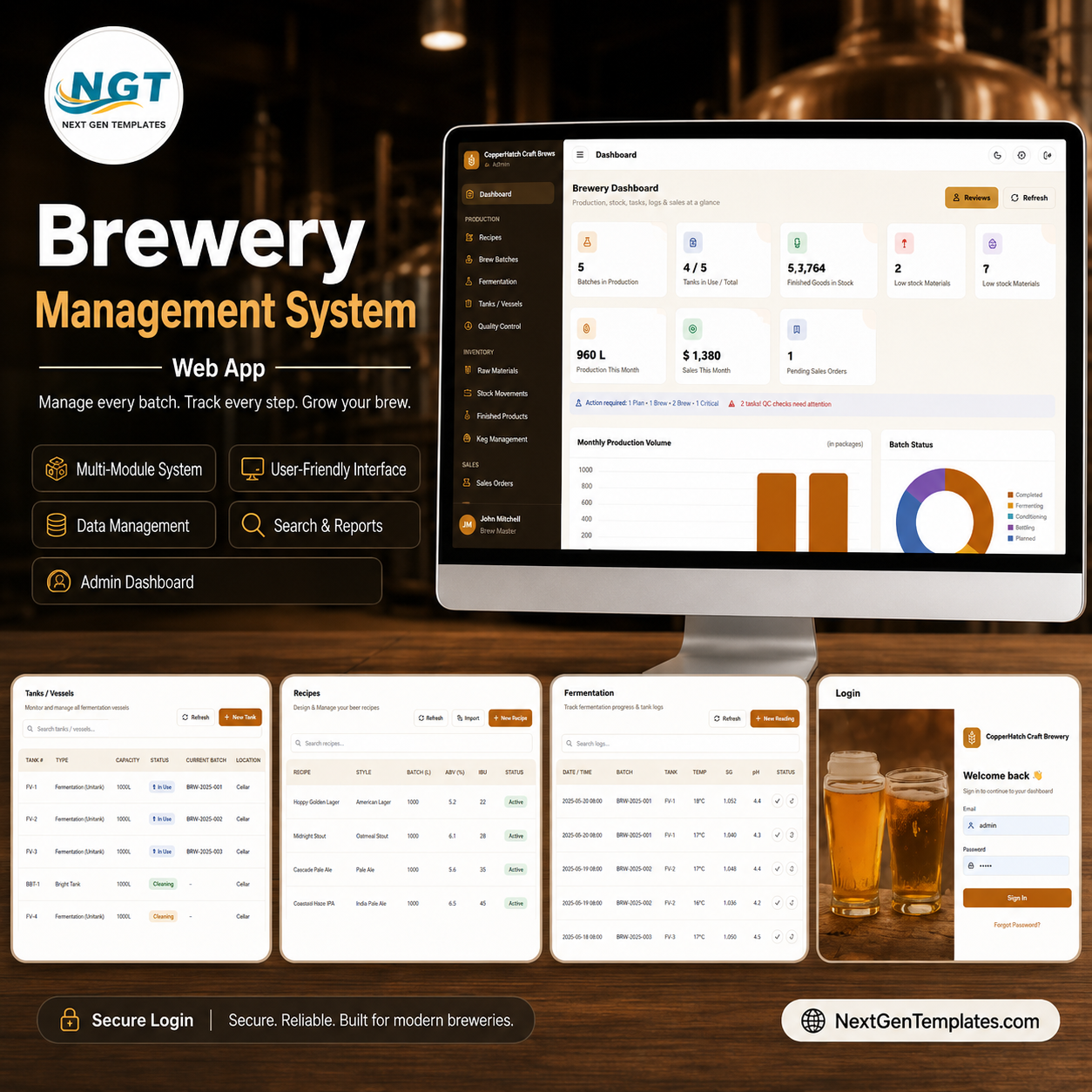
The Brewery Management System Web App runs an entire craft brewery from one secure link — 23 working screens covering recipes, brew batches, fermentation, tanks, quality control, raw materials, finished goods, kegs, sales, purchasing and reporting. It is built on Google Sheets and Google Apps Script, so your data lives in your own Google account with no monthly fees and no per-user charges.
🚀 Try the Live Demo Before You Buy
We have deployed this web app in our own Google account so you can test every page, every module — with real sample data — before purchasing. No signup, no email required.
🔑 Test Login Credentials
Sign in as Admin for full access — all modules, settings, users, lists, archive, audit log and import/export.
💡 What you get after purchase: The full source code (Code.gs + Index.html) plus a step-by-step deployment guide so you can deploy your own private instance in your own Google account in under 15 minutes.
🌍 Join 8,400+ teams in 40+ countries using NextGenTemplates to replace paid SaaS tools with one-time-purchase Excel, Google Sheets, Power BI and web-app templates.
✅ Instant download · One-time payment · No subscription · No per-user fees · Lifetime access
🔑 Key Features of the Brewery Management System Web App
🔐 Role-based login – five access levels (Admin, Brewer/Production, Sales, Inventory/Store, Viewer) are enforced on both the sidebar menu and every backend action, so each person sees only what they should.
🍺 Grain-to-glass workflow – manage the full flow: recipes → brew batches → fermentation → conditioning → packaging → finished goods → kegs → sales, with purchasing feeding raw materials back in.
⚗️ Automatic ABV and stock – ABV is calculated from Original and Final Gravity as (OG − FG) × 131.25; brewing a batch auto-consumes the recipe’s raw materials and logs every movement.
📦 Stock automation – packaging a batch adds finished-goods stock, confirming a sales order deducts stock, and receiving a purchase order adds raw-material stock — no manual re-keying.
🛢️ Complete keg lifecycle – track each keg across seven states (Empty-Clean, Filled, In Stock, At Customer, Returned, Cleaning, Out of Service) with a full movement history and aging report.
📊 Dashboard and reports – the dashboard shows 8 KPIs and 5 charts, and 15 management and compliance reports export to Excel or print at A4, 4-inch or 3-inch.
☁️ Built for real operations – Google Drive uploads (batch photos, QC lab reports, supplier invoices, licence), Import/Export with templates, email alerts, an audit log and a database archive tool are all included.
You can explore more ready-to-deploy tools in the Web App Management Systems collection, or browse Google Sheets templates for lighter tools.
📦 What’s Inside the Brewery Management System Web App
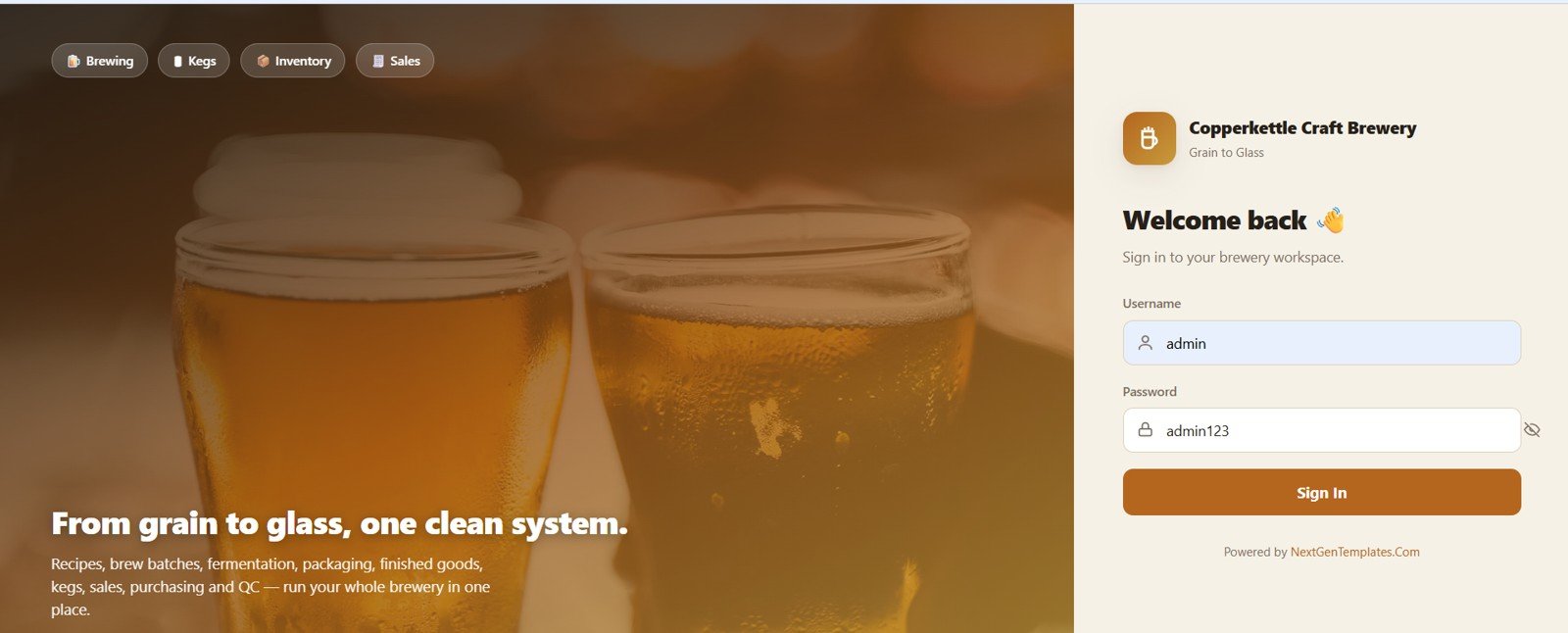
Page 1: Login Page
A clean, brewery-branded sign-in screen. Staff log in by username and password to reach the workspace, with quick chips for Brewing, Kegs, Inventory and Sales.
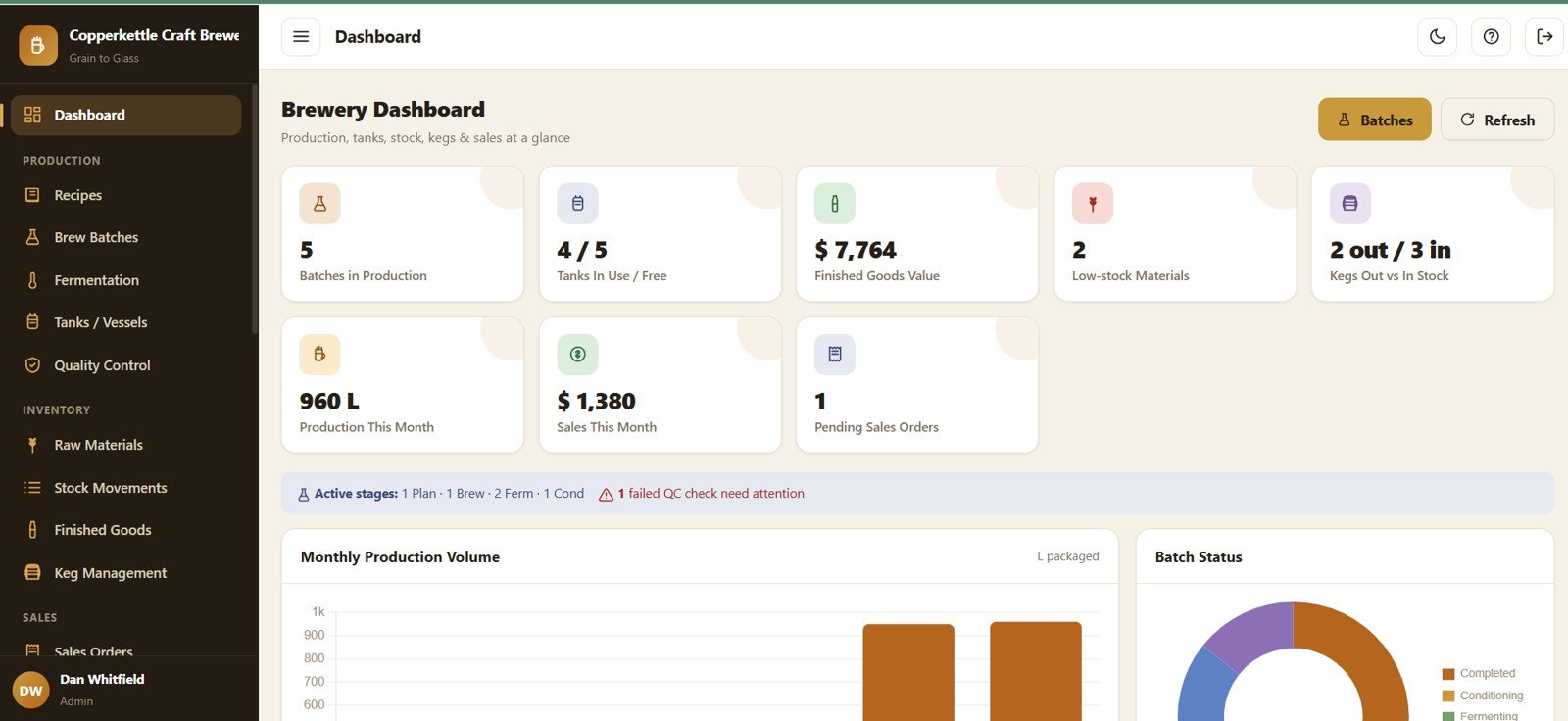
Page 2: Dashboard
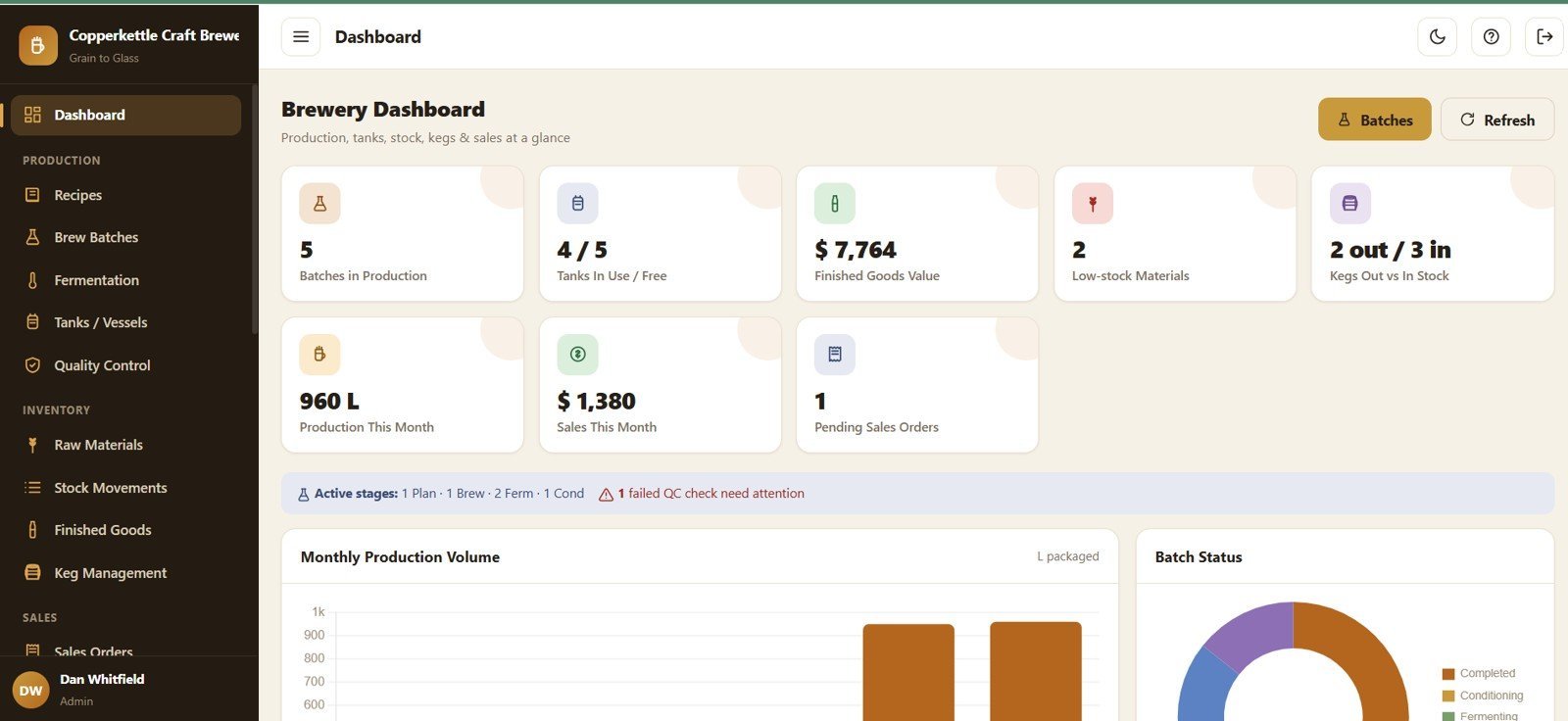
KPI cards for Batches in Production, Tanks In Use/Free, Finished Goods Value, Low-stock Materials, Kegs Out vs In Stock, Production This Month, Sales This Month and Pending Sales Orders, with charts for Production Volume by Month, Batch Status by Stage, Active Stages by Batch Count and Failed QC Checks by Attention Needed.
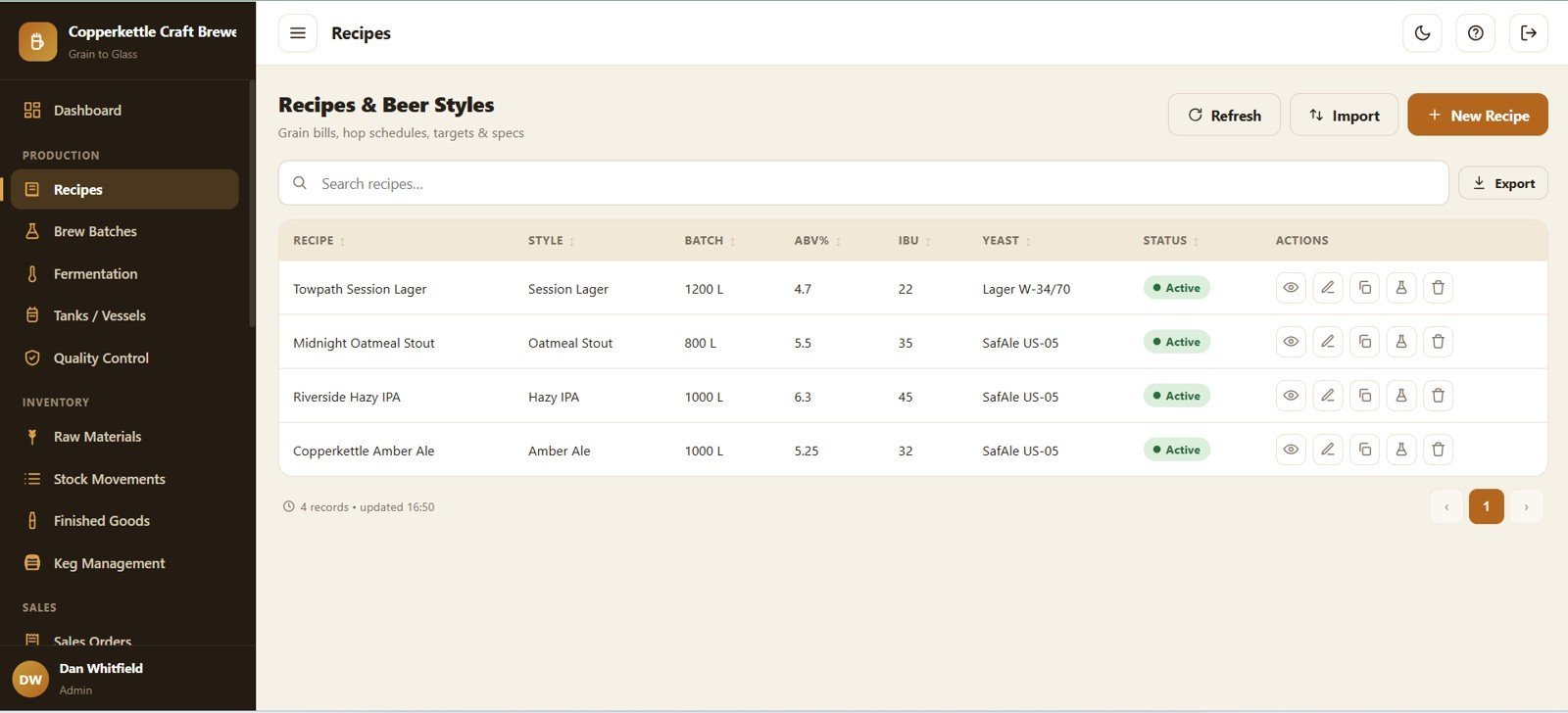
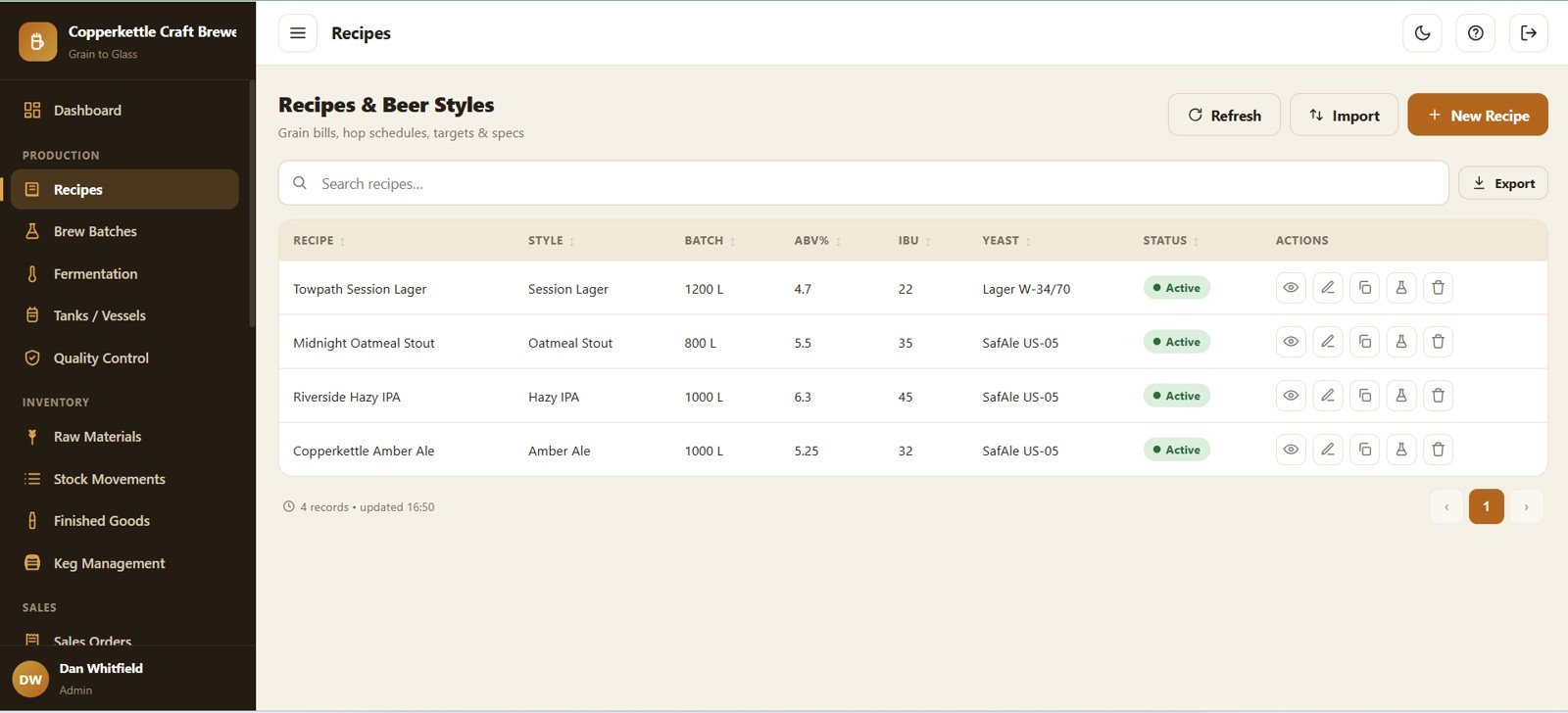
Page 3: Recipes and Beer Styles
Every recipe and its targets, with charts for Recipes by Style, Batch Size by Recipe, ABV by Recipe, IBU by Recipe, Yeast by Recipe and Recipe Status by Active State.
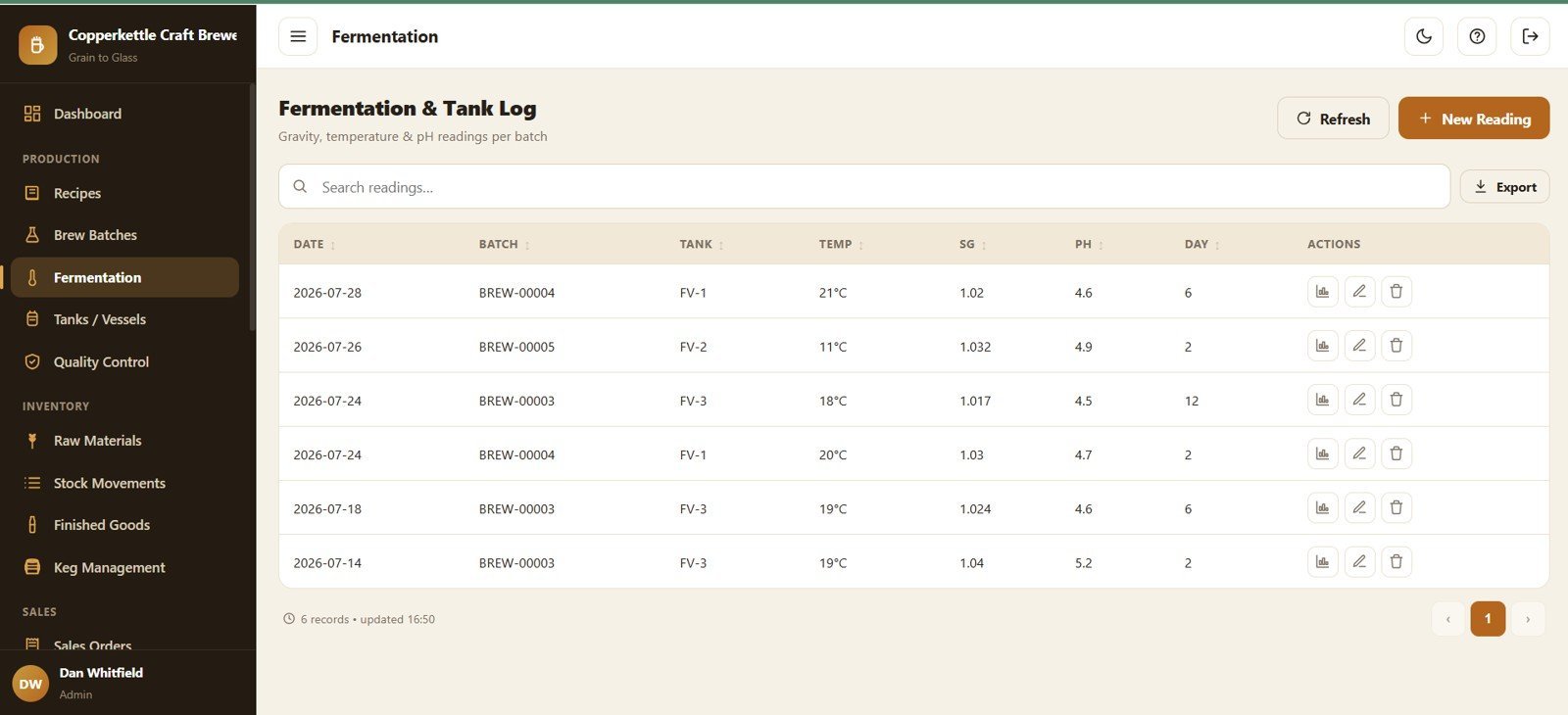
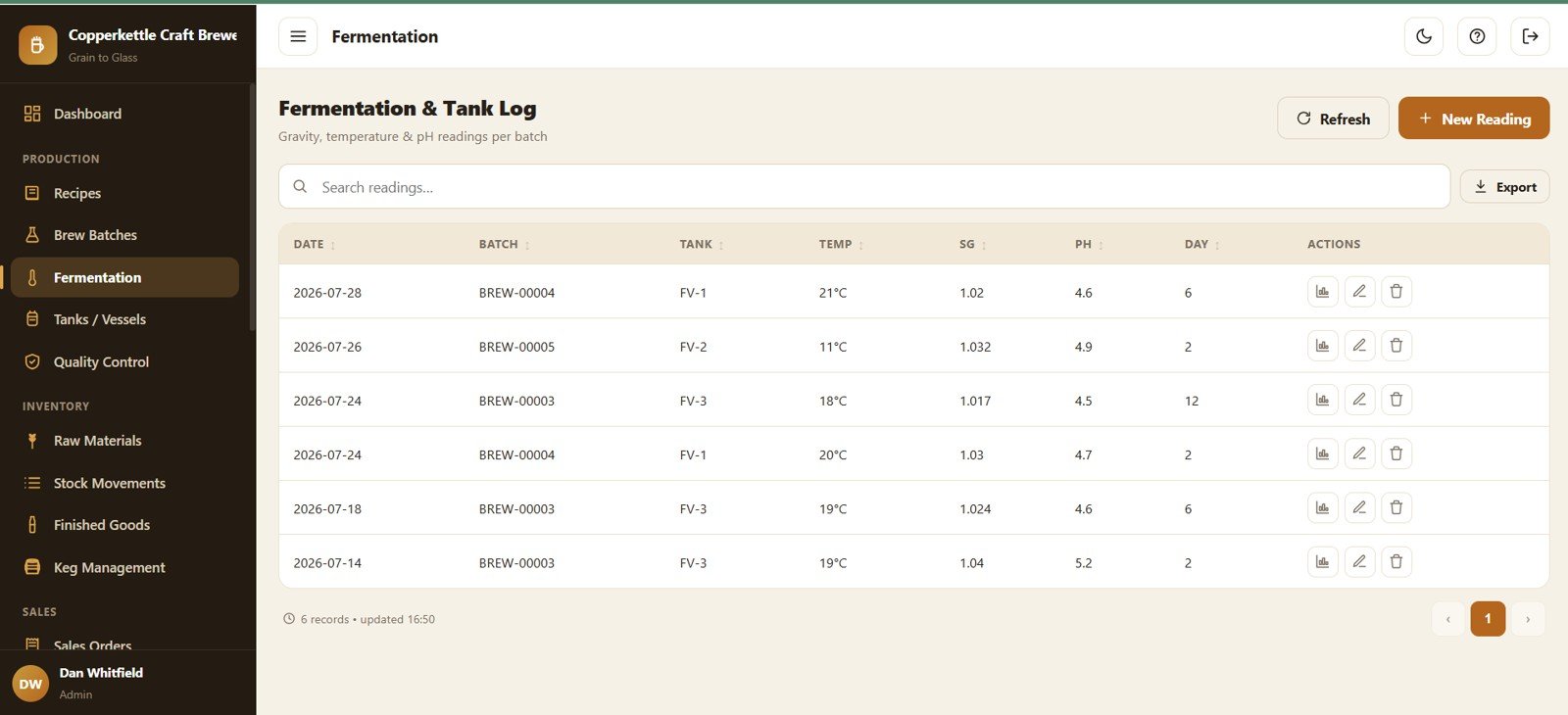
Page 4: Fermentation and Tank Log
Track readings per batch with Temperature by Batch, Specific Gravity by Batch, pH by Batch, Fermentation Day by Batch and Reading Date by Batch.
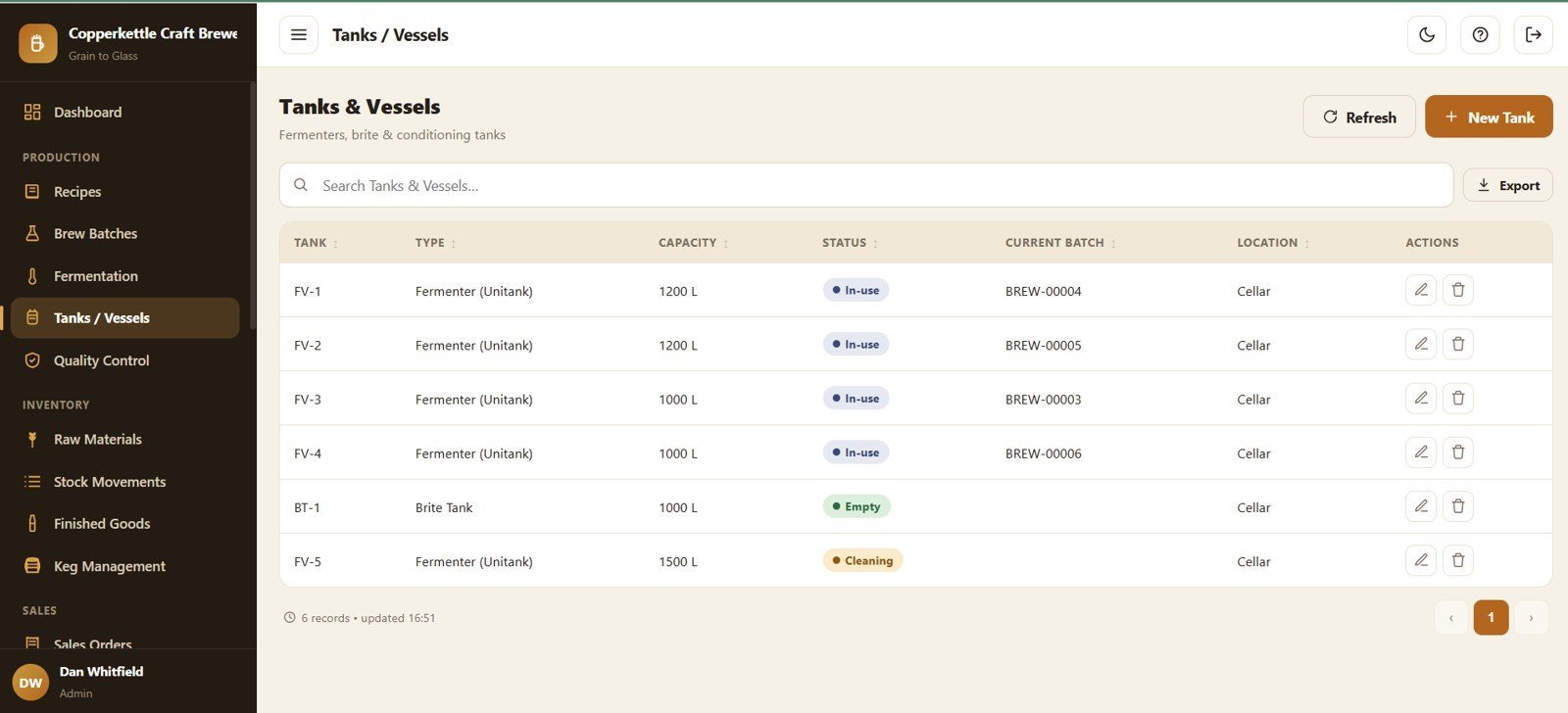
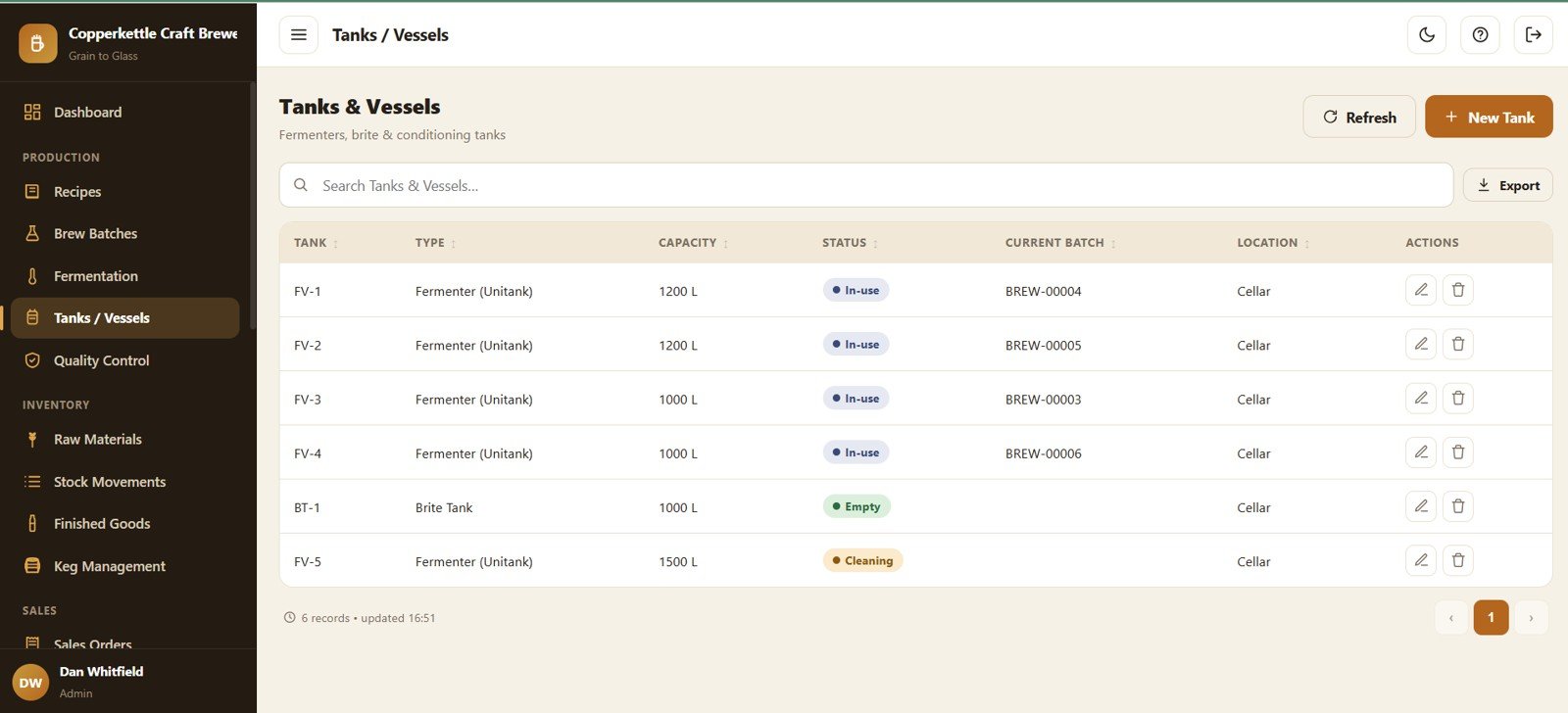
Page 5: Tanks and Vessels
Manage every vessel with Tank Capacity by Vessel, Tank Status by Vessel, Current Batch by Tank and Location by Tank.
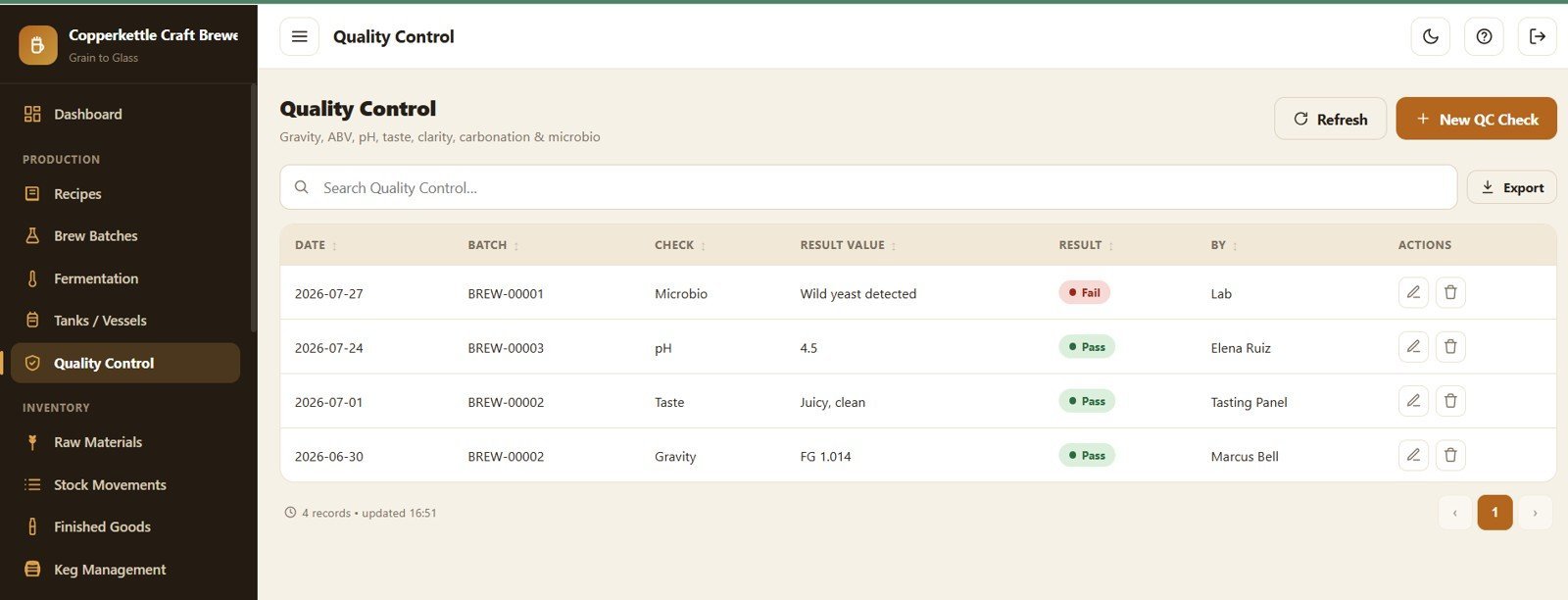
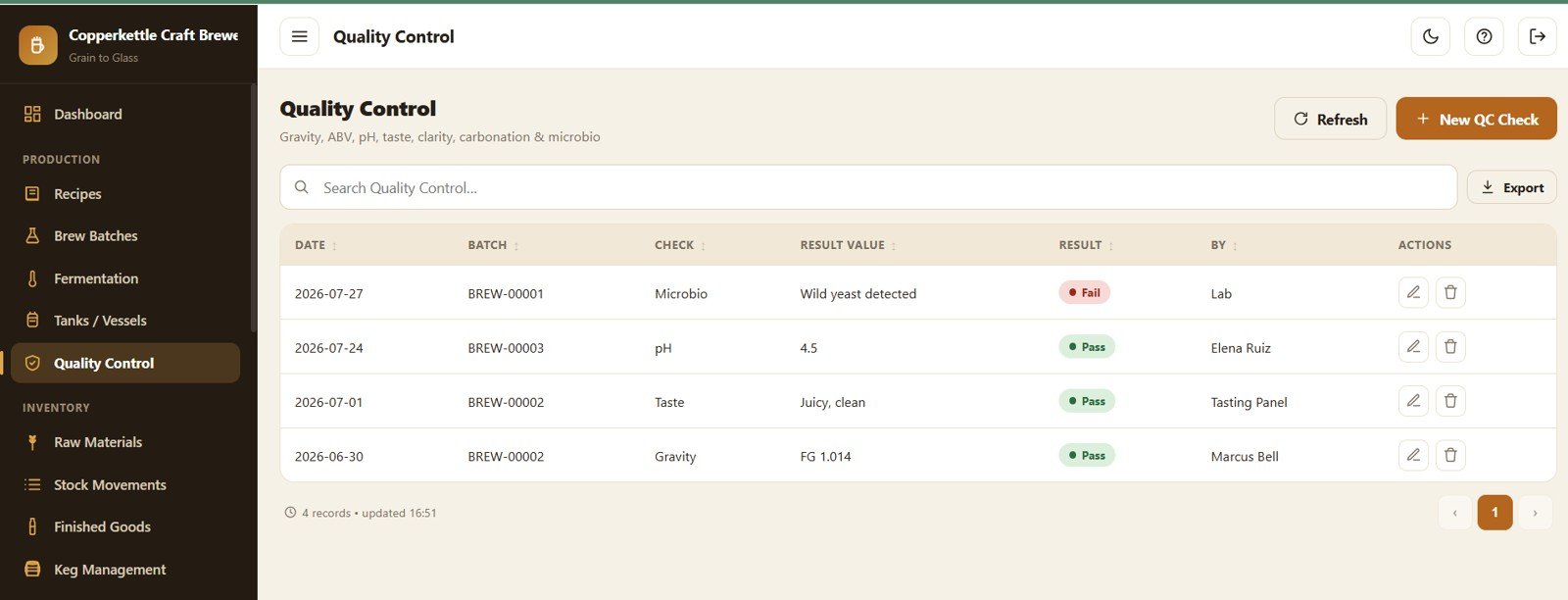
Page 6: Quality Control
Log every check with QC Result by Batch, Result Value by Check Type, QC Check by Date and QC Owner by Batch; failed checks are flagged on the dashboard.
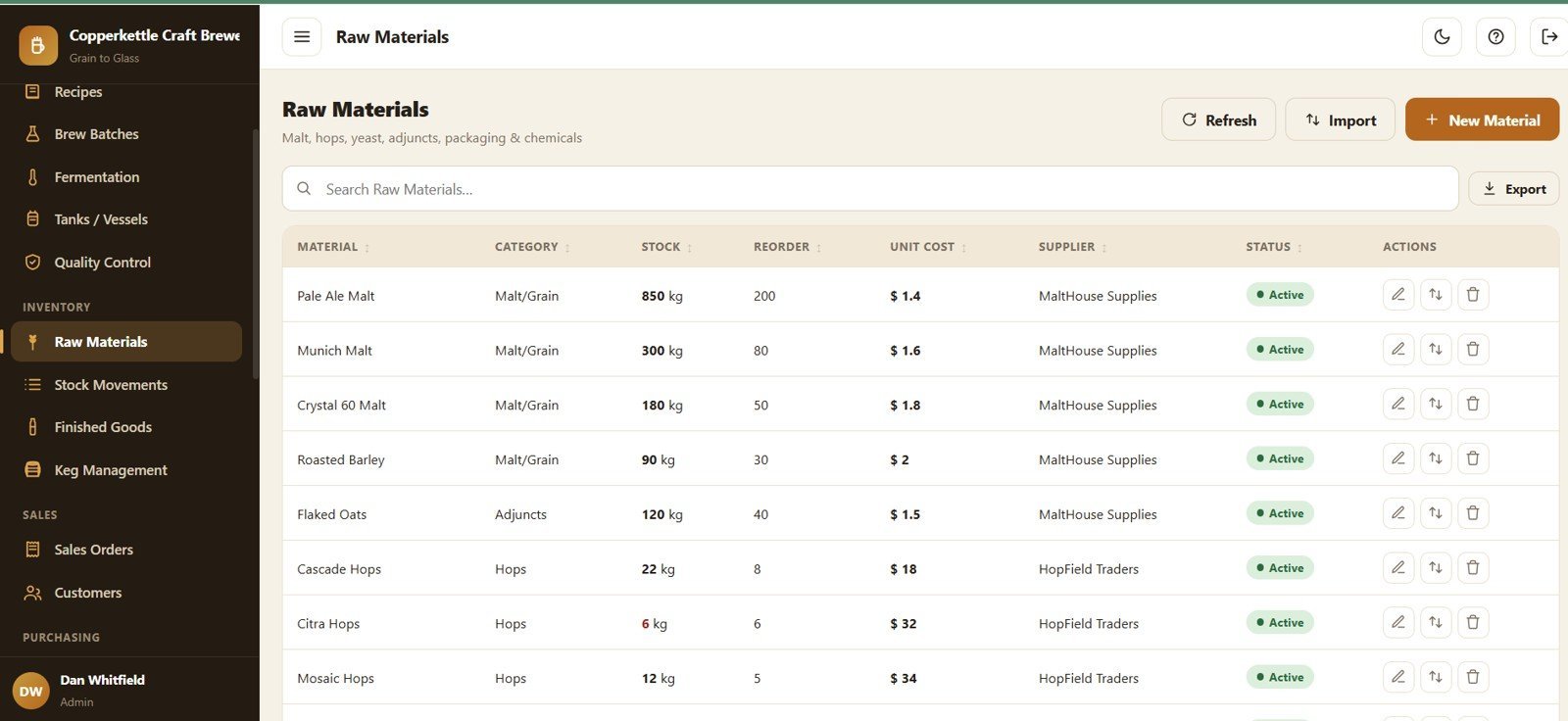
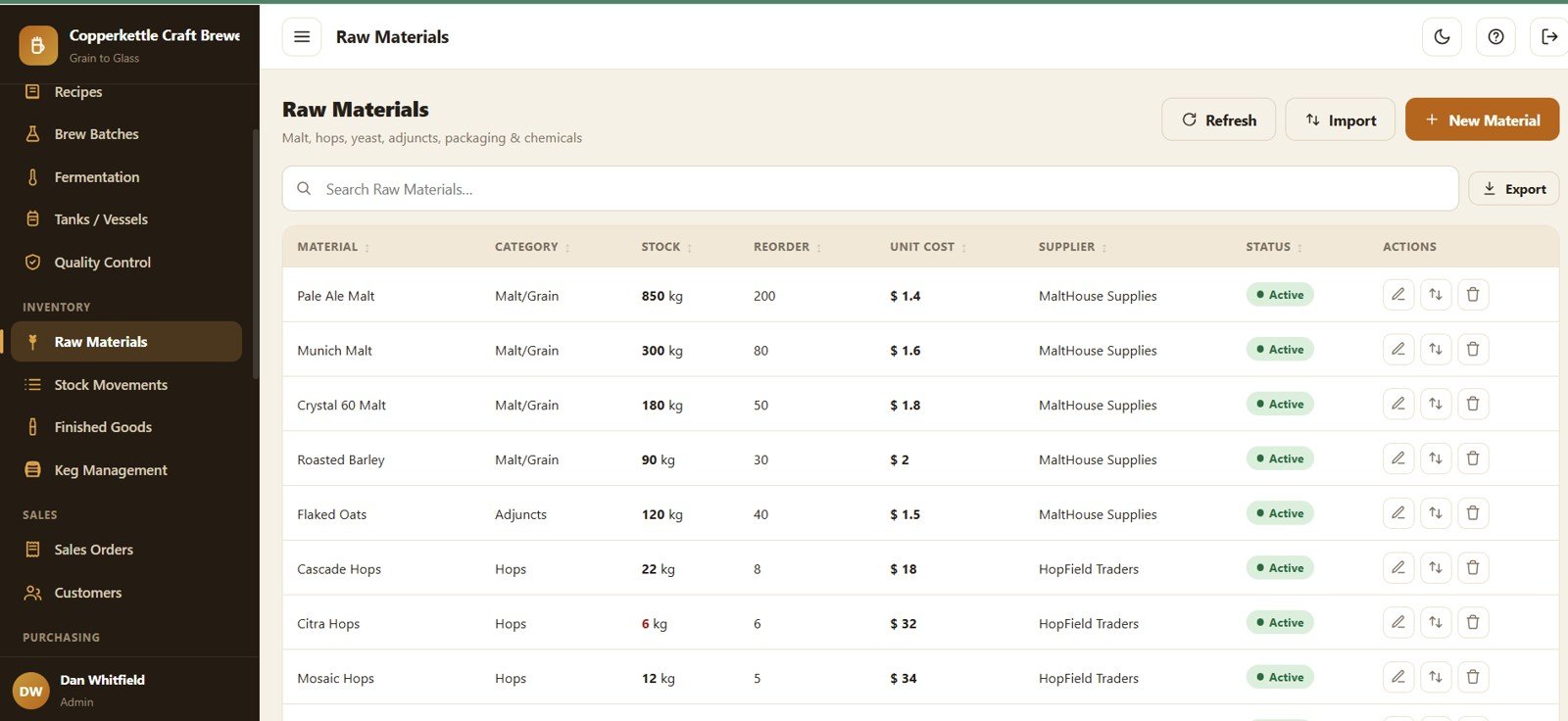
Page 7: Raw Materials
Malt, hops, yeast, adjuncts, chemicals and packaging with Stock by Material, Reorder Point by Material, Unit Cost by Material, Supplier by Material and Status by Material.
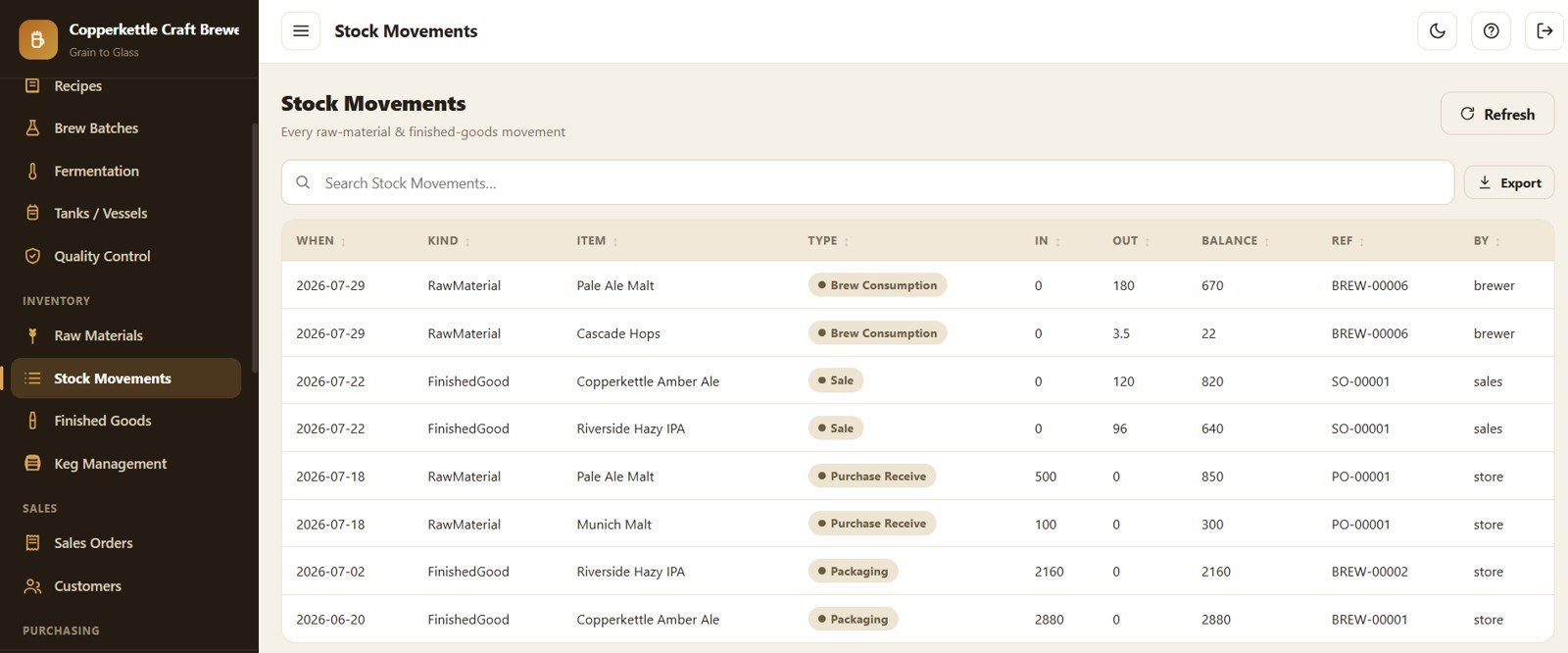
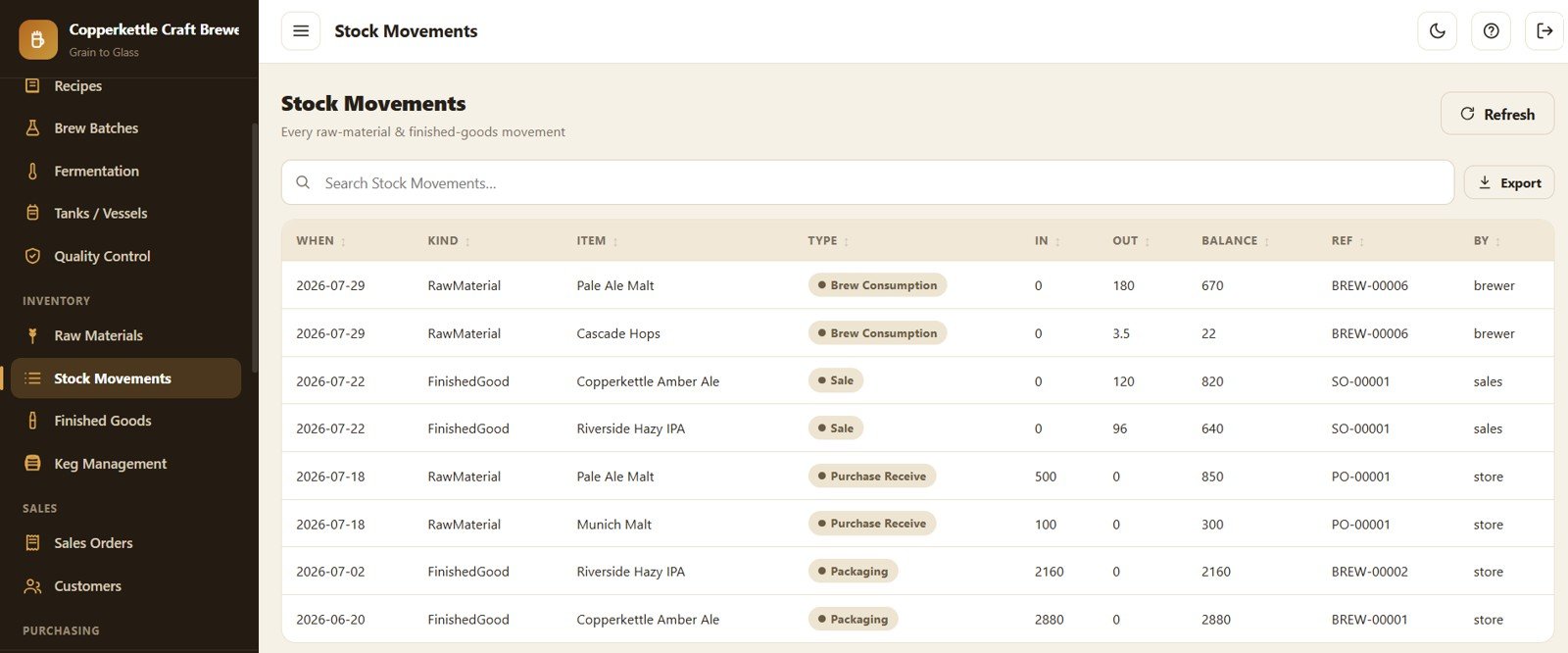
Page 8: Stock Movements
A full ledger with Movement Quantity by Item, In Quantity by Item, Out Quantity by Item, Balance by Item and Movement Type by Reference.
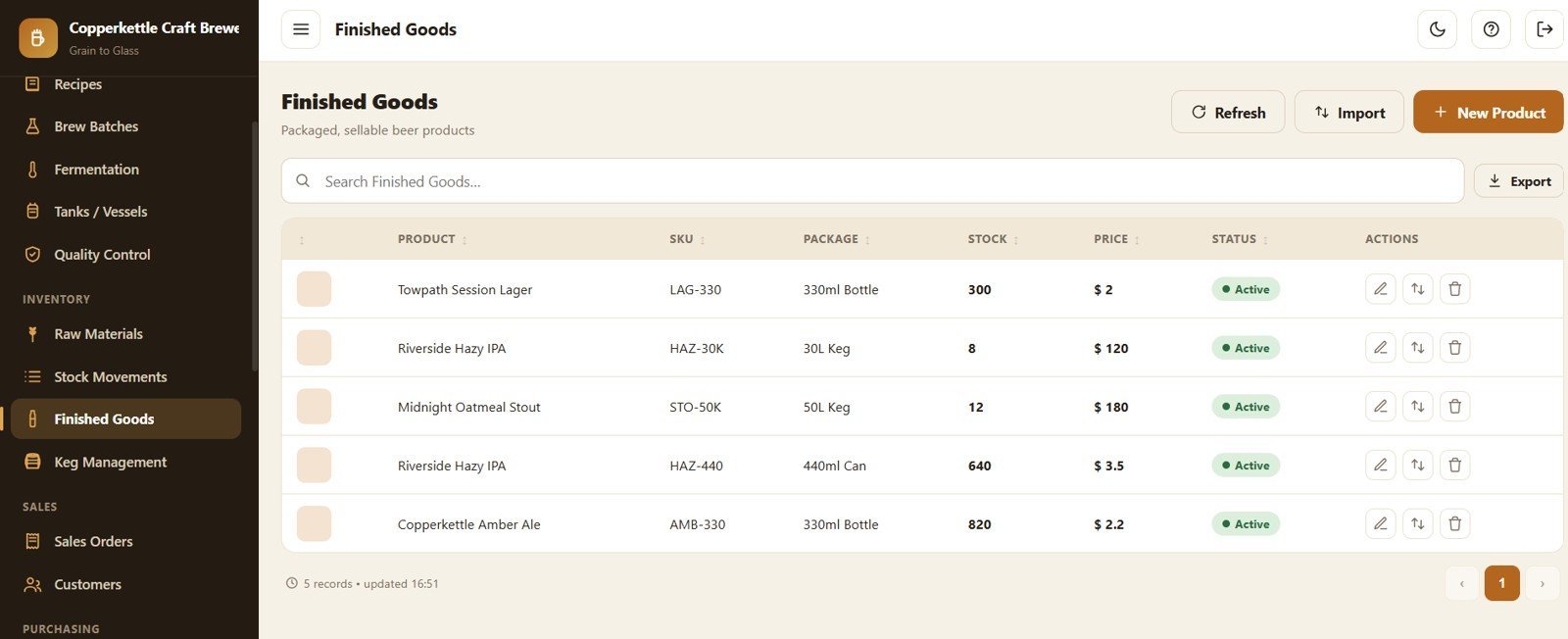
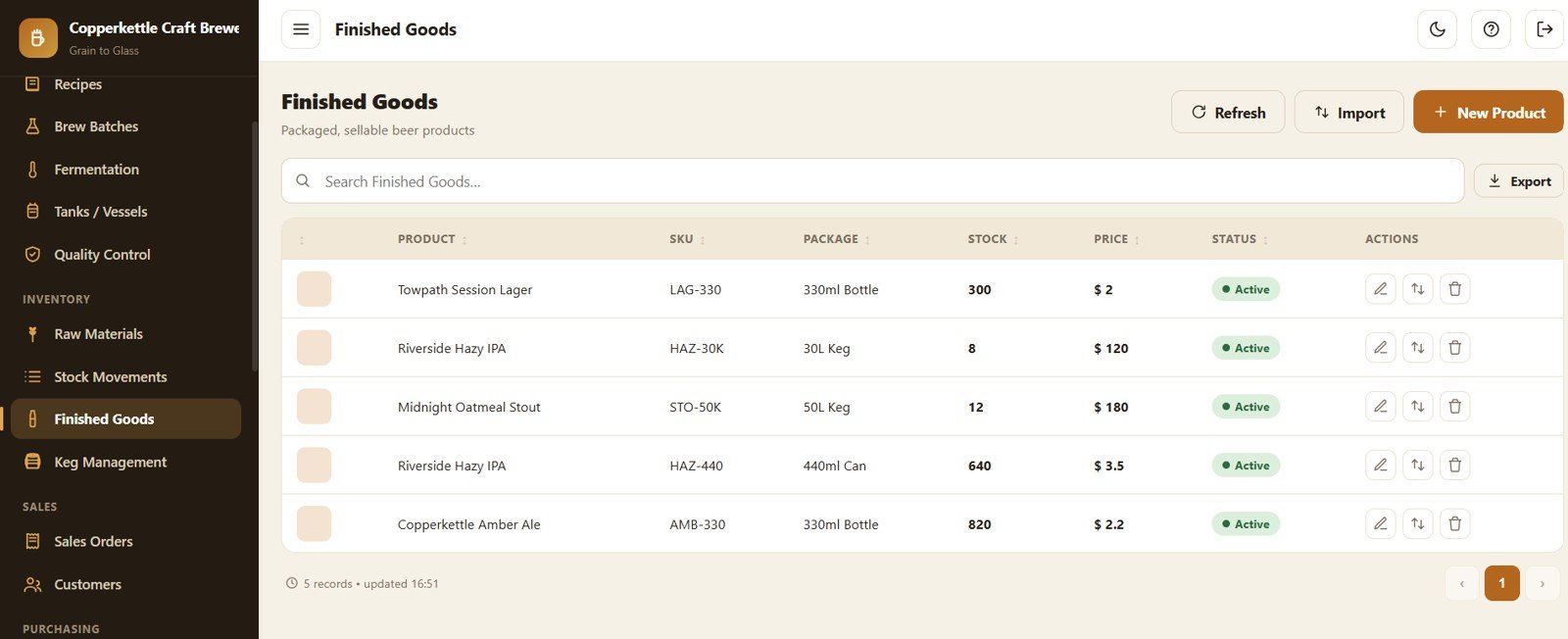
Page 9: Finished Goods
Packaged, sellable products with Stock by Product, Price by Product, Package by Product, SKU by Product and Status by Product.
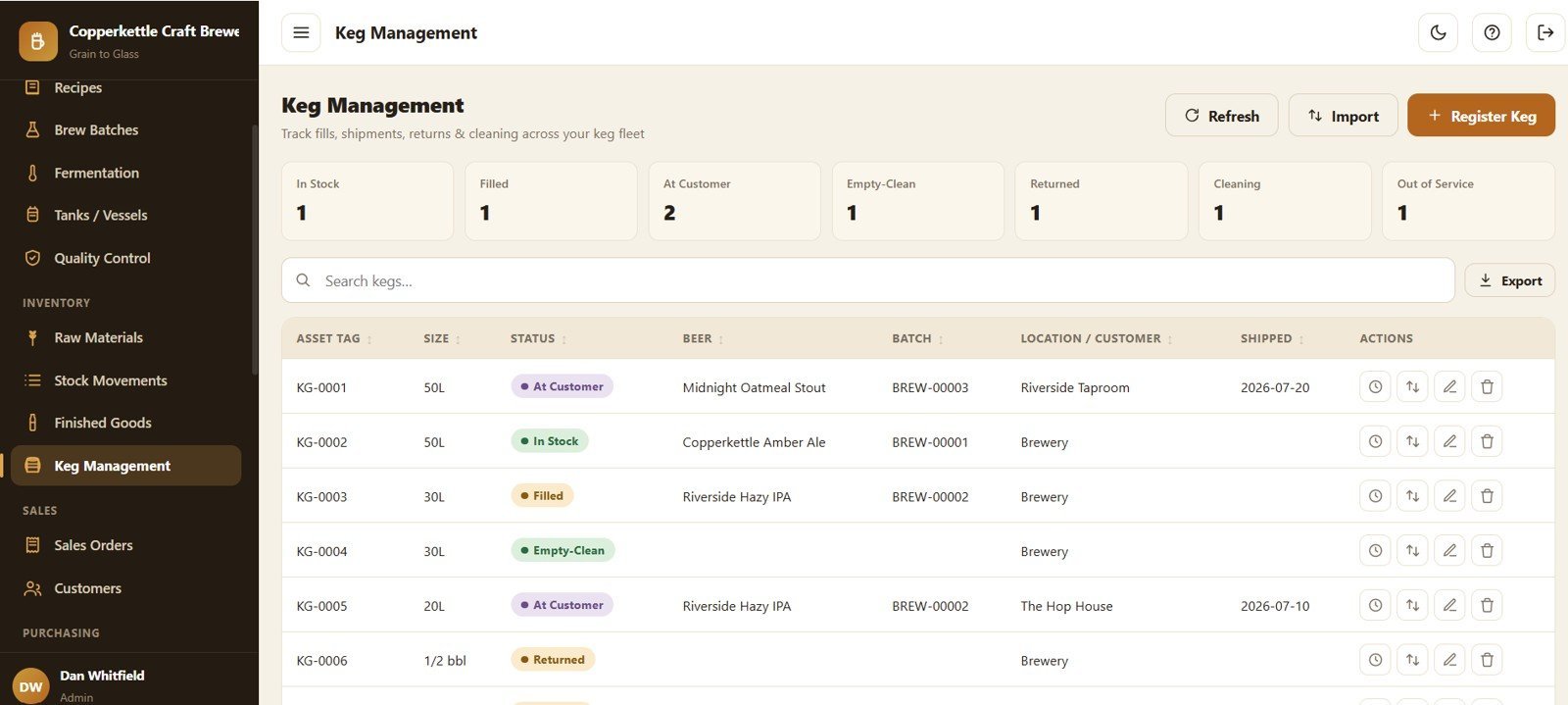
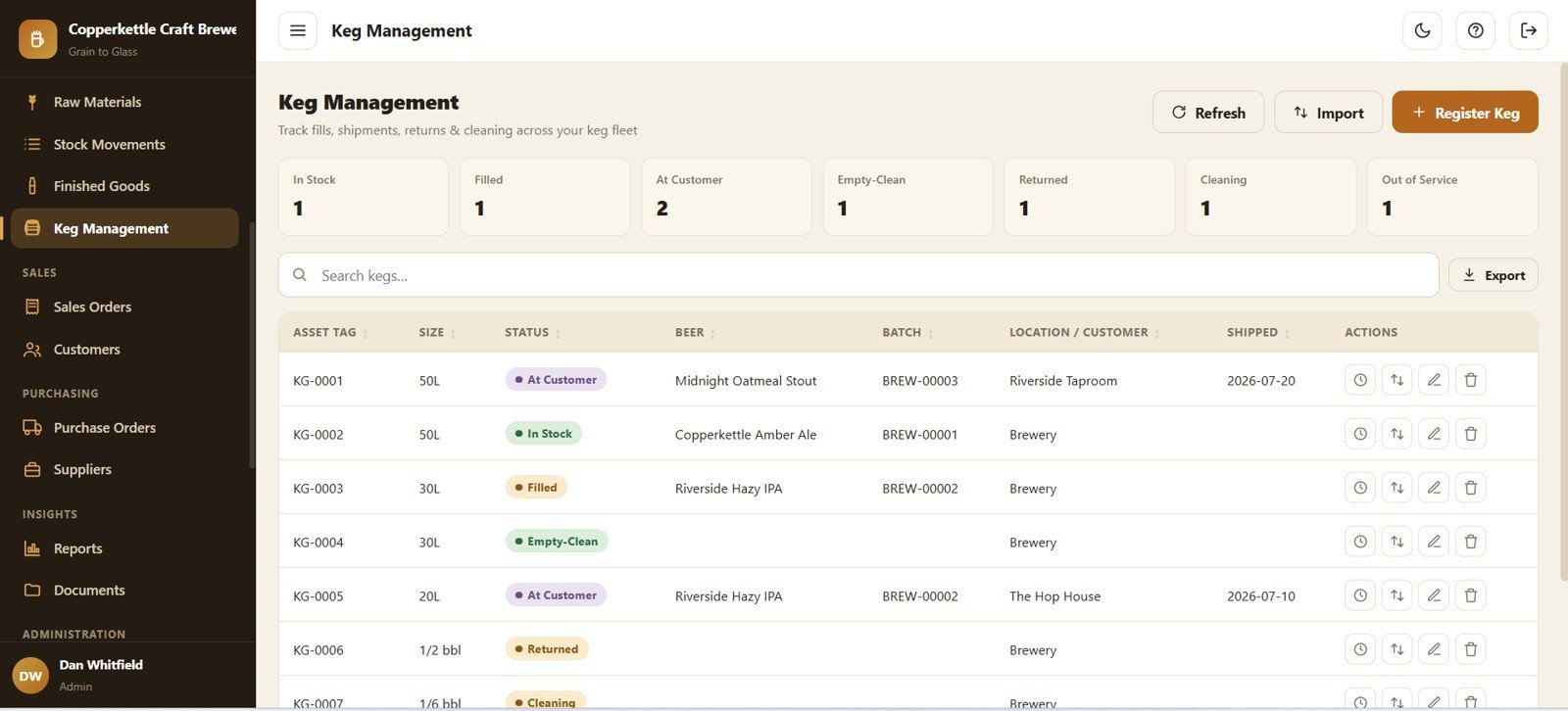
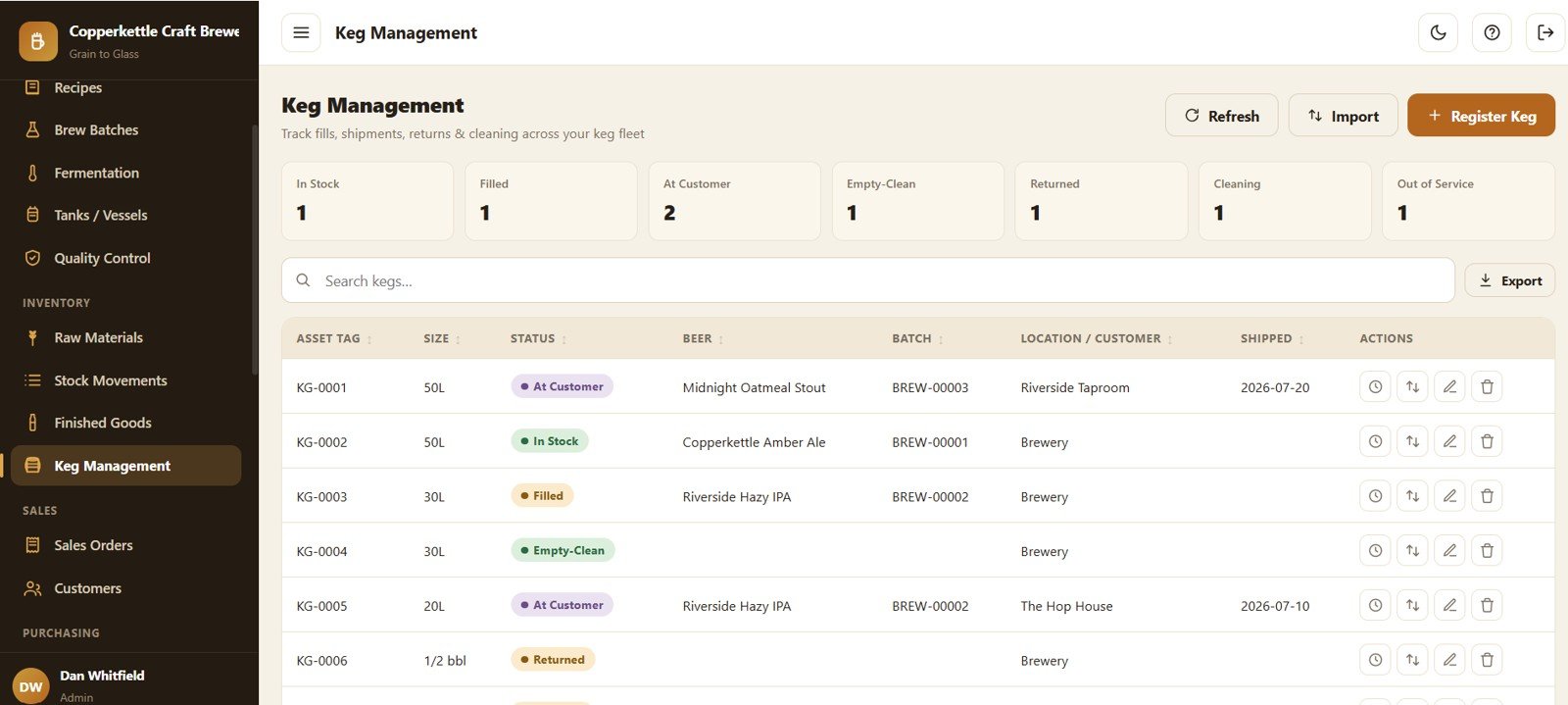
Page 10: Keg Management Summary
Status cards (In Stock, Filled, At Customer, Empty-Clean, Returned, Cleaning, Out of Service) with Keg Status by Asset Tag, Beer by Keg, Batch by Keg, Location or Customer by Keg and Shipped Date by Keg.
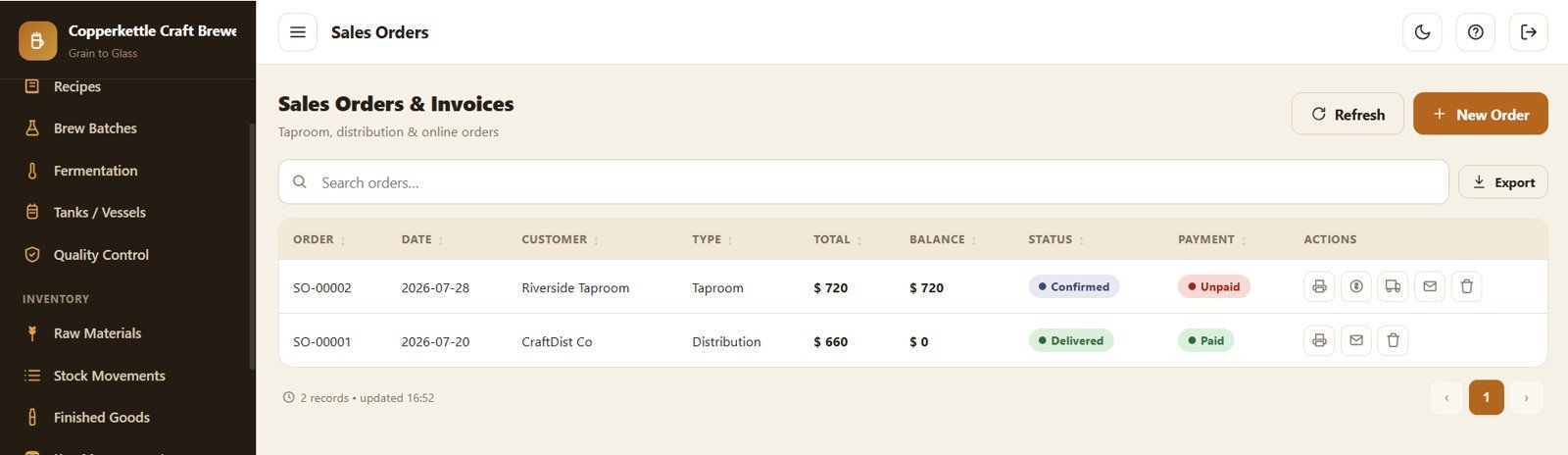
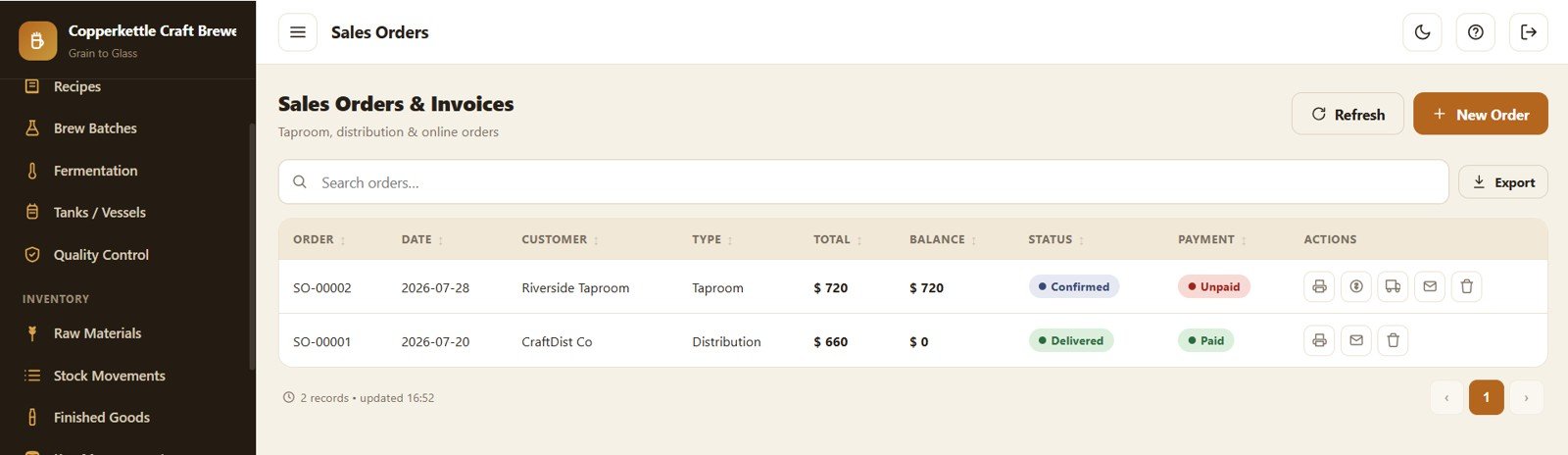
Page 11: Sales Orders and Invoices
Manage orders with Total by Sales Order, Balance by Customer, Order Status by Order, Payment Status by Order and Order Type by Customer.
Page 12: Keg Management Detail
The full keg register with status cards plus Keg Status by Asset Tag, Beer by Keg, Batch by Keg, Location or Customer by Keg and Shipped Date by Keg.
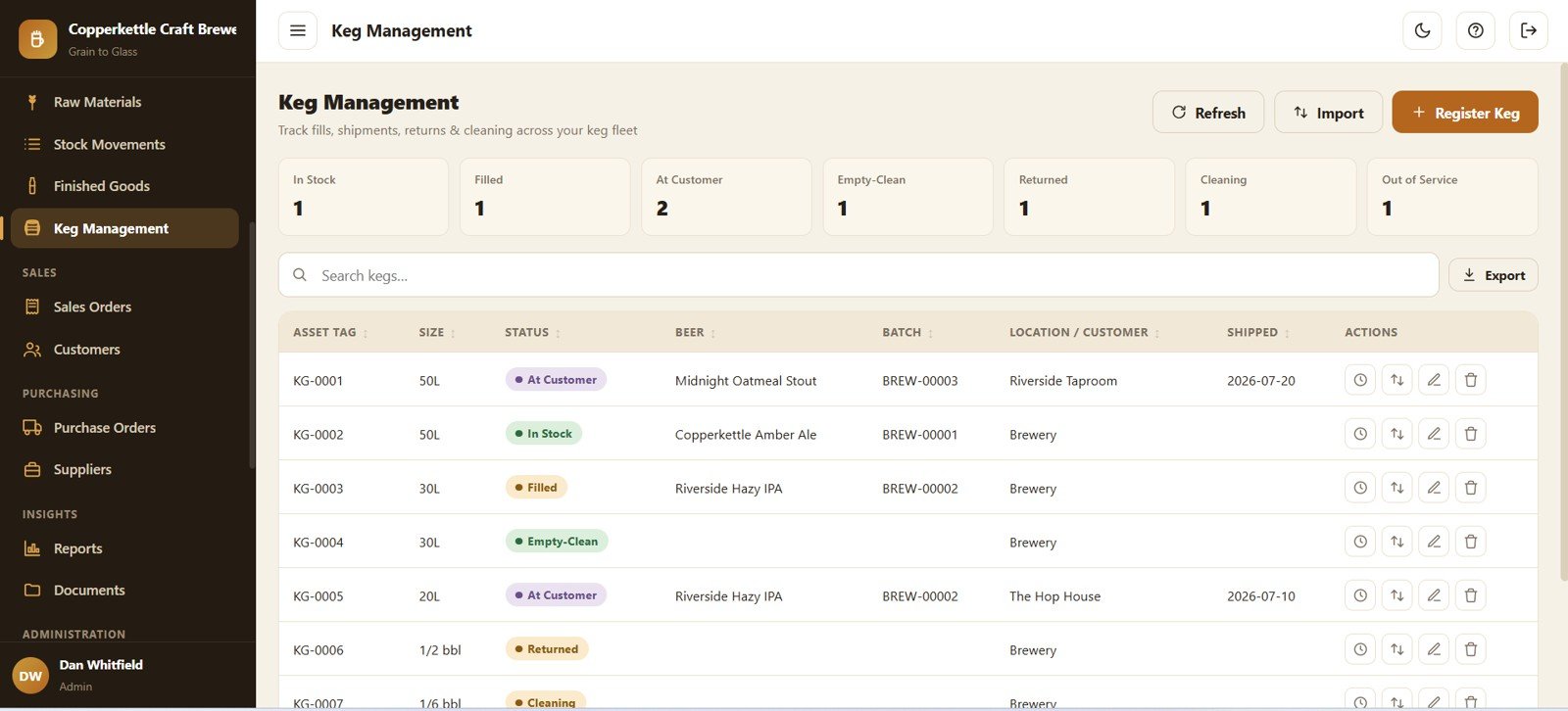
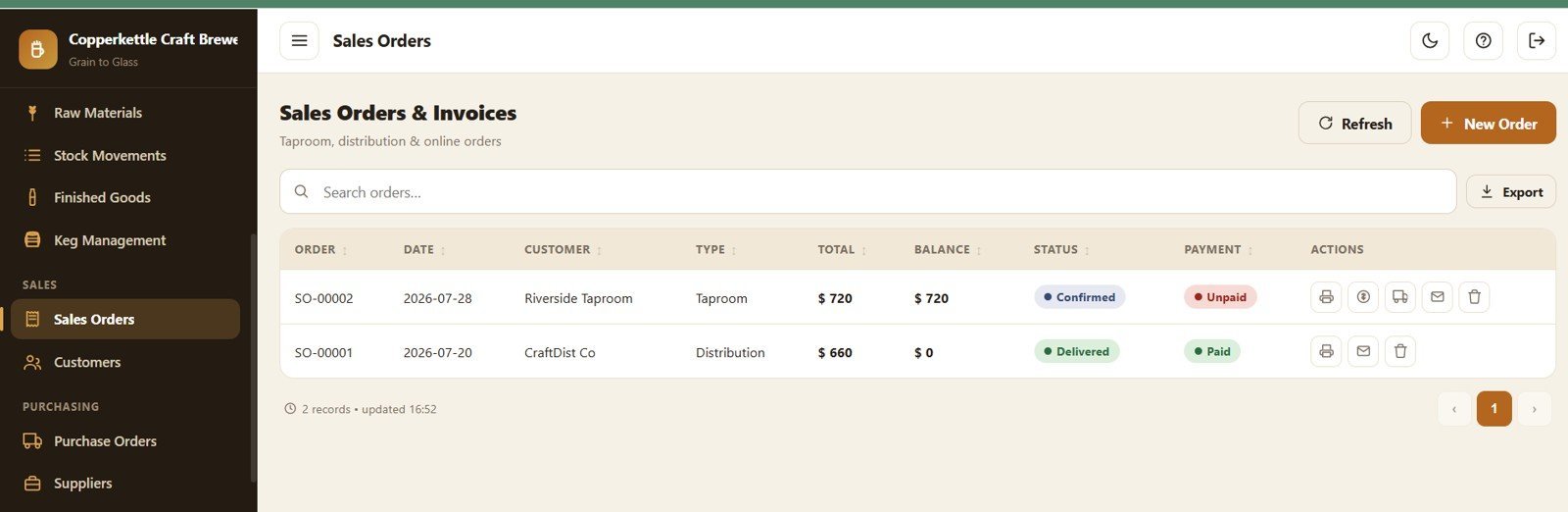
Page 13: Sales Orders and Invoices Detail
Drill into an order with Total by Order, Balance by Order, Status by Order, Payment by Order and Customer by Order.
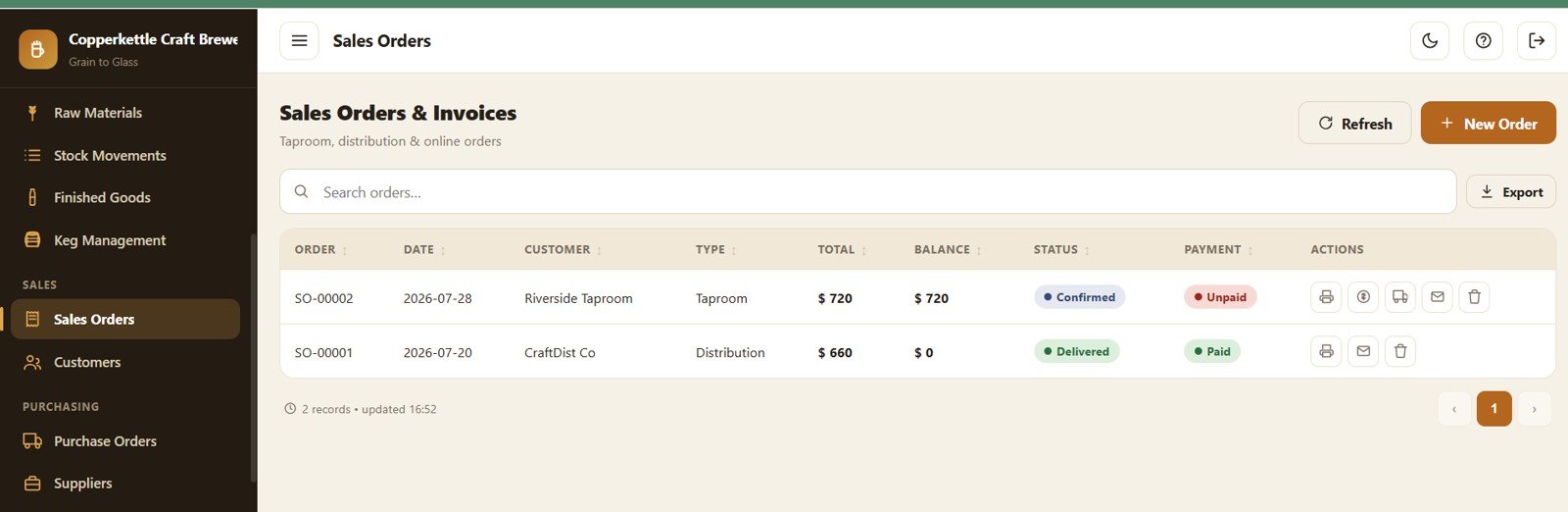
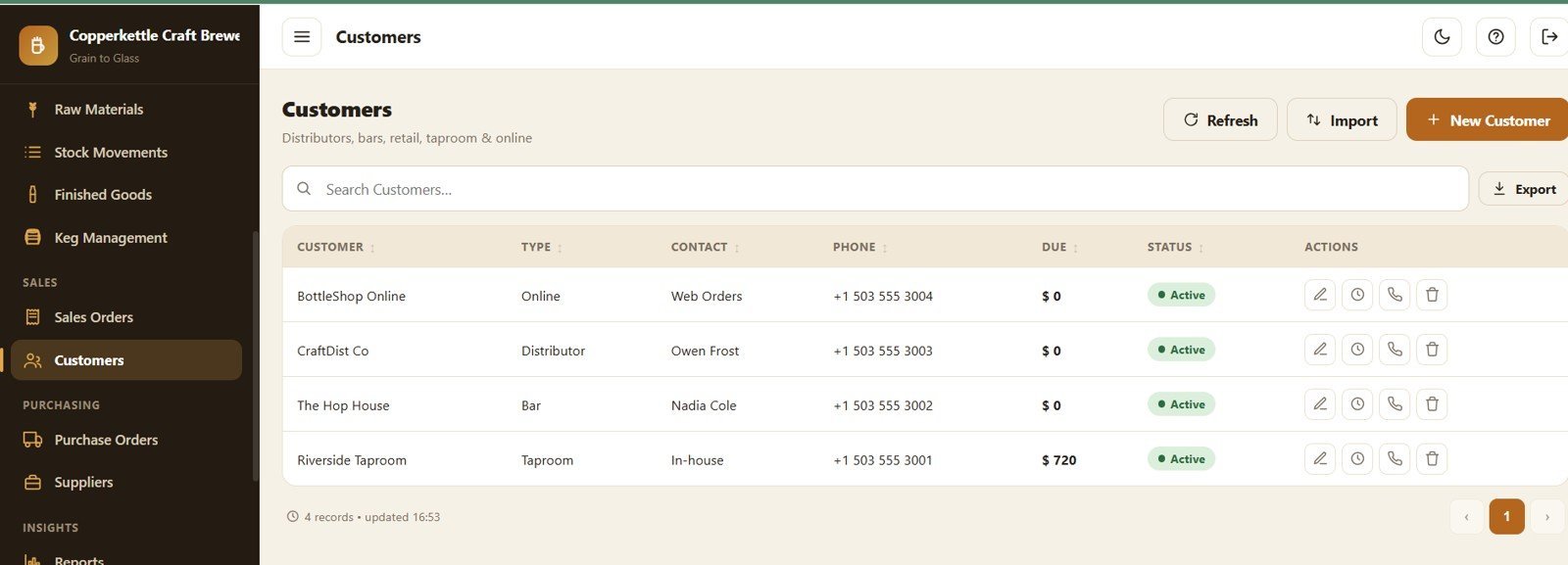
Page 14: Customers
Distributors, bars, retail, taproom and online buyers with Due Amount by Customer, Customer Type by Customer, Contact by Customer and Status by Customer.
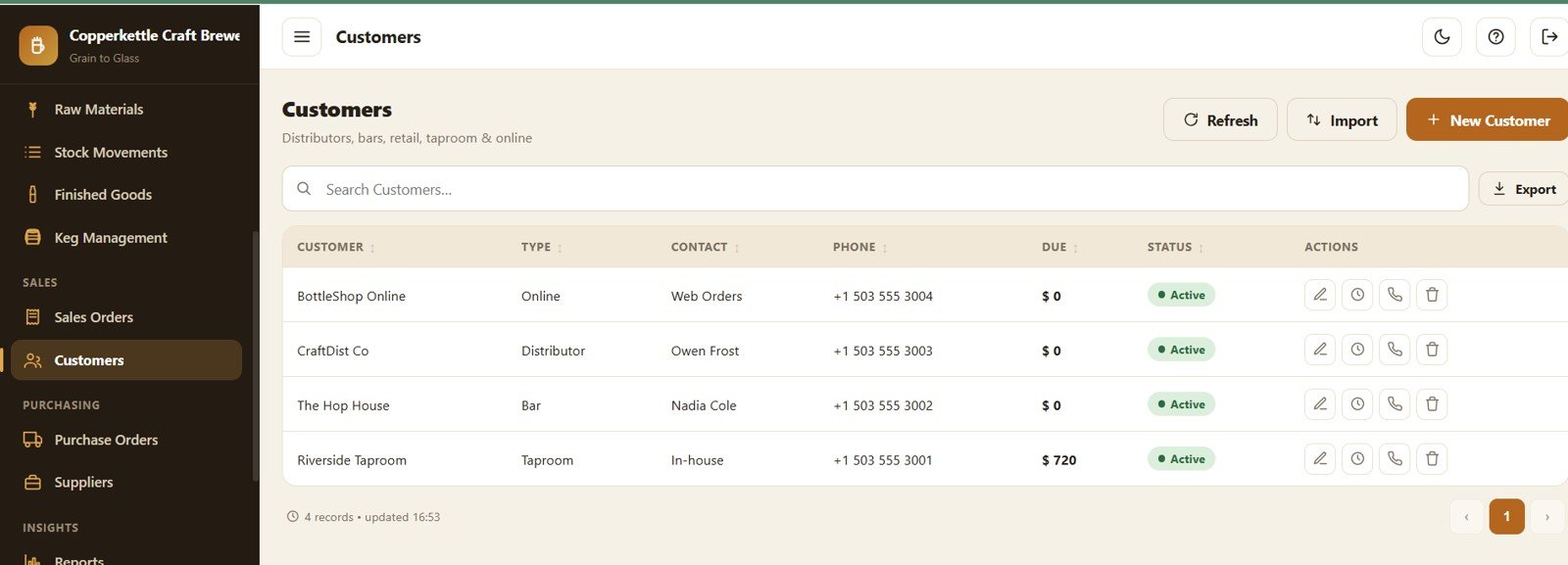
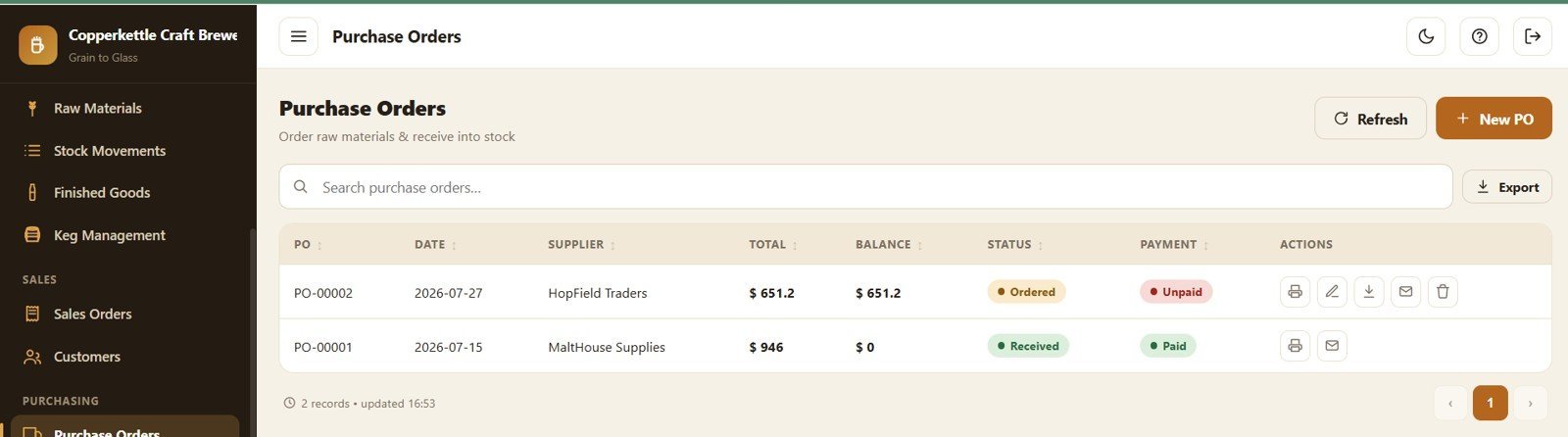
Page 15: Purchase Orders
Order raw materials with Total by Purchase Order, Balance by Supplier, Purchase Status by Purchase Order and Payment Status by Purchase Order.
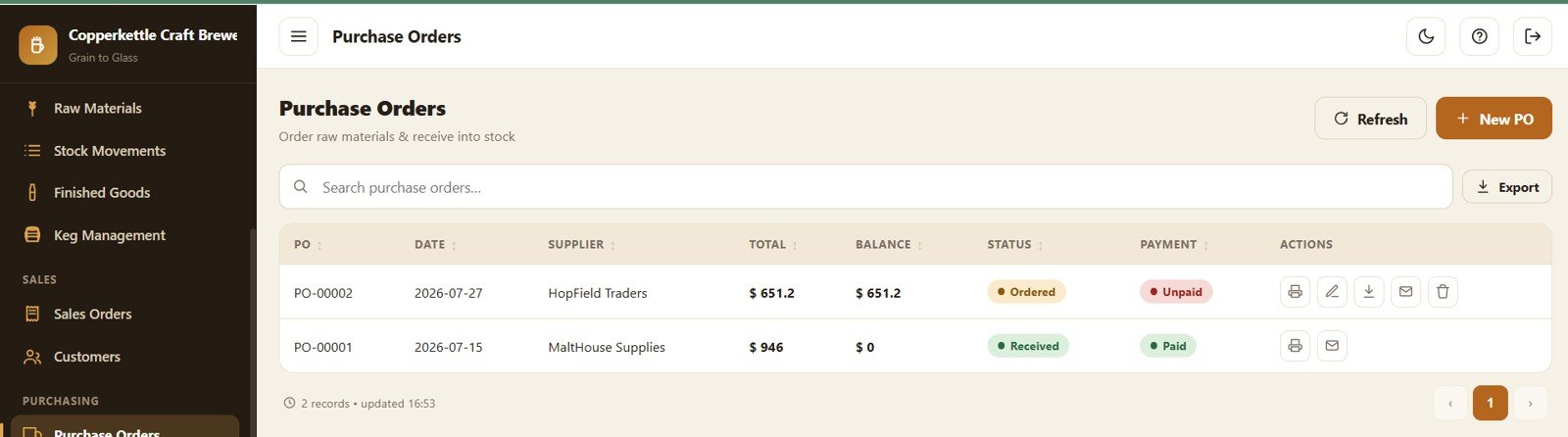
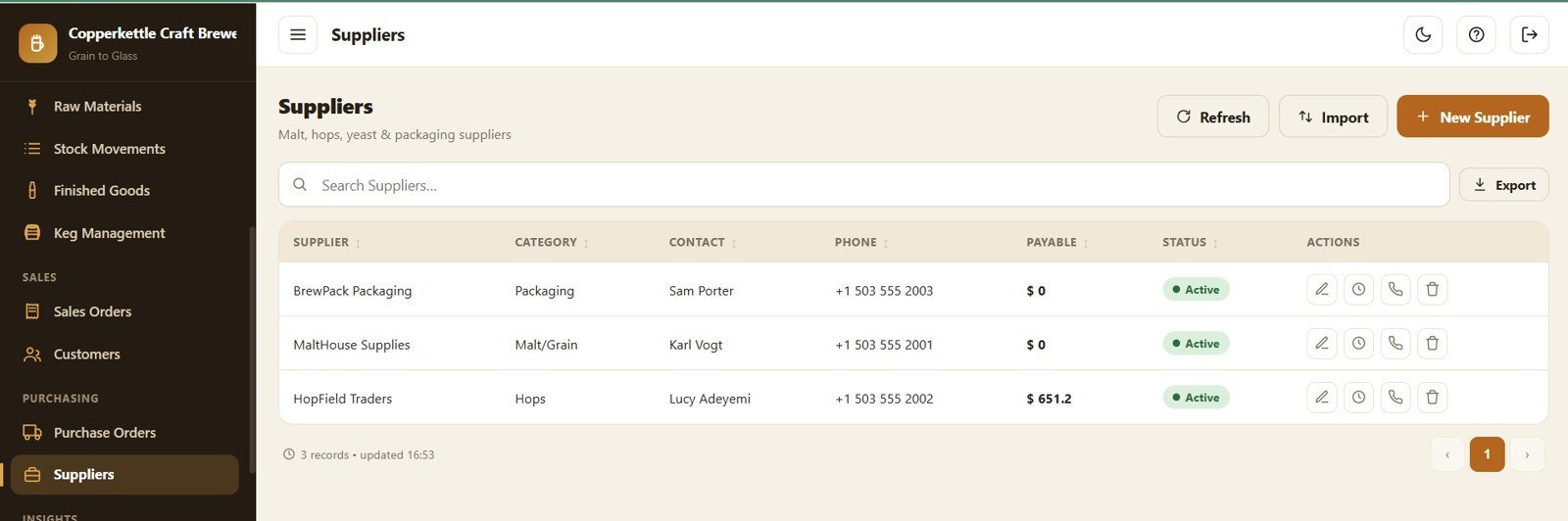
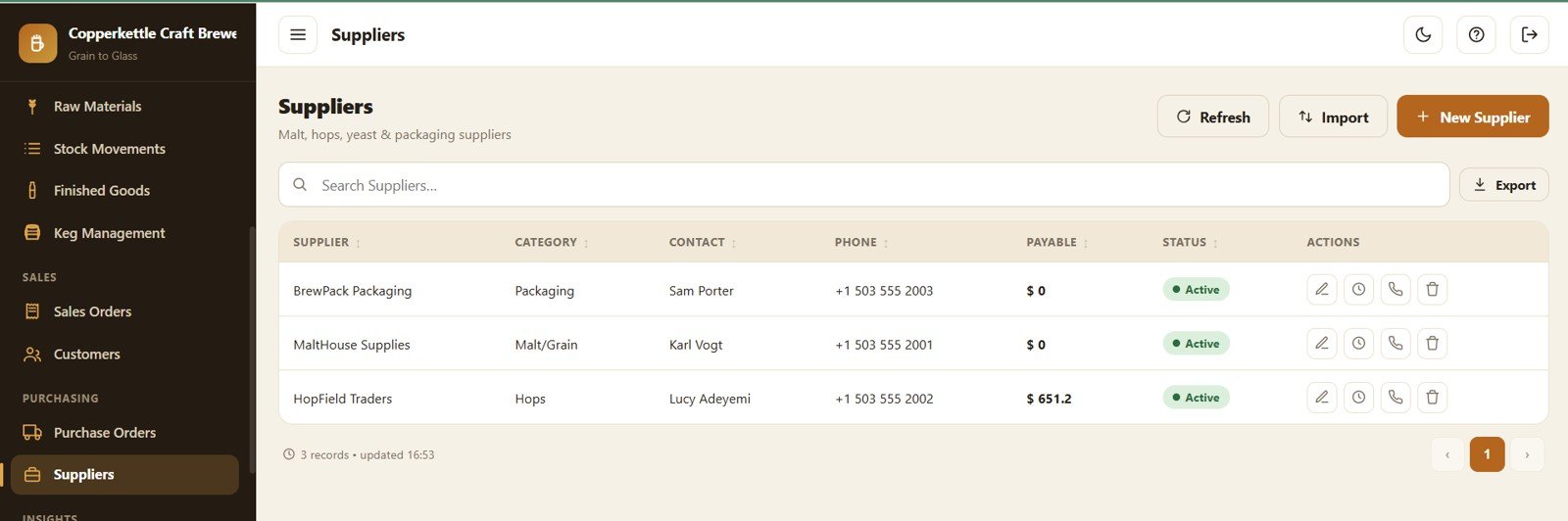
Page 16: Suppliers
Manage suppliers with Payable by Supplier, Supplier Category by Supplier, Contact by Supplier and Status by Supplier.
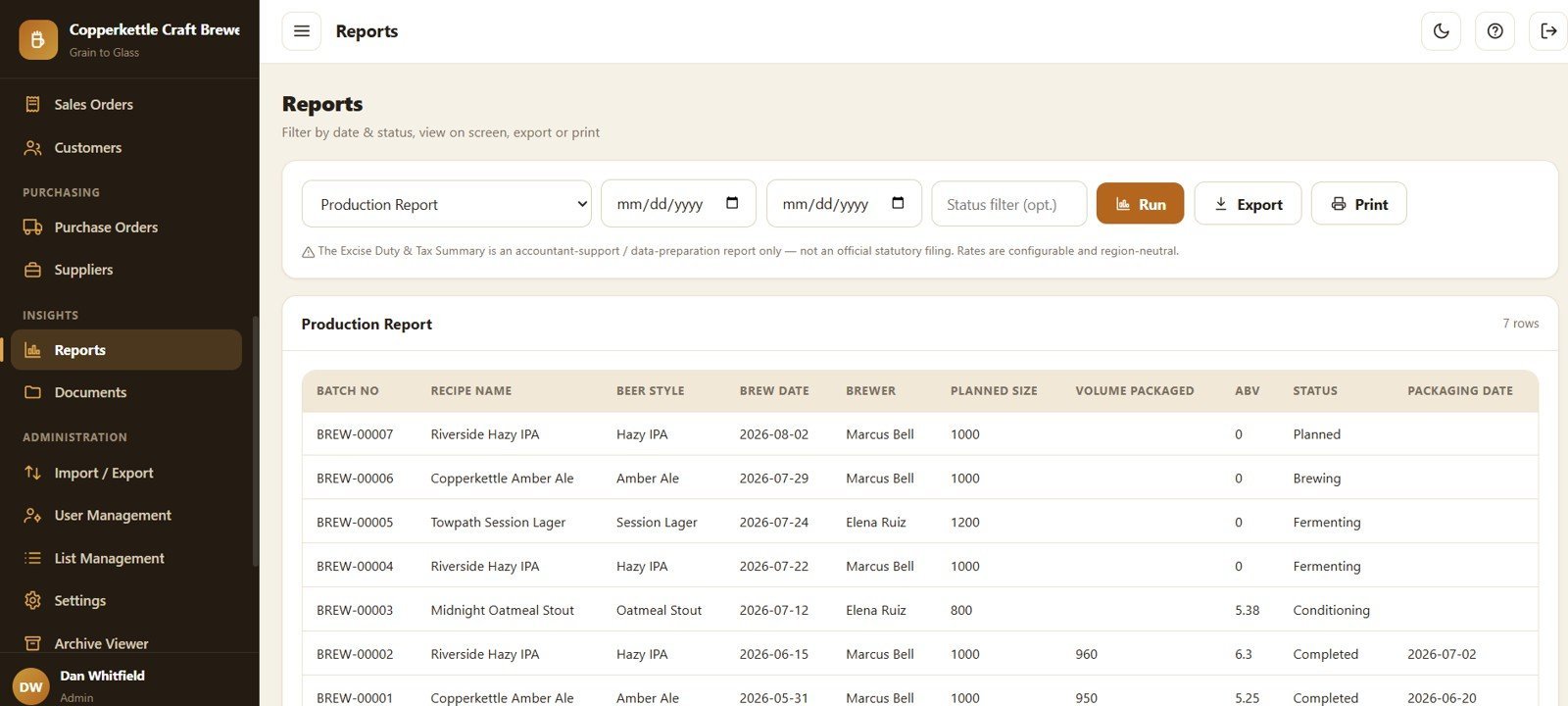
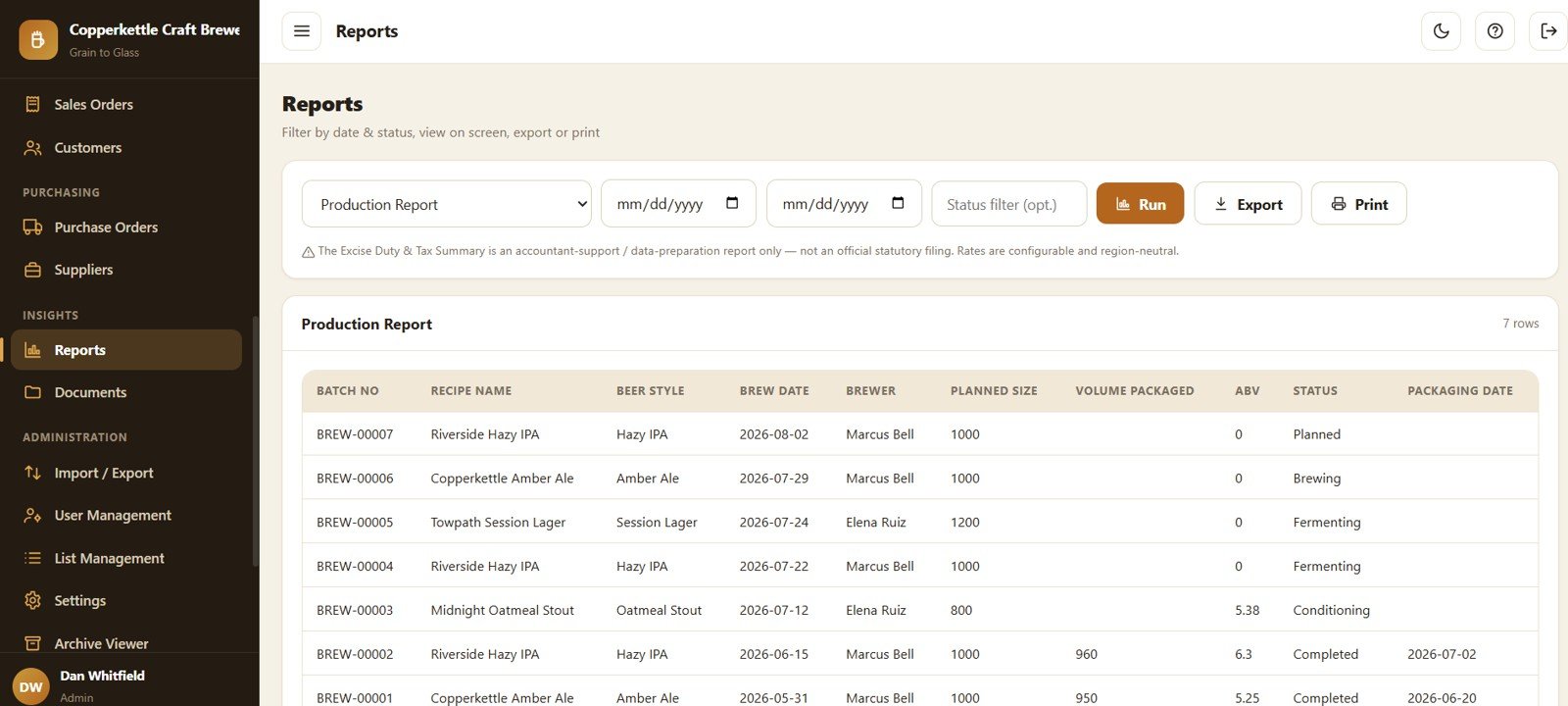
Page 17: Reports
Fifteen reports including a Production Report by Batch Number with Planned Size by Batch, Volume Packaged by Batch, ABV by Batch, Status by Batch and Packaging Date by Batch.
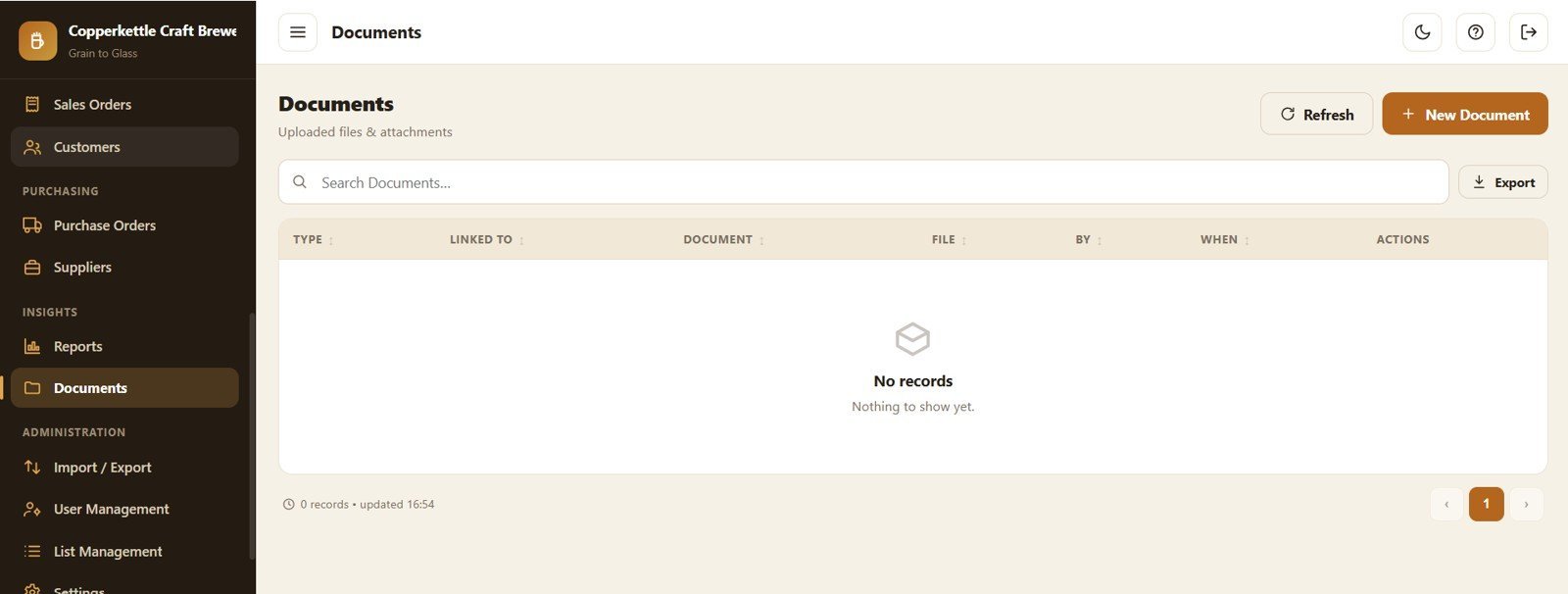
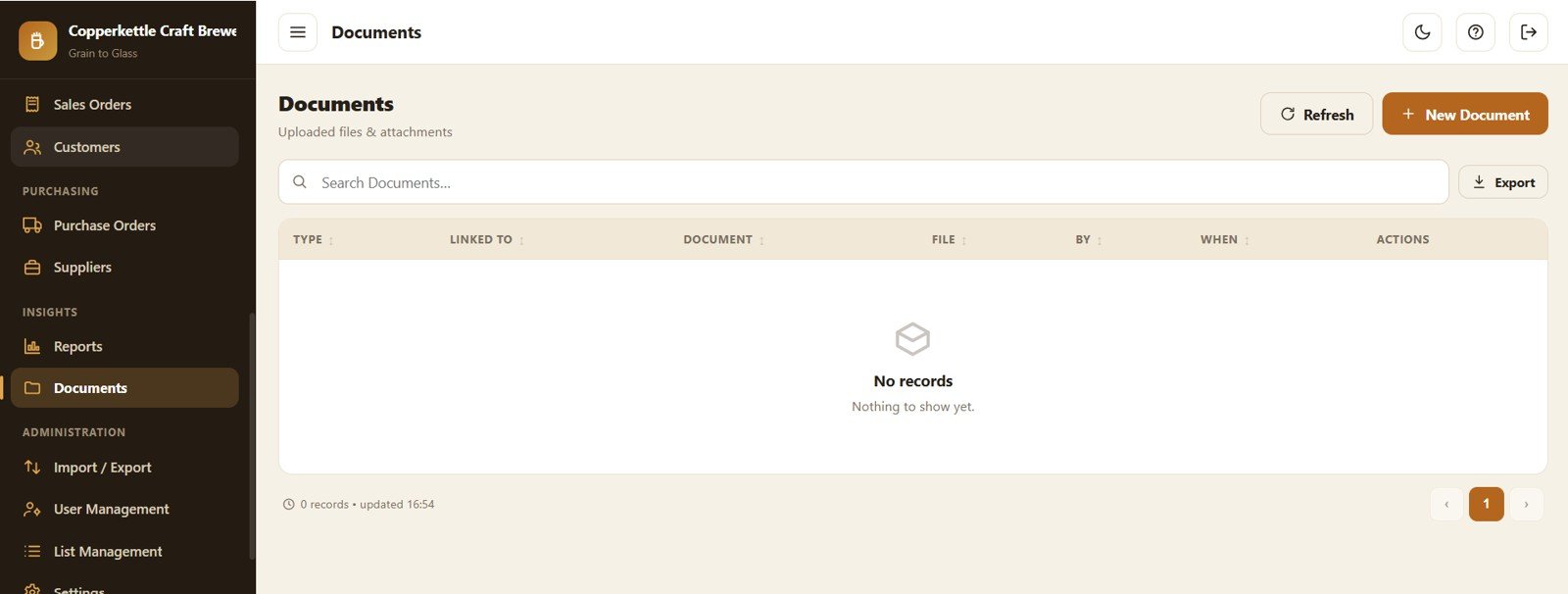
Page 18: Documents
Central file store with Document Type by Linked Record, Uploaded File by Document, Document Owner by File and Upload Date by Document.
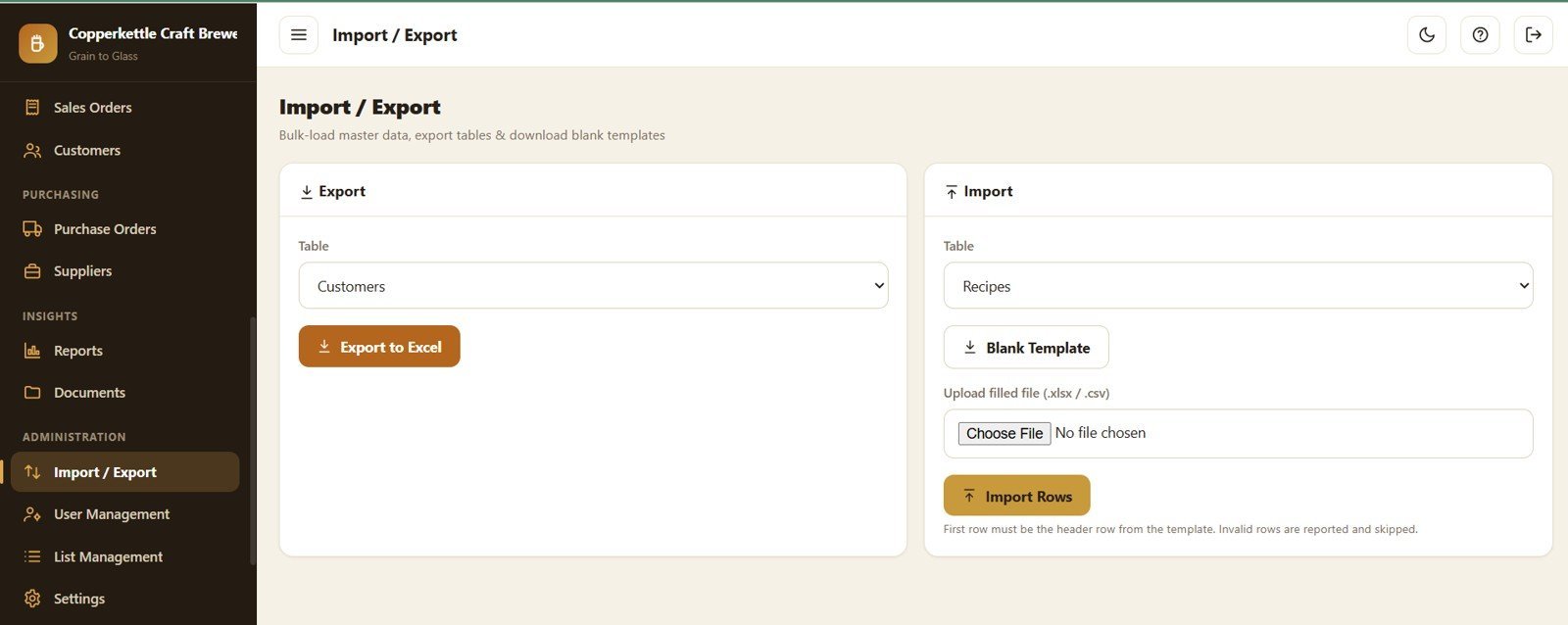
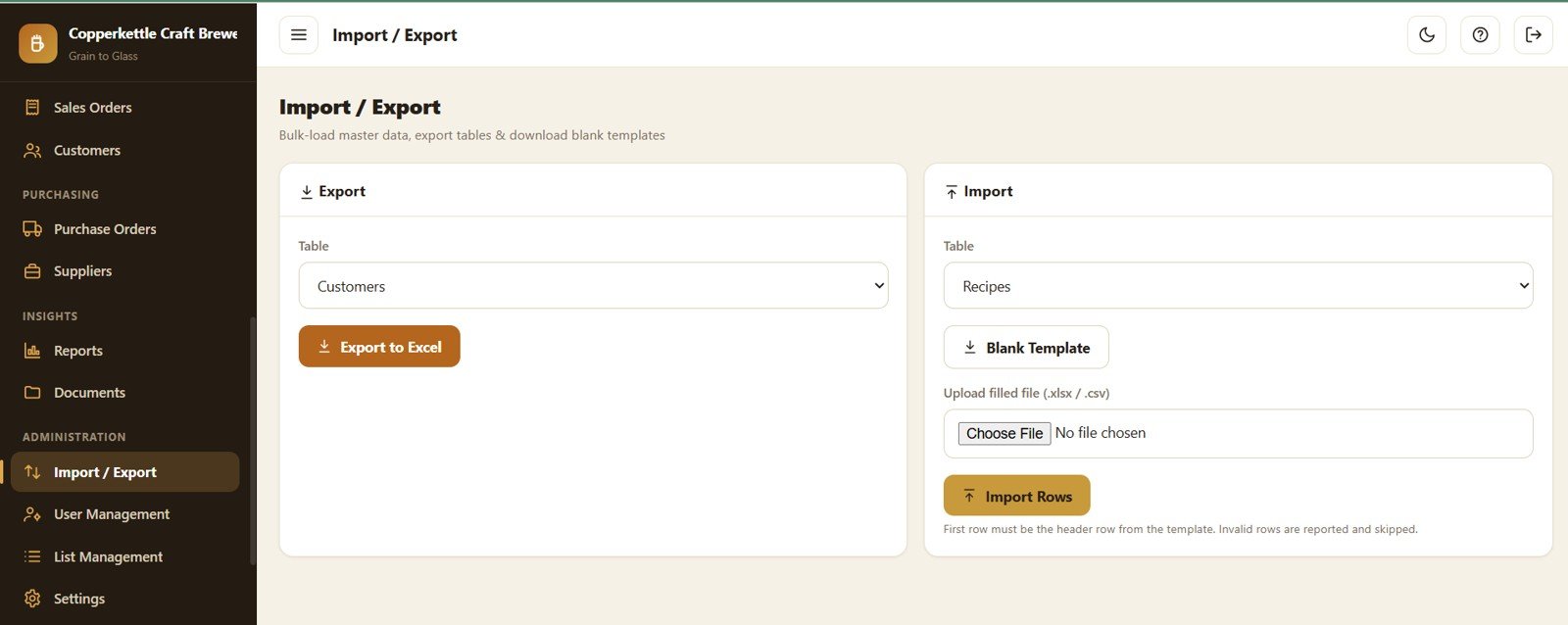
Page 19: Import and Export
Bulk data tools with Export Table by Selected Module, Blank Template by Selected Module, Import Rows by Uploaded File and Invalid Rows by Import Result.
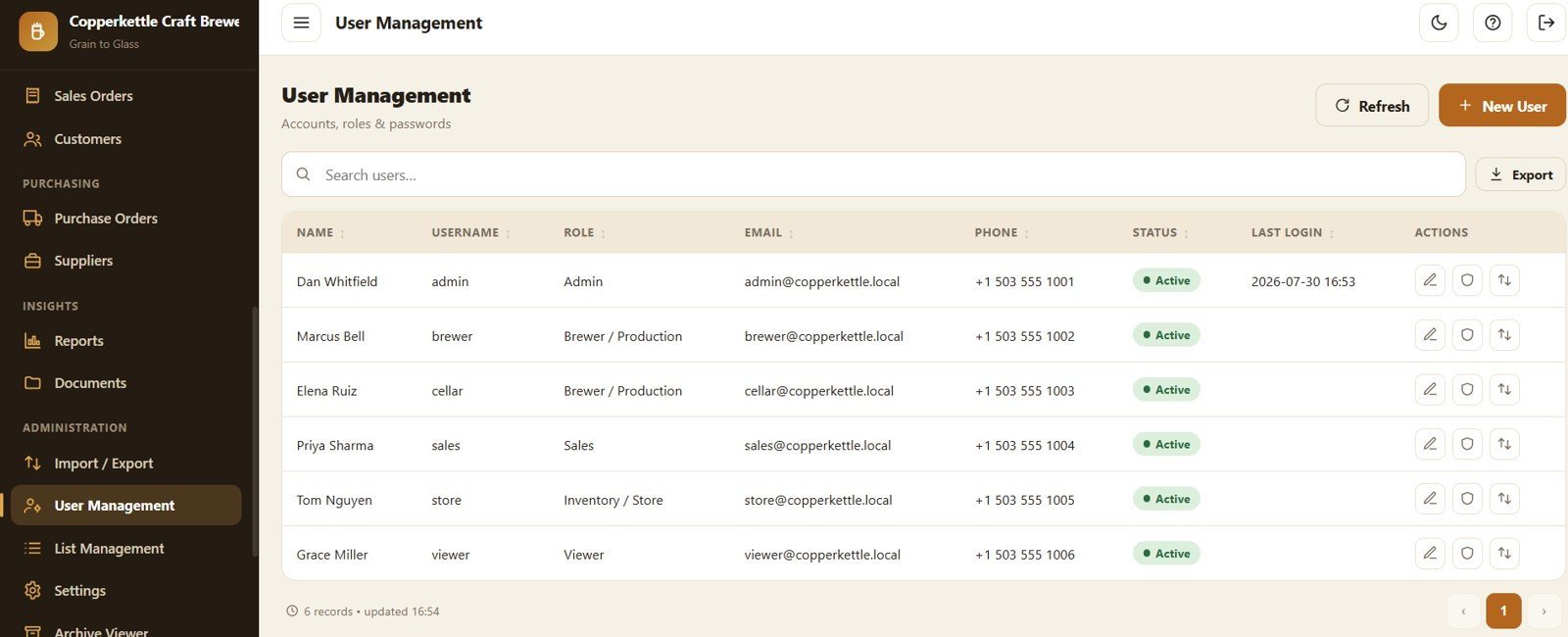
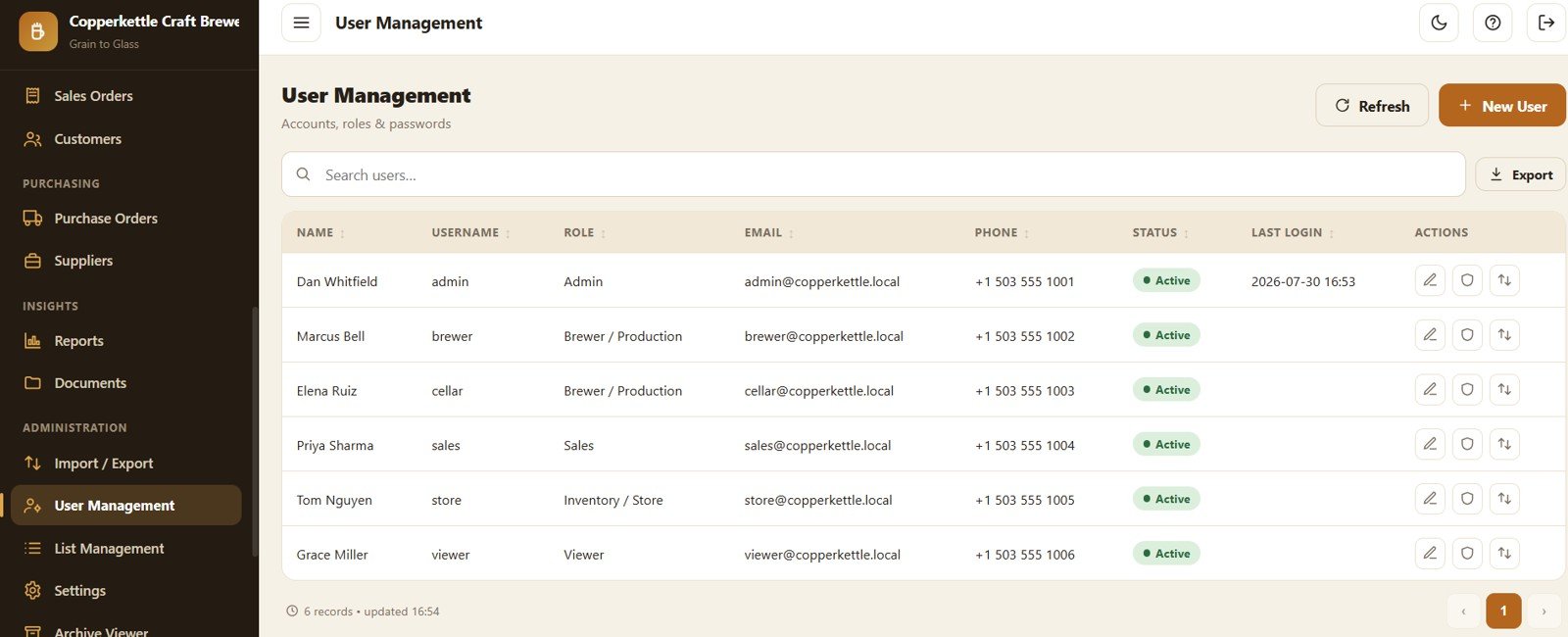
Page 20: User Management
Admin controls with User Role by Name, Status by User, Last Login by User and Account Permission by Role.
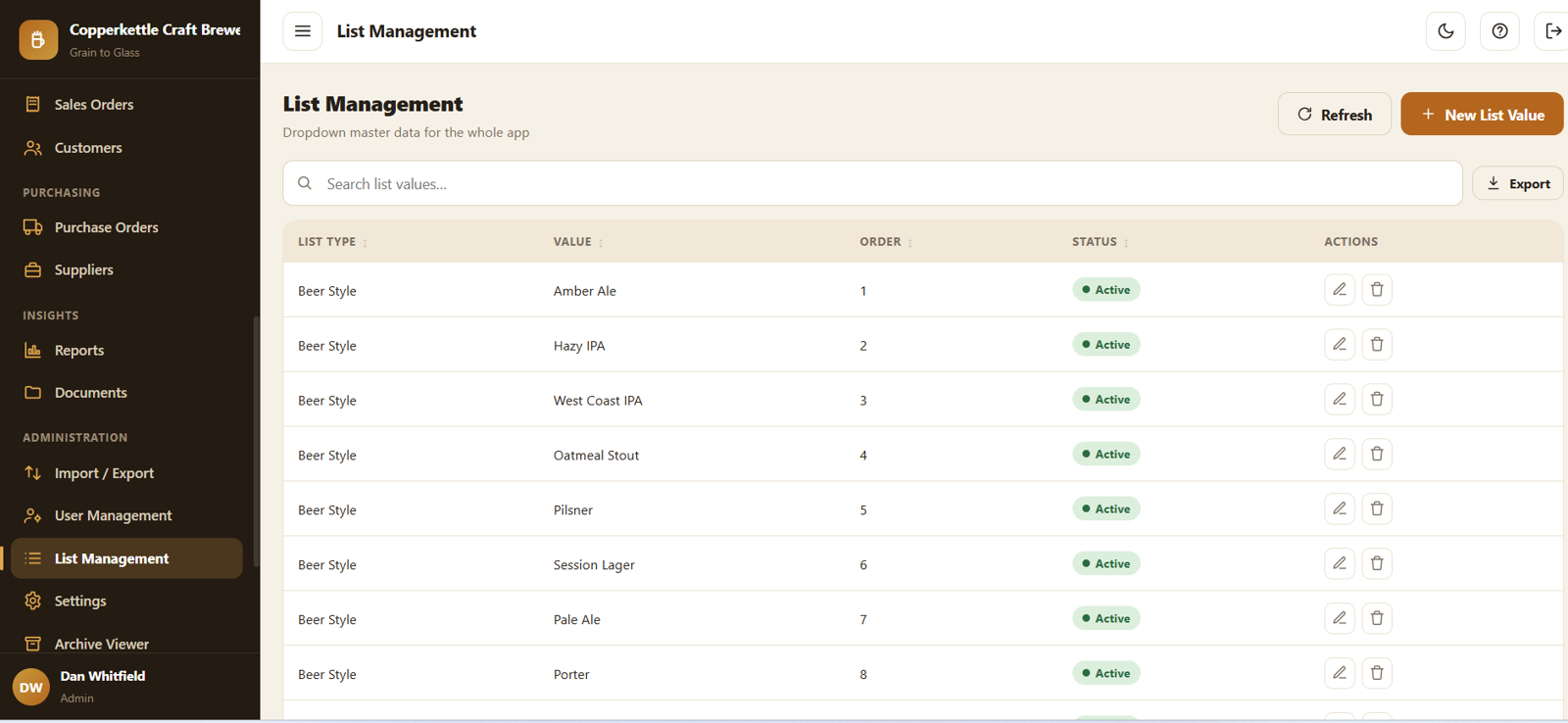
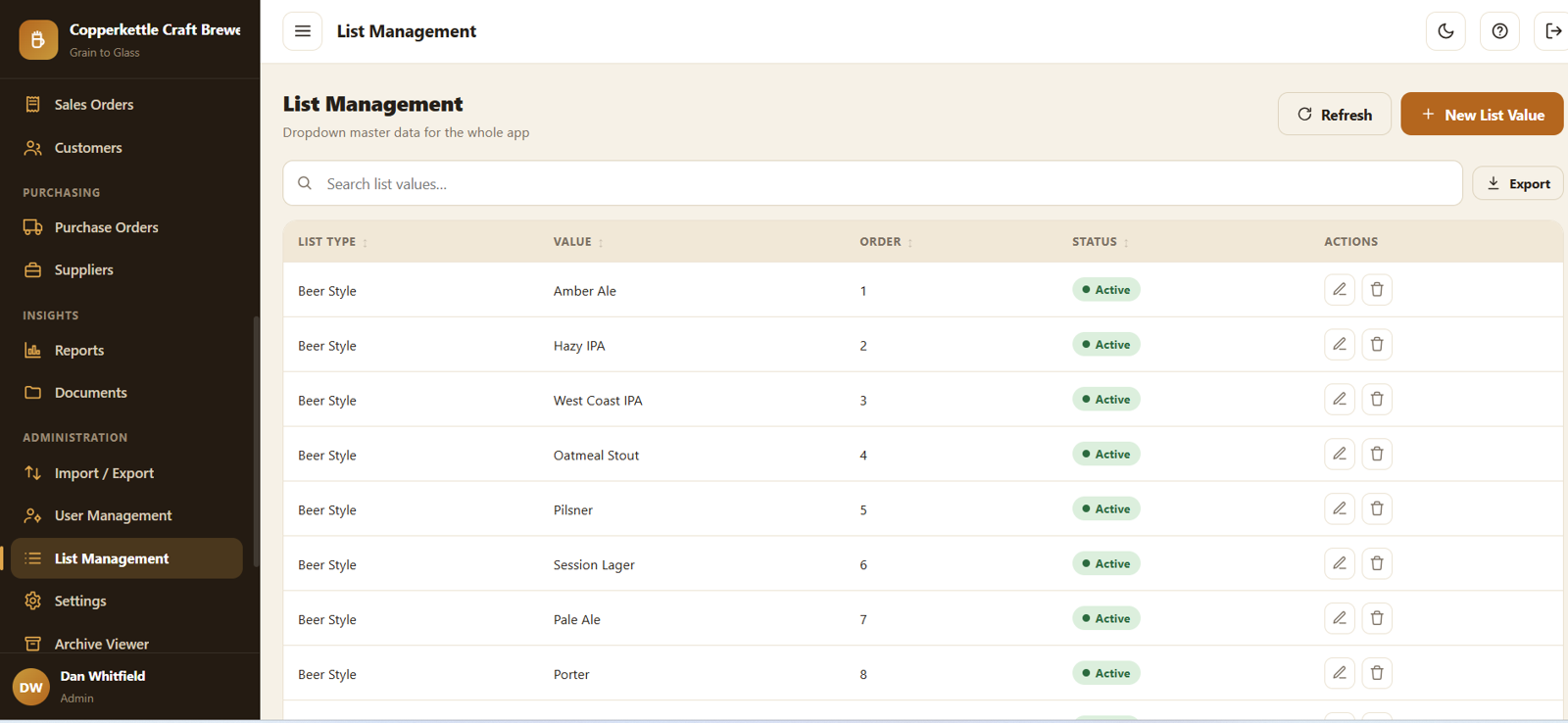
Page 21: List Management
Central dropdown master data with List Value by List Type, Display Order by List Value and Status by List Value.
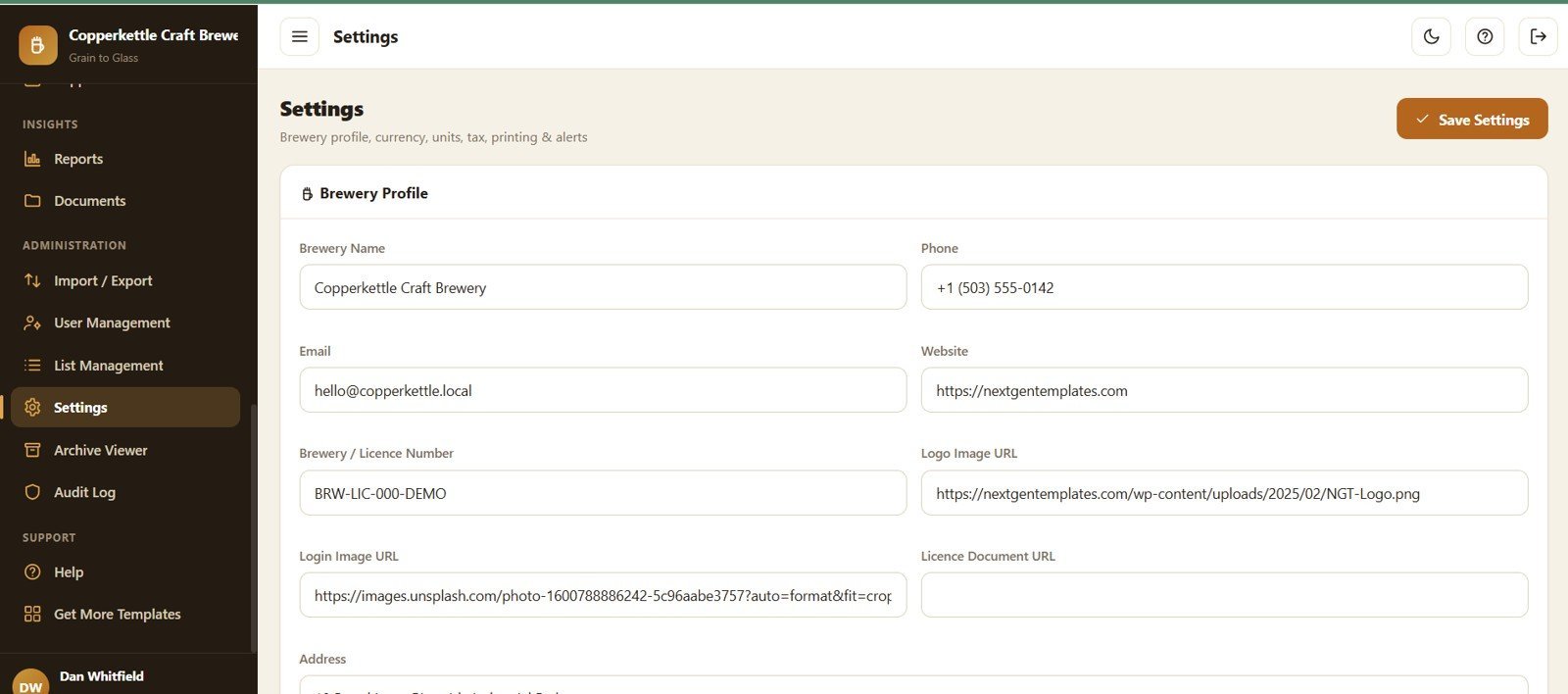
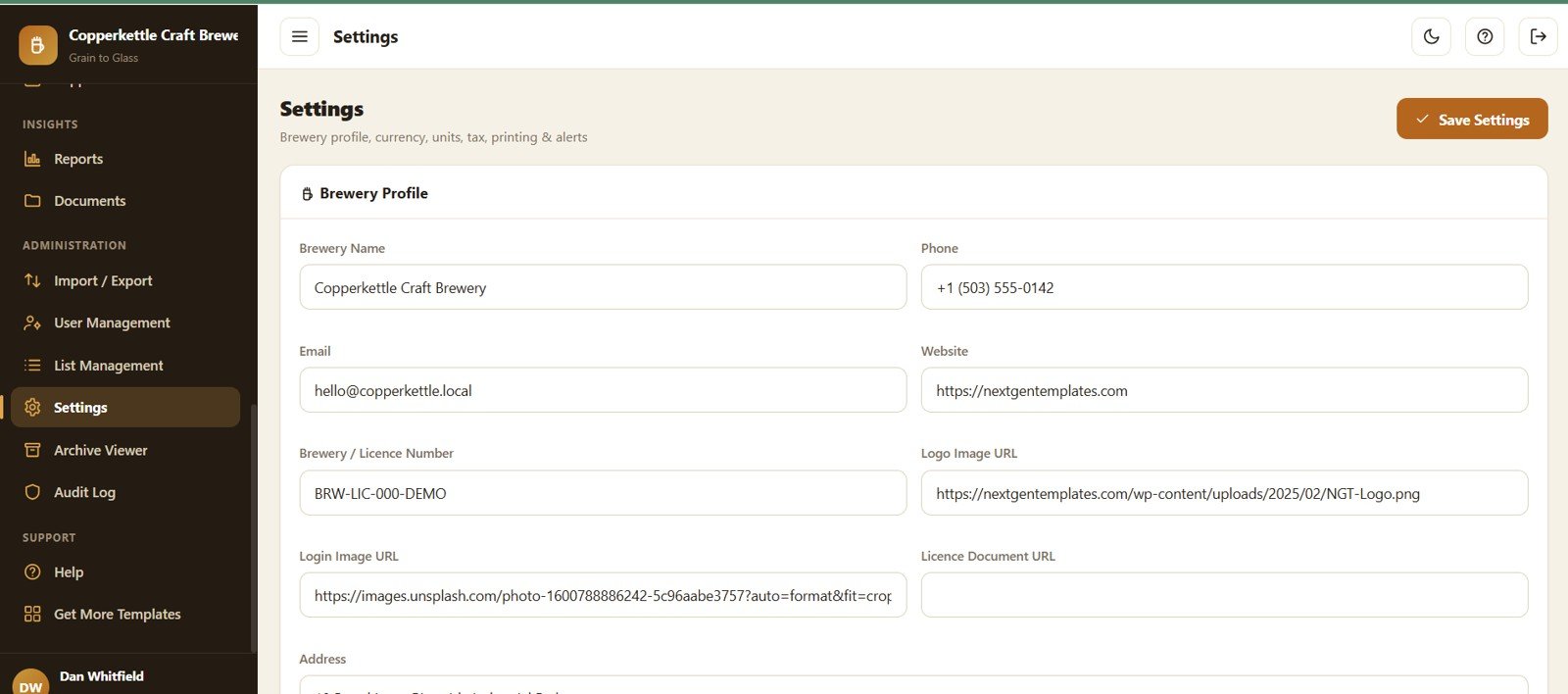
Page 22: Settings
Configure the whole app with Brewery Profile by Field, Currency and Units by Setting, Tax and Excise by Setting and Printing and Alerts by Setting.
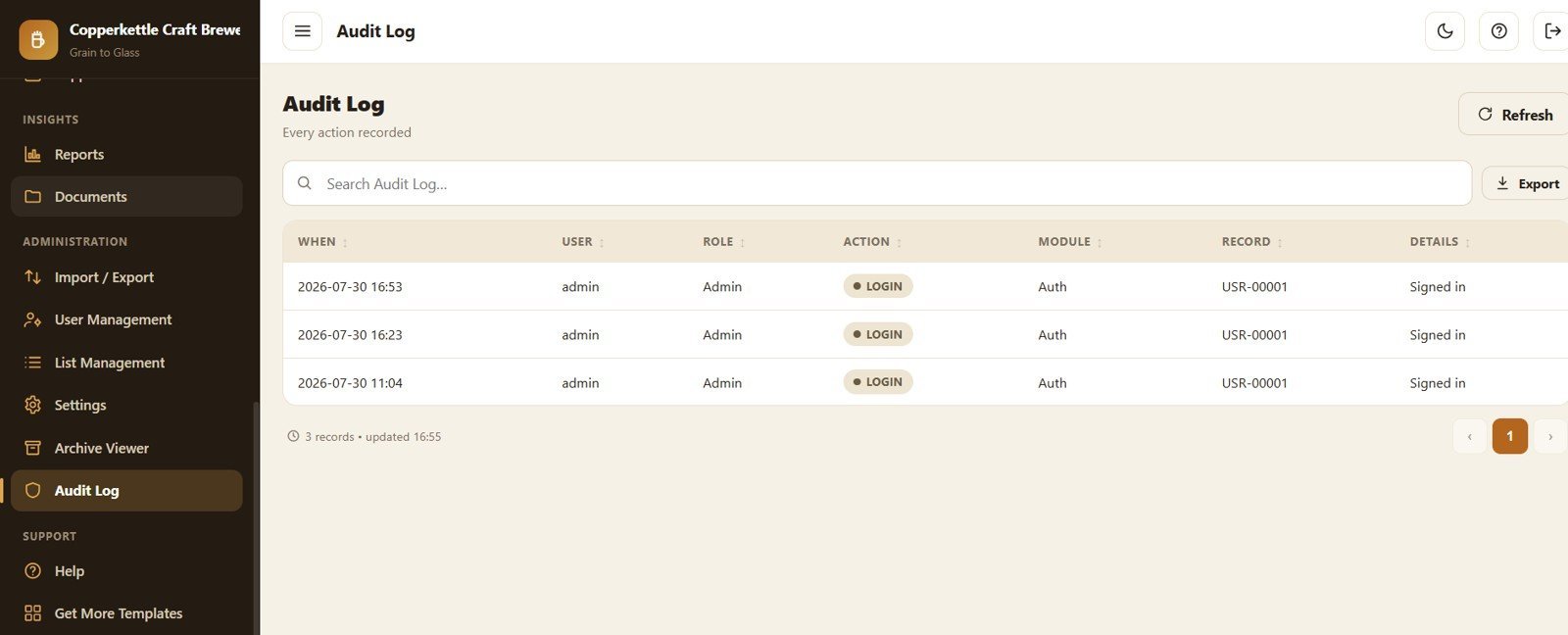
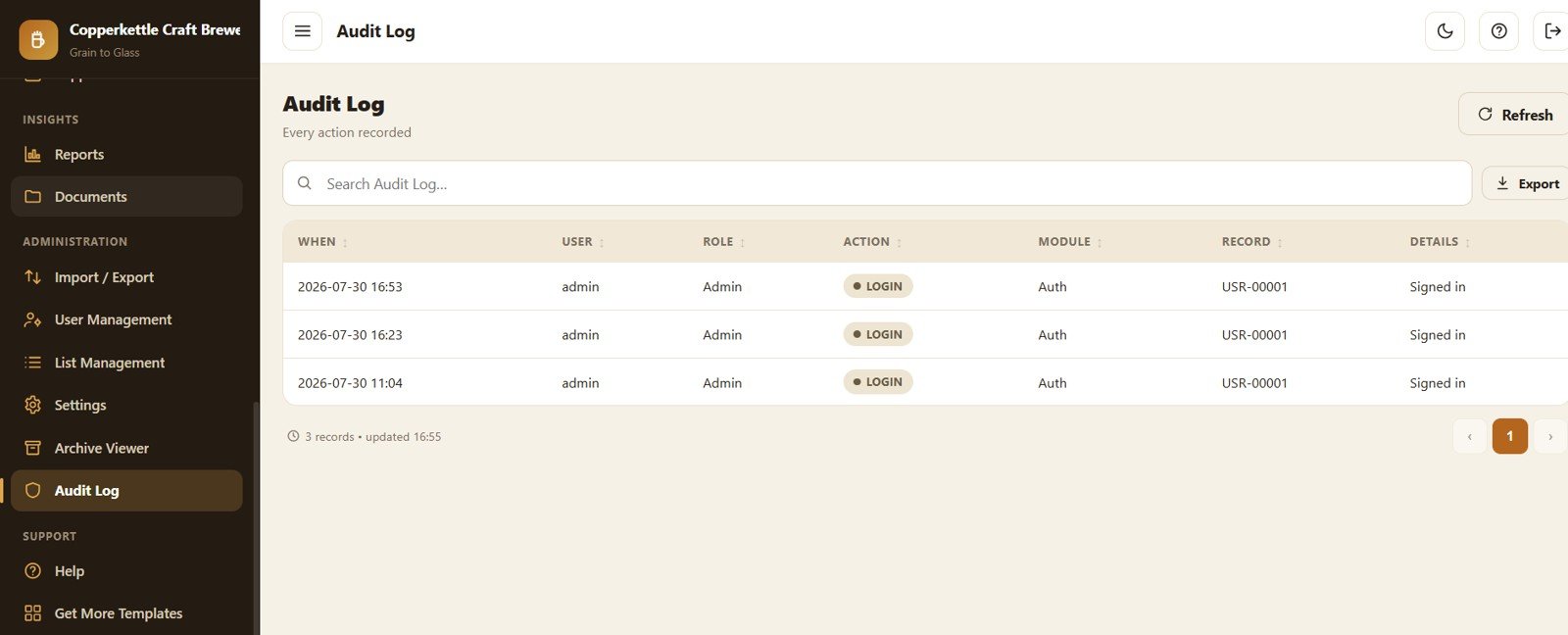
Page 23: Audit Log
A complete activity trail with Action by User, Module by Action, Record by Action and Details by Audit Entry.
📊 Brewery Management System Web App vs. Manual Spreadsheets vs. Paid Brewery SaaS
| Feature | Brewery Management System Web App | Manual Excel / Google Sheets | Brewery SaaS (Ekos, Breww) |
|---|---|---|---|
| Cost | $39.99 one-time | Free–$100 | $150–$300+ / month |
| Platform | Google Sheets + Apps Script web app | Spreadsheet files | Vendor cloud |
| Setup time | Under 15 minutes | Hours of building | Days + onboarding |
| Multi-user role-based access | ✅ 5 roles | ❌ manual sharing | ✅ |
| Recipe → batch → packaging automation | ✅ | ❌ | ✅ |
| Keg lifecycle tracking | ✅ 7 states + history | ❌ | ✅ |
| Real-time stock deduction | ✅ | ❌ | ✅ |
| Mobile access | ✅ any browser | Limited | ✅ |
| Year-1 cost at 5 users | $39.99 | Varies | $1,800–$3,600+ |
| Data ownership | ✅ your Google account | ✅ | ❌ vendor-hosted |
For breweries that want real production, stock and keg control without paying $200+ a month, the Brewery Management System Web App sits in the sweet spot.
👥 Who This Template Is For — and Who It’s Not For
✅ This template is built for:
- Craft breweries and microbreweries running recipes, batches and kegs on spreadsheets or paper.
- Brewpubs and taprooms that need production, stock and sales in one place.
- Owners who want to own their data in Google and avoid monthly SaaS fees.
❌ This template is NOT for:
- Large breweries needing an ERP with barcode hardware, accounting integration and SSO.
- Teams that cannot use a Google account or Google Apps Script.
⚙️ How to Use the Brewery Management System Web App
- Download the ZIP — it contains Code.cs.txt, Index.txt, Login_Details.txt and the illustrated user manual.
- Open script.google.com, create a New Project and paste Code.cs.txt into Code.gs.
- Add an HTML file named exactly Index and paste Index.txt into it.
- Run setup() once and authorise Google Sheets + Drive; realistic sample data loads automatically.
- Deploy → New deployment → Web app (Execute as: Me, Access: Anyone) and open the link.
- Sign in with the seeded admin account, then set your brewery profile, currency, units, tax and prefixes in Settings.
💼 Real-World Use Cases
Marcus runs a 10-barrel craft brewery. He plans a batch from a saved recipe, and the app auto-deducts malt and hops, tracks fermentation gravity daily, then converts the packaged batch straight into bottle and keg stock — no second spreadsheet.
Priya handles distribution sales. She raises a sales order for a distributor, confirms it to deduct finished-goods stock, records the payment, and prints the invoice at A4 — all from the same link her brewers use for production.
Tom manages the store. He raises purchase orders for hops, receives them to top up stock, and watches the low-stock and keg-aging reports so nothing runs dry and no keg is lost at a customer.
❓ Frequently Asked Questions
What is the Brewery Management System Web App?
The Brewery Management System Web App is a Google Sheets and Apps Script application that manages recipes, brew batches, fermentation, tanks, quality control, raw materials, finished goods, kegs, sales orders and purchase orders from one secure link with five role-based logins.
How does it calculate ABV?
The Brewery Management System Web App calculates ABV automatically from Original Gravity and Final Gravity using (OG − FG) × 131.25 the moment you record both readings on a batch.
Does it track stock automatically?
Yes. Brewing a batch auto-consumes recipe materials, packaging adds finished-goods stock, confirming a sales order deducts stock, and receiving a purchase order adds raw-material stock.
How long does setup take?
Under 15 minutes — paste the code into a Google Apps Script project, name the HTML file Index, run setup() once, and deploy as a web app. A full illustrated manual with a video guide is included.
How does it compare to paid brewery software?
Paid brewery SaaS such as Ekos or Breww typically costs $150–$300+ per month. The Brewery Management System Web App is a one-time $39.99 purchase that runs in your own Google account with no per-user fees.
Can multiple staff use it at once?
Yes. The Brewery Management System Web App supports multiple concurrent users with role-based access for Admin, Brewer/Production, Sales, Inventory/Store and Viewer.
👤 About the Author
Built by PK — Microsoft Certified Professional with 15+ years of Excel, Google Sheets and Power BI experience. Founder of NextGenTemplates, reaching 300K+ subscribers across YouTube channels (@PK-AnExcelExpert, @NextGenTemplates, @NeoTechNavigators). Every template is hand-built and tested before release.
🔗 Explore Related Templates
- Coffee Cafe POS Web App — fast counter billing for a taproom or cafe.
- Bakery POS Web App — POS and stock for food production.
- Rental Equipment Management System Web App — asset check-out and returns.
- Consulting Project and Billing Management System Web App — projects, invoices and payments.
- Payroll and Salary Management System Web App — run staff payroll.
Browse the full Web App Management Systems collection for more one-time-purchase tools.
📖 Click here to read the Detailed Blog Post
🎥 Visit our YouTube channel for step-by-step video tutorials
👉 YouTube.com/@NextGenTemplates
📅 Last updated: July 2026
Watch the demo video: