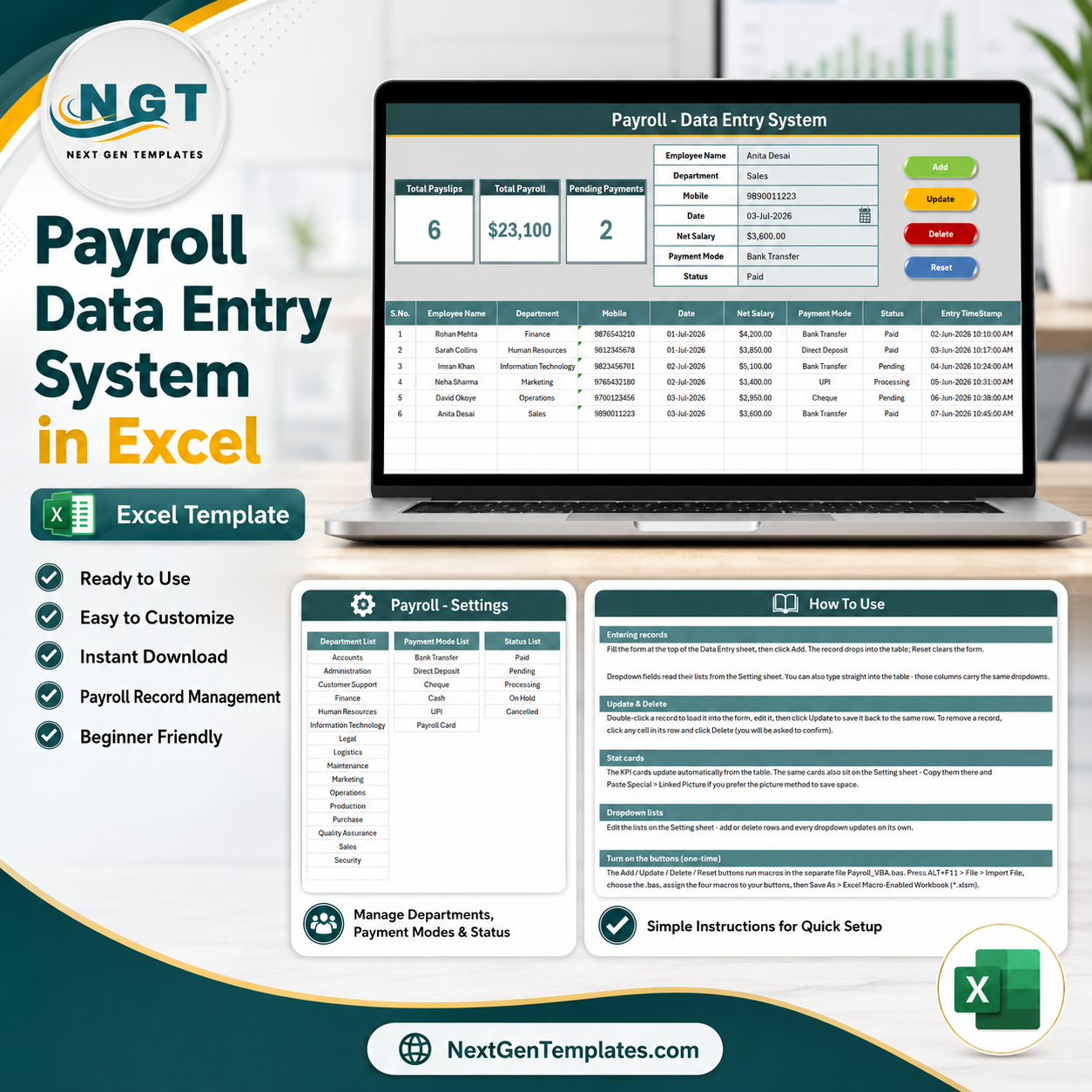
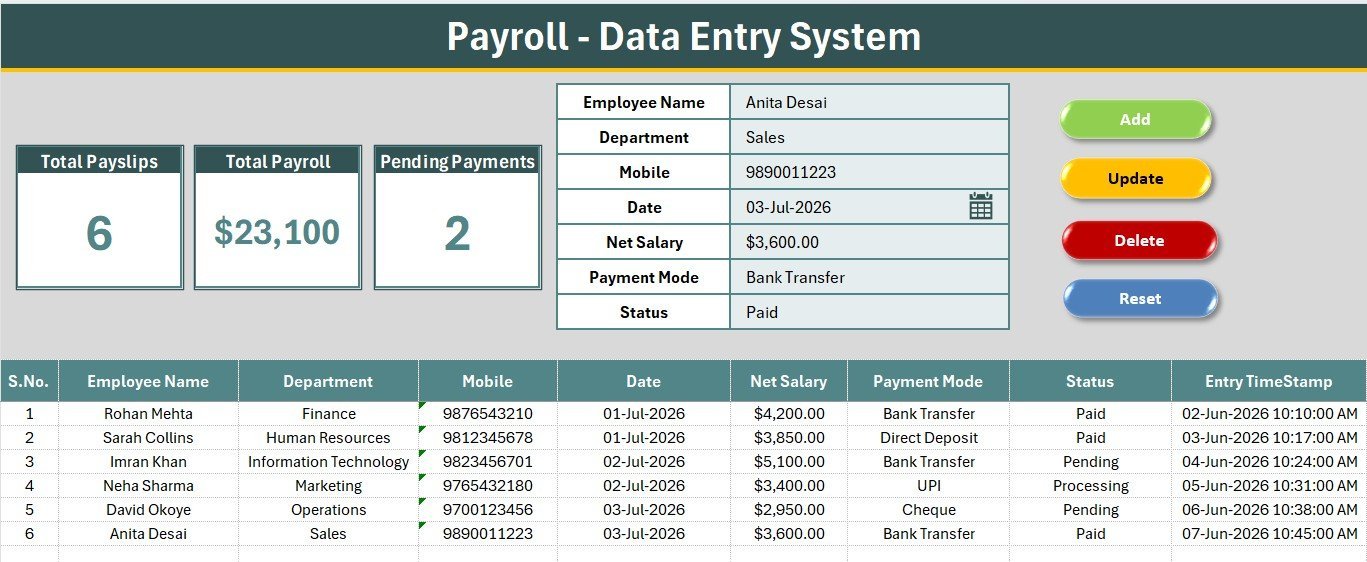
The Payroll Data Entry System in Excel captures 7 fields per salary record — Employee Name, Department, Mobile, Pay Date, Net Salary, Payment Mode and Status — and rolls them into 3 live KPI cards (Total Payslips, Total Payroll, Pending Payments) that recalculate the moment you Add, Update or Delete a row. 27 ready-made dropdown values across Department, Payment Mode and Status mean a payroll clerk can log a salary payment in roughly 20 seconds without writing a single formula.
🌍 Join 8,400+ teams in 40+ countries using NextGenTemplates to replace paid SaaS tools with one-time-purchase Excel, Google Sheets, Power BI, and HTML templates.
✅ Instant download · One-time payment · No subscription · No per-user fees · Lifetime access
🔑 Key Features of the Payroll Data Entry System in Excel
This Excel payroll entry form is built around a single Data Entry sheet that holds the form, the KPI cards, the four macro buttons and the running payroll register — everything a payroll admin needs on one screen, with no jumping between tabs.
- 🔹 7-field payroll record – Employee Name, Department, Mobile, Pay Date, Net Salary, Payment Mode and Status. Department, Payment Mode and Status are driven by editable lists on the Setting sheet, so spelling mistakes never break your totals or filters.
- 🔹 3 live KPI cards – Total Payslips counts every salary record, Total Payroll sums the Net Salary column in currency format, and Pending Payments counts Status = “Pending”. All three formulas refresh the instant a record is added, edited or removed.
- 🔹 VBA Add / Update / Delete / Reset – four macro buttons run the complete payslip lifecycle. Double-click any row in the register to load it straight back into the form, correct the amount, and click Update.
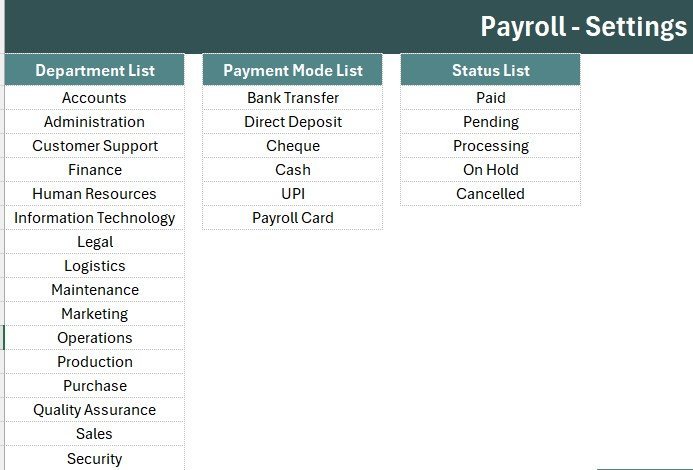
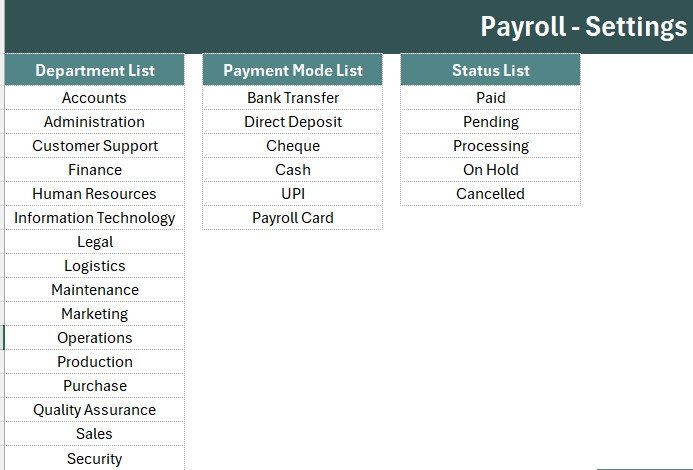
- 🔹 27 editable dropdown values – 16 departments (Accounts, Administration, Customer Support, Finance, Human Resources, Information Technology, Legal, Logistics, Maintenance, Marketing, Operations, Production, Purchase, Quality Assurance, Sales, Security), 6 payment modes (Bank Transfer, Direct Deposit, Cheque, Cash, UPI, Payroll Card) and 5 payment statuses (Paid, Pending, Processing, On Hold, Cancelled).
- 🔹 Auto S.No, currency formatting and Entry TimeStamp – every payroll row is numbered automatically, Net Salary carries a currency format, and an Entry TimeStamp column records exactly when each payment was logged — an audit trail your accountant will actually accept.
- 🔹 Four-sheet workbook – Data Entry, Setting, Instructions and Get More Templates. The Setting sheet also duplicates the three KPI cards so you can paste them as a linked picture into a monthly payroll report.
📦 What’s Inside the Payroll Data Entry System in Excel
The workbook ships as an .xlsx file with four sheets, plus a separate VBA module you import once and save as .xlsm. Here is what each screen does.
Payroll Data Entry Dashboard
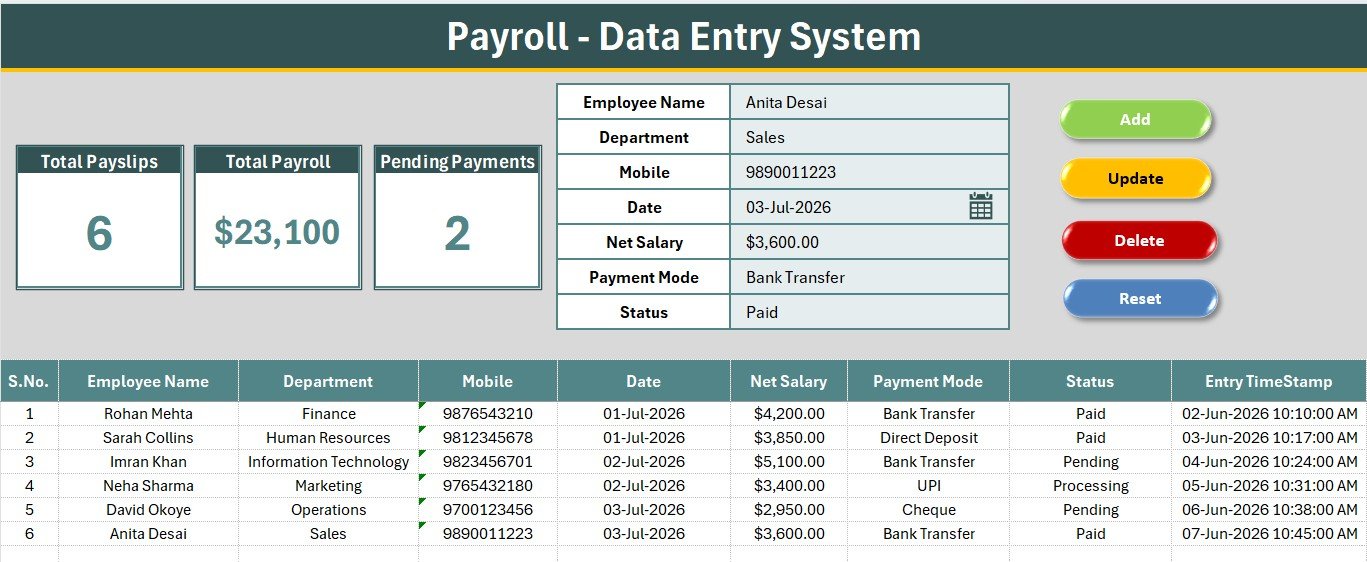
The main screen holds the Total Payslips, Total Payroll and Pending Payments KPI cards, the 7-field salary form with its three dropdowns, and the four coloured Add / Delete / Update / Reset button cells sitting directly beside the form.
Payroll Register & Records Table
Every submitted payslip lands in the records table below the form with auto S.No, department, mobile, pay date, net salary, payment mode, payment status and Entry TimeStamp — so you can filter one department or scan unpaid salaries at a glance.
Setting & Instructions Sheets
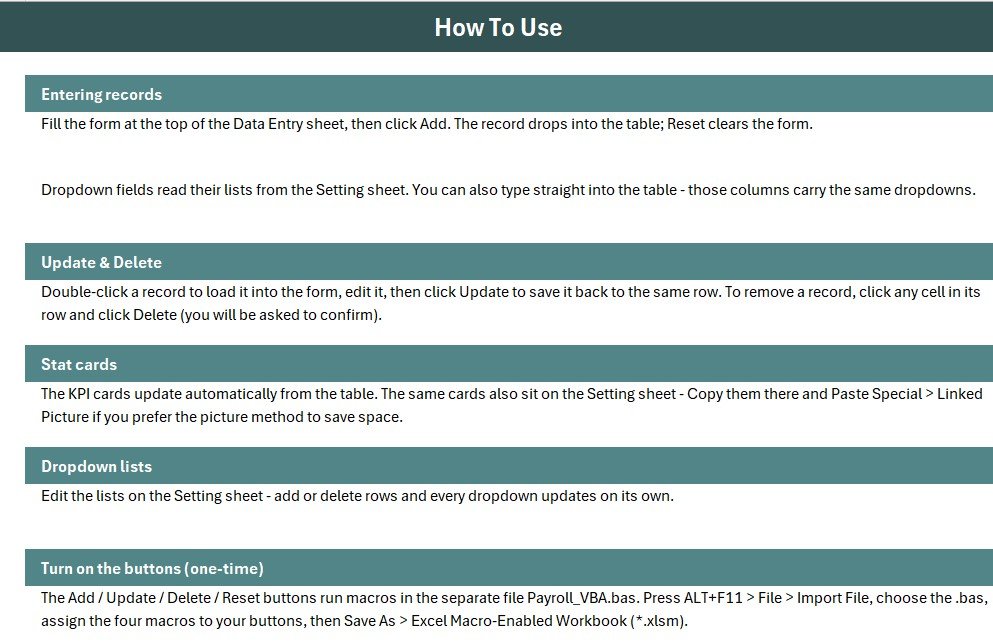
The Setting sheet holds the Department, Payment Mode and Status source lists plus duplicated stat cards you can paste as a linked picture, while the Instructions sheet walks you through the one-time VBA activation in three steps.
📊 Payroll Data Entry System vs. Google Sheets vs. Paid Payroll SaaS — Where This Fits
| Feature | Payroll Data Entry System in Excel | Google Sheets Equivalent | Gusto / QuickBooks Payroll |
|---|---|---|---|
| Cost | $5.99 one-time | Free (build it yourself) | $40–80 / month + $6–12 per employee |
| Platform | Microsoft Excel (offline) | Browser + Google account | Cloud only |
| Setup time | Under 10 minutes | Hours to build form + KPI formulas | Days (company + tax onboarding) |
| One-click Add/Update/Delete form | ✅ VBA-powered | Needs Apps Script | ✅ |
| Works offline | ✅ Yes | ❌ Needs internet | ❌ Needs internet |
| Editable departments & payment modes | ✅ 27 values on Setting sheet | ✅ | Limited by plan |
| Automatic tax filing | ❌ Record-keeping only | ❌ | ✅ |
| Per-employee fees | None | None | Charged per employee |
| Year-1 cost at 5 employees | $5.99 total | $0 + your time | $840–$1,680 |
For small teams that want a clean, offline payroll register without paying per-employee SaaS fees, the Payroll Data Entry System in Excel sits in the sweet spot.
👥 Who This Template Is For — and Who It’s Not For
✅ This template is built for:
- Payroll clerks and office admins at 5–200 person companies who log monthly salary payments manually
- Small business owners who need department-wise payroll totals and a pending-payment list without monthly software
- Accountants and bookkeepers keeping a per-client salary register offline
- Anyone moving from a free-form salary spreadsheet to a structured, validated payroll record
❌ This template is NOT for:
- Teams that need automatic tax computation, statutory filing, or direct bank disbursement — this is a record-keeping tool, not a payroll processor
- Distributed teams where several people must edit the same register at once — use the Employee Attendance & Payroll Management System web app instead
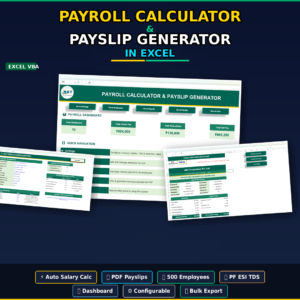
- Businesses needing payslip PDFs and gross-to-net breakdowns — the Payroll Calculator and Payslip Generator in Excel covers that
⚙️ How to Use the Payroll Data Entry System in Excel
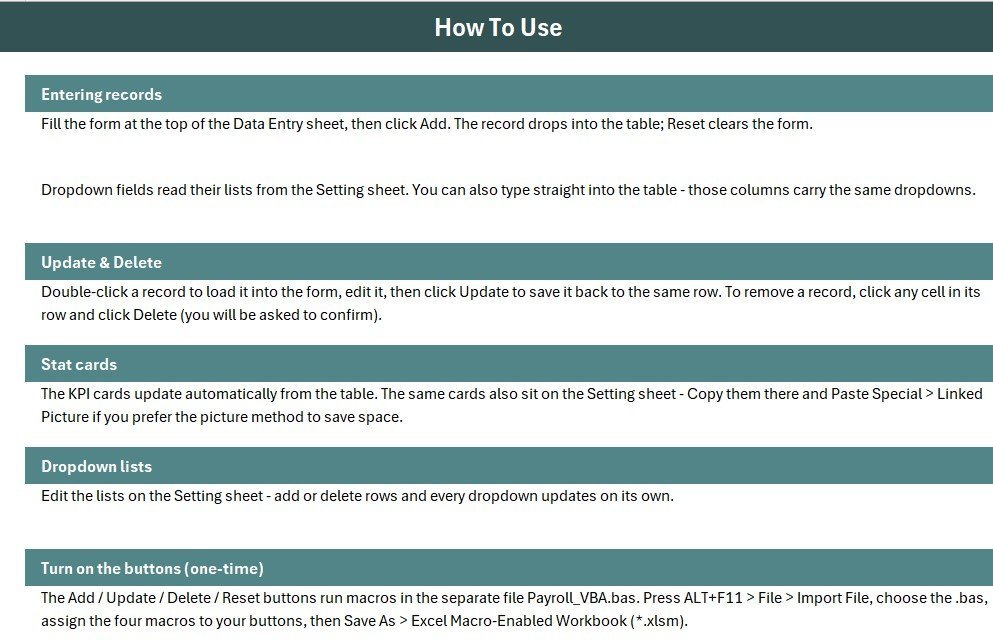
- Open the workbook, press ALT+F11, and use File → Import File to load the included VBA module.
- Add four Form-Control buttons over the coloured cells and assign Add_Record, Delete_Record, Update_Record and Reset_Form.
- Save the file as an Excel Macro-Enabled Workbook (.xlsm).
- Open the Setting sheet and edit the Department, Payment Mode and Status lists to match your organisation.
- Fill the form, pick values from the dropdowns, and click Add — the record and all three KPI cards update instantly.
- Double-click any existing payroll row to load it into the form, then click Update; click Delete to remove it.
💼 Real-World Use Cases
Priya handles payroll at a 45-person design studio. She logs every salary payment with its department and payment mode, watches the Pending Payments card drop to zero by the 5th of each month, and shares the Total Payroll figure with her founder — without paying $60 a month for cloud payroll software.
Daniel is a bookkeeper managing 8 small clients. He keeps one copy of the file per client, renames the Department list to match each business, and uses the Entry TimeStamp column as evidence of when a payment was recorded whenever a client queries a month-end figure.
Ritu runs a 30-worker manufacturing unit. She records weekly wages against Production, Maintenance and Quality Assurance, marks cash payments separately from bank transfers, and filters the register by department when preparing her monthly cost sheet.
❓ Frequently Asked Questions
What fields does the Payroll Data Entry System in Excel track?
The Payroll Data Entry System in Excel tracks 7 fields per salary record — Employee Name, Department, Mobile, Pay Date, Net Salary, Payment Mode and Status. Three of those fields use editable dropdown lists, and three KPI cards summarise total payslips, total payroll value and pending payments.
Do I need to enable macros?
Yes. The Payroll Data Entry System in Excel uses VBA for the Add, Update, Delete and Reset buttons, so you must enable macros and save the file as a macro-enabled workbook (.xlsm) before the payroll form will work.
Can I change the departments and payment modes?
Absolutely. All 27 dropdown values sit on the Setting sheet, so you can rename, add or remove departments, payment modes and status labels in seconds. The form, the records table and the KPI cards all pick up your changes automatically.
Does it calculate tax, PF or deductions?
No. The Payroll Data Entry System in Excel records the final Net Salary you enter — it is a payroll register, not a tax engine. For gross-to-net calculation and printable payslips, pair it with the Payroll Calculator and Payslip Generator in Excel.
How does this compare to Gusto or QuickBooks Payroll?
The Payroll Data Entry System in Excel is a one-time $5.99 offline Excel tool, while Gusto and QuickBooks Payroll cost roughly $40–80 per month plus $6–12 per employee. It covers structured salary record-keeping and payroll KPIs, but not automatic tax filing or bank disbursement.
How long does setup take?
Setup takes under 10 minutes — import the VBA module, attach four buttons to the macros, and save as .xlsm. After that, logging a salary payment takes roughly 20 seconds.
👤 About the Author
Built by PK — Microsoft Certified Professional with 15+ years of Excel, Google Sheets, and Power BI experience. Founder of NextGenTemplates, reaching 300K+ subscribers across YouTube channels (@PK-AnExcelExpert, @NextGenTemplates, @NeoTechNavigators). Every template is hand-built and tested before release.
🔗 Explore Related Templates
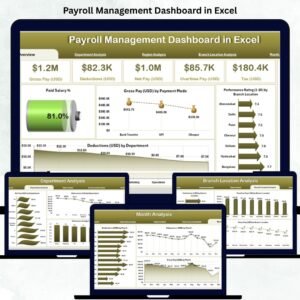
Pair this with the Employee Master and Record Data Entry System in Excel to keep the employee list that feeds your payroll register, and the Payroll Calculator and Payslip Generator in Excel when you need gross-to-net maths and printable payslips. For month-end reporting, the Payroll Management Dashboard in Excel and the Payroll Accuracy KPI Dashboard in Excel visualise the same data. Browse the full HR & Payroll Templates category, or explore more Excel VBA Tools for other data-entry workflows.
Also available as: a cloud version in the Monthly Payroll Manager and Dashboard in Google Sheets, and a multi-user login-based web app in the Employee Attendance & Payroll Management System.
💎 Save more — get all 10 HR templates in the HR & Workforce Analytics Bundle →
📖 Click here to read the Detailed Blog Post
🎥 Visit our YouTube channel for step-by-step video tutorials
👉 YouTube.com/@NextGenTemplates
Watch the demo video: