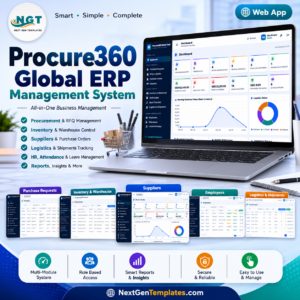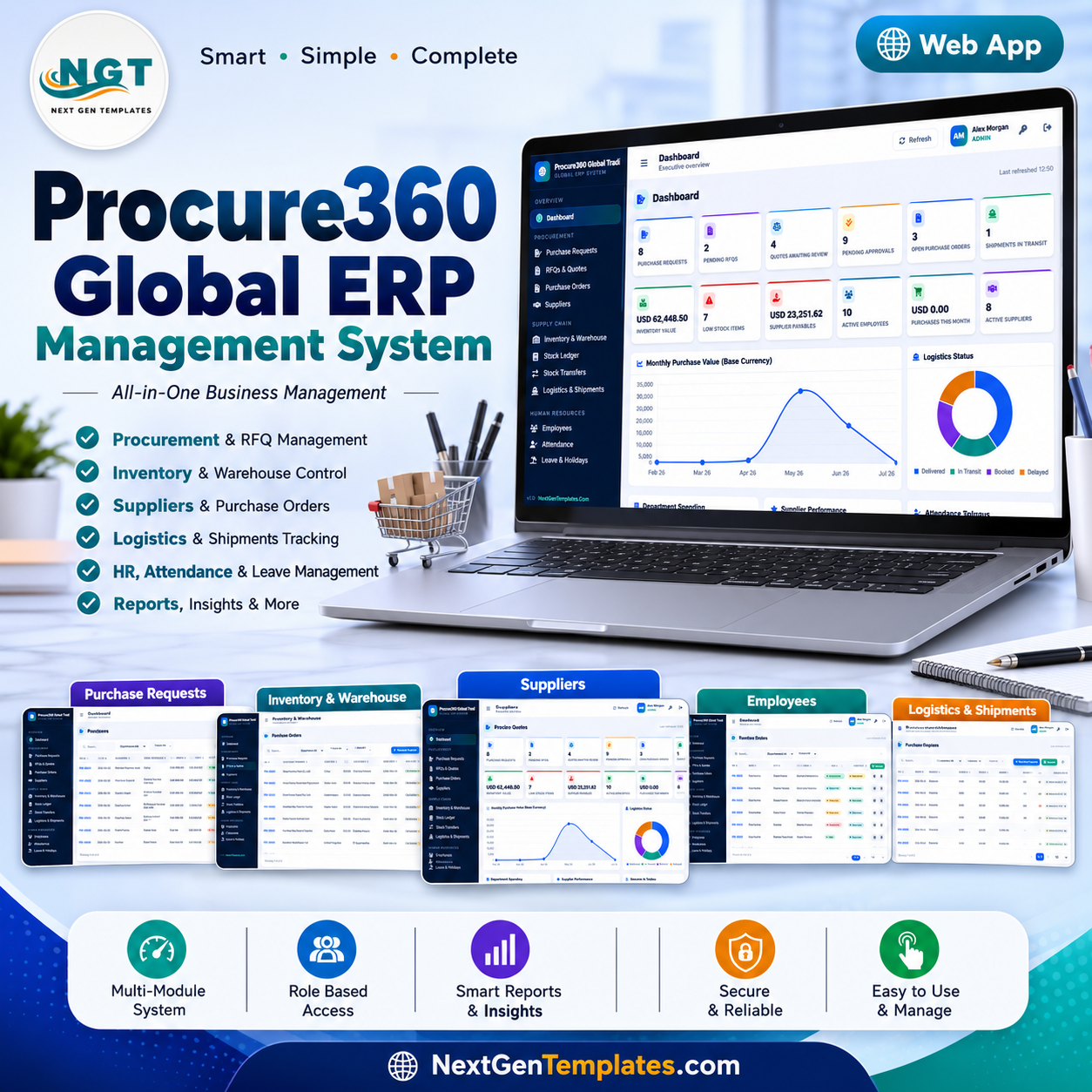
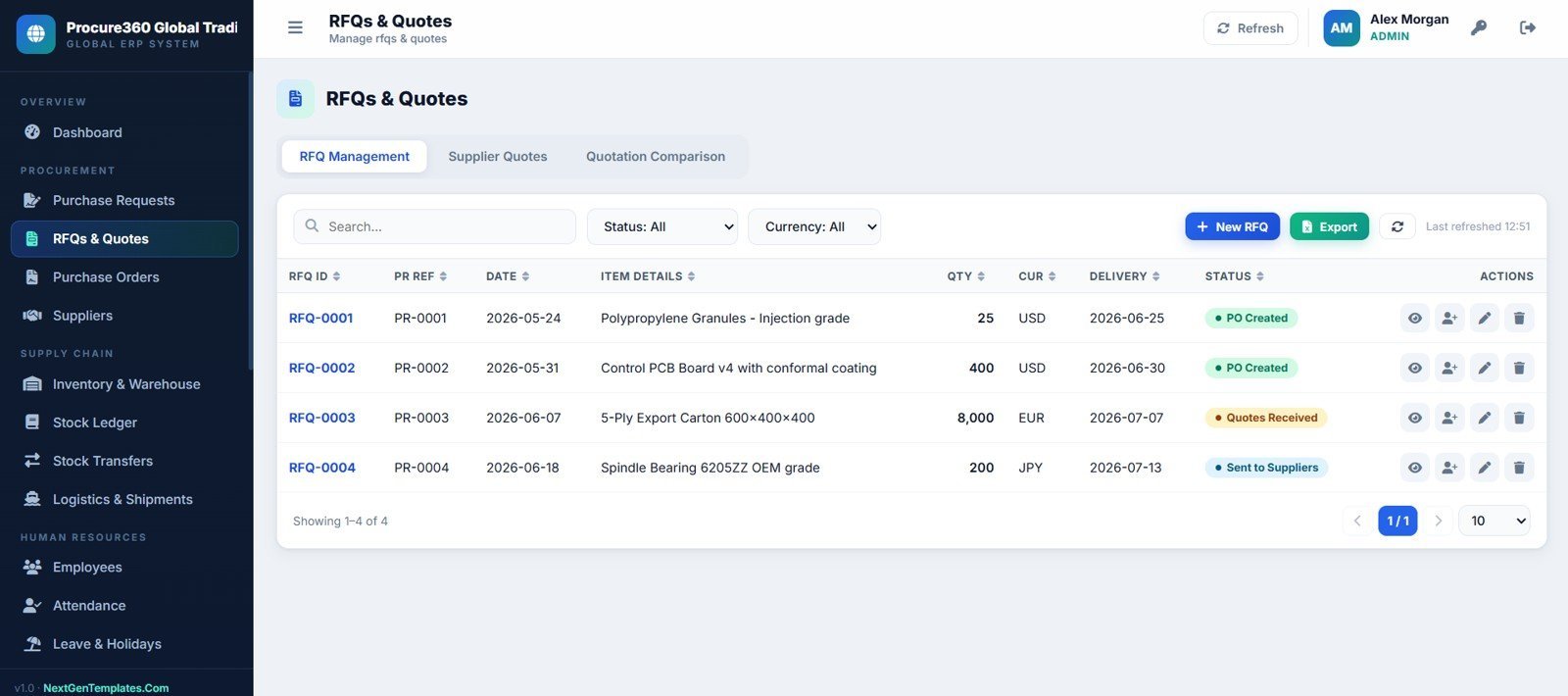
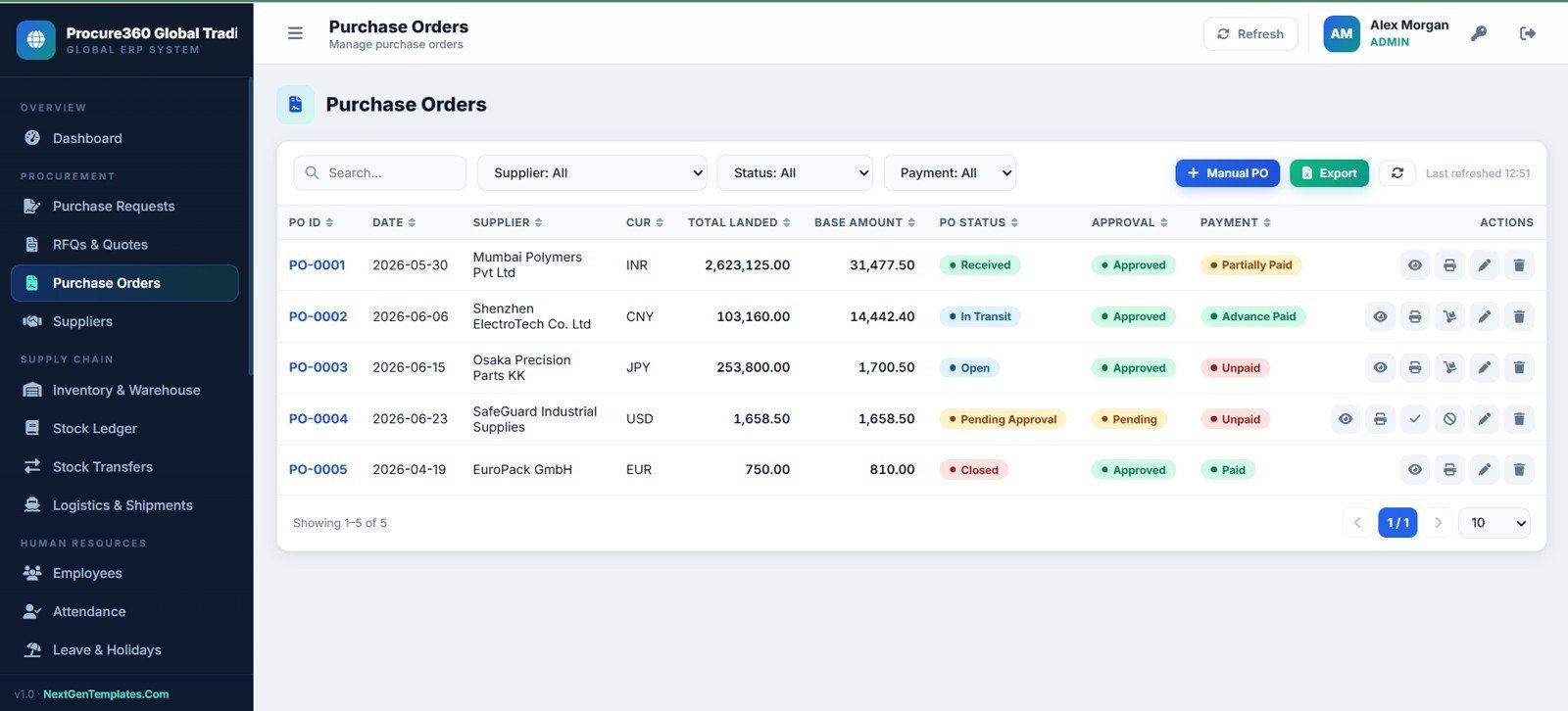
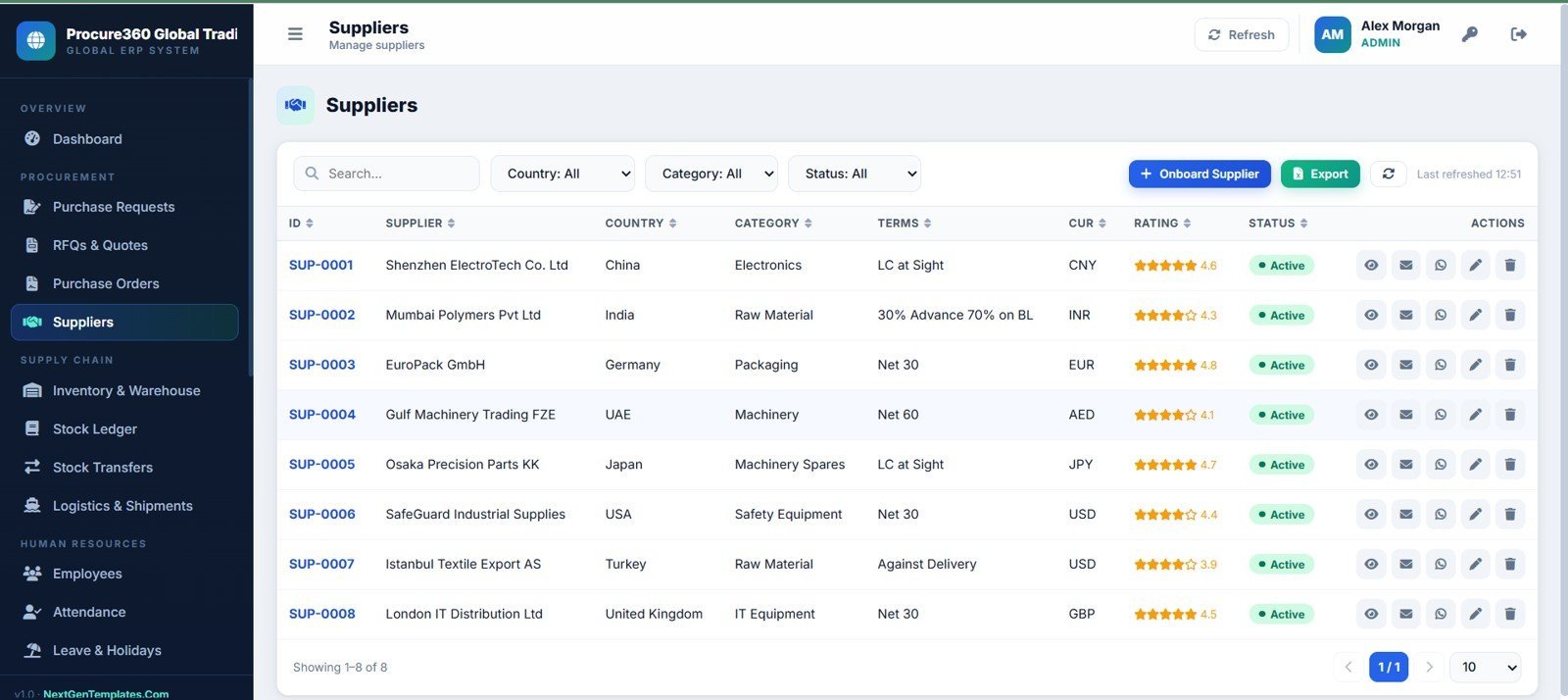


Procure360 Global ERP Management System Web App gives procurement, warehouse, logistics, finance, and HR teams a 24-page operating workspace with 12 executive KPI cards, PR-to-RFQ-to-PO flow, supplier invoices, payments, stock ledgers, payroll rows, approvals, reports, import/export controls, and audit logs. NextGenTemplates serves 8,400+ teams in 40+ countries, and this one-time template helps teams avoid recurring ERP SaaS fees while keeping an editable private deployment path.Procure360 Global ERP Management System Web App
Key Features of Procure360 Global ERP Management System Web App
- 24 connected pages for procurement, inventory, shipments, HR, finance, administration, and audit review.
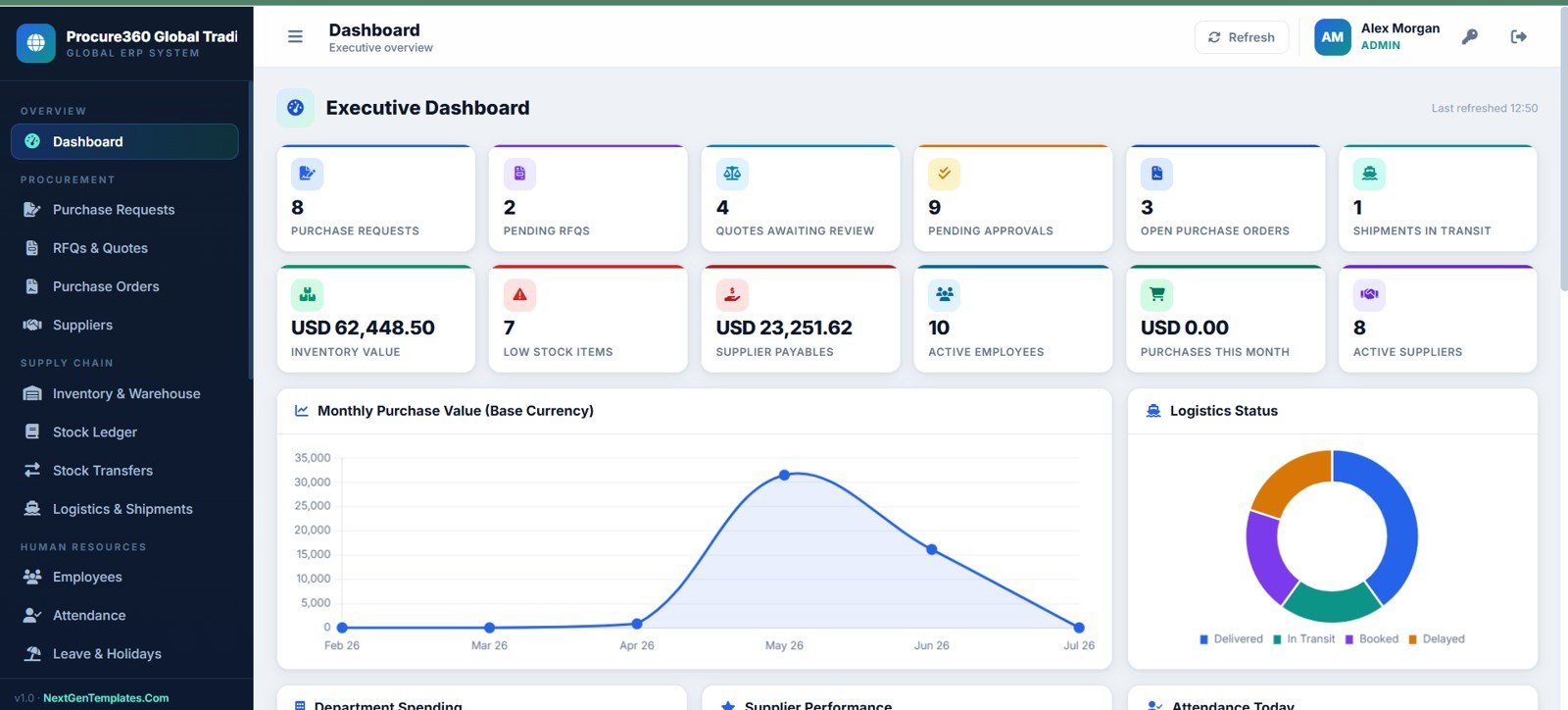
- Executive dashboard with purchase requests, RFQs, approvals, open POs, inventory value, low stock, payables, active employees, monthly purchases, and active suppliers.
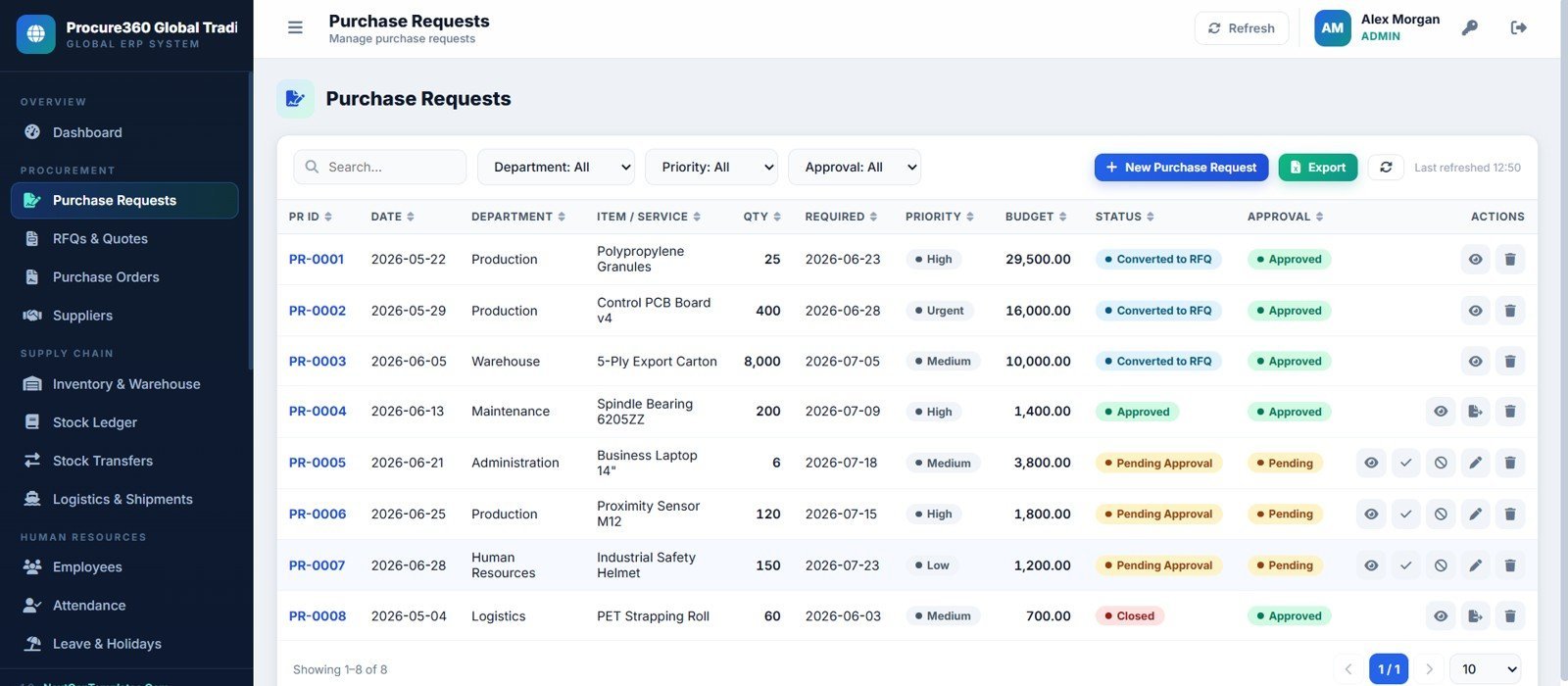
- Procurement flow from purchase request to RFQ, quotation comparison, approval, purchase order, receiving, invoice, and payment.
- Inventory controls for stock on hand, item master, warehouses, stock ledger, transfers, and adjustments.
- Import shipment tracking with shipment stage, customs status, document checklist, and purchase order references.
- HR and payroll pages for employees, attendance, leave, holidays, payroll rows, and salary processing.
- Admin controls for users, roles, departments, branches, approval limits, dropdown lists, branding, settings, and audit logs.
What’s Inside the Procure360 Global ERP Management System Web App
The app is organized around a practical ERP workflow: request, quote, approve, purchase, receive, stock, ship, invoice, pay, report, and audit. Each page below is included in the supplied screenshots and can be used as a review checklist before publishing.
1. Login Page
Users sign in with role-based access under Procure360 Global Trading LLC branding.
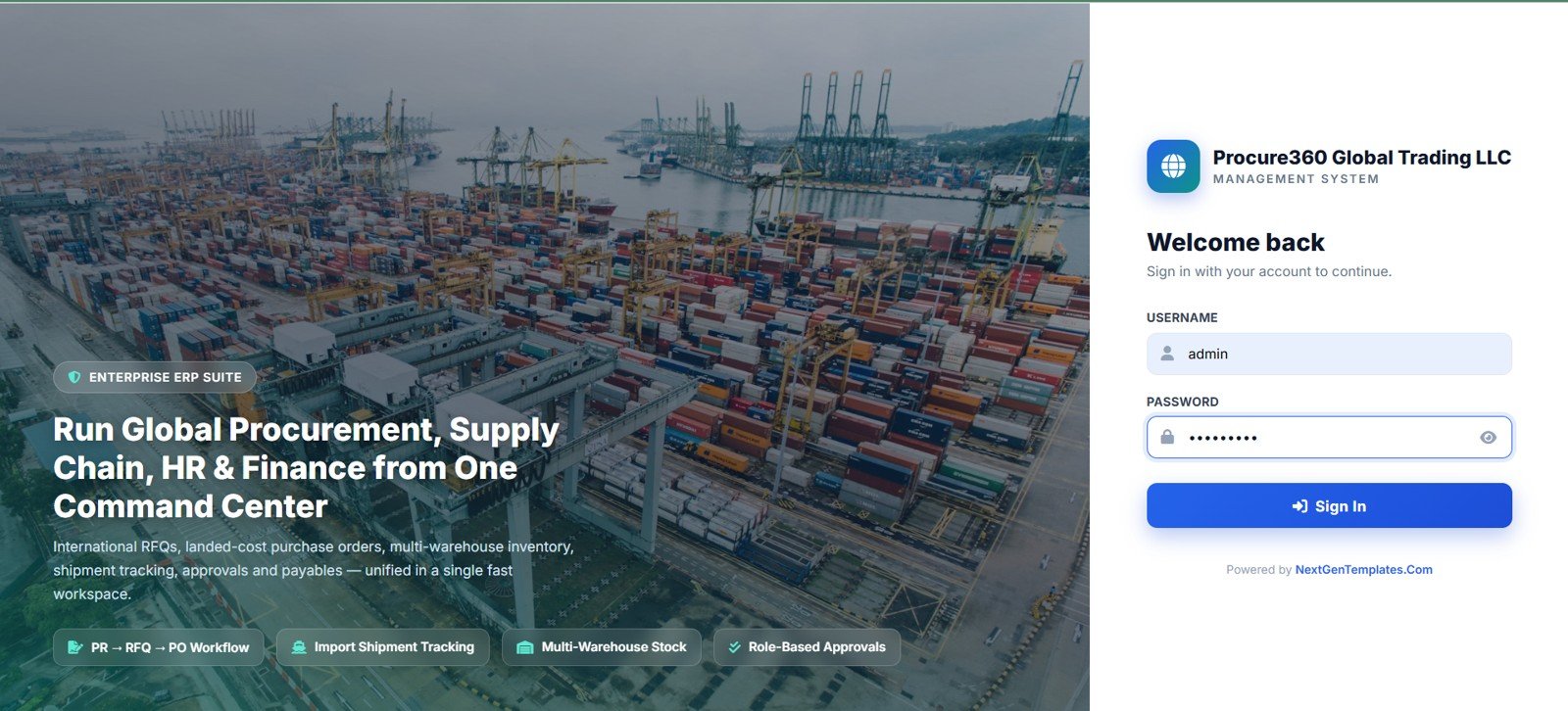
Login Page
🚀 Try the Live Demo Before You Buy
We have deployed PROCURE360 – Global ERP Management System in our own Google account so you can test every page and all 11 user roles — with real sample data — before purchasing. No signup, no email required.
🔑 Test Login Credentials
Sign in as admin for full access to every module, or use any of the role-based logins below to experience exactly what each team member sees.
💡 What you get after purchase: The full source code (Code.gs + Index.html) plus a step-by-step deployment guide so you can deploy your own private instance in your own Google account in under 15 minutes.
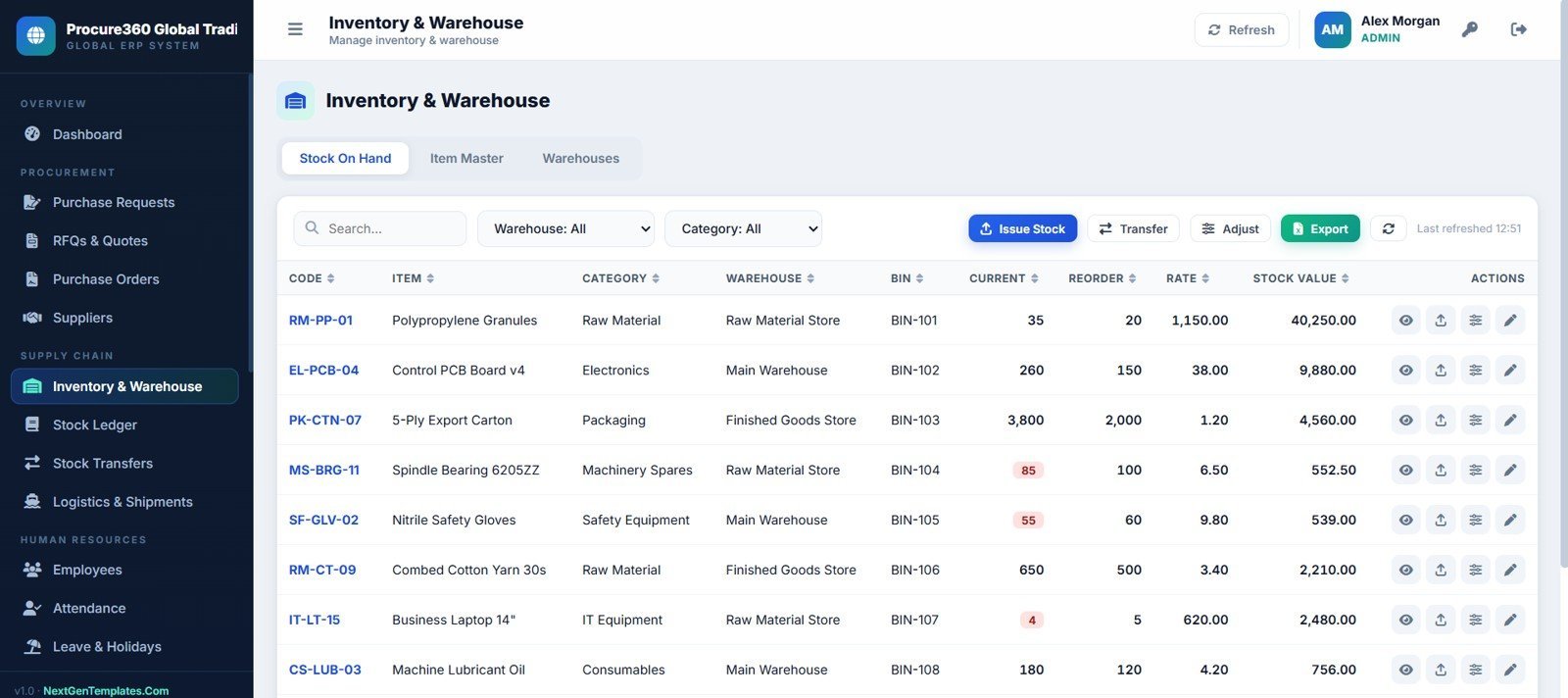
7. Inventory and Warehouse Page
Monitor stock on hand, item master, warehouses, bins, reorder levels, rates, and stock value.
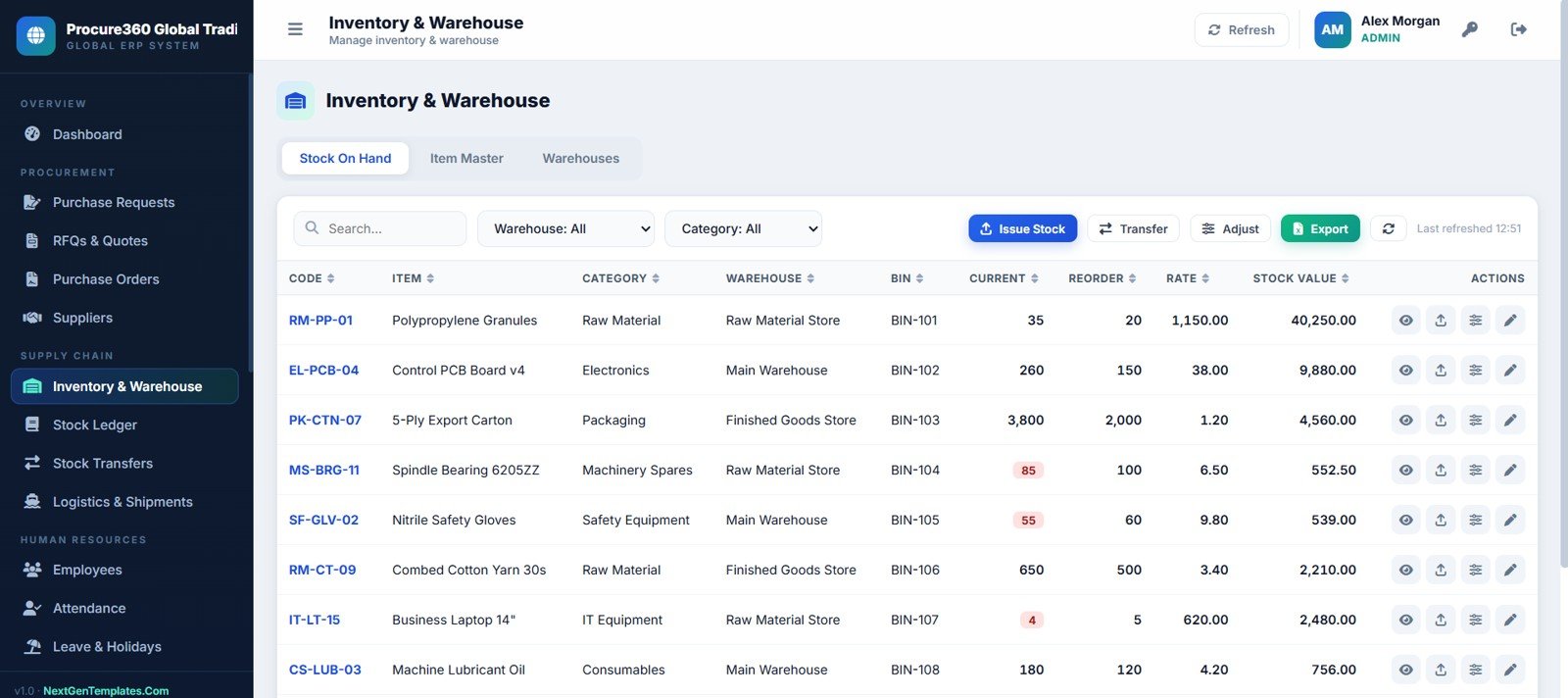
Inventory and Warehouse Page
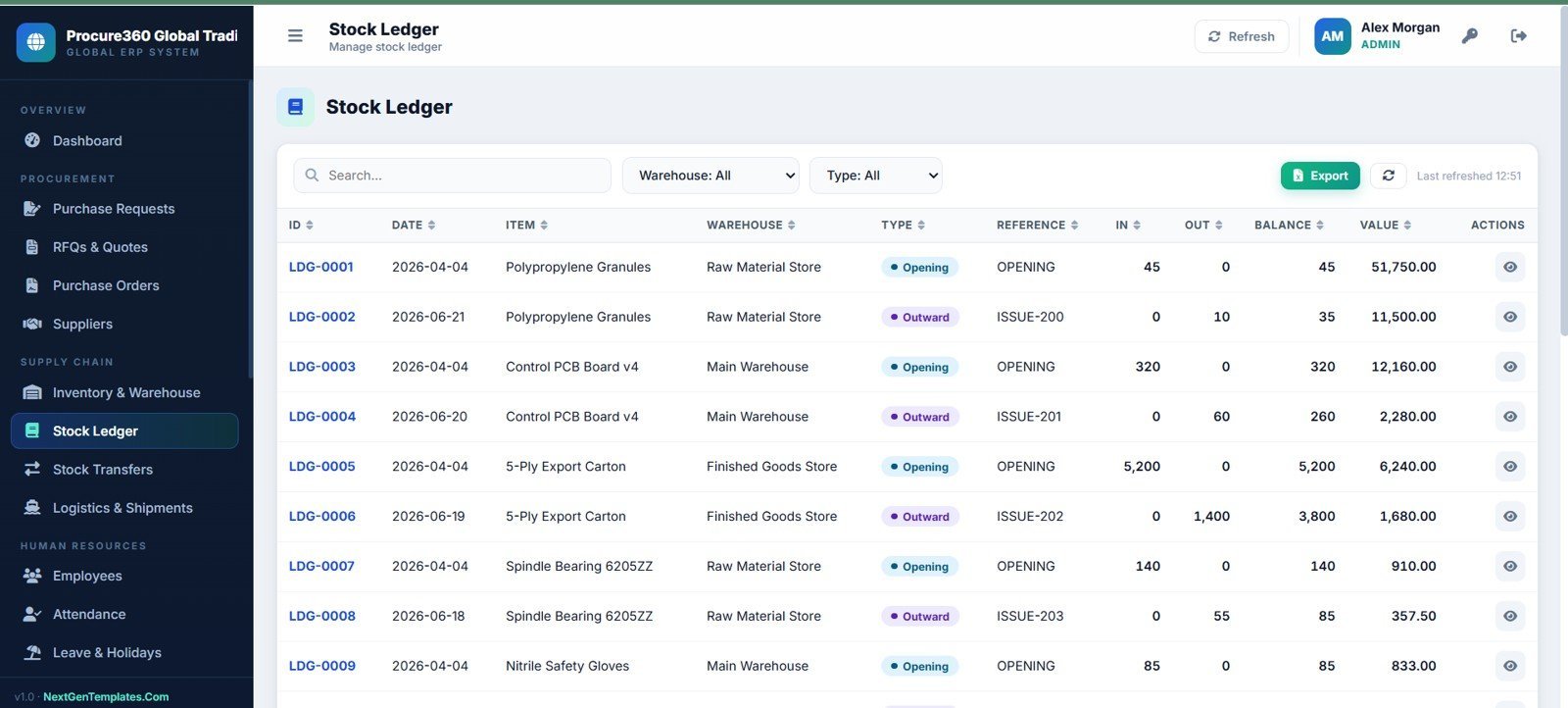
8. Stock Ledger Page
Trace inventory movement by transaction, date, item, warehouse, movement type, reference, quantity, balance, and value.
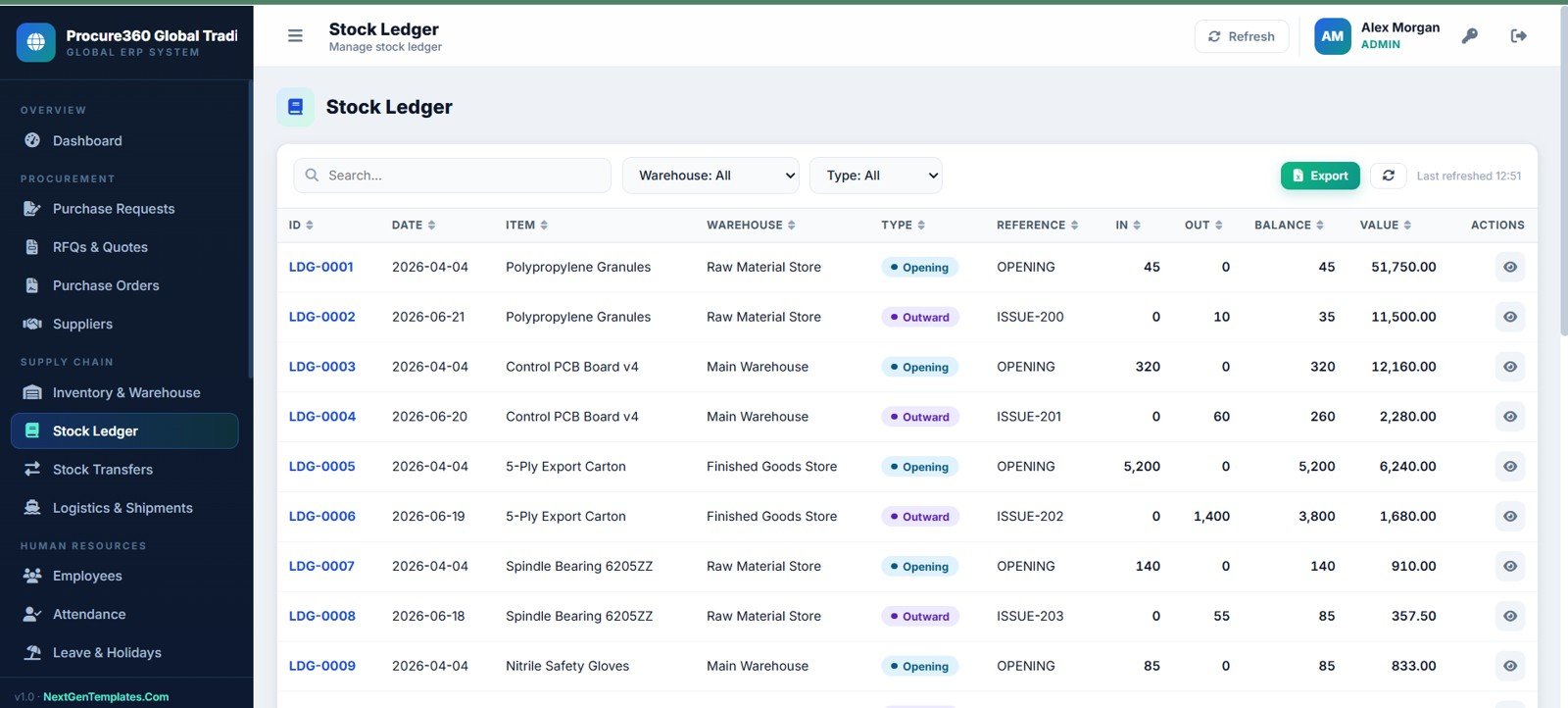
Stock Ledger Page
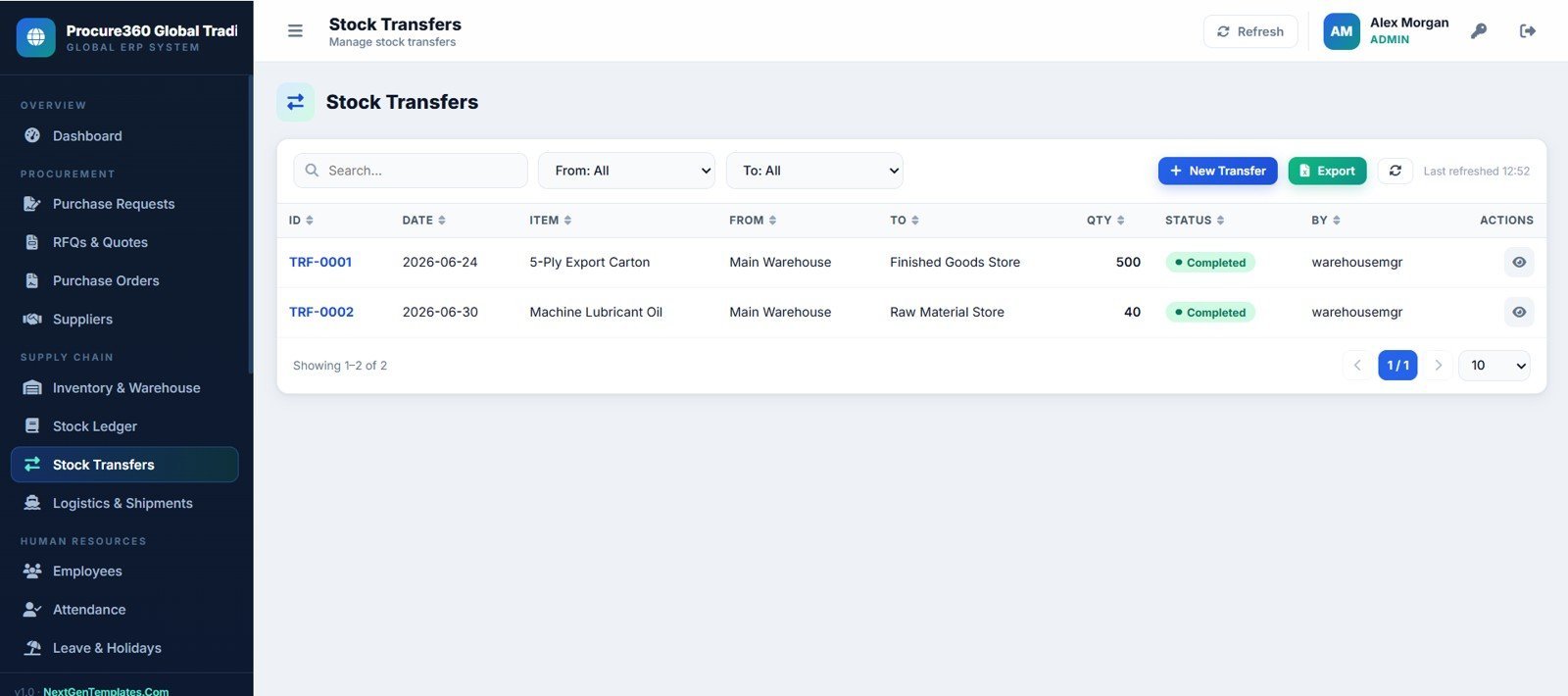
9. Stock Transfers Page
Track stock movement between warehouse or store locations with transfer status and responsible user.
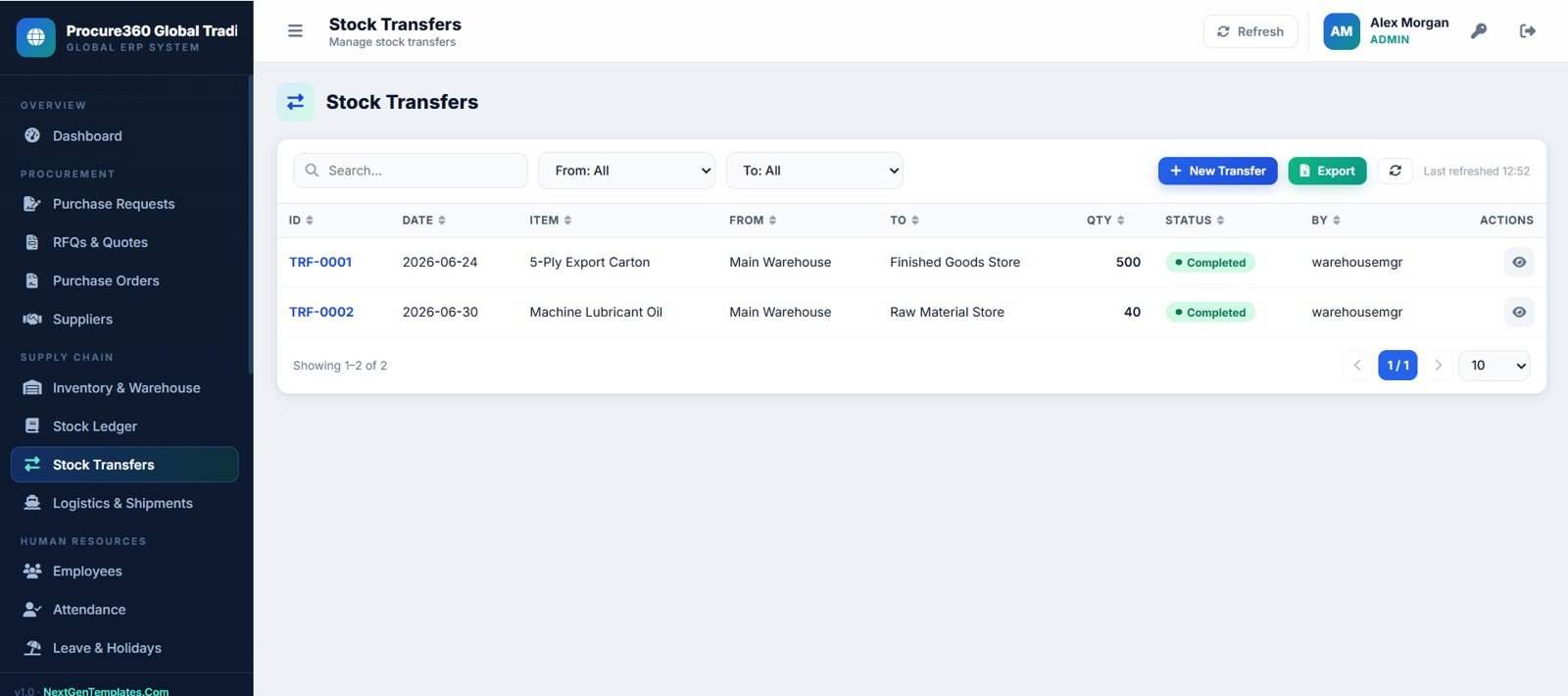
Stock Transfers Page
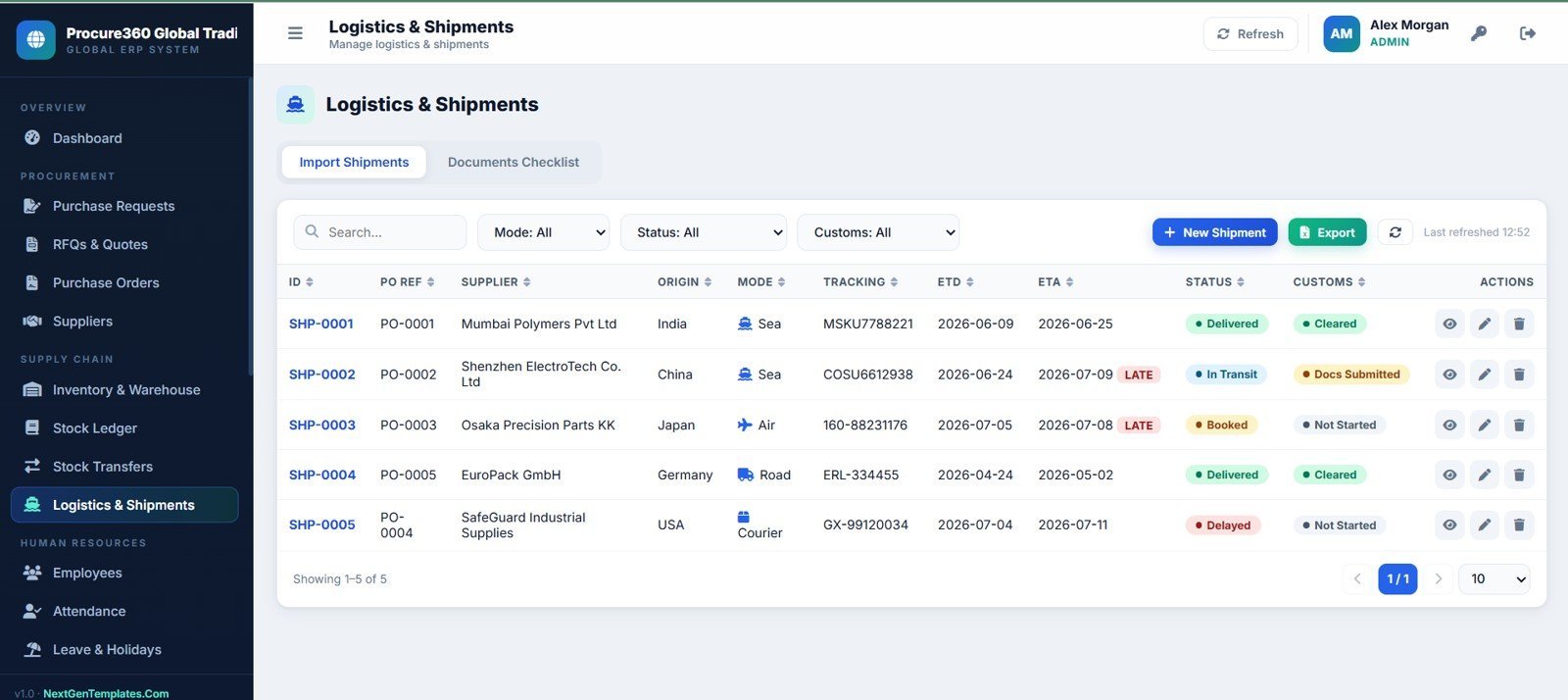
10. Logistics and Shipments Page
Manage import shipments, document checklists, tracking numbers, ETD, ETA, shipment status, and customs status.
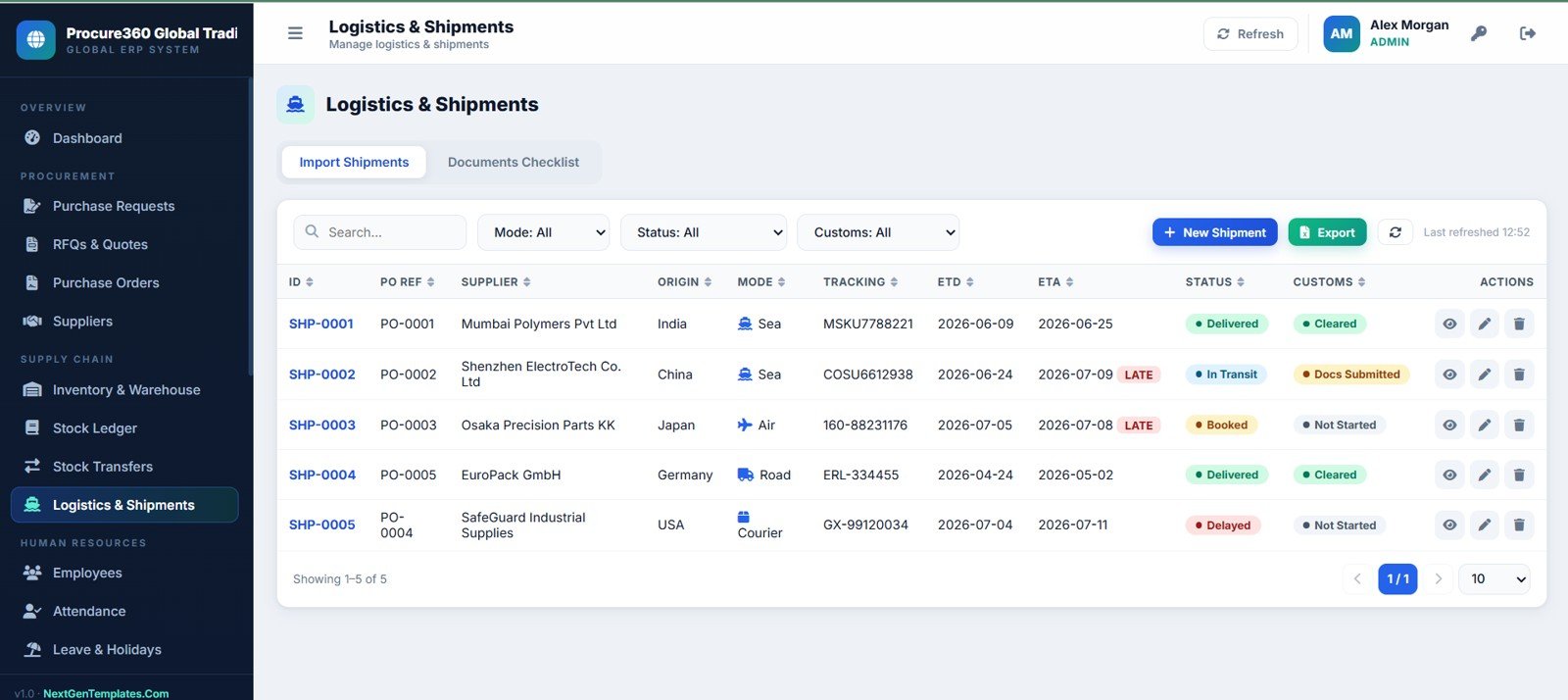
Logistics and Shipments Page
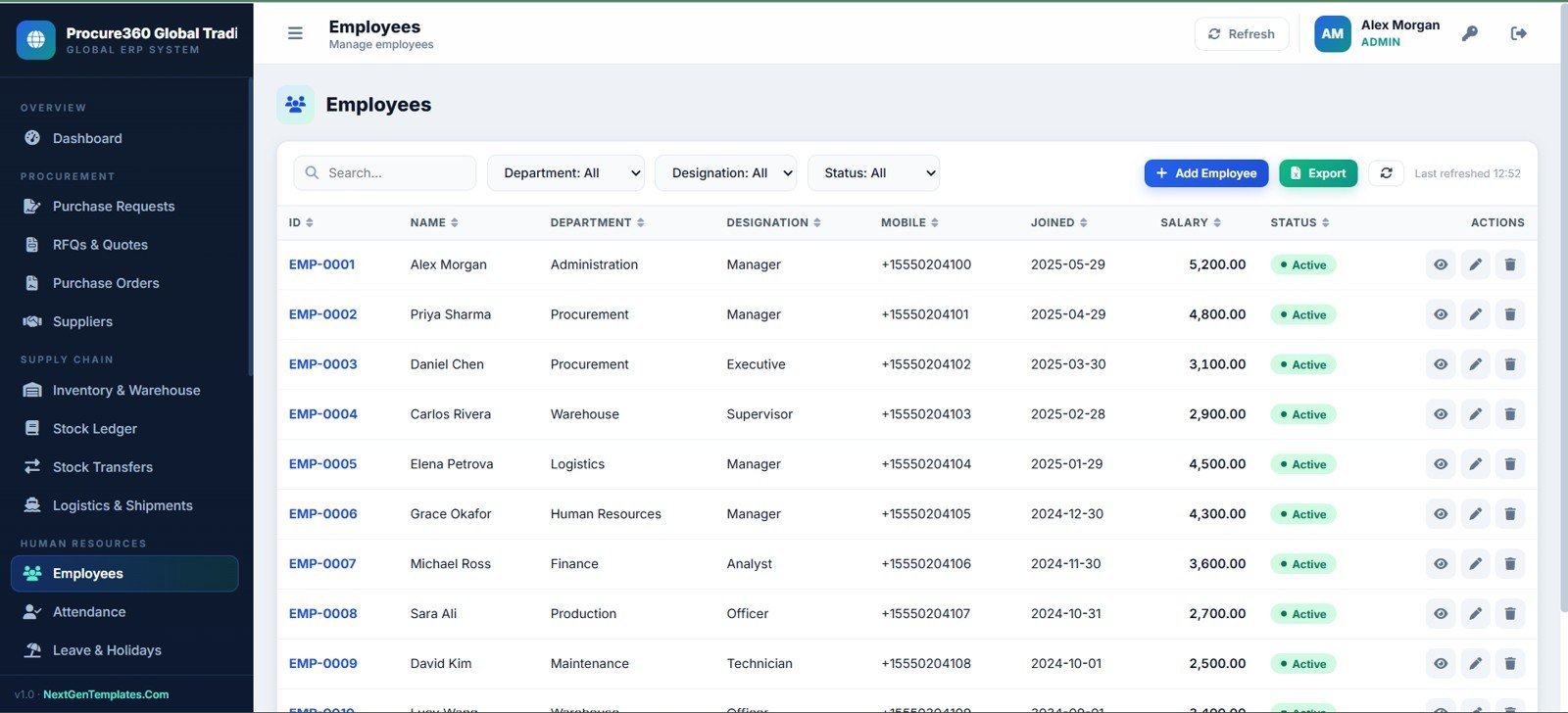
11. Employees Page
Maintain employee master records with department, designation, mobile, joined date, salary, and active status.
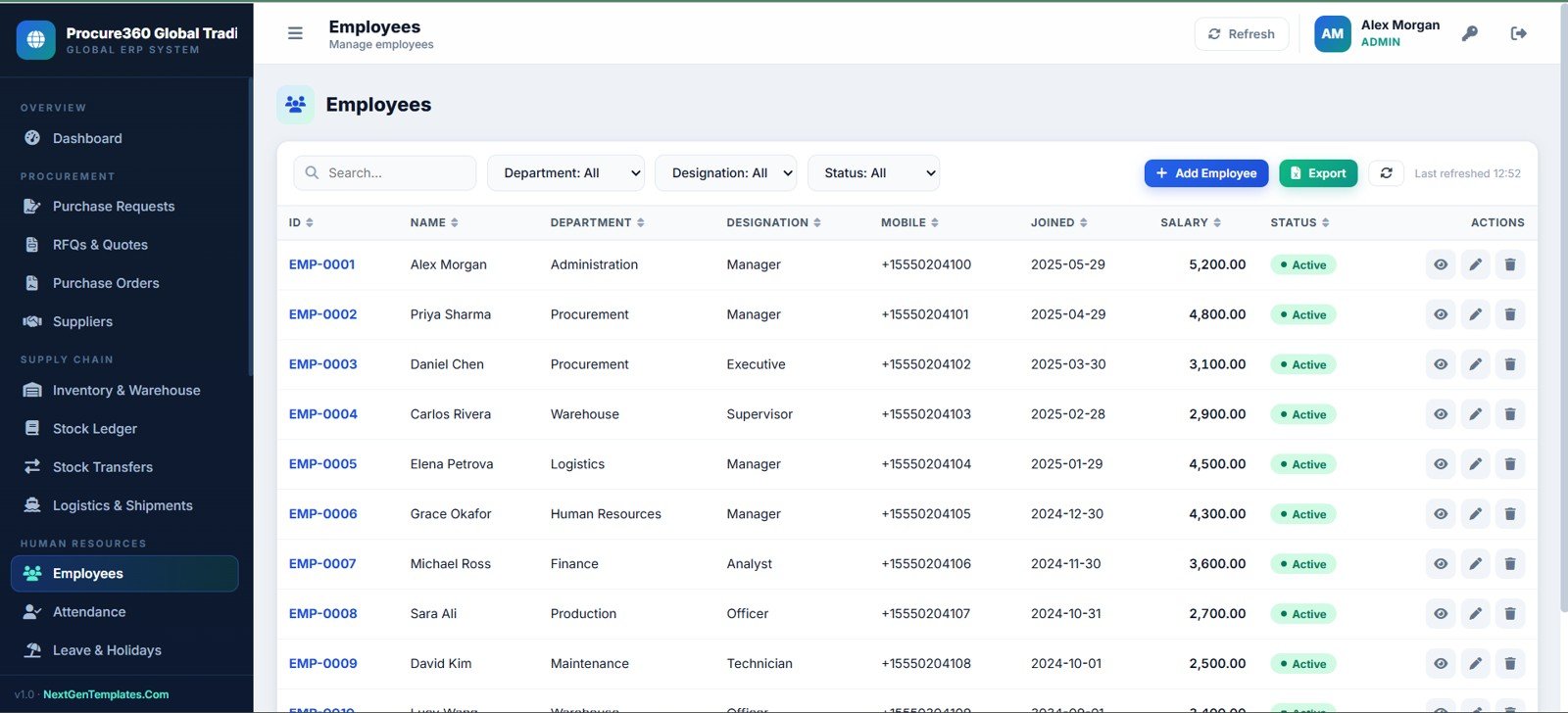
Employees Page
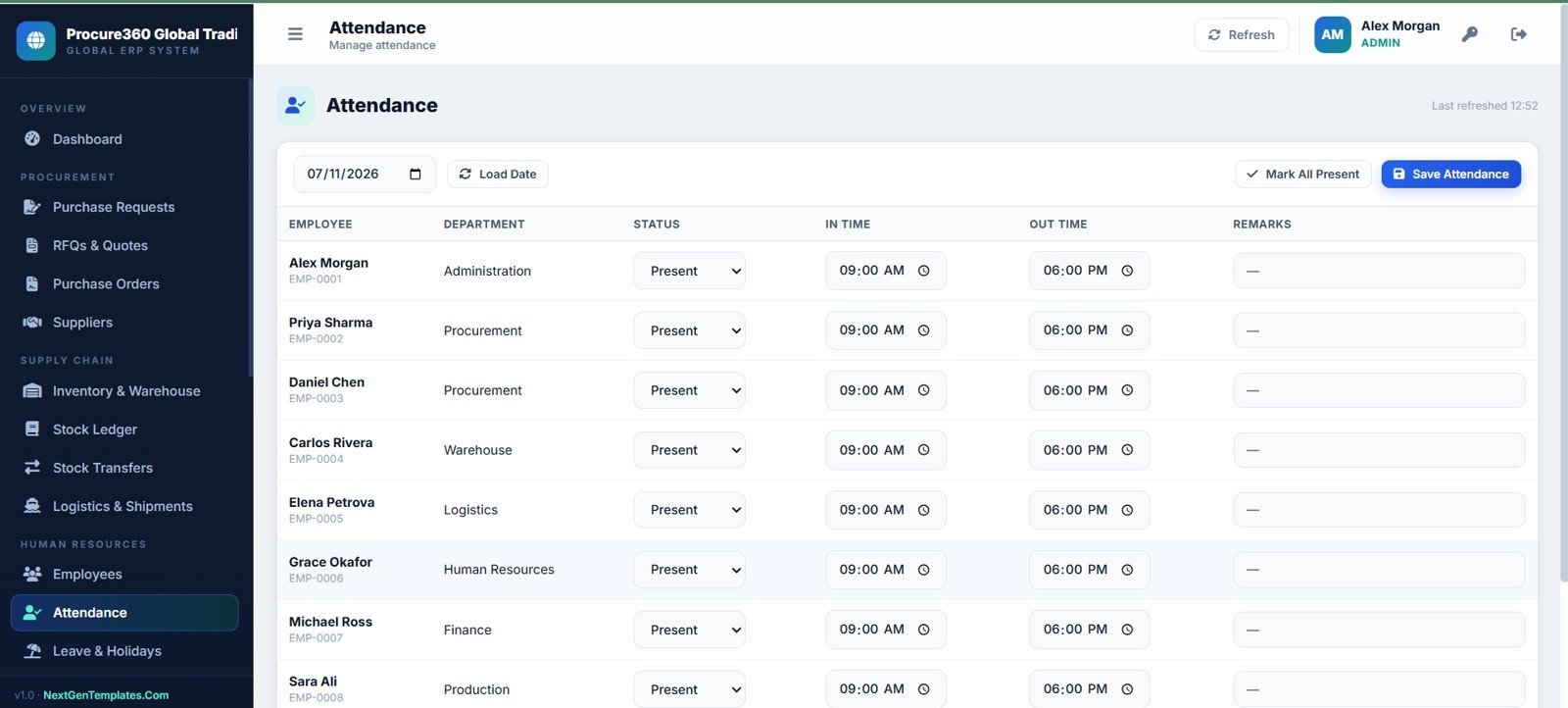
12. Attendance Page
Record daily employee attendance using date selection, mark all present, save attendance, in time, out time, and remarks fields.
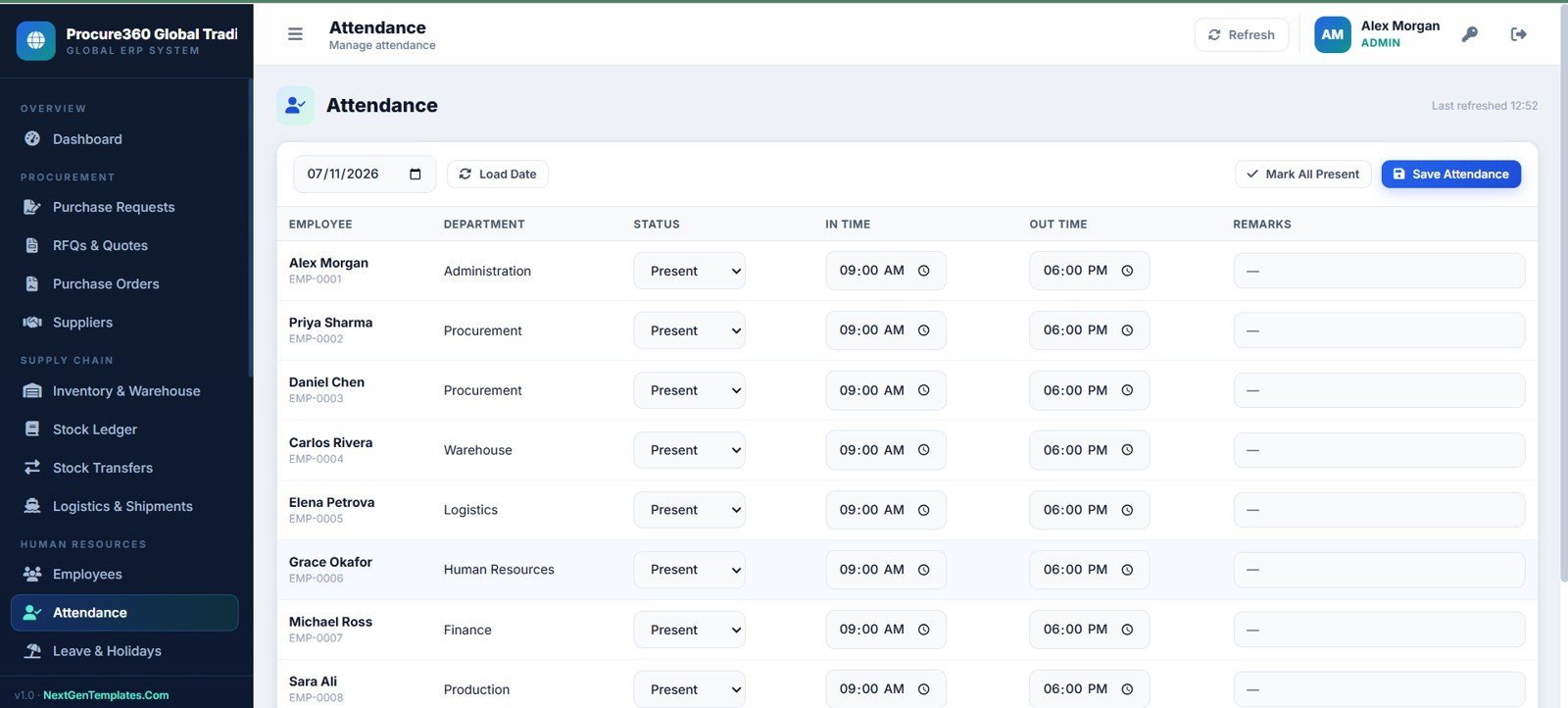
Attendance Page
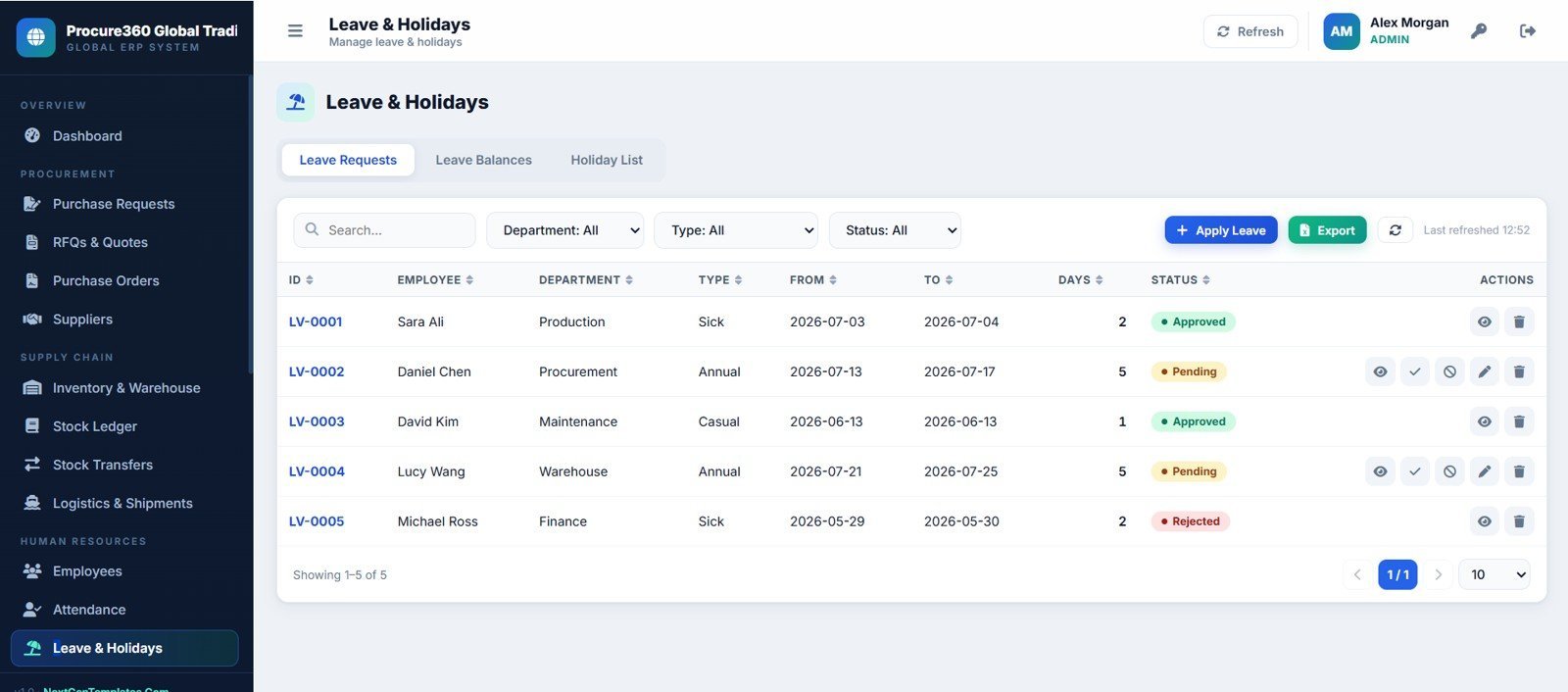
13. Leave and Holidays Page
Manage leave requests, leave balances, holiday lists, leave status, and approval actions.
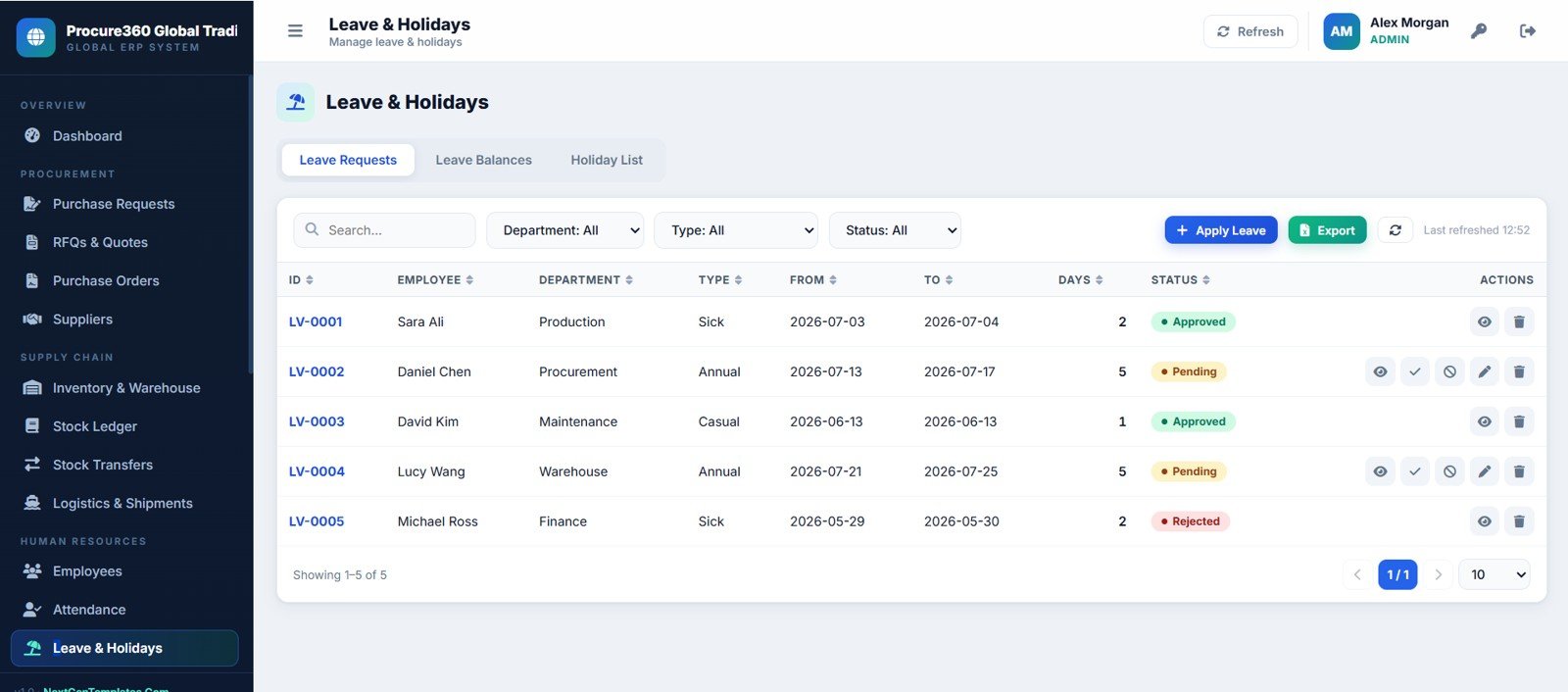
Leave and Holidays Page
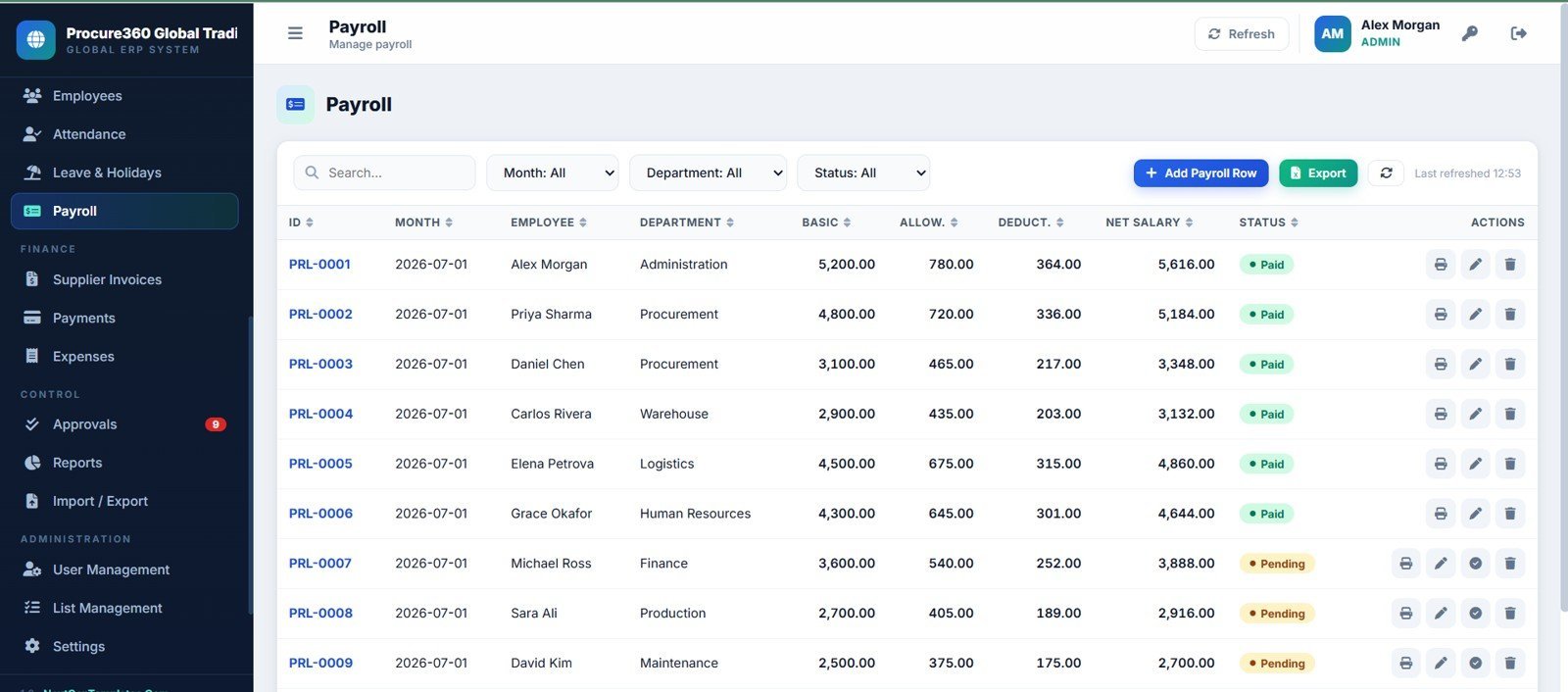
14. Payroll Page
Create monthly payroll rows with salary, allowance, deduction, net salary, payment status, approval, and print actions.
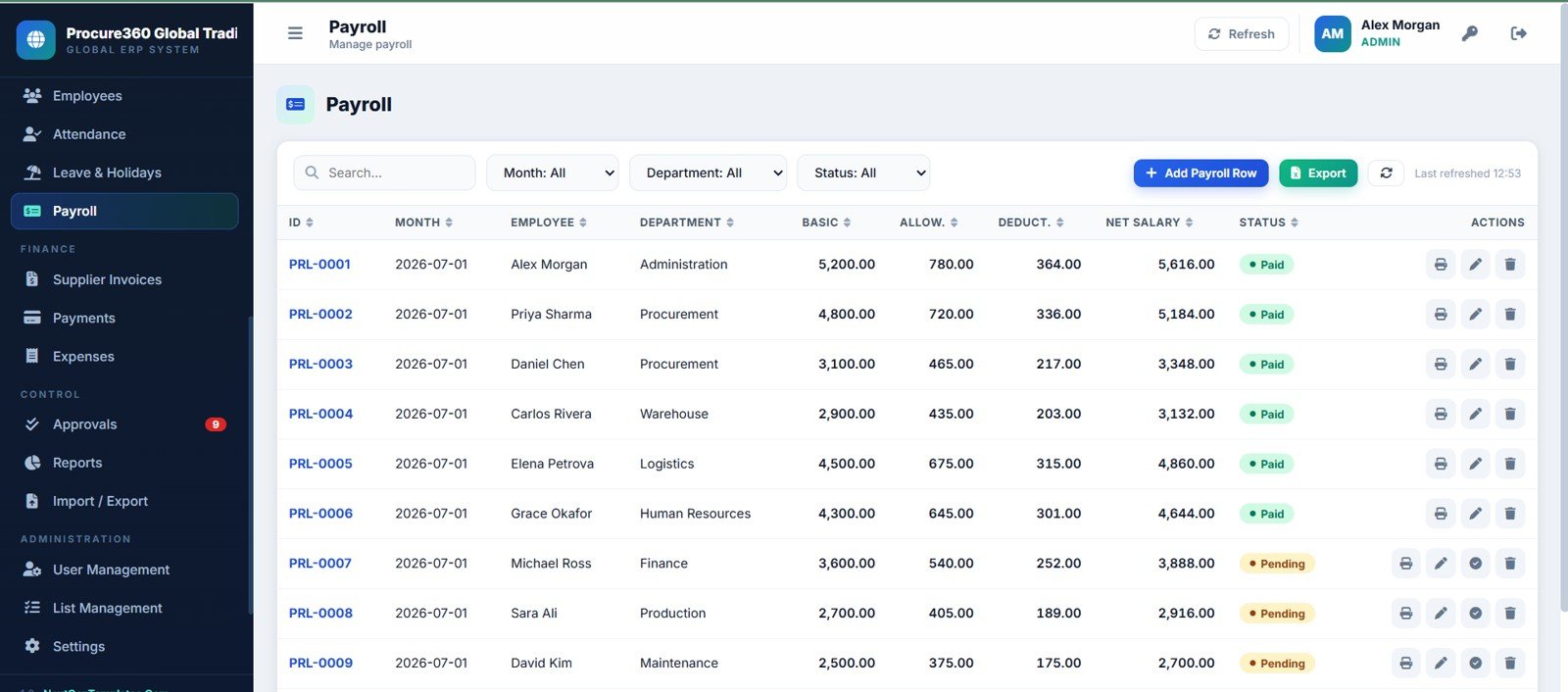
Payroll Page
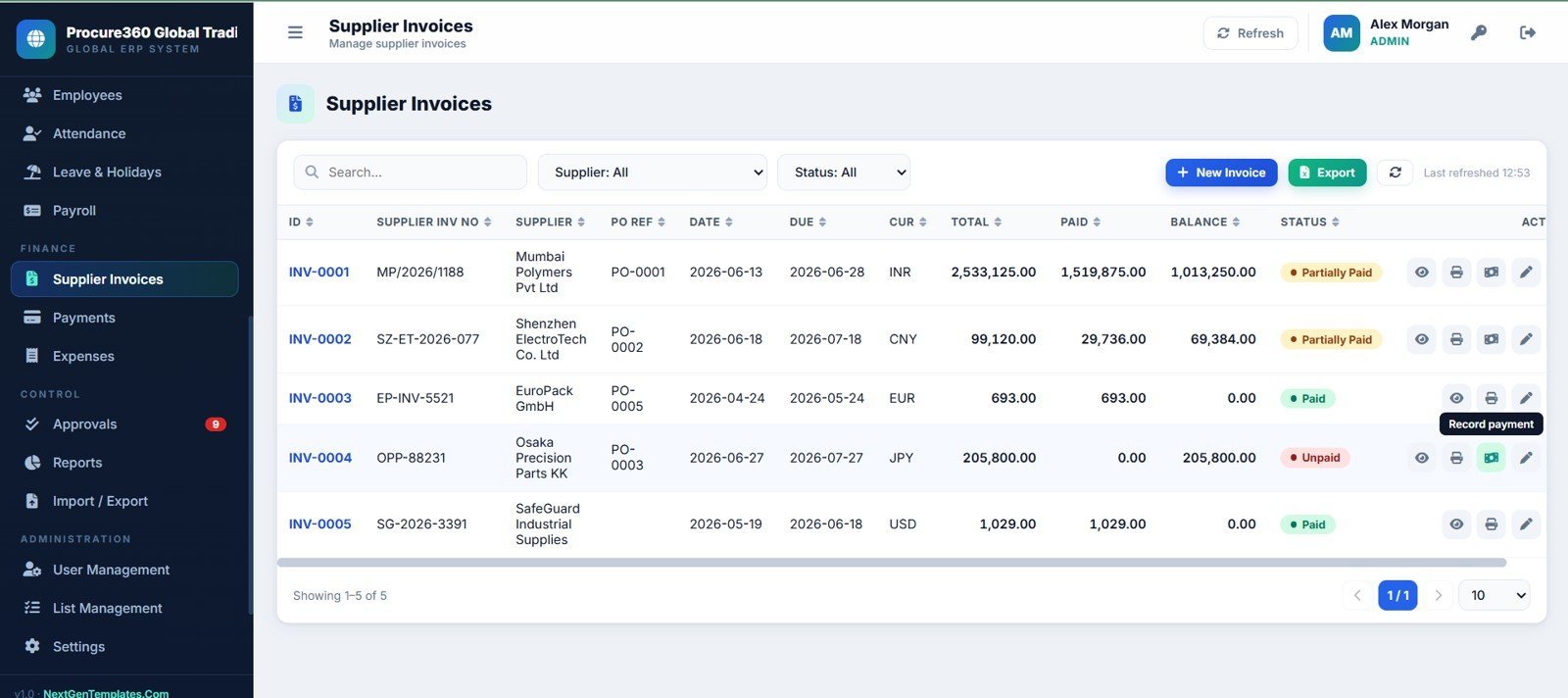
15. Supplier Invoices Page
Manage invoice number, supplier, PO reference, invoice date, due date, currency, total, paid, balance, and payment status.
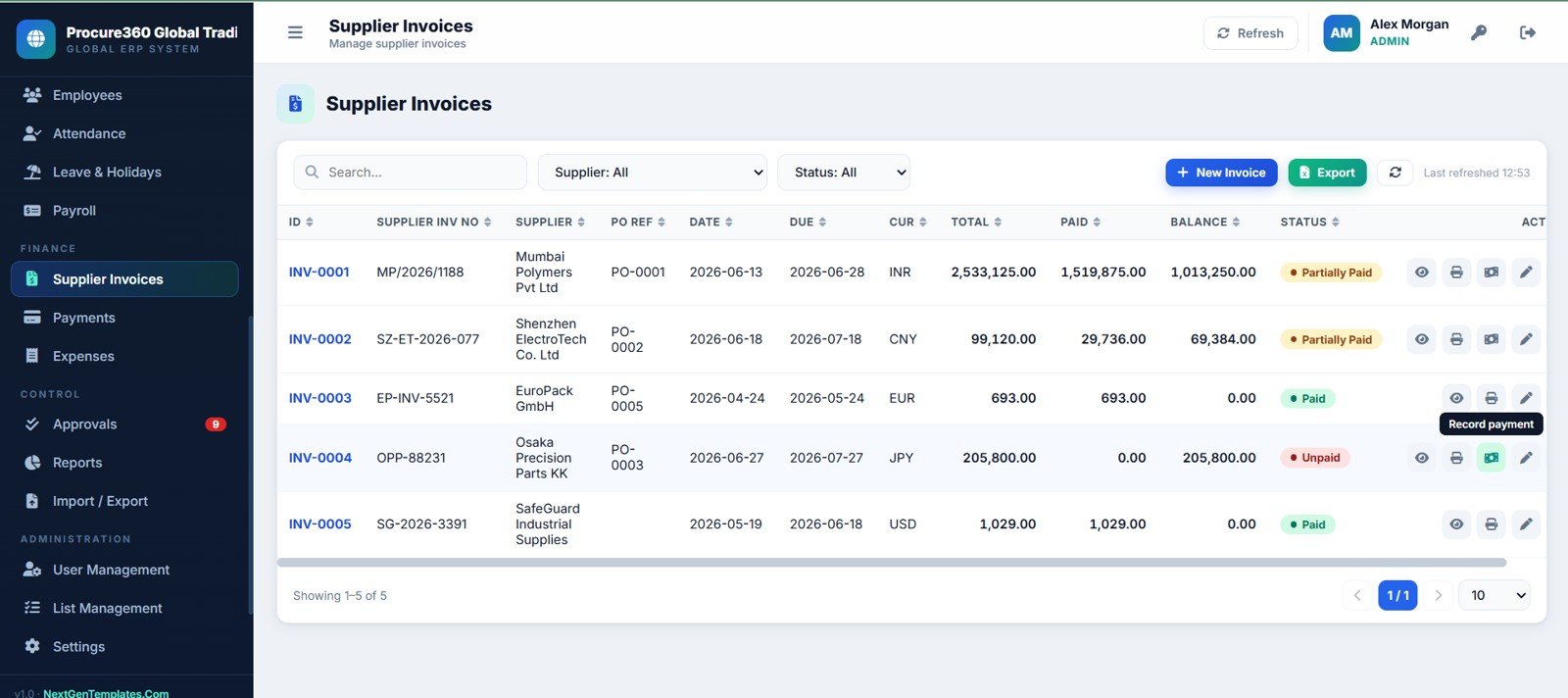
Supplier Invoices Page
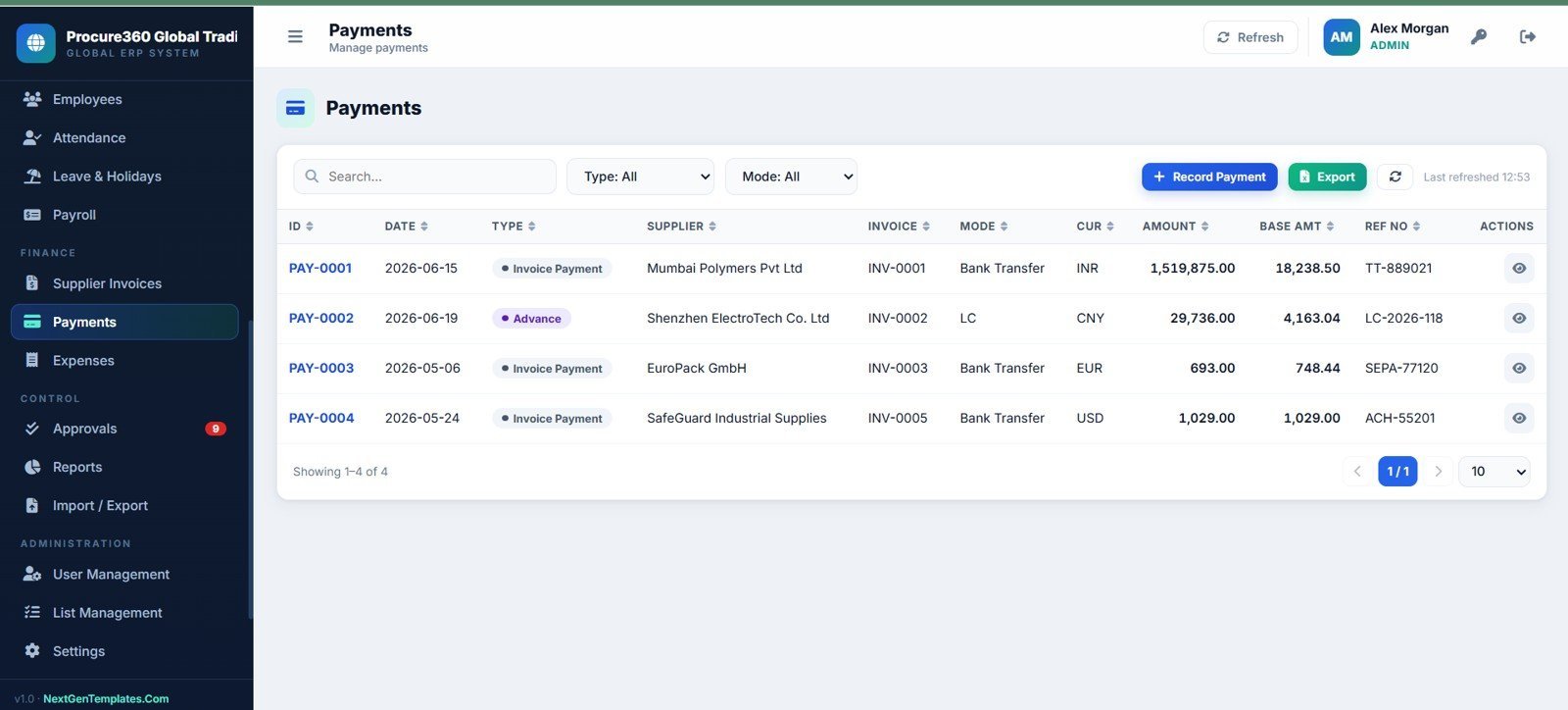
16. Payments Page
Record supplier payments and advances by payment type, supplier, invoice reference, mode, currency, amount, base amount, and reference number.
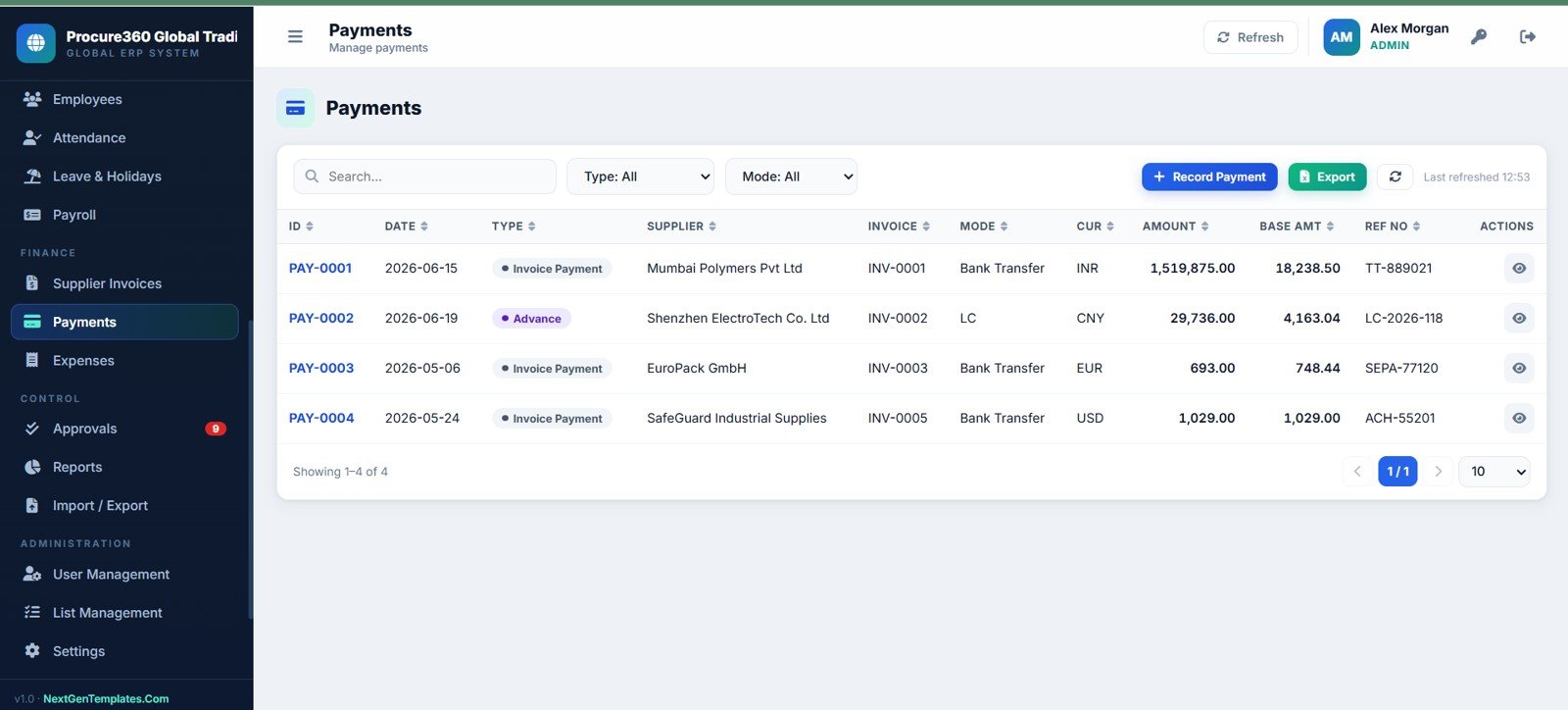
Payments Page
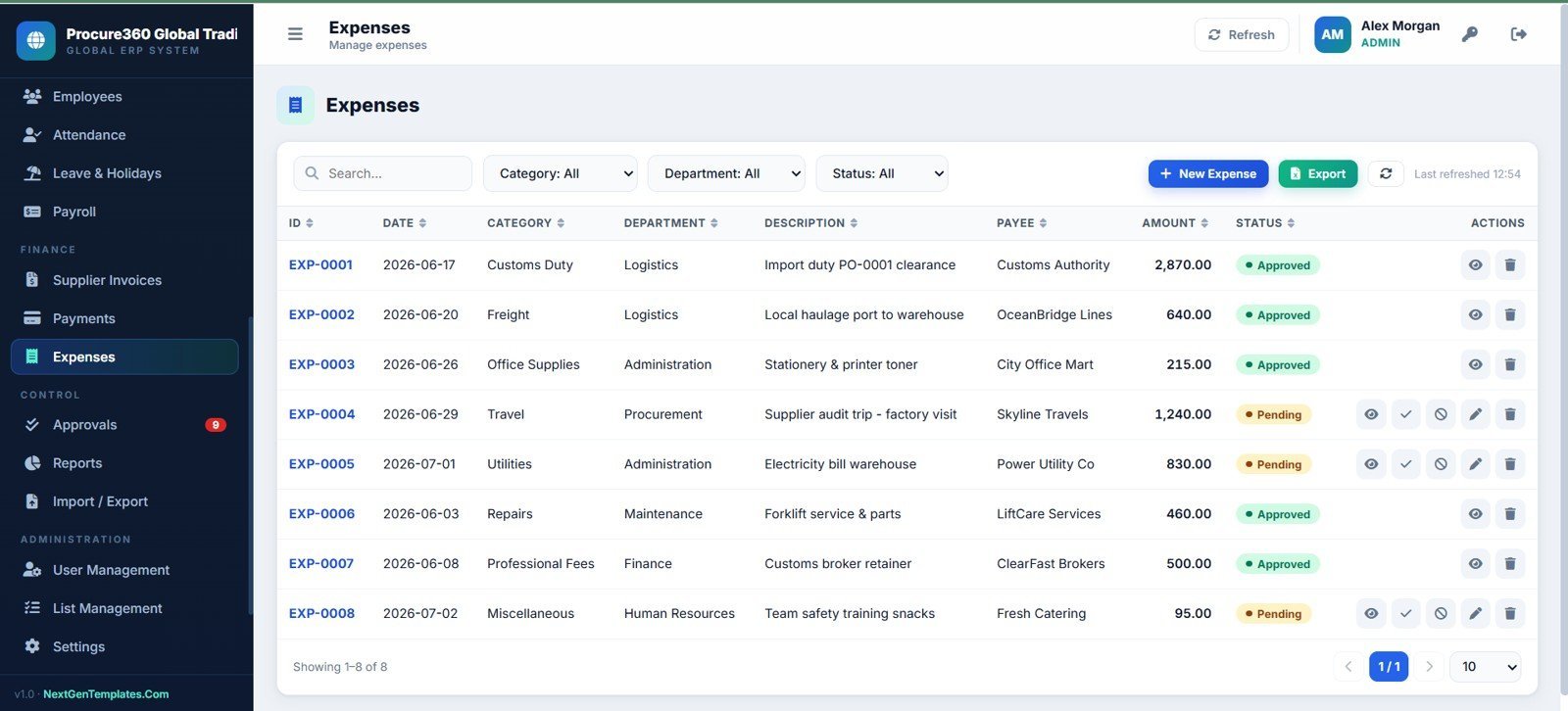
17. Expenses Page
Track operating expenses by category, department, description, payee, amount, and approval status.
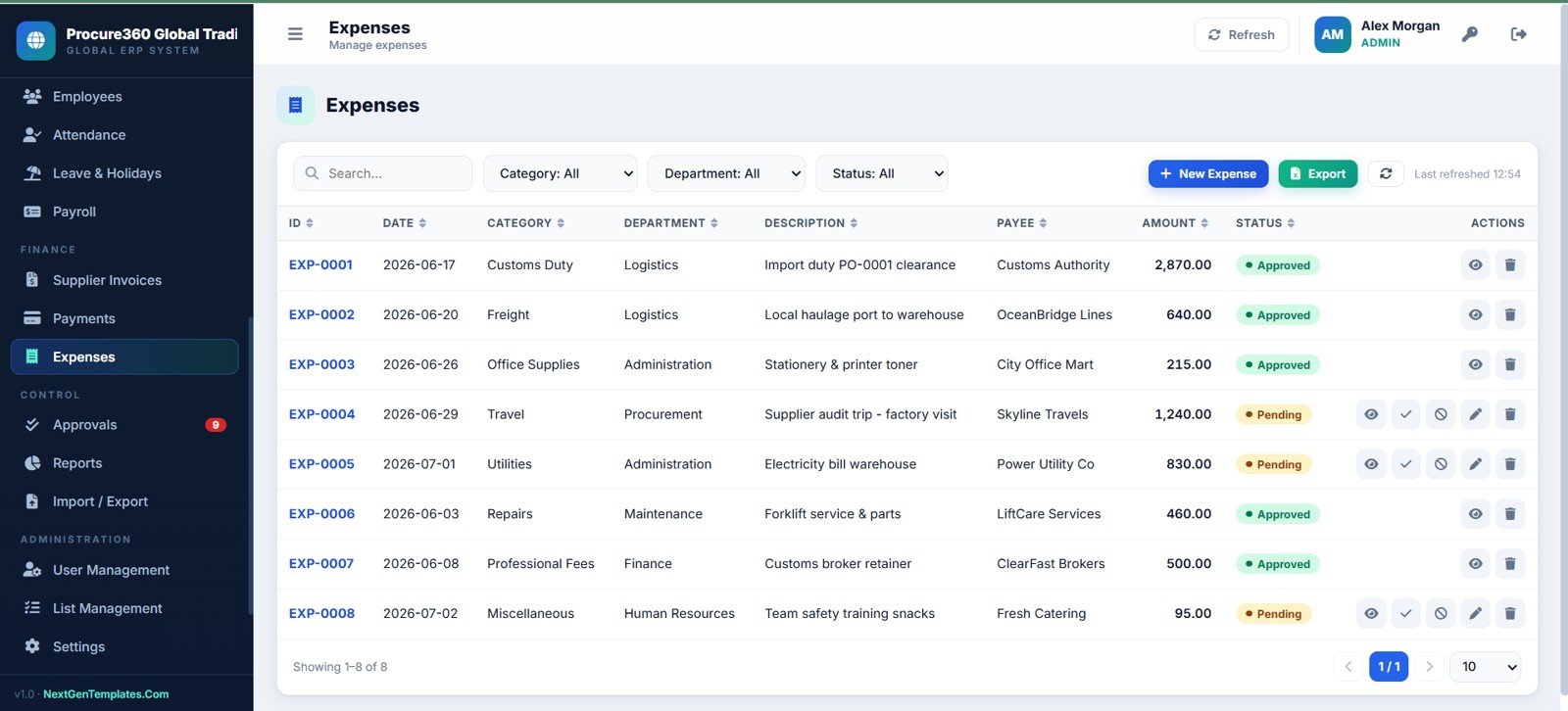
Expenses Page
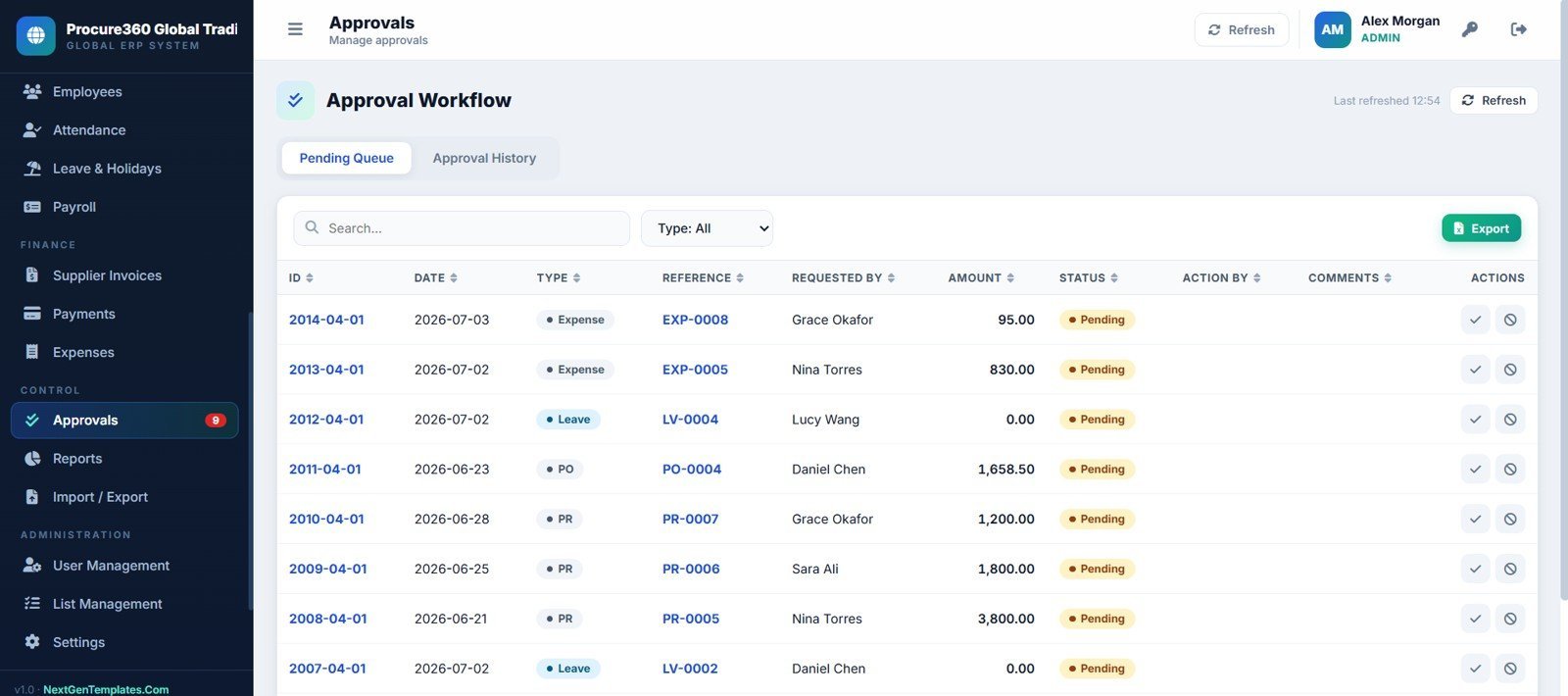
18. Approval Workflow Page
Approve or reject pending ERP transactions from a queue with history, action by, comments, type filters, and search.
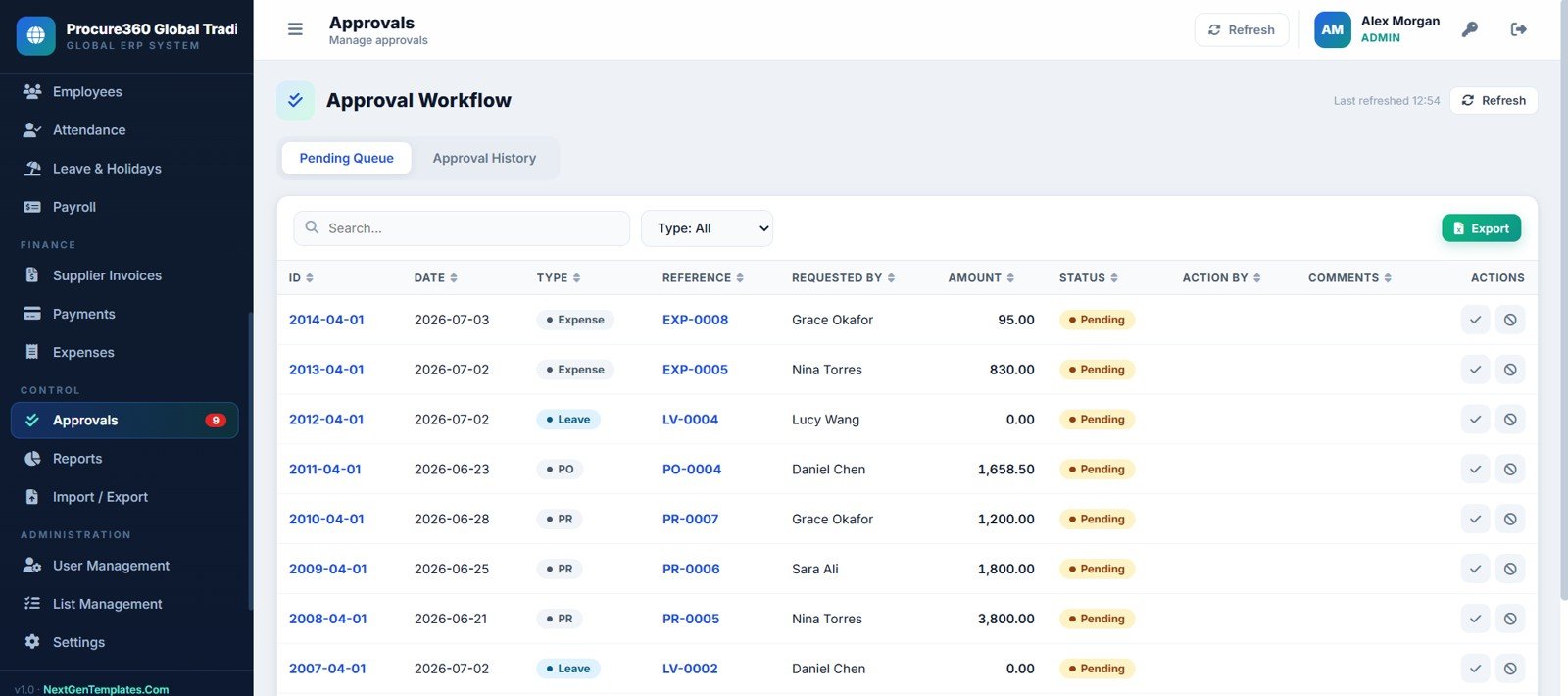
Approval Workflow Page
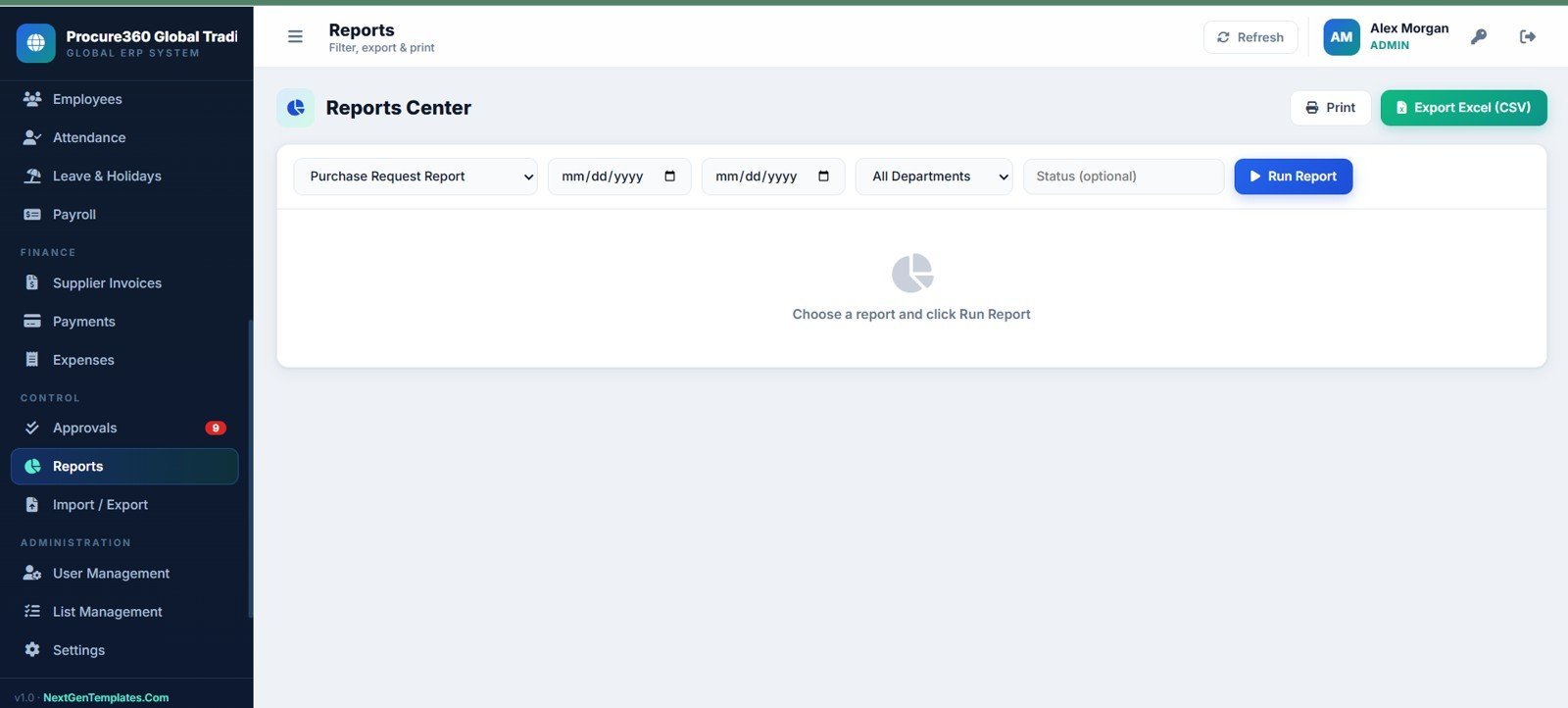
19. Reports Center Page
Run, print, and export operational reports by report type, date range, department, and status.
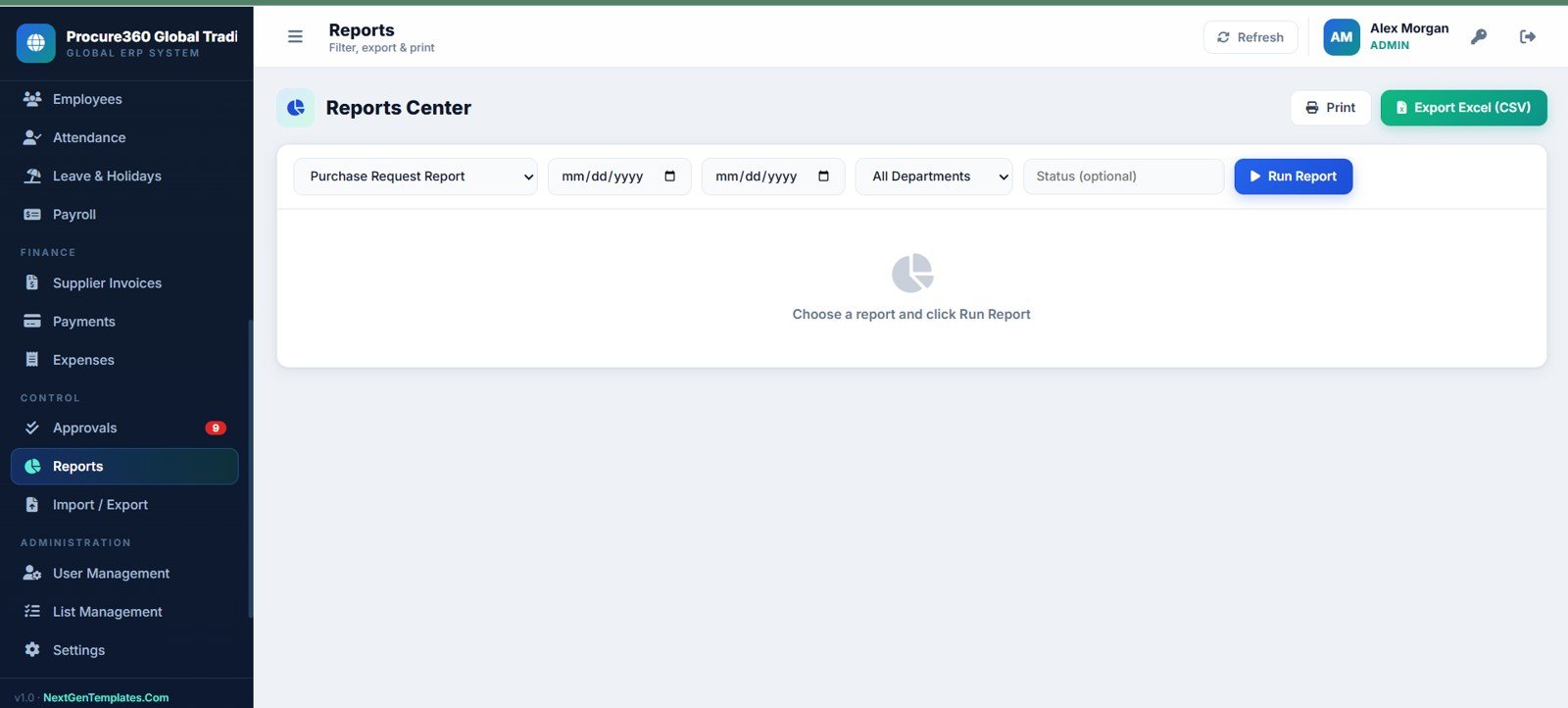
Reports Center Page
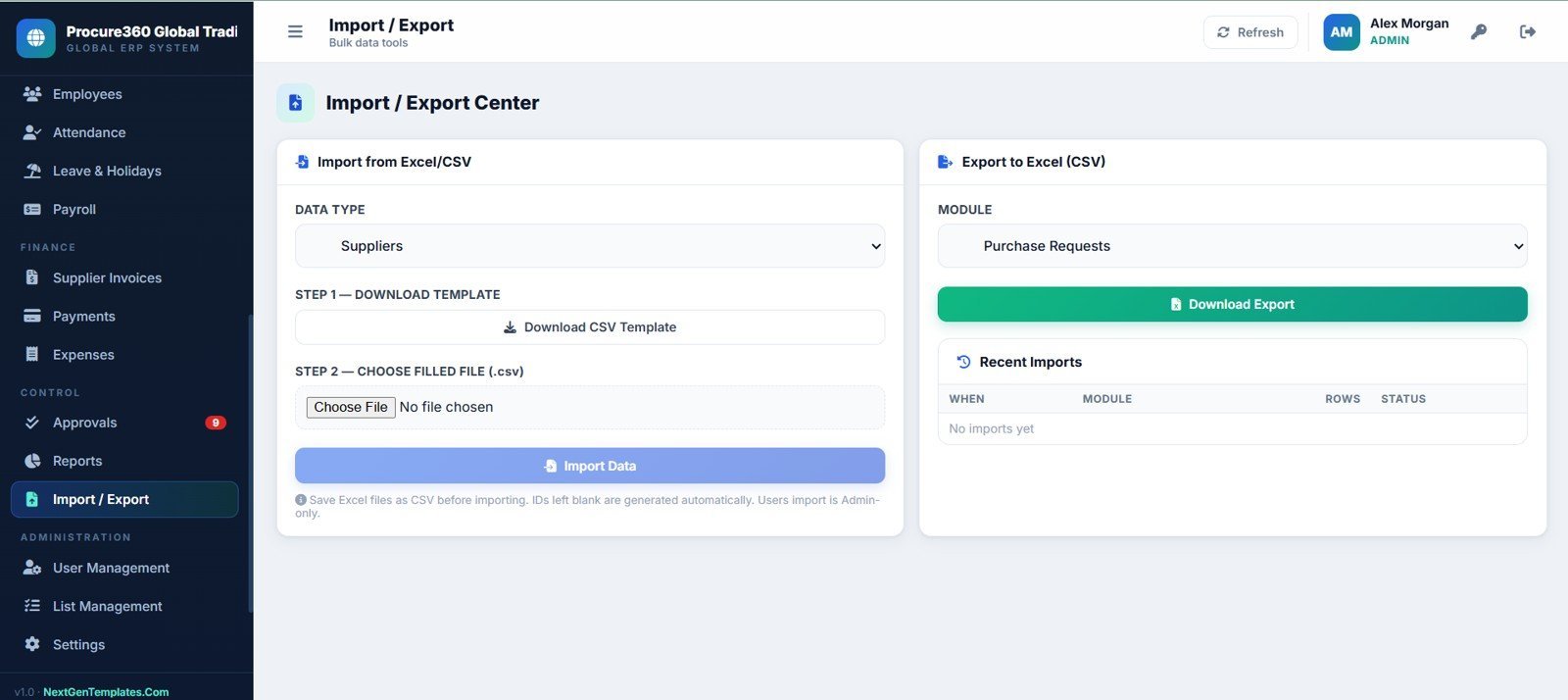
20. Import and Export Center Page
Import prepared CSV data, download templates, choose files, and export module records to Excel CSV.
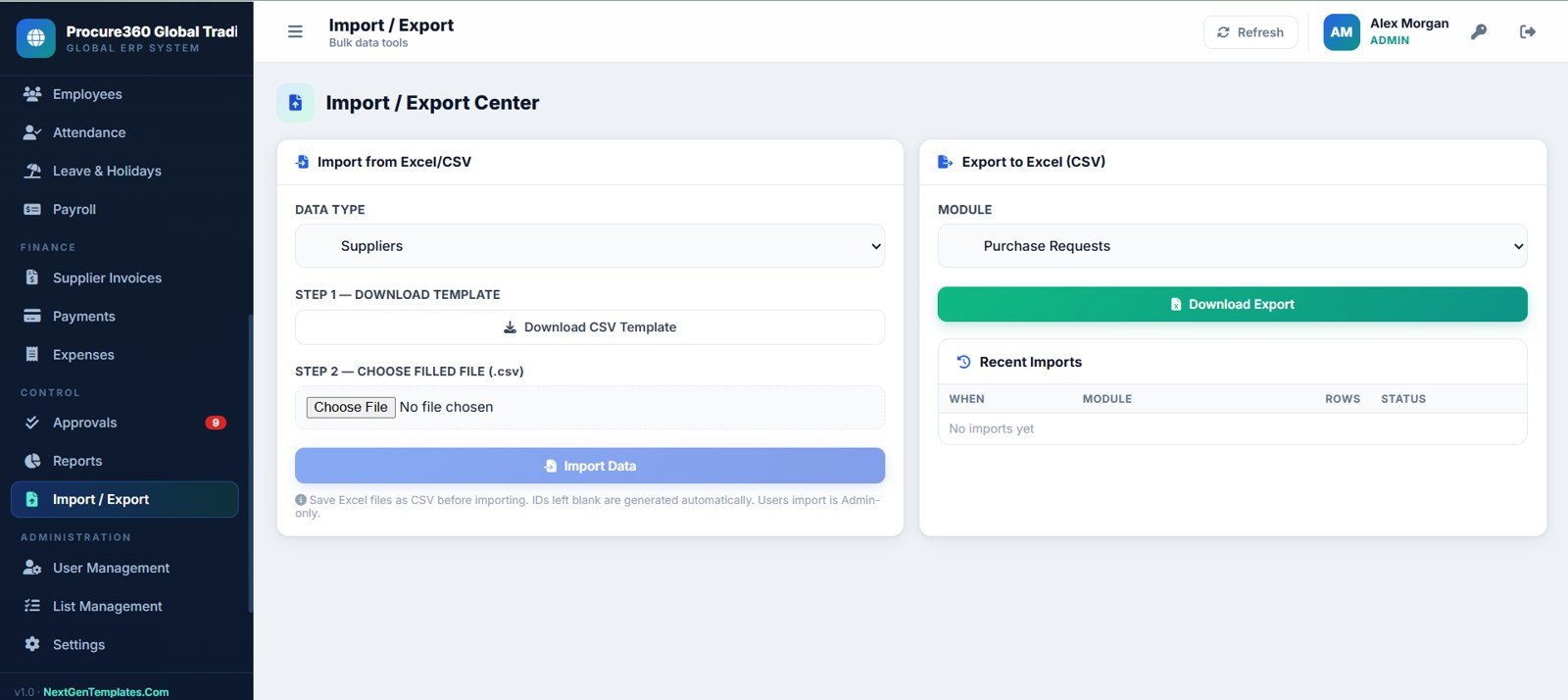
Import and Export Center Page
21. User Management Page
Admins manage users, roles, departments, branches, approval limits, active status, export, edit, and delete actions.
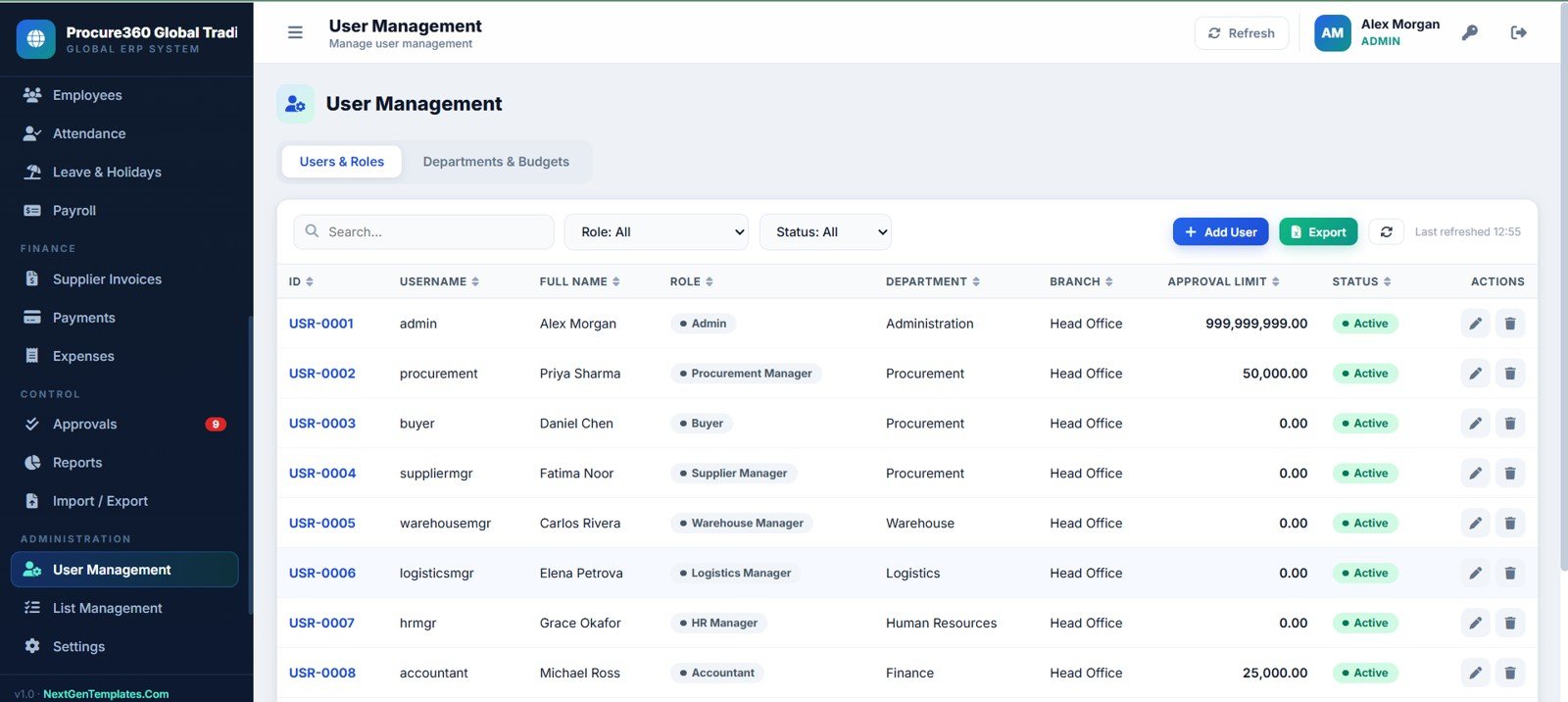
User Management Page
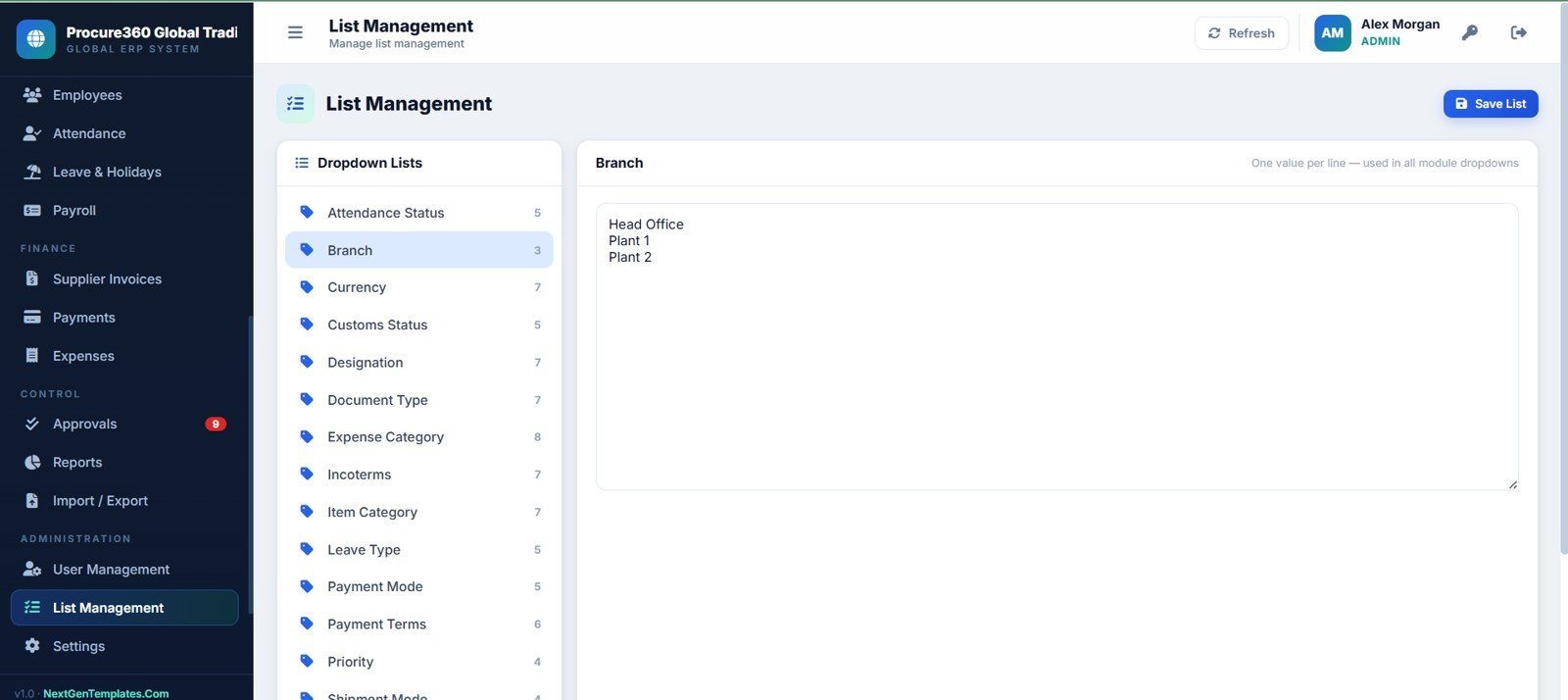
22. List Management Page
Maintain dropdown values for attendance, branch, currency, customs, designation, documents, expenses, incoterms, items, leave, payment mode, and terms.
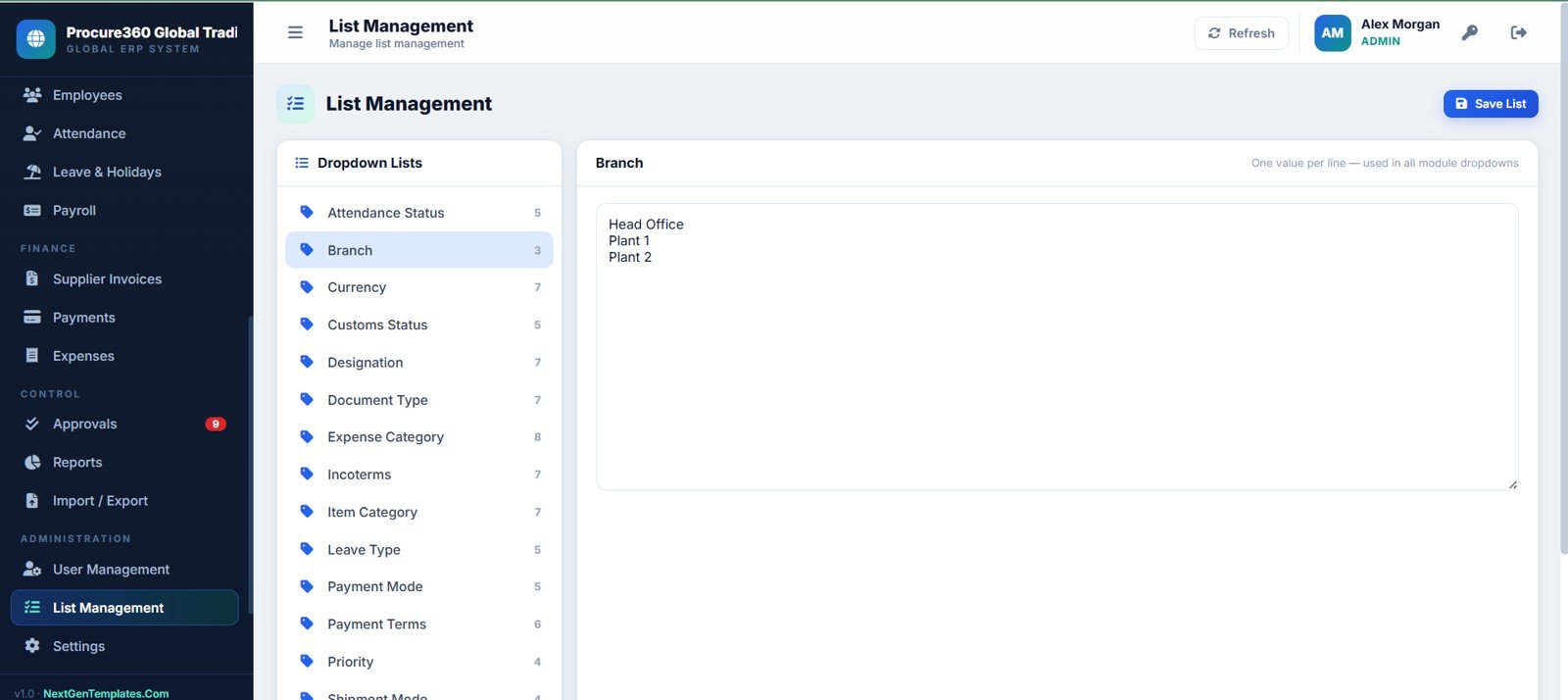
List Management Page
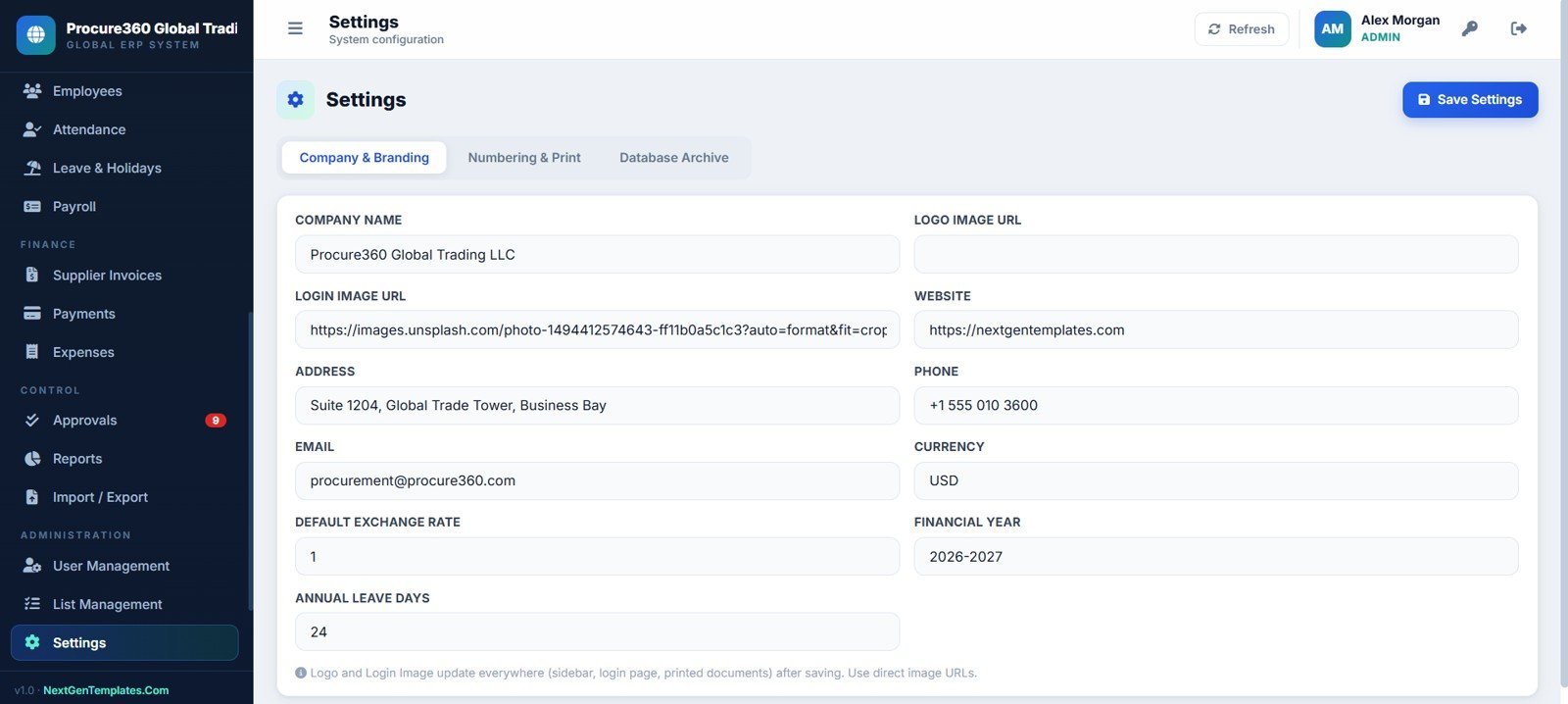
23. Settings Page
Update company branding, logo URL, login image URL, website, address, phone, email, currency, exchange rate, financial year, and leave settings.
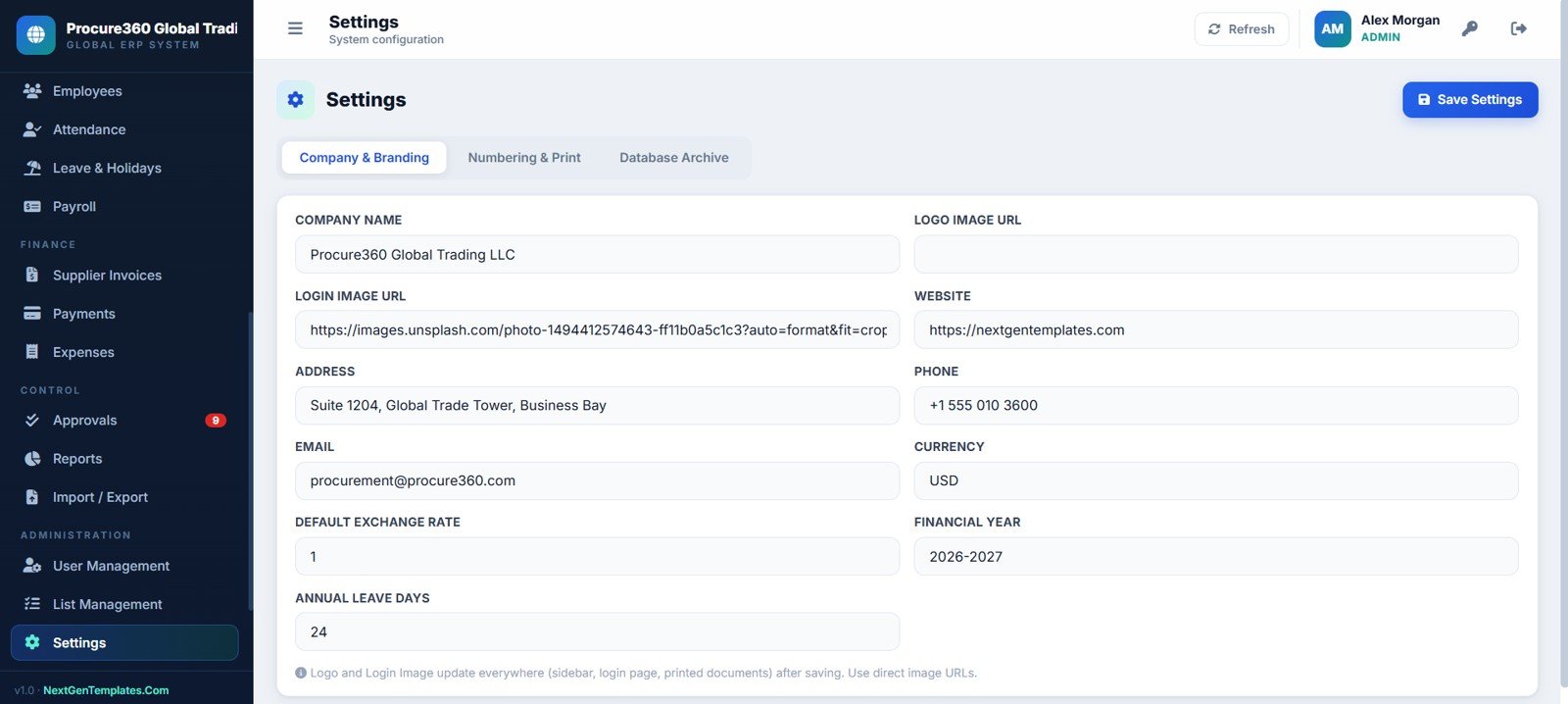
Settings Page
Procure360 Global ERP Management System Web App
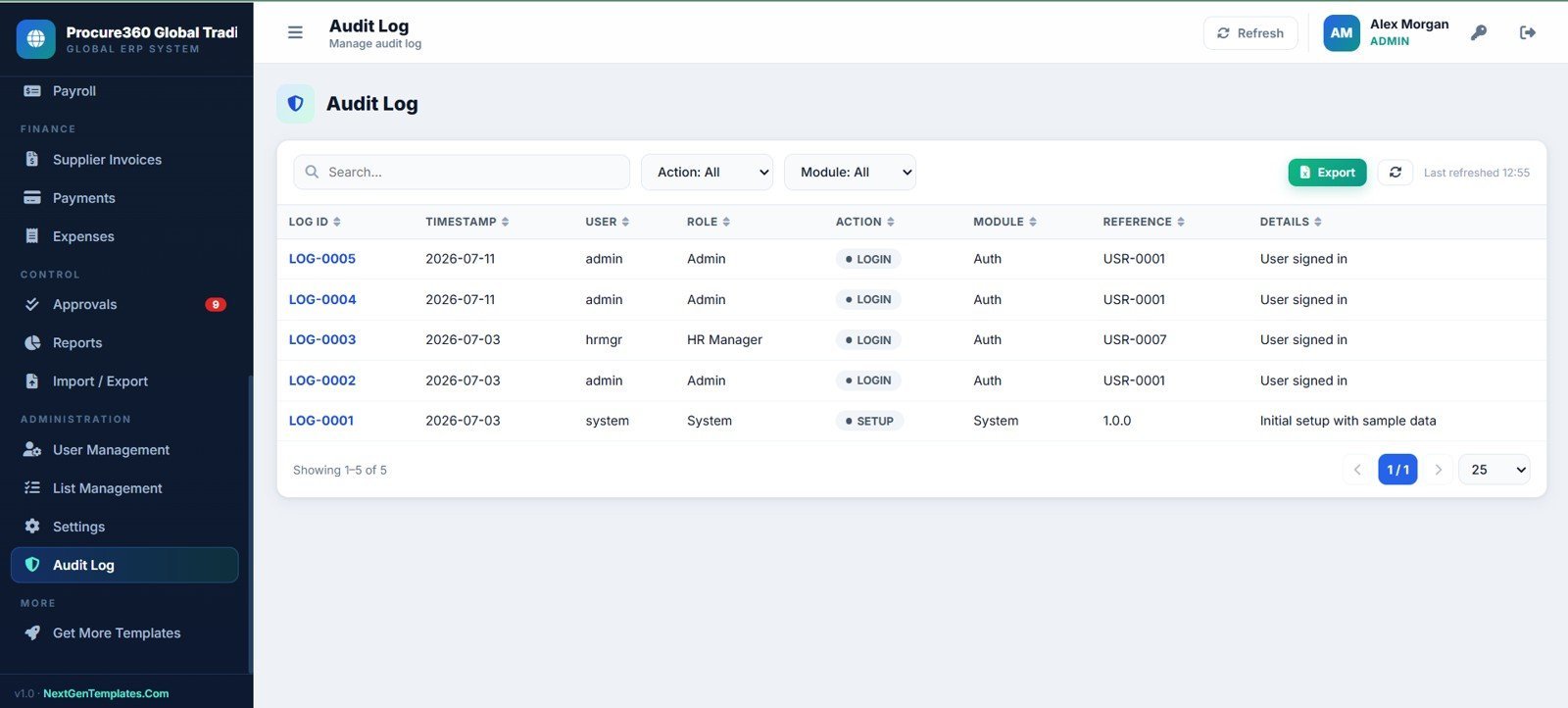
24. Audit Log Page
Review login events, setup actions, future system activity, user, role, action, module, reference, details, filters, export, and refresh controls.
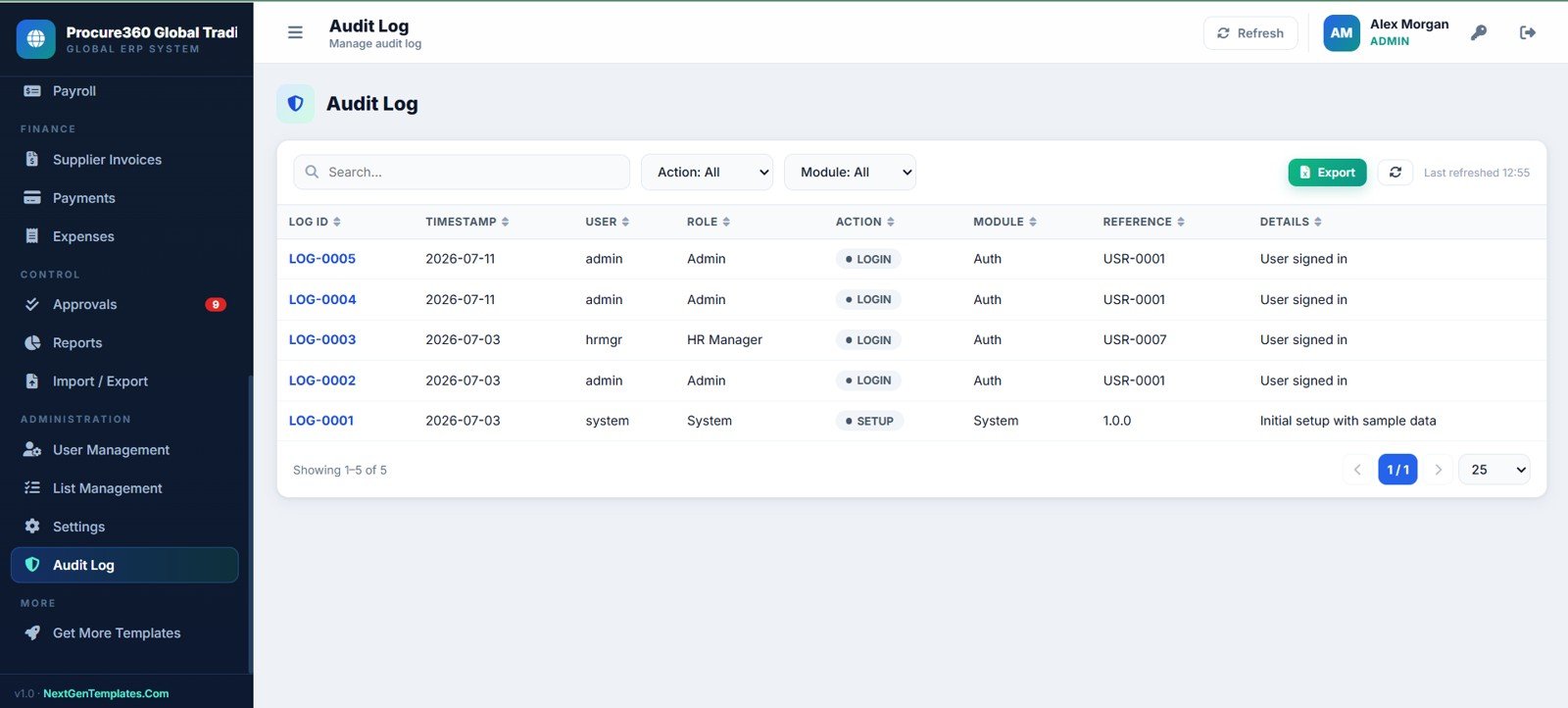
Audit Log Page
Procure360 Global ERP Management System Web App vs. Google Sheets Tracker vs. Paid ERP SaaS – Where This Fits
| Feature | Procure360 Web App | Google Sheets Tracker | Paid ERP SaaS |
|---|---|---|---|
| Cost | One-time template purchase | Low tool cost, high build time | Monthly or annual subscription |
| Platform | Google Apps Script web app with spreadsheet-backed data | Spreadsheet tabs | Vendor cloud platform |
| Setup time | Deploy and configure from prepared source files | Build forms, formulas, permissions, and reports yourself | Implementation and onboarding cycle |
| Procurement workflow | PR, RFQ, quote comparison, PO, invoices, payments, and approvals | Usually manual | Included by plan |
| Inventory and shipments | Stock on hand, ledger, transfers, shipment status, customs, and documents | Separate sheets required | Included by plan |
| Customizable fields | Editable source files and lists | Editable but easy to break | Vendor rules and plan limits |
| Year-1 cost at 5 users | Template price plus your existing Google account costs | Low cash cost, more manual effort | Often hundreds or thousands per year |
Who This Template Is For – and Who It’s Not For
This template is for trading companies, importers, wholesalers, distributors, procurement teams, warehouse managers, and small ERP consultants that need a structured starting point for purchase-to-pay and inventory operations. It is useful when the team wants ownership of its data and a browser-style workflow without committing to a large ERP rollout.
It is not a fit for enterprises that need certified accounting compliance, barcode hardware, live bank feeds, automatic customs filing, native e-invoicing, or deep integrations with SAP, Oracle, NetSuite, or government portals on day one.
How to Use the Procure360 Global ERP Management System Web App
- Download and unzip the source package.
- Follow the included setup guide to deploy the Google Apps Script web app in your own Google account.
- Configure company branding, currency, financial year, dropdown lists, departments, branches, and users.
- Add suppliers, employees, items, warehouses, approval limits, and opening operational data.
- Start from purchase requests, convert approved demand into RFQs, compare quotations, create POs, receive stock, and record invoices and payments.
- Review reports, audit logs, and dashboards regularly to keep procurement and inventory decisions visible.
Real-World Use Cases
Ayesha, procurement head at an import trading company: uses RFQs, quote comparison, POs, shipments, supplier invoices, and approvals to keep landed procurement visible from request to payment.
Marco, warehouse manager: reviews stock on hand, stock ledger, transfers, reorder levels, and low-stock items before weekly purchasing meetings.
Dev, ERP consultant: customizes the source files, dropdown lists, approval limits, and branding for clients that need a private operating system before investing in a larger ERP.
Frequently Asked Questions
What is the Procure360 Global ERP Management System Web App?
It is a 24-page ERP-style web app template for procurement, inventory, logistics, finance, HR, approvals, reports, import/export, settings, and audit logs.
Does it include purchase request, RFQ, and purchase order workflows?
Yes. The workflow covers purchase requests, RFQs, supplier quotes, quotation comparison, purchase orders, receiving, supplier invoices, and payments.
Can it track stock and warehouses?
Yes. It includes stock on hand, item master, warehouses, bins, stock ledger, stock transfers, reorder levels, rates, and stock value.
Does it include HR and payroll pages?
Yes. Employees, attendance, leave and holidays, payroll rows, salary fields, and payment status are included.
Is this a full replacement for an enterprise ERP?
No. It is a template foundation for teams that want an editable private web app. Large enterprises may still need dedicated ERP software, integrations, compliance controls, and custom development.
Is it a one-time purchase?
Yes. This is sold as a one-time digital download with no NextGenTemplates subscription.
About the Author
Built by PK – Microsoft Certified Professional with 15+ years of Excel, Google Sheets, and Power BI experience. Founder of NextGenTemplates, reaching 300K+ subscribers across YouTube channels. Every template is hand-built and tested before release.
Procure360 Global ERP Management System Web App
Explore Related Templates
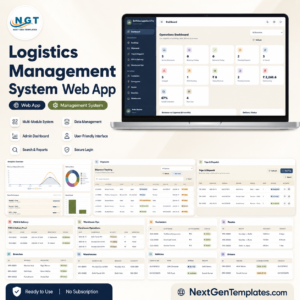
- Logistics Management System Web App
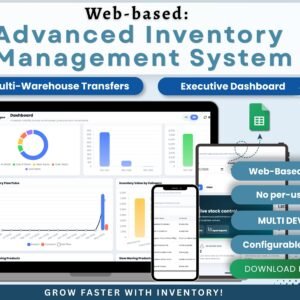
- Web-based Advanced Inventory Management System
- Accounting Ledger Pro Management System Web App
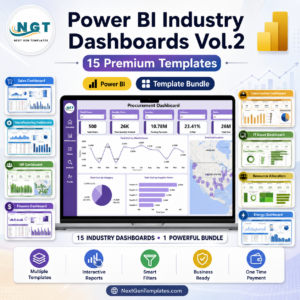
- Power BI Industry Dashboards Vol.2
- Browse all Web Apps
- Browse HTML Dashboard Templates
Download the Procure360 Global ERP Management System Web App to organize purchase requests, RFQs, purchase orders, stock, shipments, employees, invoices, payments, approvals, reports, settings, and audit logs from one editable workspace.
Watch the step-by-step video Demo:
Last updated: July 11, 2026.
Compatibility and Requirements
- This is a Google Apps Script web app. You deploy it in your own Google account and use it in a web browser.
- Data is stored in a spreadsheet in your Google account. Google explains how Sheets works in Get started with Google Sheets.