

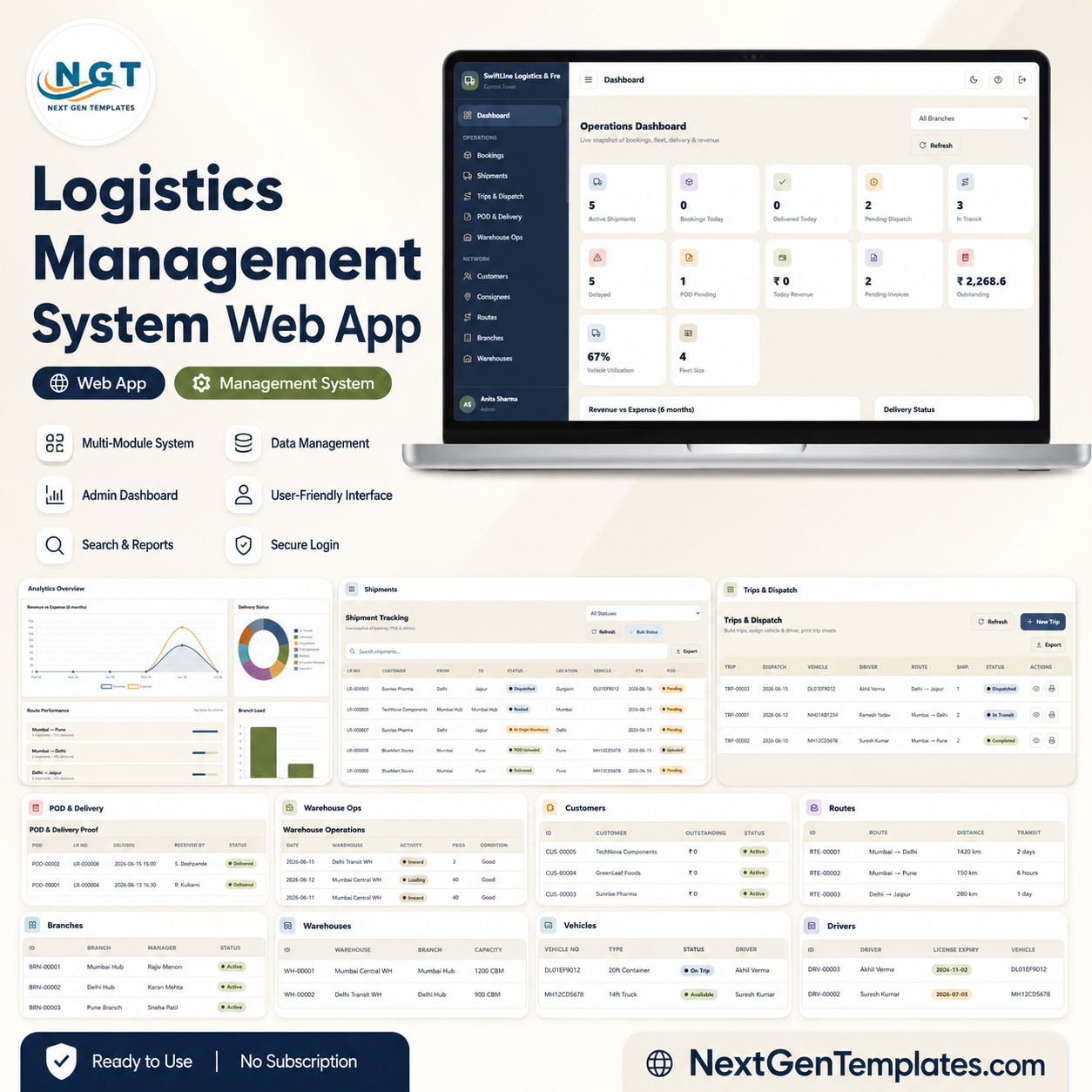










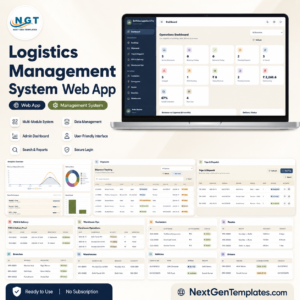
The Logistics Management System Web App runs 29 connected modules — from consignment booking and live shipment tracking to dispatch, proof of delivery, fleet, billing and financial reports — inside one login-based browser app. The Operations Dashboard alone surfaces 12 KPI cards and 5 analytical charts with a branch filter. Deploy it from Google Apps Script and your whole team can log in with role-based access the same day — no server, no per-user licence.
🌍 Join 8,400+ teams in 40+ countries using NextGenTemplates to replace paid SaaS logistics tools with one-time-purchase Google Apps Script web apps.
✅ Instant download · One-time payment · No subscription · No per-user fees · Lifetime access
🔑 Key Features of the Logistics Management System Web App
🔹 29 modules in one system — Login, Operations Dashboard, Bookings, Shipment Tracking, Trips & Dispatch, POD, Warehouse Operations, Customers, Consignees, Routes, Branches, Warehouses, Vehicles, Drivers, Vendors, Maintenance, Fuel Log, Freight Rate Master, Billing, Payments, Expenses, Reports, Documents, Import/Export, User Management, List Management, Settings, Archive Viewer and Audit Log all share one dataset.
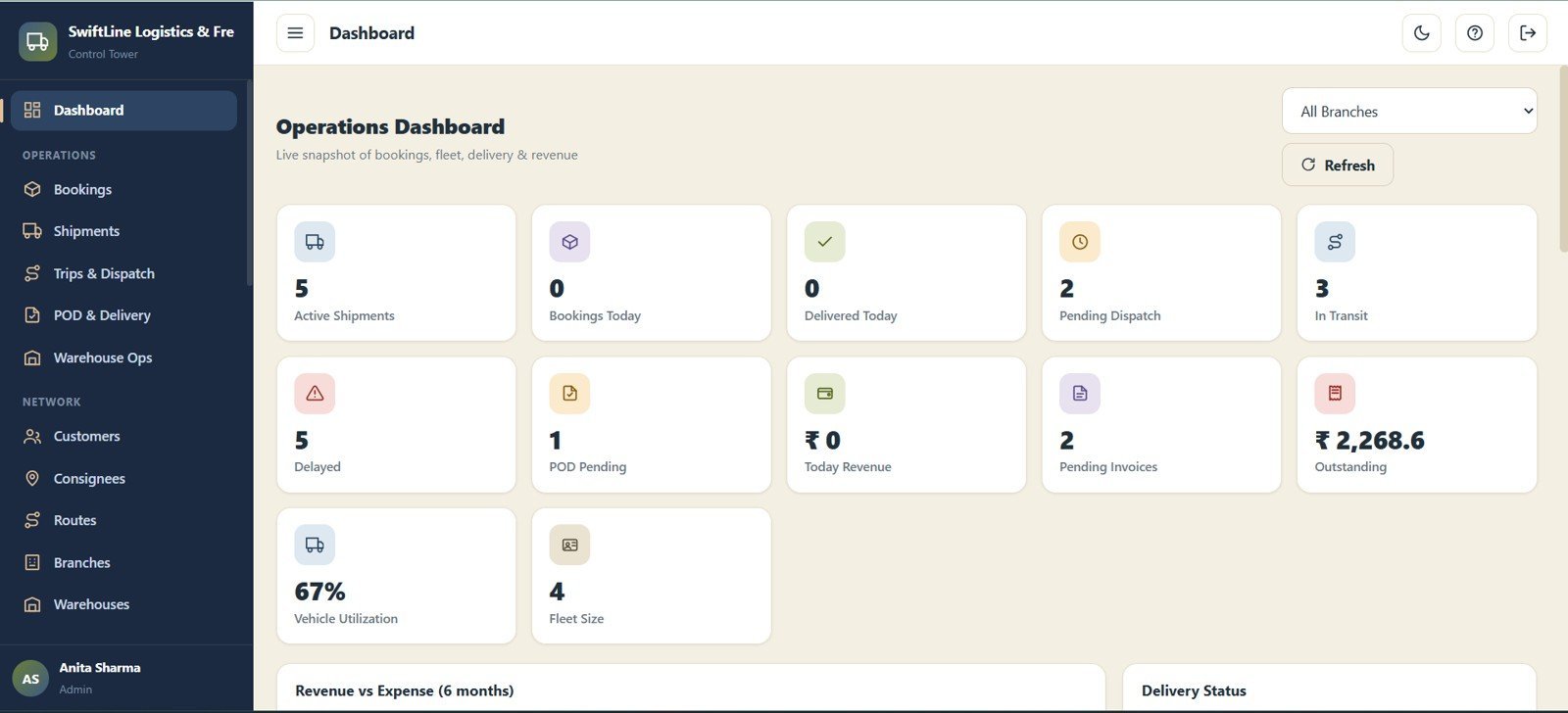
🔹 Operations Dashboard with 12 KPI cards — Active Shipments, Bookings Today, Delivered Today, Pending Dispatch, In Transit, Delayed, POD Pending, Today Revenue, Pending Invoices, Outstanding, Vehicle Utilization and Fleet Size give a real-time view, filterable by branch.
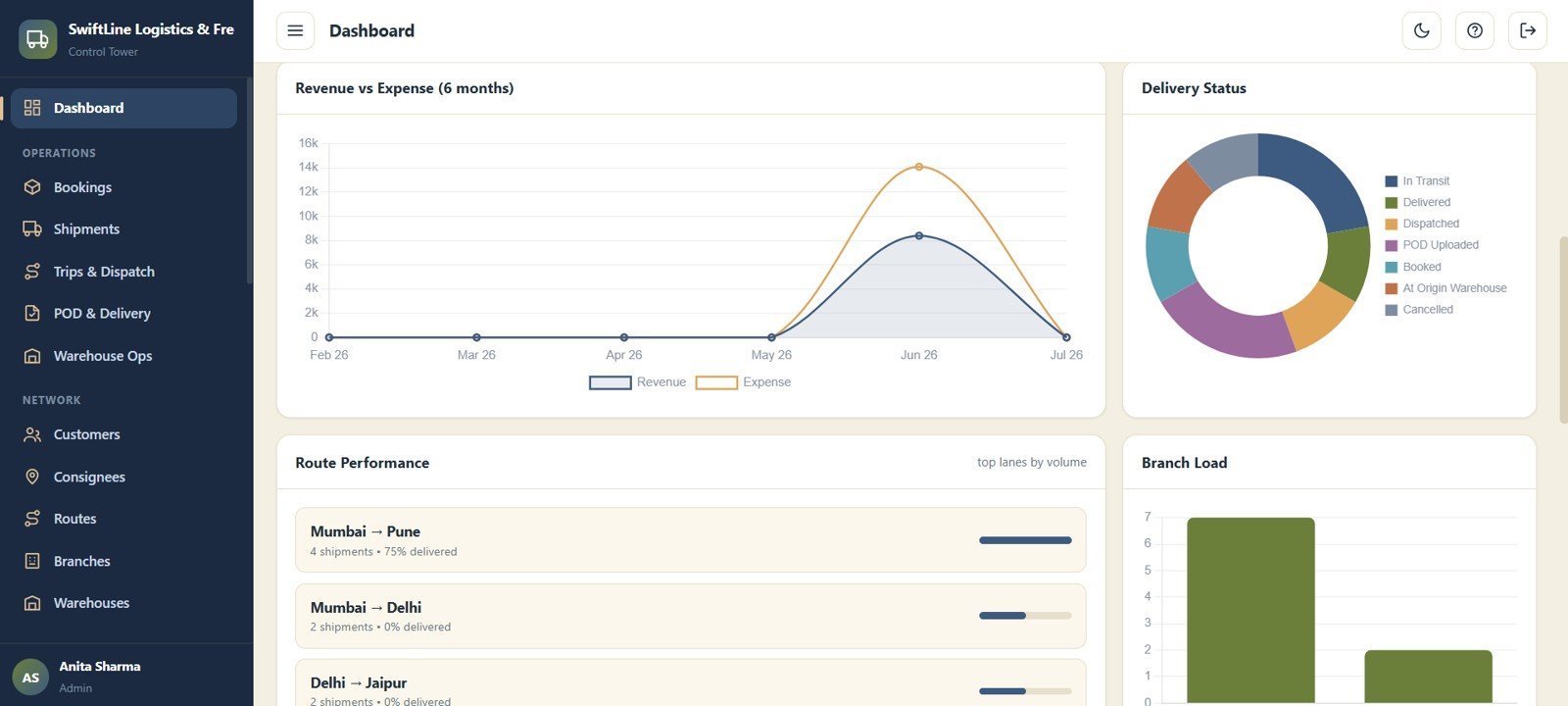
🔹 5 built-in analytical charts — Revenue by Month, Expense by Month, Delivery Status by Stage, Route Performance by Lane and Branch Load by Branch turn raw operations data into decisions.
🔹 End-to-end consignment lifecycle — Book a consignment (LR No, customer, consignee, destination, service type, value, payment mode), track it live with current location and ETA, capture proof of delivery, then invoice it — without leaving the app.
🔹 Complete fleet suite — Vehicles, Drivers, Maintenance, Fuel Log and Vendors/Transporters modules track capacity, insurance and licence expiry, per-vehicle fuel consumption and service schedules.
🔹 Freight billing and finance — The Freight Rate Master auto-prices shipments by customer and route, and the Billing, Payments & Receipts and Expenses modules manage the full cash cycle with approvals.
🔹 Multi-user login with branch access — Admin and User roles control who sees which branch, so a hub manager and a head-office accountant each see only what they need.
🔹 Full governance built in — The Audit Log records every create, update, status and login event, while the Archive Viewer gives a read-only lookup of archived databases.
📦 What’s Inside the Logistics Management System Web App
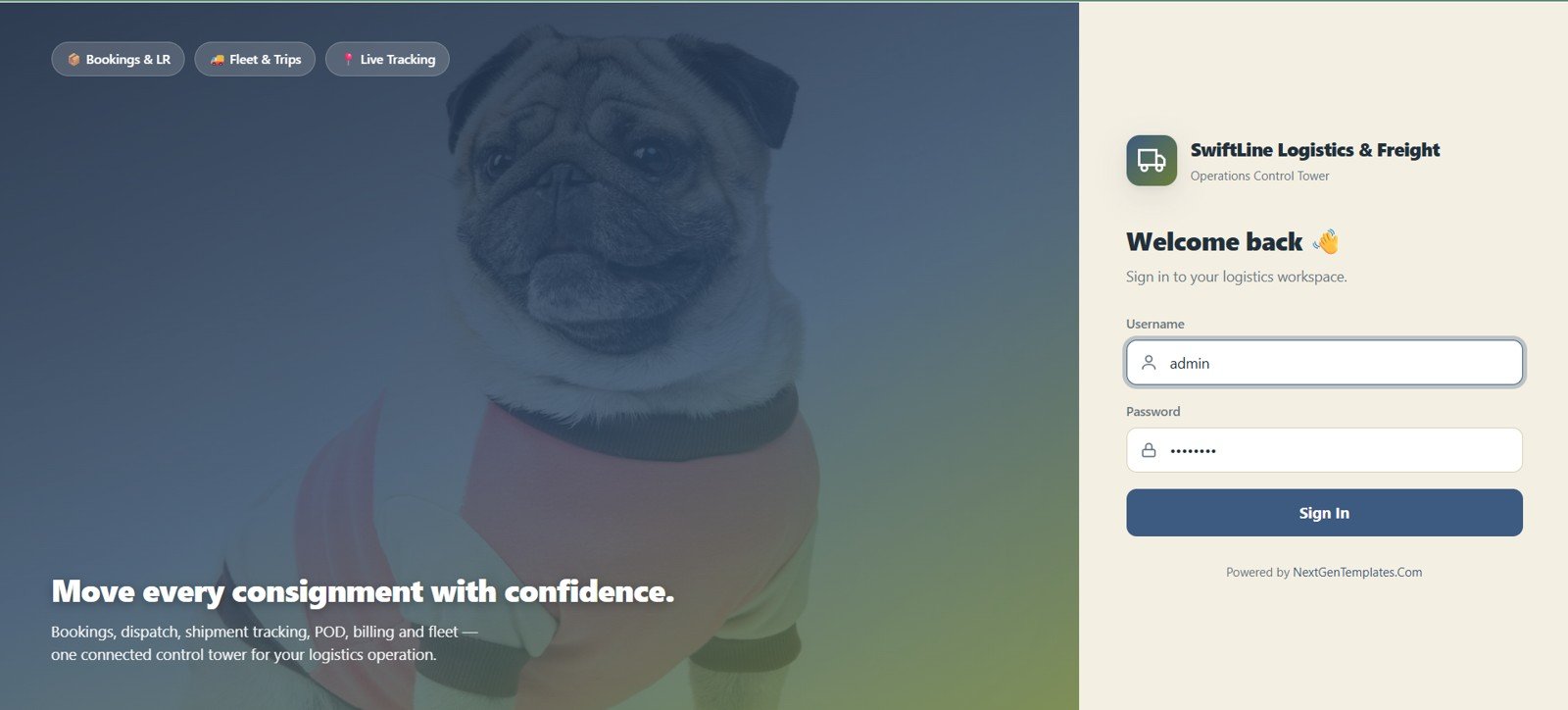
Login Page
The sign-in screen for the workspace, with username and password fields, company and workspace branding, and quick highlights of the key modules the app covers. Access is role-based, so each user only reaches the branches and modules they are allowed to.
🚀 Try the Live Demo Before You Buy
We have deployed this web app in our own Google account so you can test every page, every role, and every module — with real sample data — before purchasing. No signup, no email required.
🔑 Test Login Credentials
Sign in as admin for full access to all modules, settings, users, archive database, import/export and audit log — or explore any of the 7 role logins below to see exactly what each team member can and cannot do.
💡 What you get after purchase: The full source code (Code.gs + Index.html) plus a step-by-step deployment guide so you can deploy your own private instance in your own Google account in under 15 minutes.
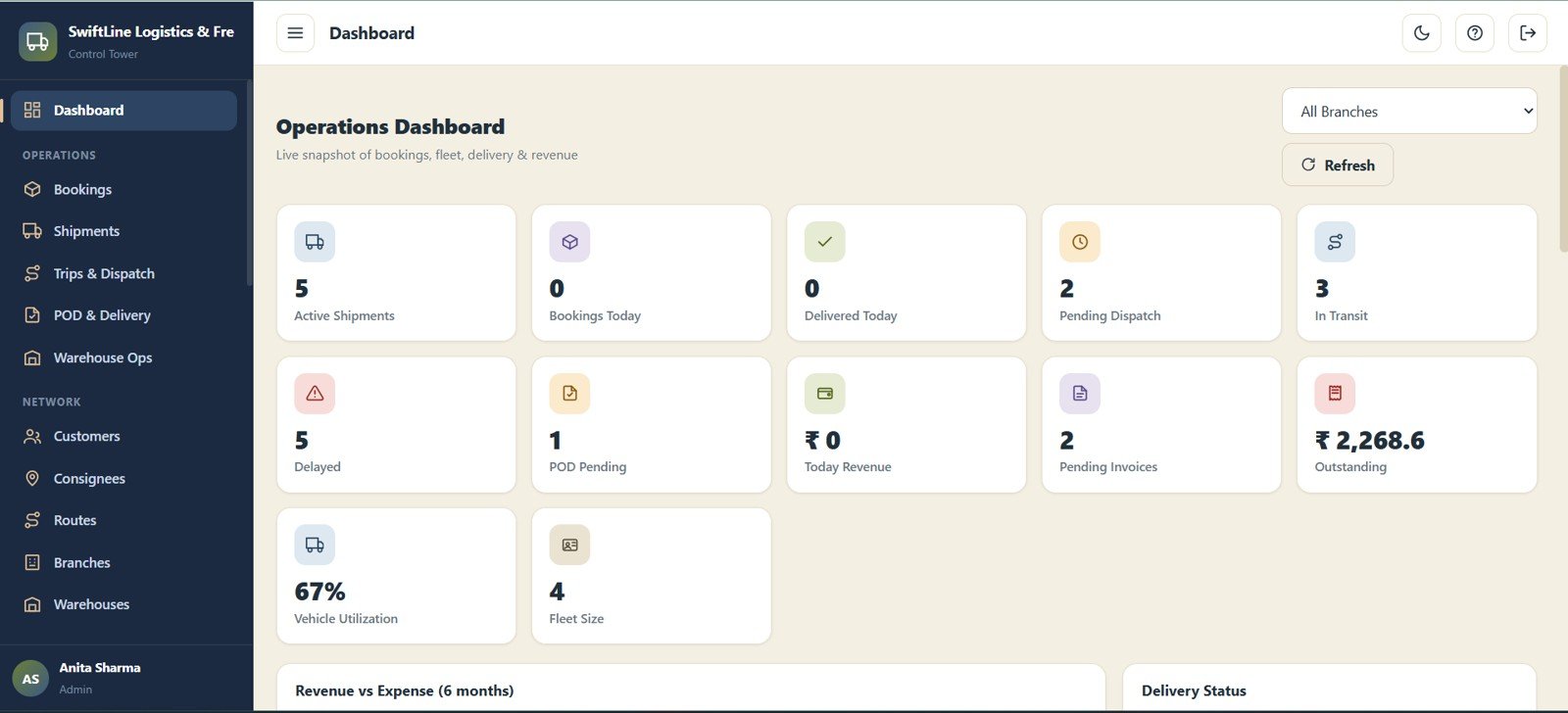
Operations Dashboard — KPI Cards
Twelve high-level KPI cards summarise the whole operation at a glance: Active Shipments, Bookings Today, Delivered Today, Pending Dispatch, In Transit, Delayed, POD Pending, Today Revenue, Pending Invoices, Outstanding, Vehicle Utilization and Fleet Size. A branch filter refreshes every card for the selected office.
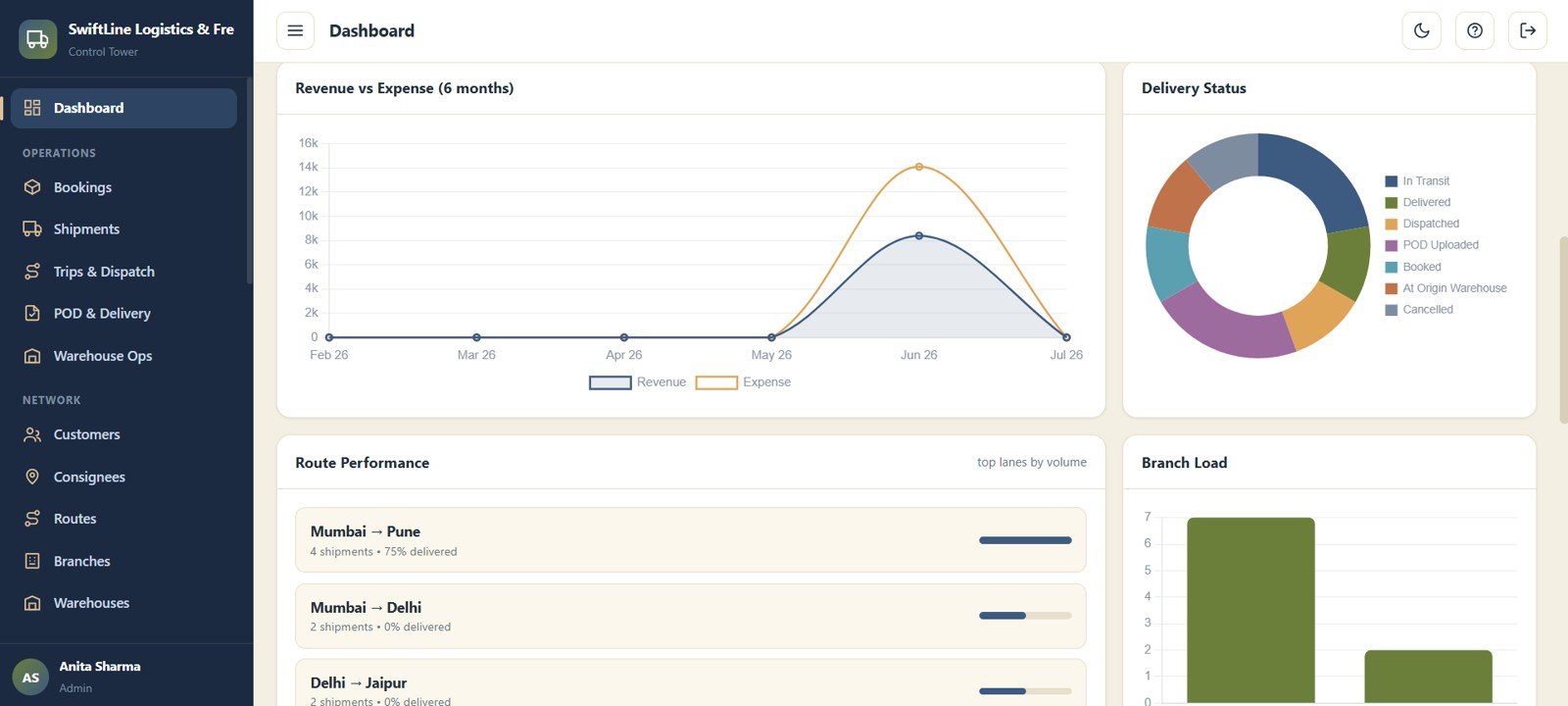
Operations Dashboard — Charts
Five charts sit below the cards: Revenue by Month, Expense by Month, Delivery Status by Stage, Route Performance by Lane and Branch Load by Branch. Together they show income versus cost trends, where shipments are in the pipeline, and which lanes and branches carry the load.
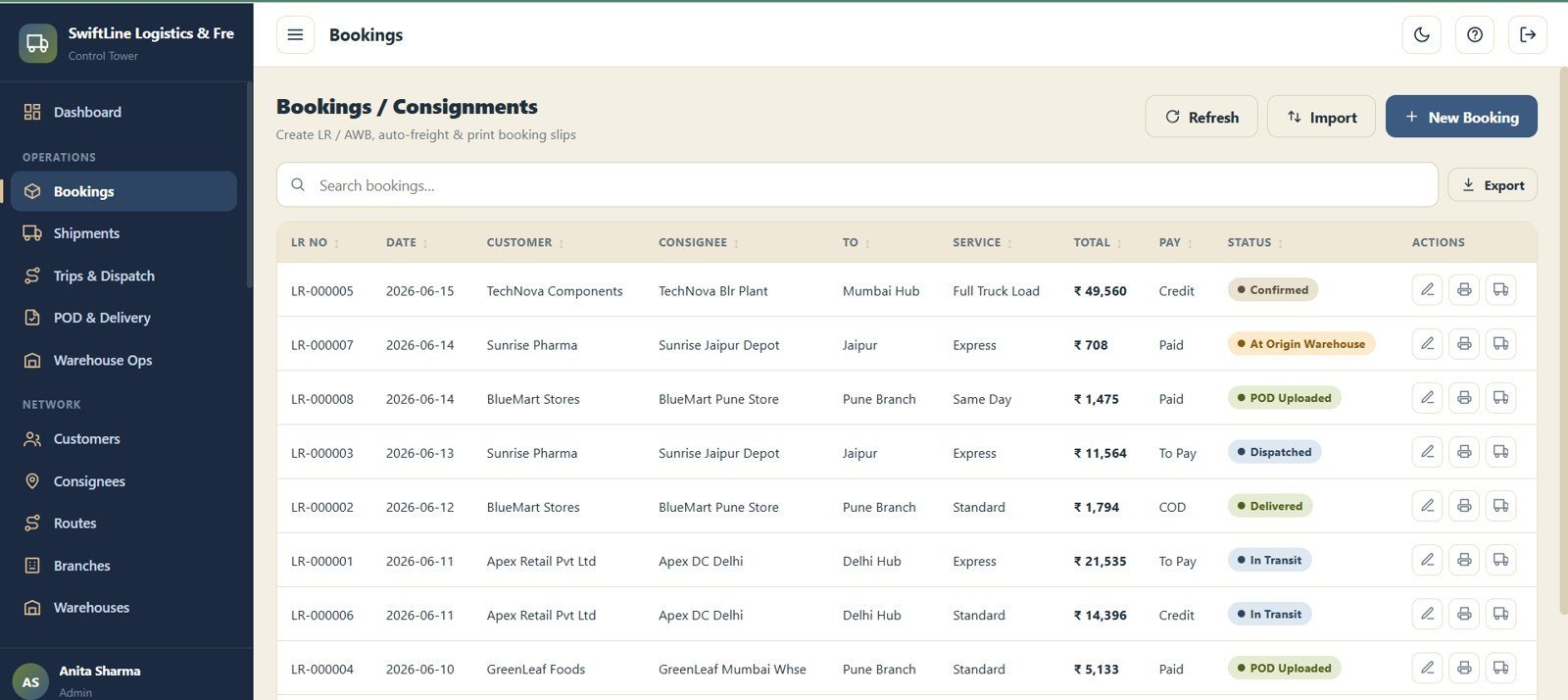
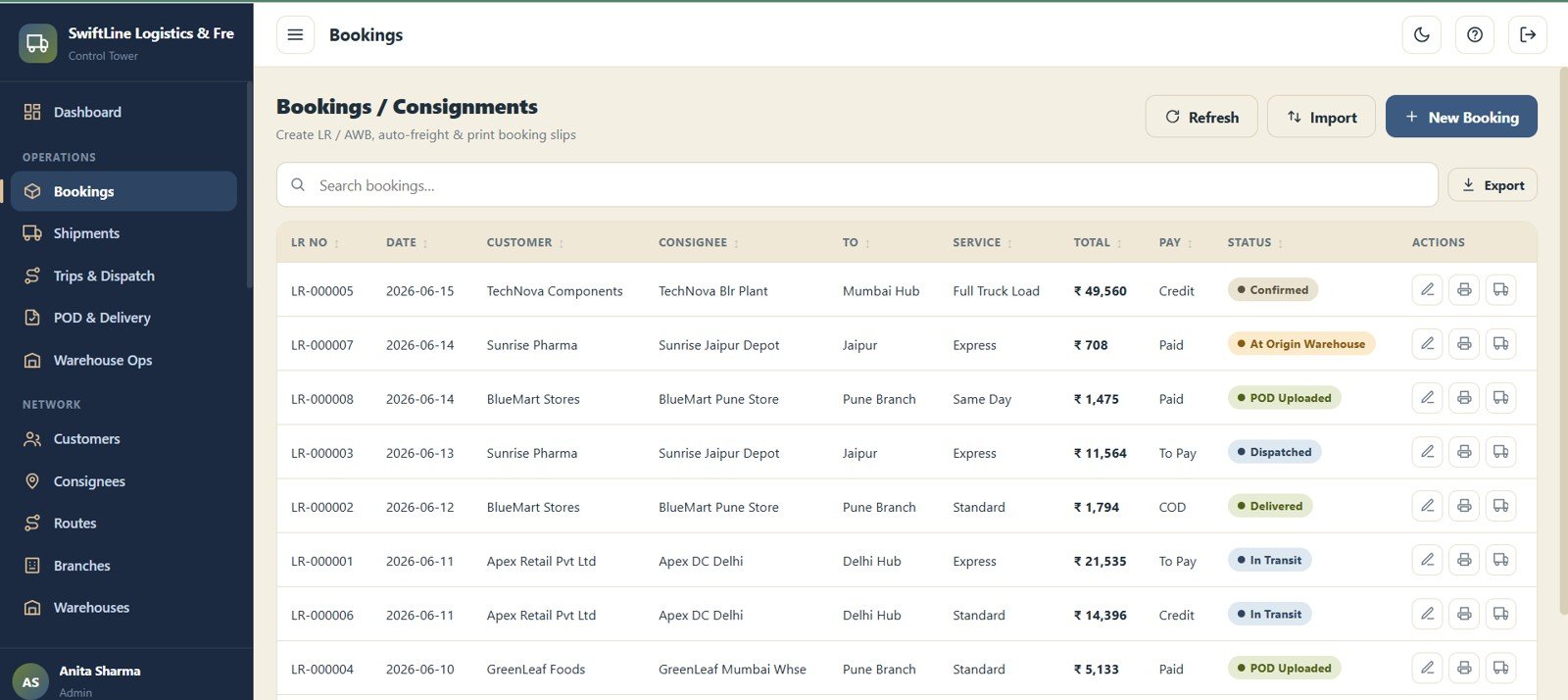
Bookings / Consignments
Create and manage every consignment booking with LR No, Date, Customer, Consignee, To (Destination), Service Type, Total Value, Payment Mode and Status. The searchable, sortable table becomes the single source of truth for every job in the system.
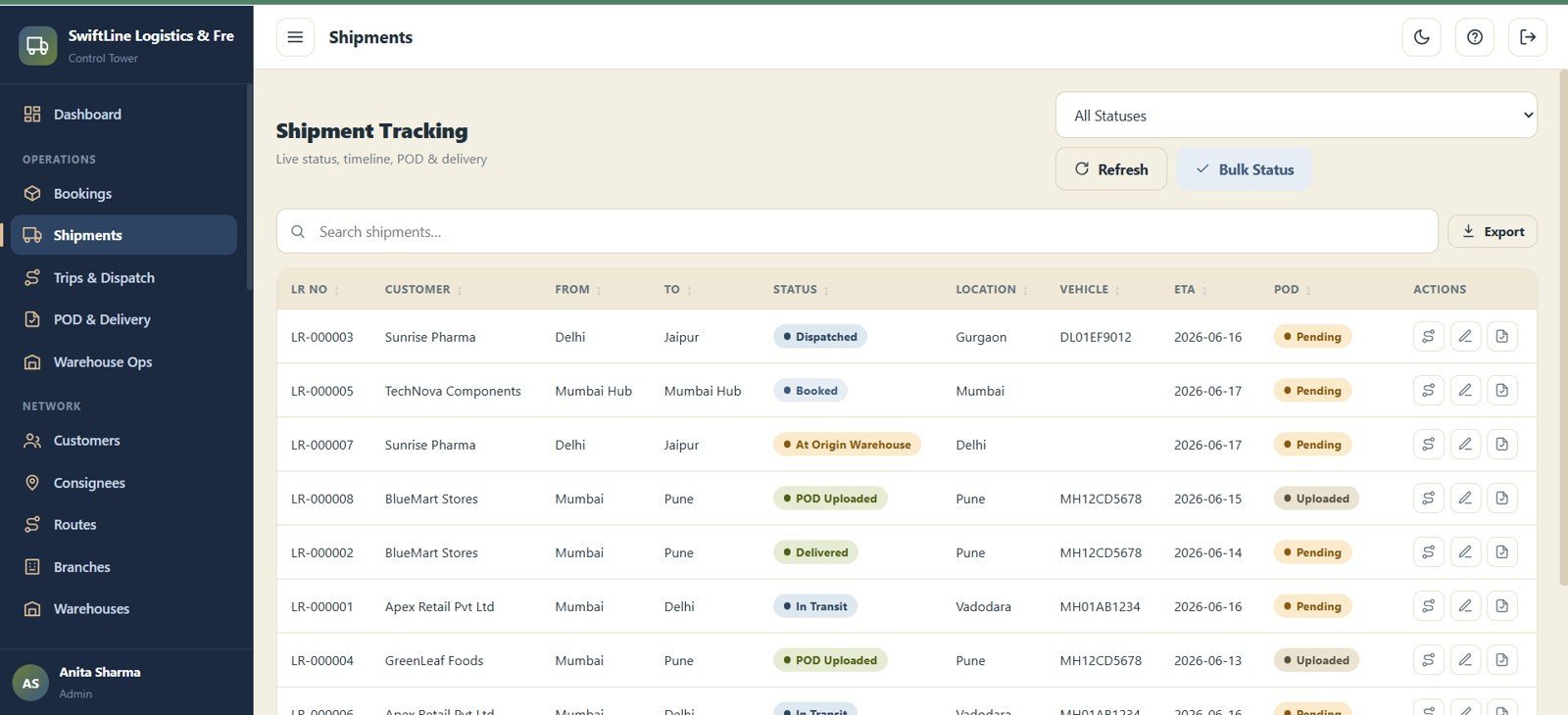
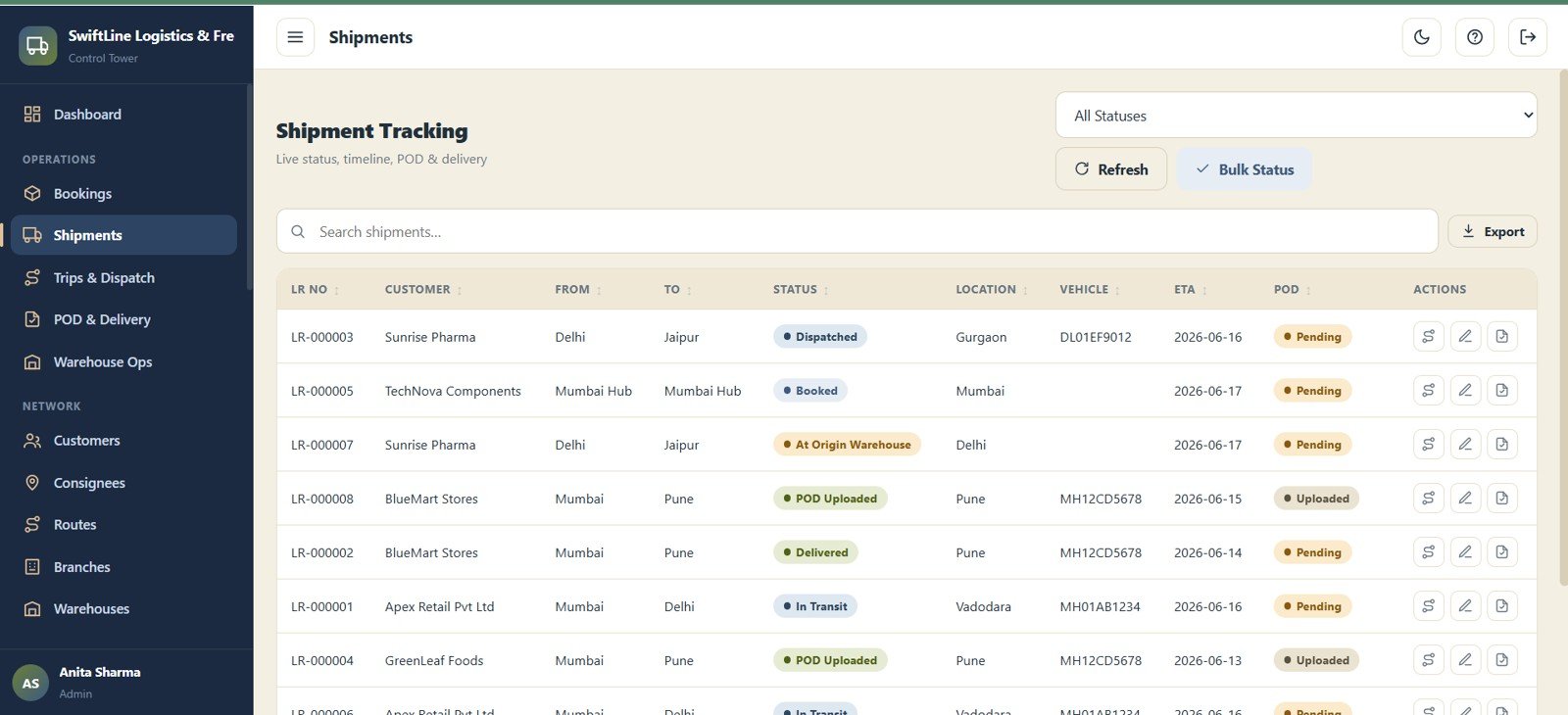
Shipment Tracking
Track the live status of every shipment with LR No, Customer, From, To, Status, Current Location, Assigned Vehicle, ETA and POD Status. Staff and customers always know where a consignment is and when it will arrive.
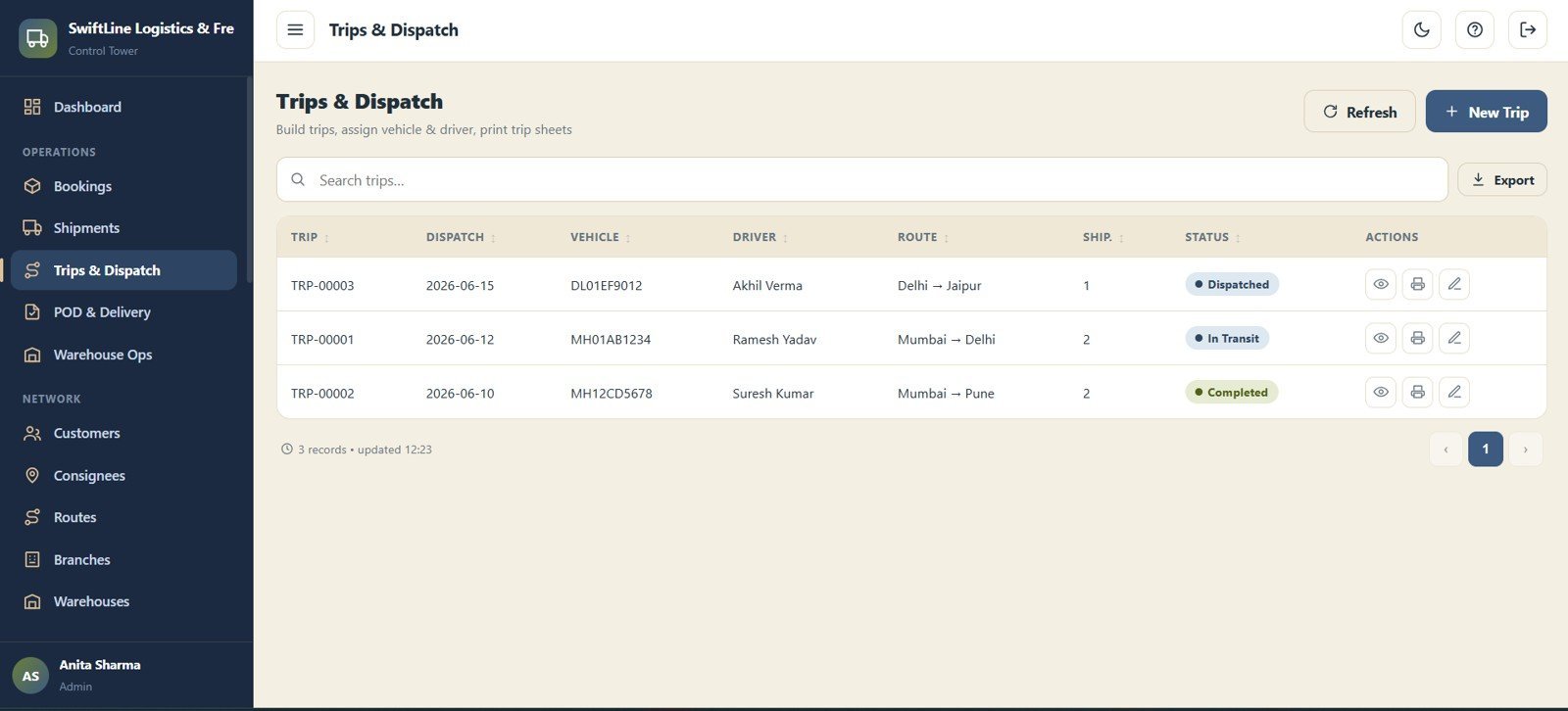
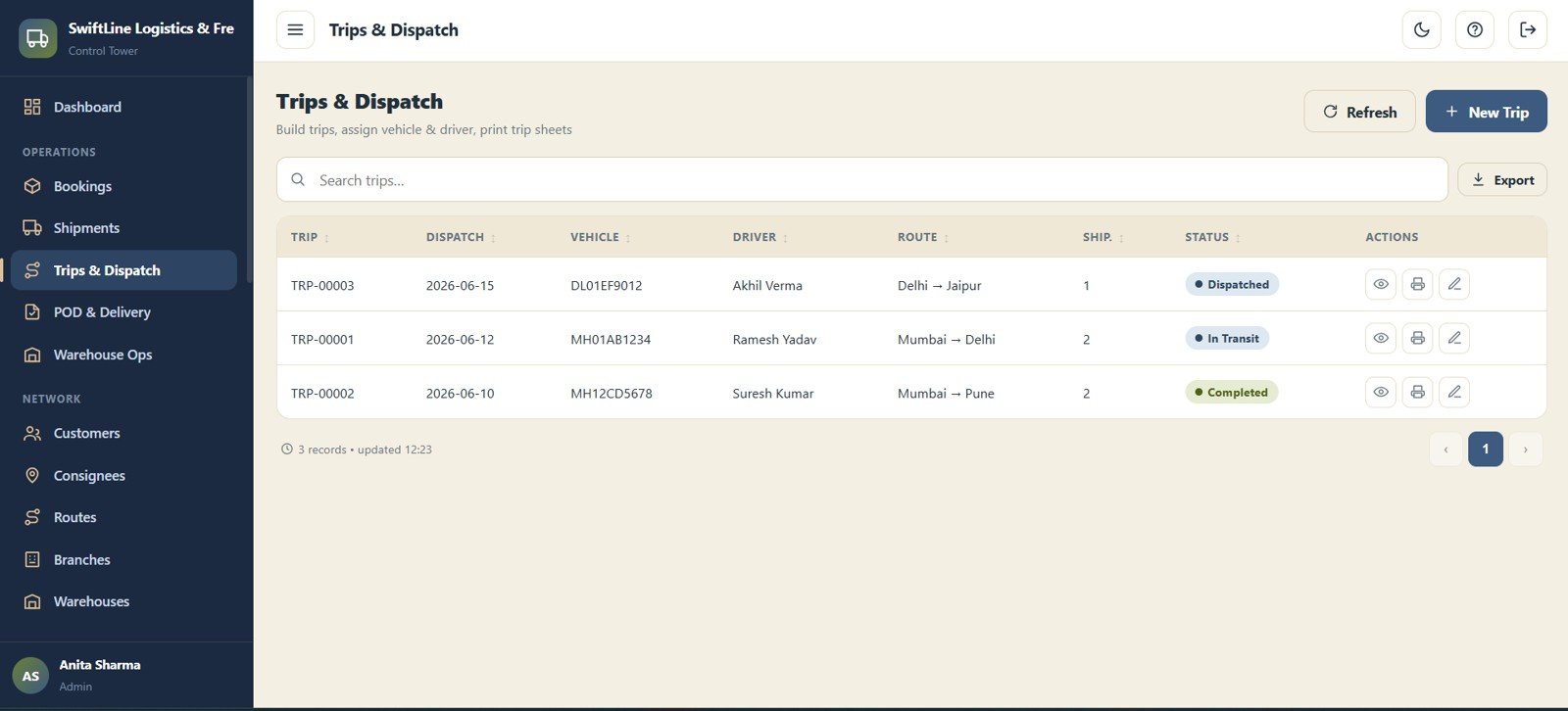
Trips & Dispatch
Build trips and assign vehicles and drivers with Trip No, Dispatch Date, Vehicle, Driver, Route, Number of Shipments and Status. Consolidate multiple consignments onto one trip to maximise vehicle utilisation.
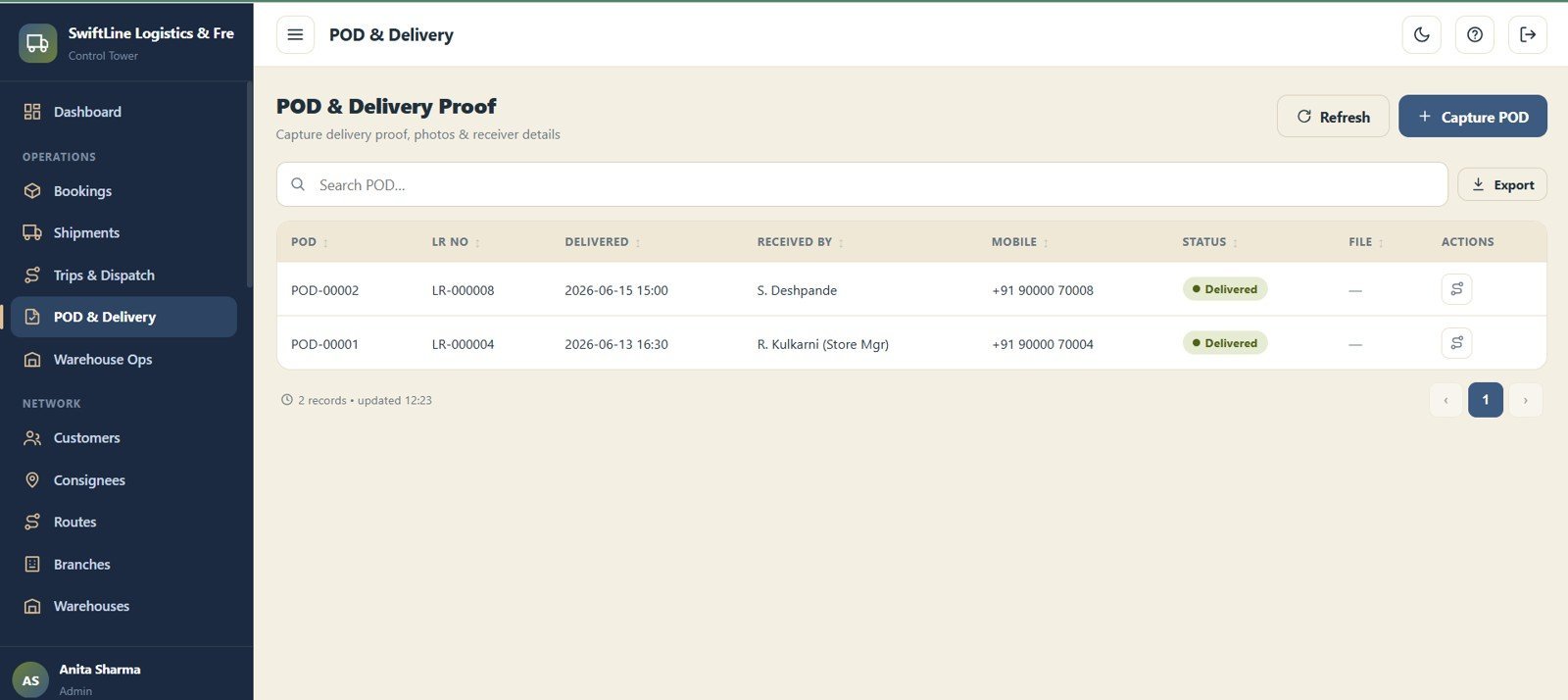
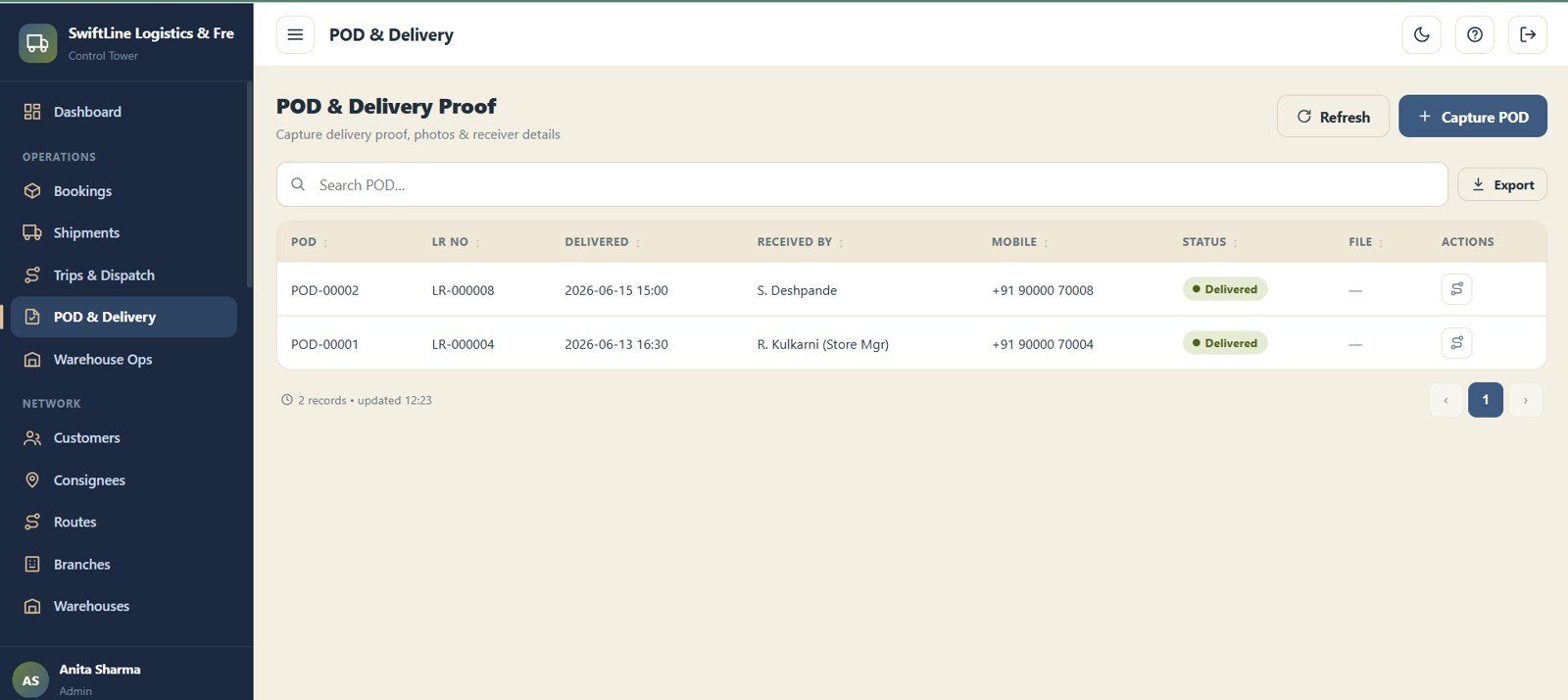
POD & Delivery Proof
Capture proof of delivery with POD No, LR No, Delivered Date & Time, Received By, Mobile and Status. Closing the loop on each shipment feeds the POD Pending KPI and unlocks invoicing.
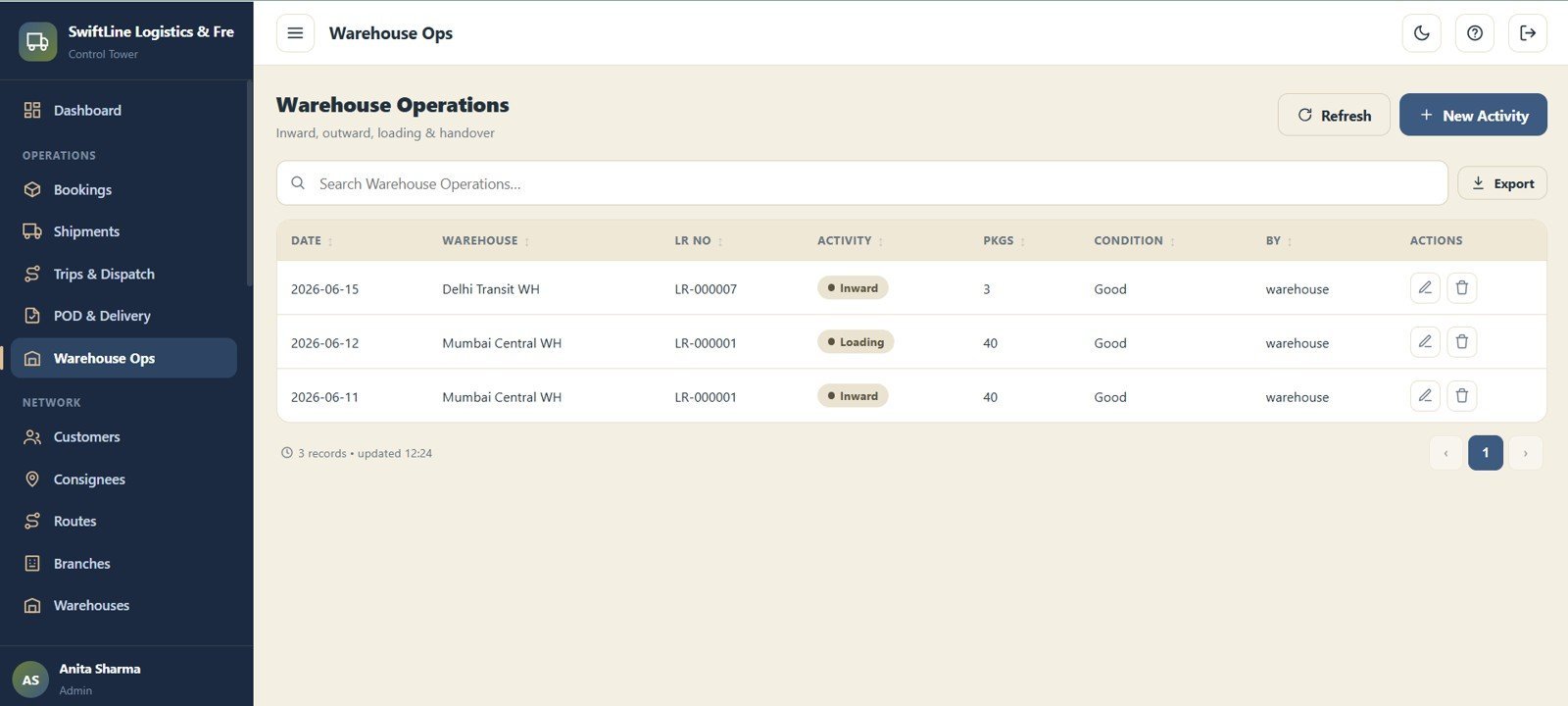
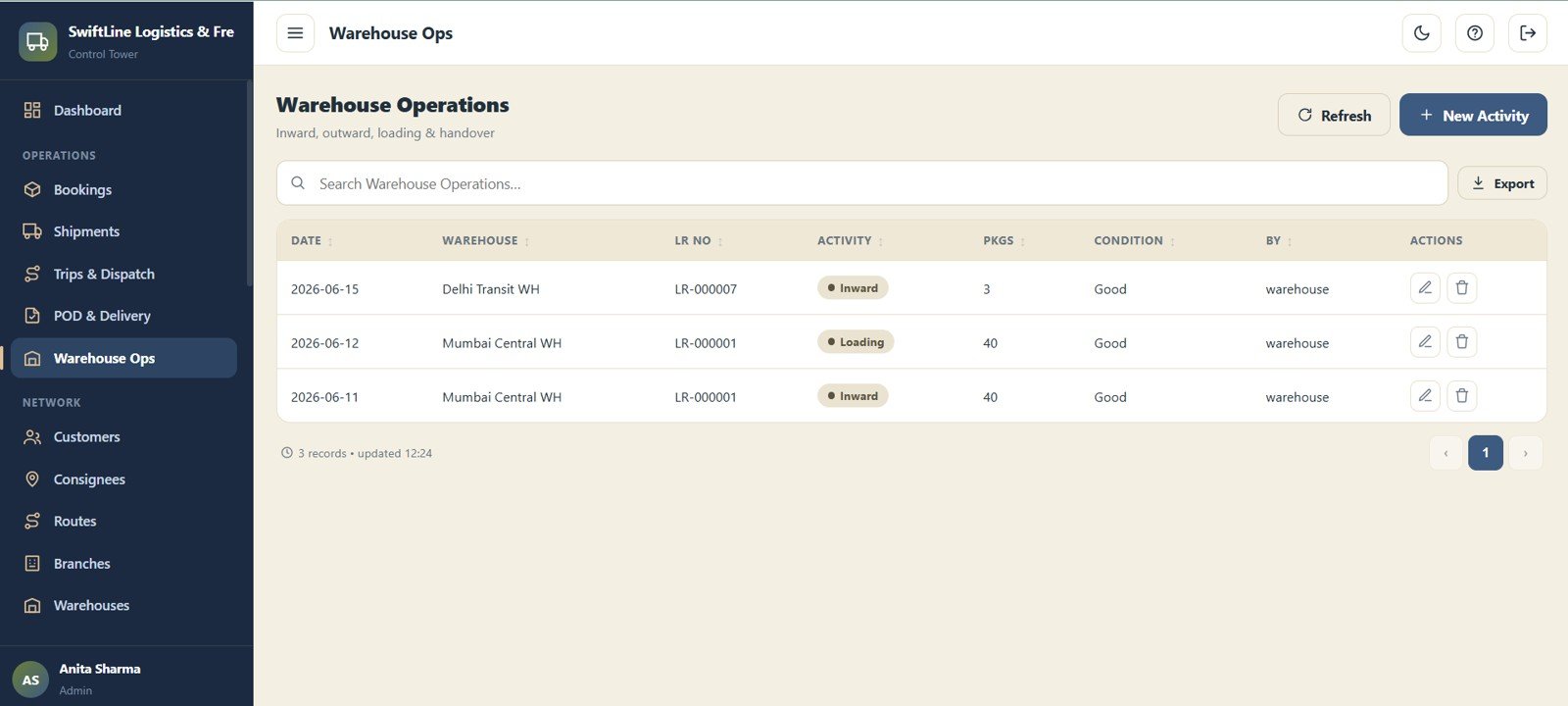
Warehouse Operations
Log inward, outward and loading activity at each warehouse with Date, Warehouse, LR No, Activity, Packages, Condition and Logged By. It keeps hub handling accountable and traceable to the consignment.
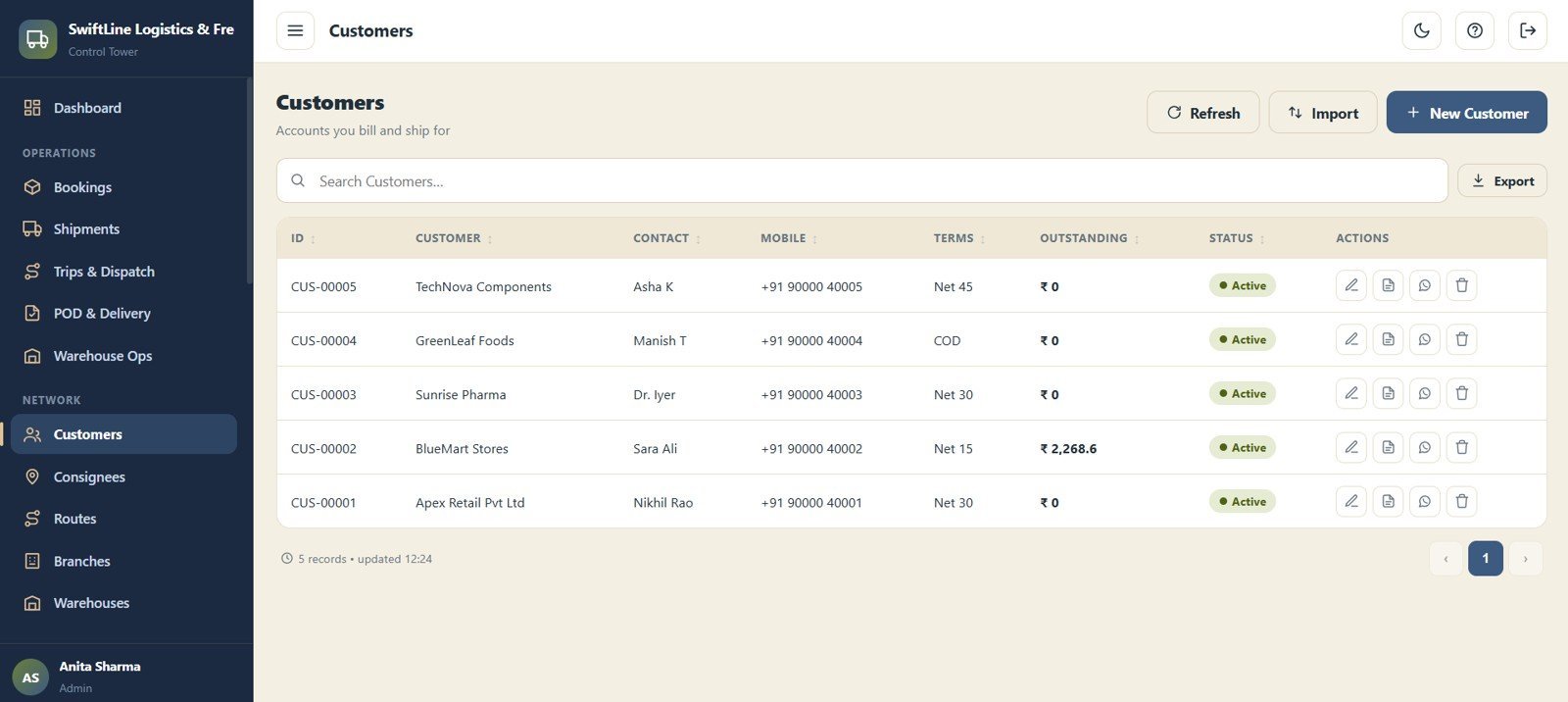
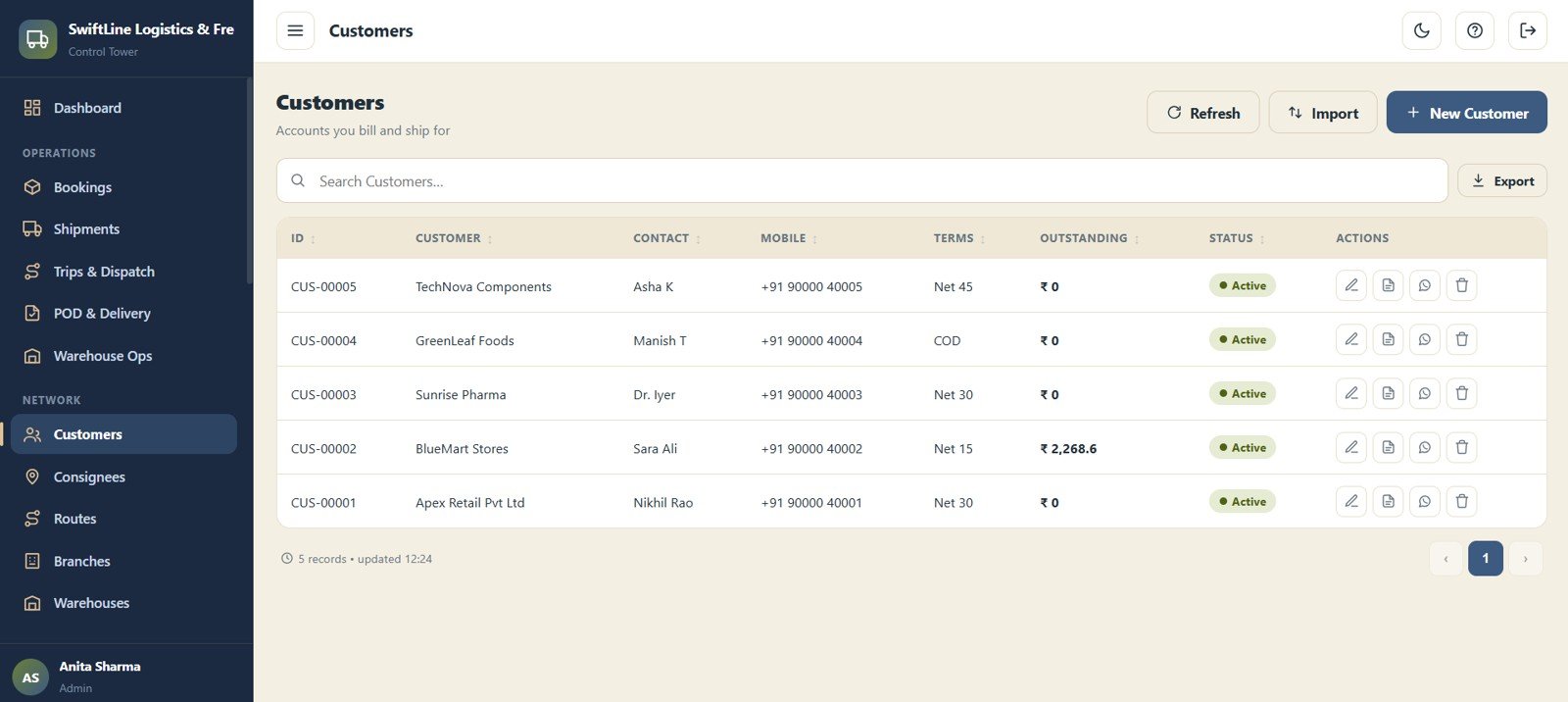
Customers
Manage every account you bill and ship for with ID, Customer, Contact Person, Mobile, Payment Terms, Outstanding and Status. The Outstanding field ties directly into the billing and payments modules.
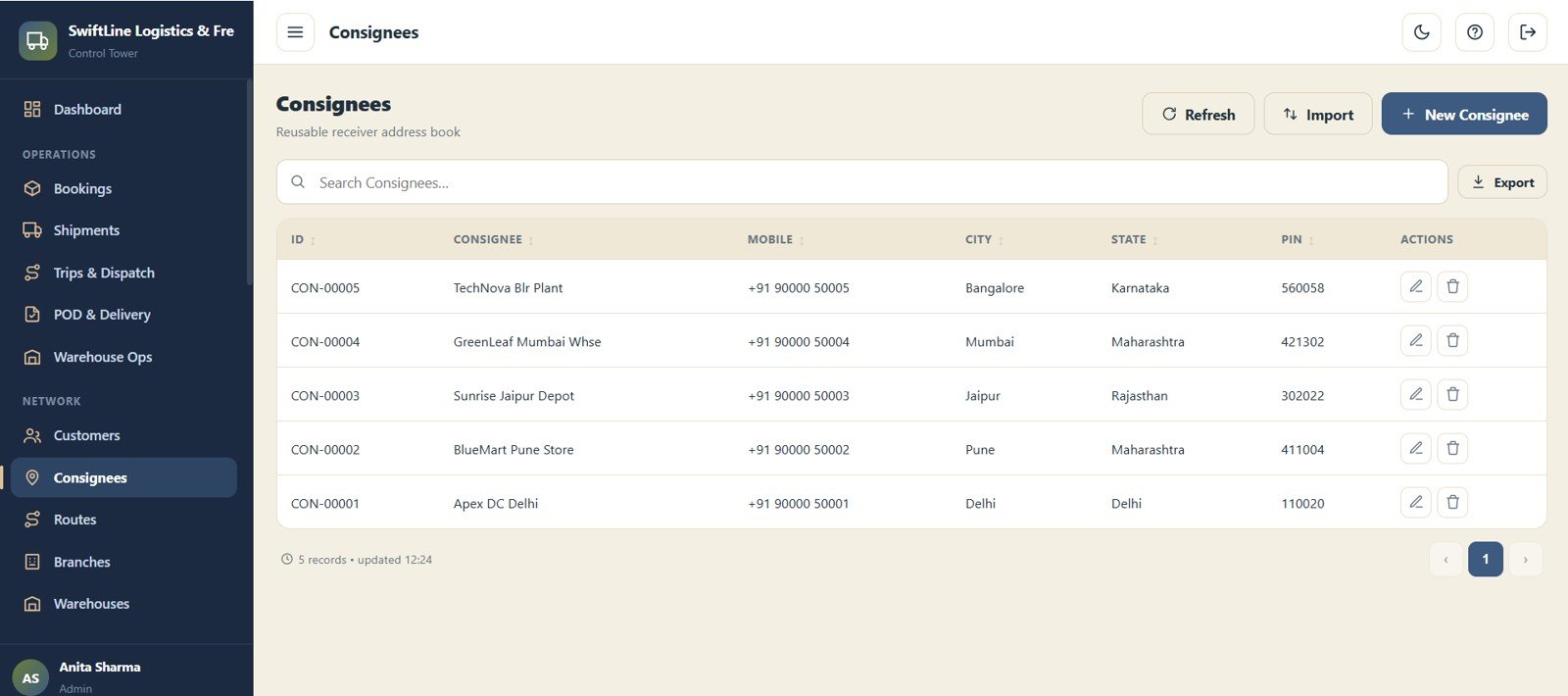
Consignees
A reusable receiver address book storing ID, Consignee, Mobile, City, State and PIN Code. Once a consignee is saved, bookings to that address take seconds.
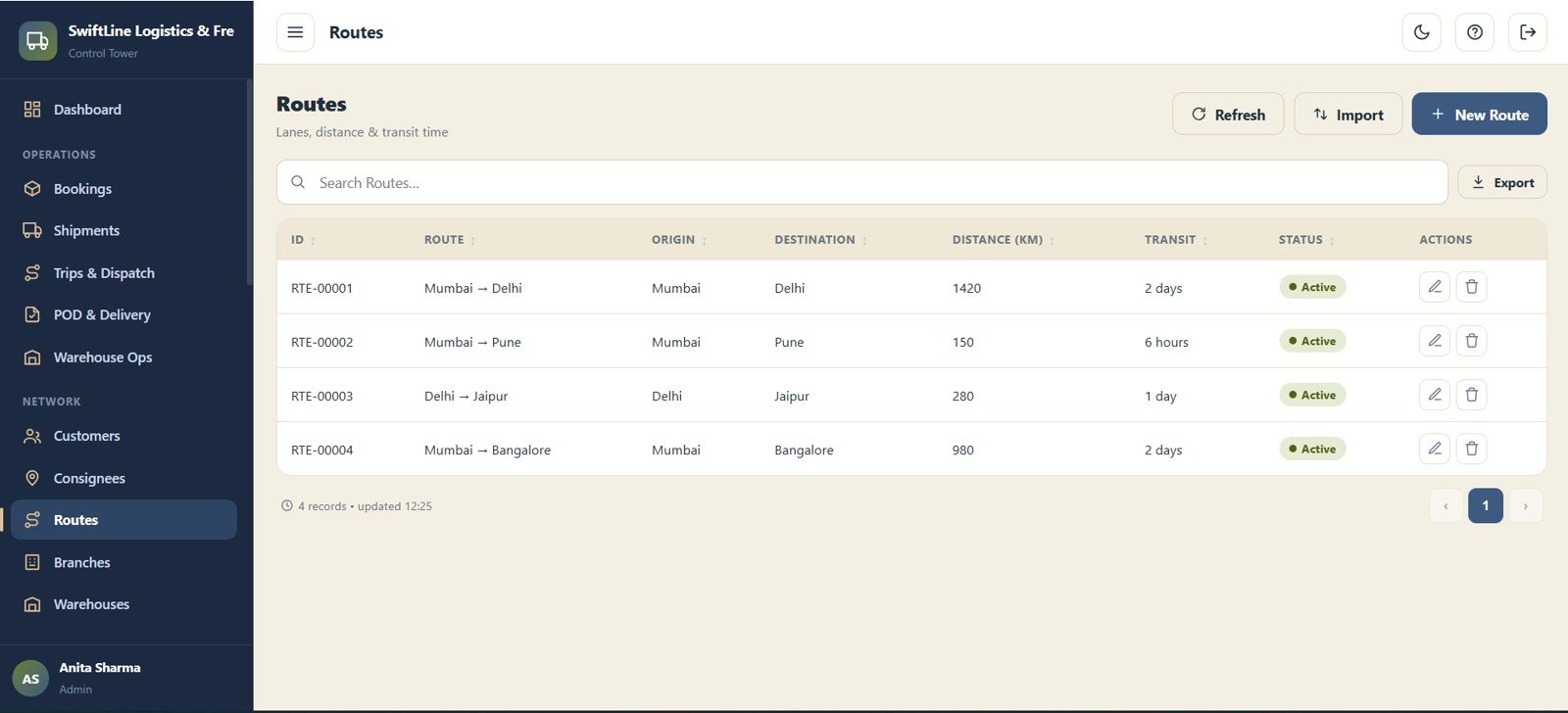
Routes
Manage every lane you operate with ID, Route, Origin, Destination, Distance (KM), Transit Time and Status. Route data feeds both freight pricing and the Route Performance by Lane chart.
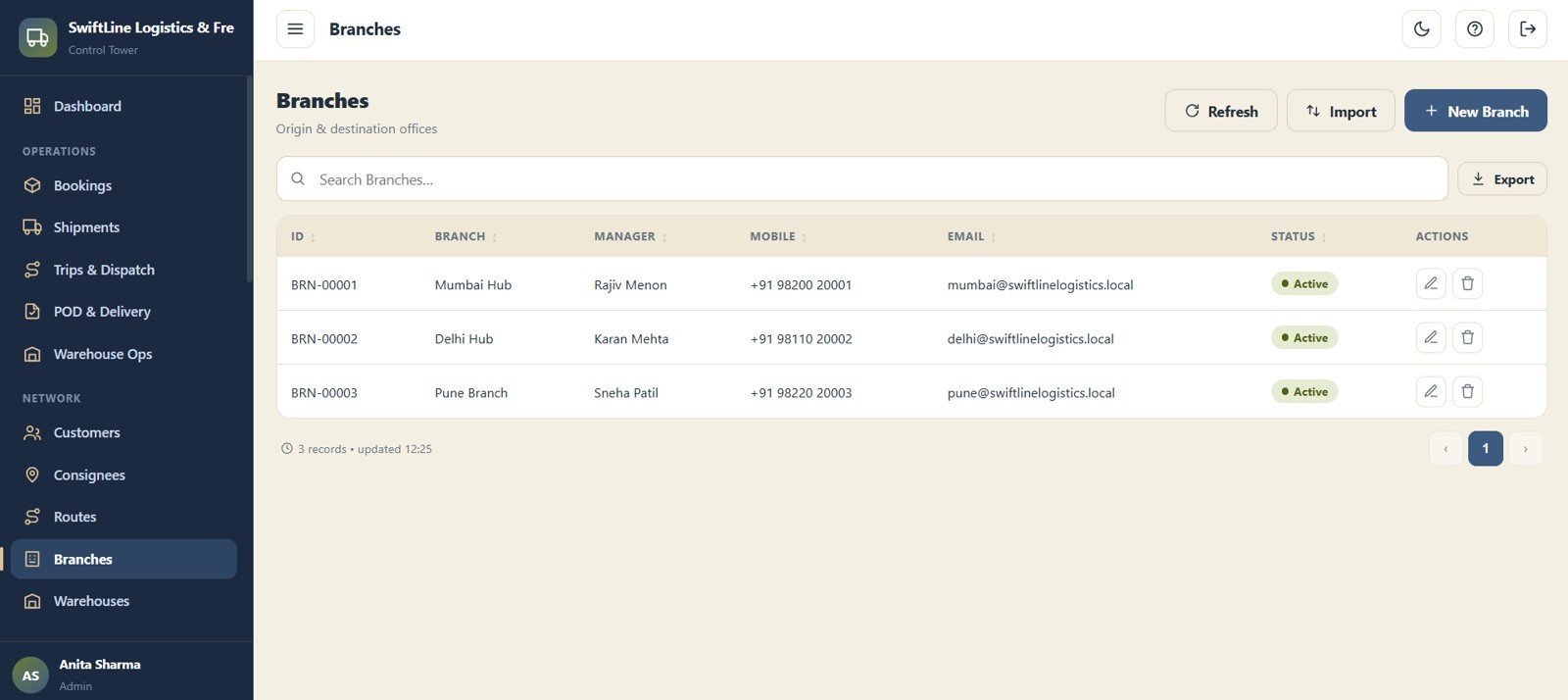
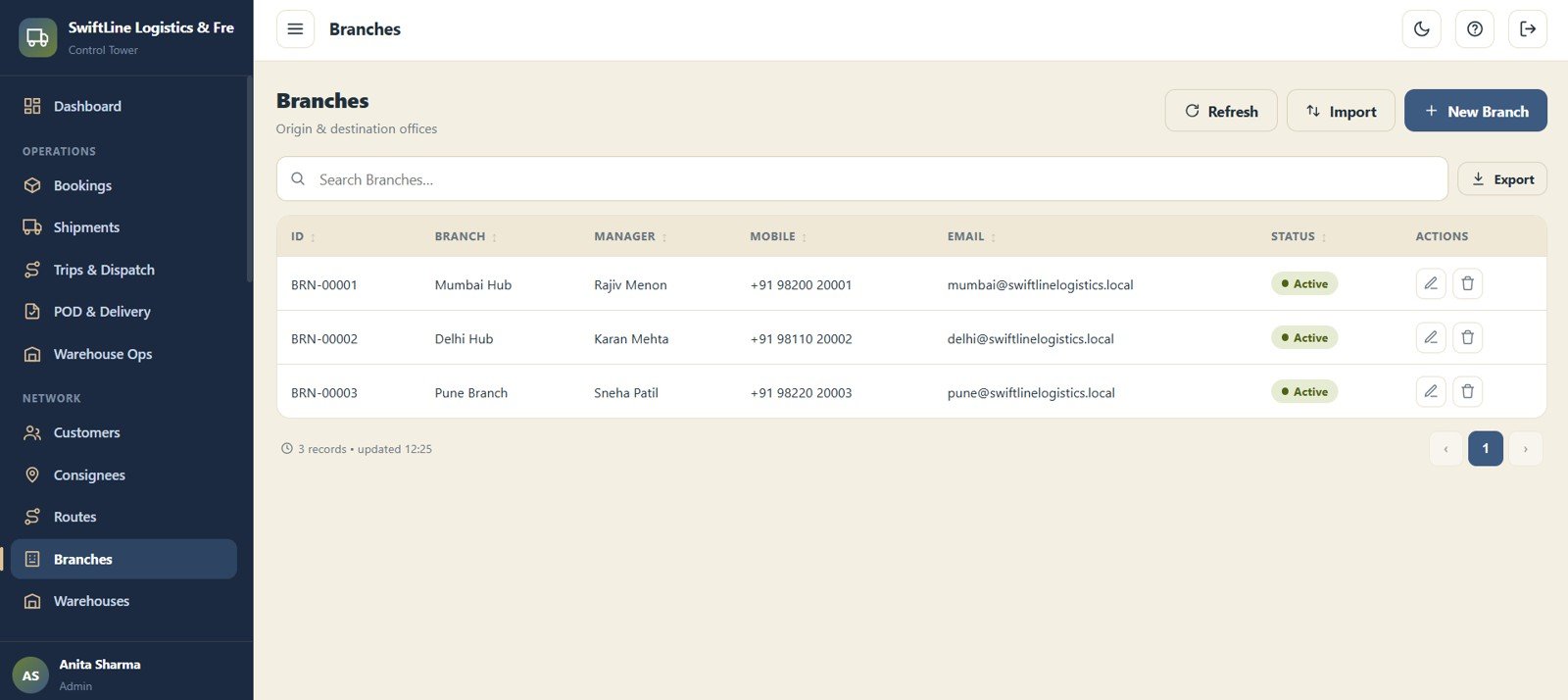
Branches
Manage origin and destination offices with ID, Branch, Manager, Mobile, Email and Status. Branches power the dashboard filter and the branch-level access control.
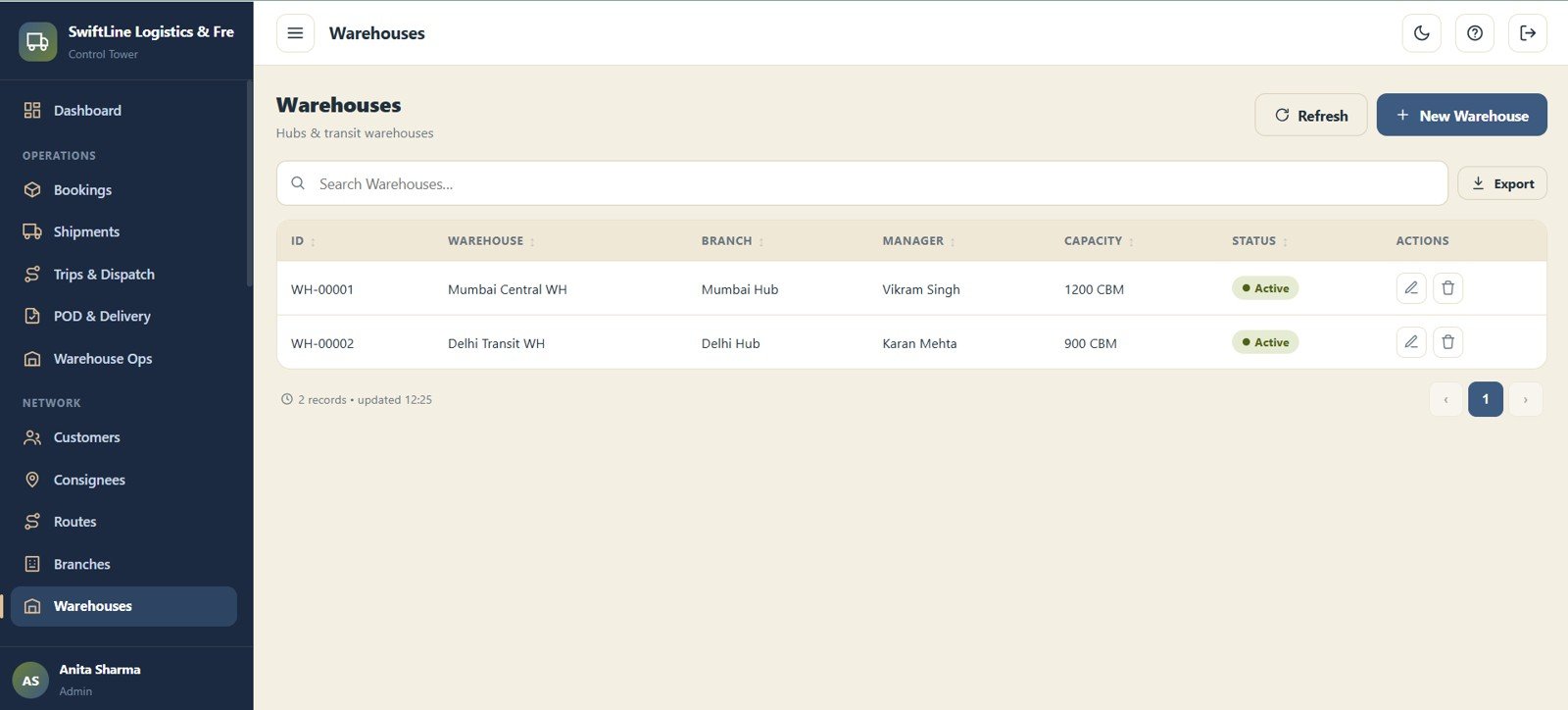
Warehouses
Manage hubs and transit warehouses with ID, Warehouse, Branch, Manager, Capacity and Status. Linking each warehouse to a branch keeps the network map accurate.
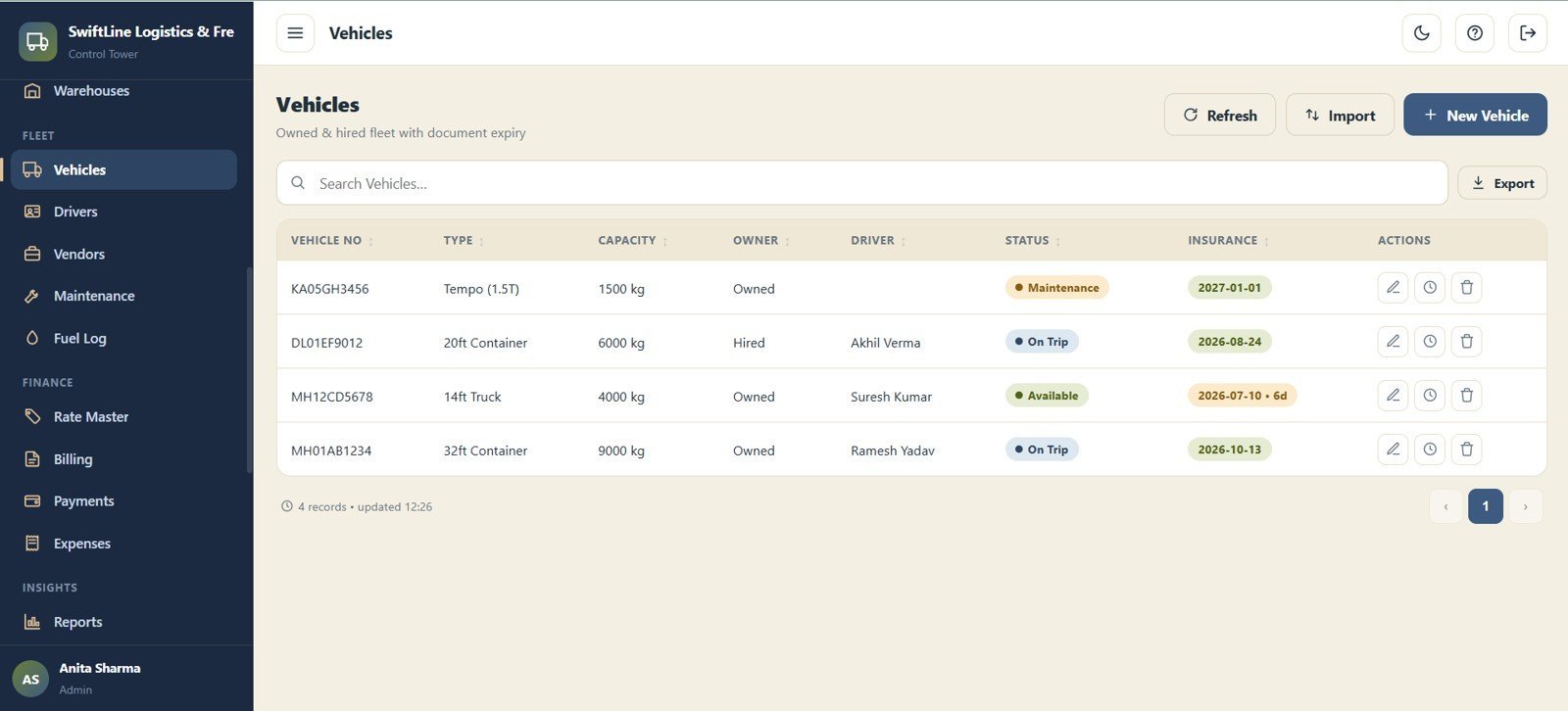
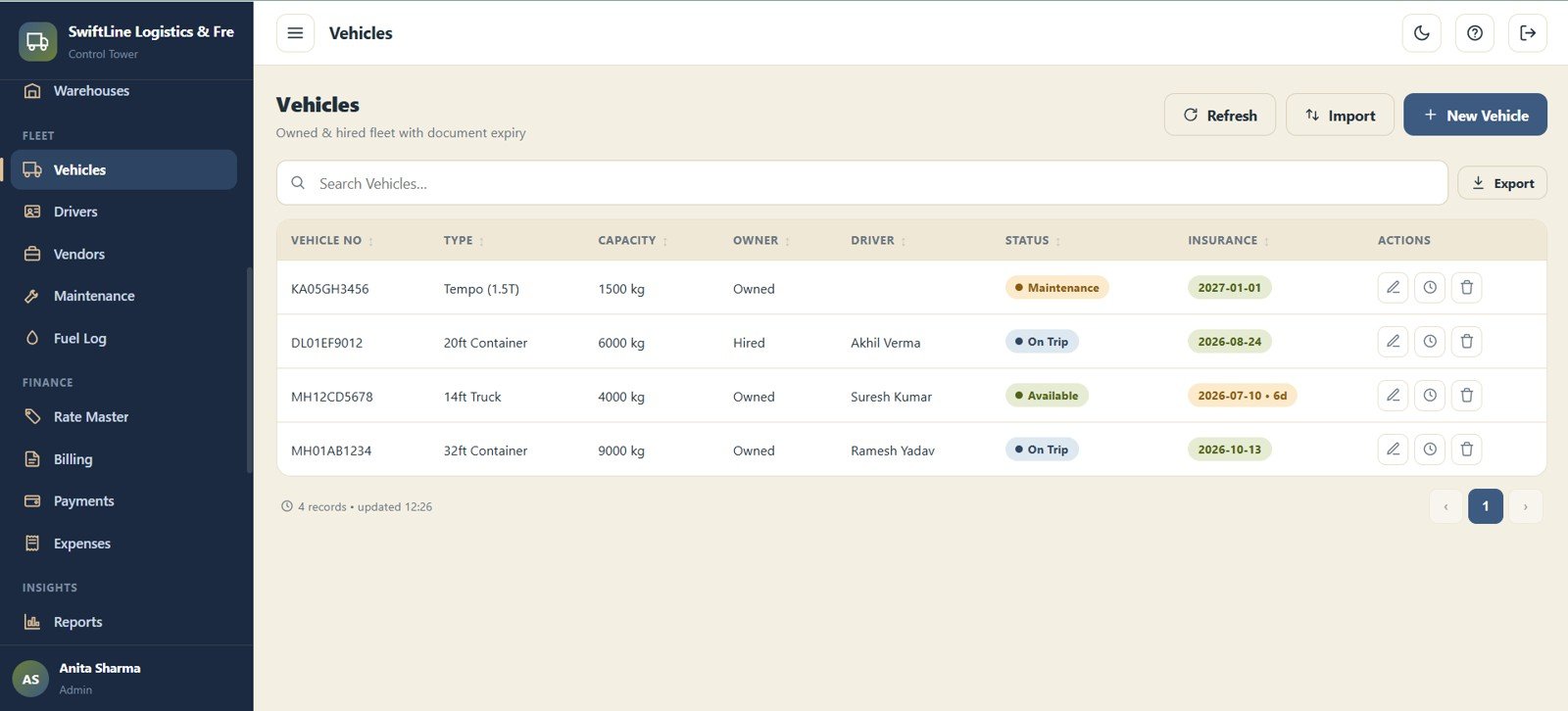
Vehicles
Manage the owned and hired fleet with Vehicle No, Type, Capacity, Owner, Driver, Status and Insurance Expiry. Insurance expiry tracking helps you stay compliant across the fleet.
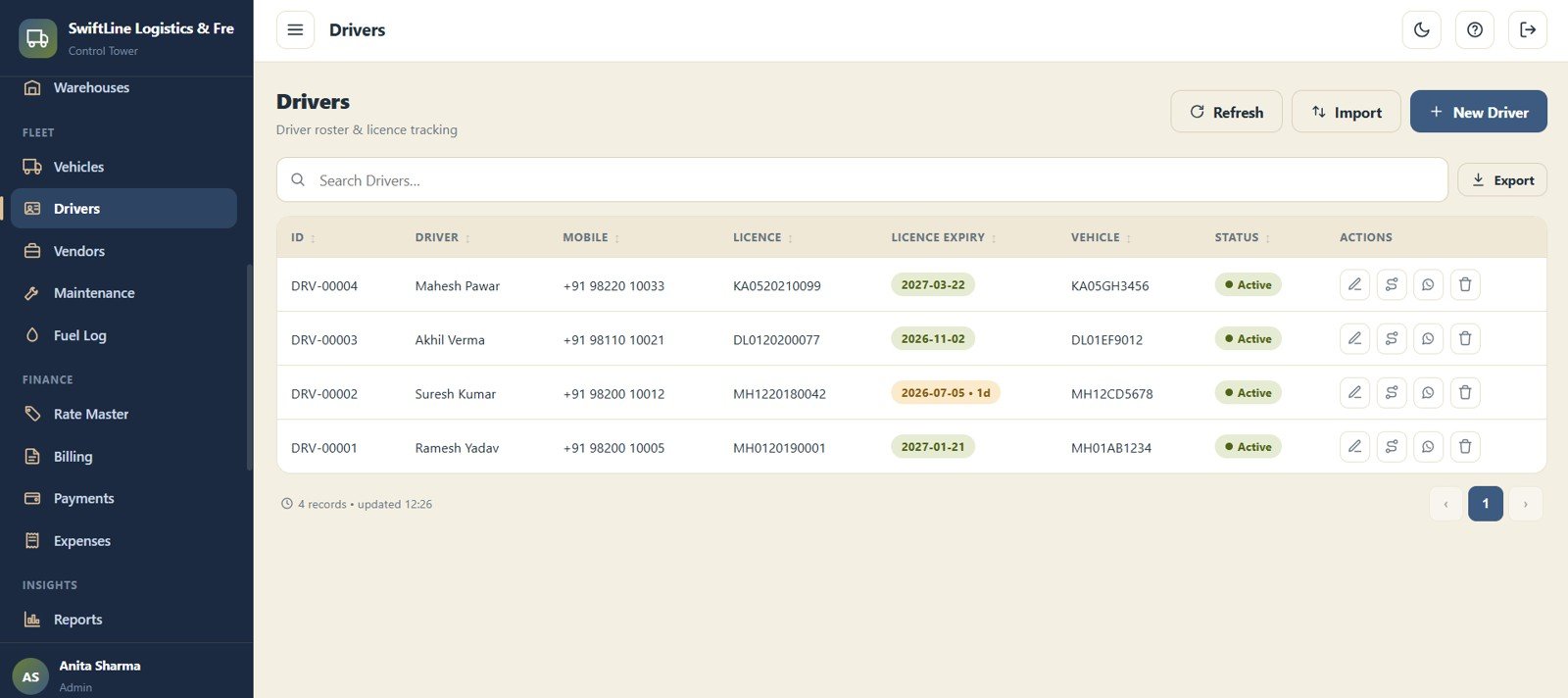
Drivers
Manage the driver roster and licence tracking with ID, Driver, Mobile, Licence No, Licence Expiry, Vehicle and Status. Licence expiry alerts reduce the risk of running an out-of-compliance driver.
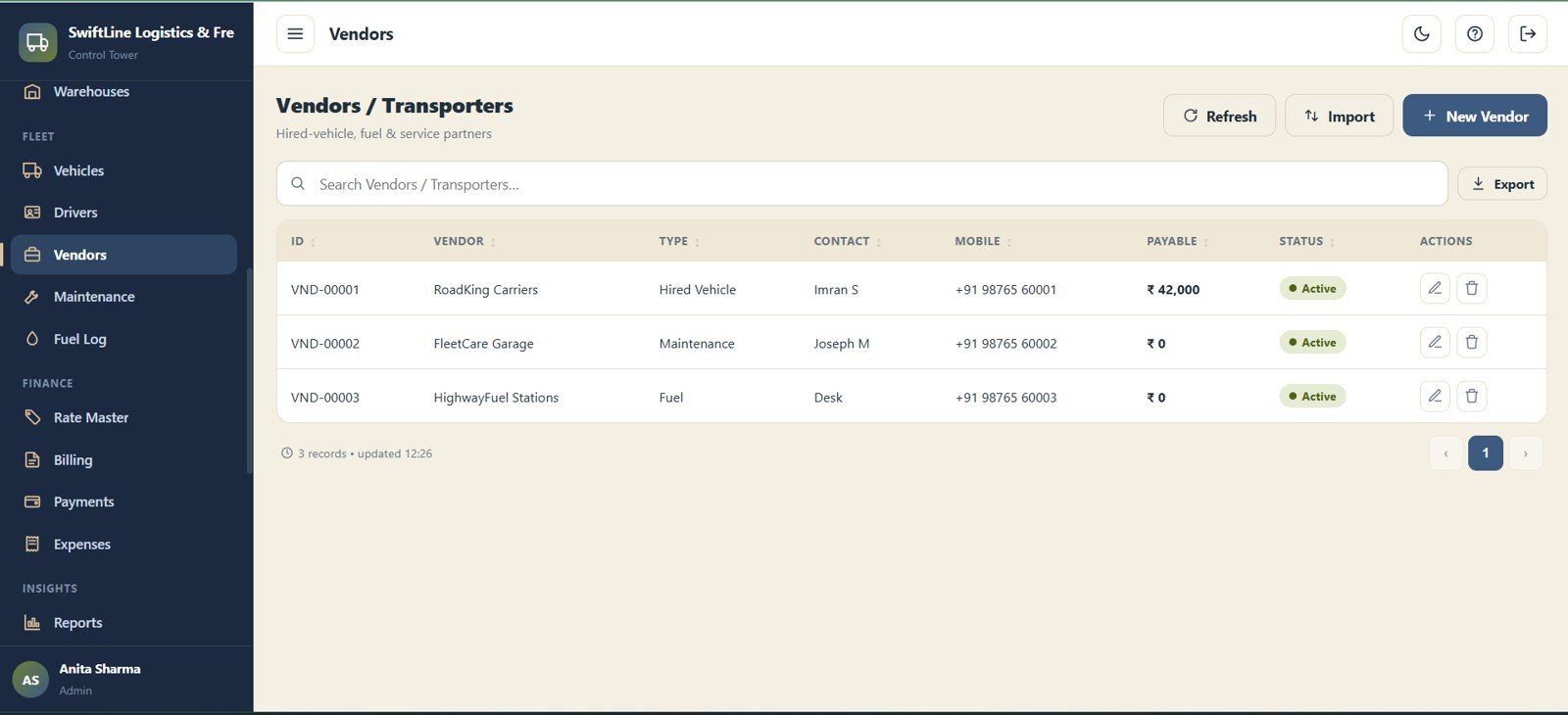
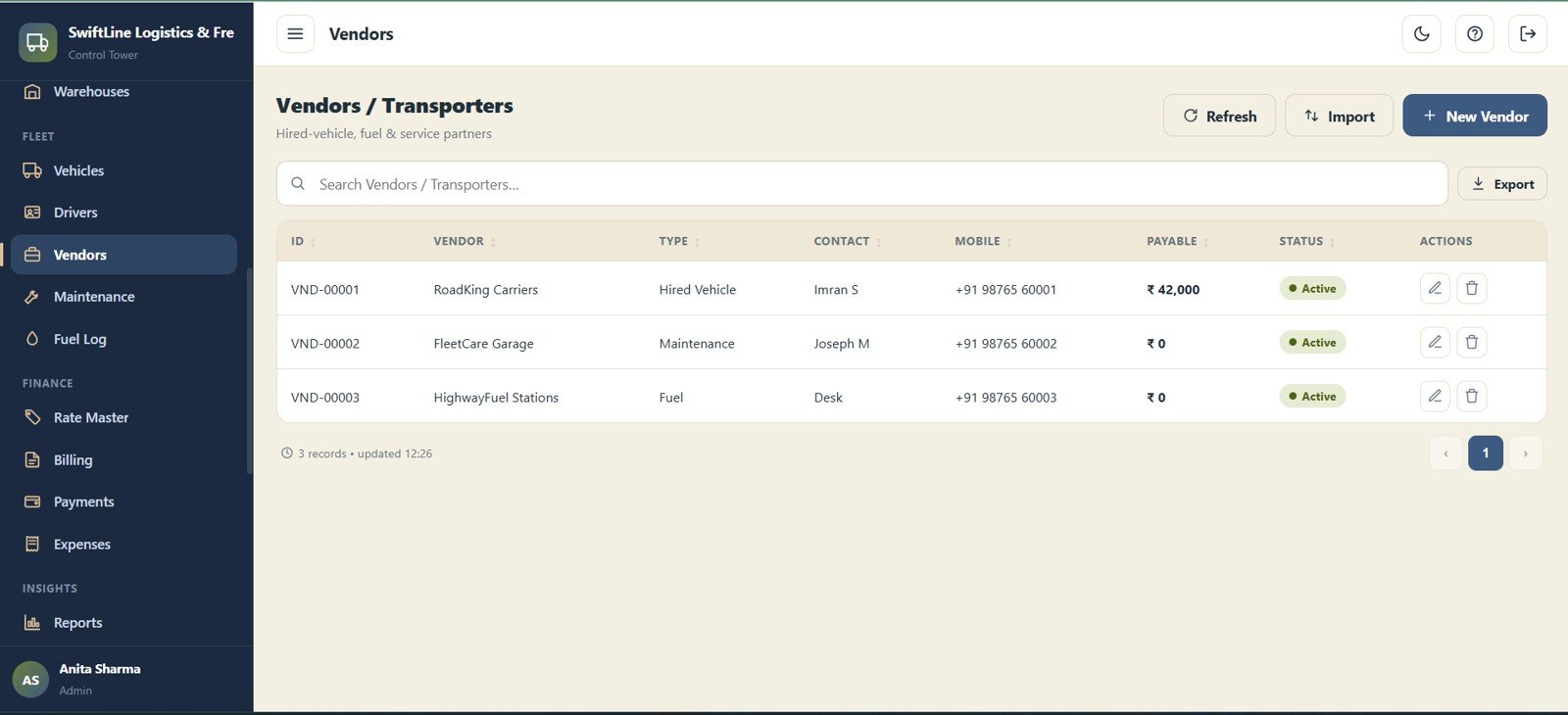
Vendors / Transporters
Manage hired-vehicle, fuel and service partners with ID, Vendor, Type, Contact Person, Mobile, Payable and Status. The Payable field keeps outstanding vendor balances visible.
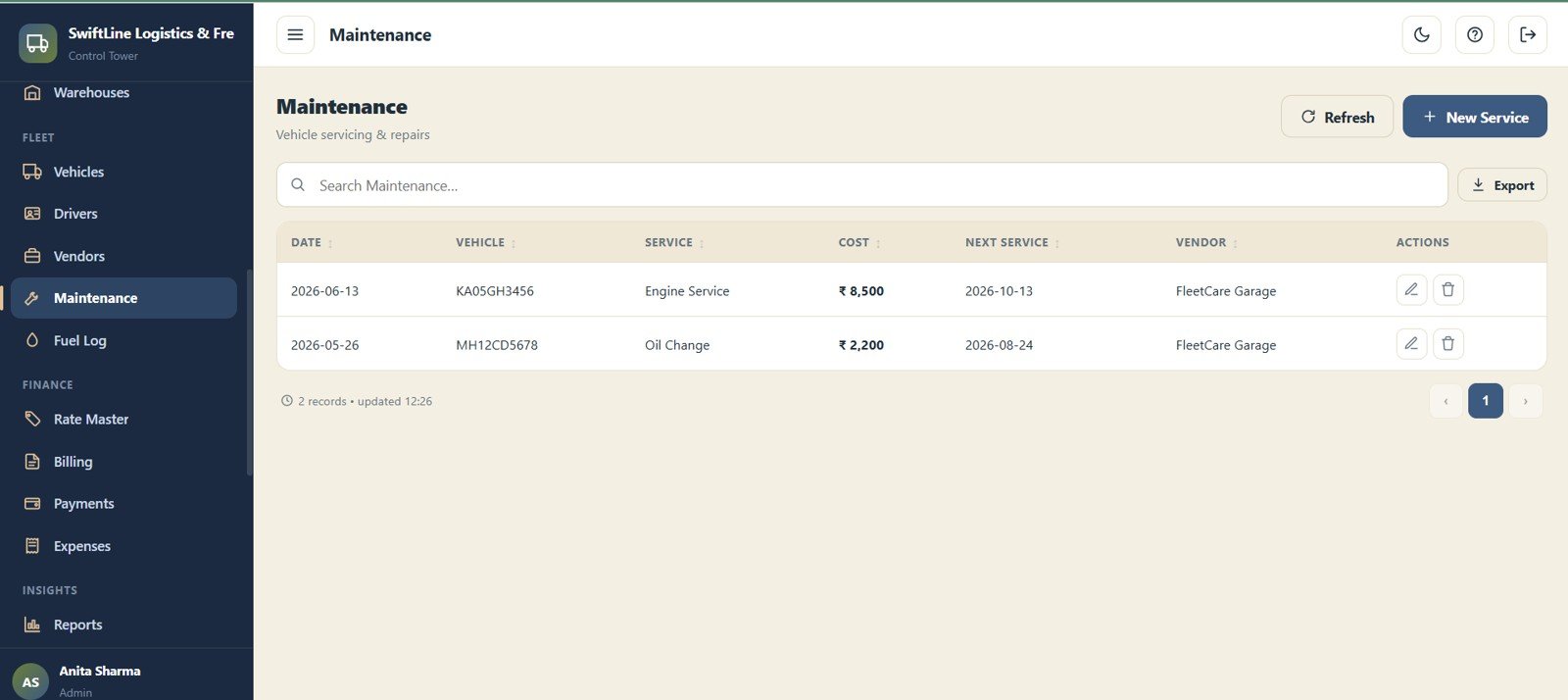
Maintenance
Log vehicle servicing and repairs with Date, Vehicle, Service, Cost, Next Service and Vendor. Next-service dates make sure a truck is never overdue for a check.
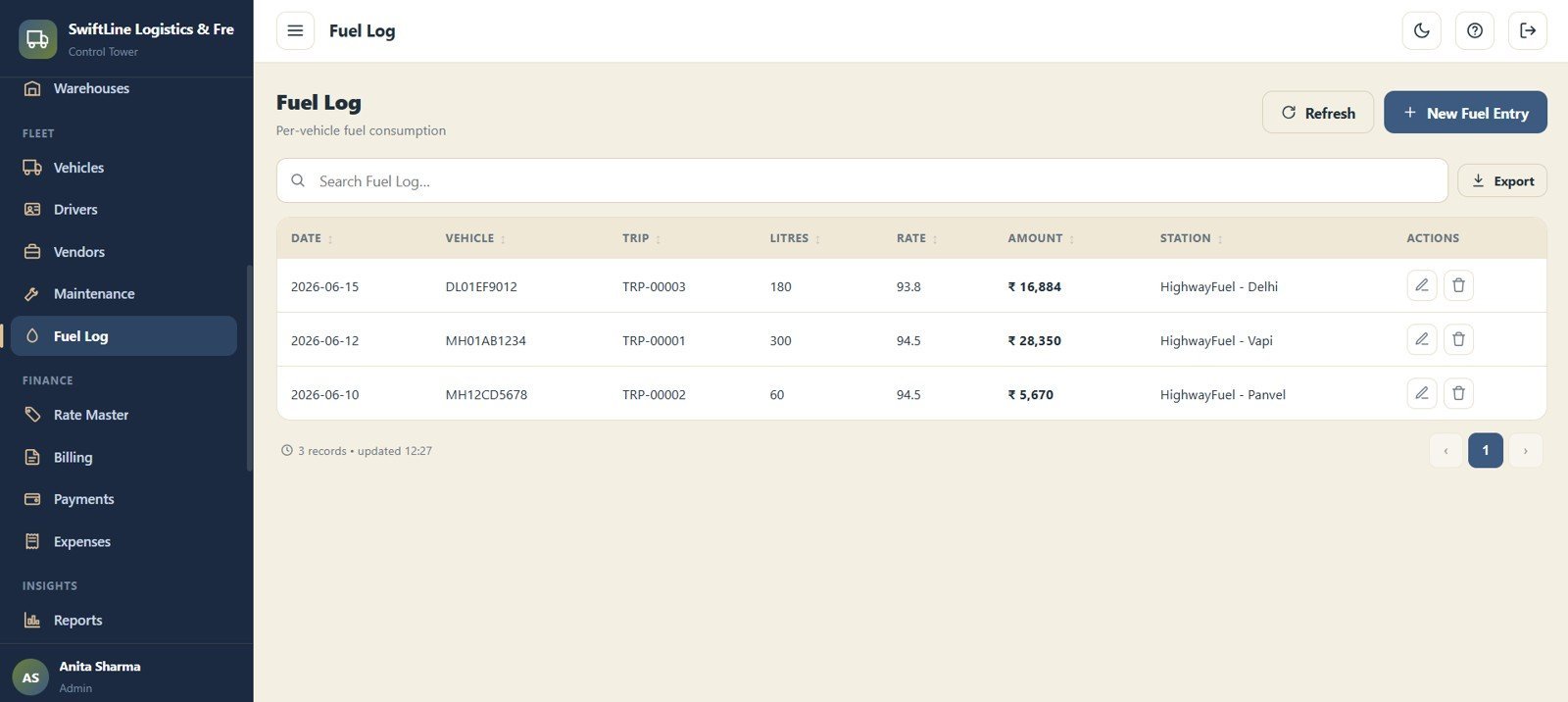
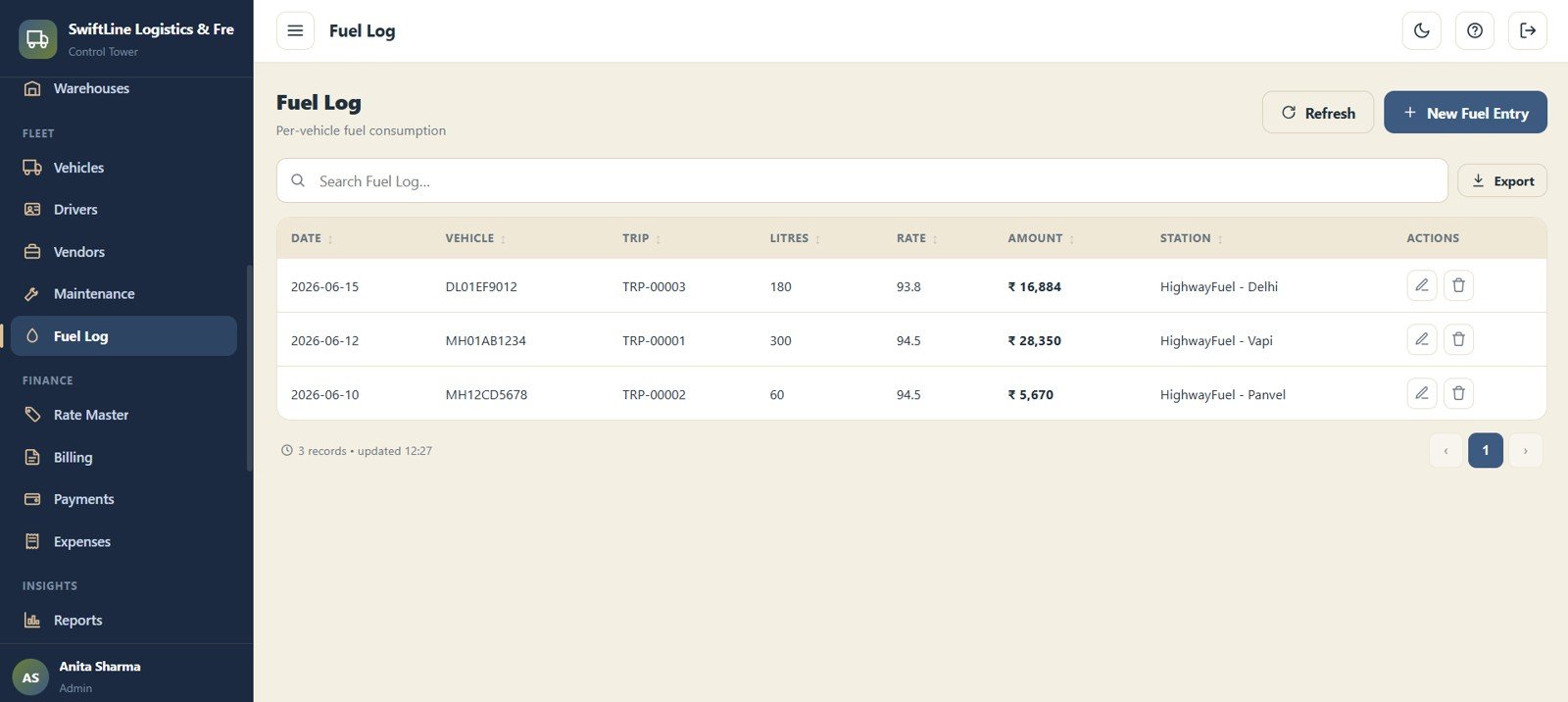
Fuel Log
Record per-vehicle fuel consumption with Date, Vehicle, Trip, Litres, Rate, Amount and Station. Fuel data rolls into the Expense by Month chart and per-trip cost analysis.
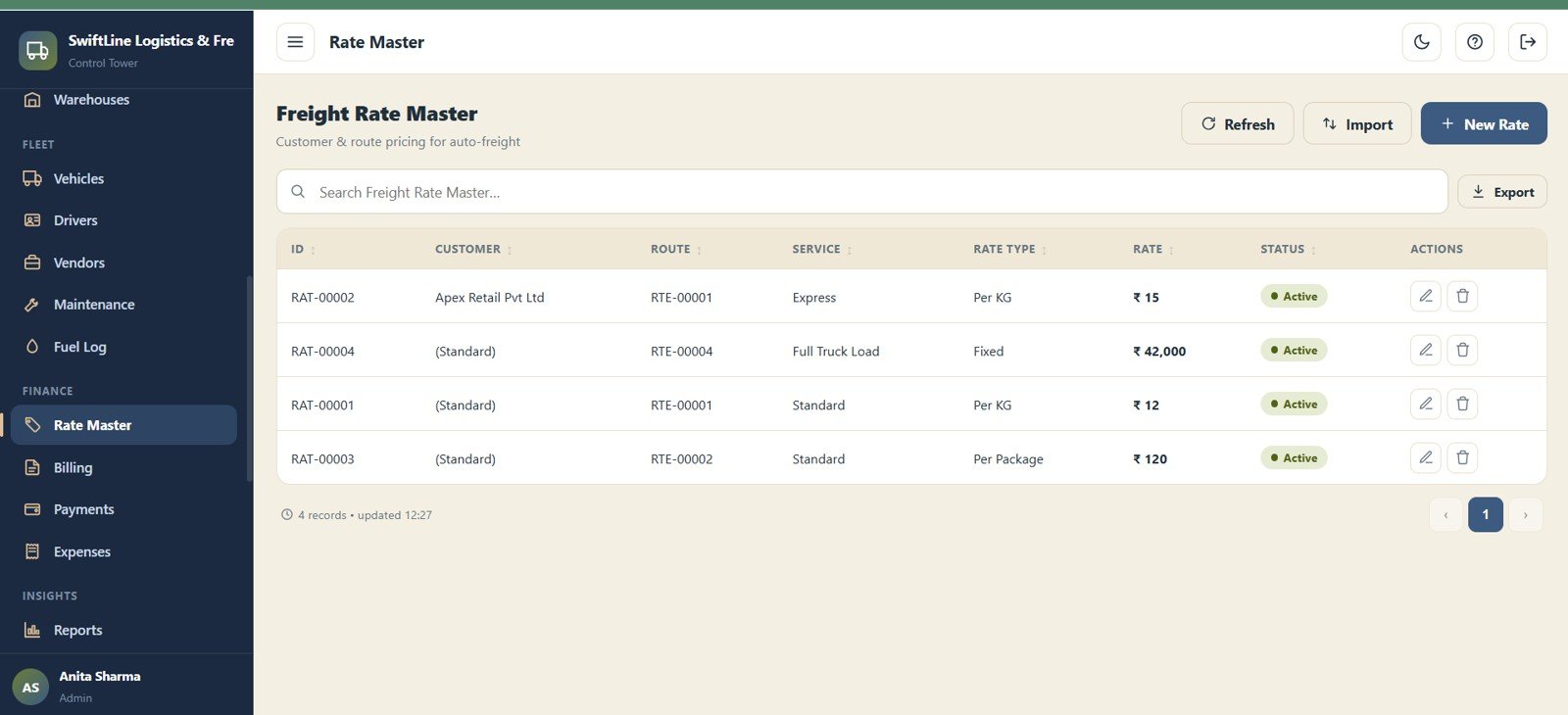
Freight Rate Master
Manage customer and route pricing for automatic freight calculation with ID, Customer, Route, Service, Rate Type, Rate and Status. Set the rate once and every matching booking prices itself.
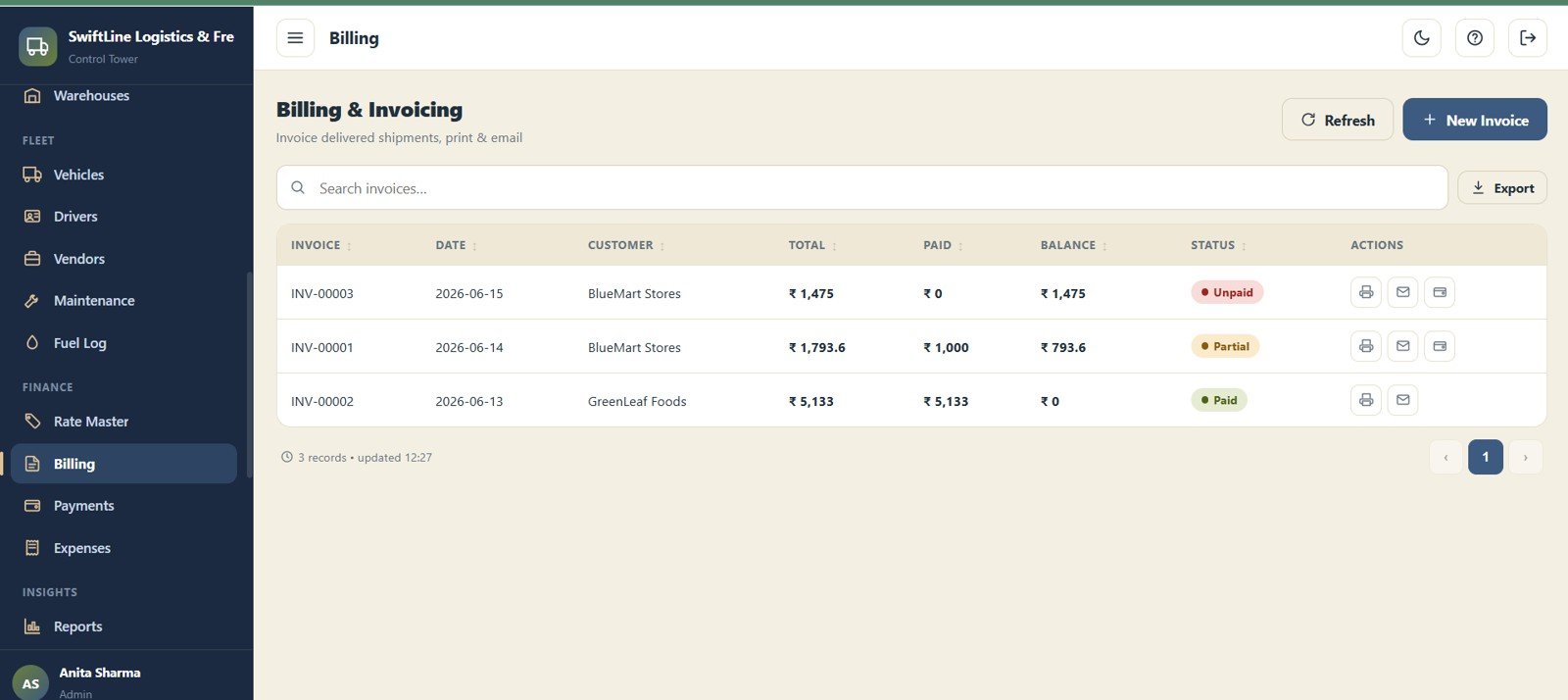
Billing & Invoicing
Invoice delivered shipments and track payment status with Invoice No, Date, Customer, Total, Paid, Balance and Status. Balances feed the Outstanding KPI and each customer’s ledger.
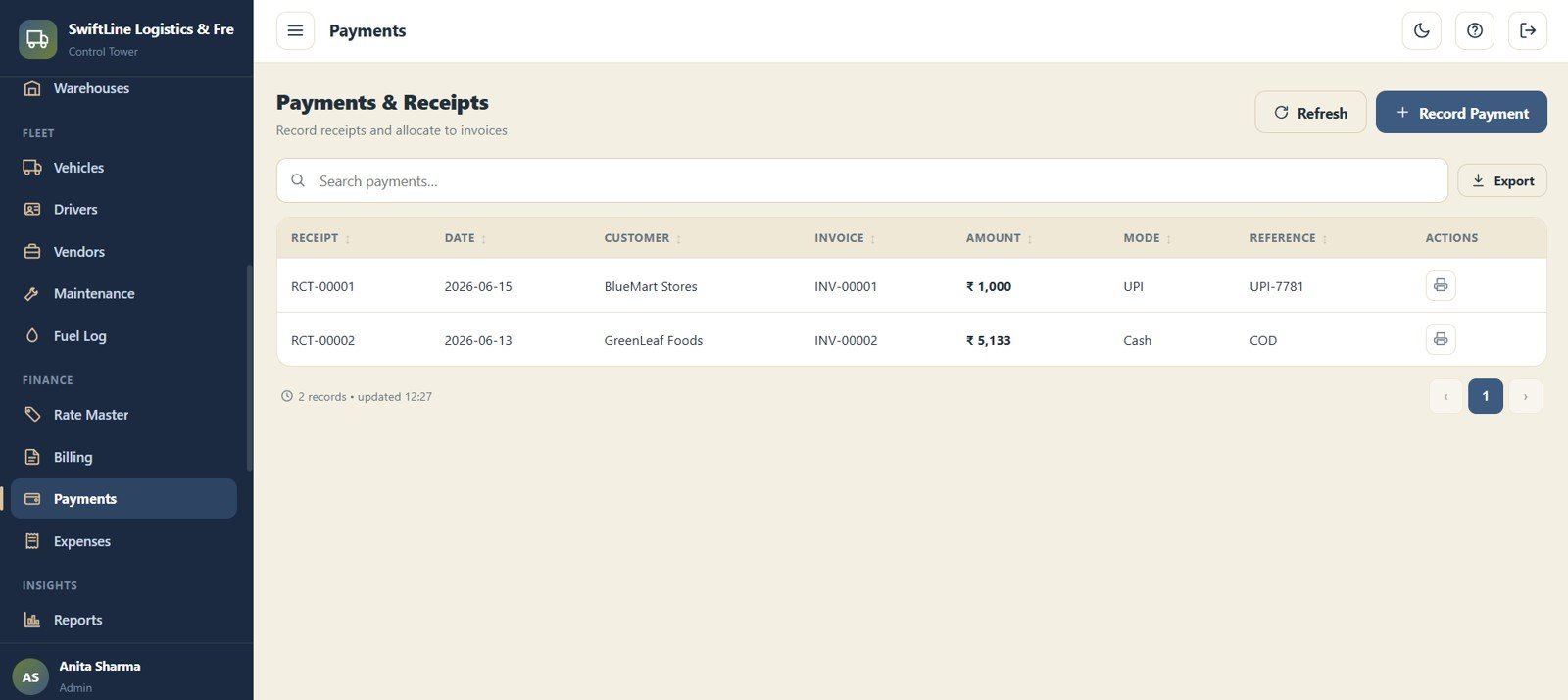
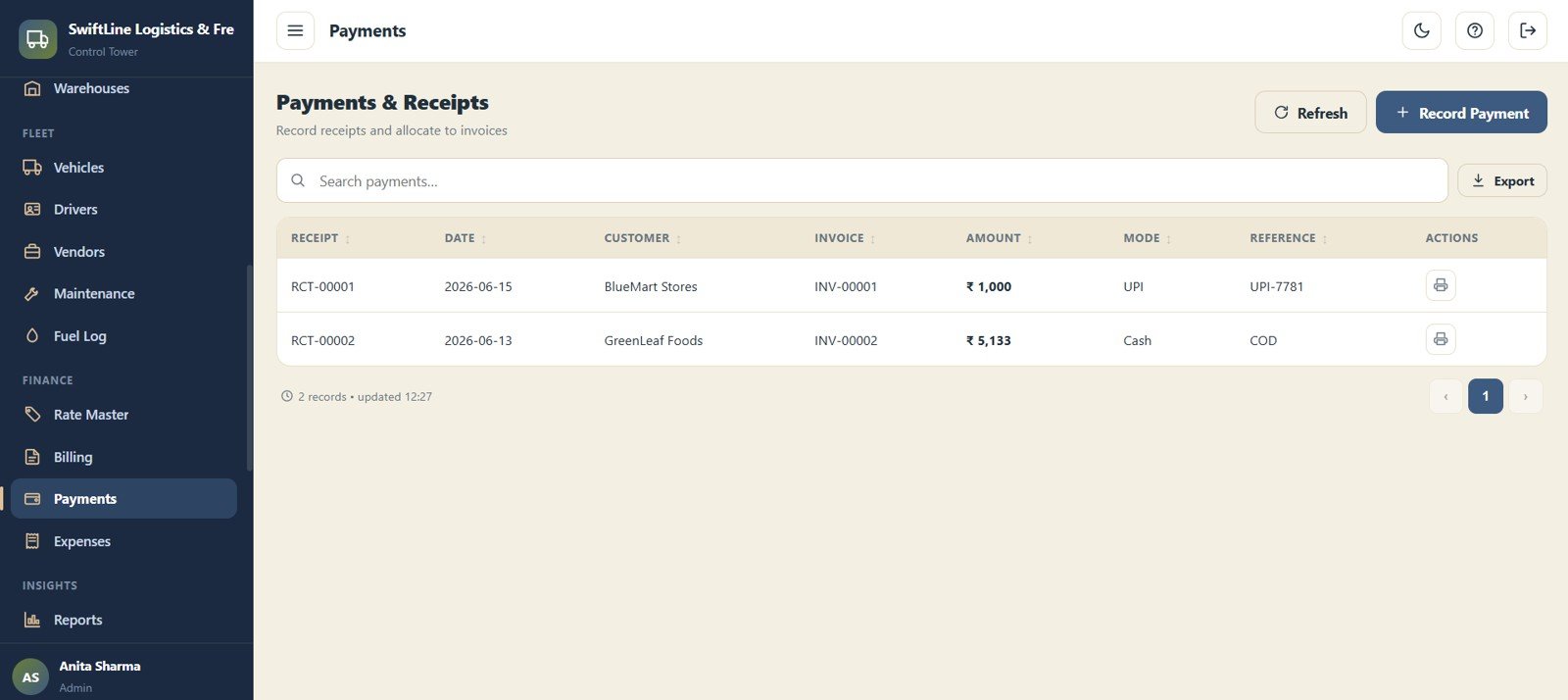
Payments & Receipts
Record receipts and allocate them to invoices with Receipt No, Date, Customer, Invoice, Amount, Mode and Reference. Allocations keep the balance on every invoice accurate.
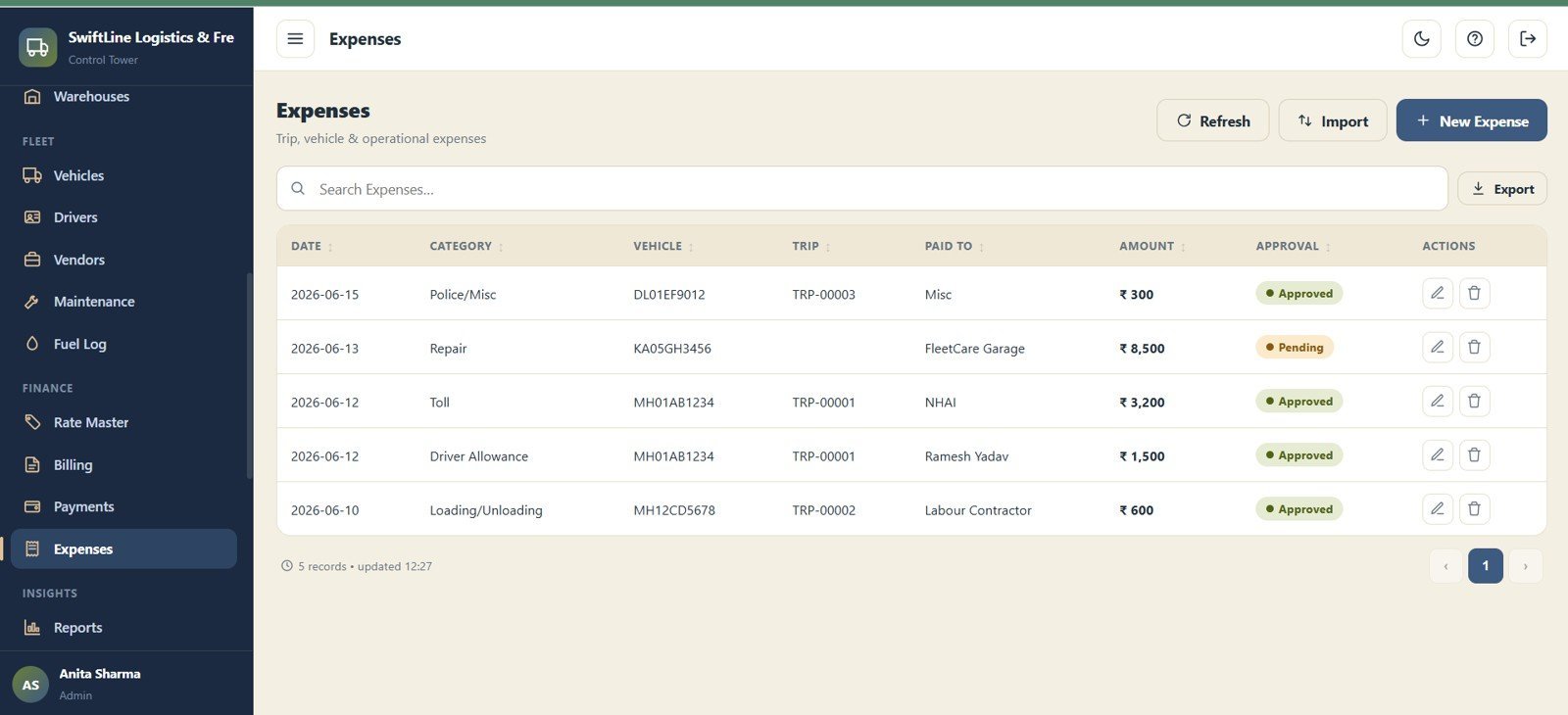
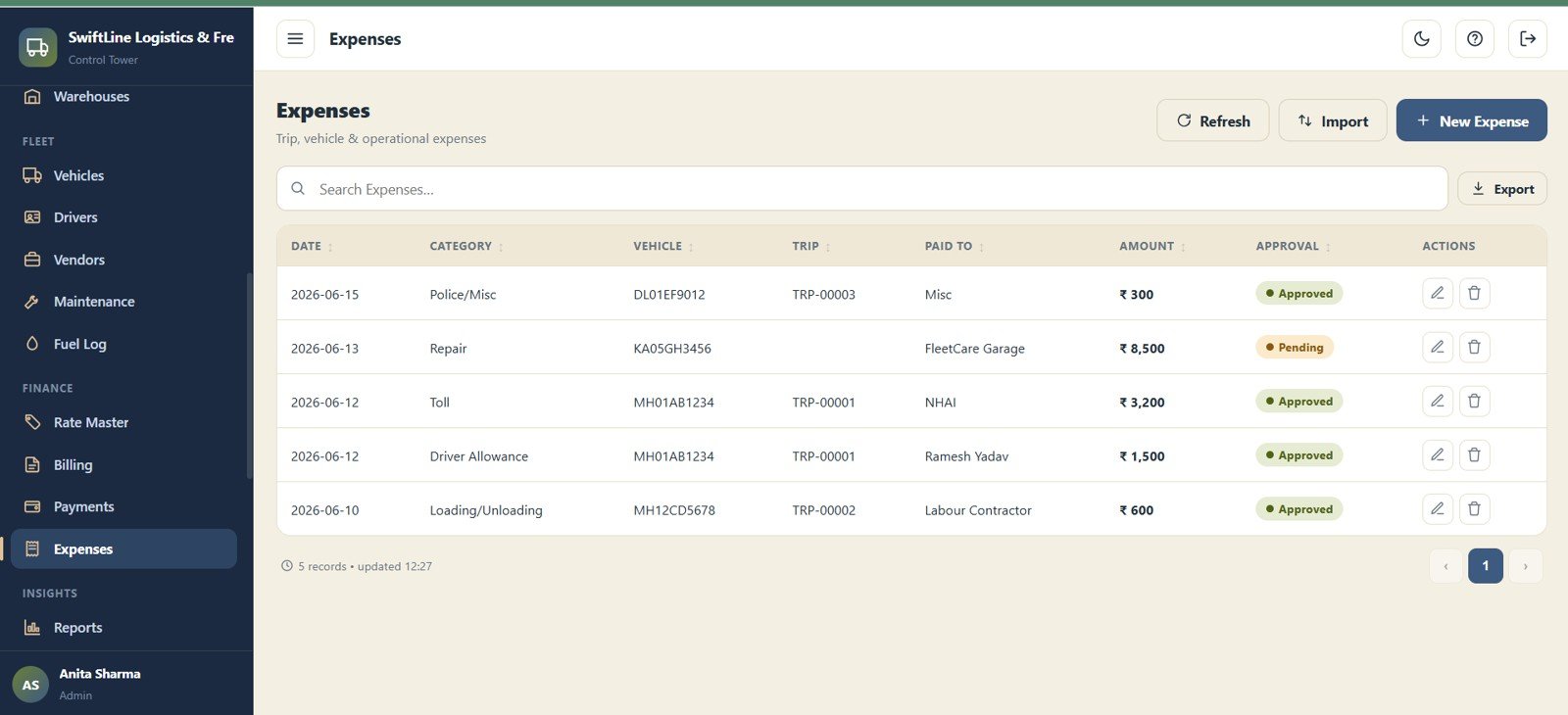
Expenses
Log trip, vehicle and operational expenses with approvals using Date, Category, Vehicle, Trip, Paid To, Amount and Approval Status. Approved expenses feed the Expense by Month analysis.
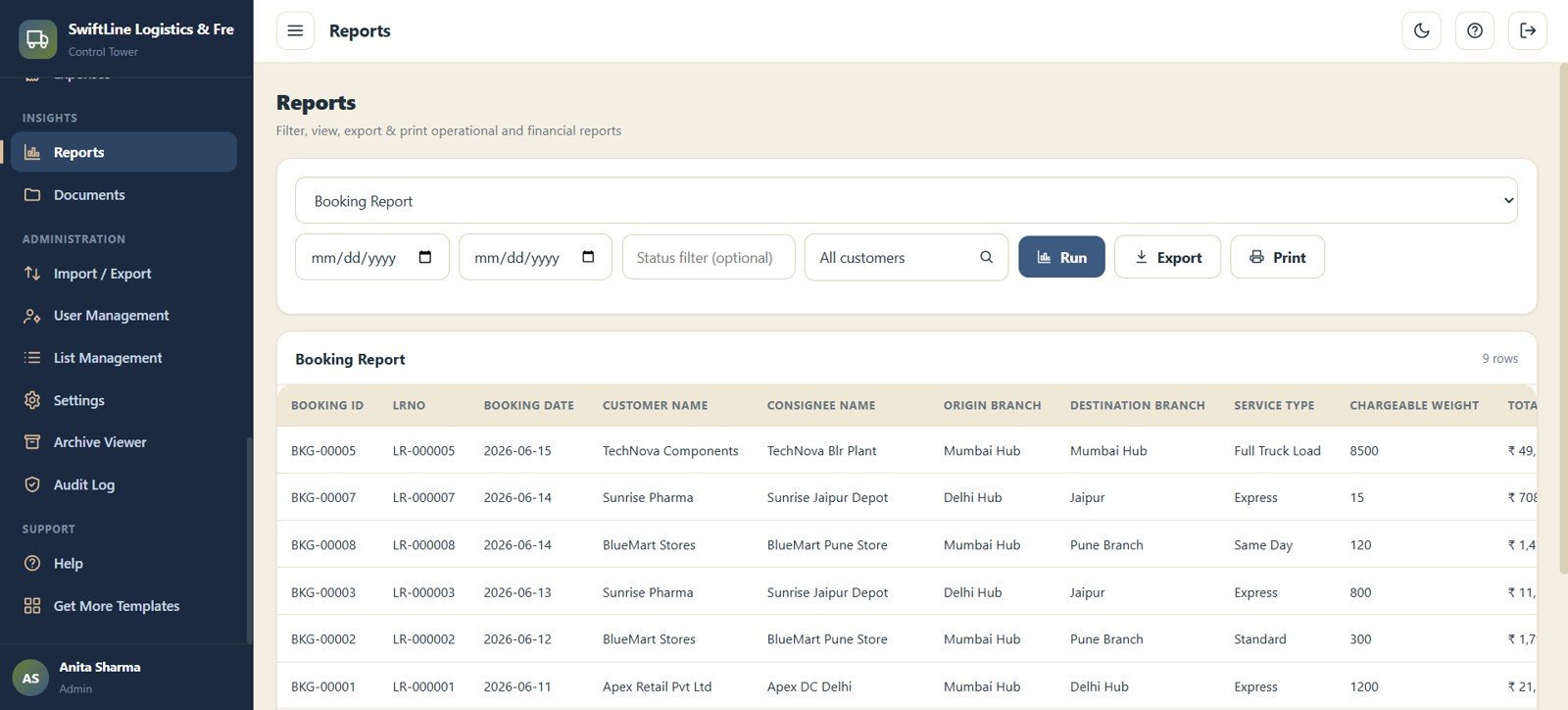
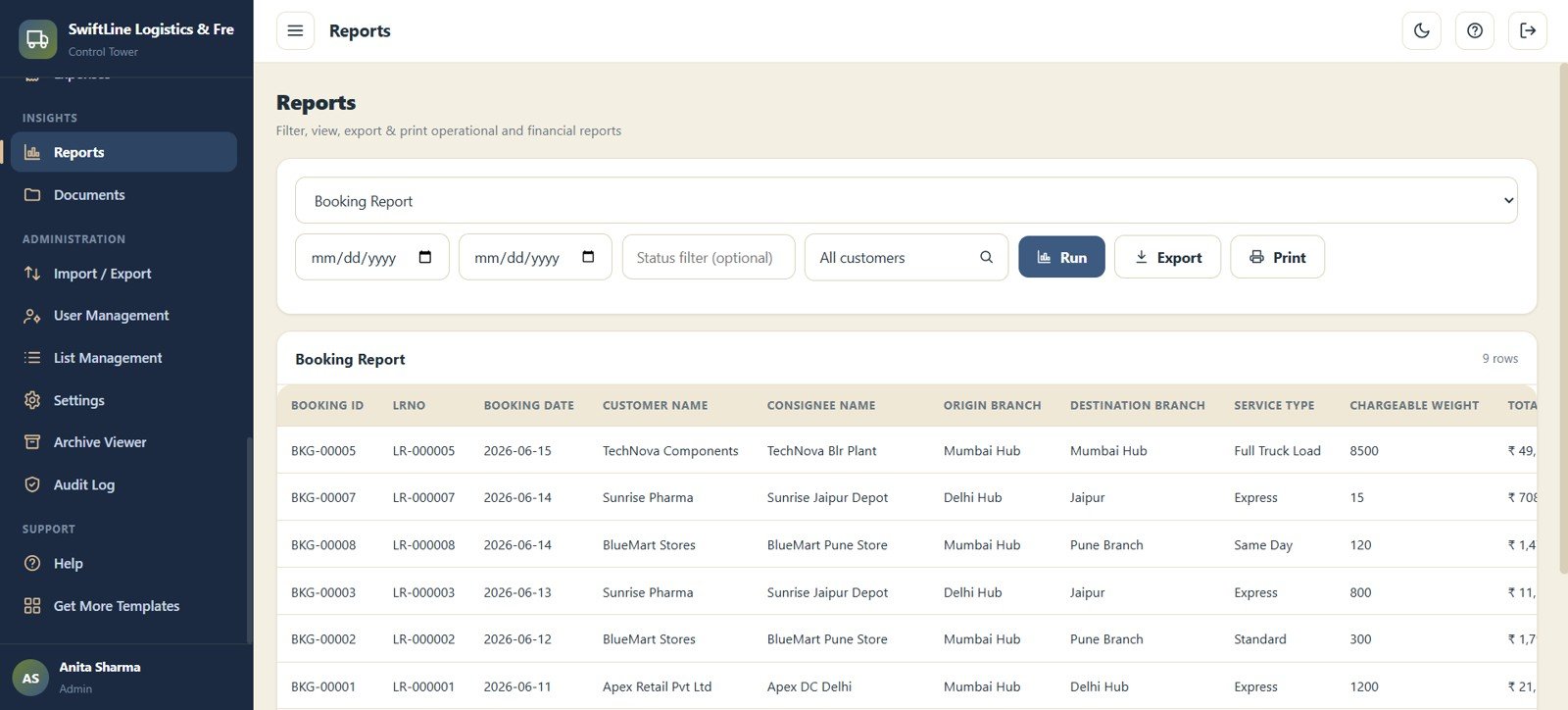
Reports
Filter, run, export and print operational and financial reports by Report Type, Date Range, Status Filter and Customer Filter, with Run / Export / Print actions. It turns live data into shareable summaries in a click.
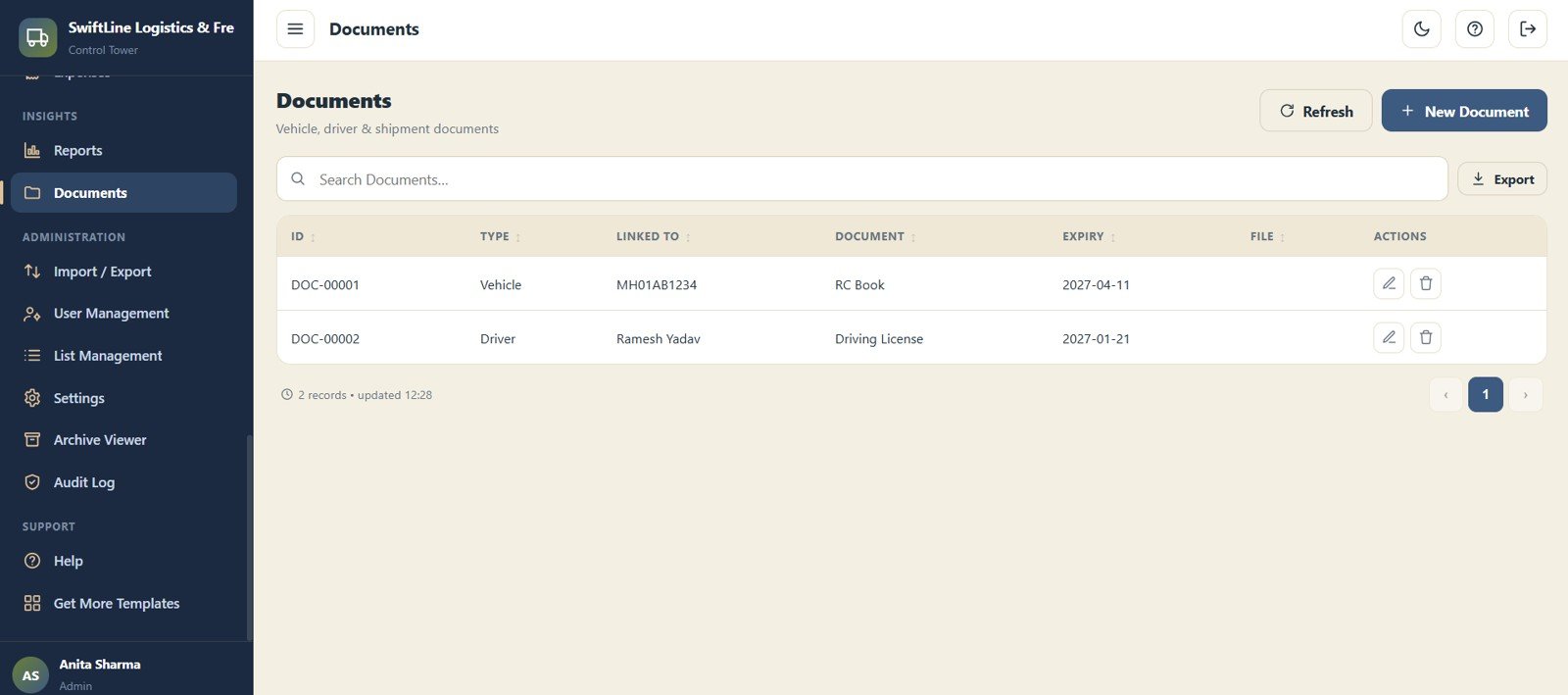
Documents
Store vehicle, driver and shipment documents with expiry tracking using ID, Type, Linked To, Document, Expiry and File. Central document storage keeps compliance paperwork attached to the right record.
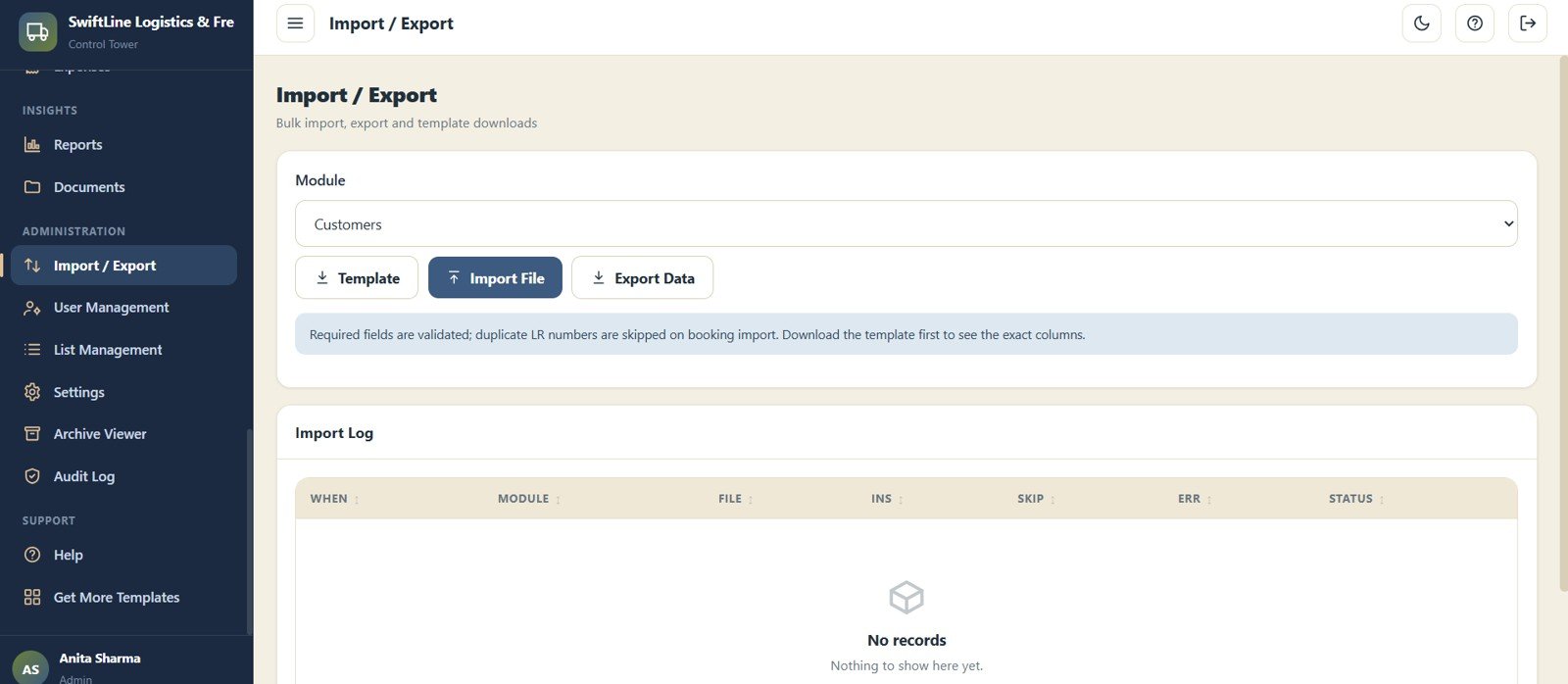
Import / Export
Bulk import and export data by module with a Module Selector, Template Download, Import File, Export Data and Import Log. Onboarding existing data or backing it up takes minutes, not days.
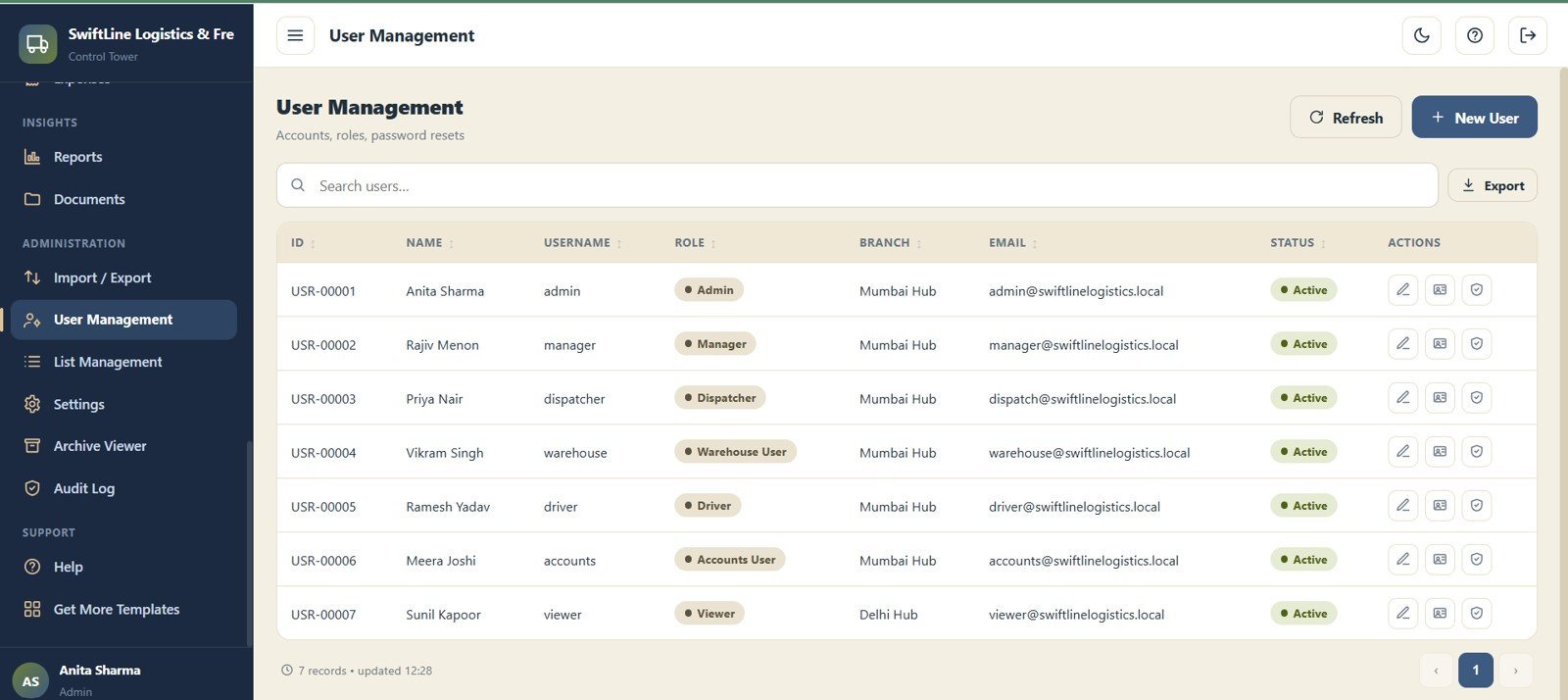
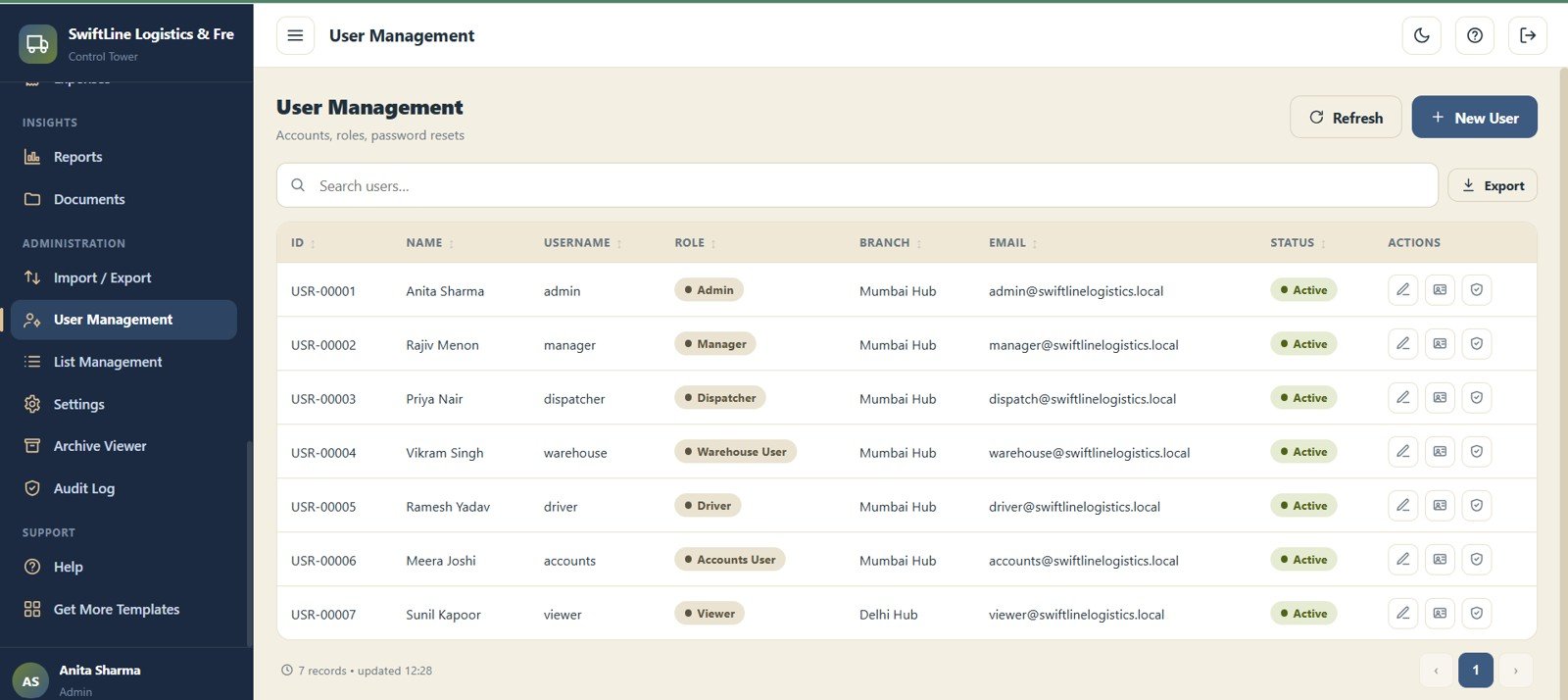
User Management
Manage accounts, roles and branch access with ID, Name, Username, Role, Branch, Email and Status. Admins decide exactly who can see and edit each branch.
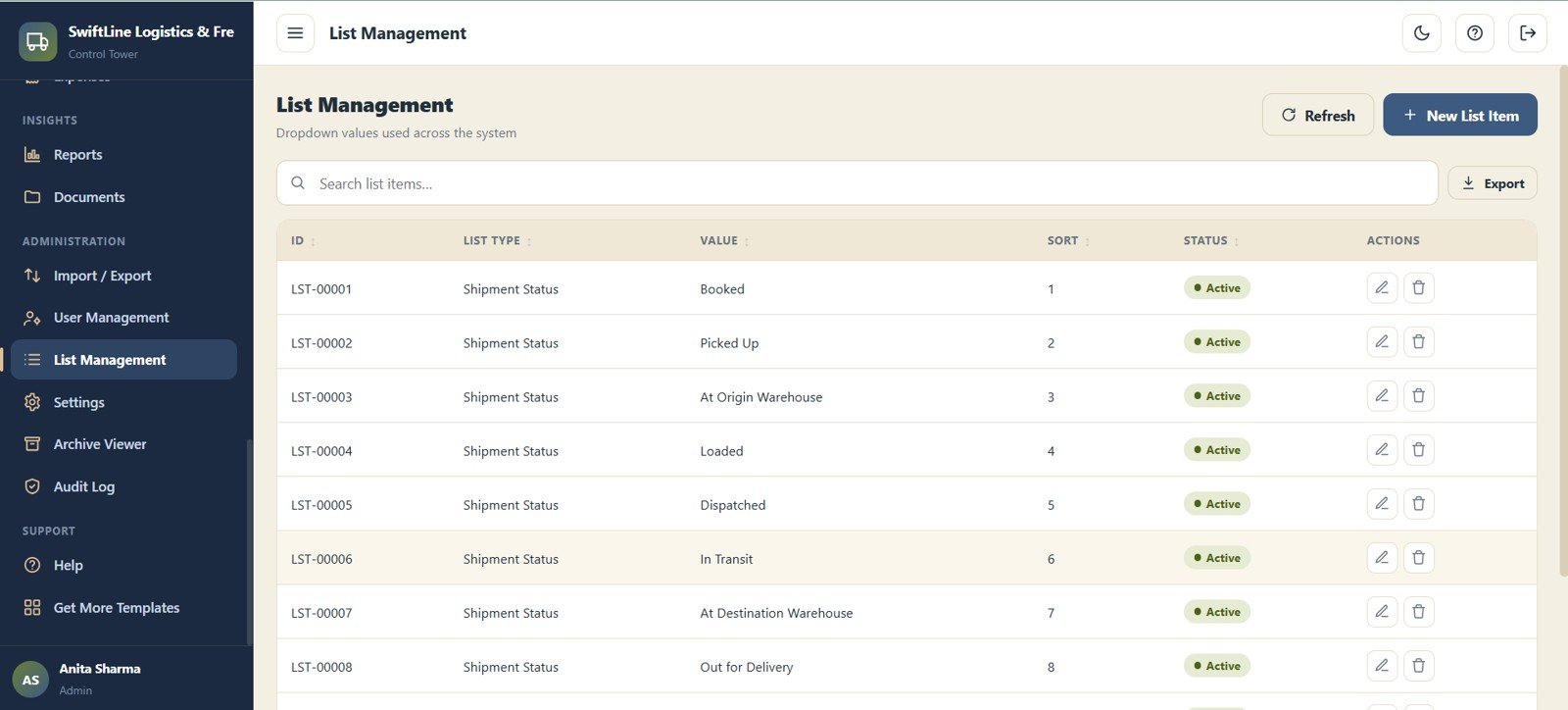
List Management
Manage the dropdown values used across the system with ID, List Type, Value, Sort Order and Status. Keeping lists tidy keeps data entry consistent everywhere.
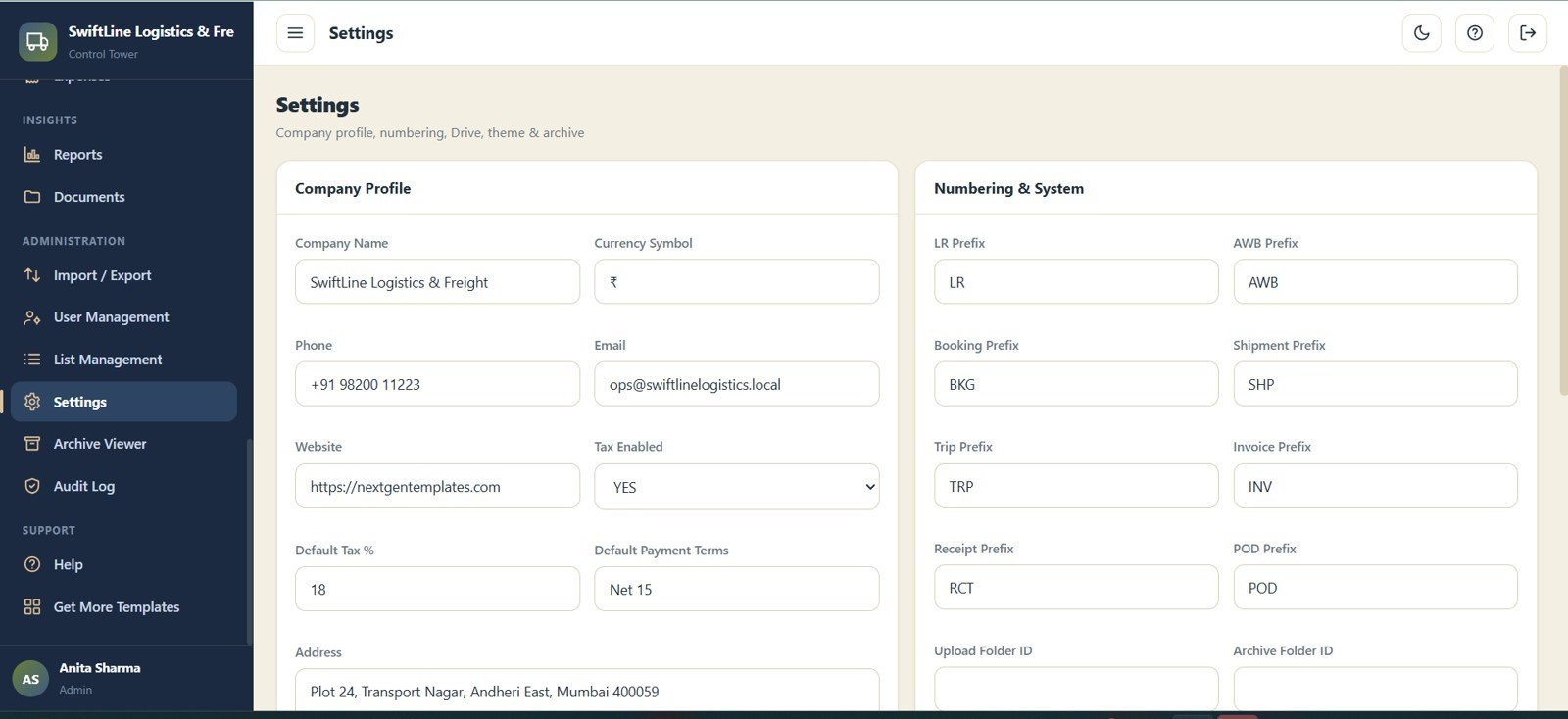
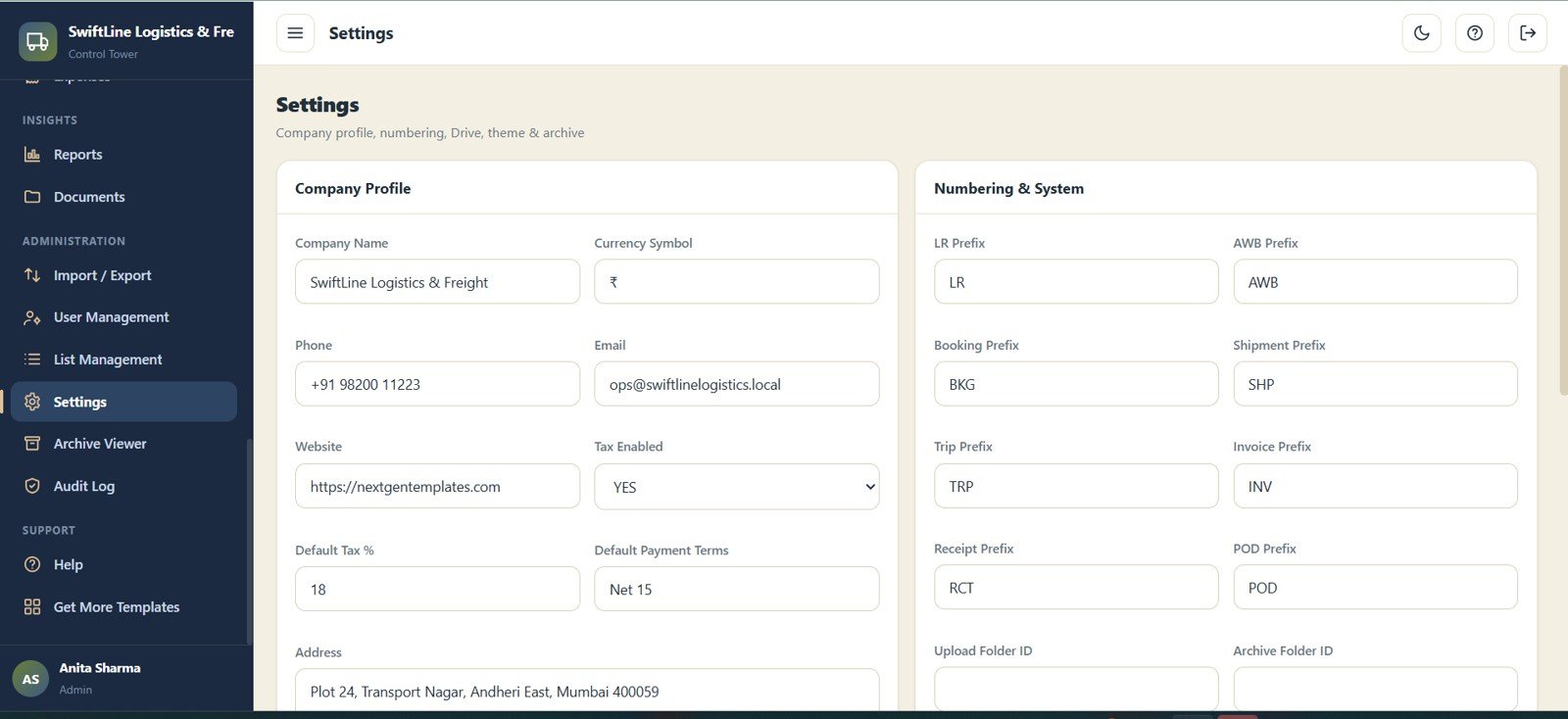
Settings
Manage the company profile (Name, Currency, Phone, Email, Address, Tax %) plus numbering and system prefixes for LR, AWB, Booking, Shipment, Trip, Invoice, Receipt and POD. Configure the whole system’s behaviour from one screen.
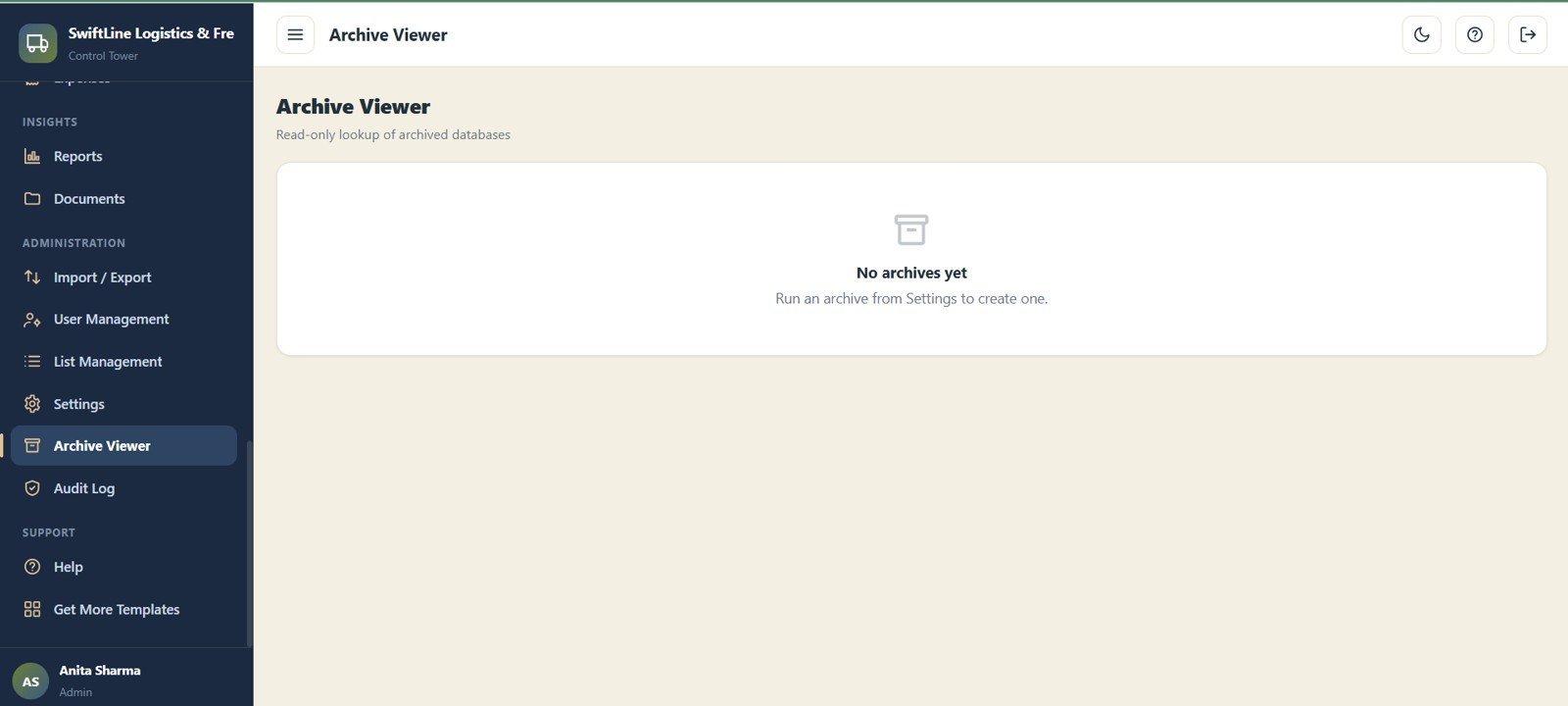
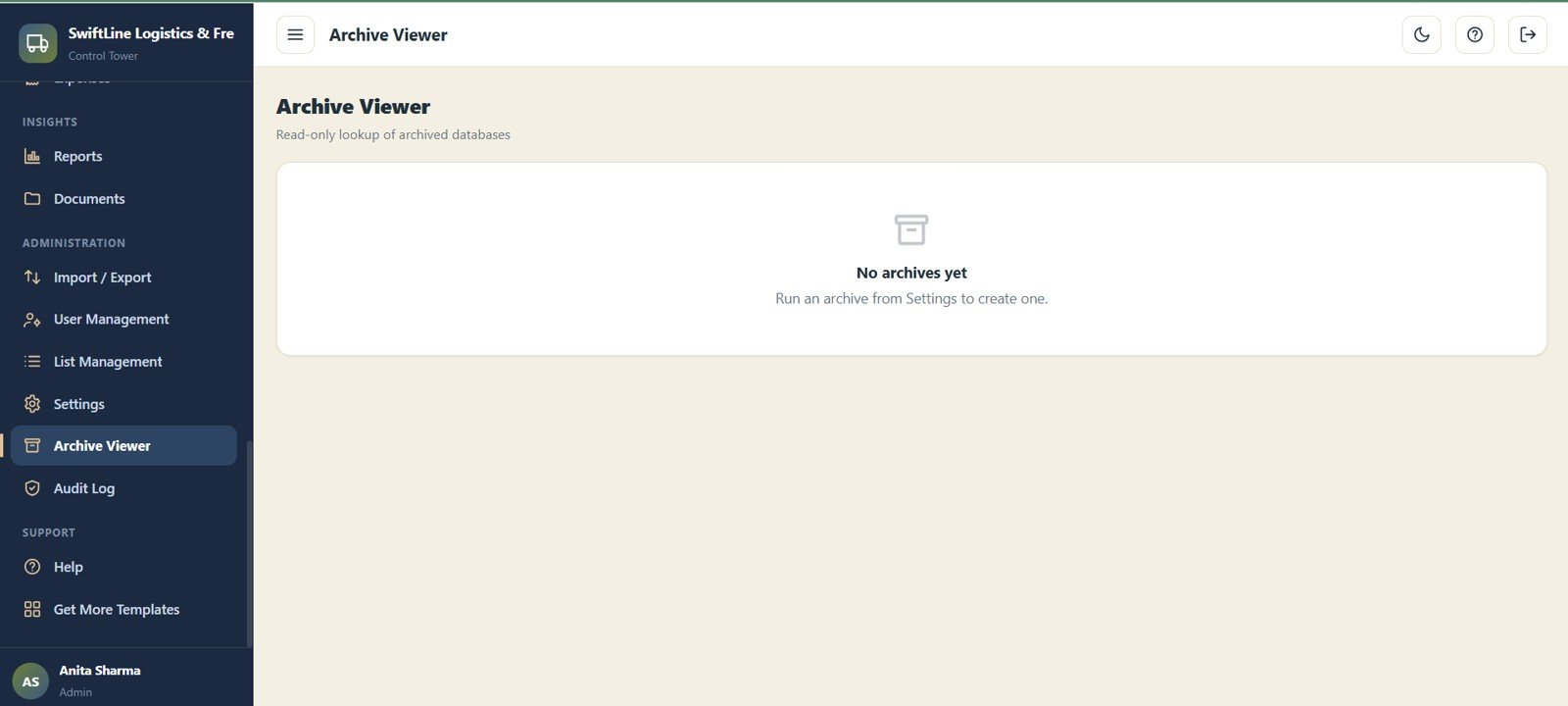
Archive Viewer
A read-only lookup of archived databases once an archive has been run from Settings, with an Archive List and read-only record lookup. Old data stays searchable without cluttering the live system.
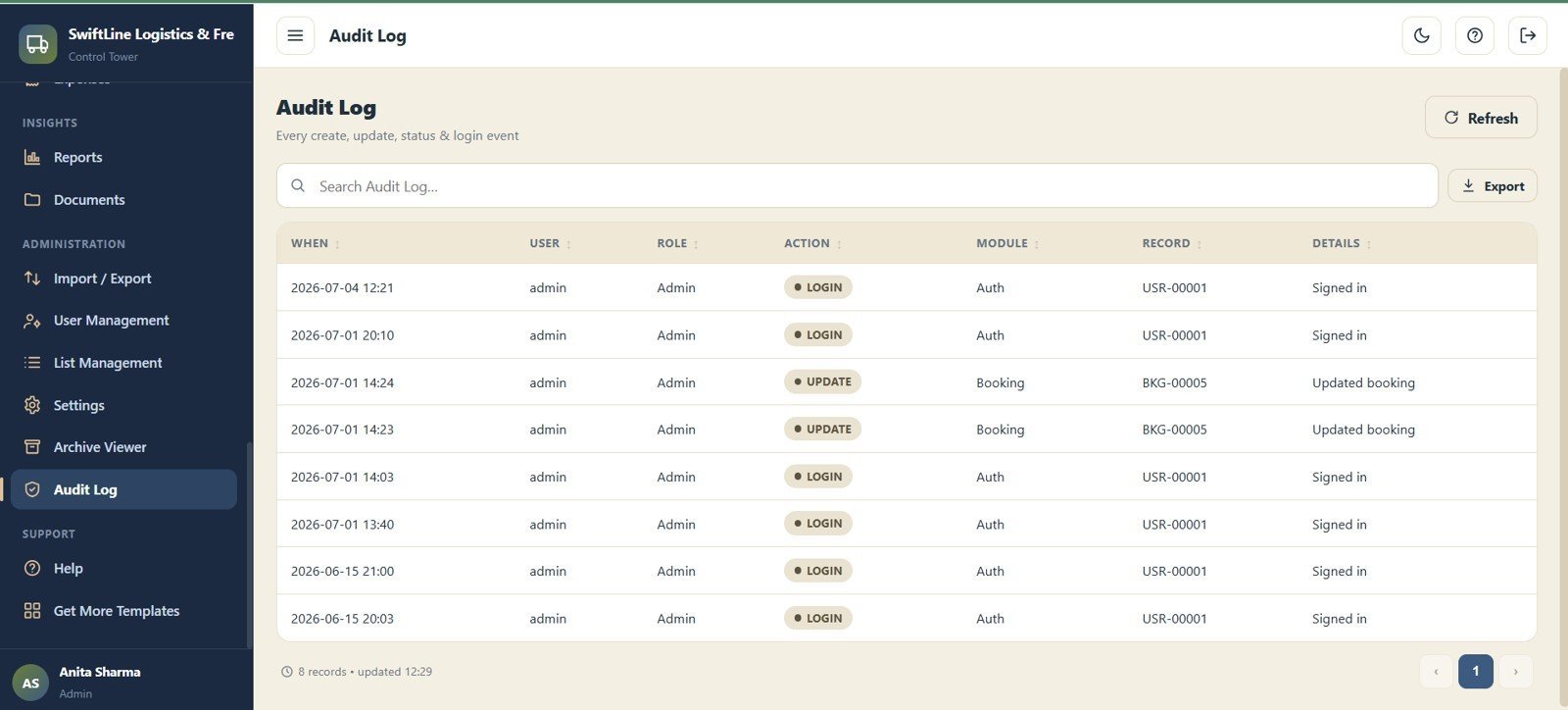
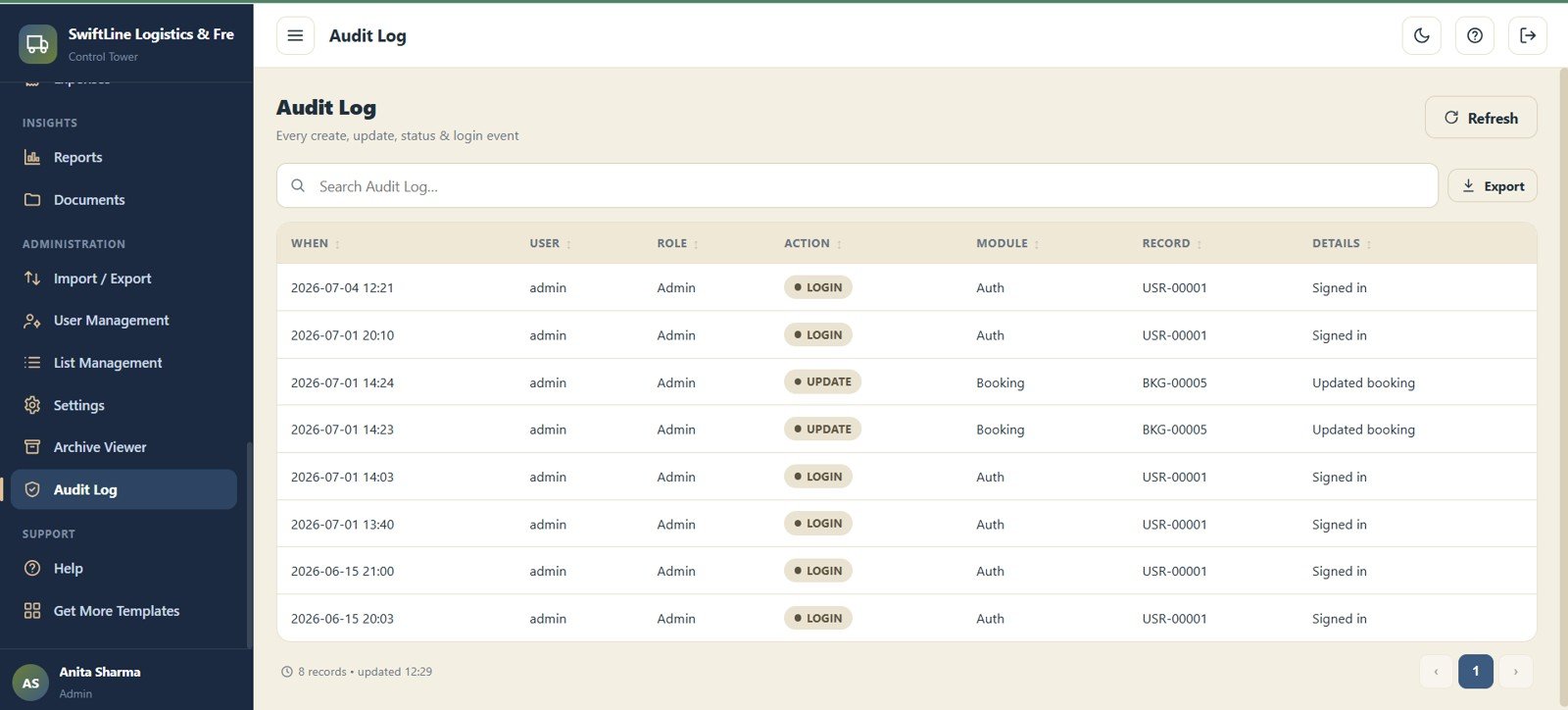
Audit Log
Record every create, update, status and login event with When, User, Role, Action, Module, Record and Details. Full accountability for a multi-user team, all in one place.
📊 Logistics Management System Web App vs. Spreadsheet Files vs. Logistics TMS SaaS — Where This Fits
| Feature | Logistics Management System Web App | Excel / Google Sheets Files | Logistics TMS SaaS (Shipsy / FarEye / Locus) |
|---|---|---|---|
| Cost | $39.99 one-time | $0–15 one-time | $40–200+ / user / month |
| Platform | Google Apps Script — any browser | Excel / Google Sheets | Web SaaS (cloud-only) |
| Modules included | 29 connected modules | Whatever you build yourself | Varies by plan tier |
| Multi-user login & roles | ✅ Admin & User with branch access | ❌ Shared file, no real roles | ✅ Yes |
| Booking → tracking → POD → billing flow | ✅ End-to-end in one app | ❌ Disconnected sheets | ✅ Yes |
| Setup time | Under 20 minutes | Hours to build | Days + onboarding |
| Data ownership | ✅ Your own Google account | ✅ Your file | ❌ Vendor-hosted |
| Year-1 cost at 5 users | $39.99 | ~$0 | $2,400–12,000+ |
For logistics and transport operators who want a real multi-user system without paying per user every month, the Logistics Management System Web App sits in the sweet spot between fragile spreadsheets and expensive TMS SaaS.
👥 Who This Template Is For — and Who It’s Not For
✅ This template is built for:
- Transport, courier, 3PL and freight-forwarding businesses handling 20–2,000 consignments a month
- Regional logistics operators running multiple branches and warehouses that need branch-level access
- Fleet-owning distributors who want bookings, dispatch, fuel and billing in one place
- Operations managers replacing a stack of disconnected Excel and WhatsApp trackers
- Businesses already on Google Workspace that want a logistics system without a new monthly subscription
❌ This template is NOT for:
- Enterprise logistics networks needing live GPS/IoT device integration and API-based carrier connections
- Teams requiring SOC 2 certified, vendor-hosted infrastructure with signed data-processing agreements
- Organisations without any Google Workspace or Gmail account to host the app
⚙️ How to Use the Logistics Management System Web App
- Purchase and download the ZIP file from your order confirmation email.
- Open the PDF setup guide — it contains the Google Apps Script deployment link and step-by-step instructions.
- Copy the Code.gs and Index.html into a new Apps Script project and deploy it as a web app from your own Google account.
- Open Settings and enter your company profile, currency, tax %, and the LR, Booking, Trip, Invoice and POD numbering prefixes.
- Add your Branches, Warehouses, Routes, Customers and Consignees so bookings can be created quickly.
- Set up Vehicles, Drivers and the Freight Rate Master so trips auto-assign and consignments auto-price.
- Start booking consignments, dispatch them on trips, capture POD, then invoice and record payments.
- Watch the Operations Dashboard daily and run Reports whenever you need an exportable summary.
💼 Real-World Use Cases
Anil runs a regional transport company moving 600 consignments a month across 4 branches. Before this app, bookings lived in one Excel file, tracking in WhatsApp, and billing in another sheet. Now a booking flows from consignment to POD to invoice in one system, and Anil watches Pending Dispatch and Outstanding on the dashboard every morning.
Priya manages operations for a 3PL serving e-commerce sellers. She uses Shipment Tracking to answer customer status queries in seconds, the Freight Rate Master to auto-price each seller’s shipments, and the Route Performance by Lane chart to renegotiate the two lanes that were bleeding margin.
A courier startup with 12 vehicles and 9 drivers uses the Vehicles, Drivers, Fuel Log and Maintenance modules to keep insurance and licences current, while branch managers log in under their own accounts and only see their own branch’s trips and consignments.
❓ Frequently Asked Questions
What modules are included in the Logistics Management System Web App?
The Logistics Management System Web App includes 29 modules covering Login, Operations Dashboard, Bookings, Shipment Tracking, Trips & Dispatch, POD, Warehouse Operations, Customers, Consignees, Routes, Branches, Warehouses, Vehicles, Drivers, Vendors, Maintenance, Fuel Log, Freight Rate Master, Billing, Payments, Expenses, Reports, Documents, Import/Export, User Management, List Management, Settings, Archive Viewer and Audit Log.
Does this web app require any paid subscription or server hosting?
No. The Logistics Management System Web App runs entirely on Google Apps Script, which is free with any Google account. You pay once for the template and deploy it yourself — there is no monthly fee and no separate server to rent.
How does this compare to logistics TMS SaaS like Shipsy or FarEye?
Those platforms typically charge $40–200 per user per month. The Logistics Management System Web App is a one-time $39.99 purchase that covers the core booking, tracking, dispatch, POD, billing and fleet workflow while keeping your data in your own Google account.
Can multiple branches and team members use it at the same time?
Yes. The Logistics Management System Web App supports multiple simultaneous users with Admin and User roles and branch-level access, so each office sees only its own consignments while head office sees everything.
How long does setup take?
Most users deploy the Logistics Management System Web App in under 20 minutes. Copy the script to Google Apps Script, deploy it as a web app, then configure your company profile, numbering prefixes and master lists in Settings.
Can I use it on mobile?
Yes. Because the Logistics Management System Web App is browser-based, it works on any device with a modern browser — desktop, tablet or smartphone — so drivers and branch staff can update records on the move.
👤 About the Author
Built by PK — Microsoft Certified Professional with 15+ years of Excel, Google Sheets, and Power BI experience. Founder of NextGenTemplates, reaching 300K+ subscribers across YouTube channels (@PK-AnExcelExpert, @NextGenTemplates, @NeoTechNavigators). Every template is hand-built and tested before release.
🔗 Explore Related Templates
Building out your operations stack? Explore more Google Sheets Web Apps and Google Sheets Dashboards:
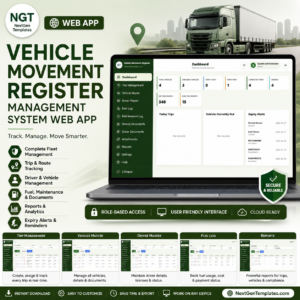
- Vehicle Movement Register Management System Web App — a focused fleet trip register with fuel, maintenance and document tracking
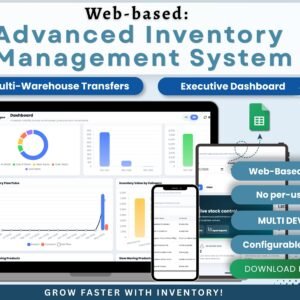
- Web-based Advanced Inventory Management System — pair with logistics for stock, inward and outward control
- Warehouse Efficiency Dashboard in Google Sheets — analyse hub throughput and space utilisation
- Last-mile Delivery Dashboard in Power BI — deep delivery-cost and success-rate analytics
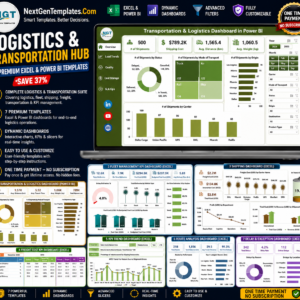
💎 Save more with the Logistics and Transportation Hub — 7 Premium Templates bundle if you want the full analytics set alongside this web app.
Watch the step-by-step video Demo:
📖 Click here to read the Detailed Blog Post<
🎥 Visit our YouTube channel for step-by-step video tutorials
👉 YouTube.com/@NextGenTemplates
📅 Last updated: July 2026



















Reviews
There are no reviews yet.