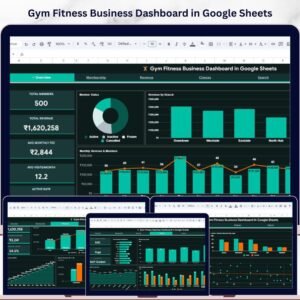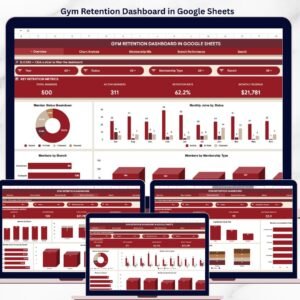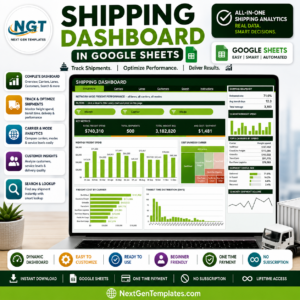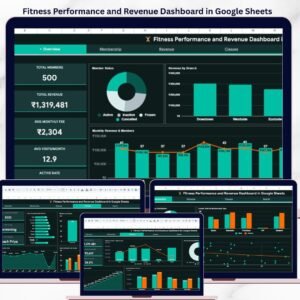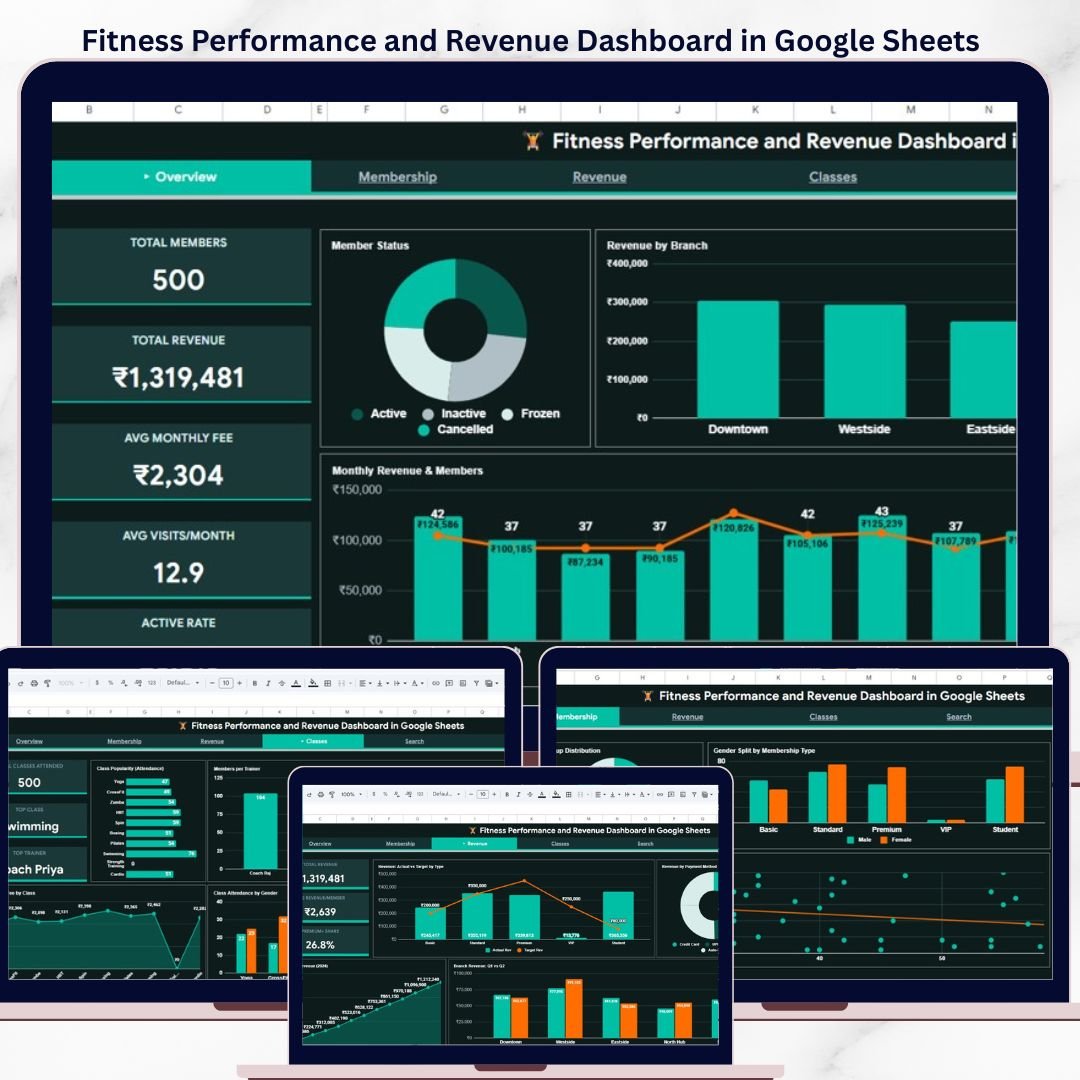
The Fitness Performance and Revenue Dashboard in Google Sheets tracks 5 KPIs across 4 interactive analysis pages, with 16+ pre-built charts and slicer-driven filters covering branch, membership type, gender, and status. Setup takes under 10 minutes — just paste your gym or fitness studio data into the Data sheet and every chart, KPI card, and analysis page updates automatically.
🌍 Join 8,400+ teams in 40+ countries using NextGenTemplates to replace paid SaaS tools with one-time-purchase Excel, Google Sheets, Power BI, and HTML templates.Fitness Performance and Revenue Dashboard in Google Sheets
✅ Instant download · One-time payment · No subscription · No per-user fees · Lifetime access
Whether you manage a single-location gym, a multi-branch fitness chain, or a boutique studio, this dashboard converts raw member and revenue data into clear answers about which branches generate the most revenue, which membership types retain members, and which classes have the highest attendance — all inside Google Sheets with zero add-ons.Fitness Performance and Revenue Dashboard in Google Sheets
🔑 Key Features of Fitness Performance and Revenue Dashboard in Google Sheets
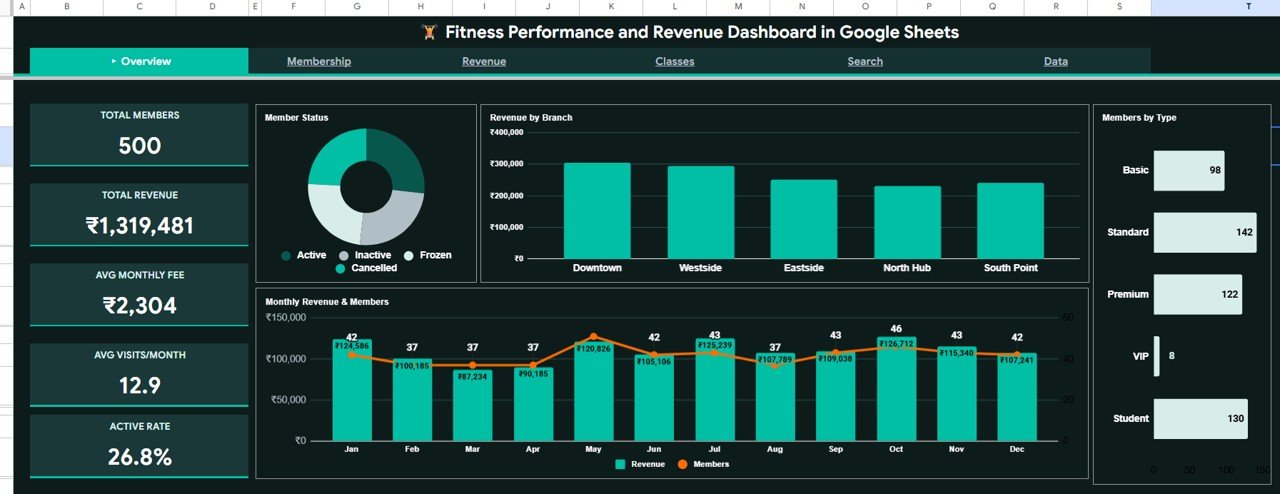
📊 5 KPI Cards on the Overview Page — Total Members, Total Revenue, Avg Monthly Fee, Avg Visits/Month, and Active Rate give you a snapshot of your gym’s health in under 5 seconds.Fitness Performance and Revenue Dashboard in Google Sheets
📈 16+ Pre-Built Charts Across 4 Analysis Pages — The dashboard includes Members by Status, Revenue by Branch, Monthly Revenue and Members by Month, Members by Type, Members by Age Group, Gender Split by Membership Type, Monthly Visits by Age, Members by Referral Source, Revenue Actual vs Target by Membership Type, Revenue by Payment Method, Cumulative Revenue by Month, Branch Revenue Q1 vs Q2, Attendance by Class, Members by Trainer, Avg Monthly Fee by Class, and Class Attendance by Gender.Fitness Performance and Revenue Dashboard in Google Sheets
🔍 Slicer Filters for Instant Analysis — Multiple slicers let you filter the dashboard by branch, membership type, gender, status, and other dimensions. The entire dashboard responds to your filter selections, making ad-hoc analysis effortless.Fitness Performance and Revenue Dashboard in Google Sheets
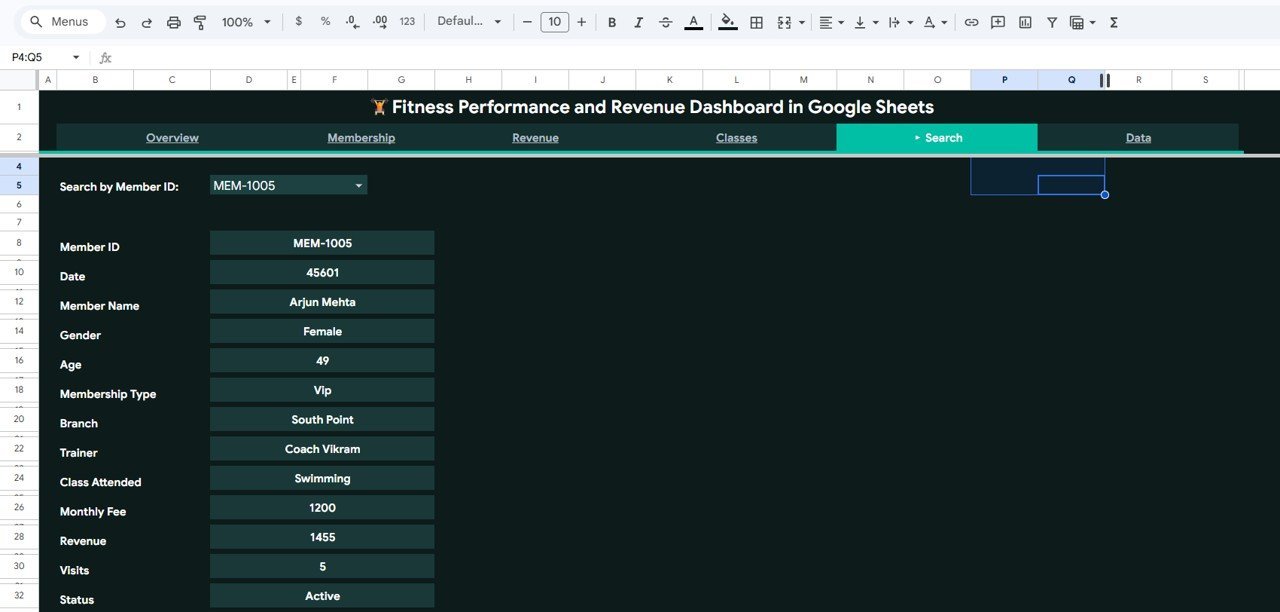
🔎 Member Search Sheet — Select any Member ID from the dropdown to instantly display the full profile including name, date, gender, age, membership type, branch, trainer, class attended, monthly fee, revenue, visits, and status. No scrolling through raw data required.Fitness Performance and Revenue Dashboard in Google Sheets
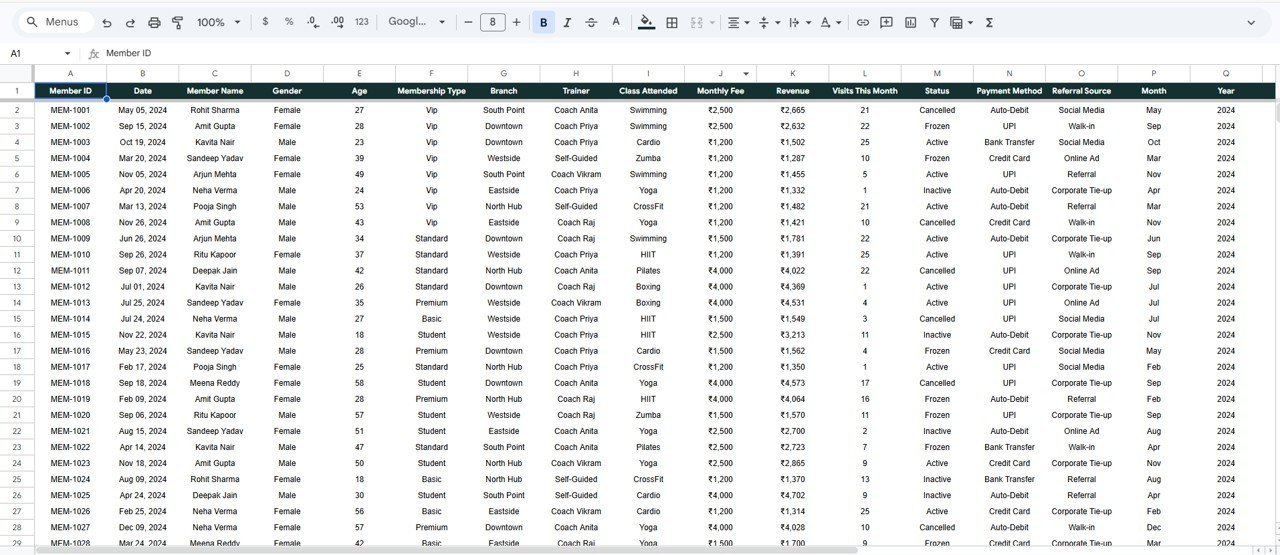
📋 Structured Data Sheet — A clean, organized data sheet where you paste your gym records in the exact format. Every dashboard page reads from this single source of truth, so updates happen everywhere at once.Fitness Performance and Revenue Dashboard in Google Sheets
🛠️ Zero Technical Setup — Built entirely on native Google Sheets formulas and pivot tables. No macros, no Apps Script triggers, no add-ons. Works in any free Google account, on desktop or mobile.Fitness Performance and Revenue Dashboard in Google Sheets
Overview Page — Fitness Performance and Revenue Dashboard in Google Sheets
📦 What’s Inside the Fitness Performance and Revenue Dashboard in Google Sheets
📌 Overview Page — The top-level summary features 5 KPI cards (Total Members, Total Revenue, Avg Monthly Fee, Avg Visits/Month, Active Rate) plus 4 charts: Members by Status, Revenue by Branch, Monthly Revenue and Members by Month, and Members by Type. Slicer filters sit at the top for quick drill-downs.
Membership Analysis Page
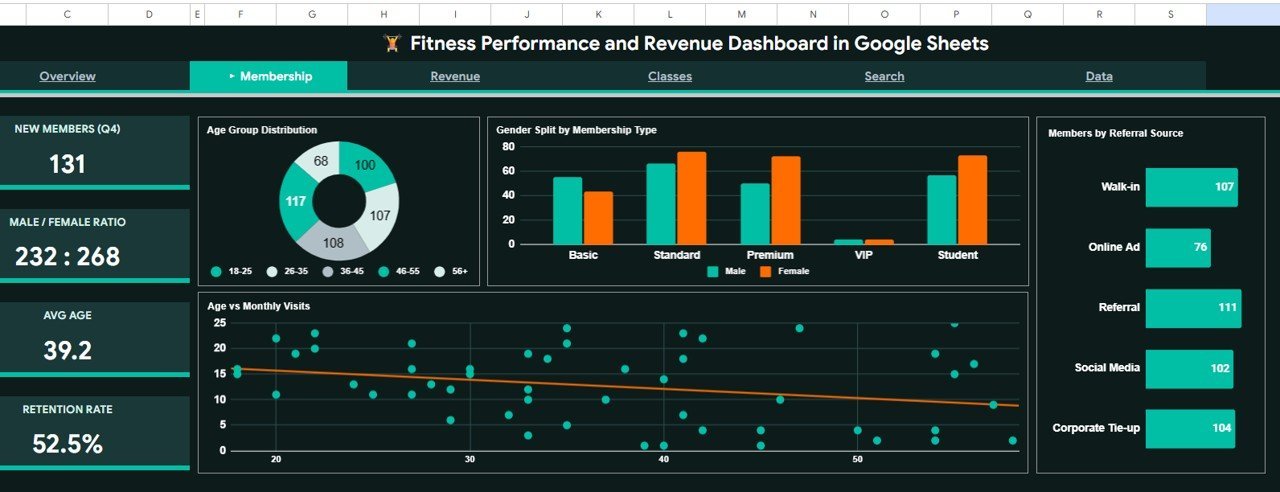
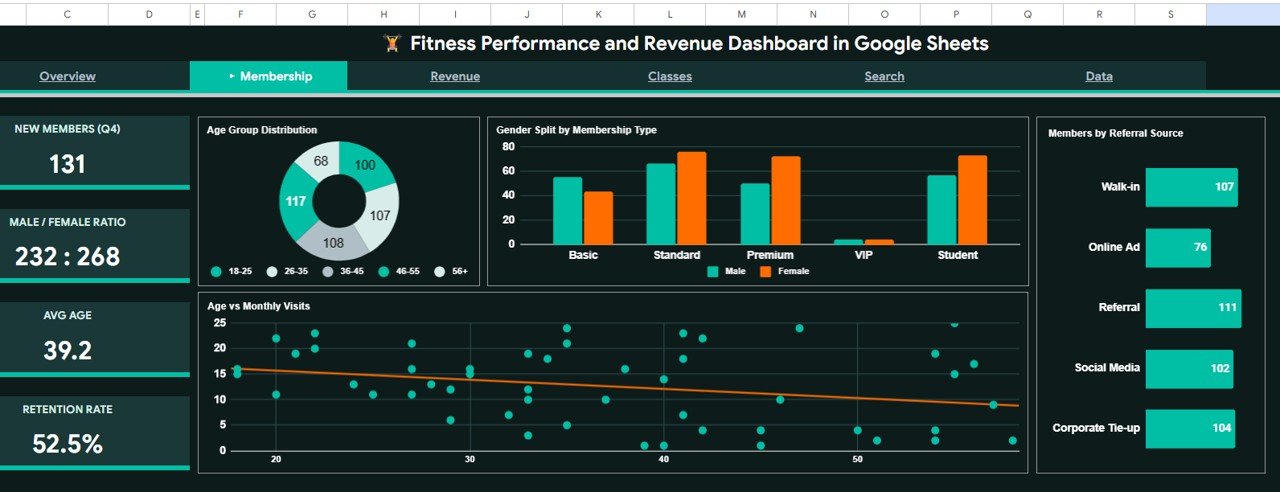
📌 Membership Page — Dives into member demographics with 4 charts: Members by Age Group, Gender Split by Membership Type, Monthly Visits by Age, and Members by Referral Source. Helps identify which age groups and referral channels bring in the most engaged members.
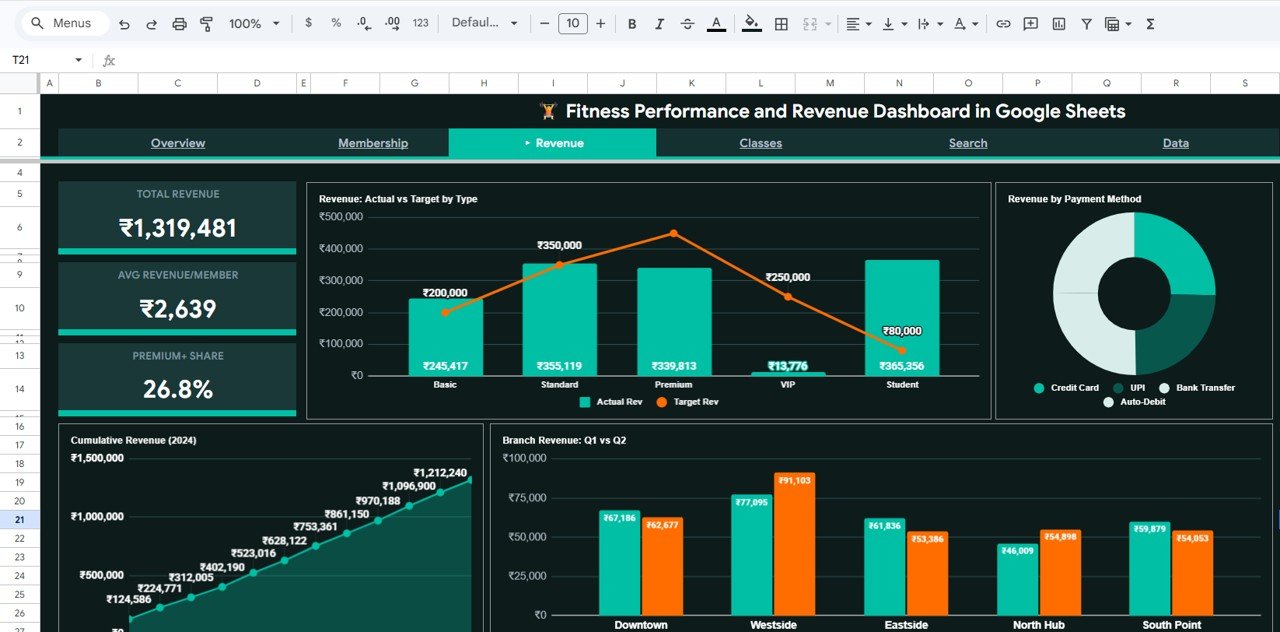
Revenue Analysis Page
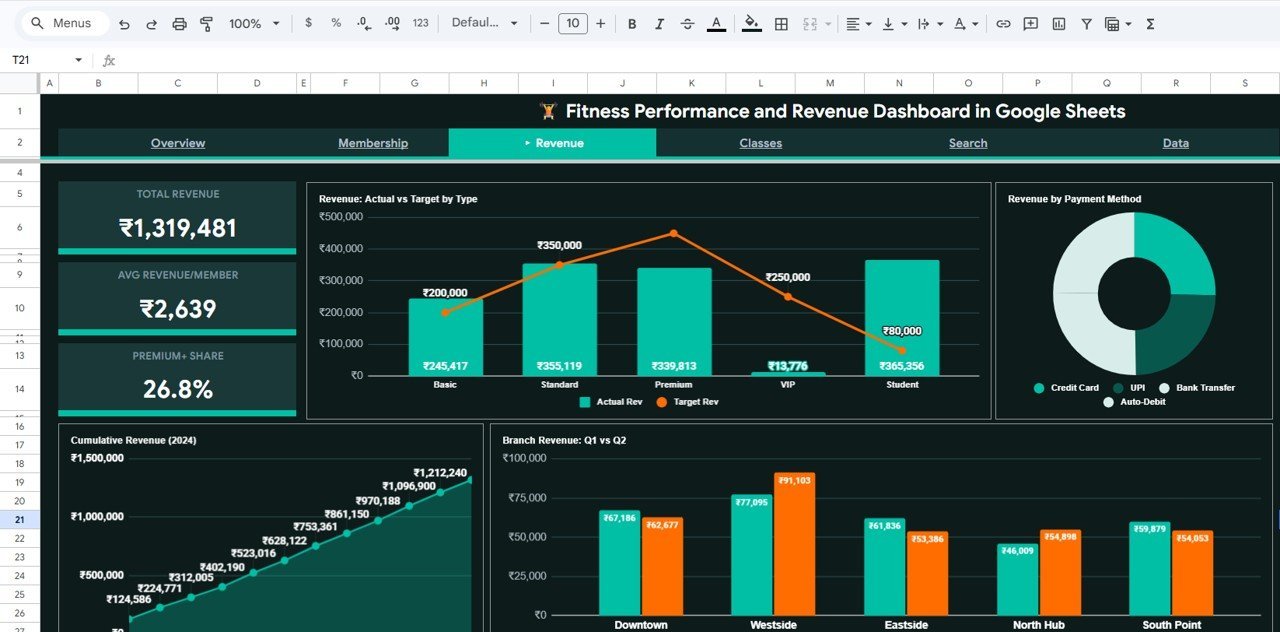
📌 Revenue Page — Financial analysis with 4 charts: Revenue Actual vs Target by Membership Type, Revenue by Payment Method, Cumulative Revenue by Month, and Branch Revenue Q1 vs Q2. This page answers whether your gym is hitting revenue targets and which payment channels dominate.
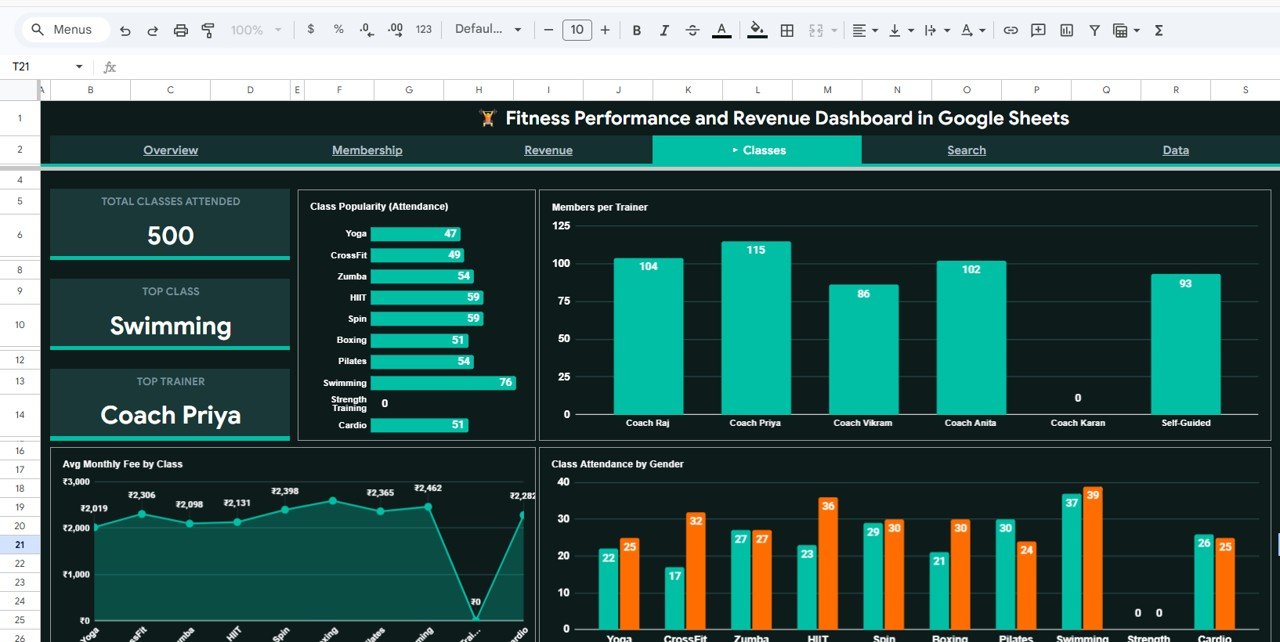
Classes Analysis Page
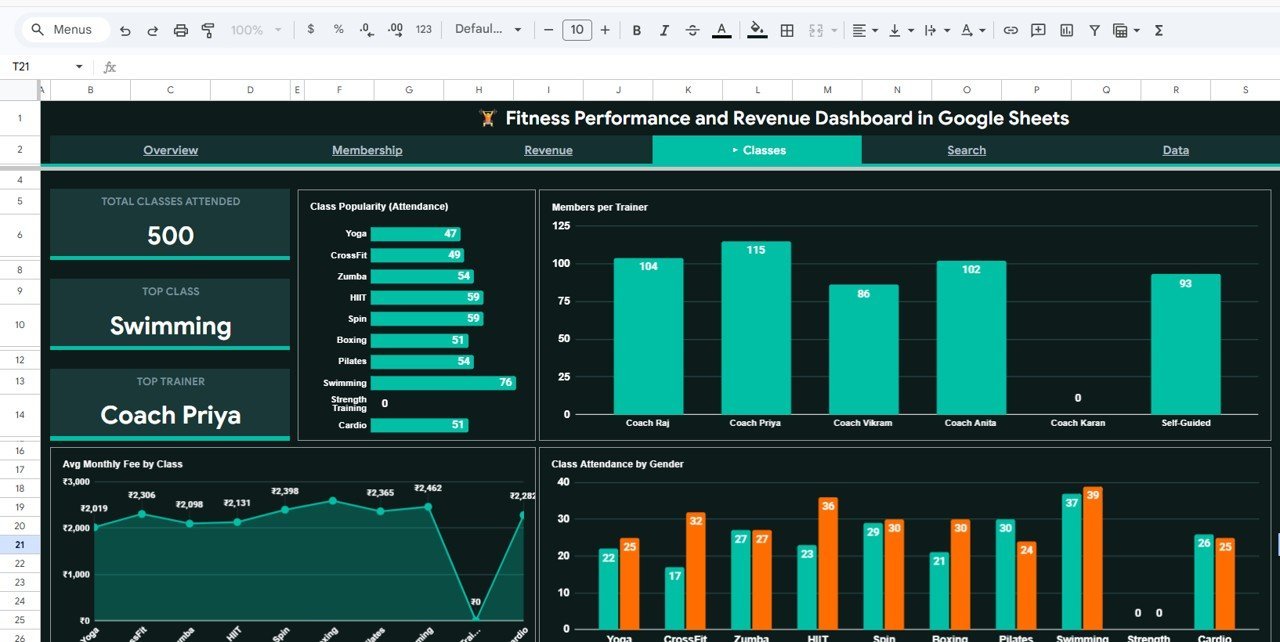
📌 Classes Page — Tracks class-level performance with 4 charts: Attendance by Class, Members by Trainer, Avg Monthly Fee by Class, and Class Attendance by Gender. Pinpoints which classes are popular, which trainers retain the most members, and gender participation patterns.
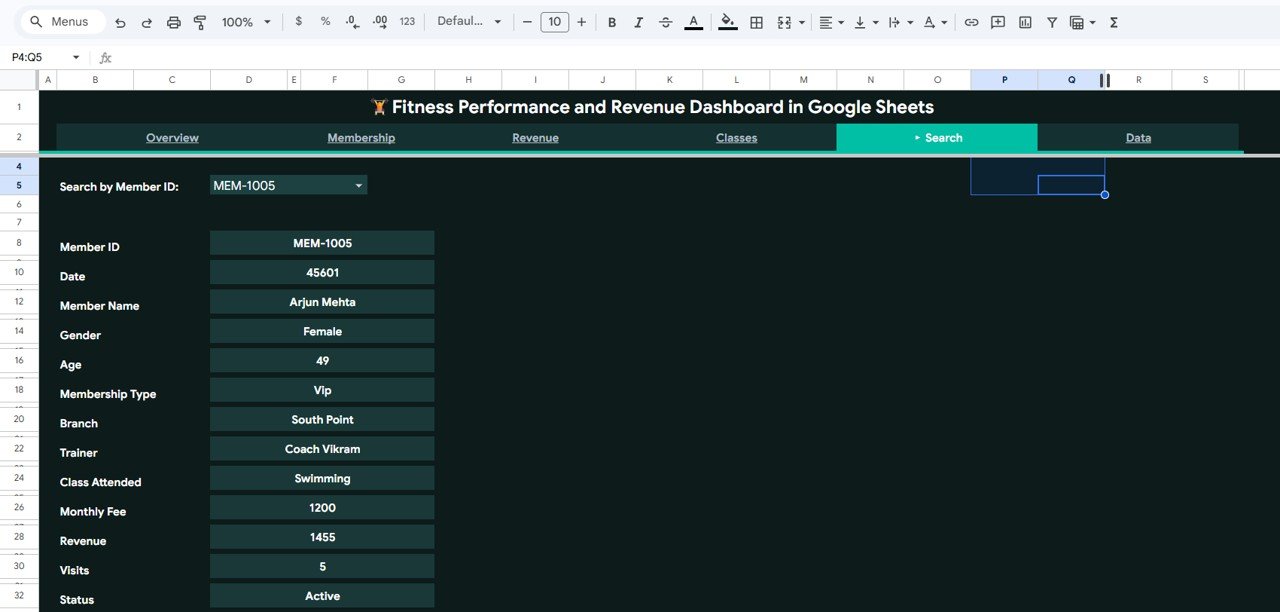
Search Sheet Tab
📌 Search Sheet — Select a Member ID from the dropdown and the complete profile appears instantly: Member Name, Date, Gender, Age, Membership Type, Branch, Trainer, Class Attended, Monthly Fee, Revenue, Visits, and Status.Fitness Performance and Revenue Dashboard in Google Sheets
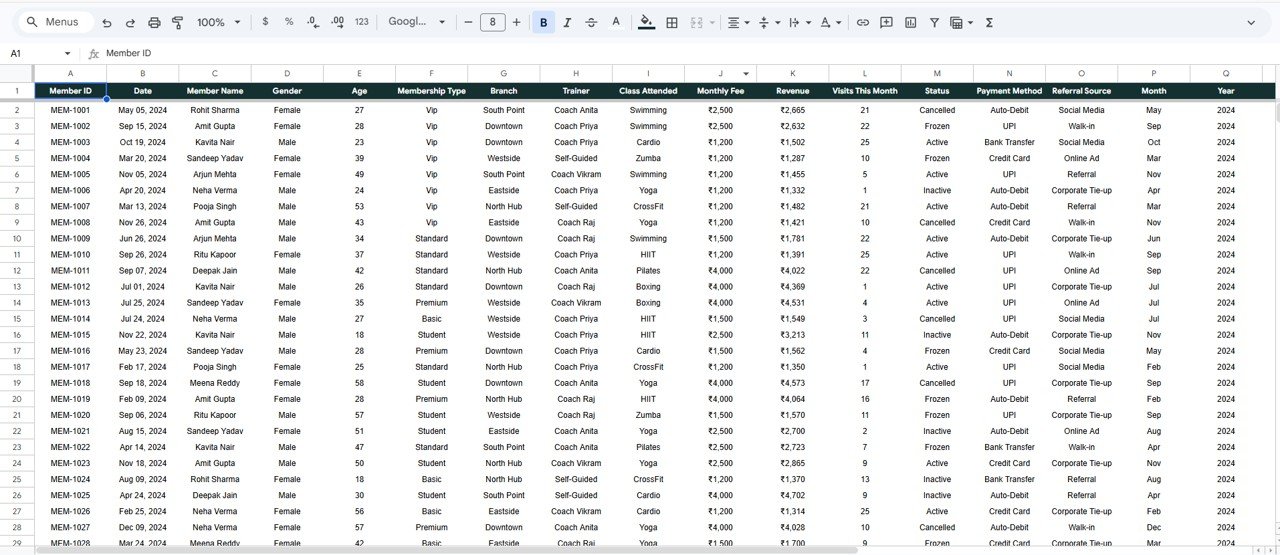
Data Sheet Tab
📌 Data Sheet — This is where you add your gym data. Simply paste your records in the same column format — member details, revenue figures, class info — and every dashboard page refreshes automatically.Fitness Performance and Revenue Dashboard in Google Sheets
📊 Fitness Performance and Revenue Dashboard in Google Sheets vs. Microsoft Excel Dashboard vs. Mindbody — Where This Fits
| Feature | Fitness Dashboard in Google Sheets | Excel Fitness Dashboard | Mindbody / Gym SaaS |
|---|---|---|---|
| Cost | $9.99 one-time | $17.99 one-time | $139–$699/month |
| Platform | Google Sheets (free account) | Microsoft Excel (license needed) | Cloud SaaS |
| Setup Time | Under 10 minutes | Under 10 minutes | 2-4 weeks onboarding |
| Real-Time Collaboration | ✅ Built-in (Google Sheets) | ❌ Requires OneDrive | ✅ Yes |
| Mobile Access | ✅ Google Sheets app | Limited on mobile | ✅ Dedicated app |
| Customizable Fields | ✅ Fully editable | ✅ Fully editable | Limited to plan tier |
| Member Search | ✅ Dropdown lookup | ✅ VBA or manual | ✅ Built-in CRM |
| Year-1 Cost (5 Users) | $9.99 total | $17.99 + Excel licenses | $1,668–$8,388 |
| Revenue vs Target Tracking | ✅ Included | ✅ Included | Depends on plan |
For gym owners who want member analytics and revenue tracking without paying $139+/month for Mindbody, the Fitness Performance and Revenue Dashboard in Google Sheets sits in the sweet spot.
👥 Who This Template Is For — and Who It’s Not For
✅ This template is built for:
- Gym owners and fitness studio managers tracking 50–5,000 members across 1-10 branches
- Personal trainers and boutique studio operators who want revenue and class insights without SaaS subscriptions
- Fitness franchise managers comparing branch-level performance and trainer utilization
- Wellness centers and yoga studios monitoring membership trends, referral sources, and retention
❌ This template is NOT for:
- Enterprise fitness chains with 50+ locations needing automated POS integration and real-time booking
- Gyms requiring built-in payment processing, class scheduling, or member check-in hardware
- Teams that need HIPAA-compliant health data storage (Google Sheets is not HIPAA-certified by default)
⚙️ How to Use the Fitness Performance and Revenue Dashboard in Google Sheets
1️⃣ Download the PDF guide from your purchase confirmation and click the Google Sheets copy link inside it.
2️⃣ Open the Data Sheet tab and replace the sample data with your gym’s member records — names, dates, membership types, revenue, visits, classes, and branch info.
3️⃣ Navigate to the Overview page to see all 5 KPI cards and 4 summary charts update automatically.
4️⃣ Use the slicer filters at the top of each page to drill into specific branches, membership types, or time periods.
5️⃣ Explore the Membership, Revenue, and Classes pages for detailed analysis on demographics, financial performance, and class-level metrics.
6️⃣ Use the Search Sheet to look up individual member profiles by selecting their Member ID from the dropdown.
💼 Real-World Use Cases
Ravi manages a 3-branch fitness chain in Pune. He uses the Fitness Performance and Revenue Dashboard in Google Sheets to compare monthly revenue across locations, identify which branch has the lowest active member rate, and present quarterly growth reports to investors — without paying ₹10,000+/month for Mindbody.
Jessica owns a boutique Pilates studio in Austin. She tracks her 180 members using the Membership page to see which age groups attend most frequently and which referral source (Instagram, walk-in, friend referral) drives the best retention. The slicer filters let her isolate data by membership type in two clicks.
Carlos is a personal trainer running group classes at two gyms. He uses the Classes page to monitor attendance by class type, compare his retention rate against other trainers, and adjust his schedule based on which sessions fill up consistently. The Gym Retention Dashboard in Google Sheets complements this template for deeper churn analysis.
❓ Frequently Asked Questions
What KPIs does the Fitness Performance and Revenue Dashboard in Google Sheets track?
The dashboard tracks 5 KPIs: Total Members, Total Revenue, Avg Monthly Fee, Avg Visits/Month, and Active Rate. All metrics update automatically when you replace the sample data with your own gym records.
Can I use this template with a free Google account?
Yes. The Fitness Performance and Revenue Dashboard in Google Sheets runs entirely on native Google Sheets formulas and pivot tables. No paid Google Workspace plan, add-ons, or macros are required.
How does this compare to Mindbody or Gym SaaS tools?
Mindbody starts at $139/month. This dashboard costs $9.99 once. It lacks booking and payment processing but delivers the same member analytics and revenue tracking that most small-to-mid gyms actually need.
How many members can this dashboard handle?
Google Sheets supports up to 10 million cells. Practically, the dashboard handles 5,000–10,000 member records smoothly. For larger datasets, consider the Gym Fitness Business Dashboard in Power BI.
Can I customize the charts and add my own metrics?
Yes. Every chart, KPI formula, and slicer is fully editable. You can add new columns to the Data sheet, create additional pivot tables, and build extra charts using standard Google Sheets features.
Is this template available in Excel or Power BI?
Yes. NextGenTemplates offers the Gym Fitness Business Dashboard in Excel and the Gym Fitness Business Dashboard in Power BI as well as an HTML version.
How long does setup take?
Under 10 minutes. Open the Google Sheets copy link, paste your data into the Data Sheet, and every dashboard page, chart, and KPI card refreshes automatically. No formulas to edit.
👤 About the Author
Built by PK — Microsoft Certified Professional with 15+ years of Excel, Google Sheets, and Power BI experience. Founder of NextGenTemplates, reaching 300K+ subscribers across YouTube channels (@PK-AnExcelExpert, @NextGenTemplates, @NeoTechNavigators). Every template is hand-built and tested before release.
🔗 Explore Related Templates
📌 Gym Retention Dashboard in Google Sheets — Deep-dive into member churn, retention rates, and engagement trends.
📌 Gym Fitness Business Dashboard in Google Sheets — Broader business metrics covering revenue, expenses, and profit analysis.
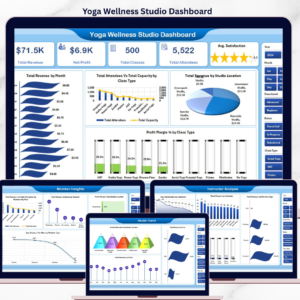
📌 Yoga & Wellness Studio Dashboard in Excel — Yoga and wellness-specific tracking with instructor and class analytics.
📌 Also available as: Excel · Power BI · HTML
🔍 Browse all Google Sheets Dashboard Templates
📖 Click here to read the Detailed Blog Post
Watch the step-by-step video tutorial:
🎥 Visit our YouTube channel for step-by-step video tutorials
👉 YouTube.com/@NextGenTemplates