

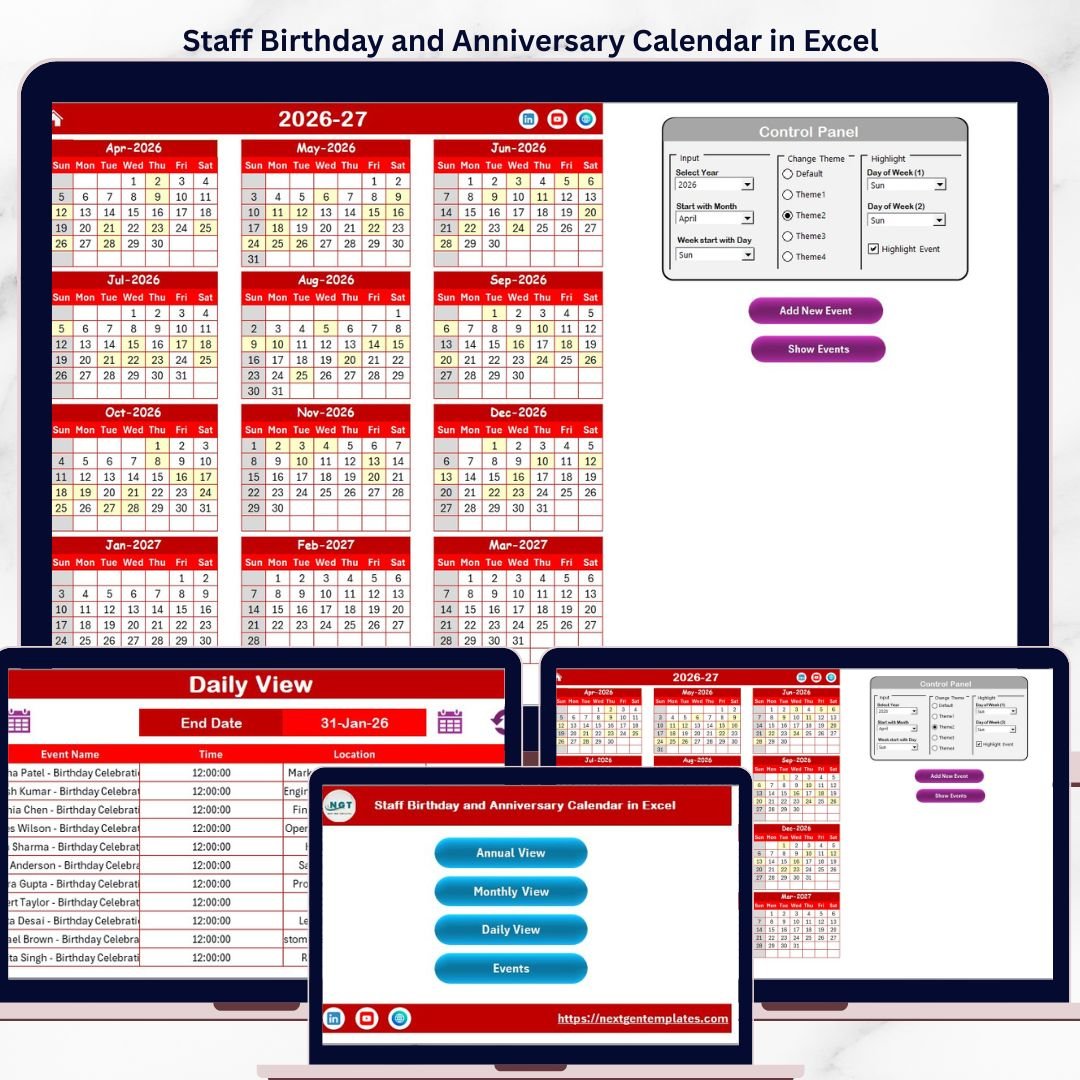

Staff Birthday and Anniversary Calendar in Excel Calendar in Excel manages employee birthdays and work anniversaries across 5 structured worksheets — Home, Annual View, Monthly View, Daily View, and Events — with 5 color themes, VBA-powered event forms, and automatic calendar generation for any year. Setup takes under 5 minutes: select your year, pick a theme, and start adding events.Staff Birthday and Anniversary Calendar in Excel
🌍 Join 8,400+ teams in 40+ countries using NextGenTemplates to replace paid SaaS tools with one-time-purchase Excel, Google Sheets, Power BI, and HTML templates.Staff Birthday and Anniversary Calendar in Excel
✅ Instant download · One-time payment · No subscription · No per-user fees · Lifetime access
🔑 Key Features of Staff Birthday and Anniversary Calendar in Excel
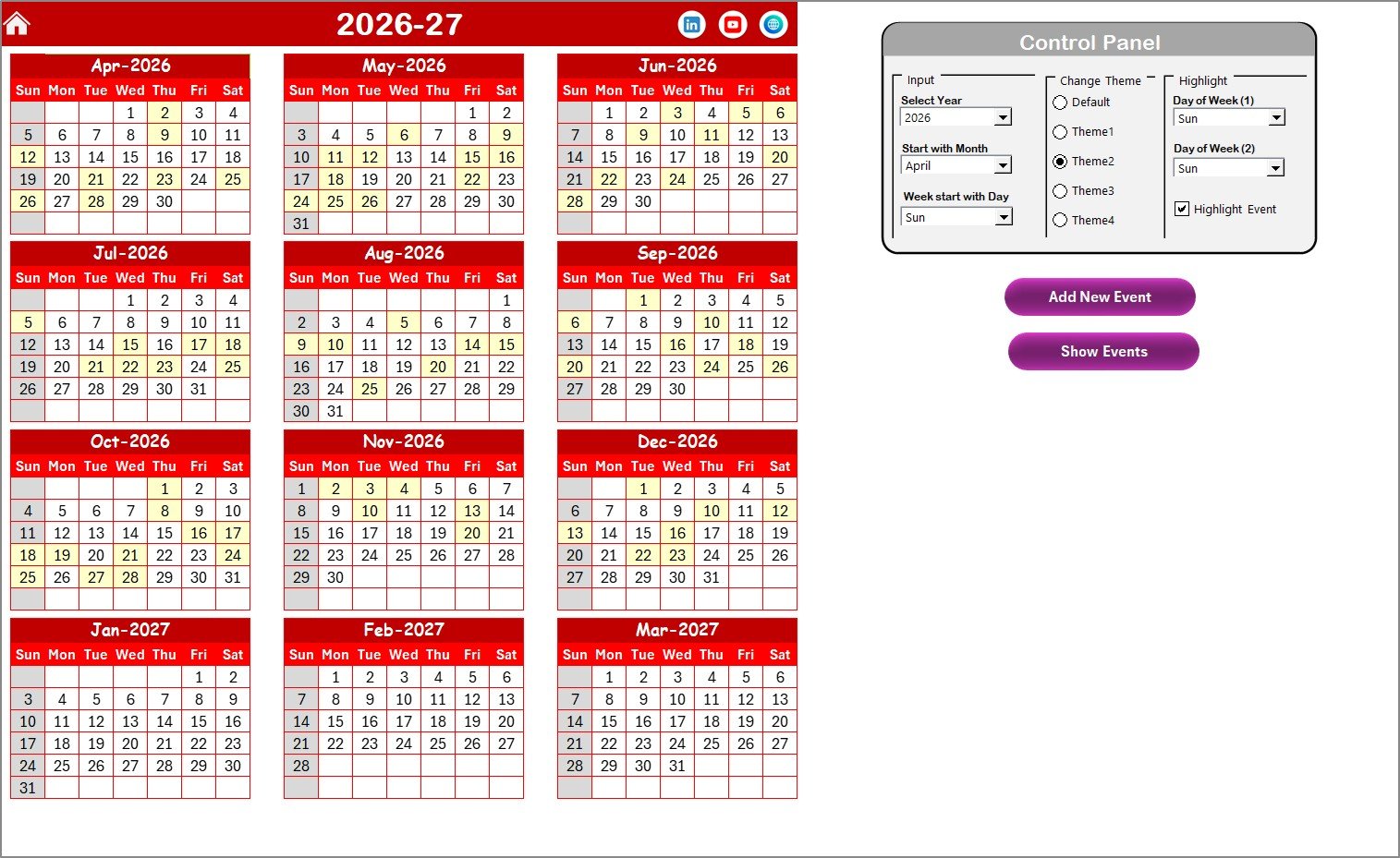
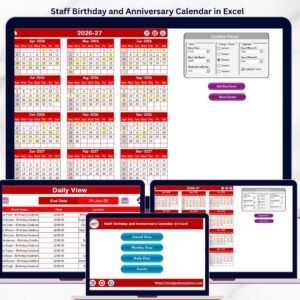
📅 Annual View with 12-Month Calendar — displays all 12 months on a single sheet with automatic year generation. Change the year, starting month, or starting day of the week from the control panel and the entire calendar rebuilds instantly.Staff Birthday and Anniversary Calendar in Excel
🎨 5 Built-In Color Themes — switch the entire workbook’s color scheme with one click from the control panel. Choose the theme that matches your company branding or personal preference.Staff Birthday and Anniversary Calendar in Excel
🔆 Weekend and Event Highlighting — select any two days of the week (e.g., Saturday and Sunday) to highlight in grey across the calendar. Check the Highlight Events checkbox to mark all events in yellow on the Annual View sheet.Staff Birthday and Anniversary Calendar in Excel
📝 VBA-Powered Add Event Form — click the Add New Event button on any view, fill in the date, event name, time, location, and description, then submit. The event is instantly saved to the Events database sheet.Staff Birthday and Anniversary Calendar in Excel
📋 Show Events on Any Date — select a date and click Show Event to see the full list of events scheduled for that day, including time, location, and description.
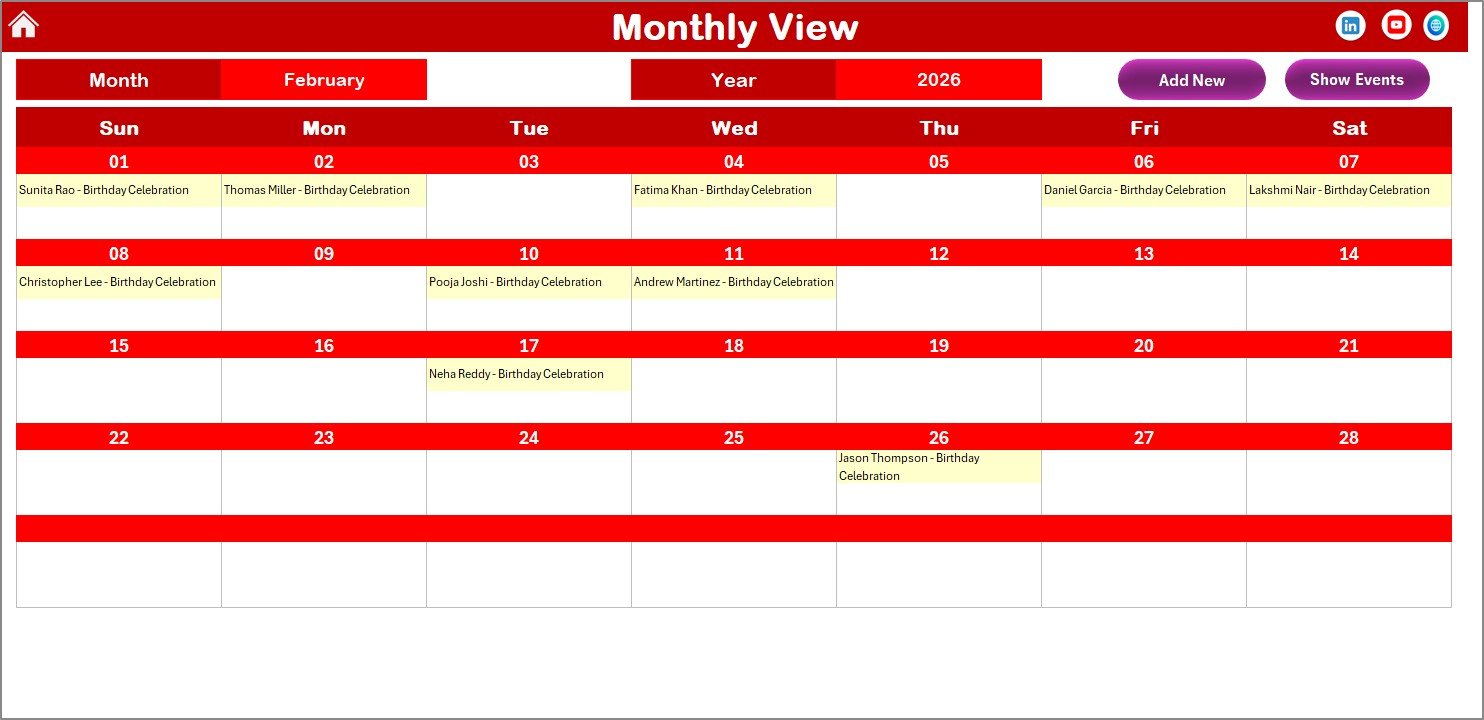
📆 Monthly View with Single-Month Calendar — view one month at a time with event names displayed directly on calendar dates. If a date has more than one event, the calendar shows “more than 1…” so you know to click for details.
📊 Daily View with Date Range Filtering — set a start date and end date to display all events within that range in a detailed list format. Use the calendar icon to pick dates and click Refresh to update.
🗄️ Events Database Sheet — captures all event records with auto-generated ID, Date, Day, Event Name, Time, Location, and Description. Add, update, or delete records directly from this sheet using the three action buttons.
📦 What’s Inside the Staff Birthday and Anniversary Calendar in Excel
This ready-to-use Excel calendar template includes 5 worksheets designed for complete event and milestone tracking:Staff Birthday and Anniversary Calendar in Excel
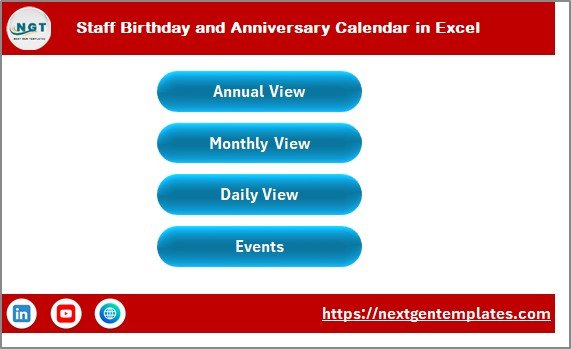
1. Home Sheet — an index page with 4 navigation buttons (Annual View, Monthly View, Daily View, Events) for quick access to any section of the workbook.
 Staff Birthday and Anniversary Calendar in Excel
2. Annual View Sheet — a full 12-month calendar with a control panel containing 3 groups: Input (select Year, Starting Month, Starting Day), Change Theme (5 color options), and Highlight (choose 2 weekdays to grey out + event highlighting toggle). Includes Add New Event and Show Event buttons.
 Annual View Sheet
3. Monthly View Sheet — a single-month calendar showing events directly on dates. Select Month and Year from the top dropdowns. Add New Event and Show Event buttons are available for quick data entry.
 Monthly View Sheet
4. Daily View Sheet — a date-range event list. Enter Start Date and End Date using the calendar icon, then click Refresh to display all events in that period. The Add New Event button opens the form for quick entry.
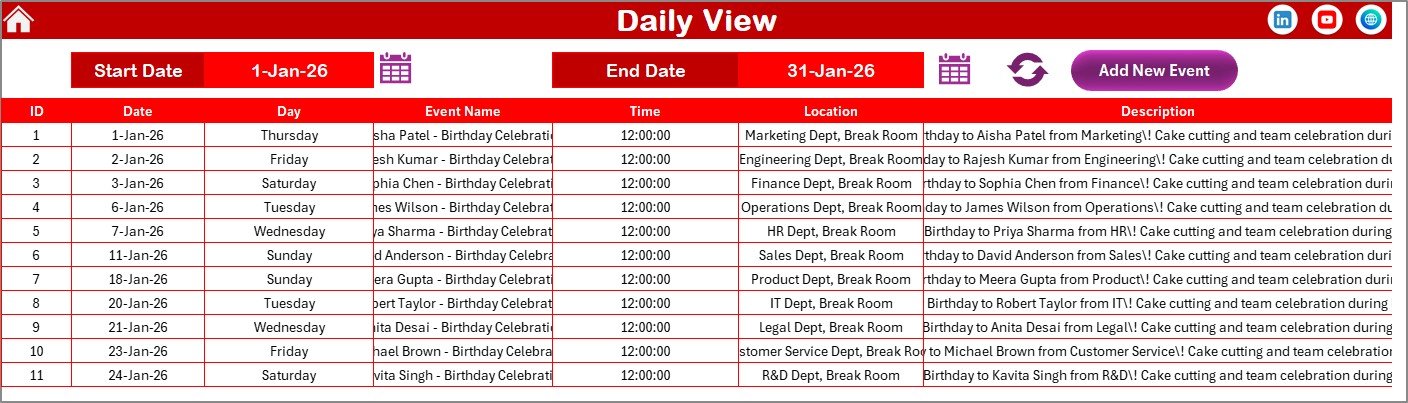 Daily View Sheet
5. Events Sheet — the database that stores all event records: ID (auto-generated), Date, Day, Event Name, Time, Location, and Description. Three action buttons — Add New Record, Update Existing Record, and Delete Record — let you manage events directly.
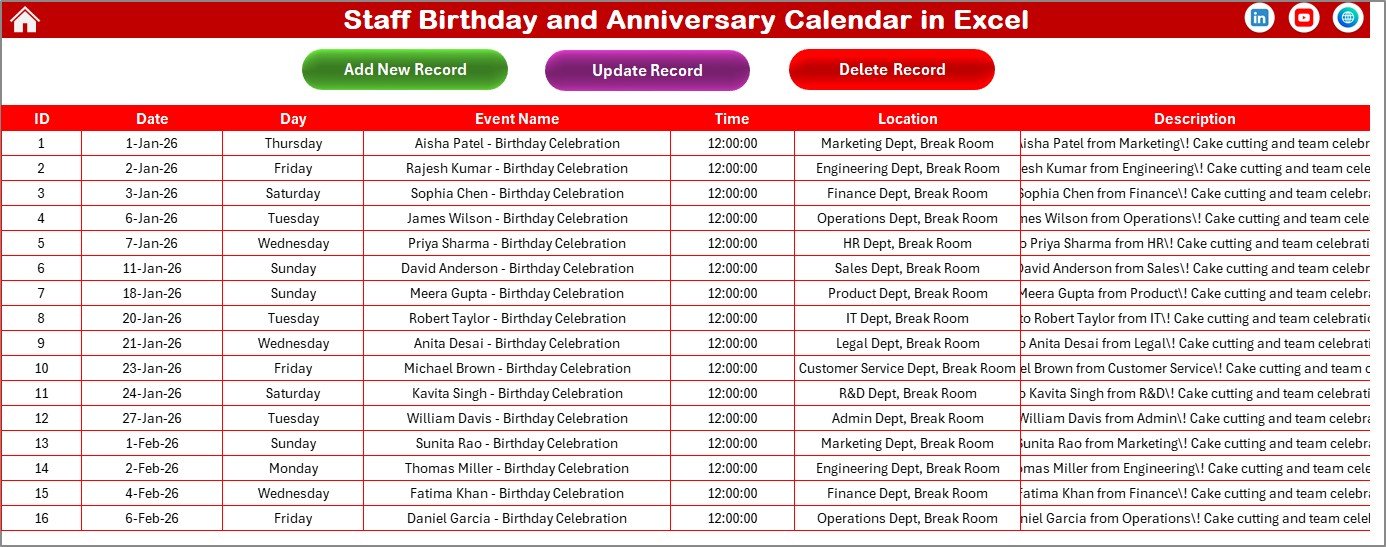 Events Database Sheet
Looking for more Excel Calendar Templates? Browse our full collection of 400+ calendar templates for every department and industry.
📊 Staff Birthday and Anniversary Calendar in Excel vs. Google Sheets Calendar vs. BambooHR — Where This Fits
| Feature | Staff Birthday Calendar (Excel) | Google Sheets Calendar | BambooHR |
|---|---|---|---|
| Cost | $4.99 one-time | Free (manual setup) | $6-8 / user / month |
| Platform | Microsoft Excel (desktop + web) | Google Sheets (web only) | Cloud SaaS |
| Setup Time | Under 5 minutes | 2-4 hours (build from scratch) | 1-2 weeks onboarding |
| Annual + Monthly + Daily Views | ✅ All 3 included | ❌ Build manually | ✅ Built-in |
| VBA Event Forms | ✅ Add / Update / Delete | ❌ No VBA support | ✅ Web forms |
| Color Themes | ✅ 5 themes | ❌ Manual formatting | Limited branding |
| Offline Access | ✅ Full offline | ❌ Internet required | ❌ Internet required |
| Year-1 Cost (5 users) | $4.99 total | $0 (but hours of setup) | $360-480 / year |
For HR teams that want a ready-made birthday and anniversary tracker without monthly SaaS fees, the Staff Birthday and Anniversary Calendar in Excel sits in the sweet spot.
👥 Who This Template Is For — and Who It’s Not For
✅ This template is built for:
- HR managers and office administrators at 10-500 person companies tracking employee milestones
- Small business owners who want to remember staff birthdays and work anniversaries without paid HR software
- Team leads and department managers planning team celebrations and recognition events
- Schools, churches, and nonprofits tracking member birthdays and annual events
❌ This template is NOT for:
- Enterprise HR teams (1,000+ employees) needing HRIS integration with payroll and benefits
- Organizations requiring cloud-based real-time multi-user collaboration (consider the Google Sheets Birthday Tracker instead)
⚙️ How to Use the Staff Birthday and Anniversary Calendar in Excel
- Download and open the file in Microsoft Excel. Enable macros when prompted — required for VBA event forms.
- Go to the Annual View sheet and set your Year, Starting Month, and Starting Day from the control panel.
- Pick a color theme from the 5 options in the Change Theme group to style the entire workbook.
- Set weekend highlighting by choosing Day of Week (1) and Day of Week (2) in the Highlight group.
- Add employee birthdays and anniversaries by clicking Add New Event, filling the form, and submitting.
- Switch between Annual, Monthly, and Daily views to see events at different zoom levels.
- Manage records on the Events sheet using Add, Update, and Delete buttons.
💼 Real-World Use Cases
Priya manages HR at a 45-person marketing agency. She enters every employee’s birthday and work anniversary into the calendar at the start of each year. Each Monday she checks the Monthly View to see if any celebrations are coming up that week, then sends a reminder to the team lead. The total setup took her 20 minutes — compared to the $2,400/year her manager quoted for BambooHR.Staff Birthday and Anniversary Calendar in Excel
David runs a 12-person accounting firm. He uses the Daily View to print a weekly list of upcoming staff milestones. He also logs client birthdays so the team can send personalized greeting cards. The 5 color themes let him switch between a professional blue scheme for client-facing printouts and a festive orange theme for internal celebrations.
Sister Mary coordinates events at a parish with 300 members. She tracks congregation birthdays, wedding anniversaries, and feast days on the Annual View. The event highlighting in yellow lets her spot busy weeks at a glance, and the VBA form prevents data entry errors from volunteers who help maintain the list.Staff Birthday and Anniversary Calendar in Excel
❓ Frequently Asked Questions
How many events can the Staff Birthday and Anniversary Calendar hold?
The Staff Birthday and Anniversary Calendar in Excel stores events in a standard Excel worksheet, supporting up to 1,048,576 rows. For most organizations tracking birthdays and anniversaries, this is effectively unlimited capacity.
Does this calendar work with Microsoft 365 and Excel Online?
The calendar opens in any version of Microsoft Excel from 2016 onward. VBA features (Add, Update, Delete forms) require the desktop app. Annual/Monthly/Daily views display correctly in Excel Online but VBA buttons need the desktop version.
Can I change the starting month of the calendar?
Yes. The Annual View control panel lets you select any starting month. Choose April for a fiscal-year calendar, September for an academic-year calendar, or January for a standard calendar year.
How does this compare to BambooHR for birthday tracking?
BambooHR charges $6-8 per user per month and requires onboarding. The Staff Birthday and Anniversary Calendar in Excel costs $4.99 one-time, works offline, and is ready in under 5 minutes with no per-user fees.Staff Birthday and Anniversary Calendar in Excel
Can multiple people use this calendar at the same time?
One person at a time can use the VBA forms. However, you can share the file on OneDrive or SharePoint for read access by team members. For real-time multi-user editing, consider the Google Sheets Birthday Tracker.
Is the calendar reusable for future years?
Yes. Simply change the Year in the control panel and the entire 12-month calendar regenerates automatically. All existing events remain in the Events database and display on the correct dates in the new year.Staff Birthday and Anniversary Calendar in Excel
What information does each event record store?
Each event stores 7 fields: auto-generated ID, Date, Day of the week, Event Name, Time, Location, and Description. You can add, update, or delete records using the VBA-powered buttons on the Events sheet.Staff Birthday and Anniversary Calendar in Excel
👤 About the Author
Built by PK — Microsoft Certified Professional with 15+ years of Excel, Google Sheets, and Power BI experience. Founder of NextGenTemplates, reaching 300K+ subscribers across YouTube channels (@PK-AnExcelExpert, @NextGenTemplates, @NeoTechNavigators). Every template is hand-built and tested before release.Staff Birthday and Anniversary Calendar in Excel
🔗 Explore Related Templates
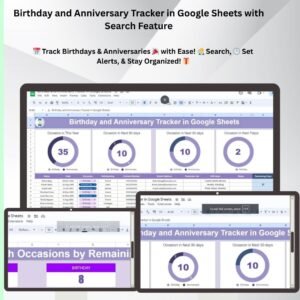
📌 Birthday and Anniversary Tracker in Google Sheets — the Google Sheets version with built-in search feature, perfect if you need cloud-based collaboration.
📌 Performance Review Schedule Calendar in Excel — track performance review cycles and deadlines alongside your HR calendar.
📌 HR Compliance and Audit Calendar in Excel — manage compliance deadlines, audits, and regulatory events for your HR department.
📌 Monthly Timesheet Calendar in Excel — combine time tracking with calendar views for employee attendance and hours.
Browse all HR & Payroll Templates to find the right tool for your team.
📖 Click here to read the Detailed Blog Post
🎥 Visit our YouTube channel for step-by-step video tutorials
👉 YouTube.com/@NextGenTemplates
Compatibility and Requirements
- Works in Microsoft Excel desktop on Windows, with macros enabled. The Add, Update and Delete event forms use VBA, so they do not run in Excel for the web, Google Sheets or mobile.
- Excel explains how to turn macros on in Enable or disable macros in Microsoft 365 files.

















Reviews
There are no reviews yet.