


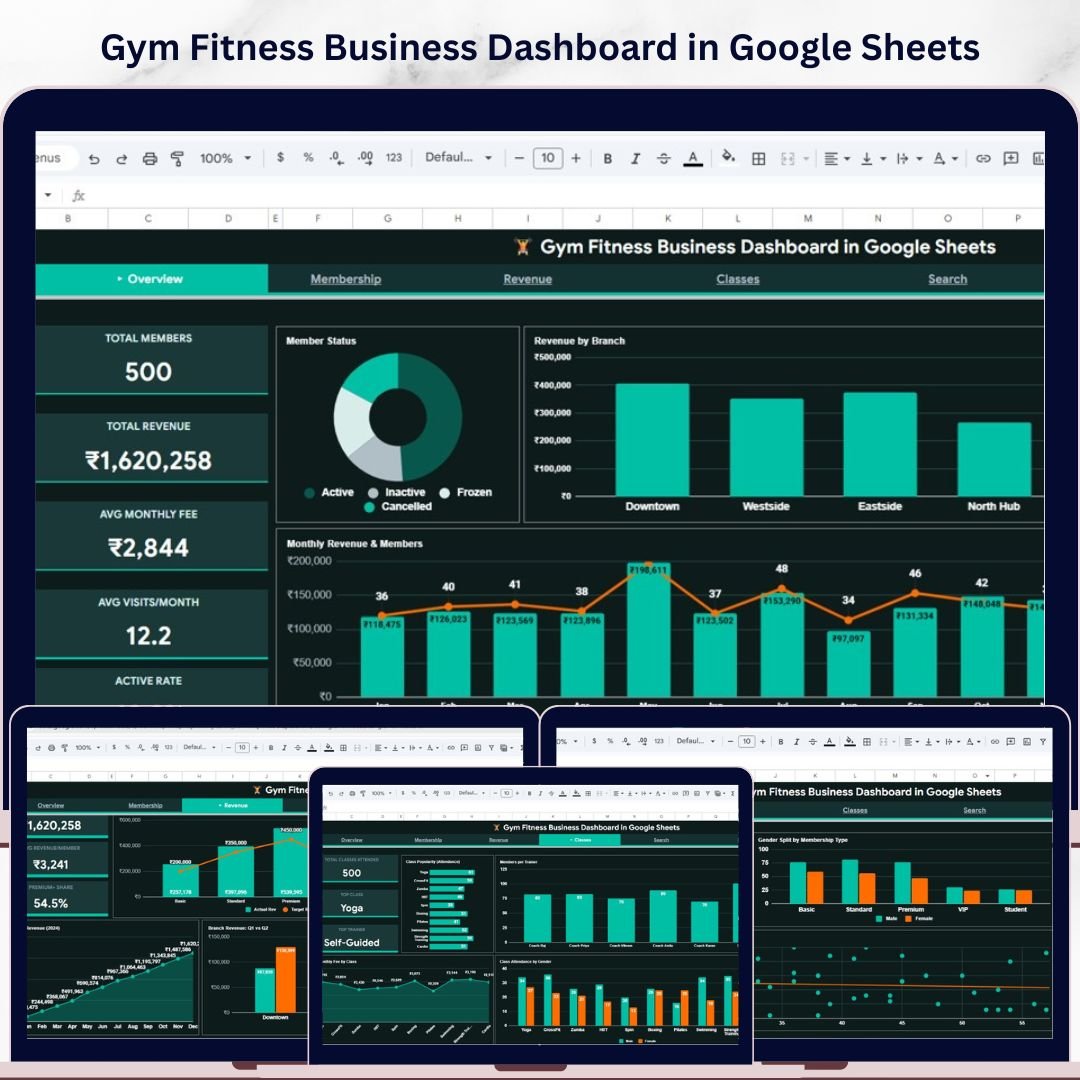
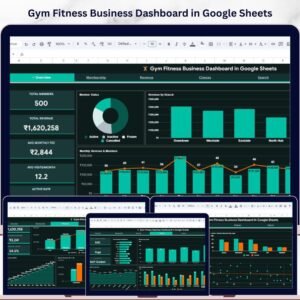
The Gym Fitness Business Dashboard in Google Sheets is a powerful, ready-to-use analytics template built for gym owners, fitness center managers, and personal training studios who want complete visibility into their business performance. This dashboard includes 6 interactive sheet tabs covering membership tracking, revenue analysis, class attendance, trainer performance, and member search — all powered by Google Sheets formulas and charts that update automatically when you enter your data.
Whether you run a single-location gym or manage multiple fitness branches, this template gives you a bird’s-eye view of every metric that matters — from total members and monthly revenue to retention rates and class popularity. It is one of the most comprehensive Google Sheets dashboard templates available for the fitness industryGym Fitness Business Dashboard in Google Sheets
🔑 Key Features of Gym Fitness Business Dashboard in Google Sheets
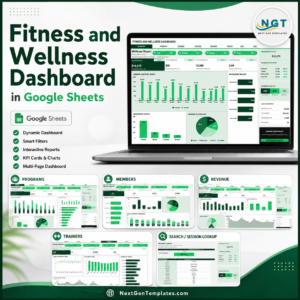
📊 6 Interactive Dashboard Pages – Overview, Membership Analysis, Revenue Analysis, Classes Analysis, Search Sheet, and Data Sheet provide a 360-degree view of your fitness business.
📈 5 High-Level KPI Cards – Instantly view Total Members, Total Revenue, Avg Monthly Fee, Avg Visits/Month, and Active Rate on the Overview page.
🔍 Multiple Slicers & Filters – Apply filters across the Overview page to slice data by branch, membership type, status, and more for focused analysis.
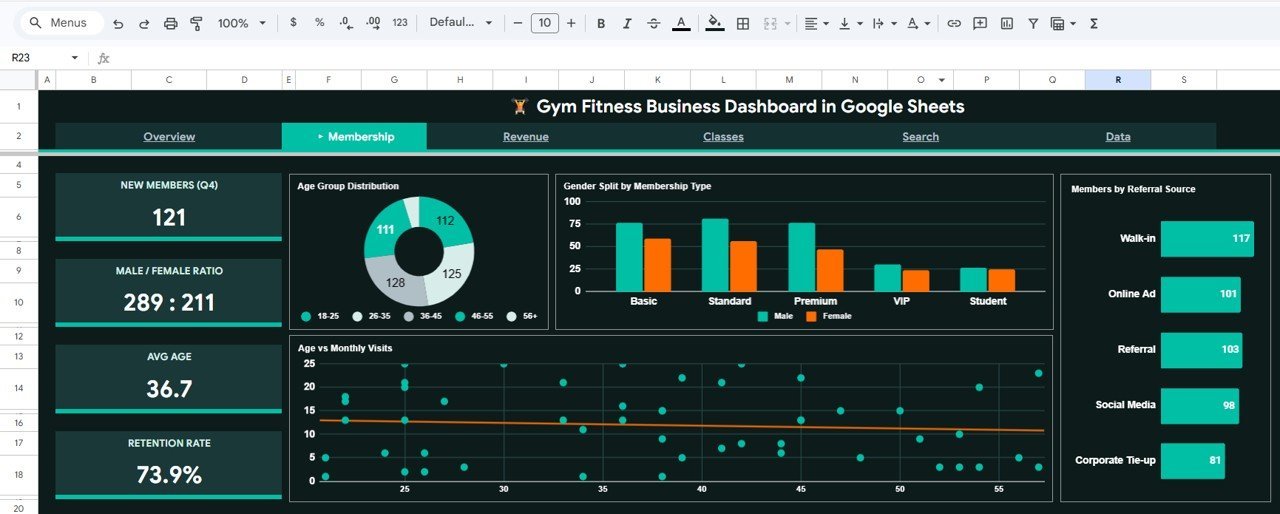
👥 Membership Deep Dive – Track new members, male/female ratio, average age, retention rate, age group distribution, gender split by membership type, and referral source analysis.
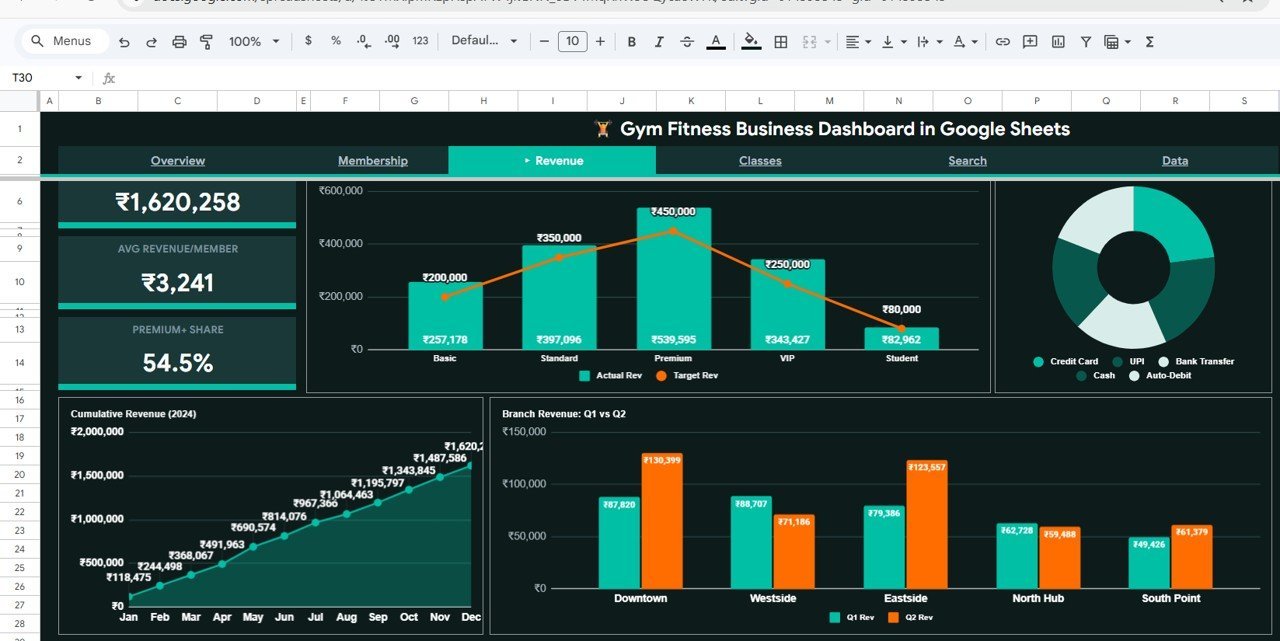
💰 Revenue Intelligence – Analyze total revenue, average revenue per member, premium membership share, actual vs target revenue, payment method distribution, cumulative revenue trends, and branch-level quarterly comparisons.
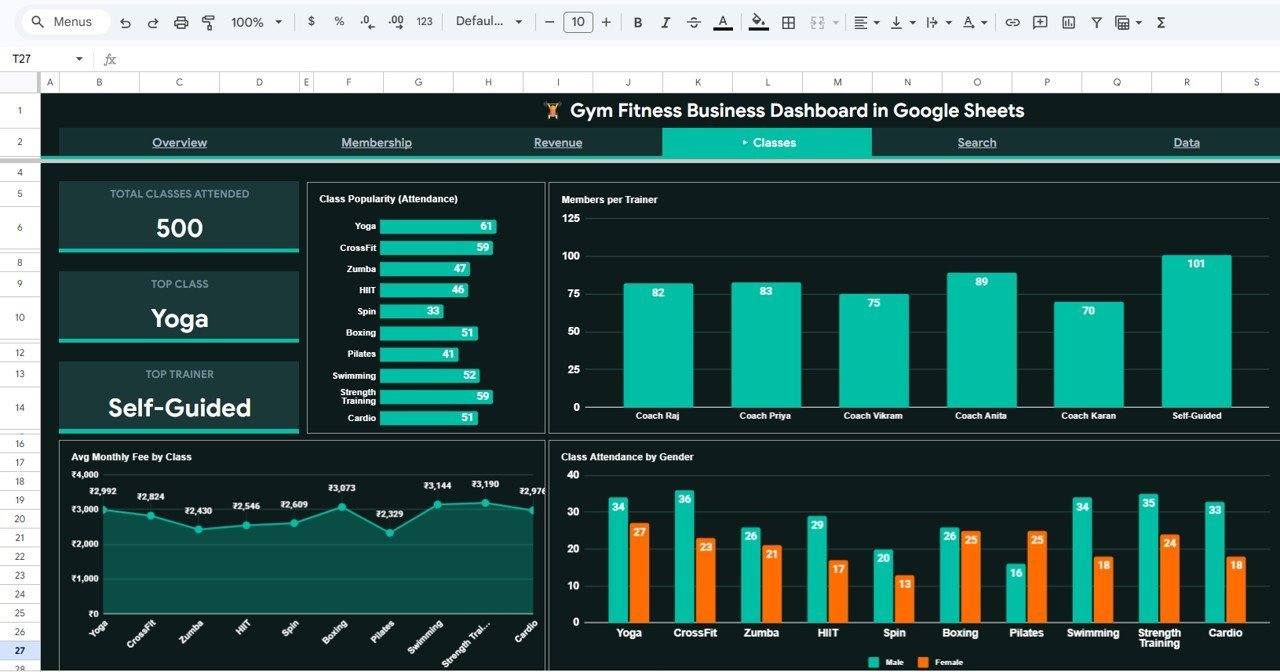
🏋️ Class & Trainer Analytics – Monitor total classes attended, identify top classes and trainers, view class popularity, members per trainer, average monthly fee by class, and gender-based attendance patterns.
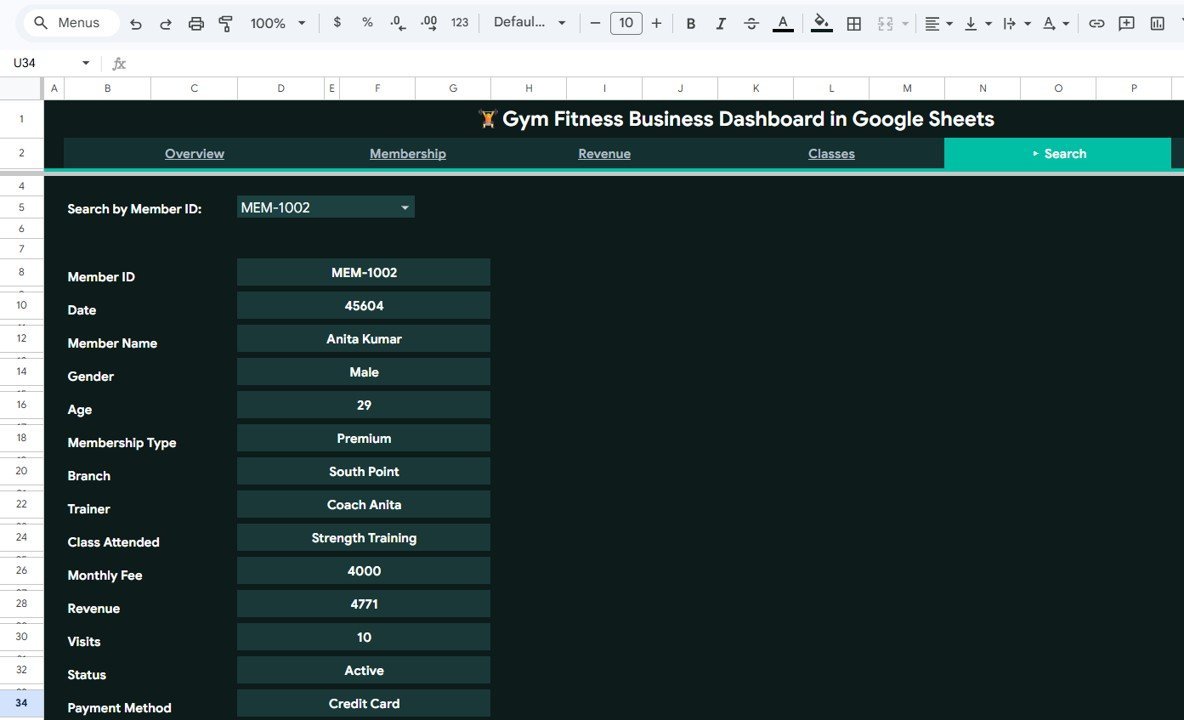
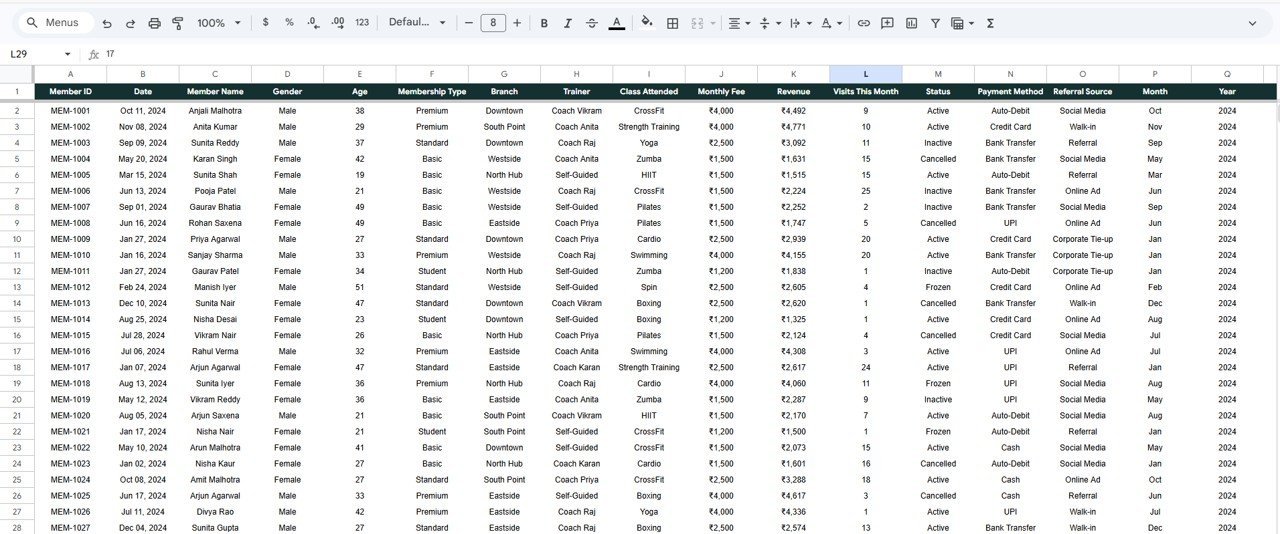
🔎 Instant Member Search – Select any Member ID from a dropdown to instantly view their complete profile including name, gender, age, membership type, branch, trainer, class, fees, revenue, visits, status, and payment method.
📋 Structured Data Sheet – Enter your raw member data in a clean, organized format and watch every dashboard page update automatically.
📦 What’s Inside the Gym Fitness Business Dashboard
This template contains 6 sheet tabs designed for complete gym business management:
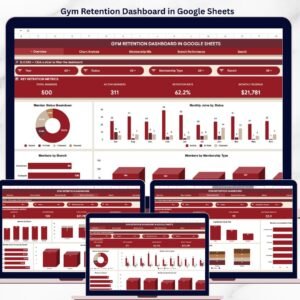
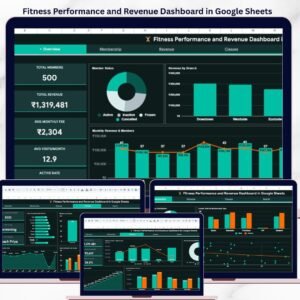
🔹 Overview Page – High-level KPI cards (Total Members, Total Revenue, Avg Monthly Fee, Avg Visits/Month, Active Rate) plus charts showing Member Status by Category, Revenue by Branch, Monthly Revenue & Members by Month, and Members by Type. Multiple slicers let you filter the entire dashboard instantly.
🔹 Membership Analysis – Tracks New Members (Q4), Male/Female Ratio, Avg Age, Retention Rate with charts for Age Group Distribution, Gender Split by Membership Type, Age vs Monthly Visits, and Members by Referral Source.
🔹 Revenue Analysis – Displays Total Revenue, Avg Revenue/Member, Premium % Share with charts for Actual vs Target Revenue by Membership Type, Payment Method Distribution, Cumulative Revenue by Month, and Branch Revenue Q1 vs Q2.
🔹 Classes Analysis – Shows Total Classes Attended, Top Class, Top Trainer with charts for Class Popularity, Members per Trainer, Avg Monthly Fee by Class, and Class Attendance by Gender.
🔹 Search Sheet – Dropdown-based member lookup showing complete member details instantly.
🔹 Data Sheet – Your raw data entry point. Add member records in the given format and all dashboards update automatically.
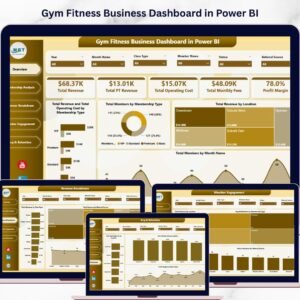
If you are looking for the Excel version, check out the Gym Fitness Business Dashboard in Excel. For Power BI users, we also offer the Gym Fitness Business Dashboard in Power BI.
⚙️ How to Use the Gym Fitness Business Dashboard
1️⃣ Open the PDF guide included in your download — it contains the Google Sheets copy link.
2️⃣ Click the link to create your own editable copy in Google Drive.
3️⃣ Navigate to the Data Sheet tab and replace the sample data with your own gym member records.
4️⃣ All charts, KPI cards, and analysis pages will update automatically.
5️⃣ Use the slicers on the Overview page to filter data by branch, membership type, or status.
6️⃣ Use the Search Sheet to quickly look up any individual member’s complete profile.
👥 Who Can Benefit from This Dashboard
🔹 Gym owners and fitness center operators tracking membership and revenue
🔹 Personal training studios monitoring trainer performance and class attendance
🔹 Fitness franchise managers comparing branch-level performance
🔹 Wellness center administrators analyzing retention and referral sources
🔹 Fitness business consultants presenting data-driven insights to clients
Also explore our Fitness Industry KPI Scorecard in Google Sheets for detailed KPI tracking with MTD/YTD comparisons.
❓ Frequently Asked Questions
What KPIs does the Gym Fitness Business Dashboard track?
The dashboard tracks Total Members, Total Revenue, Avg Monthly Fee, Avg Visits/Month, Active Rate, Retention Rate, Male/Female Ratio, Premium % Share, and many more across 4 analysis pages.
Can I use this dashboard for multiple gym branches?
Yes. The dashboard includes branch-level analysis with Revenue by Branch and Branch Revenue Q1 vs Q2 comparisons. Simply add your branch data in the Data Sheet.Gym Fitness Business Dashboard in Google Sheets
Do I need advanced Google Sheets skills to use this template?
No. Simply replace the sample data with your own in the Data Sheet tab and all charts and KPIs update automatically. No formulas or coding knowledge required.Gym Fitness Business Dashboard in Google Sheets
Can I customize the charts and KPIs?
Absolutely. Since this is a native Google Sheets file, you can modify charts, add new KPIs, change colors, and adjust formulas to match your specific business needs.Gym Fitness Business Dashboard in Google Sheets
Is this template compatible with Google Sheets on mobile?
Yes. You can view and edit the dashboard on any device using the Google Sheets mobile app, though the desktop experience is optimal for full dashboard interaction.Gym Fitness Business Dashboard in Google Sheets
🔗 Explore Related Templates
🔹 Gym Fitness Business Dashboard in Power BI – Advanced interactive visuals with Power BI Desktop.
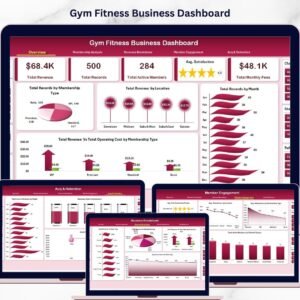
🔹 Gym Fitness Business Dashboard in Excel – Full-featured Excel version with pivot tables and charts.
🔹 Fitness Industry KPI Scorecard in Google Sheets – MTD/YTD KPI tracking with trend analysis.
📖 Click here to read the Detailed Blog Post
Watch the step-by-step video tutorial:
🎥 Visit our YouTube channel to learn step-by-step video tutorials
👉 YouTube.com/@NextGenTemplates
Compatibility and Requirements
- Works in Google Sheets with a free Google account and a web browser.
- Open the PDF guide in your download and use its link to make your own editable copy in Google Drive.
- Google’s guide Add & edit a chart or graph explains how charts work in Sheets if you want to adjust them.

























Reviews
There are no reviews yet.