



Key Features of Medical Tourism KPI Dashboard
Unlock the full potential of your medical tourism business with the Medical Tourism KPI Dashboard, a comprehensive digital tool designed to track, analyze, and optimize your key performance indicators (KPIs) efficiently. This dashboard boasts 7 dedicated worksheets tailored to provide you with an intuitive and insightful overview of your business metrics, helping you make informed decisions and drive growth.
- 🏠 Home Sheet: Acts as a central navigation hub with 6 buttons to quickly jump to different sections of the dashboard, making your workflow seamless and time-efficient.

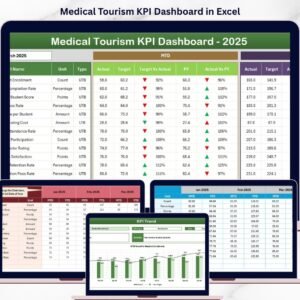
Home Page - 📊 Dashboard Sheet: The heart of the tool where all KPIs are displayed with dynamic monthly selection (via dropdown in D3). View MTD (Month-To-Date) Actual, Target, and Previous Year data with conditional formatting for quick insights on performance trends.
Medical Tourism KPI Dashboard - 📈 KPI Trend Sheet: Select any KPI via dropdown (C3) and visualize MTD and YTD trends for Actual, Target, and Previous Year data. Also, access KPI group, unit, formula, and definition for better understanding.
KPI Trend Sheet - 📝 Actual Numbers Input Sheet: Easily input actual numbers for YTD and MTD, adjusting the months as needed from range E1, allowing flexible and accurate data updates.
Actual Numbers Input Sheet - 🎯 Target Number Input Sheet: Set monthly targets for each KPI, both MTD and YTD, enabling goal-oriented performance tracking.
Target Number Input Sheet - 📅 Previous Year Number Sheet: Input previous year’s data for accurate year-over-year comparisons and performance benchmarking.
Previous Year Number Input Sheet - 📚 KPI Definition Sheet: Maintain clarity by defining each KPI’s name, group, unit, formula, and type (Lower The Better or Upper The Better) for consistent analysis.
KPI Definition Sheet


What’s Inside the Medical Tourism KPI Dashboard
This digital product is a fully customizable Excel-based KPI dashboard designed specifically for the medical tourism industry. It includes:
- 🗂️ Seven well-structured worksheets covering every aspect of KPI management from data input to trend visualization.
- 📅 Dynamic month selection for real-time data updates and comparisons.
- 🔍 Conditional formatting with visual arrows to instantly highlight performance against targets and previous years.
- 📊 Interactive charts for MTD and YTD trends, giving you visual insights to track progress effectively.
- 📈 KPI definitions and formulas embedded within the dashboard to ensure clarity and accuracy.
- ✍️ Easy input sheets for actual, target, and previous year numbers, making data management straightforward.
How to Use the Medical Tourism KPI Dashboard
Getting started is simple and efficient:
- ⚙️ Step 1: Open the Home sheet and navigate to the relevant worksheet using the intuitive buttons.
- 🗓️ Step 2: Select the month on the Dashboard sheet (cell D3) to view MTD and YTD performance data.
- ✍️ Step 3: Enter actual numbers in the Actual Numbers Input sheet, adjusting the start month as needed.
- 🎯 Step 4: Input your target goals for each KPI in the Target Number Input sheet to set benchmarks.
- 📅 Step 5: Fill in previous year numbers for year-over-year analysis in the Previous Year Number sheet.
- 📚 Step 6: Review and update KPI definitions and formulas in the KPI Definition sheet to ensure accuracy.
- 📊 Step 7: Analyze trends in the KPI Trend sheet by selecting KPIs and studying the visual charts for actionable insights.
Who Can Benefit from This Medical Tourism KPI Dashboard
This dashboard is an essential tool for anyone involved in medical tourism performance management:
- 👩⚕️ Medical Tourism Managers seeking to monitor operational KPIs in real-time.
- 📈 Business Analysts aiming to deliver actionable insights and improve business outcomes.
- 🏥 Healthcare Providers looking to benchmark performance against targets and previous years.
- 💼 Executives and Decision Makers who require a quick yet comprehensive overview of business health.
- 📊 Consultants and Data Professionals focused on optimizing medical tourism strategies through data-driven approaches.
- 🎯 Marketing and Sales Teams wanting to track the effectiveness of campaigns and target achievement.
With its user-friendly interface and powerful analytics, the Medical Tourism KPI Dashboard is your go-to solution to elevate your business intelligence and stay ahead in the competitive medical tourism market.
Click here to read the Detailed blog post.
Visit our YouTube channel to learn step-by-step video tutorials.
Compatibility and Requirements
- Works in Microsoft Excel desktop (Excel 2016 or later, or Microsoft 365).
- You pick the month from a dropdown on the Dashboard sheet and choose a KPI from a dropdown on the KPI Trend sheet. Microsoft explains dropdowns in Create a drop-down list.
Frequently Asked Questions
Which sheets are included?
Seven sheets: Home, Dashboard, KPI Trend, Actual Numbers Input, Target Number Input, Previous Year Number and KPI Definition.
How do I change the month shown on the dashboard?
Select the month from the dropdown in cell D3 on the Dashboard sheet. The MTD and YTD figures update for that month.
How do I enter my own numbers?
Type your actual MTD and YTD figures in the Actual Numbers Input sheet, your goals in the Target Number Input sheet, and last year’s figures in the Previous Year Number sheet.
How do I see the trend for one KPI?
Open the KPI Trend sheet and choose the KPI from the dropdown in cell C3. It shows MTD and YTD charts for Actual, Target and Previous Year, plus the KPI group, unit, formula and definition.
Is there a Power BI version?
Yes. See the Medical Tourism KPI Dashboard in Power BI.
Related Medical Tourism Templates
- Medical Tourism KPI Dashboard in Power BI: the same KPI dashboard in Power BI
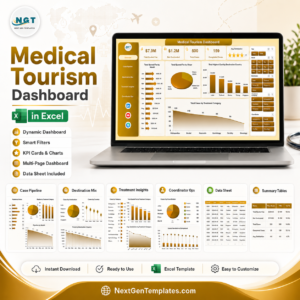
- Medical Tourism Dashboard in Excel: another Excel dashboard for medical tourism
- Medical Tourism Dashboard in Power BI: the dashboard edition in Power BI
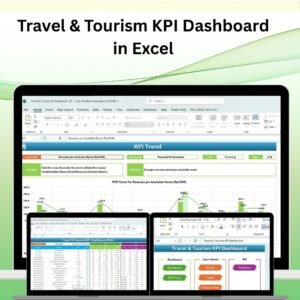
- Travel & Tourism KPI Dashboard in Excel: KPI tracking for travel and tourism
- KPI Dashboard Library (Excel): 15 Excel KPI dashboards in one download
Browse all Excel KPI dashboards.





















Reviews
There are no reviews yet.