


Key Features of Neurology Hospitals KPI Dashboard
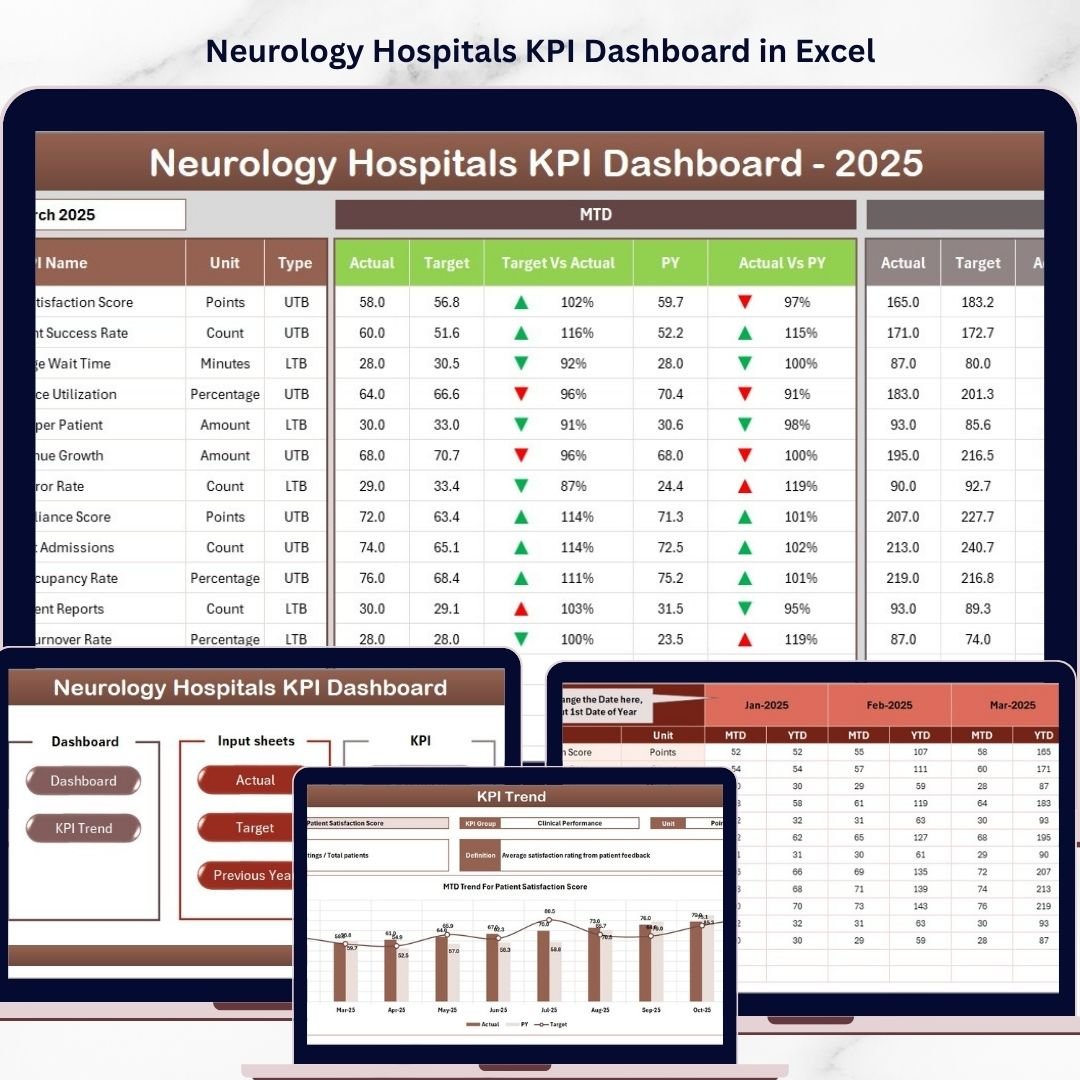
Introducing the Neurology Hospitals KPI Dashboard, a powerful and intuitive digital tool designed specifically for neurology healthcare facilities to monitor, analyze, and optimize their key performance indicators (KPIs) with ease. This comprehensive dashboard offers seven detailed worksheets tailored to provide a complete overview and in-depth insights into your hospital’s operational, clinical, and financial KPIs.
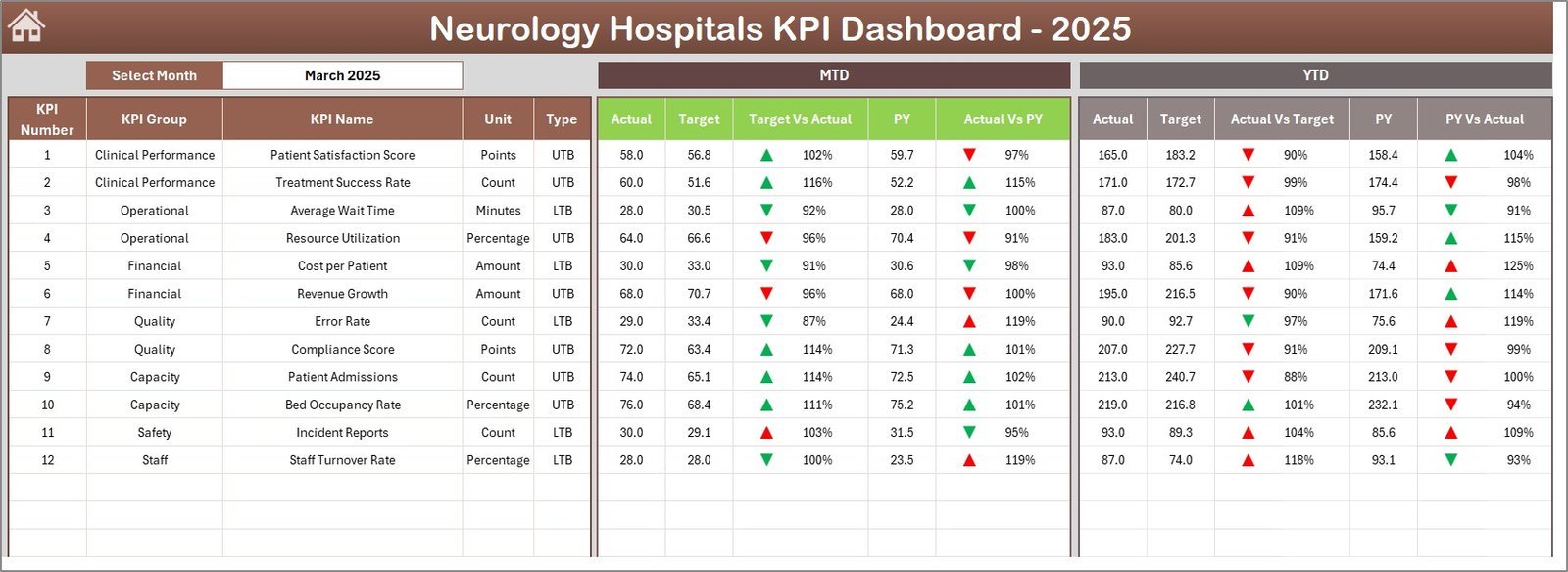
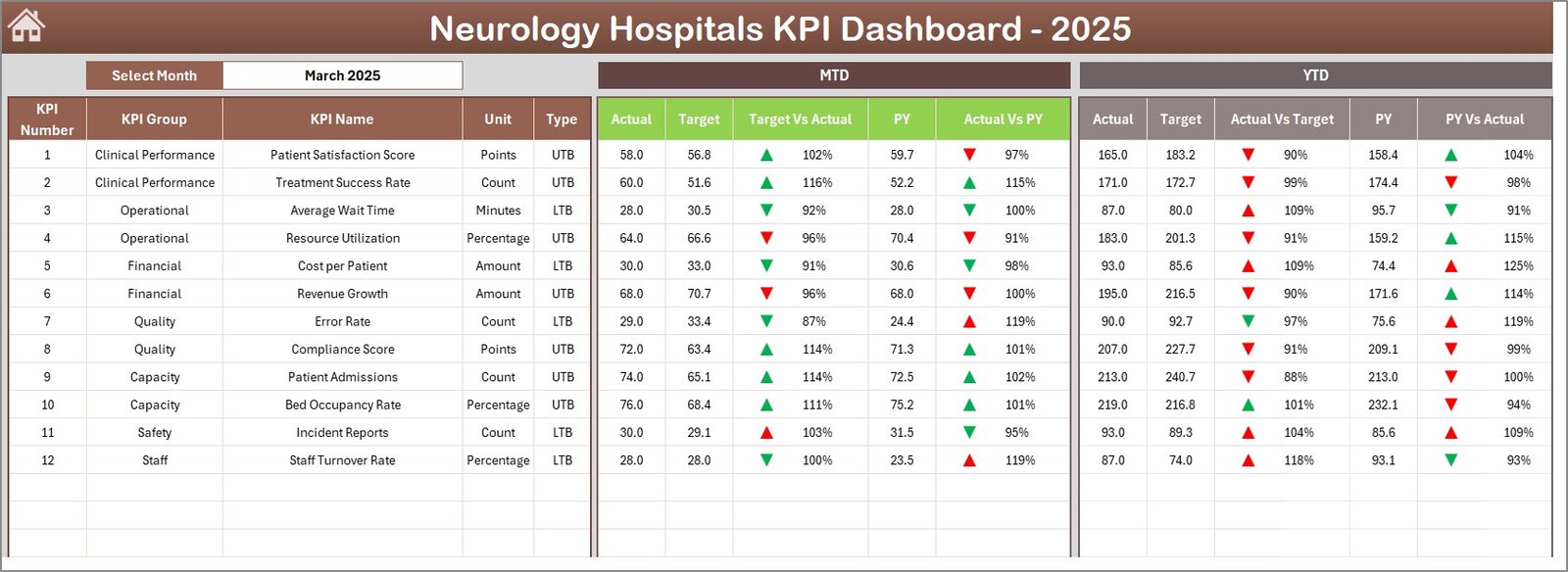
Navigate seamlessly from the Home sheet, which acts as an index with six interactive buttons directing you to each specialized worksheet. The Dashboard sheet is the core feature where you can select any month via a dropdown, instantly updating all KPIs to reflect Month-To-Date (MTD) and Year-To-Date (YTD) actuals, targets, and previous year’s comparisons. Visual cues like conditional formatting with up/down arrows highlight performance trends, enabling quick decision-making.
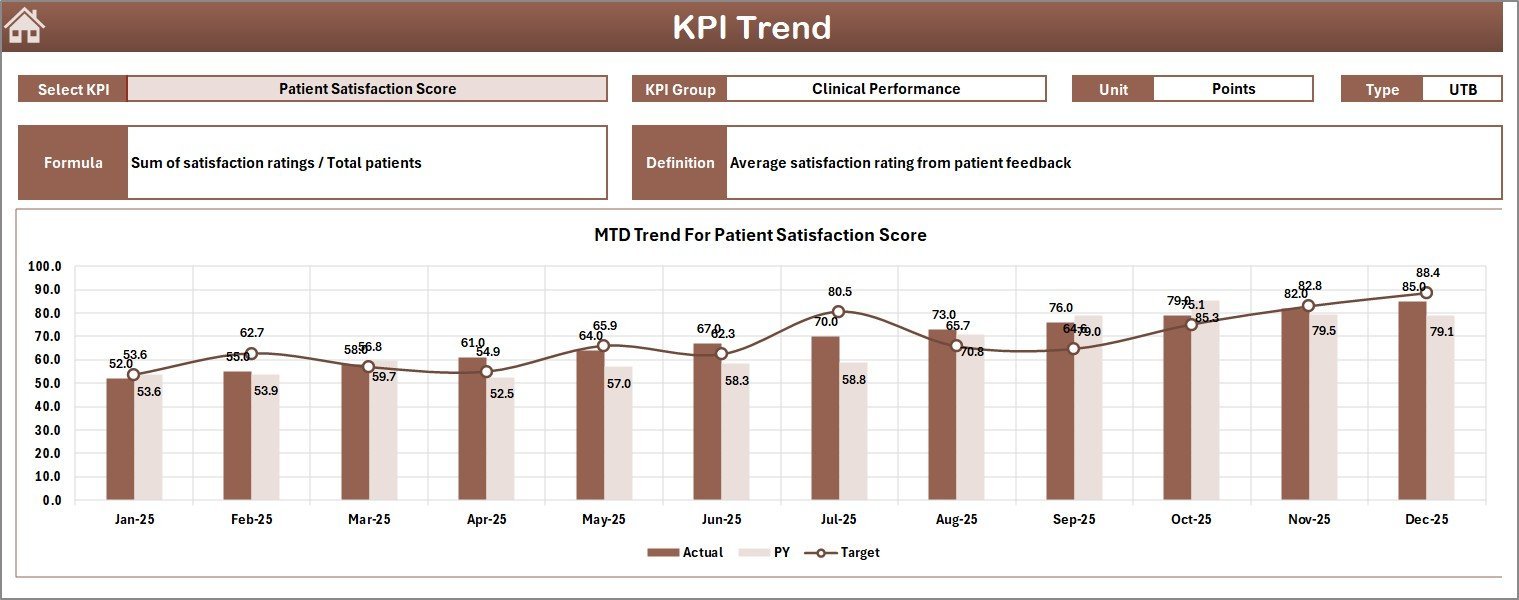
The KPI Trend sheet allows you to select specific KPIs and view detailed trend charts for MTD and YTD actual, target, and previous year data, alongside essential KPI metadata such as group, unit, type (Lower The Better or Upper The Better), formula, and definition. This sheet transforms raw numbers into actionable insights over time.
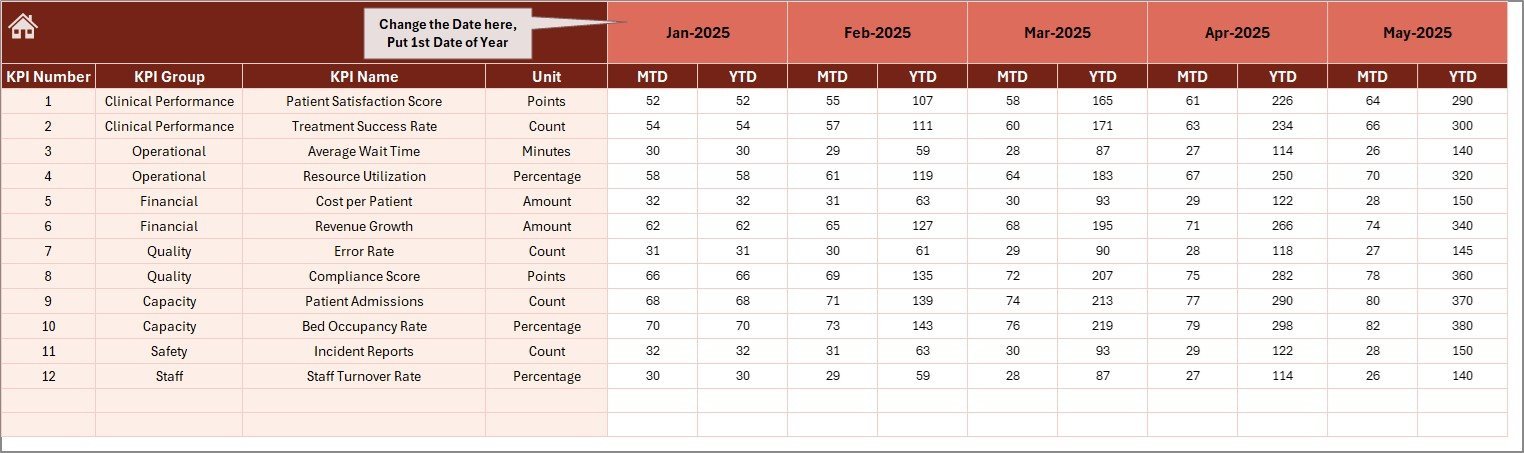
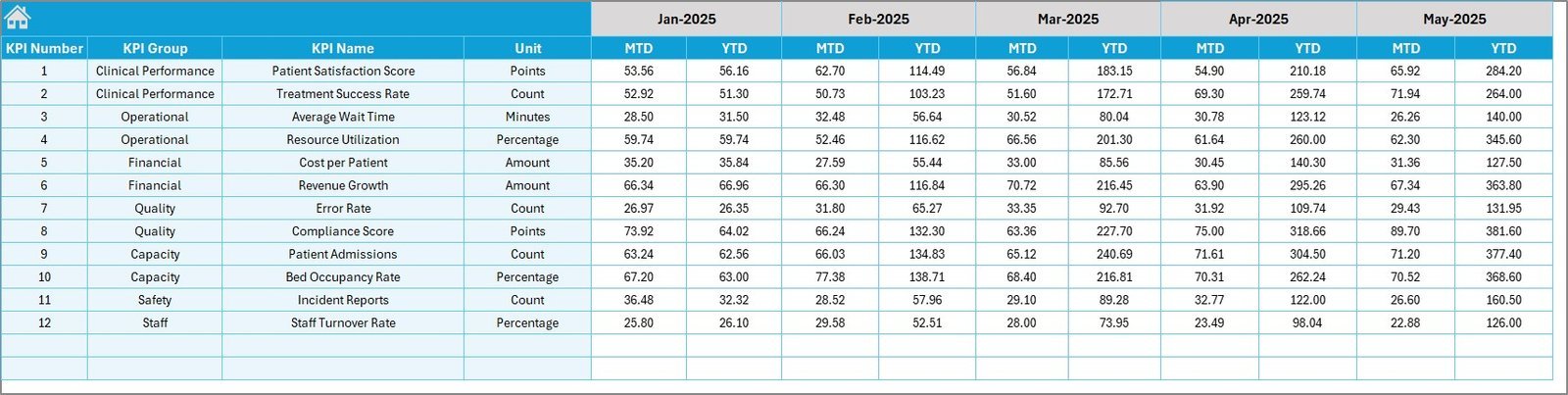
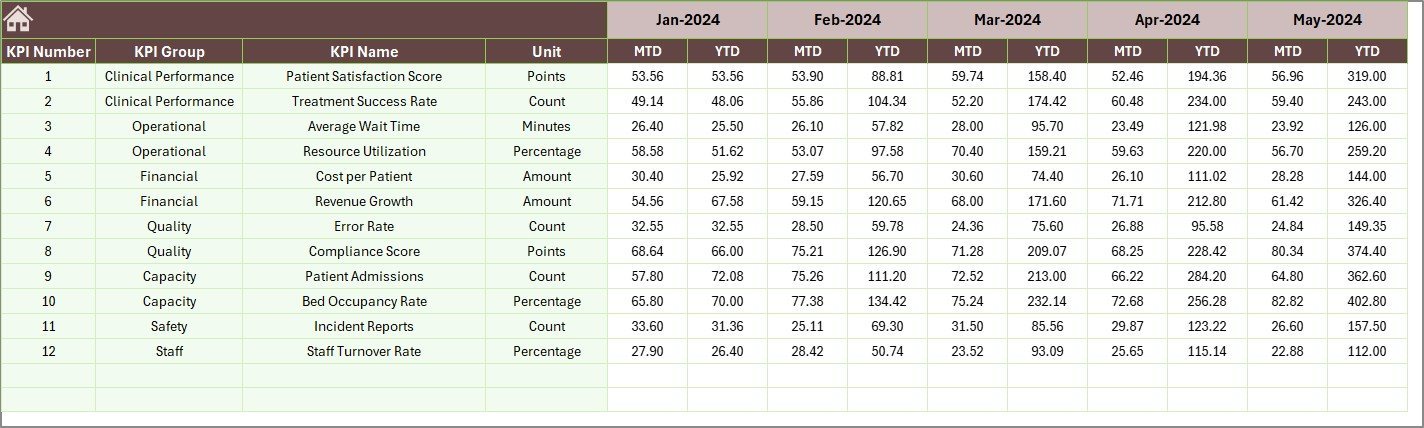
Data entry is streamlined across three dedicated sheets: Actual Numbers Input, Target Number Input, and Previous Year Number Input. These sheets allow you to input monthly and yearly data for each KPI efficiently, with easy month selection in the Actual Numbers Input sheet to keep your data current.
Finally, the KPI Definition sheet lets you customize KPI names, groups, units, formulas, and definitions, including specifying whether each KPI is Lower The Better (LTB) or Upper The Better (UTB), ensuring your dashboard is perfectly tailored to your hospital’s unique metrics and goals.
What’s Inside the Neurology Hospitals KPI Dashboard
- 🏠 Home Sheet: Central navigation hub with six buttons for quick access to each worksheet.
- 📊 Dashboard Sheet: Dynamic monthly KPI overview with MTD, YTD, targets, previous year data, and visual trend indicators.
- 📈 KPI Trend Sheet: Interactive trend charts and detailed KPI metadata for comprehensive performance tracking.
- 📝 Actual Numbers Input: User-friendly entry for current year monthly and yearly actual KPI values.
- 🎯 Target Number Input: Set monthly and yearly KPI targets to benchmark your performance.
- 📅 Previous Year Number Input: Archive and input last year’s KPI data for comparative analysis.
- 📚 KPI Definition Sheet: Customize KPI names, definitions, formulas, and performance type (LTB/UTB).
How to Use the Neurology Hospitals KPI Dashboard
- 🔍 Start at the Home Sheet: Use the intuitive navigation buttons to jump to any section of the dashboard.
- 📆 Select the Month: In the Dashboard sheet, pick the month from the dropdown to update all KPI figures instantly.
- 🖊️ Enter Data: Input actual, target, and previous year numbers in their respective sheets. Update monthly to maintain accuracy.
- 📊 Analyze Trends: Use the KPI Trend sheet to understand performance patterns and adjust strategies accordingly.
- ⚙️ Customize KPIs: Modify KPI definitions and formulas in the KPI Definition sheet to fit your hospital’s specific requirements.
- 📈 Monitor Performance: Use conditional formatting and visual cues to quickly identify areas needing attention or improvement.
Who Can Benefit from This Neurology Hospitals KPI Dashboard
- 🏥 Hospital Administrators: Gain a clear, real-time snapshot of operational and clinical KPIs to drive strategic decisions.
- 👩⚕️ Neurology Department Heads: Monitor department-specific performance and identify trends to improve patient care.
- 📊 Data Analysts: Quickly analyze and report on key metrics with customizable dashboards and charts.
- 💼 Healthcare Consultants: Use the dashboard to assess hospital performance and recommend improvements.
- 📅 Financial Officers: Track target achievements and budget adherence through integrated KPI comparisons.
- 🔧 Quality Improvement Teams: Identify areas for process enhancement based on KPI trends and definitions.
Click here to read the Detailed blog post.
Visit our YouTube channel to learn step-by-step video tutorials.



















Reviews
There are no reviews yet.