

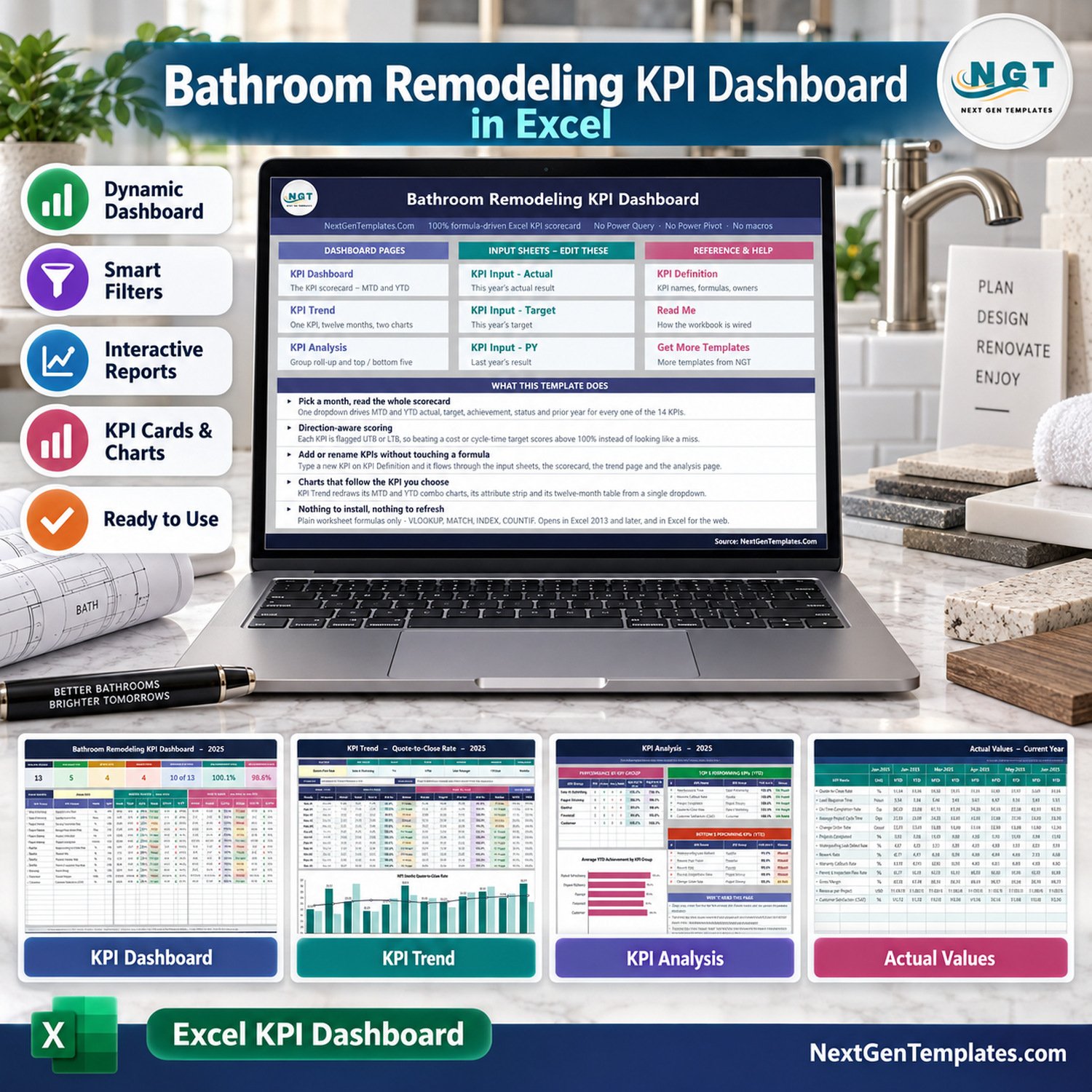
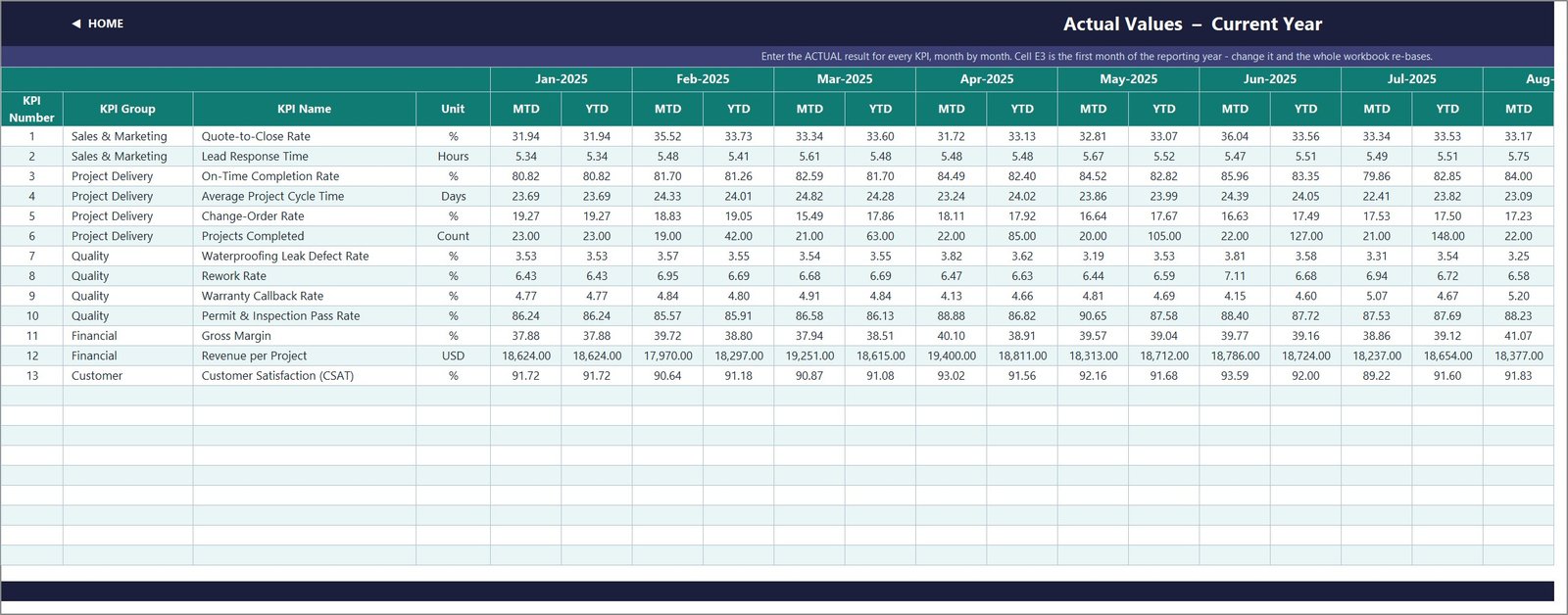
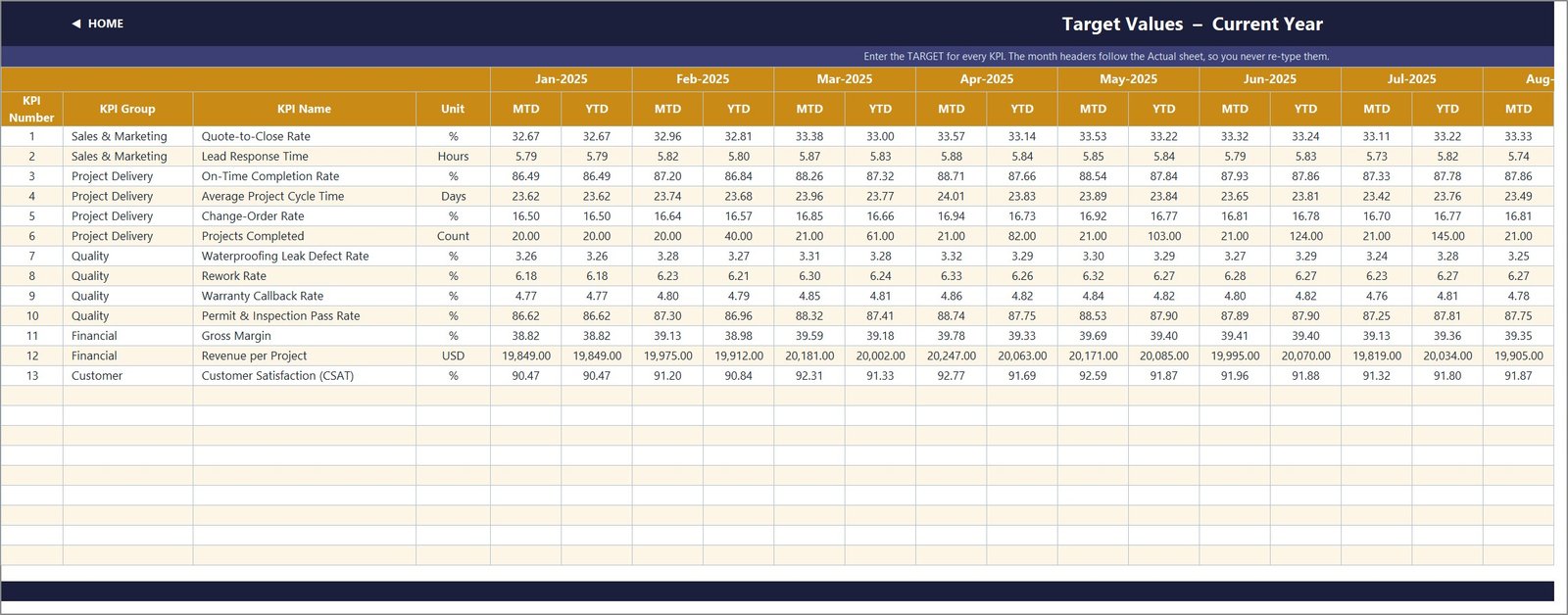
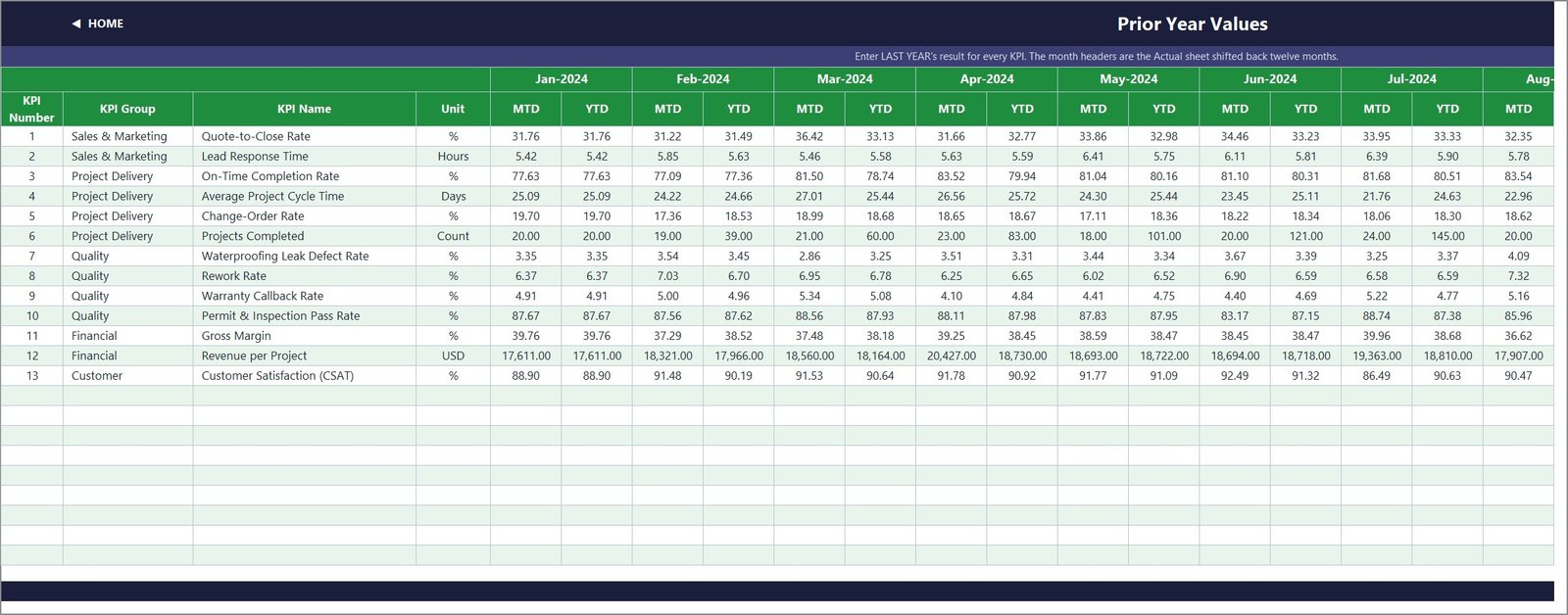
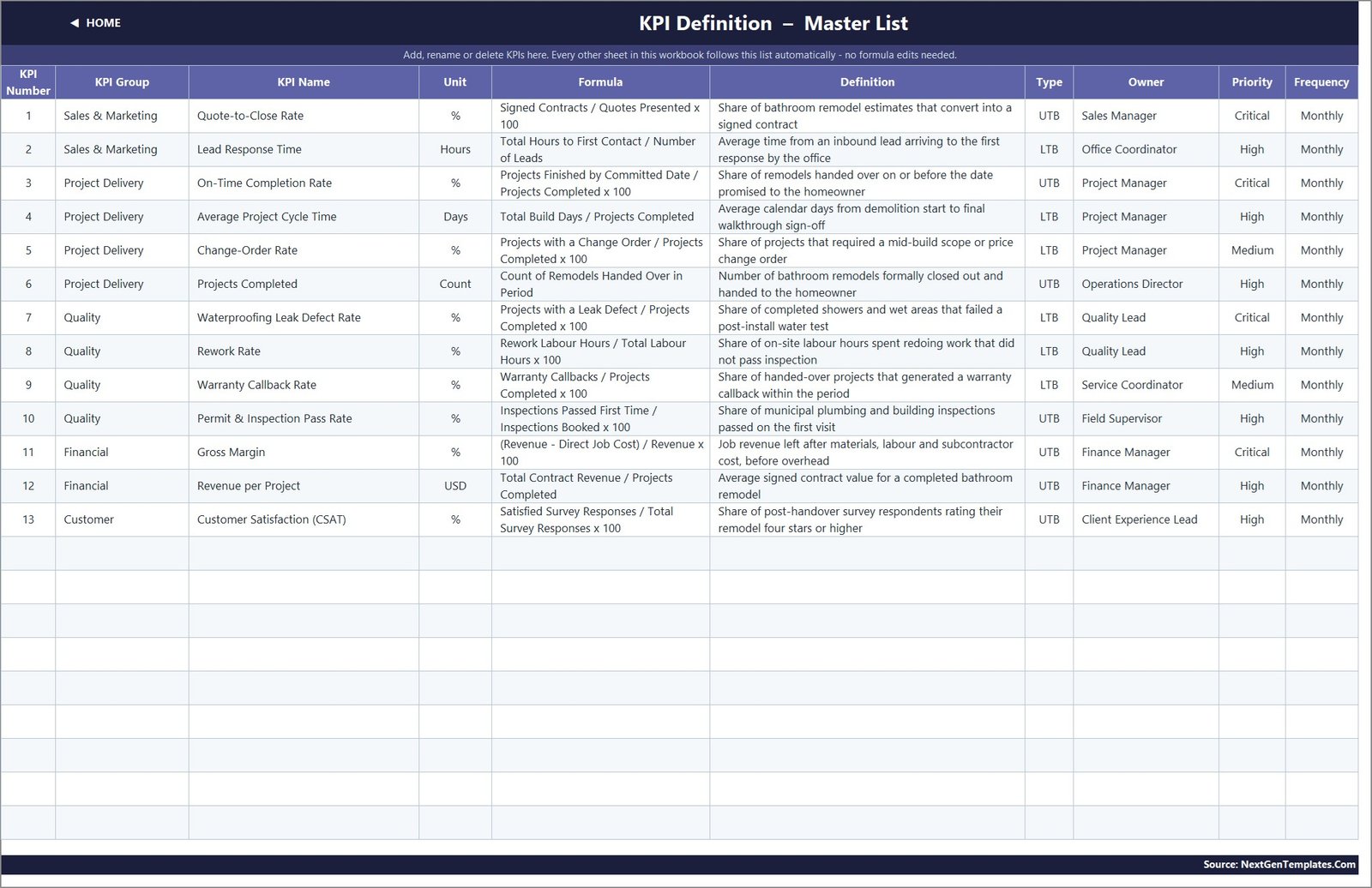
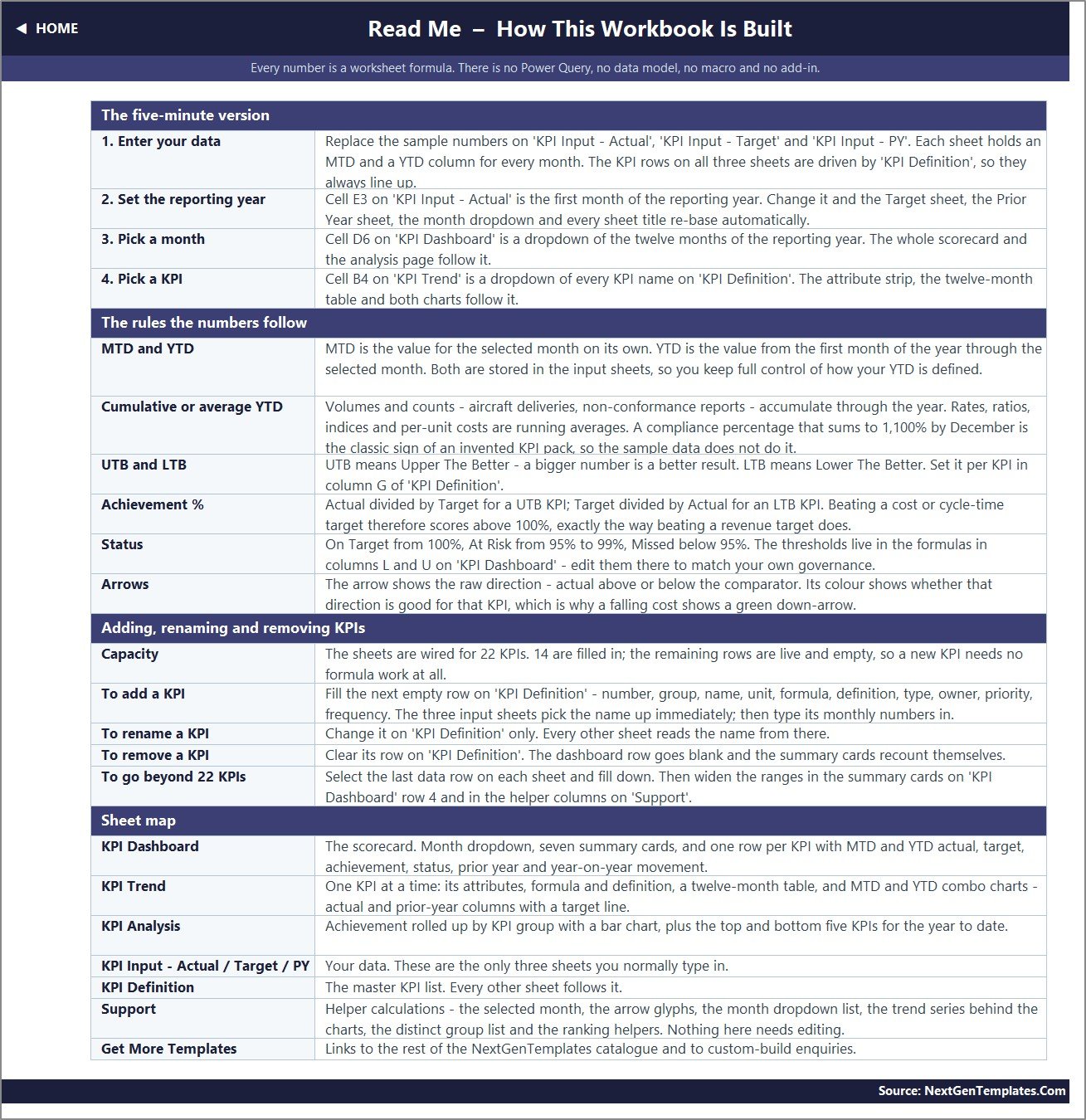

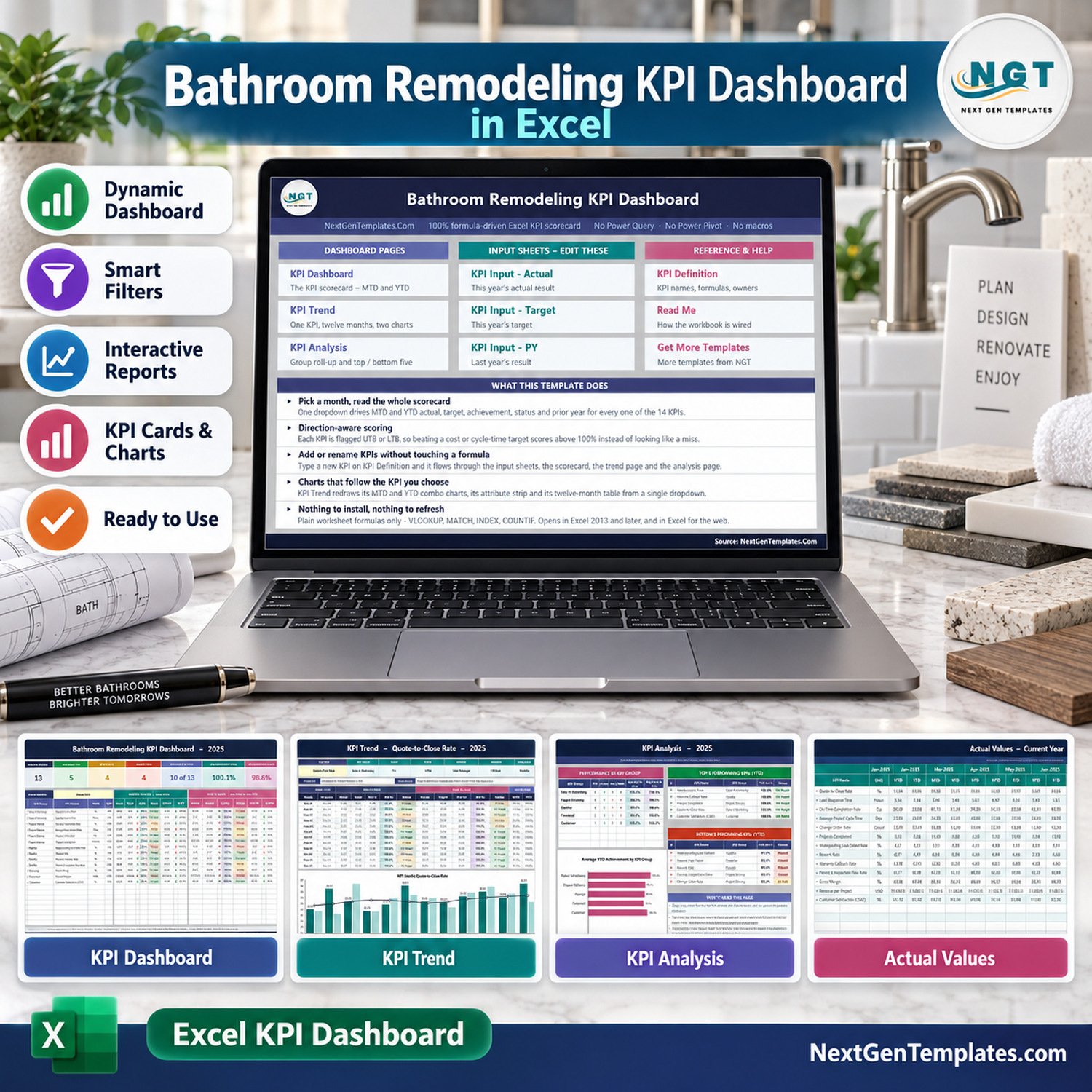
Bathroom Remodeling KPI Dashboard in Excel gives remodelers a clean way to track 14 job, sales, quality, financial, and customer KPIs in one workbook. The template includes MTD and YTD scoring, actual versus target comparisons, prior-year context, trend charts, KPI analysis, and editable input sheets. It is a formula-driven Excel KPI dashboard built for teams that want quick monthly review without Power Query, Power Pivot, macros, or SaaS subscriptions.
Key Features of Bathroom Remodeling KPI Dashboard in Excel
- Track 14 bathroom remodeling KPIs across sales, project delivery, quality, financial, and customer groups.
- Use the month selector to refresh MTD, YTD, target, achievement, status, and prior-year values.
- Review Quote-to-Close Rate, Lead Response Time, On-Time Completion Rate, Average Project Value, Change Order Rate, Project Completed, Waterproofing Leak Defect Rate, Rework Rate, Permit Inspection Pass Rate, Gross Margin, Revenue per Project, Customer Satisfaction, and more.
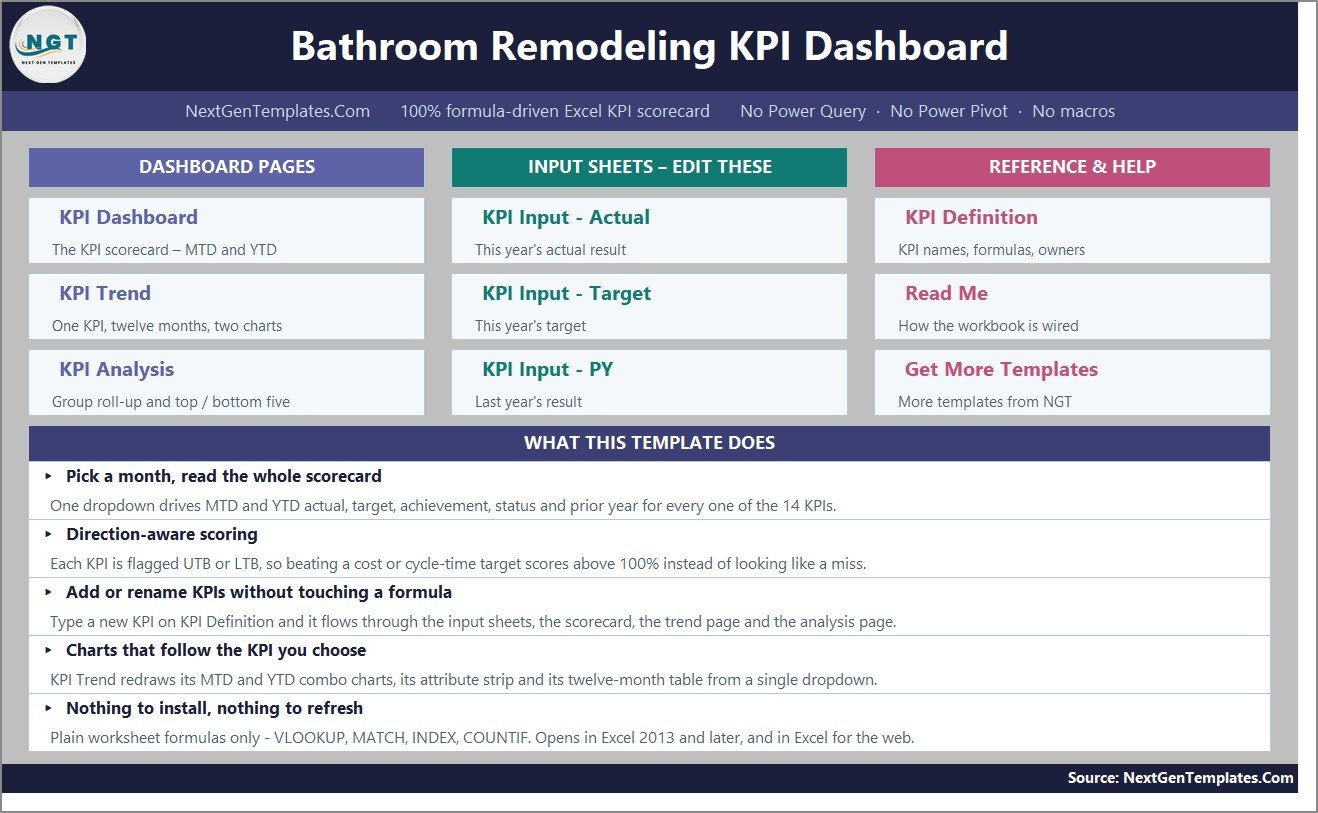
- Direction-aware scoring handles cost and cycle-time KPIs correctly, so lower-is-better metrics do not look like misses when they improve.
- No macros, no Power Query, and no Power Pivot. The workbook uses plain formulas and opens in Excel 2013 and later.
What’s Inside the Bathroom Remodeling KPI Dashboard in Excel
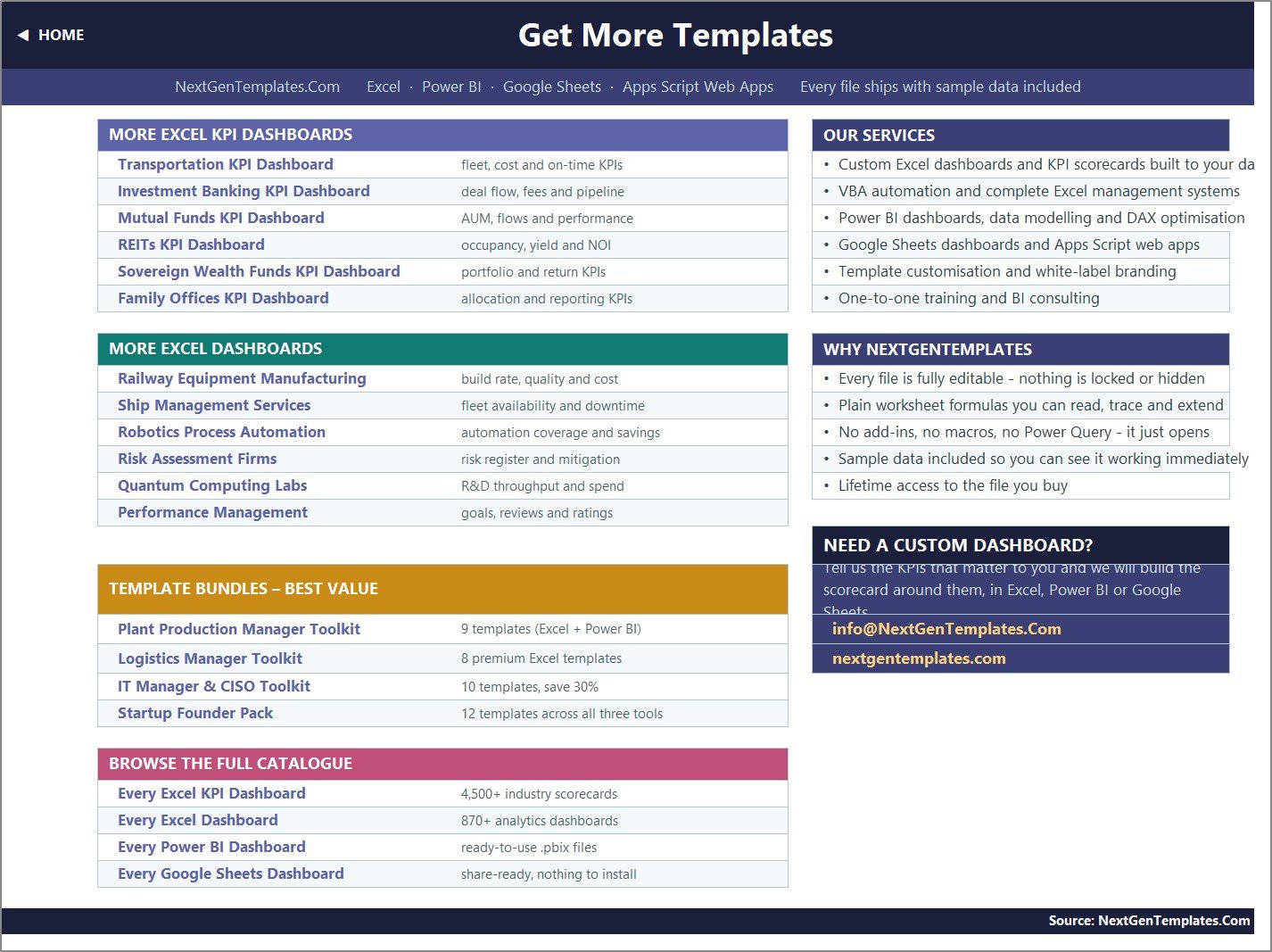
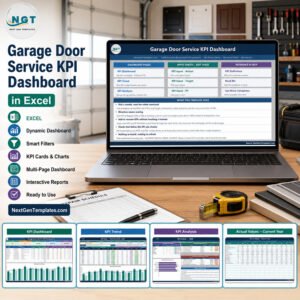
The download includes the editable Excel workbook inside a ZIP file. The dashboard pages are KPI Dashboard, KPI Trend, and KPI Analysis. The input sheets are KPI Input – Actual, KPI Input – Target, and KPI Input – PY. Reference sheets include KPI Definition, Read Me, and Get More Templates.
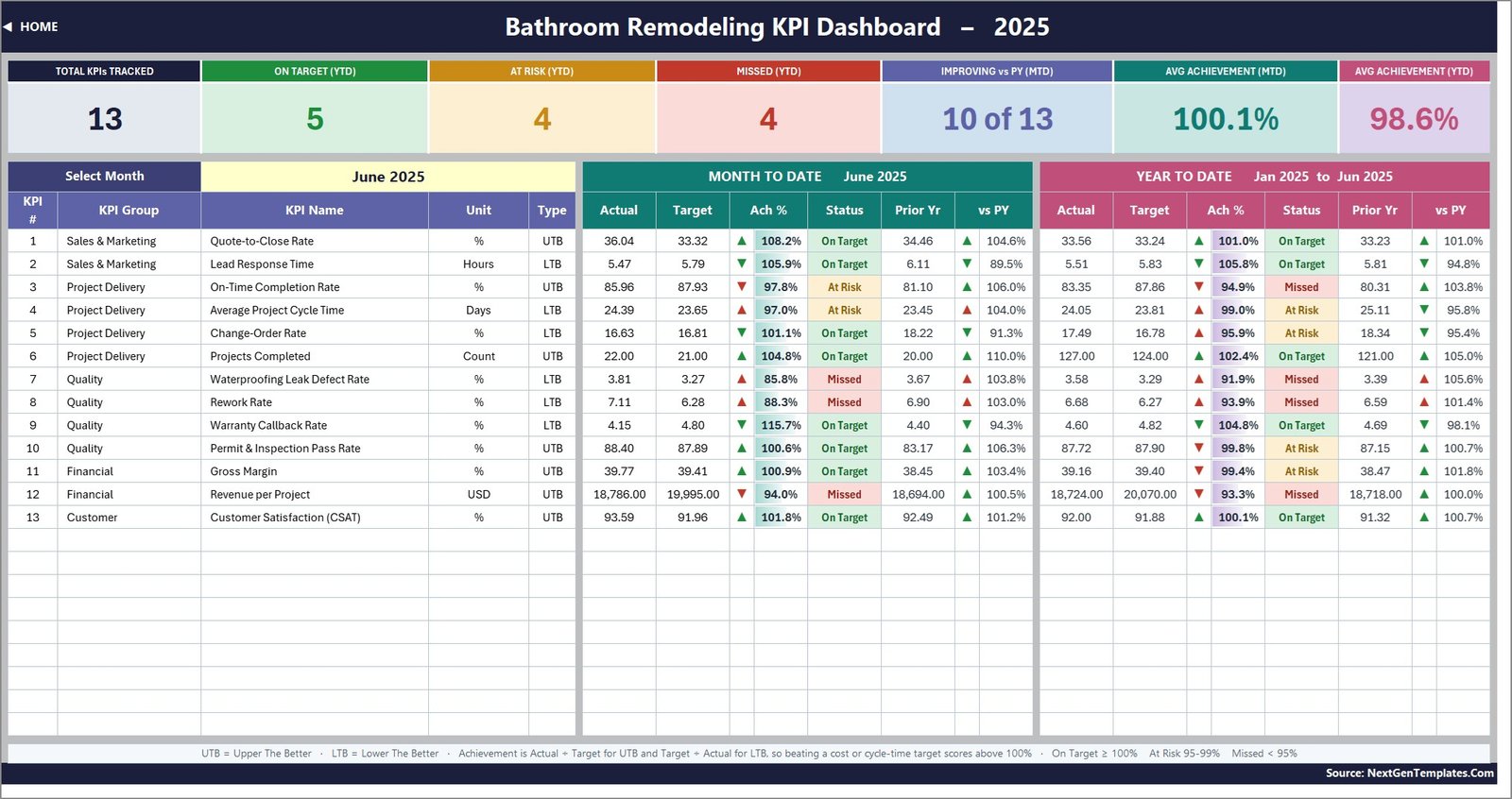
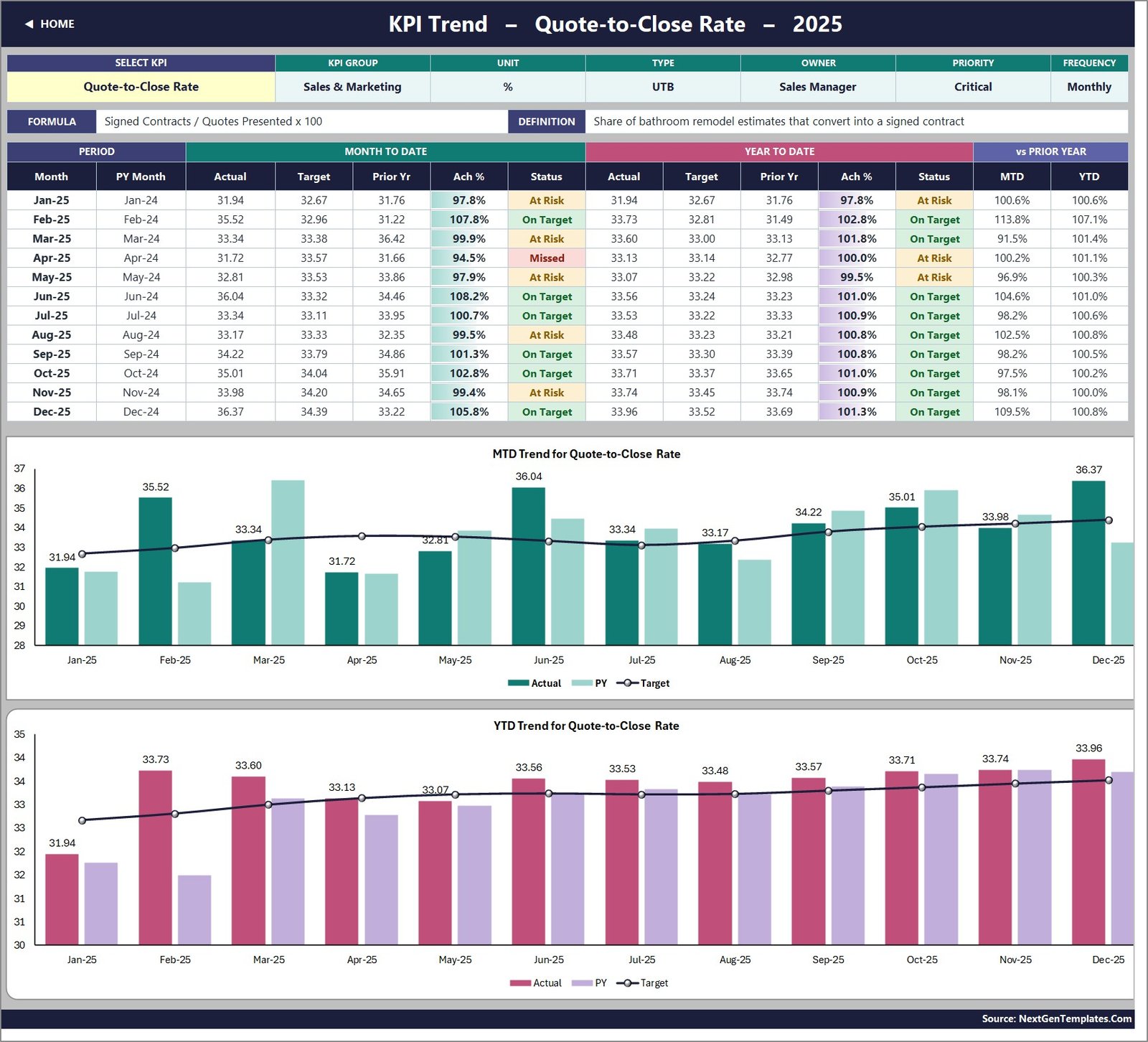
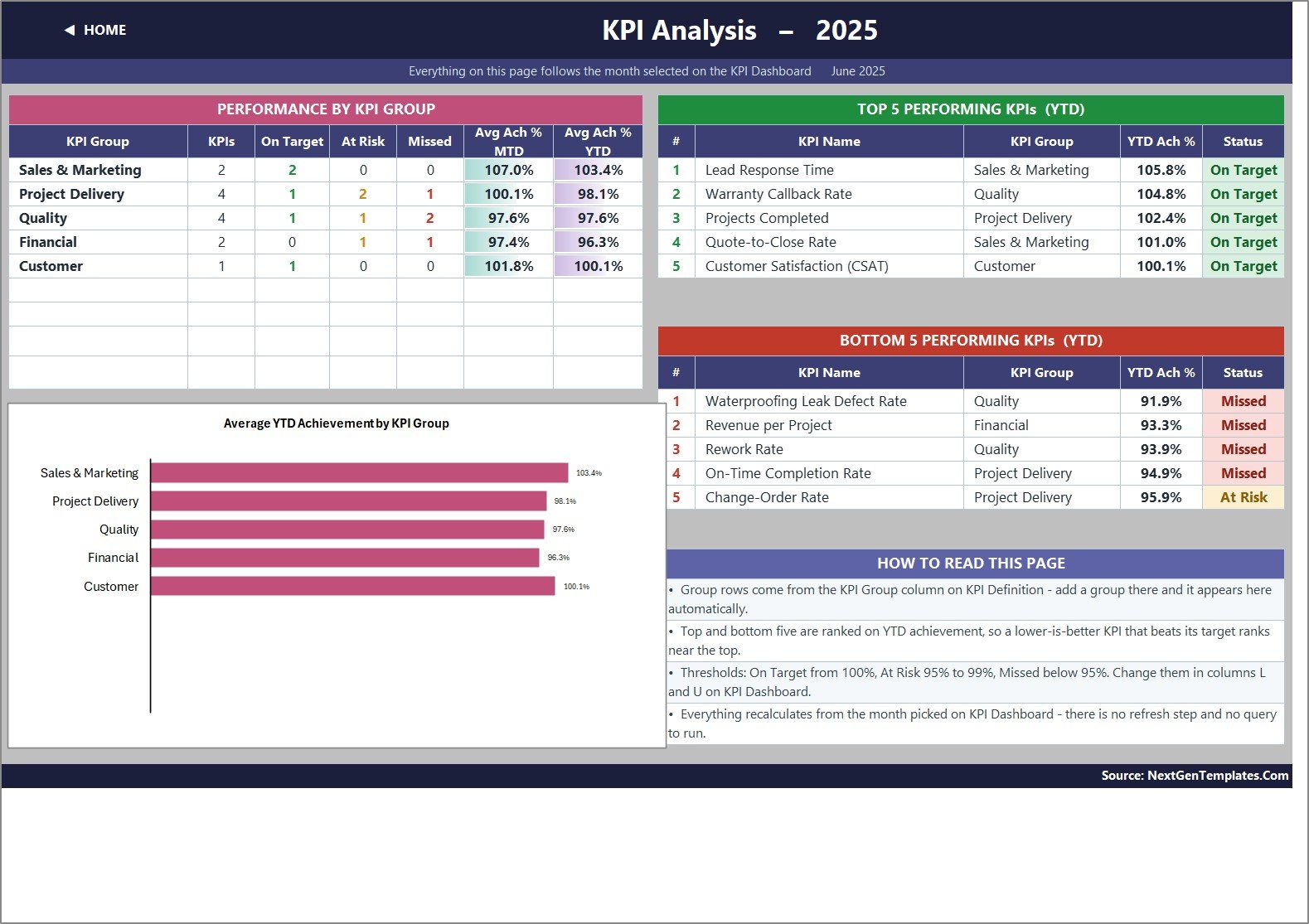
The main scorecard shows KPI group, KPI name, unit, type, actual, target, achievement percentage, status, prior-year result, and year-to-date values. The trend page gives monthly tables plus MTD and YTD charts for the selected KPI. The analysis page summarizes performance by KPI group and highlights top and bottom KPI performance for the year.
Bathroom Remodeling Excel KPI Template vs. Google Sheets vs. Paid CRM/SaaS – Where This Fits
| Area | This Excel template | Google Sheets alternative | Paid SaaS alternative |
|---|---|---|---|
| Cost | One-time template purchase | Low, if your team already uses Google Workspace | Recurring subscription |
| Platform | Microsoft Excel desktop or web | Browser-based spreadsheet | Vendor-hosted system |
| Setup time | Replace sample KPI values and targets | Similar, but formulas depend on Drive access | Longer setup and account configuration |
| Customization | Edit KPI names, targets, owners, and definitions | Good for collaboration | Depends on plan and permissions |
| Bathroom remodeling fit | Built around quote, project, inspection, margin, defect, and satisfaction KPIs | Useful if teams need shared cloud entry | Better for dispatch, CRM pipelines, and field crew apps |
Who This Template Is For – and Who It’s Not For
This template is for bathroom remodelers, renovation contractors, design-build teams, and operations managers who review performance monthly. It is useful when you already collect quote, project, revenue, inspection, rework, and customer metrics but need a cleaner scorecard.
It is not a project scheduling system, estimating app, accounting package, CRM, or field-service platform. It will not automate data capture from invoices, site photos, or job-management software. You enter or paste monthly KPI values, then use the workbook for review and reporting.
How to Use the Bathroom Remodeling Excel KPI Template
- Open the workbook in Microsoft Excel.
- Review the Read Me page and KPI Definition sheet.
- Update KPI names, groups, units, direction, owners, targets, and definitions where needed.
- Paste current-year actuals, targets, and prior-year values into the three input sheets.
- Select the reporting month on the KPI Dashboard page.
- Use KPI Trend to investigate one metric across twelve months.
- Use KPI Analysis to review group-level performance and top or bottom KPIs.
Real-World Use Cases
Operations manager: Review cycle time, change orders, rework, and defect rates before the weekly production meeting.
Owner of a remodeling company: Compare quote conversion, average project value, gross margin, and revenue per project before deciding where to push sales effort.
Quality lead: Track inspection pass rate, waterproofing leak defect rate, rework rate, and customer satisfaction by month.
Frequently Asked Questions
Does this workbook use macros?
No. The dashboard is formula-driven and does not require macros, Power Query, or Power Pivot.
Can I rename the KPIs?
Yes. Use the KPI Definition sheet to adjust KPI names, formulas, groups, owners, units, and targets.
Is this the same as the bathroom remodeling KPI scorecard?
No. This is the Excel KPI Dashboard edition with ten workbook pages. The Google Sheets scorecard is a separate template for a different platform.
Can it track individual jobs?
It tracks monthly KPI results, not job-level task lists. Use it for management reporting after your job data is summarized.
Which Excel version is required?
It is designed for Excel 2013 and later and also opens in Excel for the web.
For general Excel workbook guidance, see Microsoft Excel Help and Learning. This Excel remodeling KPI dashboard is designed to stay simple enough for monthly review while still giving remodelers a structured KPI process.
About the Author
Built by PK – Microsoft Certified Professional with 15+ years of Excel, Google Sheets, and Power BI experience. Founder of NextGenTemplates, reaching 300K+ subscribers across YouTube channels. Every template is hand-built and tested before release.
Explore Related Templates
For adjacent workflows, review the Home Renovation Contractor KPI Dashboard in Excel, Kitchen Remodeling KPI Dashboard in Excel, Security System Installation KPI Dashboard in Excel, and Bathroom Remodeling KPI Scorecard in Excel. You can also browse the Excel KPI Dashboard category.
This bathroom remodeling dashboard is especially useful when your team wants a repeatable review format before investing in larger operations software.
Ready to review remodeling KPIs faster? Add this Excel KPI dashboard to your toolkit and start replacing scattered monthly notes with one structured scorecard.
Last updated: September 12, 2026.
































Reviews
There are no reviews yet.