



Key Features of Omnichannel Retail KPI Scorecard
Introducing the Omnichannel Retail KPI Scorecard, a powerful and ready-to-use digital template designed to streamline your retail performance tracking across multiple channels. This comprehensive scorecard helps retail managers, analysts, and executives visualize key performance indicators (KPIs) with clarity and precision. Its intuitive design ensures you can effortlessly monitor, analyze, and optimize your retail operations for maximum profitability and customer satisfaction.
The scorecard is built with four essential worksheets that provide an all-encompassing view of your retail KPIs. The Scorecard Sheet acts as the main dashboard where you can select the month, Month-to-Date (MTD), or Year-to-Date (YTD) performance to instantly compare actual results against targets. Color-coded visual indicators swiftly inform you whether each KPI is on track, below target, or exceeding expectations, enabling quick decision-making.
The KPI Trend Sheet offers detailed insights by allowing you to choose specific KPIs from a dropdown menu. It displays KPI grouping, units, type (whether lower or upper values signify better performance), formulas, and definitions. Additionally, it features trend charts showcasing MTD and YTD comparisons of actual, target, and previous year (PY) numbers, so you can identify patterns and areas for improvement over time.
All your data entry is simplified with the Input Data Sheet, where actual KPI values, targets, and other metrics are recorded. This sheet ensures flexibility and ease of updates, keeping your scorecard data fresh and relevant as new results come in.
Finally, the KPI Definition Sheet consolidates all KPI names, groups, units, formulas, and definitions in one place, making it easy to maintain and understand each metric’s significance.

What’s Inside the Omnichannel Retail KPI Scorecard
- 🗂️ Scorecard Sheet: Central dashboard with dropdown menus for month, MTD, and YTD views, actual vs target comparisons, and color-coded performance indicators.
- 📈 KPI Trend Sheet: Visual trend analysis with dynamic KPI selection, showing KPI group, unit, formula, definition, and MTD/YTD trend charts.
- 📝 Input Data Sheet: User-friendly data entry point for actual values, targets, and related metrics.
- 📚 KPI Definition Sheet: Detailed list of KPI names, groups, units, formulas, and definitions for easy reference.
How to Use the Omnichannel Retail KPI Scorecard
Start by entering your KPI data into the Input Data Sheet. Regularly update actual values and targets to keep performance data current. Use the Scorecard Sheet to get a quick overview of your retail KPIs by selecting the desired time frame (month, MTD, or YTD). Leverage the visual indicators to instantly assess which KPIs are performing well and which require attention.
For deeper insights, switch to the KPI Trend Sheet, where you can select any KPI to view its trend over time, including comparisons to previous periods. This helps identify long-term performance shifts and informs strategic decisions. Use the KPI Definition Sheet anytime to clarify the meaning and calculation of each KPI, ensuring everyone on your team understands the metrics driving your retail success.
Who Can Benefit from This Omnichannel Retail KPI Scorecard
- 🏬 Retail Managers: Track multi-channel KPIs with ease, drive operational improvements, and meet sales targets.
- 📊 Business Analysts: Analyze trends and performance data to generate actionable insights.
- 💼 Executives & Decision Makers: Gain comprehensive visibility on retail health for strategic planning.
- 🛍️ Omnichannel Retail Teams: Align efforts across online and offline channels with unified KPI tracking.
- 📈 Consultants & Advisors: Deliver professional KPI reports and recommendations to retail clients.
This Omnichannel Retail KPI Scorecard is your go-to tool for transforming raw retail data into meaningful performance intelligence that drives growth and customer satisfaction. Its user-friendly interface, combined with powerful visualization and trend analysis, makes it indispensable for anyone serious about retail excellence.
Click here to read the Detailed blog post.
Visit our YouTube channel to learn step-by-step video tutorials.
Compatibility and Requirements
- Works in Microsoft Excel desktop (Excel 2016 or later, or Microsoft 365).
- The month, MTD and YTD selectors on the Scorecard sheet are drop-down lists. Microsoft’s guide to creating a drop-down list explains how they work.
Frequently Asked Questions
Which sheets are in the Omnichannel Retail KPI Scorecard?
Four sheets: Scorecard, KPI Trend, Input Data and KPI Definition. Numbers you enter on the Input Data sheet feed the Scorecard and KPI Trend sheets.
How do I compare actual results with targets?
Pick the month and choose MTD or YTD on the Scorecard sheet. Each KPI shows actual against target, with color-coded indicators for on track, below target or above target.
What does the KPI Trend sheet show?
Choose a KPI from the dropdown to see its group, unit, type (lower or upper is better), formula and definition, plus MTD and YTD charts of actual, target and previous year numbers.
Can I add my own retail KPIs?
Yes. Add the KPI name, group, unit, formula and definition on the KPI Definition sheet, then enter its values on the Input Data sheet.
Related Omnichannel Retail Templates
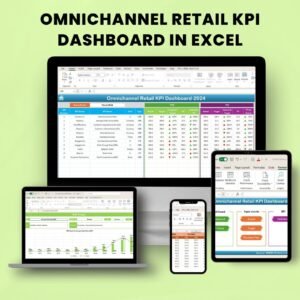
- Omnichannel Retail KPI Dashboard in Excel: a dashboard view of the same retail KPIs.
- Omnichannel Retail KPI Dashboard in Google Sheets: for teams that work in Google Sheets.
- Omnichannel Retail KPI Dashboard in Power BI: the same topic in Power BI.
- Retail KPI Scorecard in Excel: a scorecard for single-channel retail.
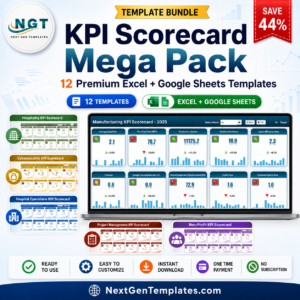
- KPI Scorecard Mega Pack: 12 Excel and Google Sheets KPI scorecards.
Browse all Excel KPI dashboards or the Excel sales and marketing templates.













Reviews
There are no reviews yet.