

Key Features of Software Release and Deployment Calendar in Excel
Introducing the ultimate Software Release and Deployment Calendar in Excel designed to streamline your software project timelines and deployment schedules with ease and precision. This ready-to-use Excel template is packed with powerful features to manage your releases efficiently, ensuring that your team stays on track and deadlines are never missed.
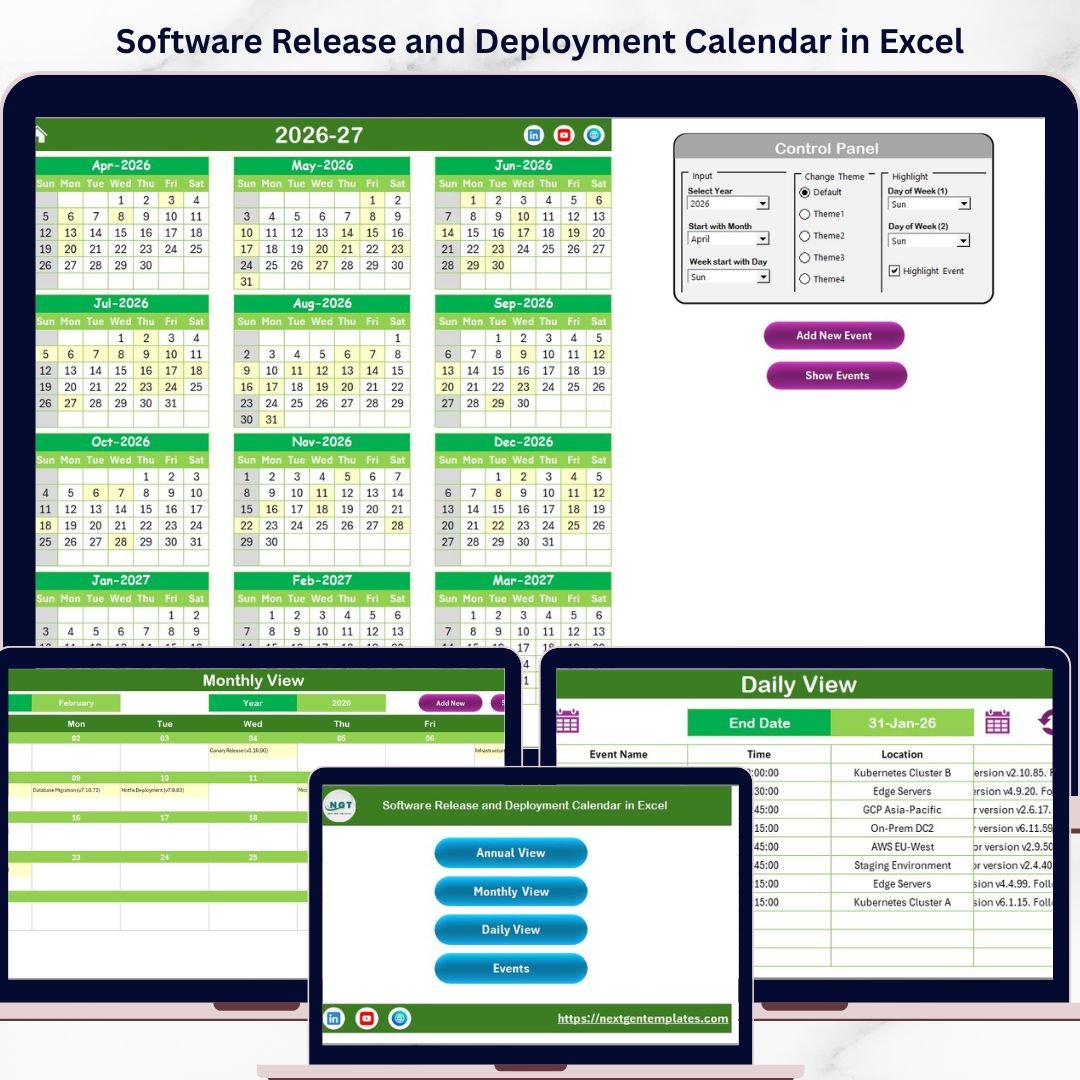
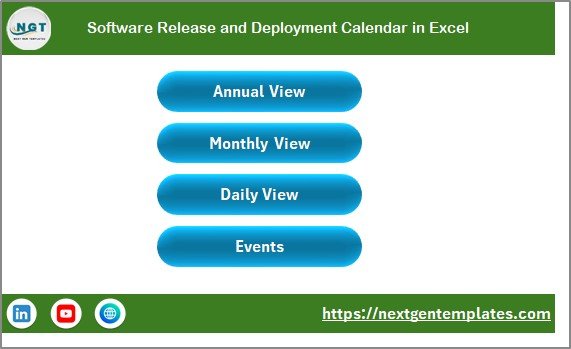
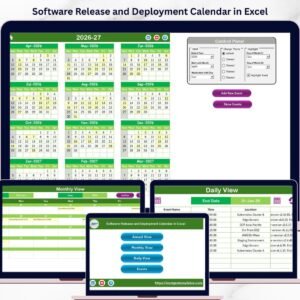
🗓️ Five Dynamic Worksheets: Navigate effortlessly through the Home, Annual View, Monthly View, Daily View, and Events sheets using intuitive buttons on the Home tab.
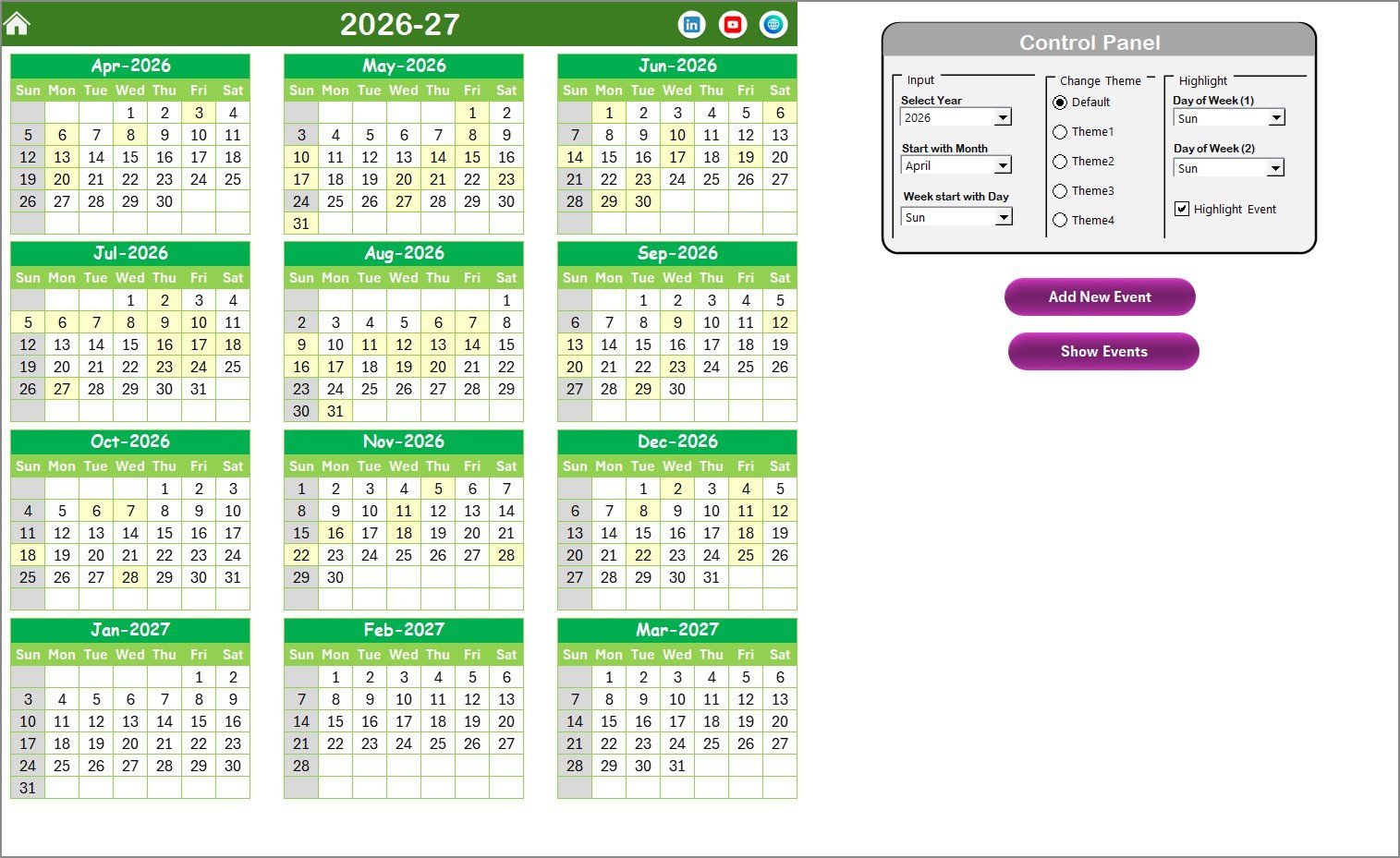
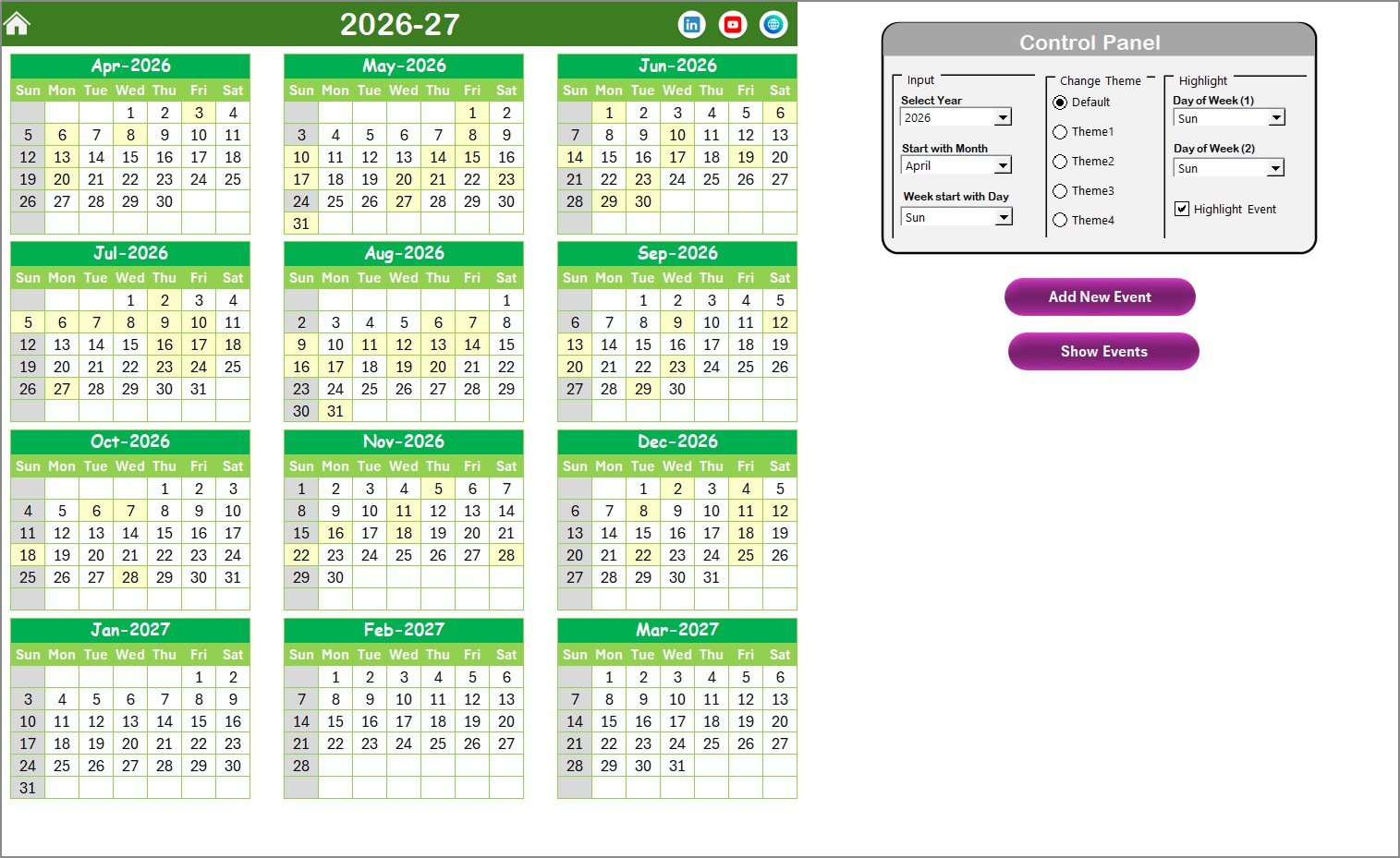
📅 Annual View Sheet: Displays a full 12-month calendar with advanced controls to select the year, starting month, and week start day. Customize the appearance by choosing from 5 vibrant color themes. Highlight weekends or specific days and even spotlight important events automatically.
➕ Add and Manage Events: Easily add new events using the intuitive form. Select a date and input essential details to keep your schedule updated. View event lists for any selected date with a single click.
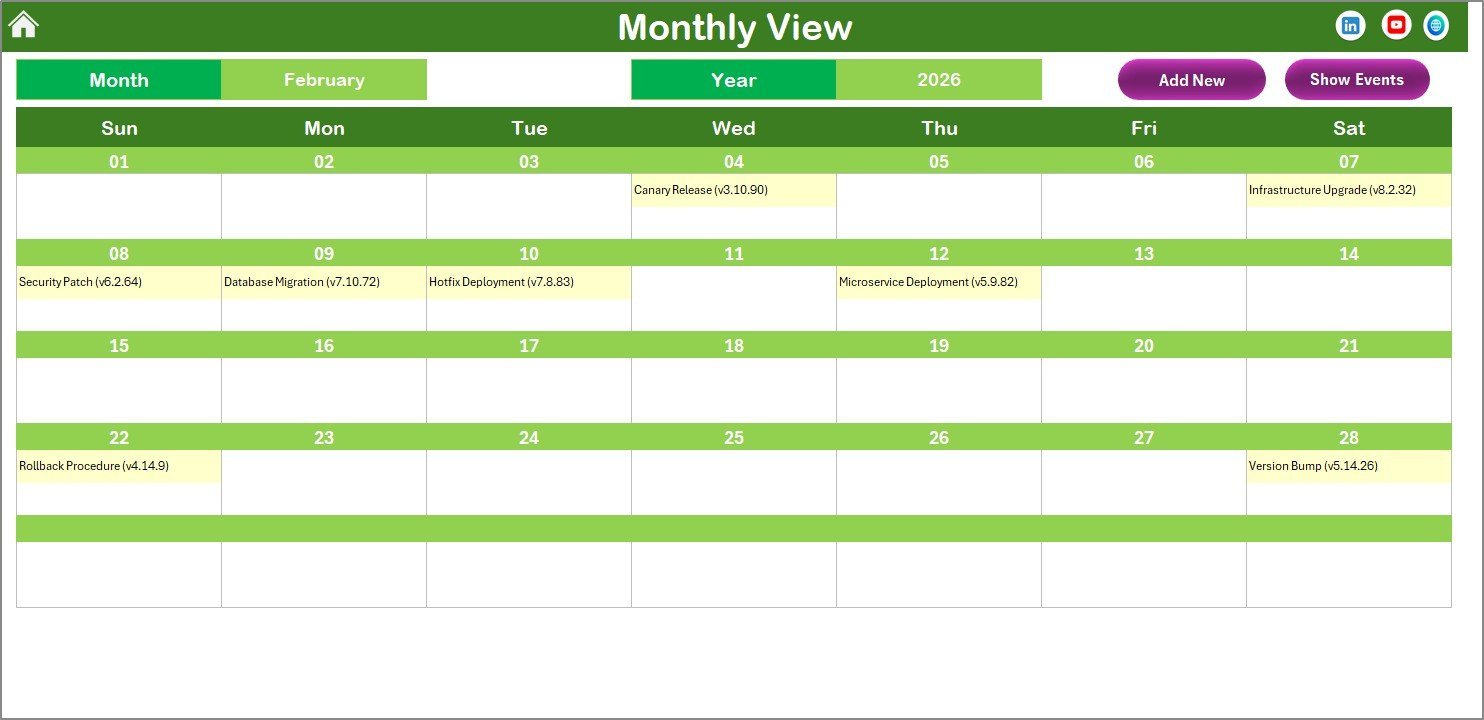
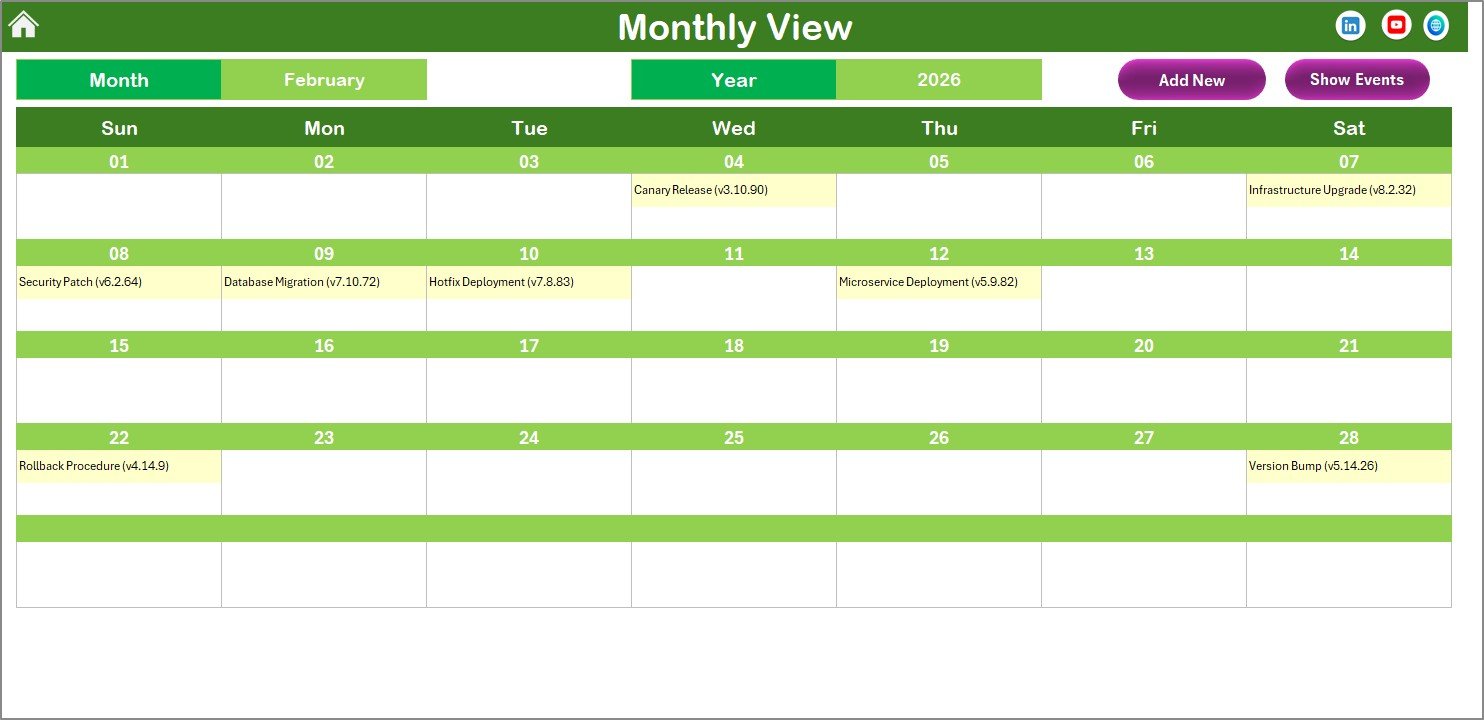
📆 Monthly View Sheet: Focus on one month at a time, selecting your preferred month and year to see detailed event information. Supports showing multiple events per date with clear indicators.
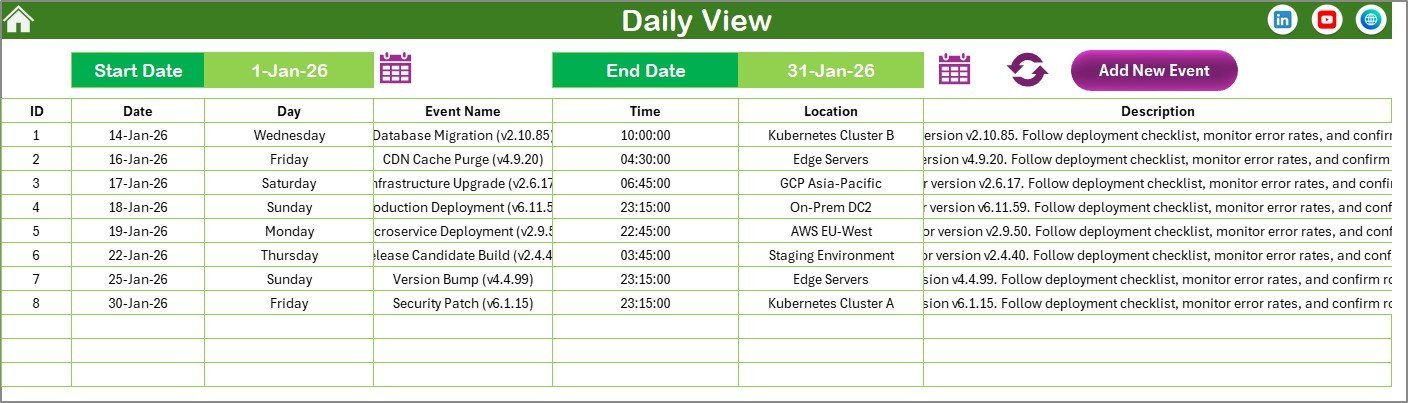
📝 Daily View Sheet: Analyze events within a specific date range by selecting start and end dates. Refresh anytime to get the latest updates on your project milestones and deployments.
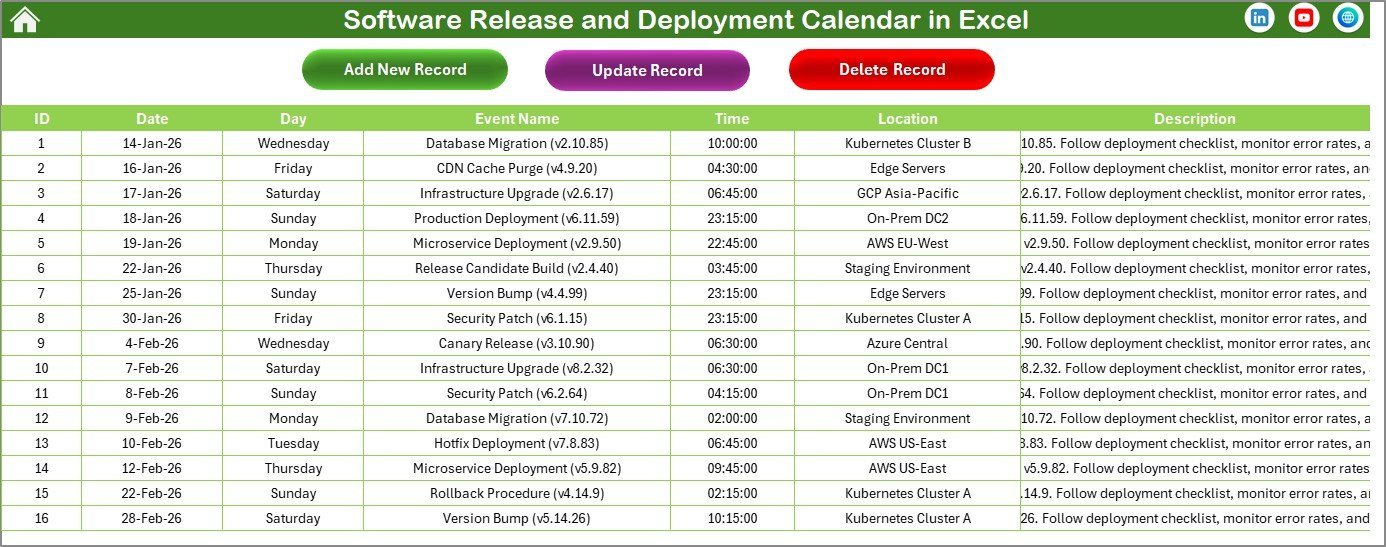
📋 Events Database Sheet: Acts as a comprehensive repository for all event details, including event ID, date, day, event name, time, location, and description. Easily add, update, or delete records with user-friendly buttons.
What’s Inside the Software Release and Deployment Calendar in Excel
This digital product includes a meticulously crafted Excel workbook with the following contents:
🖥️ Home Sheet: An interactive index with buttons for quick navigation between views.
📊 Annual View: A full year calendar with customizable themes, highlighting options, and event management tools.
📅 Monthly View: Detailed month-by-month calendar to zoom in on your release schedules.
🗓️ Daily View: Filter your events by date range to track daily deployments and tasks.
📚 Events Sheet: Centralized database for all your deployment and release events with full CRUD (Create, Read, Update, Delete) capabilities.
Each sheet is designed with user-friendly controls and buttons to simplify your workflow and increase productivity.
How to Use the Software Release and Deployment Calendar in Excel
Getting started with this calendar is seamless and tailored for all skill levels. Follow these easy steps:
🖱️ Step 1: Open the Home sheet and navigate to your preferred calendar view using the buttons.
📅 Step 2: In the Annual or Monthly view, select the year, month, and starting day of the week to customize your calendar display.
🎨 Step 3: Choose your favorite color theme from the control panel to personalize the look.
➕ Step 4: To add new events, select a date on the calendar, click the “Add New Event” button, fill out the form, and submit.
🔍 Step 5: Use the “Show Event” button to view event details for any selected date instantly.
📆 Step 6: In the Daily View, filter events by selecting a date range and clicking “Refresh” to stay updated on your deployments.
🗃️ Step 7: Manage your event database directly from the Events sheet by adding, updating, or deleting records as needed.
With these simple steps, you can efficiently plan, track, and manage your software releases and deployments, helping your team deliver projects on time and with confidence.
Who Can Benefit from This Software Release and Deployment Calendar in Excel
This calendar template is a must-have for a wide range of professionals and teams, including:
👨💻 Software Developers & Engineers: Keep track of your release cycles and deployment schedules in a structured format.
📊 Project Managers: Plan and monitor multiple software releases, ensuring deadlines are met with clear visibility.
🧑💼 IT Teams: Coordinate deployments across different environments and teams with ease.
🏢 Product Owners: Stay informed about upcoming releases and prepare stakeholders accordingly.
📅 Small to Medium Businesses: Utilize a professional calendar without the need for expensive software tools.
🎯 Freelancers & Consultants: Showcase your project management skills by delivering timely software releases.
This comprehensive calendar helps you avoid missed deadlines, reduce deployment risks, and improve team collaboration, all within the convenient environment of Microsoft Excel.
Software Release and Deployment Calendar in Excel
Annual View Sheet tab
Monthly View Sheet tab
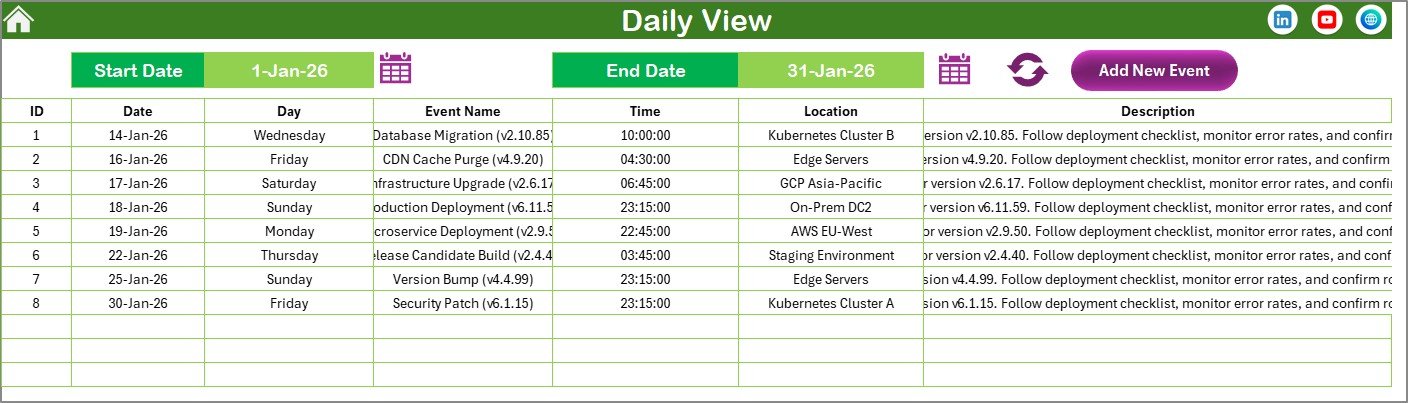
Daily View Sheet tab
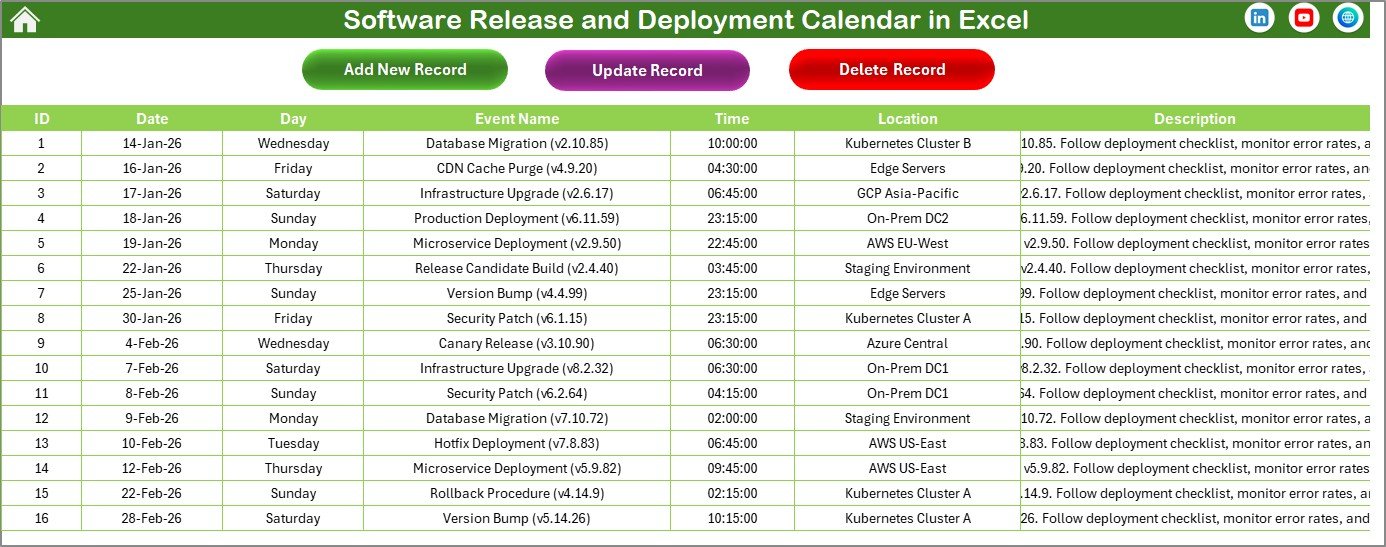
Events Sheet tab
Click here to read the Detailed blog post.
Visit our YouTube channel to learn step-by-step video tutorials.






















Reviews
There are no reviews yet.