

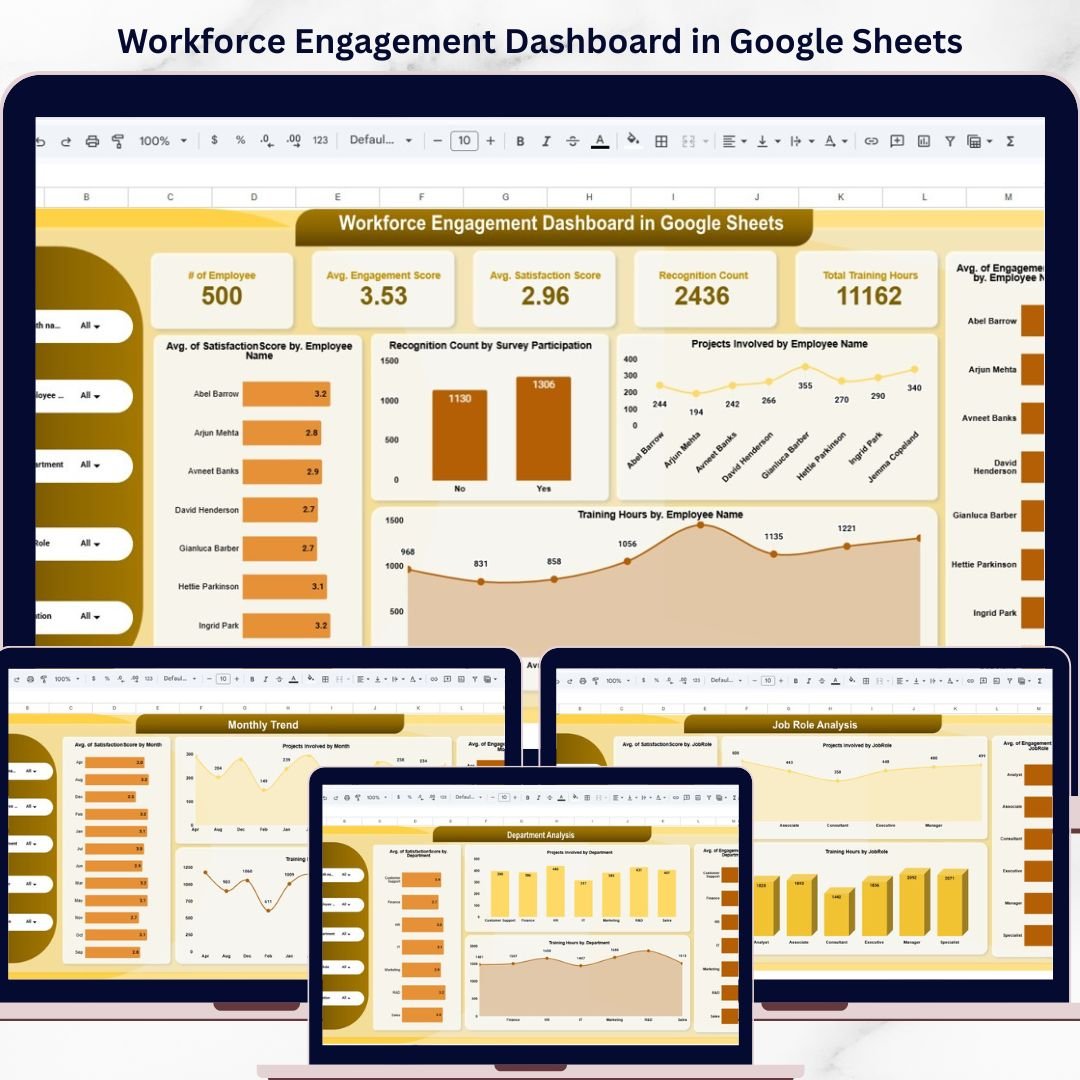
Are you struggling to track employee engagement, satisfaction, and productivity across multiple spreadsheets? Finding it difficult to identify disengaged employees and improve workforce performance?
Workforce Engagement Dashboard in Google Sheets!
This powerful, ready-to-use Google Sheets dashboard is designed for HR teams, managers, and business leaders who want to monitor workforce performance in a simple and effective way. Instead of dealing with scattered HR data and manual reporting, this dashboard brings all key workforce metrics into one centralized, cloud-based platform.
With interactive visuals, dynamic filters, and automated calculations, you can instantly analyze employee engagement, satisfaction levels, training hours, and participation. As a result, you can make faster, data-driven decisions that improve employee experience and boost organizational productivity.
🔑 Key Features of Workforce Engagement Dashboard in Google Sheets
✨ 👥 Real-Time Workforce Insights – Monitor employee engagement, satisfaction, and performance instantly.
✨ 📊 Interactive Dashboard View – Access all KPIs in one place with dynamic charts and visuals.
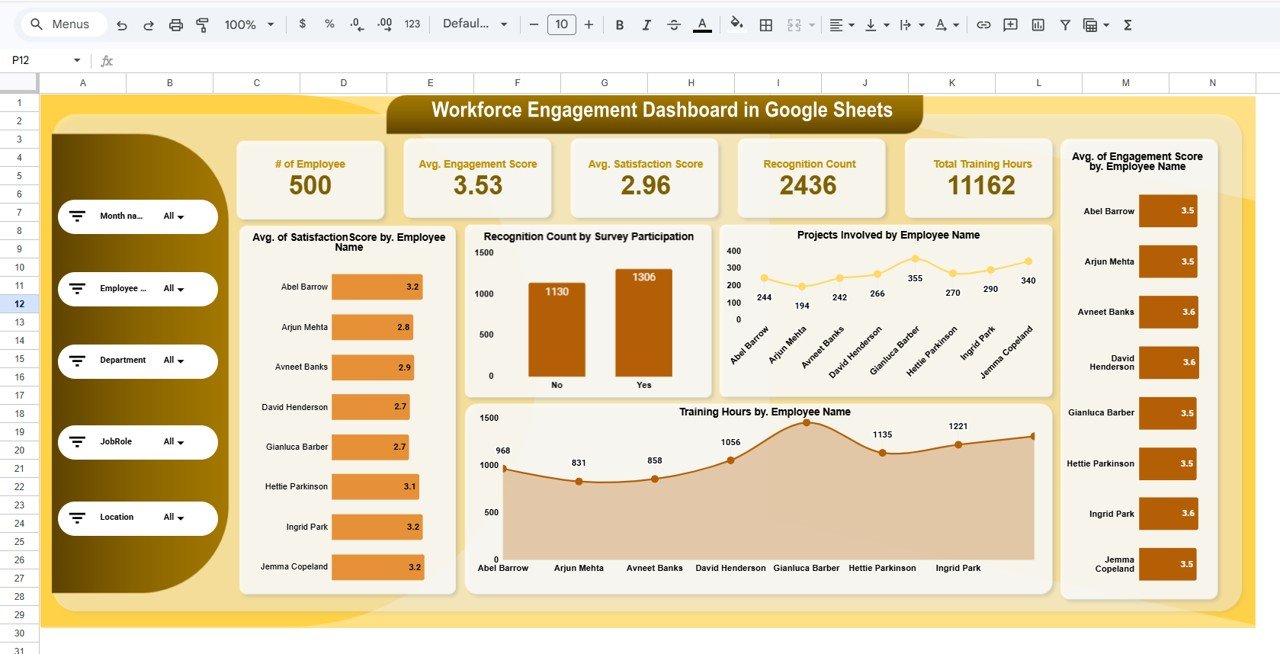
✨ 🎛️ Advanced Filters & Slicers – Filter data by Month, Employee, Department, Job Role, and Location.
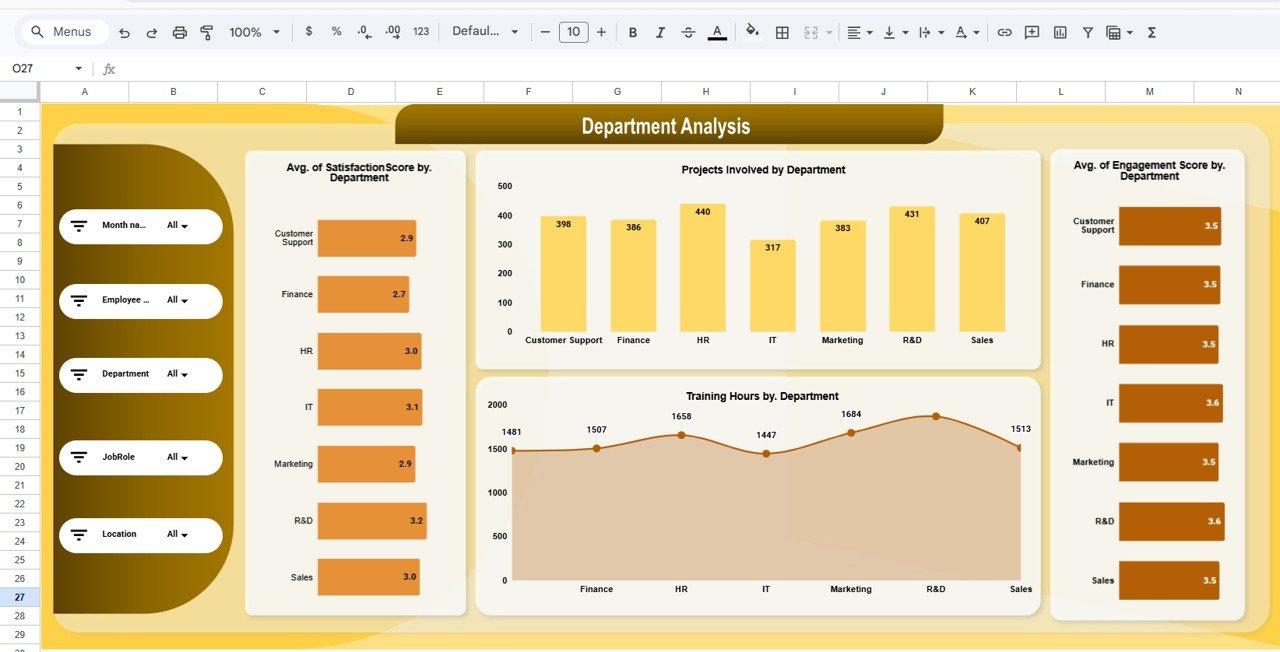
✨ 📈 Performance Analysis Across Dimensions – Analyze workforce metrics by department, role, and region.
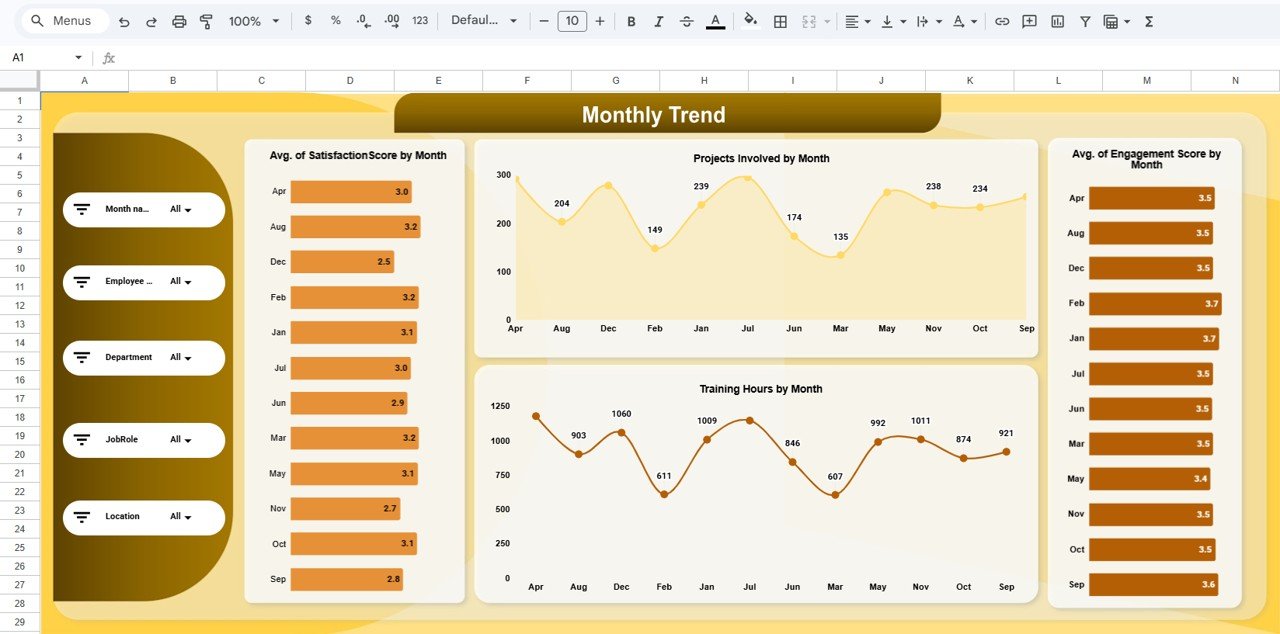
✨ 📅 Monthly Trend Tracking – Monitor engagement and productivity trends over time.
✨ ⚡ Automated Calculations – Dashboard updates automatically when data is entered.
✨ ☁️ Cloud-Based Collaboration – Access and share the dashboard anytime using Google Sheets.
📂 What’s Inside the Workforce Engagement Dashboard in Google Sheets
📁 Main Dashboard Sheet – Central hub displaying KPI cards and charts for workforce performance.
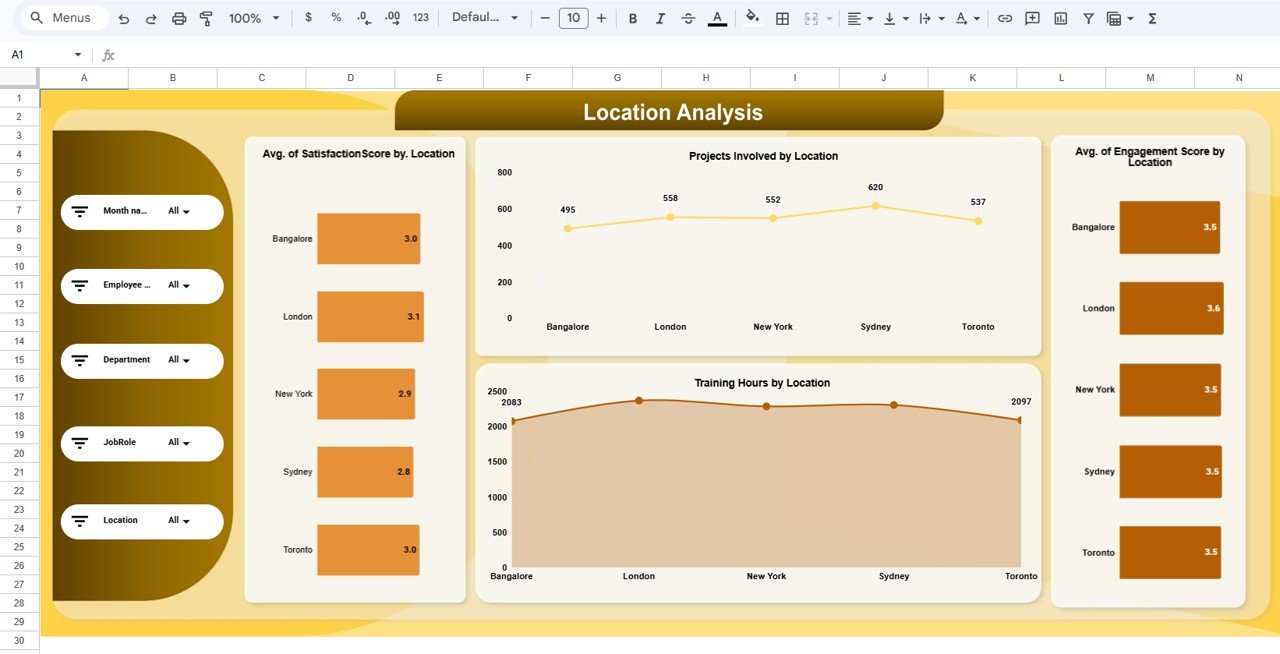
📁 Location Analysis Sheet – Compare engagement, satisfaction, and training across locations.
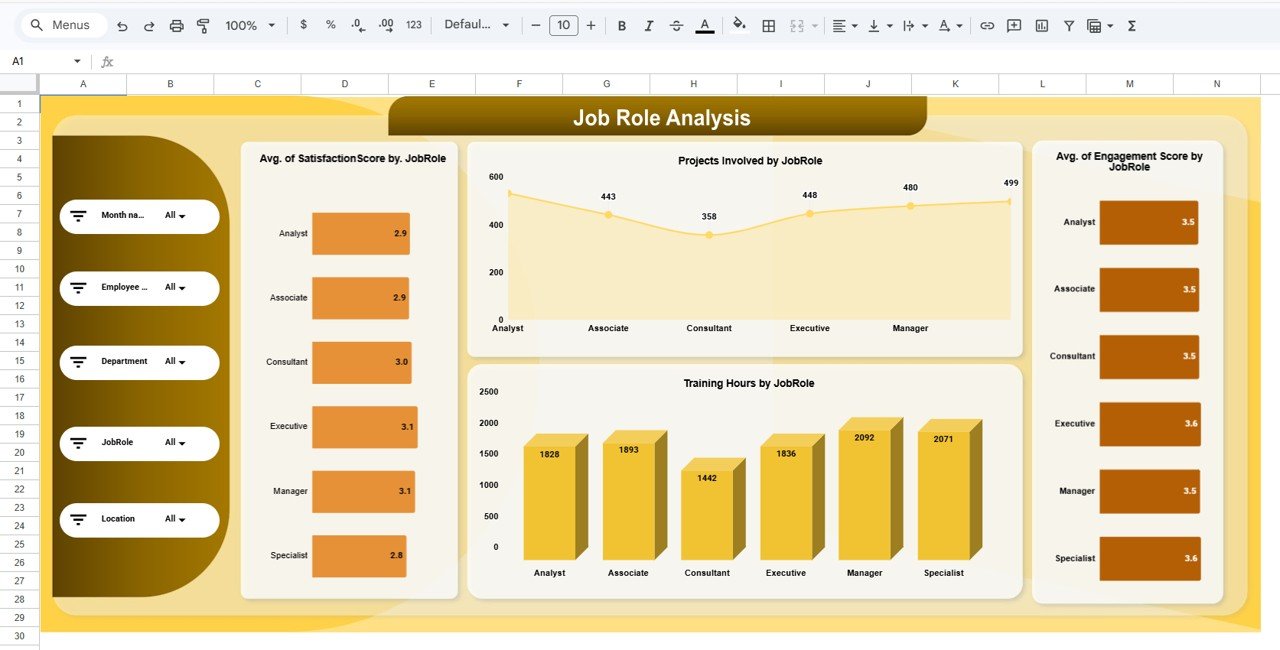
📁 Job Role Analysis Sheet – Evaluate workforce performance across different job roles.
📁 Department Analysis Sheet – Analyze departmental engagement and productivity.
📁 Monthly Trend Sheet – Track workforce performance trends over time.
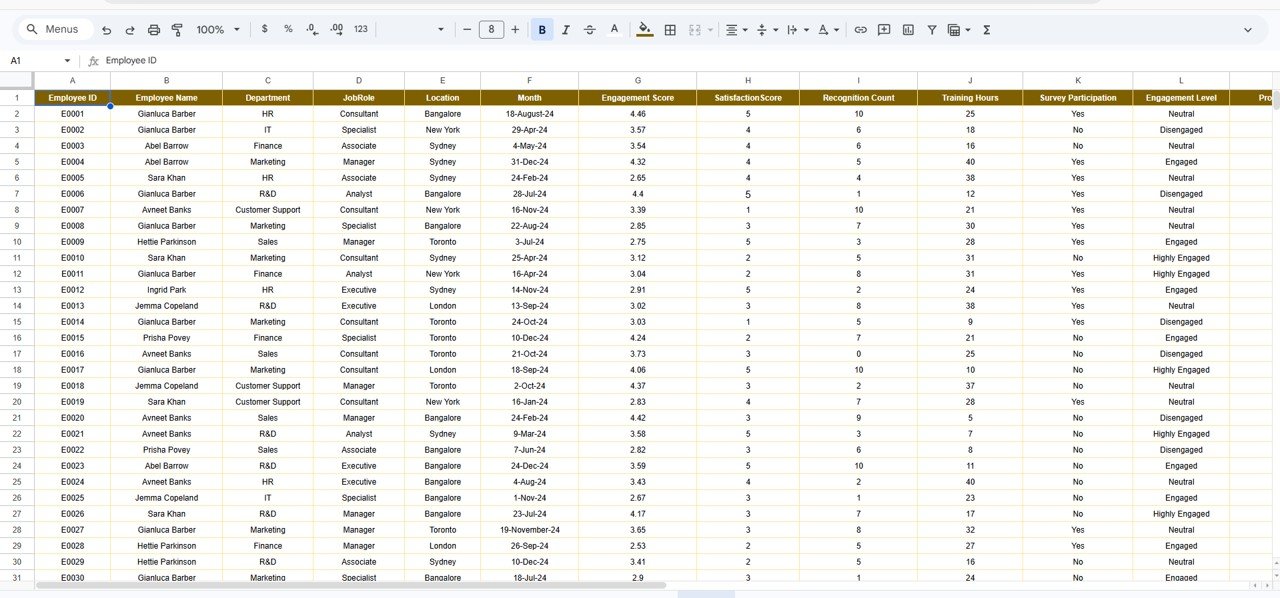
📁 Data Sheet – Input and manage employee data including engagement scores and training hours.
📁 Dynamic Charts & KPI Cards – Automatically updated visuals for quick insights.
🛠️ How to Use the Workforce Engagement Dashboard in Google Sheets
👉 Step 1: Enter employee data into the Data Sheet
👉 Step 2: Ensure data accuracy and consistency
👉 Step 3: Use filters to analyze specific segments
👉 Step 4: Review charts and KPI cards
👉 Step 5: Identify trends and improve workforce strategies
💡 No advanced technical skills required—simple, intuitive, and powerful!
👥 Who Can Benefit from This Workforce Engagement Dashboard in Google Sheets
✔️ HR Managers – Track employee engagement and improve retention
✔️ HR Analysts – Analyze workforce data and generate insights
✔️ Business Leaders – Monitor organizational performance
✔️ Team Managers – Evaluate team productivity and participation
✔️ Organizational Development Teams – Improve workforce strategies
This dashboard is more than just a reporting tool—it’s a complete workforce analytics solution. It helps you identify engagement gaps, improve employee satisfaction, and enhance productivity with ease.
If you want to build a high-performing organization, reduce employee turnover, and make smarter HR decisions, this dashboard is the perfect choice.






























