



Launching a new product is one of the most critical moments for any business. Sales performance, revenue realization, profit margins, and regional demand must be monitored closely from day one. However, many organizations still track launch data using scattered spreadsheets, emails, or static reports. As a result, decision-making slows down, early warning signs get missed, and launch momentum suffers.Product Launch Dashboard in Google Sheets
That is exactly why the Product Launch Dashboard in Google Sheets becomes a powerful and must-have business tool.
This ready-to-use dashboard helps product managers, sales teams, marketing teams, and leadership track product launch performance in real time. It transforms raw sales data into clear visuals, comparisons, and insights—so teams can instantly see what is working and what needs attention.Product Launch Dashboard in Google Sheets
Because the dashboard is built entirely in Google Sheets, it is cloud-based, collaborative, and extremely easy to use. You update the data once, and the entire dashboard refreshes automatically.Product Launch Dashboard in Google Sheets

🔑 Key Features of the Product Launch Dashboard
📊 Real-Time Launch Performance Tracking
Track units sold, revenue, profit margins, and targets as the launch progresses.
🌍 Region-Wise Sales Visibility
Understand which regions are driving demand and which need support.
🧮 Target vs Actual Monitoring
Instantly compare planned targets with actual launch performance.
📈 Profit Margin Analysis
Identify profitable products early and control costs effectively.
🔍 Smart Search Capability
Find product-level insights in seconds without scrolling.
📦 What’s Inside the Product Launch Dashboard
The dashboard is designed with two core sheets supported by automated charts and search functionality.
🧭 Dashboard Sheet Tab – Launch Performance Overview
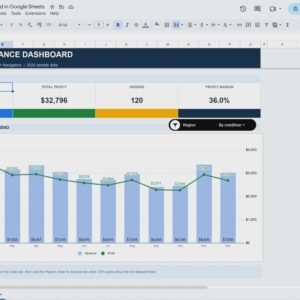
This is the main visual page of the dashboard. It summarizes product launch performance using multiple business-focused charts.
📌 Units Sold by Region
Shows how many units were sold across different regions.
Helps teams identify high-performing markets and optimize regional strategies.
💰 Revenue by Product Category
Displays revenue contribution by product category.
Supports pricing decisions and category-level marketing focus.
📊 Profit Margin Comparison
Compares profit margins across products or categories.
Helps leadership identify high-margin products and control launch costs.
🎯 Sales Target vs Actual Sales by Product Name
Compares planned targets with actual sales performance.
Highlights underperforming products early for corrective action.
📉 Revenue vs Actual Sales by Product Name
Validates revenue forecasts against real results.
Improves future launch planning and pricing accuracy.
All charts update automatically when new data is entered.
🔎 Search Feature – Find Launch Data Instantly
The dashboard includes a Smart Search Feature that allows users to quickly locate specific launch records.
You can search by:
Product Name
Region
Product Category
Launch Period
Sales Status
Just enter a keyword and select the field name—the dashboard instantly filters results. This feature is extremely useful during launch reviews, leadership meetings, and sales analysis discussions.
🗂 Data Input Sheet Tab – Simple & Structured
This sheet acts as the data foundation of the dashboard.
Here, you enter:
Product Name
Region
Product Category
Units Sold
Revenue
Cost
Profit Margin
Sales Target
Once data is updated, all charts and insights refresh automatically—no formulas or manual reporting required.
👥 Who Can Benefit from This Product Launch Dashboard
Product Managers
Sales & Revenue Teams
Marketing Teams
Business Analysts
Startup Founders
Senior Management
📈 Best Practices for Using the Dashboard
Update launch data regularly
Set realistic sales and revenue targets
Review performance weekly during launch
Share insights with all stakeholders
Maintain consistent product naming
Protect data with proper access controls
### Click here to read the Detailed blog post
Watch the step-by-step video tutorial:
Visit our YouTube channel to learn step-by-step video tutorials
👉 https://youtube.com/@NeotechNavigators
Compatibility and Requirements
- Works in Google Sheets. You need a free Google account and a web browser.
- You enter product, region, category, units sold, revenue, cost, profit margin and sales target on the Data Input sheet, and the charts on the Dashboard sheet update from it. Google explains how its charts work in Add and edit a chart or graph.
Frequently Asked Questions
Which sheets are included?
Two sheets: the Dashboard sheet with the charts and the Search feature, and the Data Input sheet where you enter your launch data.
What data do I enter?
On the Data Input sheet you enter product name, region, product category, units sold, revenue, cost, profit margin and sales target. The charts refresh after you update the data.
Which charts are on the Dashboard sheet?
Units Sold by Region, Revenue by Product Category, Profit Margin Comparison, Sales Target vs Actual Sales by Product Name, and Revenue vs Actual Sales by Product Name.
Can I look up a single product or region?
Yes. The search feature lets you type a keyword and pick the field to search, such as product name, region, product category, launch period or sales status.
Is there an Excel version?
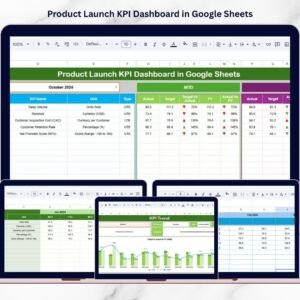
Yes. See the Product Launch KPI Dashboard in Excel. A Google Sheets KPI edition is also available: Product Launch KPI Dashboard in Google Sheets.
Related Product Launch Templates
- Product Launch KPI Dashboard in Google Sheets: a KPI view of the same launch
- Product Launch KPI Dashboard in Excel: the Excel edition
- Product Launch Checklist in Google Sheets: a task list for launch preparation
- Product Launch Calendar in Google Sheets: plan launch dates in one calendar
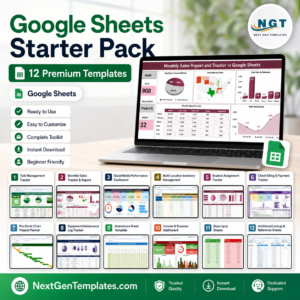
- Google Sheets Business Pack (Pro): 14 business templates in one download
Browse all Google Sheets dashboards.













Reviews
There are no reviews yet.