


Clinic Contract Management Dashboard is a critical but often overlooked responsibility. Clinics deal with vendors, service providers, equipment suppliers, maintenance partners, and outsourced services—each contract having its own value, duration, renewal date, and compliance requirements. However, when contracts are tracked using scattered Excel files, manual trackers, or email reminders, important details slip through the cracks. As a result, renewals get delayed, costs increase, and compliance risks rise.
That is exactly why the Clinic Contract Management Dashboard in Excel becomes an essential and practical solution.
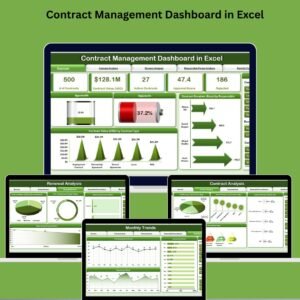
This ready-to-use Excel dashboard transforms raw contract data into clear KPIs, interactive charts, and structured insights. Instead of scrolling through long spreadsheets, clinic administrators and finance teams can instantly see contract value, renewal status, pending contracts, vendor performance, and monthly trends—all from a single Excel file.
Because this dashboard is built entirely in Excel, you do not need any technical skills, software integration, or coding knowledge. You simply update the Data Sheet, and the entire dashboard refreshes automatically. Therefore, clinics save time, reduce manual effort, and gain full visibility into contract performance.
🔑 Key Features of Clinic Contract Management Dashboard in Excel
📊 Centralized Contract Tracking – Manage all clinic contracts in one Excel file
⏳ Pending & Expiring Contract Visibility – Reduce renewal risks
🏥 Clinic, Department & Vendor Analysis – Multi-dimensional insights
📅 Monthly & Annual Contract Trends – Better forecasting and planning
💰 Contract Value & Renewal Performance – Financial clarity
🎛️ Easy Page Navigation & Filters – Smooth user experience
⚡ Automated KPIs & Charts – No manual calculations
📂 What’s Inside the Clinic Contract Management Dashboard in Excel
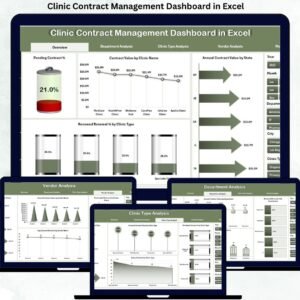
This professionally designed dashboard includes five structured analytical pages, each answering a key contract-management question.
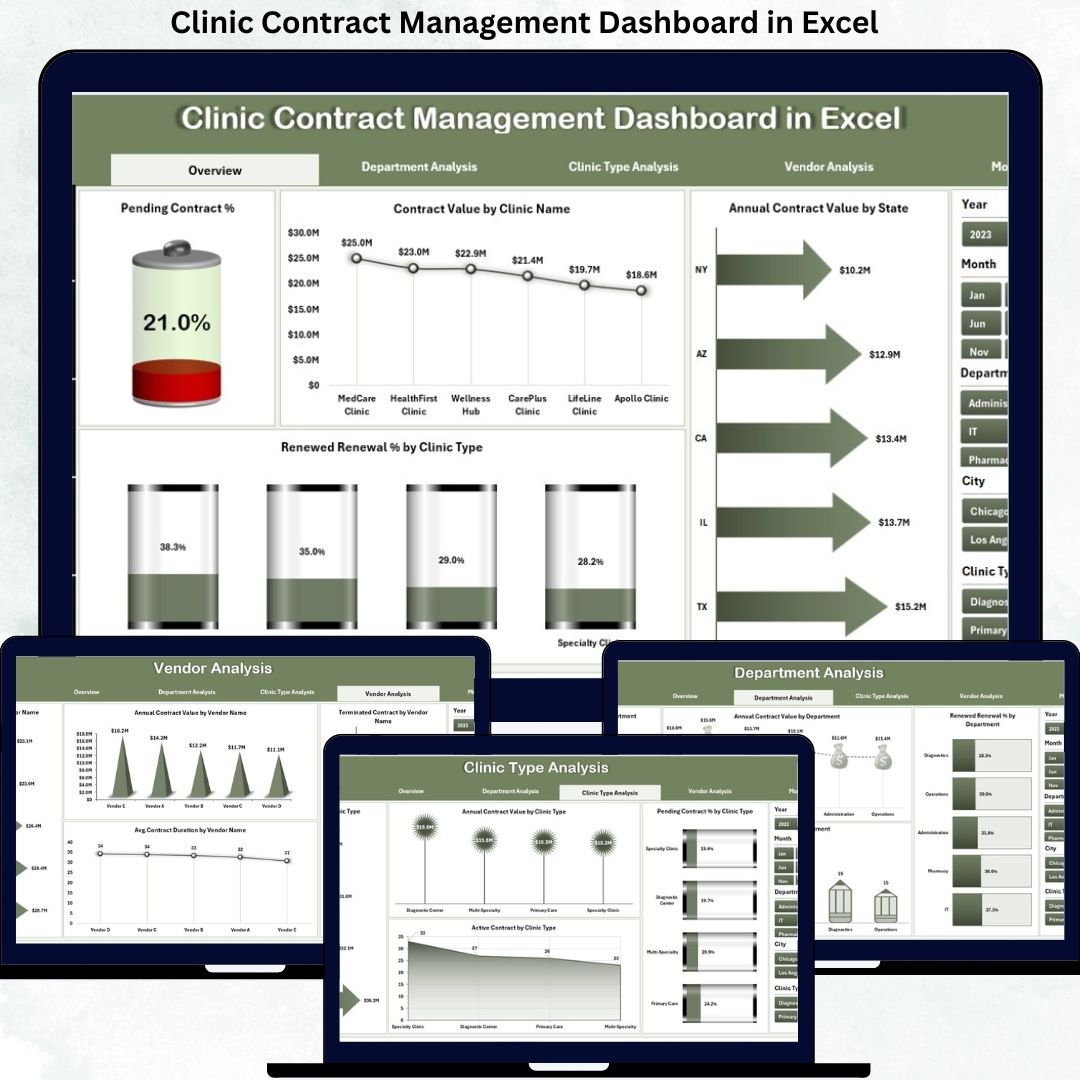
📊 Overview Page – Overall contract health at a glance
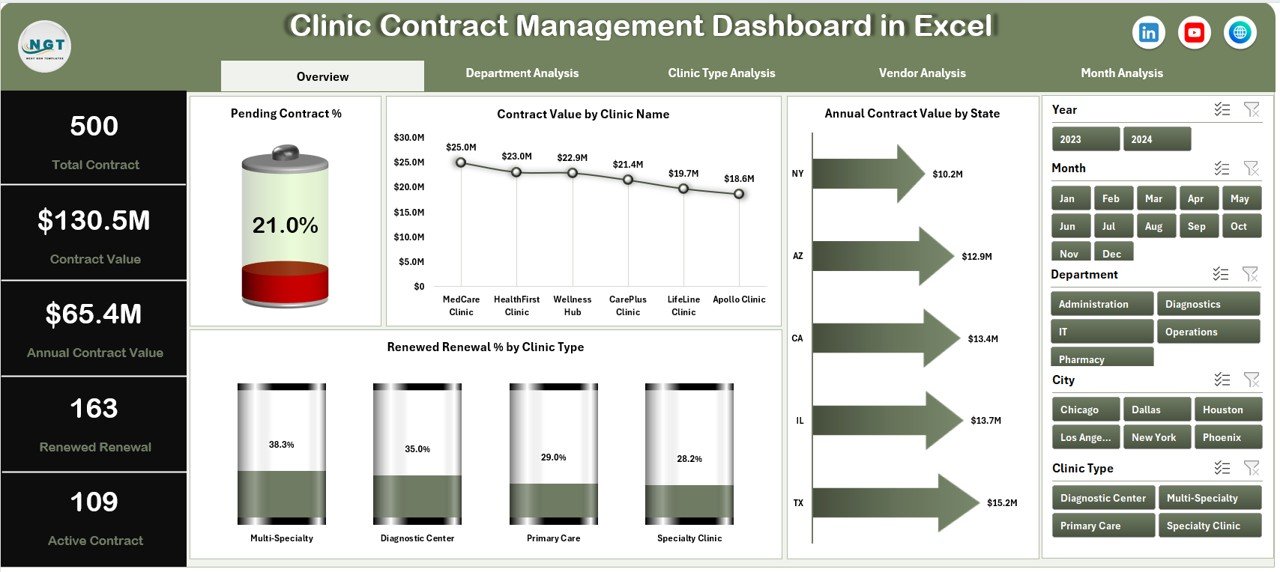
Pending Contract %
Contract Value by Clinic Name
Annual Contract Value by State
Revenue Renewal % by Clinic Type
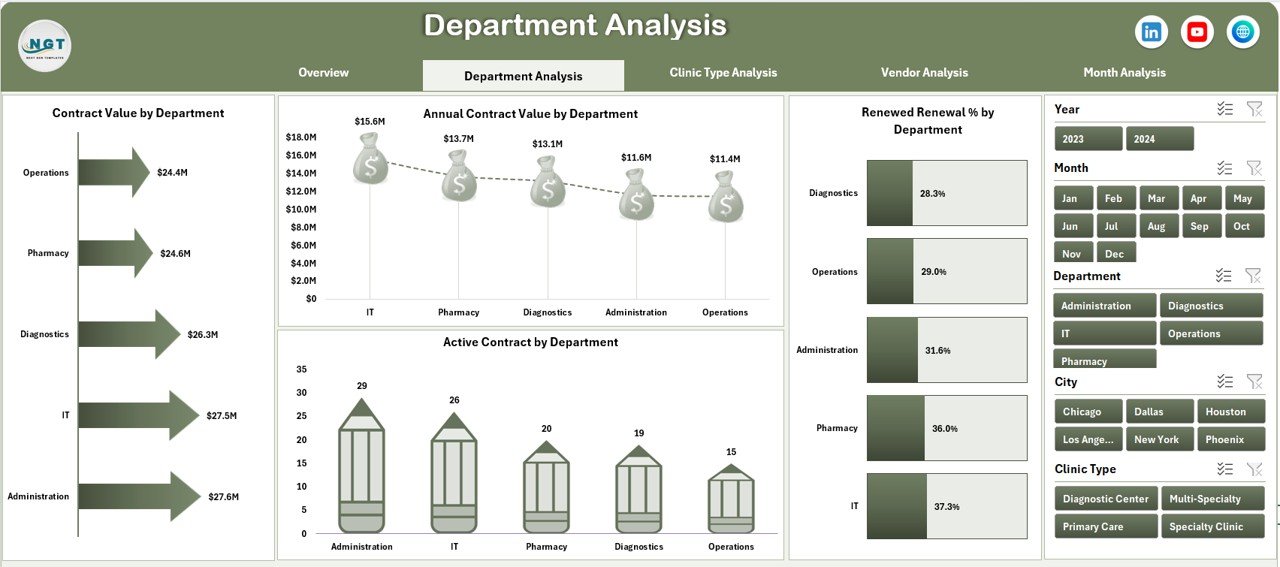
🏢 Department Analysis Page – Department-wise contract control
Contract Value by Department
Annual Contract Value by Department
Renewed Renewal % by Department
Active Contract by Department
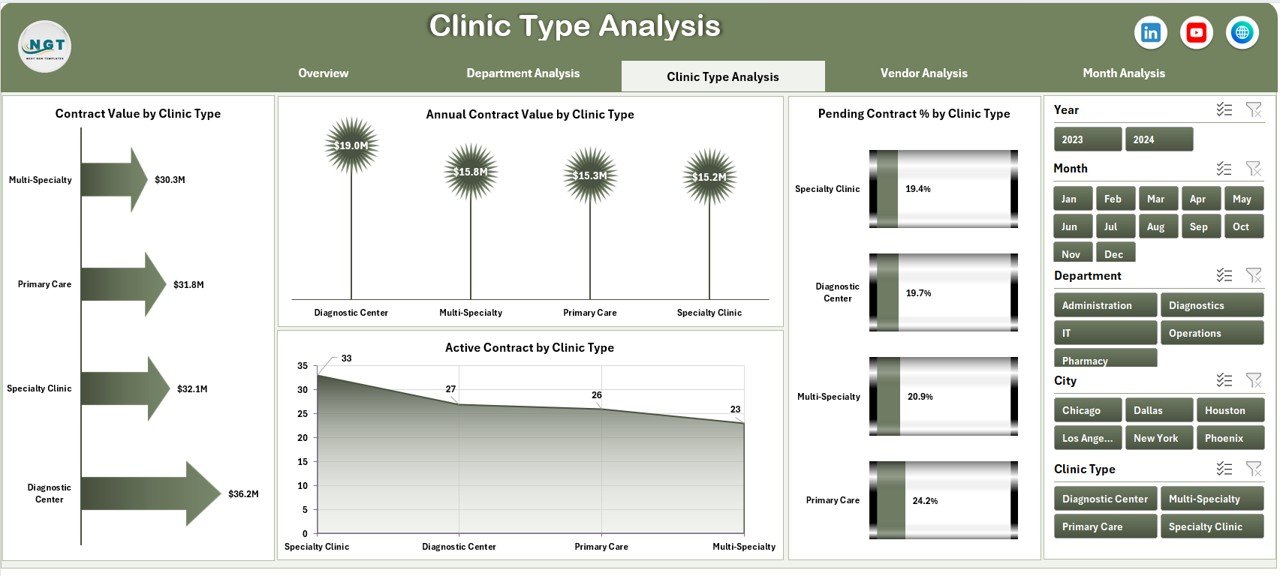
🏥 Clinic Type Analysis Page – Performance by clinic category
Contract Value by Clinic Type
Annual Contract Value by Clinic Type
Pending Contract % by Clinic Type
Active Contract by Clinic Type
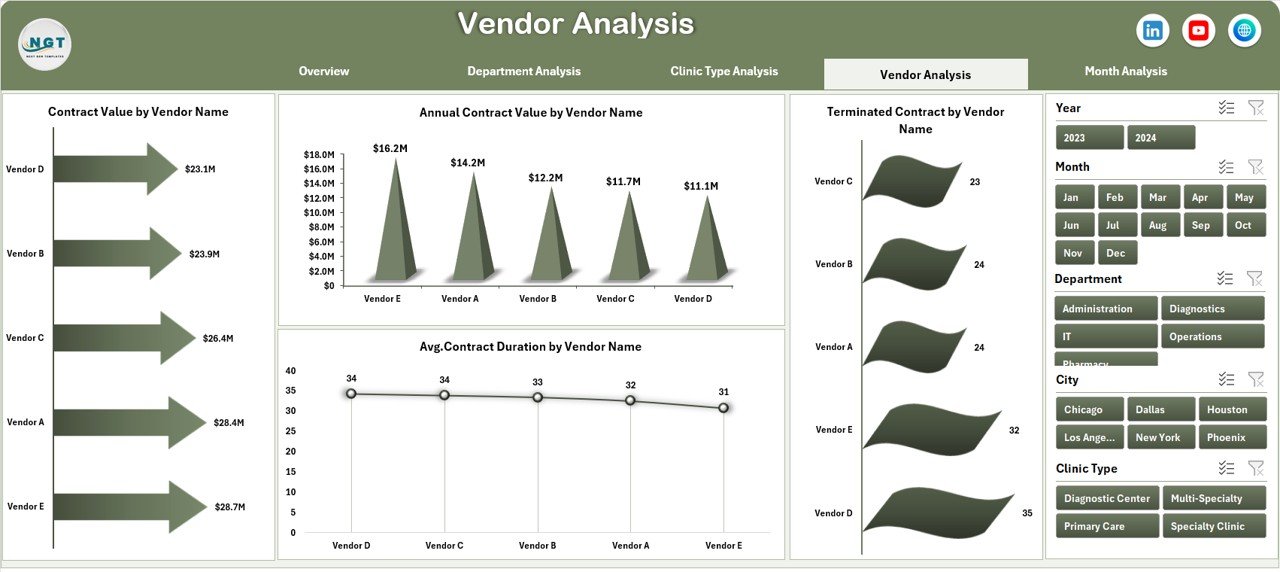
🤝 Vendor Analysis Page – Vendor relationship insights
Contract Value by Vendor Name
Annual Contract Value by Vendor Name
Terminated Contract by Vendor Name
Average Contract Duration by Vendor Name
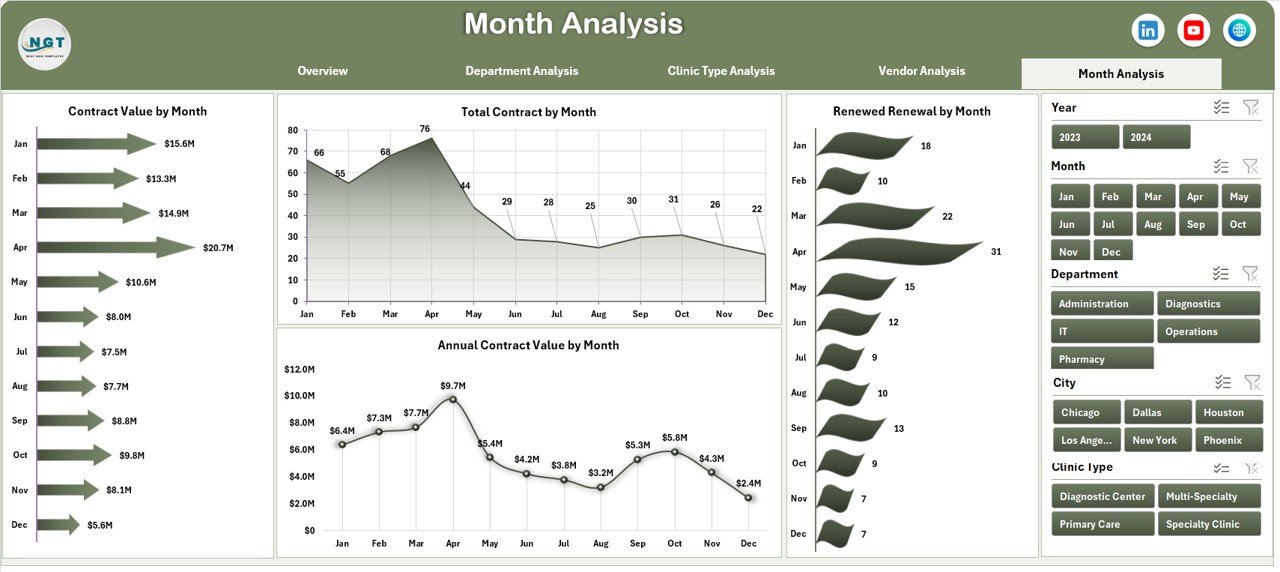
📅 Month Analysis Page – Time-based contract trends
Contract Value by Month
Annual Contract Value by Month
Renewed Renewal by Month
Total Contract by Month
Each page uses visual charts and KPIs to simplify complex contract data.
▶️ How to Use the Clinic Contract Management Dashboard in Excel
1️⃣ Enter or update contract details in the Data Sheet
2️⃣ Let Excel automatically calculate KPIs and trends
3️⃣ Use slicers to filter by clinic, department, vendor, or month
4️⃣ Review pending, active, renewed, and terminated contracts
5️⃣ Use insights to improve renewal planning and vendor negotiations
No advanced Excel knowledge is required.
👥 Who Can Benefit from This Dashboard
This dashboard is ideal for:
🏥 Clinic Administrators & Managers
📋 Operations & Procurement Teams
💰 Finance & Compliance Teams
🏢 Hospital & Healthcare Management
📊 Healthcare Consultants
### 👉 Click here to read the Detailed Blog Post
Visit our YouTube channel to learn step-by-step video tutorials.
Watch the step-by-step video tutorial:
Compatibility and Requirements
- Works in Microsoft Excel desktop (Excel 2016 or later, or Microsoft 365).
- The dashboard uses slicers to filter by clinic, department, vendor or month. Microsoft explains slicers in Use slicers to filter data.
Frequently Asked Questions
Which pages does the dashboard have?
Five pages: Overview, Department Analysis, Clinic Type Analysis, Vendor Analysis and Month Analysis. A Data Sheet holds your contract records.
How do I update the dashboard?
Enter or change your contract details in the Data Sheet. Excel recalculates the KPIs and charts from that data.
Can I filter by vendor or department?
Yes. Slicers let you filter by clinic, department, vendor or month.
Does it show pending and renewed contracts?
Yes. The Overview page shows Pending Contract %, and other pages show renewal percentages, active contracts and terminated contracts by vendor.
Is there a Power BI or KPI version?
Yes. See the Clinic Contract Management Dashboard in Power BI and the Clinic Contract KPI Dashboard in Excel.
Related Contract and Clinic Templates
- Clinic Contract Management Dashboard in Power BI: the same contract dashboard in Power BI
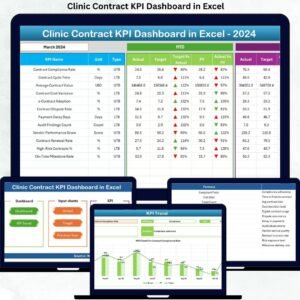
- Clinic Contract KPI Dashboard in Excel: a KPI view of clinic contracts
- Contract Management Tracker in Excel: a simple tracker for contract records
- Vendor Contract Renewal Calendar in Excel: a calendar for vendor renewal dates
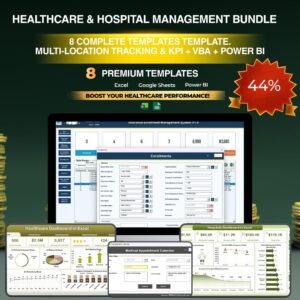
- Healthcare & Hospital Management Bundle: 8 healthcare templates in one download
Browse all Excel dashboards.



Reviews
There are no reviews yet.