


Managing corporate audits efficiently is essential for strong governance, risk management, and regulatory compliance. As organizations grow, audits increase across departments, locations, and risk categories. Unfortunately, many companies still rely on static reports, PDFs, or disconnected spreadsheets. As a result, audit tracking becomes slow, risk visibility reduces, and leadership struggles to take timely corrective actions.
That is exactly why the Corporate Audit Dashboard in Google Sheets is a powerful and practical solution.
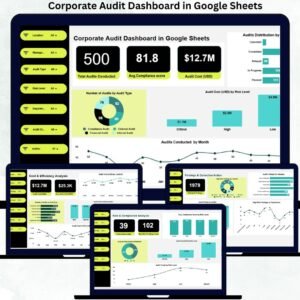
This ready-to-use dashboard transforms raw audit data into meaningful, decision-ready insights using KPI cards, interactive charts, and a smart search system—all within a single Google Sheets file. It helps audit teams, compliance officers, internal control teams, and senior management track audit performance, risk exposure, findings, and costs with complete clarity.
Because the dashboard is built in Google Sheets, it remains easy to use, collaborative, and cost-effective—without the need for expensive audit or GRC software.

🚀 Key Features of Corporate Audit Dashboard in Google Sheets
📊 Centralized Audit Performance Monitoring
Track audit volume, compliance scores, risk levels, findings, and costs from one dashboard.
⚠️ Risk & Compliance Visibility
Identify high-risk audits, critical findings, and re-audit requirements instantly.
💰 Audit Cost & Efficiency Tracking
Monitor audit spending, average audit cost, and cost distribution by location and auditor.
🏢 Multi-Dimensional Analysis
Analyze audit performance by department, location, audit type, risk level, and auditor.
🔍 Smart Search Functionality
Find any audit record instantly without manual filtering.
📦 What’s Inside the Corporate Audit Dashboard
📌 Overview Sheet – High-Level Audit Performance Snapshot
This page gives leaders an immediate view of overall audit health.
KPI Cards
✅ Average Compliance Score
💵 Total Audit Cost (USD)
Charts Included
📊 Number of Audits by Audit Type
📌 Audits Distribution by Status
⚠️ Audit Cost (USD) by Risk Level
📅 Audits Conducted by Month
These visuals help management understand audit workload, cost behavior, and execution status at a glance.
⚠️ Risk & Compliance Analysis – Focus on Risk Exposure
This section highlights areas that need immediate attention.
KPI Cards
🚨 Critical Risk Audits
⚠️ High-Risk Findings Count
Charts Included
🔁 Re-Audit Requirement Distribution
📈 Average Compliance Score by Risk Level
💰 Audit Cost (USD) by Risk Level
📊 Audit Count by Risk Level
This analysis helps organizations prioritize corrective and preventive actions.
🧾 Findings & Corrective Action – Audit Issue Visibility
This section focuses on audit outcomes and problem areas.
KPI Card
📋 Total Audit Findings
Charts Included
📍 High-Risk Findings by Location
🗂 Audit Findings by Category
🏢 High-Risk Findings by Department
👤 Audit Findings by Auditor
It improves accountability, ownership, and follow-up of audit issues.
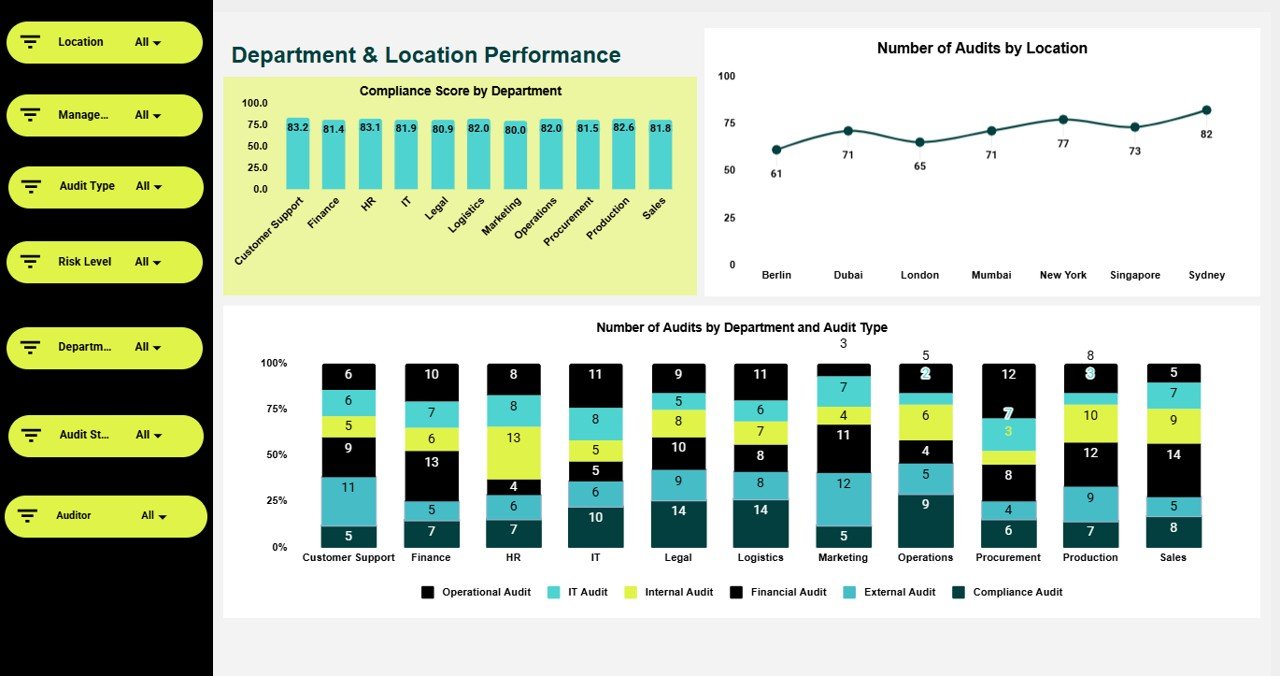
🏢 Department & Location Performance – Operational Audit Insights
Understand audit coverage and compliance performance across the organization.
Charts Included
✅ Compliance Score by Department
📍 Number of Audits by Location
📊 Number of Audits by Department & Audit Type
These insights support department-level improvement strategies.
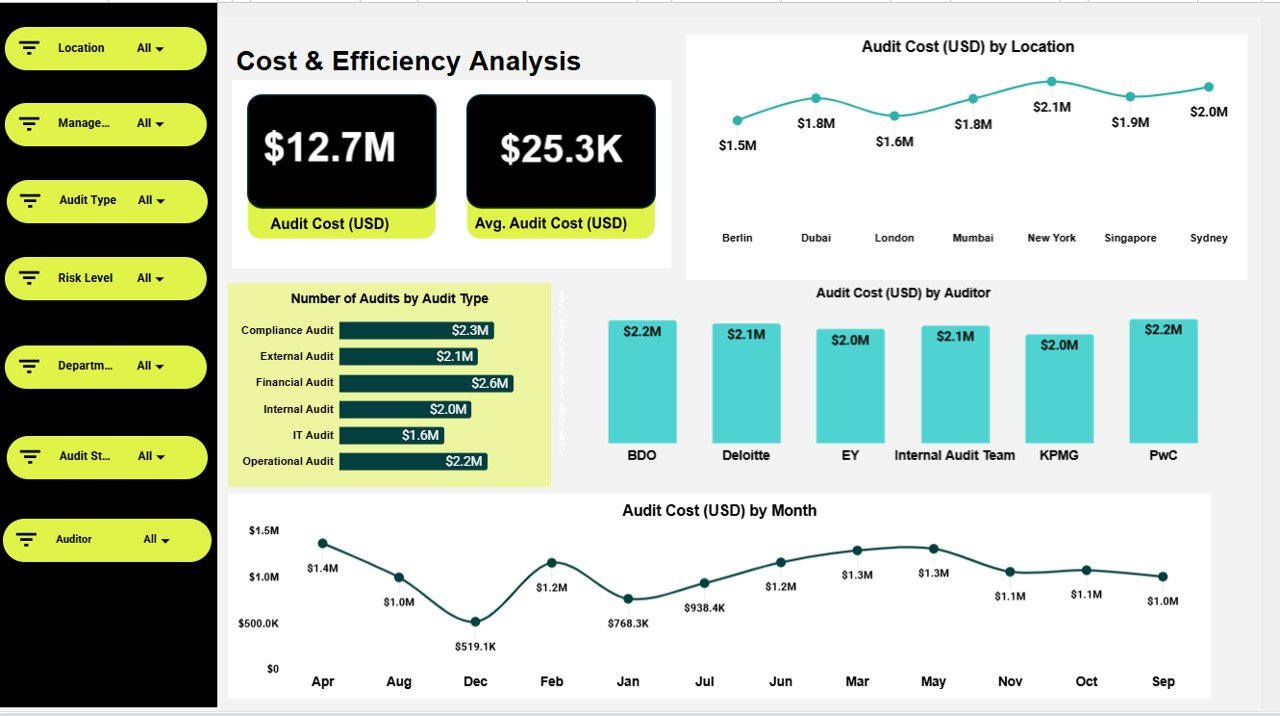
💰 Cost & Efficiency Analysis – Audit Spending Intelligence
This section focuses on audit financial performance.
KPI Cards
💵 Audit Cost (USD)
📉 Average Audit Cost (USD)
Charts Included
📍 Audit Cost (USD) by Location
👤 Audit Cost (USD) by Auditor
📊 Number of Audits by Audit Type
📅 Audit Cost (USD) by Month
Helps organizations optimize audit planning and budgeting.
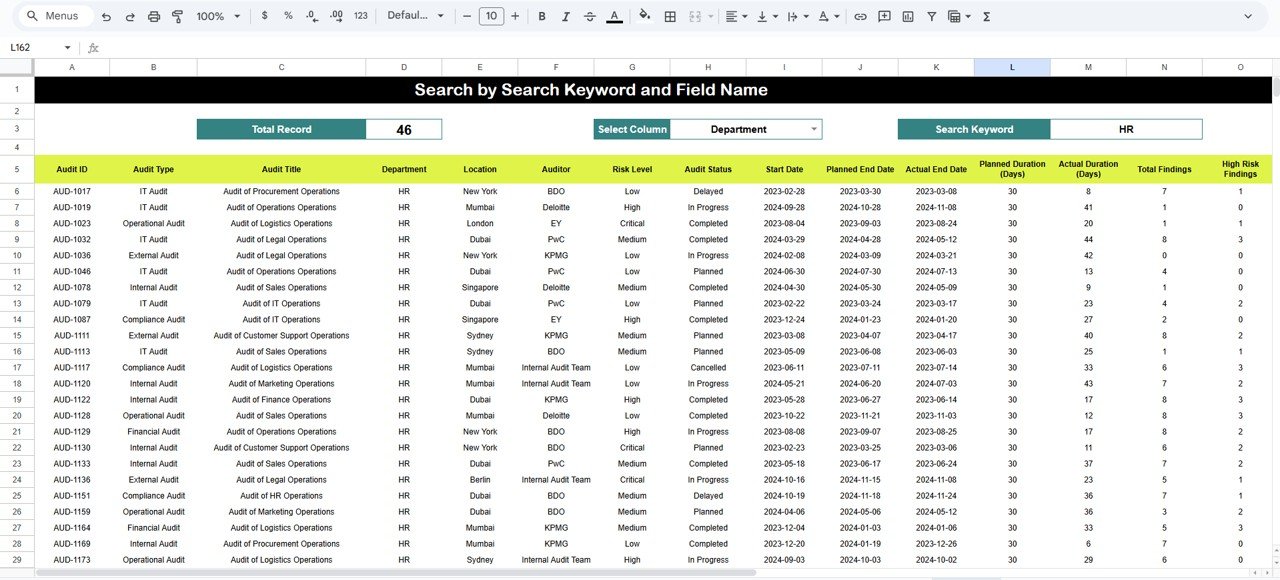
🔍 Search Functionality – Find Audit Records Instantly
Search audits easily by:
Search Keyword
Field Name (Audit ID, Department, Location, Auditor, Risk Level, Status, etc.)
This saves time during audits, reviews, and management meetings.
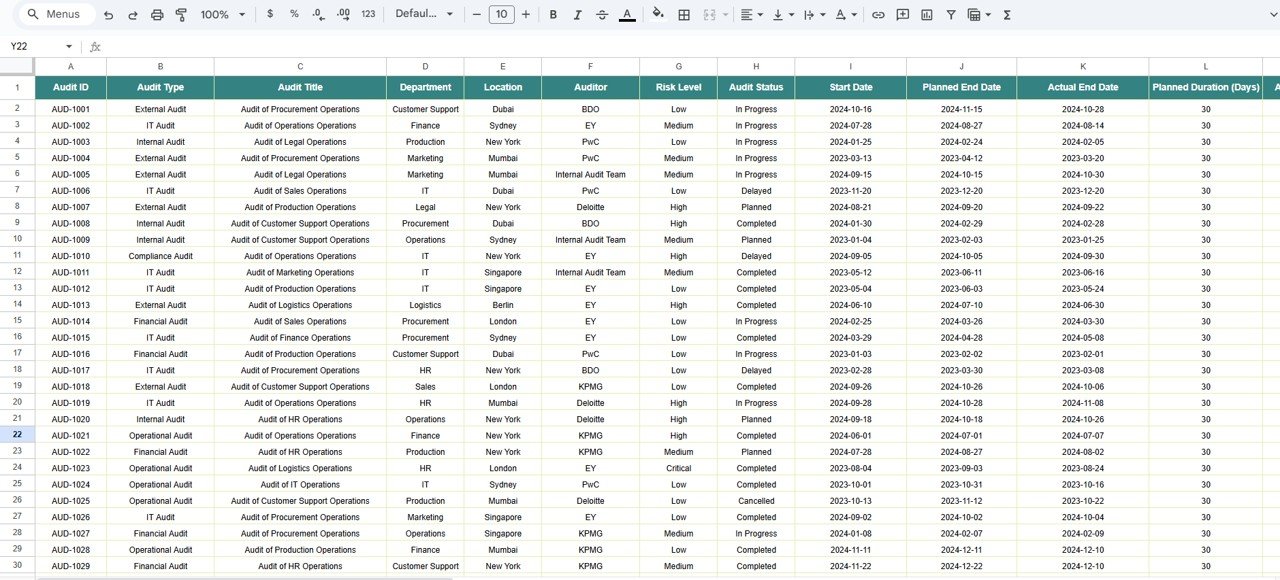
📁 Data Section – Structured Audit Database
All visuals are powered by a clean backend table including:
Audit ID
Audit Type & Status
Risk Level
Compliance Score
Department & Location
Auditor
Audit Cost
Findings Category
Corrective Action Status
Audit Date
🎯 Who Can Benefit from This Dashboard
Internal Audit Teams
Compliance & Risk Officers
Finance & Governance Teams
Senior Management
Consultants & Auditors
### Click here to read the Detailed blog post
Watch the step-by-step video tutorial:






























Reviews
There are no reviews yet.