

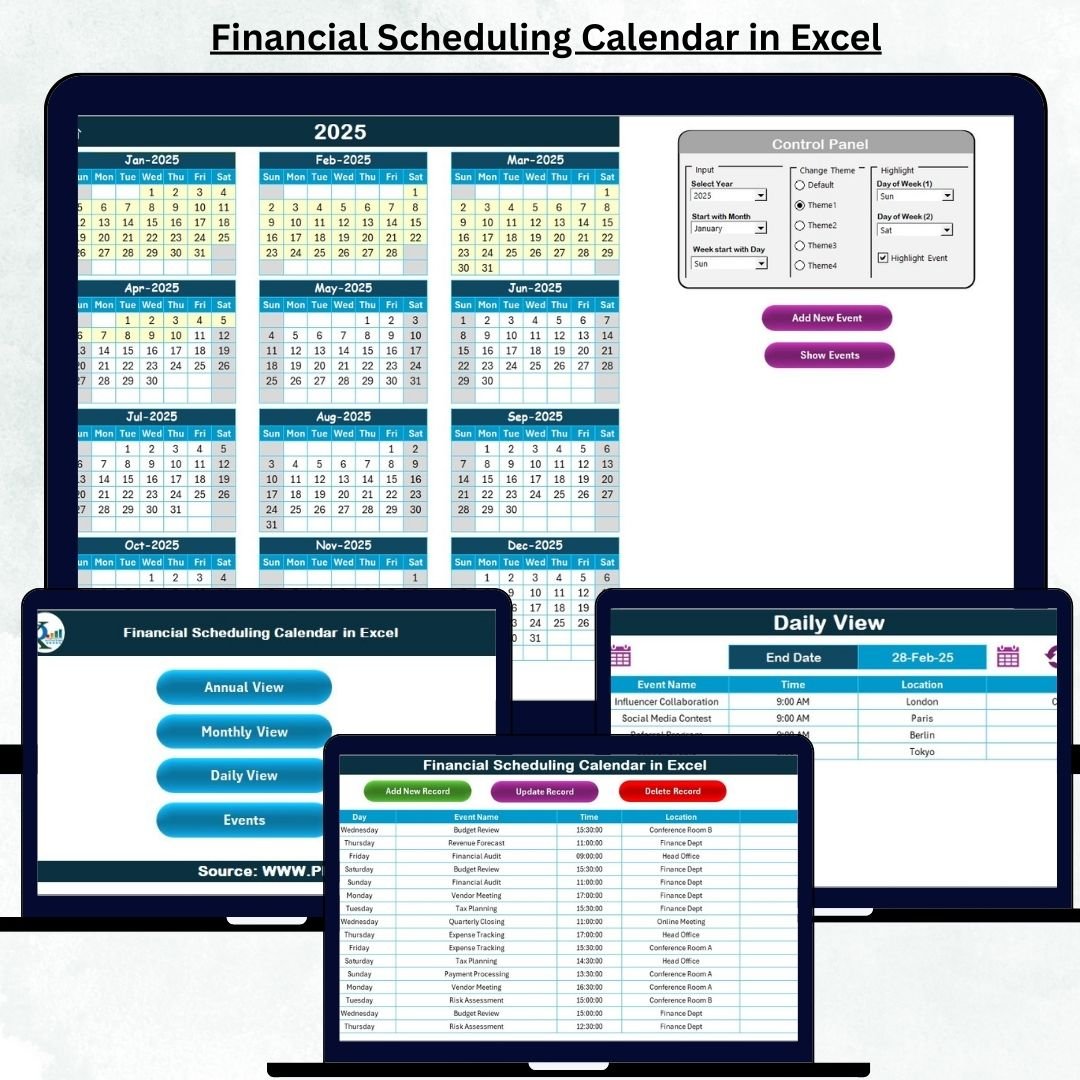

Managing financial operations becomes far easier when all your tasks, deadlines, reviews, audits, and important events stay organized in one place. The Financial Scheduling Calendar in Excel is a powerful, ready-to-use digital planner designed to help finance teams track their yearly, monthly, and daily activities without juggling multiple files. Whether you manage financial reporting, compliance, audits, or vendor payments, this calendar gives you complete control over your schedule — all in a simple, interactive Excel file.Financial Scheduling Calendar in Excel
From annual planning to daily follow-ups, the template includes smart navigation buttons, automated forms, theme customization, event highlighting, and a structured event database. Packed with powerful features and built for real-world financial workflows, this tool ensures you never miss a deadline again.
✨ Key Features of Financial Scheduling Calendar in Excel
The Financial Scheduling Calendar in Excel is thoughtfully designed to simplify planning and give finance professionals a seamless productivity boost. Here are the standout features that make this template a must-have:Financial Scheduling Calendar in Excel
📅 Multiple Calendar Views
Get access to Annual, Monthly, and Daily views to see your tasks exactly the way you prefer. Track long-term audits, month-end activities, or daily follow-ups effortlessly.Financial Scheduling Calendar in Excel
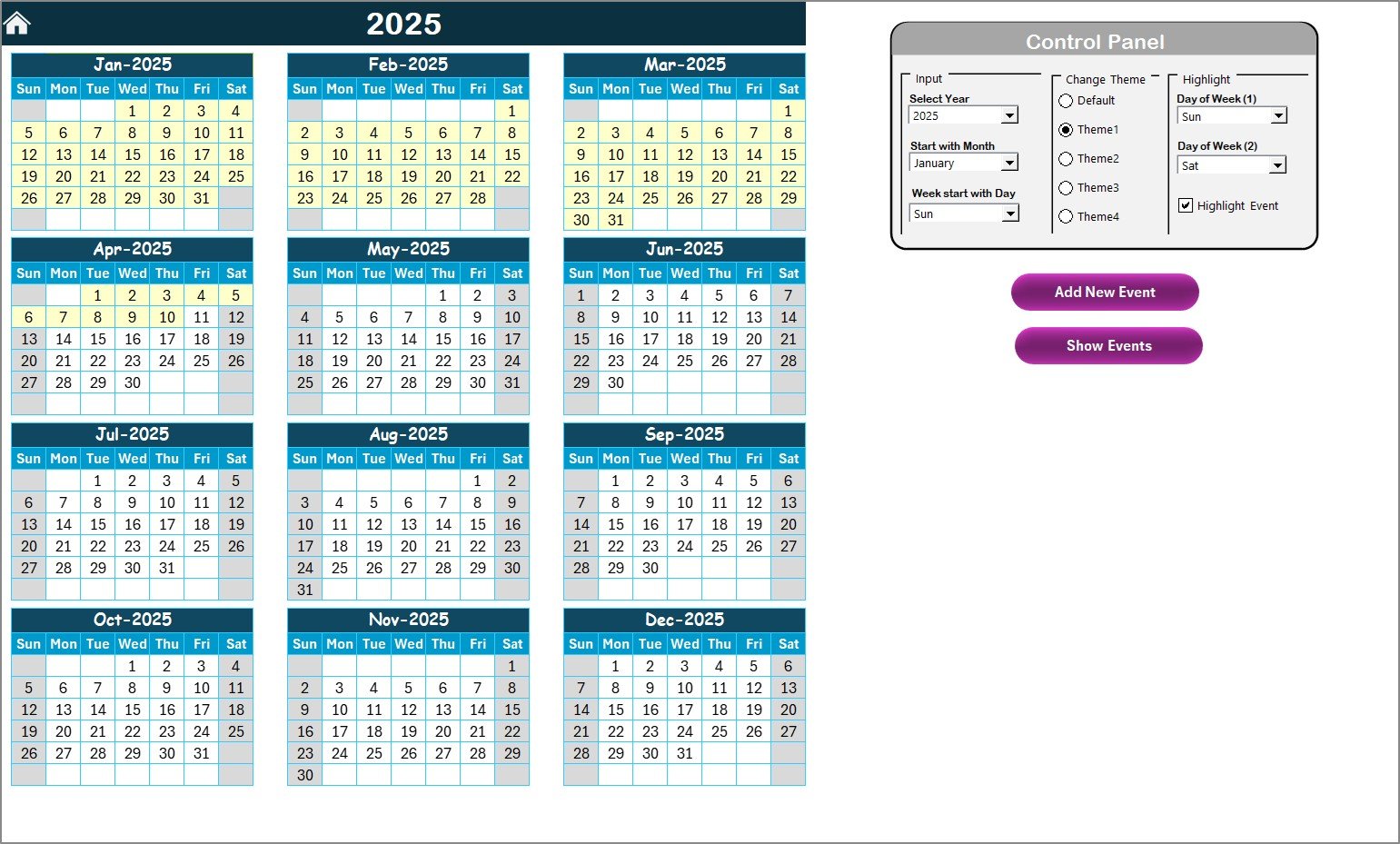
🎛️ Smart Control Panel
Customize the calendar by selecting the year, starting month, and starting weekday. Perfect for aligning with your organization’s work cycle.
🎨 Theme Customization
Choose from five beautiful color themes and instantly apply your preferred style across the entire workbook.
🔍 Highlighting Options
Highlight weekends, important days, or repeated tasks to make your calendar visually clean and easy to interpret.
📝 Automated Event Management
Add, update, or delete events using built-in buttons. No manual formatting — the system handles everything automatically.
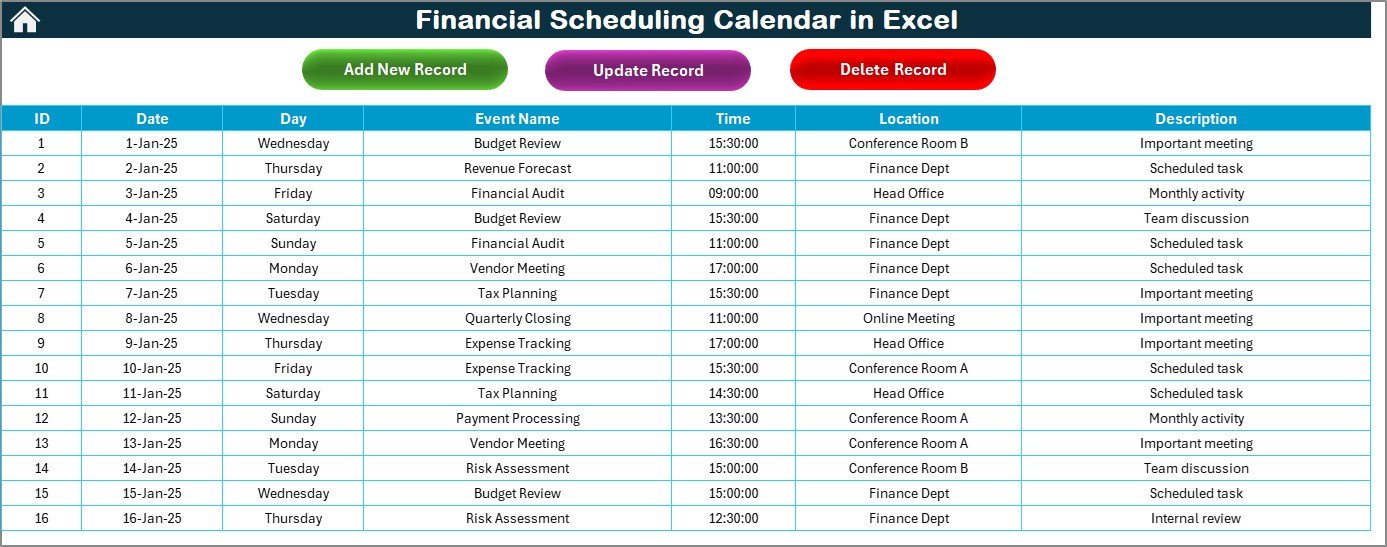
📂 Centralized Events Database
All events get stored in a clean and structured database containing ID, Date, Day, Event Name, Time, Location, and Description.
📘 What’s Inside the Financial Scheduling Calendar
This template contains five professionally designed Excel worksheets, each crafted for maximum efficiency:
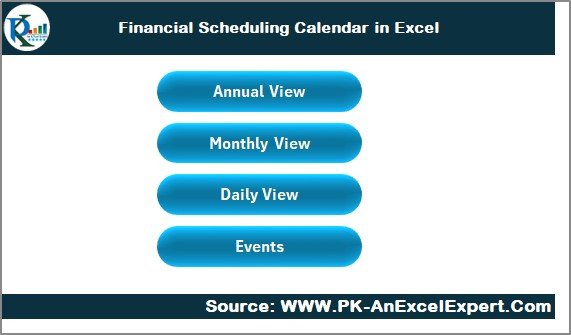
🏠 1. Home Sheet
A simple navigation hub with four buttons:
Annual View
Monthly View
Daily View
Events
Jump to any page instantly without scrolling.
📆 2. Annual View
View all 12 months of the selected year in one place. Ideal for:
Audit planning
Compliance timelines
Budget schedules
Year-end financial activities
Includes powerful controls to change themes, highlight days, and add/view events.
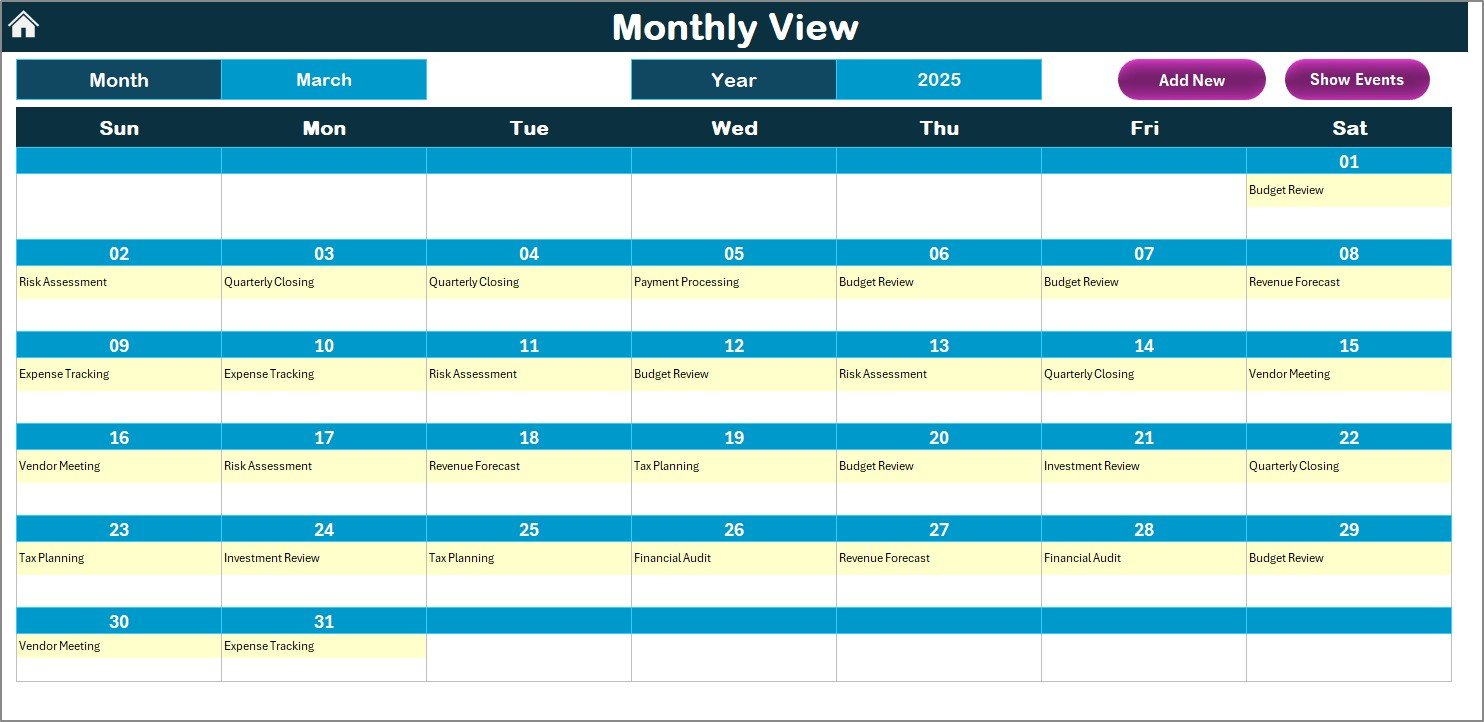
🗓️ 3. Monthly View
See one month at a time with:
Single-event display
“More than 1…” indicator for multiple events
Add New Event & Show Event buttons
Perfect for monthly closing, meetings, and recurring tasks.
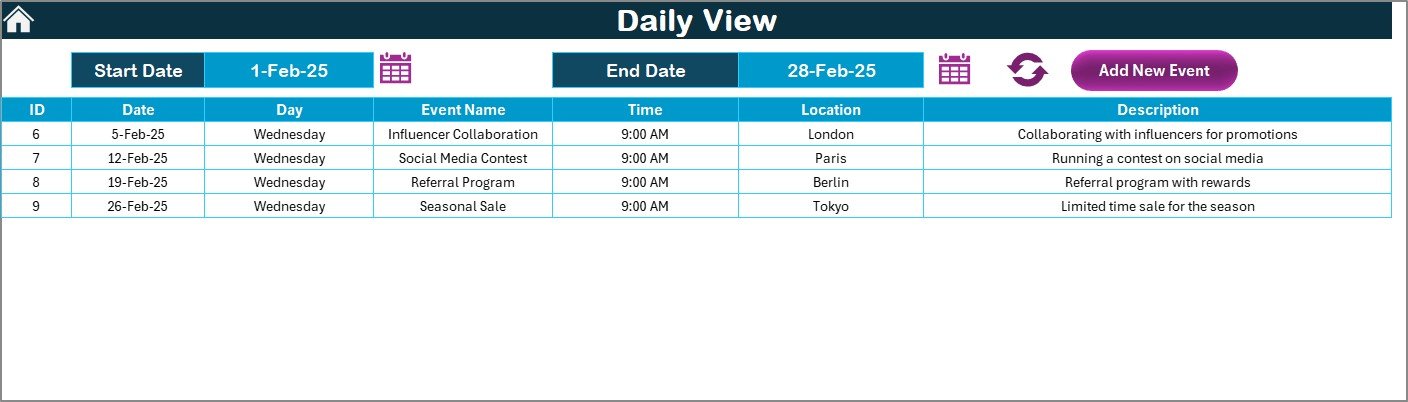
📅 4. Daily View
Review events across any date range. Best for weekly work planning, deadline tracking, and short-term financial tasks.
📑 5. Events Database
A complete backend system for:
Adding new events
Updating existing events
Deleting old records
No need to edit rows manually — everything is managed through forms.
🛠️ How to Use the Financial Scheduling Calendar in Excel
Using this template is extremely simple — even for beginners:
▶️ Step 1: Set Up the Calendar
Choose:
Year
Starting month
Starting weekday
🗂️ Step 2: Add Events Easily
Click on any date → Press “Add New Event” → Fill the form → Submit.
📅 Step 3: Track Monthly & Daily Work
Use Monthly View for month-end schedules and Daily View for short-term planning.
🔄 Step 4: Update or Remove Events
Open the Events sheet → Select an ID → Update or delete using the buttons.
🎨 Step 5: Personalize Your Calendar
Apply themes, highlight weekends, and categorize events for better clarity.
👥 Who Can Benefit from This Financial Scheduling Calendar
This template is perfect for professionals who manage financial operations, reporting, and compliance. It helps:
✔️ Finance Teams
Plan month-end, quarter-end, and year-end activities with full clarity.
✔️ Accountants
Track client deadlines, tax dates, audits, and payment cycles.
✔️ Financial Analysts
Coordinate review meetings, budgeting cycles, and reporting schedules.
✔️ Business Owners
Monitor financial obligations without complex software.
✔️ Audit & Compliance Teams
Maintain visibility of key compliance checkpoints and audit timelines.
✔️ Corporate Offices
Improve coordination across departments for financial planning.
If your work involves deadlines, structured schedules, and recurring financial tasks, this calendar is a game-changer.
### Click here to read the Detailed blog post
Watch the step-by-step video tutorial:
Visit our YouTube channel to learn step-by-step video tutorials
Compatibility and Requirements
- Works in Microsoft Excel desktop (Excel 2016 or later, or Microsoft 365).
- Microsoft’s guide Use conditional formatting to highlight information explains the highlighting used for weekends and important days.
Frequently Asked Questions
Which views does the calendar include?
A Home sheet with navigation buttons, Annual, Monthly and Daily views, and an Events database.
What details does each event store?
ID, date, day, event name, time, location and description.
How do I add a month-end task or audit date?
Click a date, press Add New Event, fill the form and submit. To change or remove an event, select its ID on the Events sheet and use the update or delete buttons.
Can I match it to our financial year?
Yes. You choose the year, starting month and starting weekday in the control panel, and pick one of five color themes.
Related Finance Calendar Templates
- Financial Planning Calendar in Excel: plan the financial year on a calendar
- Financial Compliance Calendar in Excel: keep compliance deadlines in view
- Financial Maintenance Calendar in Excel: schedule recurring finance maintenance work
- Financial Staff Duty Calendar in Excel: assign finance staff duties by date
- Calendar & Planner Pack: 12 calendar and planner templates in one pack
Browse all Excel calendars.
































Reviews
There are no reviews yet.