

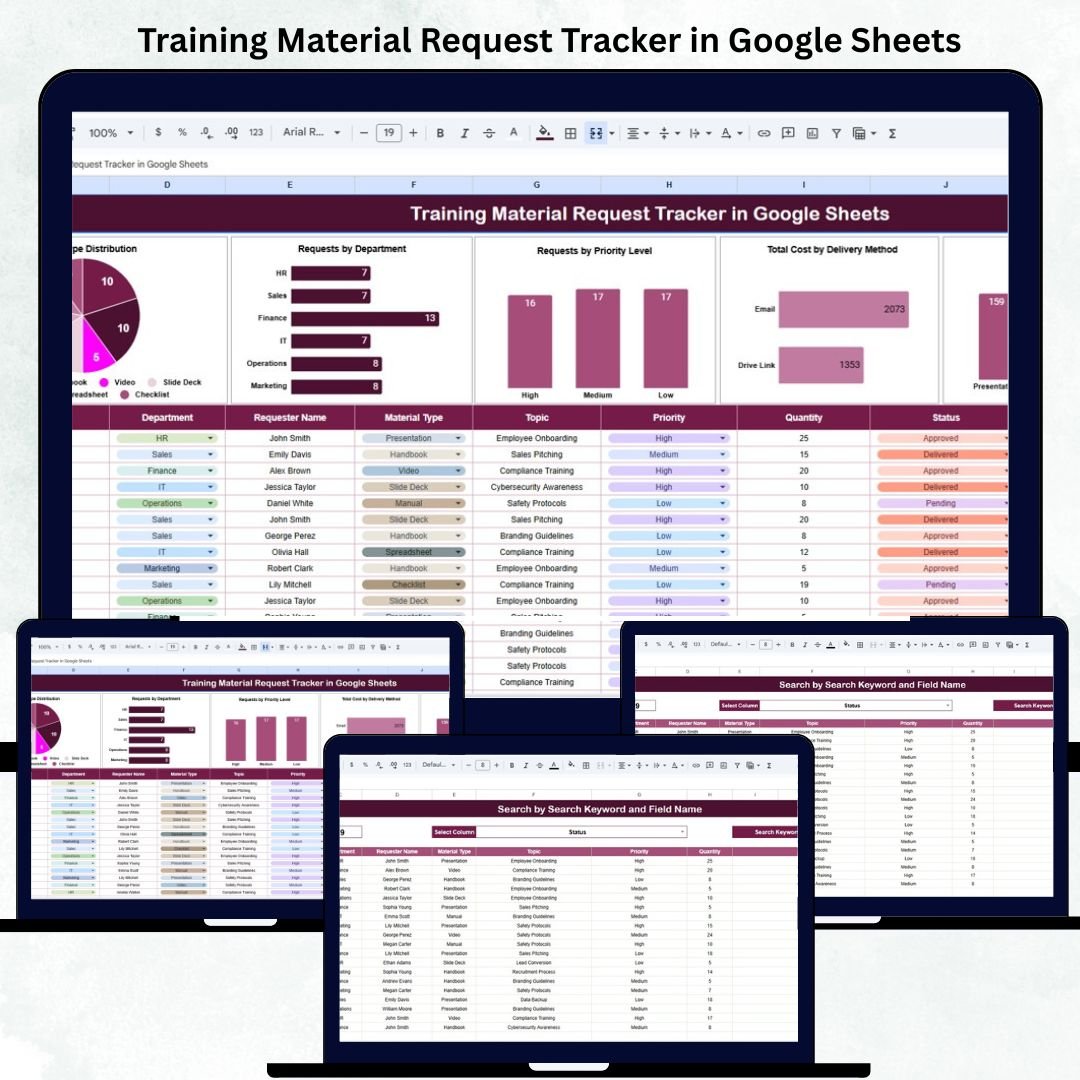
In every organization, the Learning & Development (L&D) function plays a key role in building employee capability. However, managing multiple training material requests — whether printed guides, e-learning access, or digital resources — can quickly become challenging without a centralized system.
The Training Material Request Tracker in Google Sheets provides an all-in-one, ready-to-use solution that allows HR, L&D, and training teams to log, track, and analyze all requests in one structured and automated spreadsheet.
This easy-to-navigate tracker enhances visibility, streamlines the approval process, and ensures efficient budget management while promoting departmental transparency.
🔑 Key Features of the Training Material Request Tracker in Google Sheets
📊 Tracker Sheet Tab (Main Dashboard)
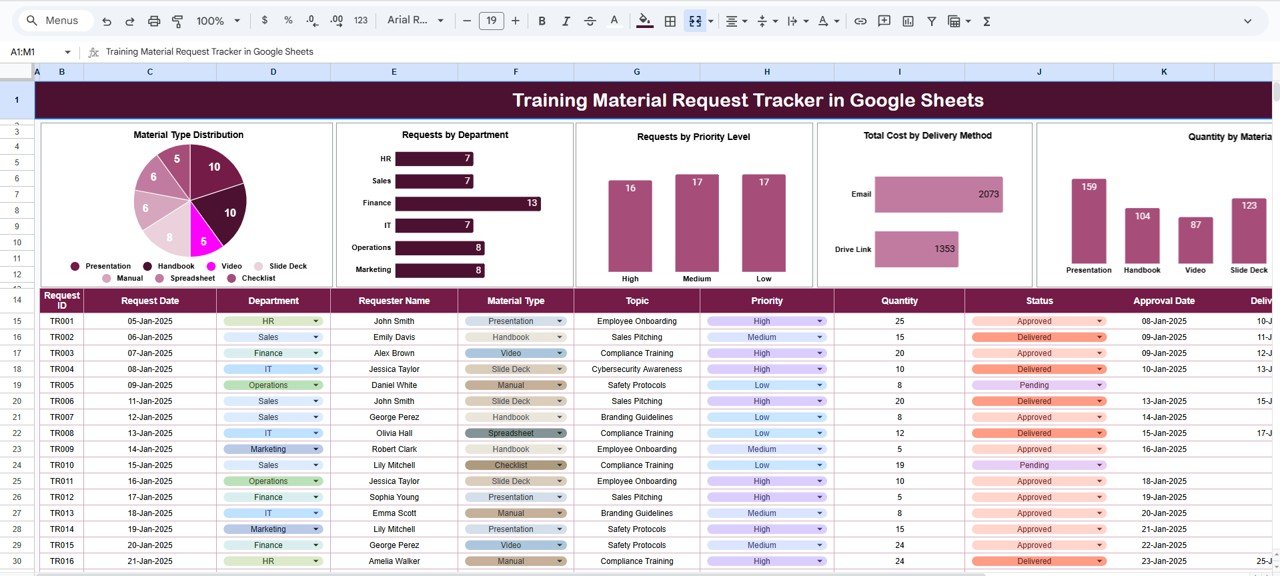
The main dashboard visualizes all critical request data with automated charts and real-time summaries.
Charts Displayed:
📚 Material Type Distribution: Displays which material categories (manuals, videos, e-learning access, printed guides) are most requested.
🏢 Requests by Department: Identifies which departments are making the highest number of training material requests.
⚡ Requests by Priority Level: Highlights urgent vs regular requests to help teams prioritize faster.
💰 Total Cost by Delivery Method: Compares spending across digital, physical, and blended delivery channels.
📦 Quantity by Material Type: Summarizes how many units or licenses were requested by category.
These charts update automatically whenever new requests are added, giving HR and L&D managers instant visibility into organizational training needs and spending trends.
🔍 Search Sheet Tab (Smart Lookup)
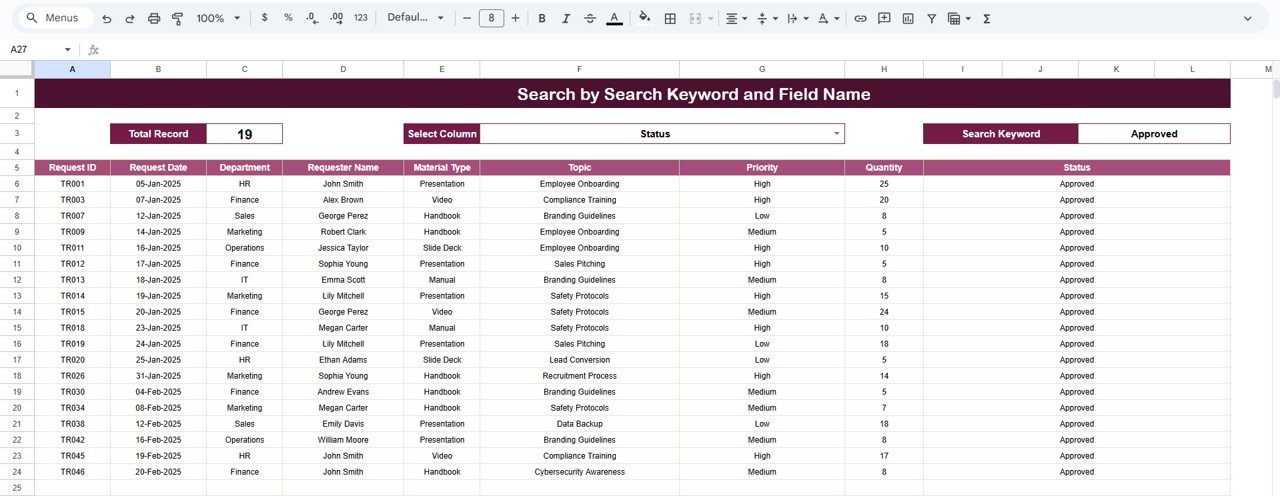
A powerful built-in search tab makes it easy to find any record instantly.
Examples of Searches:
“Finance” → shows all training requests from the Finance department.
“Online Course” → lists all e-learning material requests.
“High Priority” → displays all urgent, time-sensitive requests.
The smart search system removes the need to manually filter through rows — making reporting and quick lookups seamless.
📦 What’s Inside the Tracker
✅ Automated charts for department-wise, category-wise, and cost analysis
✅ Smart search system for quick record access
✅ Structured data entry format for better accuracy
✅ Formula-driven insights with zero coding required
✅ Fully editable and customizable Google Sheets file
🧑🏫 Who Can Benefit from This Tracker
👩💼 HR Managers — to monitor overall learning material demand.
🧑🏫 L&D Teams — to plan resource allocation efficiently.
📚 Training Coordinators — to manage and prioritize material requests.
💡 Finance Teams — to control training material budgets effectively.
🏢 Department Heads — to track employee learning needs.
This tracker is ideal for any organization that values structured learning management and cost transparency.
⚙️ Opportunities for Improvement
Enhance your tracker by:
📤 Adding an Approval Workflow using Google Forms integration.
⏳ Including a Request Aging Tracker to monitor pending requests.
📆 Creating a Monthly Summary Report for L&D management.
🔗 Linking Google Drive URLs for quick material access.
💬 Automating notifications for new or approved requests using Google Apps Script.
🧠 Best Practices
✅ Update data weekly for accurate analytics.
✅ Use dropdowns for “Department” and “Priority” to standardize entries.
✅ Review monthly spending trends to manage learning budgets.
✅ Apply conditional formatting for overdue or high-priority requests.
✅ Protect formula cells to prevent accidental edits.
🌟 Why Choose the Training Material Request Tracker in Google Sheets
🧾 Centralized Request Management: Manage all material requests from one place.
📊 Data-Driven Insights: Visual charts reveal cost and demand patterns.
⚙️ Automation: Formulas and charts auto-refresh as data changes.
☁️ Cloud Collaboration: Share and edit in real time across HR and L&D teams.
💡 Customizable Layout: Adapt to your organization’s specific process.
The Training Material Request Tracker in Google Sheets helps organizations bring order and accountability to training material management — improving turnaround times, reducing costs, and enhancing team productivity.
🔗 Read the detailed blog post
Watch the step-by-step video Demo:
🔗 Visit our YouTube channel for video tutorials
Compatibility and Requirements
- Works in Google Sheets. You need a free Google account and a web browser.
- The tracker uses charts on the Tracker sheet. Google explains how they work in Add and edit a chart or graph.
Frequently Asked Questions
What charts does the Tracker sheet show?
It shows Material Type Distribution, Requests by Department, Requests by Priority Level, Total Cost by Delivery Method and Quantity by Material Type.
Do the charts update when I add a request?
Yes. The charts and summaries refresh automatically whenever new requests are added.
How do I find a specific request?
Use the Search sheet. You can search by department, such as Finance, by material, such as Online Course, or by priority, such as High Priority.
Can I compare spending across delivery methods?
Yes. The Total Cost by Delivery Method chart compares spending across digital, physical and blended delivery.
Is there an Excel version?
Yes. See the Training Material Request Tracker in Excel.
Related Training Templates
- Training Material Request Tracker in Excel: the same tracker in Excel
- Training Resource Request Tracker in Google Sheets: track requests for training resources
- Training Schedule Request Tracker in Google Sheets: track requests for training sessions
- Training and Development Dashboard in Google Sheets: a dashboard view of training activity
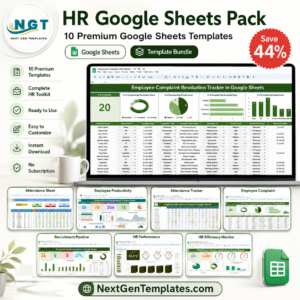
- HR Google Sheets Pack: 10 HR templates in one download
Browse all Google Sheets trackers.





















Reviews
There are no reviews yet.