

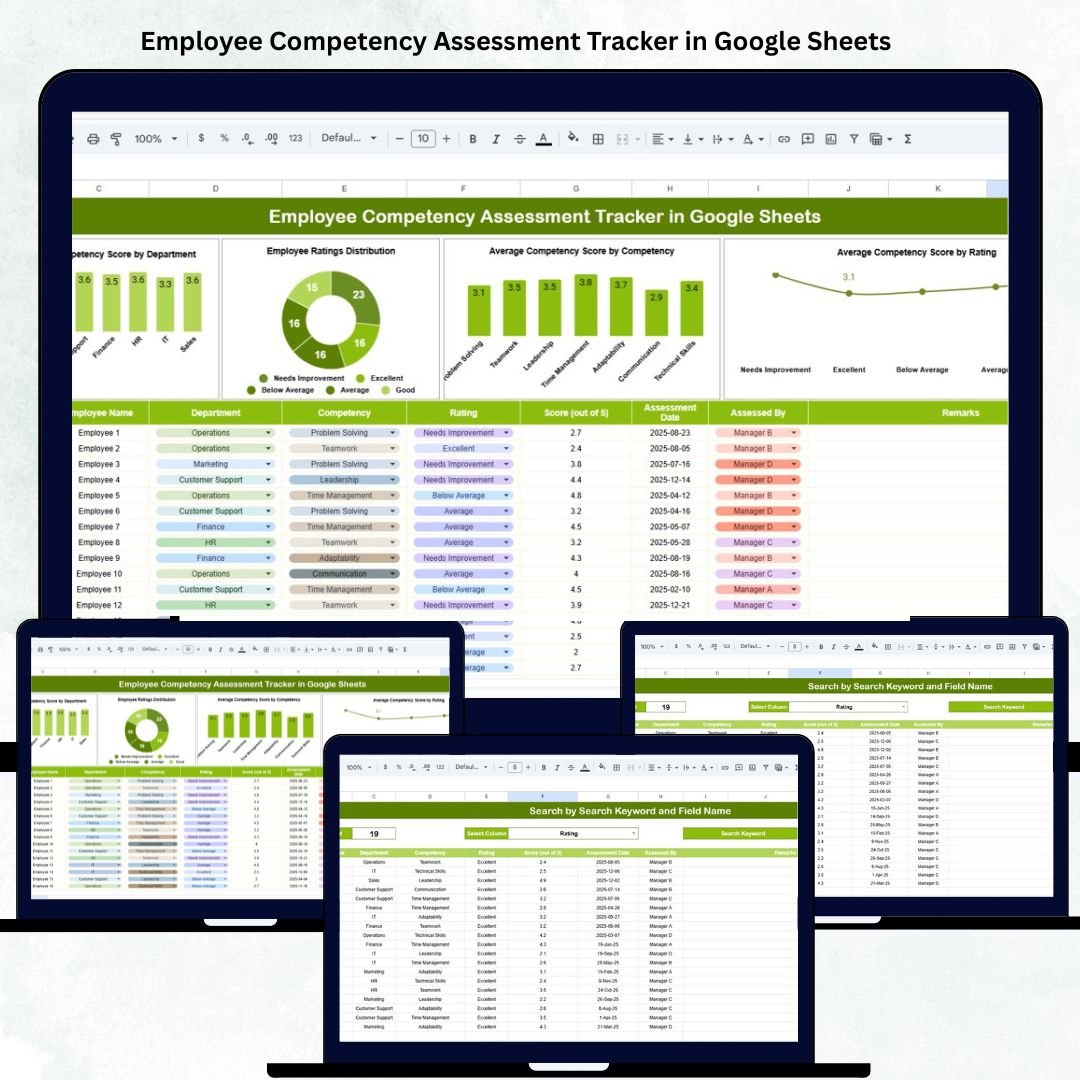

Building a strong workforce begins with understanding employee competencies. The Employee Competency Assessment Tracker in Google Sheets is a ready-to-use HR management solution that helps organizations evaluate, monitor, and analyze employee skills across departments — all in one smart and interactive dashboard. 👩💼📊
Built entirely in Google Sheets, this tracker makes competency management visual, transparent, and data-driven. It automates performance scoring, calculates averages, and provides dynamic charts to highlight strengths, weaknesses, and training needs — without requiring any additional software.
Whether you’re an HR manager, team lead, or learning & development specialist, this tool gives you complete visibility into workforce capabilities, making performance evaluation faster and more effective.
🔑 Key Features of the Employee Competency Assessment Tracker in Google Sheets
📋 Tracker Sheet Tab (Main Dashboard)
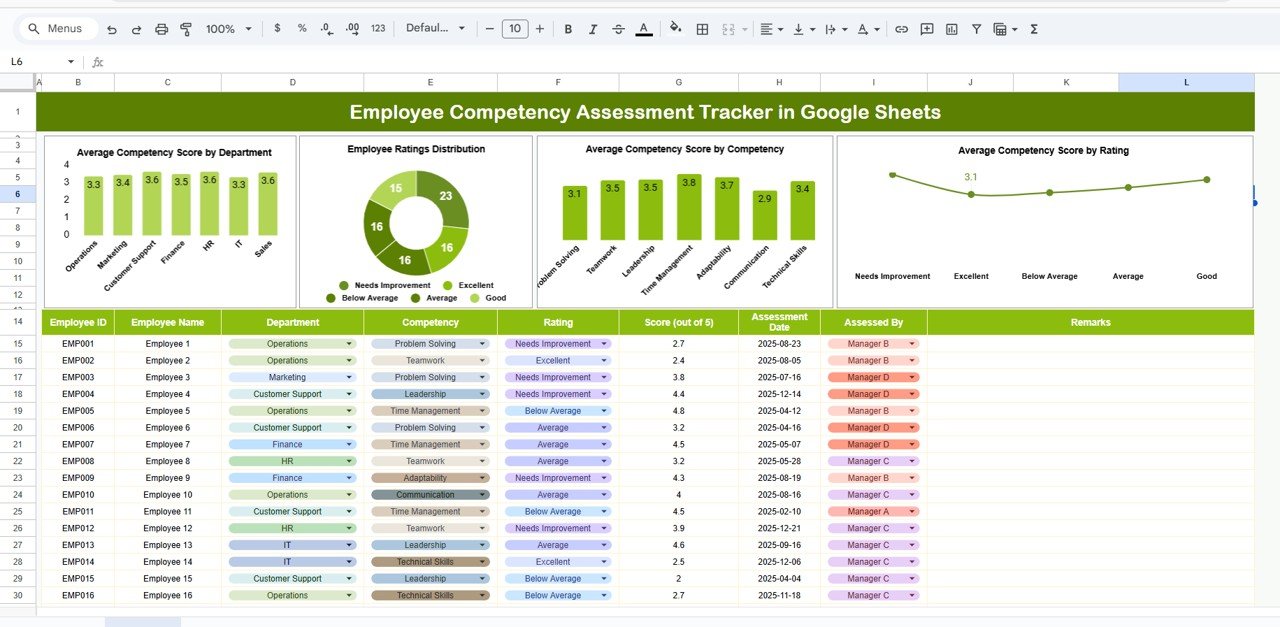
The Tracker Sheet is your central hub for monitoring employee competencies through data visualization.
Charts Included:
📈 Average Competency Score by Department – See which departments excel in skills and which require development.
🧭 Employee Ratings Distribution – Visualize overall performance across rating categories such as Excellent, Good, Average, and Needs Improvement.
💡 Average Competency Score by Competency – Identify which specific skills (e.g., communication, teamwork, leadership) need attention or training.
⚙️ Average Competency Score by Rating – Correlate rating levels with competency averages to ensure consistency in evaluation.
These charts update automatically based on the data you input, giving HR professionals and management teams real-time insights into organizational talent distribution.
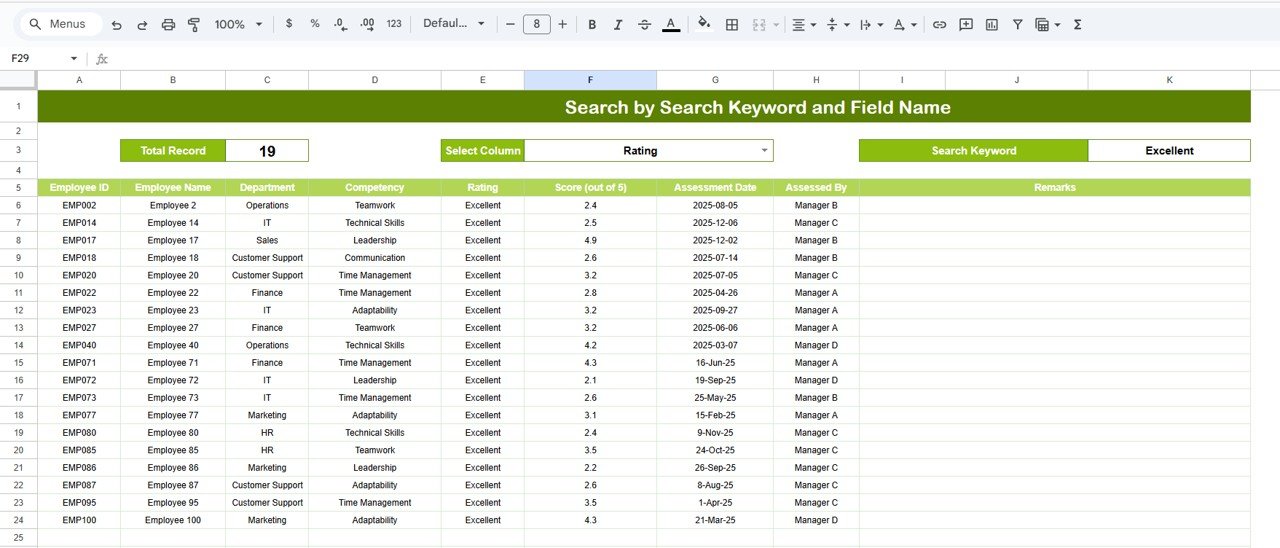
🔍 Search Sheet Tab (Smart Lookup)
Quickly find relevant information about employees or competencies using search filters and keywords.
Example Searches:
“Department = HR” → Displays all HR team members and their competency ratings.
“Competency = Leadership” → Lists all employees assessed for leadership skills.
“Rating ≥ 4” → Filters high performers who scored above average.
This smart search feature saves time, allowing managers to instantly locate and review specific records for performance discussions or appraisals.
🧾 Data Structure Overview
All performance data resides in a clean, structured format for easy maintenance and automation.
Data Fields May Include:
Employee Name
Department
Designation
Competency Area
Rating Score
Comments/Feedback
Assessor Name
Review Date
The dashboard automatically updates when data changes, ensuring accuracy and consistency.
📦 What’s Inside the Tracker
✅ Pre-built Google Sheets template
✅ Interactive dashboard with dynamic charts
✅ Department-wise competency insights
✅ Search-ready data structure
✅ Customizable rating scales
✅ Real-time collaboration features
✅ No coding required
🧑💼 Who Can Use This Tracker
👩💼 HR Managers – Streamline employee evaluations and monitor department-wise performance.
📋 Team Leaders – Assess team competencies and identify top performers.
🎯 Learning & Development Professionals – Spot skill gaps and create targeted training programs.
🏢 Executives – Gain a high-level view of organizational strengths and areas for growth.
This tracker is ideal for companies aiming to build high-performance teams and improve training investments with measurable data.
⚙️ Opportunities for Improvement
To make the tracker even more powerful, consider adding:
Google Forms Integration – Automate data collection from assessors or managers.
Weighted Scoring – Assign different weightages to key competencies.
Role-Based Filters – Segment performance by job title or level.
Historical Trends – Compare competency growth over multiple assessment cycles.
Automated Summary Reports – Generate PDF or email reports using Google Apps Script.
🧠 Best Practices
✅ Define clear rating criteria for all competencies.
✅ Update records regularly after every assessment cycle.
✅ Protect cells with formulas and chart links.
✅ Use consistent competency names across departments.
✅ Review and analyze results quarterly to align with performance appraisals.
🌟 Why Choose the Employee Competency Assessment Tracker
📊 Instant visual insights into workforce capabilities
🧩 Fully customizable for different competency models
☁️ Cloud-based and collaboration-ready
🔄 Automated KPI calculations
💡 Great for appraisals, training design, and career mapping
The Employee Competency Assessment Tracker in Google Sheets transforms how organizations evaluate, track, and develop employee skills — driving continuous improvement, engagement, and long-term success. 🚀
🔗 Click here to read the Detailed blog post
Watch the step-by-step video Demo:
🔗 Visit our YouTube channel for step-by-step video tutorials
Compatibility and Requirements
- Works in Google Sheets with a free Google account and a web browser.
- Make a copy to your own Google Drive, then share it with your team if you want to work on it together.
- New to Sheets? Google’s guide How to use Google Sheets covers the basics.
Frequently Asked Questions
Which charts are on the Tracker Sheet?
It shows the average competency score by department, the employee ratings distribution, the average score by competency and the average score by rating.
What data do I enter for each assessment?
Each record holds the employee name, department, designation, competency area, rating score, comments, assessor name and review date.
How do I find one department or skill quickly?
Use the Search Sheet. You can filter by department, by competency such as leadership, or by rating to list high performers.
Can I change the rating scale?
Yes. The rating scales are customizable, so you can match them to your own competency model.
Related Competency and HR Templates
- Employee Competency Assessment Tracker in Excel: the same competency tracker in Excel
- Employee Skill Assessment Tracker in Google Sheets: assess employee skills in Google Sheets
- Skill Development Checklist in Google Sheets: plan skill development with a checklist
- HR Performance Dashboard in Google Sheets: track HR performance in a Google Sheets dashboard
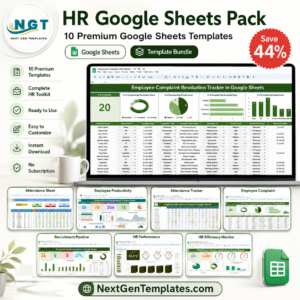
- HR Google Sheets Pack: 10 HR templates for Google Sheets in one bundle
Browse all Google Sheets dashboards or the Google Sheets HR and Payroll templates.






Reviews
There are no reviews yet.