




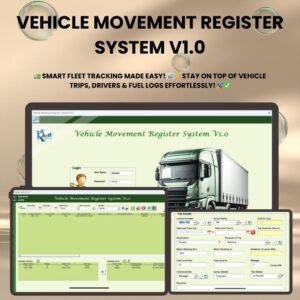
The Vehicle Movement Register System V1.0 is an Excel-based VBA tool for fleet tracking, trip logging and driver management. It is built for logistics companies, delivery services and teams that manage corporate vehicles. You get one structured register for vehicles, drivers and trips, with secure login, quick search and exportable reports.
This vehicle management system cuts paperwork. You record trip details, keep driver information current and track vehicle usage with automated calculations. Data entry and retrieval stay simple, which reduces manual work and improves accuracy.
Key Features of the Vehicle Movement Register System V1.0
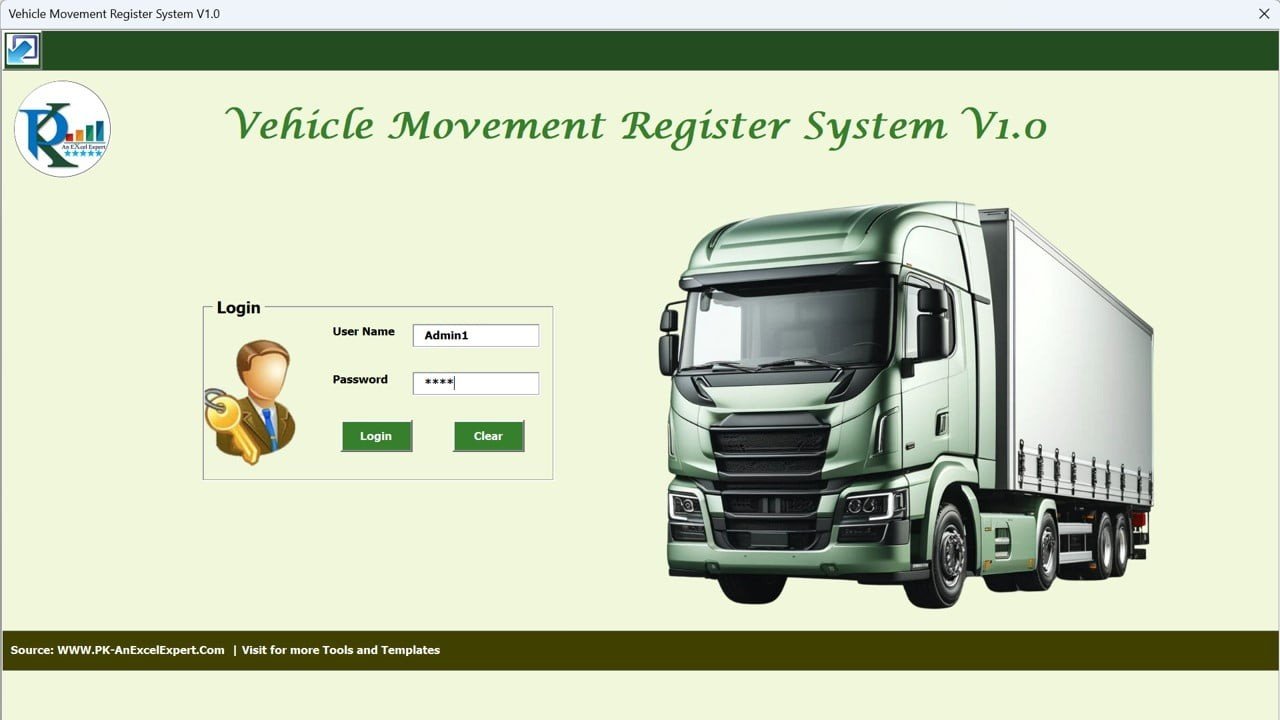
Login Form: Secure Authentication
- Users sign in with login credentials before they can access any data.
- Role-based access control keeps your data secure.
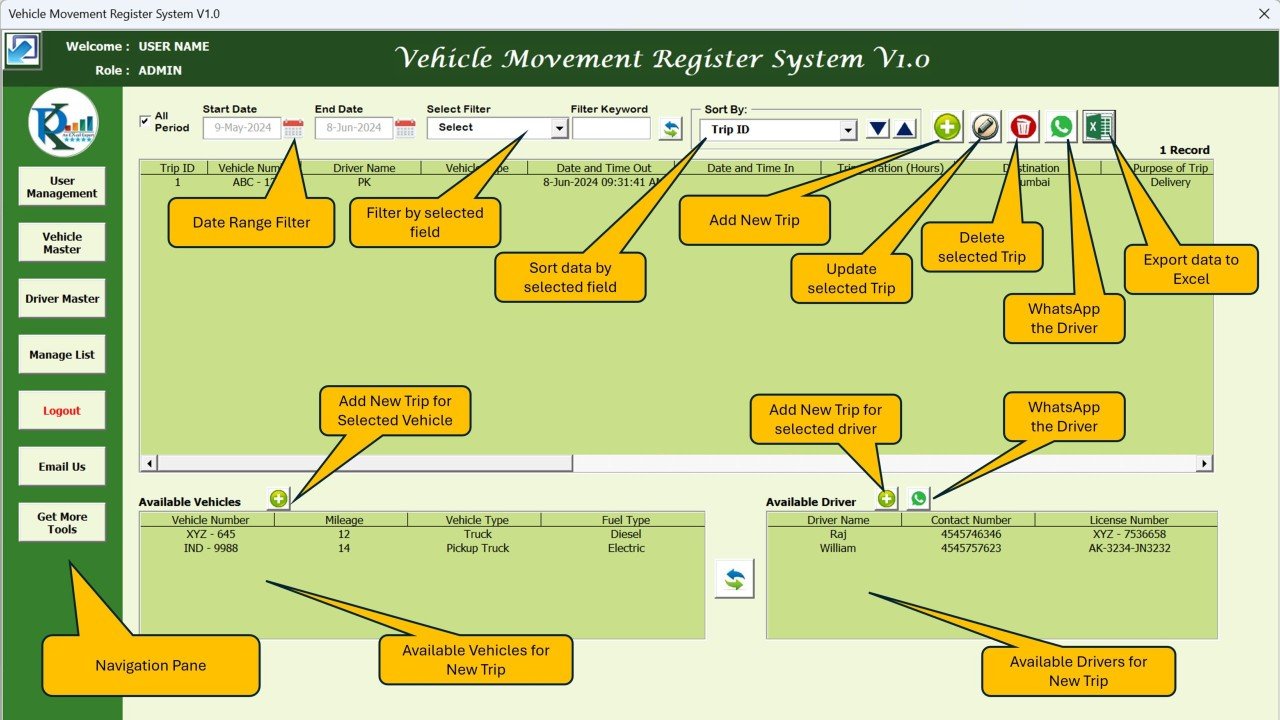
Main Dashboard: Centralized Navigation
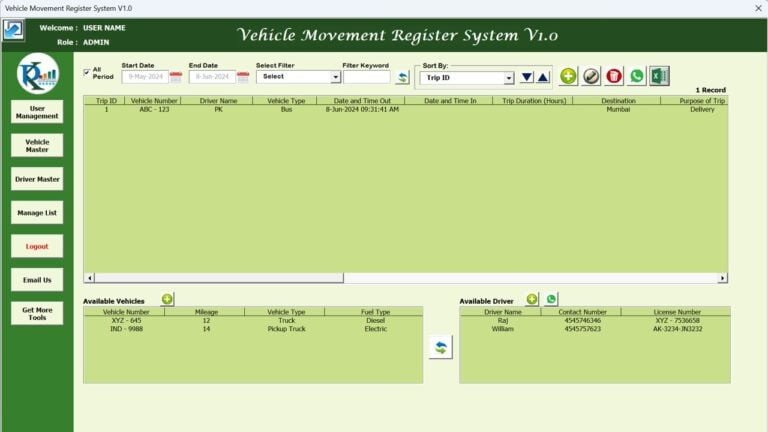
- A one-stop control panel for vehicle records, driver information and trip details.
- Quick access buttons take you to each section.
User Management: Control Who Has Access
- Admins can add, modify or delete users.
- Role assignment (Admin/User) controls what each person can do.
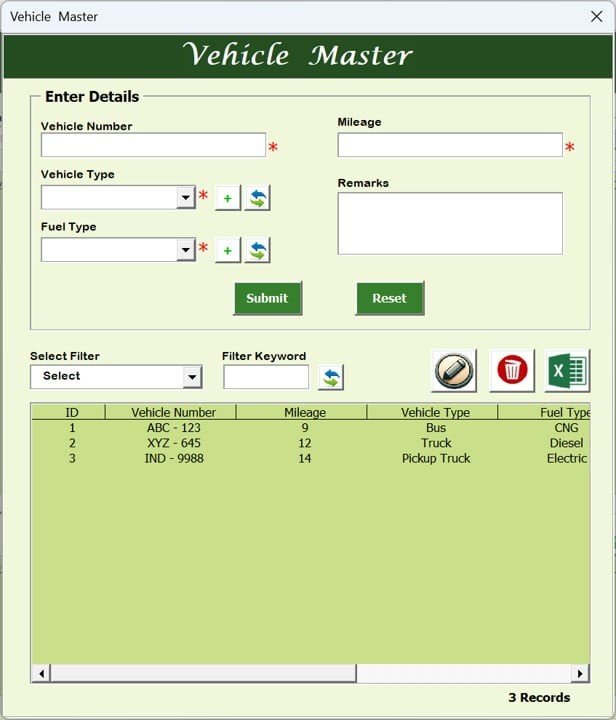
Vehicle Master: Track Your Fleet Inventory
- Keep a complete database of all fleet vehicles.
- Record vehicle type, fuel type, mileage and other key details.
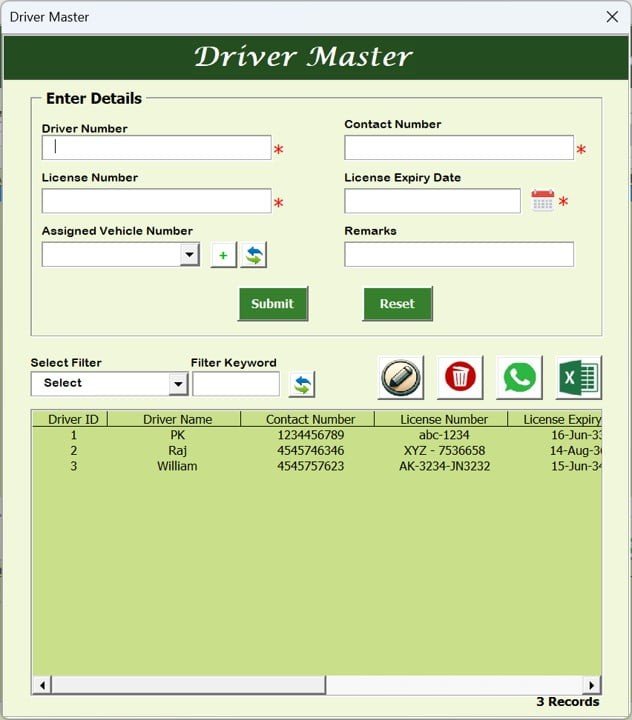
Driver Master: Keep Driver Records Updated
- Store each driver’s contact details, license number, license expiry date and assigned vehicle.
- Tracking valid licenses helps prevent unauthorized driving.
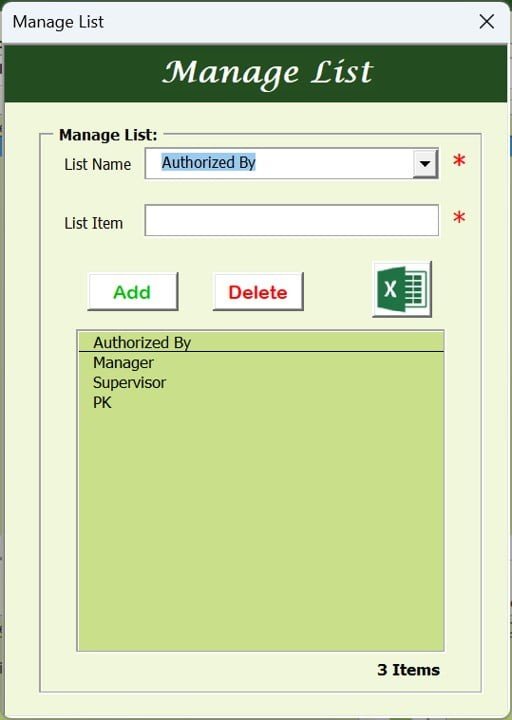
Manage List: Custom Dropdown Management
- Set up data entry fields with pre-defined dropdown lists.
- Add or remove categories such as trip purposes, vehicle types or authorized approvers.
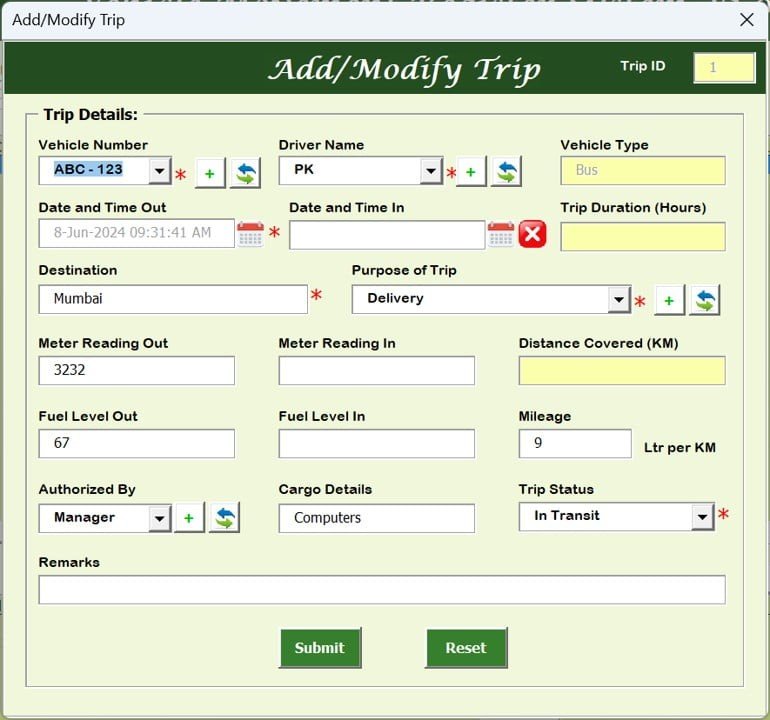
Trip Management: Real-Time Logging
- Record trip start and end times, vehicle number, assigned driver and trip duration.
- Track fuel levels, mileage covered, trip status, cargo details and trip purpose.
Sorting and Filtering: Fast Data Search
- Sort by date, vehicle number, driver name or trip ID.
- Search and filter options take you straight to specific trip records.
WhatsApp Integration: Instant Communication
- For a selected record, click the WhatsApp icon to open a chat in your browser.
- You don’t need to save the number to your phone first.
- Use it to notify drivers about trip updates.
Export and Reporting: Detailed Reports
- Export each trip log to Excel for record-keeping.
- Automated trip summary reports support analysis and tracking.
What’s Inside the Tool
| Module | Purpose |
|---|---|
| Login Form | Secure, role-based user authentication |
| Main Dashboard | Central navigation with quick access buttons |
| User Management | Add, modify or delete users and assign Admin/User roles |
| Vehicle Master | Vehicle type, fuel type, mileage and other details |
| Driver Master | Contact details, license numbers, expiry dates and assigned vehicles |
| Manage List | Dropdown lists for trip purposes, vehicle types and approvers |
| Trip Management | Trip times, driver, vehicle, duration, fuel, mileage, status and cargo |
| Export and Reporting | Trip log export to Excel and trip summary reports |
Why Choose This Vehicle Movement Register?
- Saves time: automates trip tracking and removes paperwork.
- Improves accuracy: pre-defined data fields and structured forms reduce errors.
- Improves security: restricted access means only authorized users can edit records.
- Optimizes fleet usage: helps you schedule and manage vehicle assignments.
- Supports compliance: keeps driver licenses, fuel logs and vehicle records ready for audits.
Who It’s For
- Logistics and transportation companies
- Delivery services
- Fleet managers
- Corporate transport teams that manage company vehicles
How to Use It
- Download and unzip the file.
- Enable macros in Excel. Step-by-step instructions are in our tutorial: https://www.pk-anexcelexpert.com/4-easy-ways-to-enable-macros-in-excel-vba/
- Log in through the Login Form, then add users and assign roles in User Management.
- Set up your dropdown lists in Manage List, then enter your vehicles in Vehicle Master and your drivers in Driver Master.
- Log trips in Trip Management.
- Use sorting and filtering to find records, and export reports when you need them.
Click here to read the detailed blog post
Visit our YouTube channel for step-by-step video tutorials: Youtube.com/@PKAnExcelExpert
Watch the step-by-step video tutorial:
Frequently Asked Questions
What is the Vehicle Movement Register System V1.0?
It is an Excel-based VBA tool for fleet tracking, trip logging and driver management. It covers secure login, a main dashboard and master records for vehicles and drivers.
Do I need to enable macros?
Yes. After you download and unzip the file, enable macros in Excel before using the tool. Our tutorial link above explains how.
Can I control who edits the data?
Yes. The Login Form and role-based access (Admin/User) restrict access. Admins can add, modify or delete users.
What trip details can I record?
You can record:
- Trip start and end times
- Vehicle number and assigned driver
- Trip duration
- Fuel levels and mileage covered
- Trip status, cargo details and trip purpose
How does the WhatsApp feature work?
Click the WhatsApp icon on a selected record to start a chat in your browser. You don’t need to save the contact number first.
Can I export my trip log?
Yes. You can export trip logs to Excel. The tool also generates automated trip summary reports.
Also check our Download Attachments from Multiple Emails Automatically using VBA
Last updated: October 2026
Compatibility and Requirements
- Needs Microsoft Excel desktop on Windows with macros enabled. The login, forms and buttons run on VBA, so the file does not work in Excel for the web, Google Sheets or the Excel mobile apps.
- Microsoft explains how to turn macros on in Enable or disable macros in Microsoft 365 files.
- The WhatsApp icon opens a chat for the selected record in your web browser.
Related Fleet and Register Templates
- Fleet Management Dashboard in Excel: chart fleet costs and usage
- Vehicle Reservation Tracker in Excel: book vehicles before trips
- Vehicle Fleet Maintenance Calendar in Excel
- Visitor Entry Register V1.0 in Excel: a VBA register for visitors at the gate
- VBA Management Systems Mega Pack: 5 Excel VBA systems
Browse all Excel VBA tools or the Excel logistics templates.
















Reviews
There are no reviews yet.