

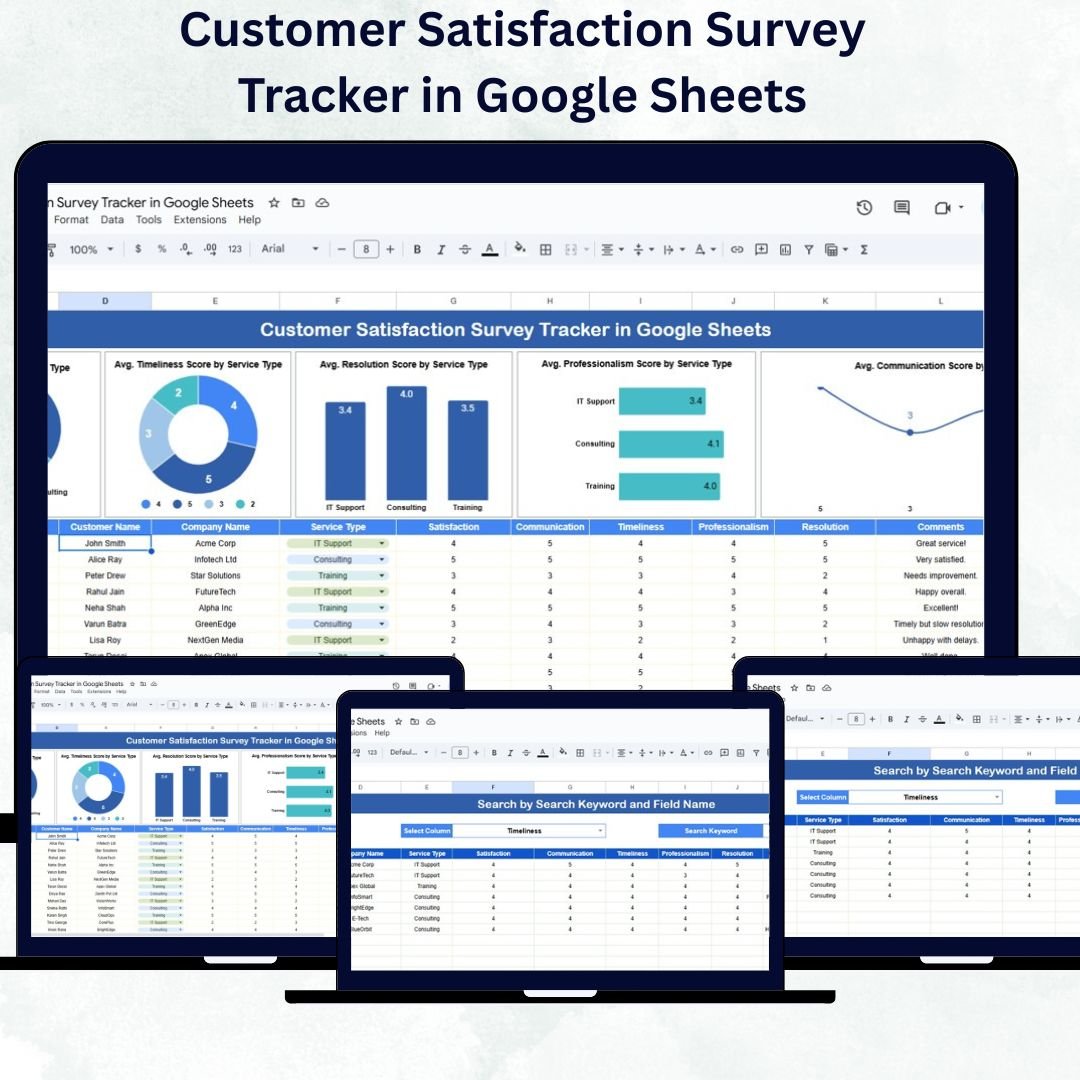

Customer feedback is the heartbeat of any successful business. The Customer Satisfaction Survey Tracker in Google Sheets is a ready-to-use, interactive tracker designed to help organizations capture, organize, and analyze customer satisfaction data with ease.
Whether you manage customer service, operations, or quality assurance, this tool helps you visualize trends, identify service gaps, and make data-driven decisions to enhance your customer experience. Built in Google Sheets, it’s collaborative, automated, and accessible from anywhere — making it the perfect fit for modern teams.
🔑 Key Features of the Customer Satisfaction Survey Tracker in Google Sheets
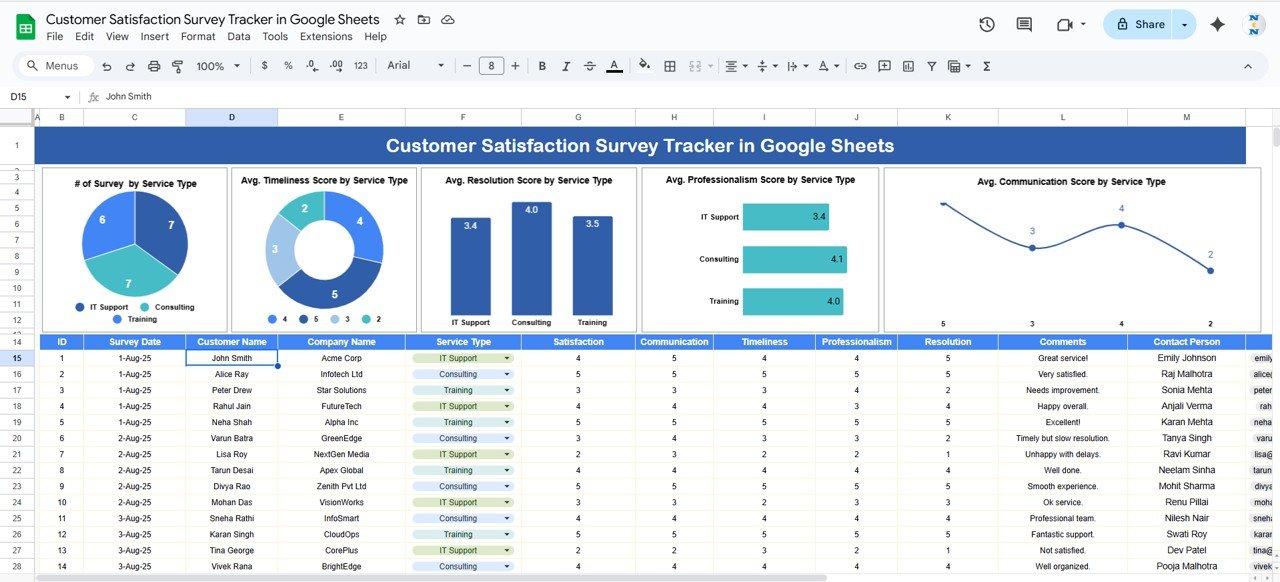
📊 Tracker Sheet Tab
This is the main dashboard where you can see all survey data summarized visually through charts and metrics.
Charts include:
# of Surveys by Service Type: Understand which services receive the most customer feedback.
Average Timeliness Score by Service Type: Evaluate how quickly services are delivered.
Average Resolution Score by Service Type: Measure the efficiency of problem-solving processes.
Average Professionalism Score by Service Type: Track staff courtesy and professionalism.
Average Communication Score by Service Type: Assess clarity and responsiveness in communication.
This visual summary empowers managers to identify strong performers, detect service weaknesses, and track improvement over time.
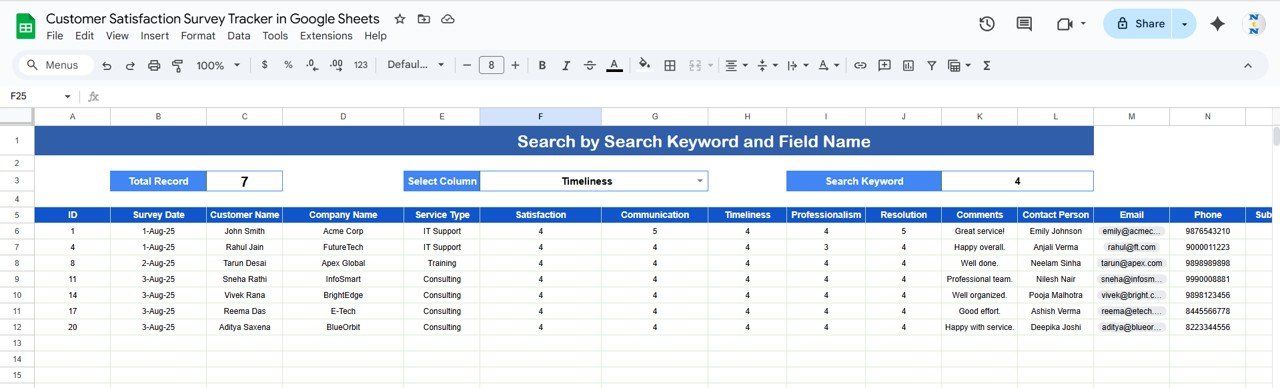
🔍 Search Sheet Tab
An intelligent search feature designed for instant insights.
Search by Keyword: Find specific survey responses using customer names, service types, or feedback words.
Field Name Selection: Filter data by category — Service Type, Date, Score, or Department.
This makes it incredibly easy to find targeted information without scrolling through long datasets.
📦 What’s Inside the Template
✅ Tracker Sheet – Visual dashboard for quick analysis
✅ Search Sheet – Keyword-based filtering for deeper insight
✅ Dynamic Charts – Automatically refresh when new feedback is entered
✅ Editable Fields – Customize survey categories and metrics as needed
✅ Collaborative Access – Multiple users can edit and review feedback simultaneously
This all-in-one tool replaces manual survey spreadsheets with automation and analytics — giving you the ability to see customer satisfaction performance in real time. 🚀
👩💼 Who Can Use This Tracker
💬 Customer Service Teams: Monitor service quality and identify improvement areas.
📞 Operations Managers: Track performance across departments and service types.
📈 Quality Assurance Teams: Measure compliance with service delivery standards.
🏢 Business Owners: Understand customer sentiment and satisfaction trends.
🌍 Multi-Location Enterprises: Consolidate feedback from different branches for comparison.
🧠 How to Use the Customer Satisfaction Survey Tracker
Enter Survey Data: Add new responses with fields like Customer Name, Service Type, Date, and Scores.
View Dashboard: Automatically see updated charts and satisfaction metrics.
Analyze Performance: Compare departments, services, or time periods to find trends.
Search Feedback: Use the Search Sheet to locate specific customer responses.
Share Results: Collaborate with your team in real time and export insights for reports.
This tracker saves time, reduces manual effort, and ensures you never miss critical customer feedback.
🌟 Advantages of Using This Tracker
📊 Centralized Feedback Data: Keep all customer responses organized in one sheet.
⚙️ Real-Time Analysis: Automatically updates visual summaries as you enter data.
🎯 Actionable Insights: Identify where to improve customer service performance.
💬 Customizable Metrics: Add extra KPIs like NPS or Customer Effort Score.
🤝 Collaboration-Friendly: Share access with your team for transparent updates.
💡 Simple Yet Powerful: No software installation needed — just Google Sheets.
With this tracker, you can turn feedback into strategic actions that improve service quality and drive customer loyalty.
✅ Best Practices for Using the Tracker
📅 Update data weekly or monthly for trend accuracy.
🧩 Categorize survey results by service type for focused analysis.
🧠 Use low-performing scores as training and process improvement cues.
📊 Share visual insights with management for quick decision-making.
🏆 Add benchmark targets (e.g., 4.5+ average score) to measure progress.
💼 How This Tracker Helps Businesses
Monitors Service Quality: Identifies strong and weak areas.
Measures Customer Loyalty: Understands patterns in repeat satisfaction.
Detects Performance Bottlenecks: Pinpoints delays or miscommunication.
Enhances Decision-Making: Enables data-driven process improvements.
Supports Reporting: Ready-to-use visuals for business reviews and presentations.
🔗 Click here to read the Detailed blog post
Watch the step-by-step video Demo:
🔗 Visit our YouTube channel for step-by-step video tutorials
Compatibility and Requirements
- Works in Google Sheets with a free Google account and a web browser.
- Make a copy to your own Google Drive, then share it with your team if you want to work on it together.
- New to Sheets? Google’s guide How to use Google Sheets covers the basics.
Frequently Asked Questions
Which charts are on the Tracker sheet?
Number of surveys by service type, and average timeliness, resolution, professionalism and communication scores by service type.
How do I find one customer’s feedback?
Use the Search sheet. Enter a keyword such as a customer name or service type and choose the field to search.
Do the charts update when I add surveys?
Yes. The charts refresh when new feedback is entered.
Can I add other measures such as NPS?
Yes. The fields are editable, so you can add metrics like NPS or Customer Effort Score.
Related Customer Satisfaction Templates
- Customer Satisfaction Survey Tracker in Excel: the same survey tracker in Excel
- Customer Satisfaction Dashboard in Google Sheets: a customer satisfaction dashboard in Google Sheets
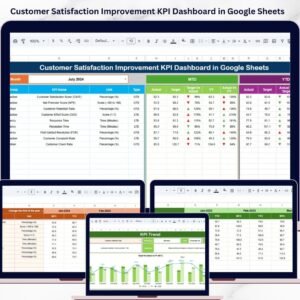
- Customer Satisfaction Improvement KPI Dashboard in Google Sheets: customer satisfaction improvement KPIs in Google Sheets
- Client Satisfaction Survey Tracker in Google Sheets: a client satisfaction survey tracker in Google Sheets
- Tracker Toolkit: 12 tracker templates in one bundle
Browse all Google Sheets trackers.


























Reviews
There are no reviews yet.