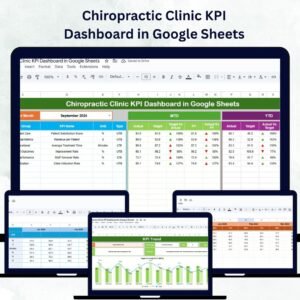
Managing a chiropractic clinic requires balancing patient care, operational efficiency, and business profitability. The Chiropractic Clinic KPI Dashboard in Google Sheets is a ready-to-use and data-driven solution designed to help chiropractors, clinic managers, and administrative teams monitor performance metrics, identify trends, and make informed decisions — all from one central dashboard. 🌿📈
Built for simplicity and efficiency, this Google Sheets dashboard offers a complete performance management system for chiropractic practices of any size. With automated metrics, trend analysis, and real-time comparisons, it enables clinics to optimize operations, improve patient satisfaction, and boost profitability.
🔑 Key Features of the Chiropractic Clinic KPI Dashboard in Google Sheets
📊 Dashboard Sheet Tab
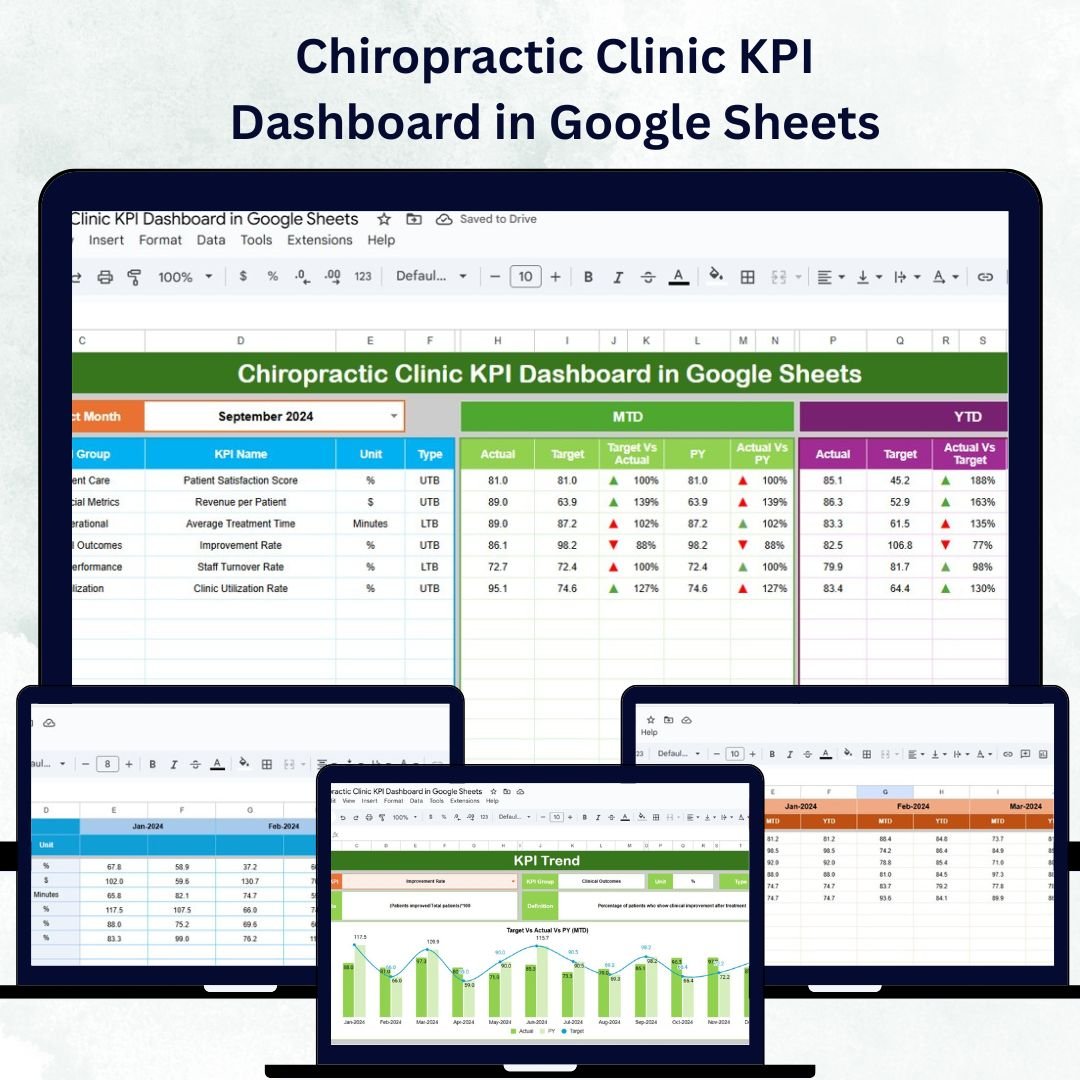
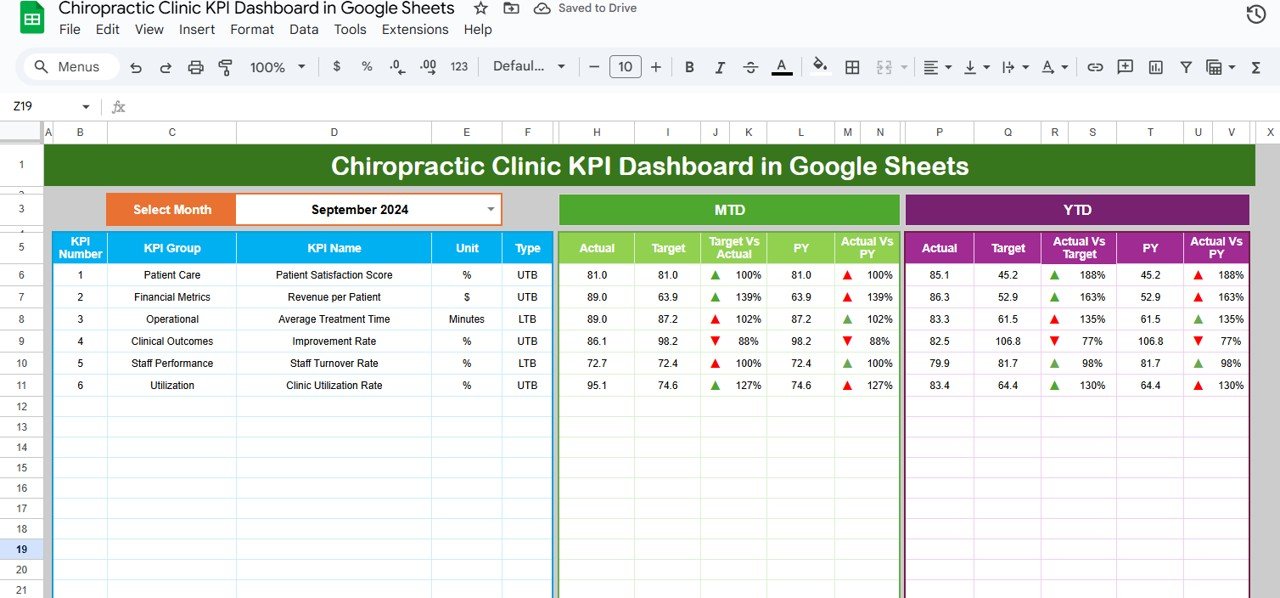
The heart of the system, the Dashboard Sheet, displays all essential performance KPIs in one interactive view.
Month Selector (Cell D3): Choose any reporting month to auto-refresh all metrics.
MTD & YTD Metrics: Instantly view Month-to-Date and Year-to-Date performance for each KPI.
Performance Indicators: Red ▼ or Green ▲ arrows show whether KPIs meet or fall short of targets.
Actual vs Target Comparison: Track progress toward monthly and annual goals.
Previous Year Comparison: Measure growth and identify improvement areas.
This sheet provides a comprehensive snapshot of your clinic’s health — both operationally and financially.
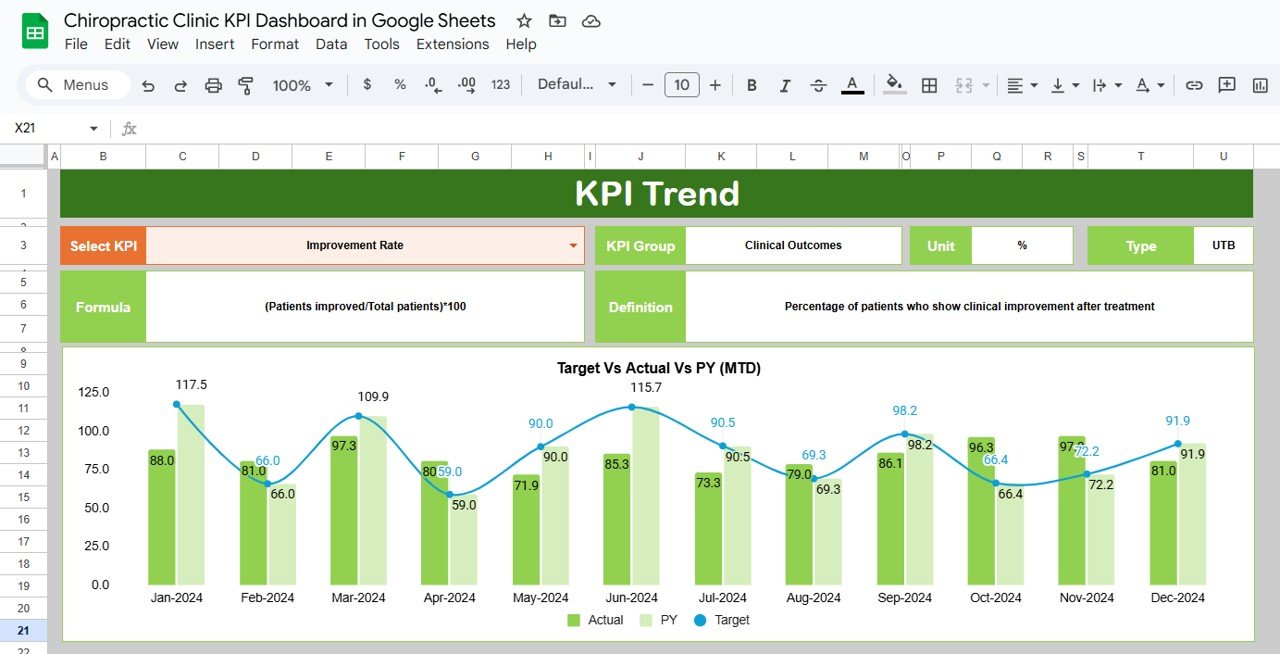
📈 KPI Trend Sheet Tab
Track the performance of each KPI over time and visualize trends with built-in charts.
Select a KPI from the dropdown (Cell C3).
View details like KPI Group, Unit, Formula, and Type (UTB/LTB).
Identify seasonal trends, recurring challenges, or consistent strengths.
This tab helps you uncover patterns and improve long-term strategic planning.
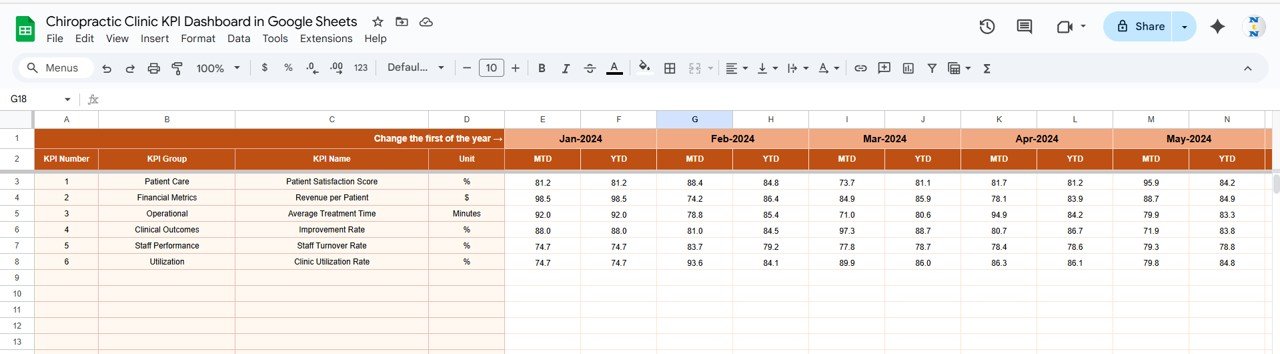
🧾 Actual Numbers Sheet Tab
Keep your performance data organized and accurate.
Enter actual KPI values for both MTD and YTD.
Adjust the first month of the year in Cell E1 to auto-recalculate all metrics.
Ensures that data updates seamlessly reflect across all dashboard pages.
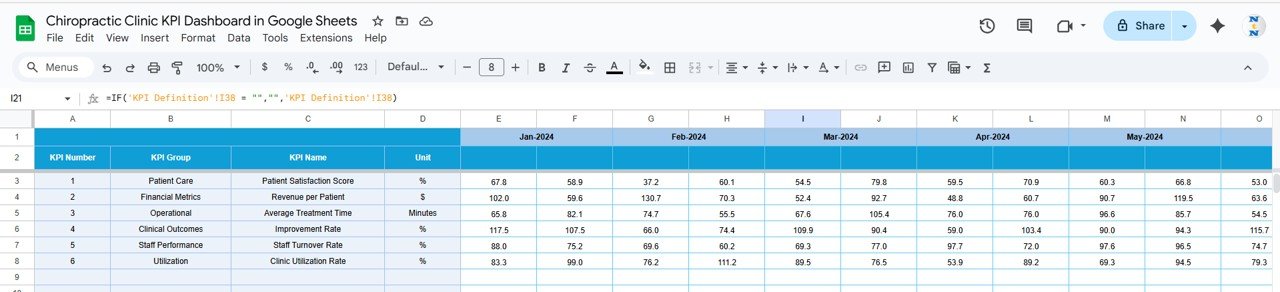
🎯 Target Sheet Tab
Set measurable goals that guide your team toward success.
Enter monthly and yearly target values for each KPI.
Monitor actual vs target progress to ensure goals are realistic and data-driven.
Encourage accountability across staff and departments.
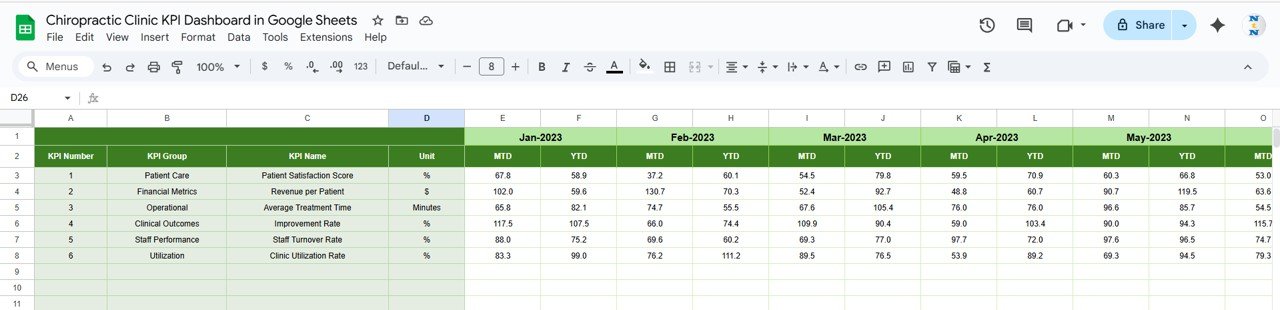
📅 Previous Year Numbers Sheet Tab
Store past performance data for year-over-year comparison.
Evaluate business growth, treatment outcomes, and revenue trends.
Identify how current performance aligns with past benchmarks.
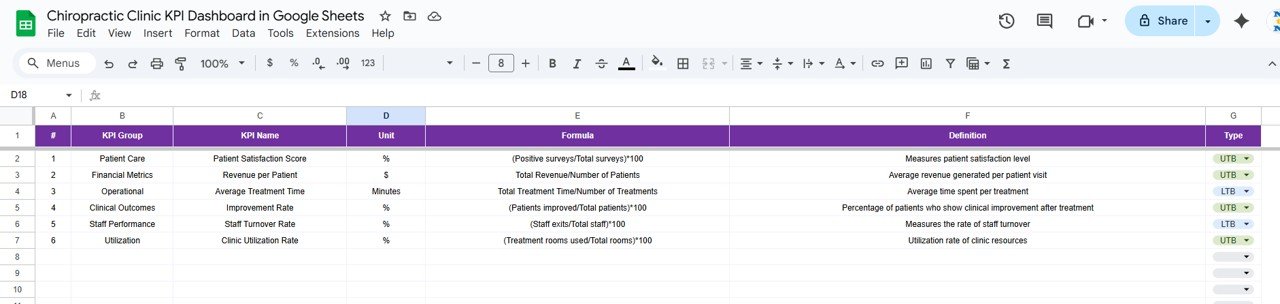
📖 KPI Definition Sheet Tab
Ensure consistency and clarity across all metrics.
Includes columns for KPI Name, Group, Unit, Formula, Definition, and Type (UTB/LTB).
Makes it easy for new staff or management to understand performance calculations.
📦 What’s Inside the Chiropractic Clinic KPI Dashboard?
✅ Dashboard Sheet – Centralized view of all KPIs
✅ KPI Trend Sheet – Visual trend charts for selected metrics
✅ Actual Numbers Sheet – Input form for clinic data
✅ Target Sheet – Monthly and yearly performance targets
✅ Previous Year Sheet – Benchmark for year-over-year growth
✅ KPI Definition Sheet – Quick reference for KPI details
This tool is ready to use immediately — no coding or setup required. Simply input your data, and the dashboard automatically generates insightful visuals and performance comparisons. 🚀
🧑⚕️ Who Can Benefit from This Dashboard?
💼 Clinic Owners – Monitor performance and financial outcomes.
👩⚕️ Chiropractors & Practitioners – Track patient satisfaction, efficiency, and revisit rates.
🧾 Administrative Staff – Record and analyze operational data efficiently.
📊 Business Consultants – Use visual data for decision-making and clinic improvement plans.
🏥 Multi-Location Managers – Compare branch performance across different clinics.
This dashboard is perfect for small independent practices as well as large chiropractic centers.
🧪 How to Use the Chiropractic Clinic KPI Dashboard
Enter Data: Record MTD and YTD values in the Actual Numbers sheet.
Set Targets: Input monthly and yearly goals in the Target Sheet.
Select Month: Choose the reporting month in the Dashboard Sheet (Cell D3).
Analyze Trends: Review graphs and trend lines in the KPI Trend Sheet.
Compare Performance: Evaluate growth using the Previous Year Sheet.
Collaborate in real time with your team — Google Sheets allows multiple users to update and review data simultaneously.
🌟 Why Choose This Dashboard?
Centralized visibility into clinical and financial performance
Real-time data updates with automated calculations
Easy-to-understand KPIs with clear definitions
Year-over-year comparison for strategic growth tracking
Customizable metrics for clinic-specific needs
Ideal for team collaboration and accountability
The Chiropractic Clinic KPI Dashboard in Google Sheets empowers clinics to measure what matters — helping you make informed, data-backed decisions that enhance both patient care and business growth. 🌿💰
🔗 Click here to read the Detailed blog post
Watch the step-by-step video Demo: