

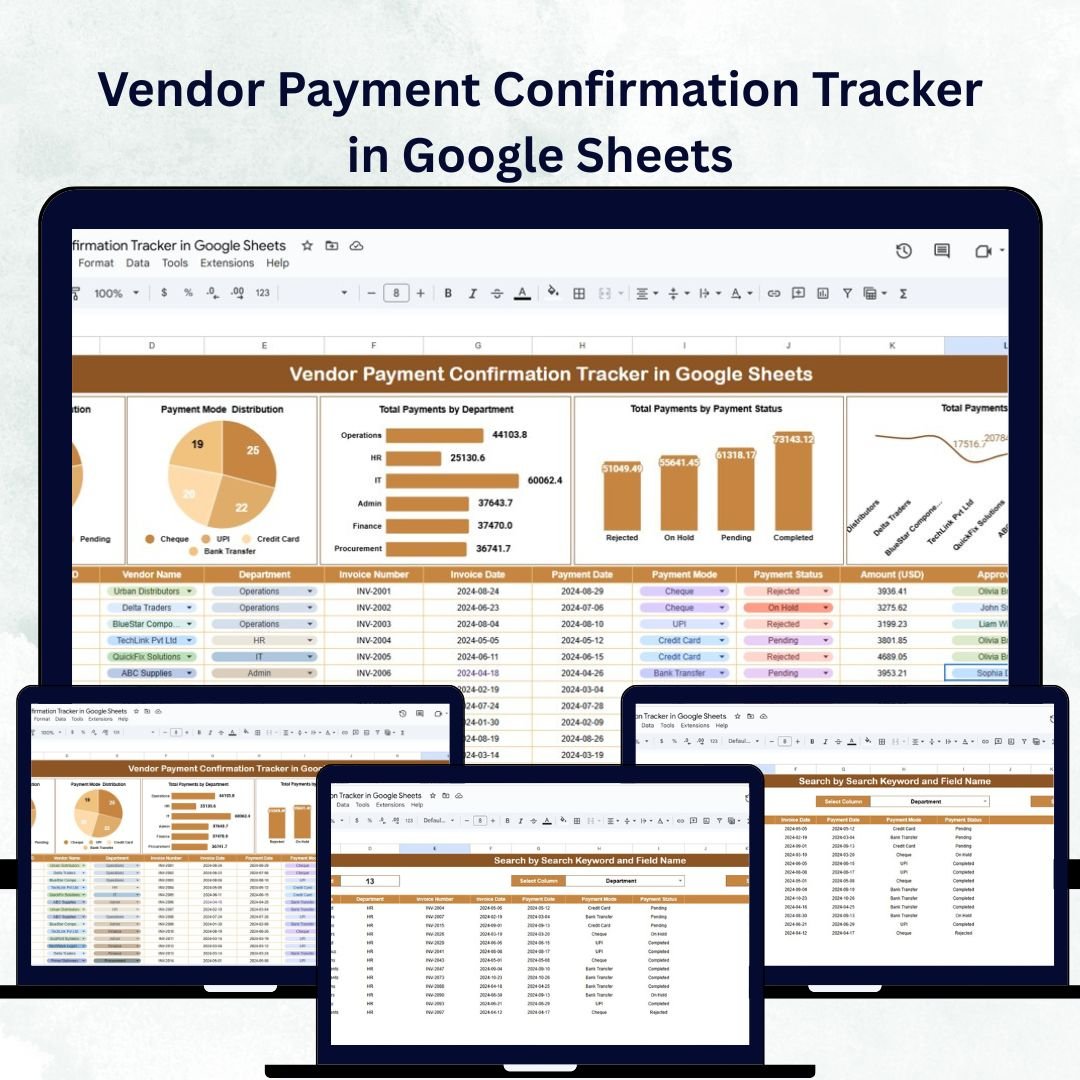

Managing vendor payments accurately and efficiently is critical for maintaining trust and ensuring smooth financial operations. The Vendor Payment Confirmation Tracker in Google Sheets is a ready-to-use digital solution that helps finance and accounts teams record payments, confirm transaction statuses, and maintain full transparency across departments.
Built in Google Sheets, this tracker offers real-time collaboration, automation, and visual insights — making vendor management easier, faster, and more reliable than ever before. It’s designed for finance managers, procurement teams, and accounting professionals who need an organized way to track payments and confirmations for multiple vendors simultaneously. 💼💳
🔑 Key Features of the Vendor Payment Confirmation Tracker in Google Sheets
📊 Tracker Sheet Tab
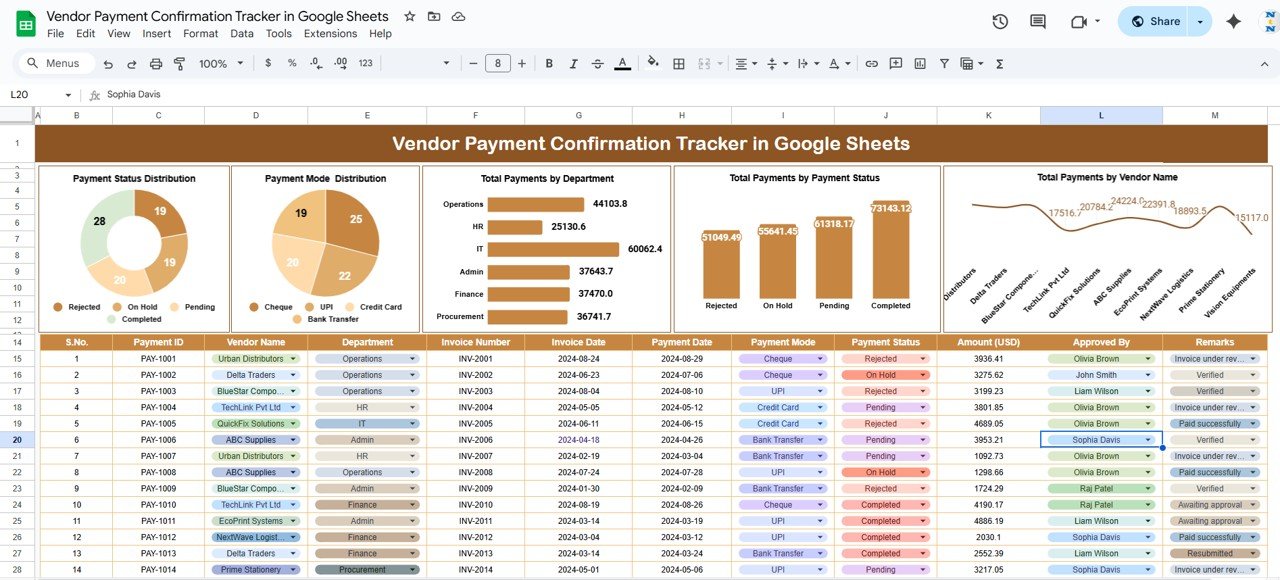
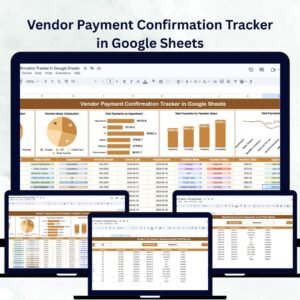
Gain a clear overview of all vendor payments and statuses through interactive charts and visual metrics:
Payment Status Distribution: Displays payments categorized as Pending, Confirmed, or Delayed
Payment Mode Distribution: Tracks payment methods — Bank Transfer, Cheque, Online, Cash, etc.
Total Payments by Department: Monitors which departments are responsible for initiating or confirming payments
Payments by Vendor Name: Identifies total payments made to each vendor for improved relationship management
Payments by Status: Quickly spot discrepancies and overdue payments
These insights help finance professionals analyze cash flow, accountability, and payment timelines across the organization.
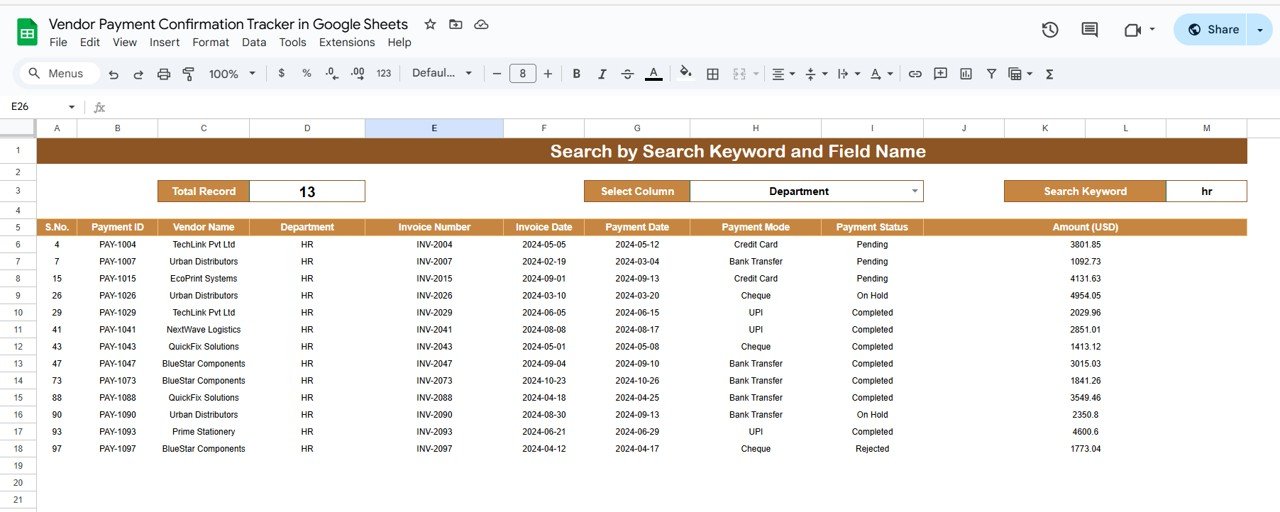
🔍 Search Sheet Tab
Find any transaction record instantly:
Search by keyword such as vendor name, payment ID, or department
Select a specific field (e.g., Payment Status, Payment Mode, Department) to filter relevant results
This makes auditing and vendor communication faster, more accurate, and stress-free.
📦 What’s Inside the Vendor Payment Confirmation Tracker?
✅ Tracker Sheet – Interactive charts summarizing payment data
✅ Search Sheet – Advanced keyword and field-based search
✅ Data Entry Columns – Vendor Name, Department, Payment ID, Date, Amount, Payment Mode, Status, Remarks
✅ Automated Visuals – Charts auto-update as data is entered
✅ Collaboration Ready – Multiple users can edit in real-time
✅ Preloaded Sample Data – Helps you understand structure and flow instantly
This plug-and-play tool requires no advanced setup or formulas — just input your payment details and let the dashboard generate instant insights! 🚀
🧑💼 Who Can Benefit from This Tracker?
💼 Finance Managers – Oversee all vendor payments and resolve delays
🏢 Accounts Payable Teams – Maintain payment confirmations and prevent duplicate records
📊 Procurement Teams – Track purchase-related payments and coordinate with finance
🧾 Auditors & Compliance Teams – Retrieve records easily for verification
📈 Business Owners – Gain transparency into outgoing payments and vendor performance
Perfect for small, medium, or large organizations, this tracker ensures complete visibility and accountability for every transaction.
🧪 How to Use the Vendor Payment Confirmation Tracker
Enter Payment Data: Add new records for vendor payments in the Tracker Sheet.
Update Status: Mark payments as Pending, Confirmed, or Delayed as they progress.
Search Transactions: Use the Search Sheet to find payment details quickly.
Review Charts: Analyze payment distributions and department trends.
Collaborate & Share: Allow multiple team members to update data in real-time using Google Sheets sharing.
With automation and simplicity built-in, teams can eliminate manual errors, reduce time spent on reporting, and ensure smoother communication with vendors.
🌟 Why Choose This Tracker?
Centralized vendor payment tracking system
Real-time collaboration across teams
Visual reports for quick payment analysis
Search functionality for instant data retrieval
100% customizable fields and charts
No coding or technical expertise needed
Strengthens financial transparency and vendor trust
With the Vendor Payment Confirmation Tracker in Google Sheets, you can transform your vendor management process — ensuring timely payments, improved accuracy, and stronger business relationships. 🌍💰
🔗 Click here to read the Detailed blog post
Watch the step-by-step video Demo:
🔗 Visit our YouTube channel to learn step-by-step video tutorials
Compatibility and Requirements
- Works in Google Sheets. You need a free Google account and a web browser.
- The charts update as you enter data. Google explains charts in Add & edit a chart or graph.
Frequently Asked Questions
What does the Tracker sheet show?
Charts for payment status, payment mode, total payments by department and payments by vendor name.
Which details do I record for each payment?
Vendor name, department, payment ID, date, amount, payment mode, status and remarks.
Which payment statuses can I use?
Pending, Confirmed and Delayed, so you can spot late payments quickly.
How do I find one transaction?
Use the Search sheet. Search by a keyword such as vendor name, payment ID or department, or filter by a field like payment status.
Is there an Excel version?
Yes. The Vendor Payment Confirmation Tracker in Excel covers the same tracker in Excel.
Related Vendor Payment Templates
- Vendor Payment Confirmation Tracker in Excel: the same tracker in Excel
- Vendor Payment Dashboard in Google Sheets: payment analysis with KPIs
- Vendor Payment Dashboard in Excel: payment analysis in Excel
- Vendor Invoice Submission Tracker in Google Sheets: log invoices before you pay them
- Procurement and Vendor Management Kit: 7 procurement templates in one download
Browse all Google Sheets trackers or the Google Sheets financial tools.




























Reviews
There are no reviews yet.