

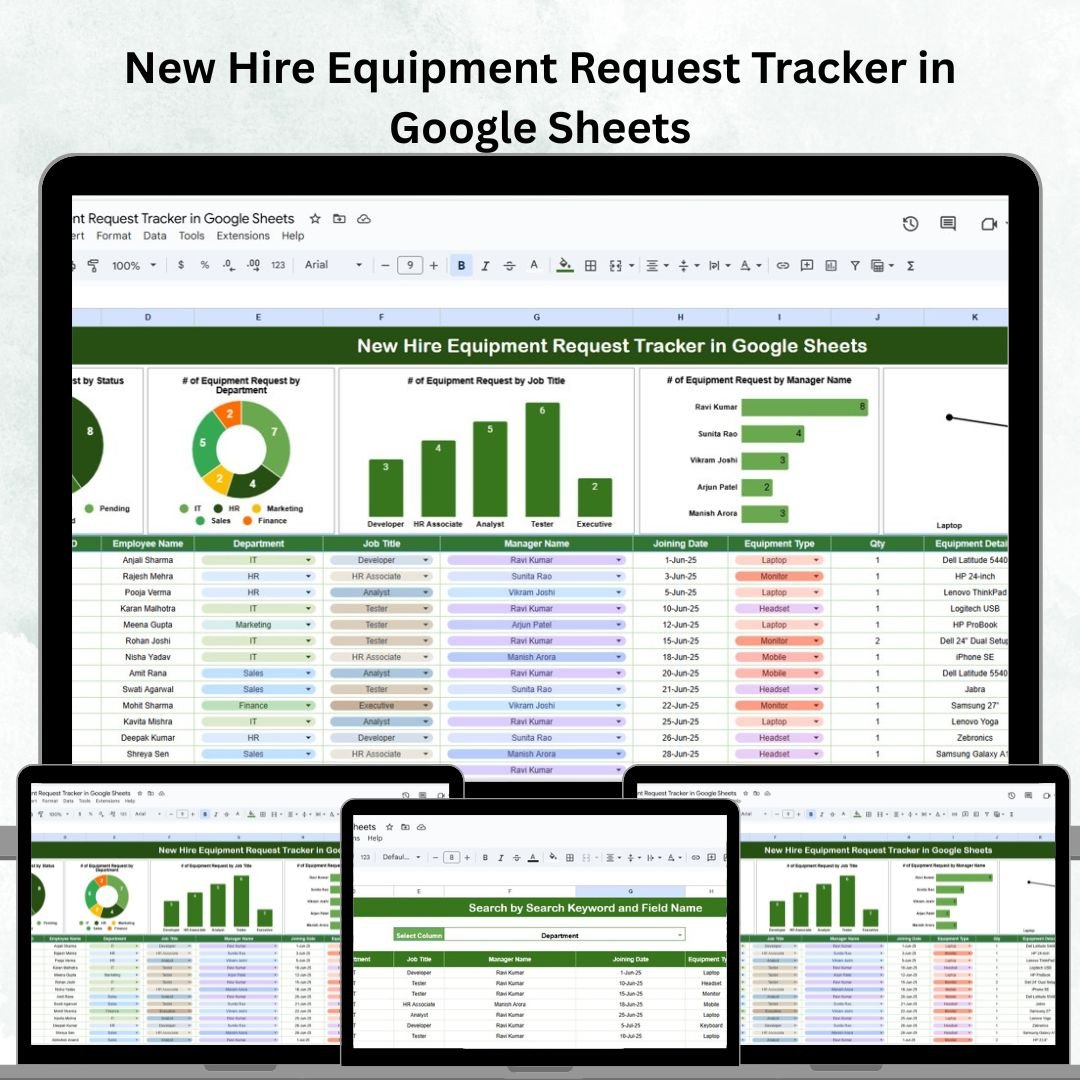

Smooth onboarding isn’t just about paperwork—it’s about making sure new hires receive the right equipment on time. When laptops, monitors, or access tools are delayed, productivity drops and the first impression suffers. That’s why we created the New Hire Equipment Request Tracker in Google Sheets — a ready-to-use tool that streamlines equipment requests, tracks fulfillment, and provides powerful insights for HR and IT teams.
This tracker simplifies the way you manage equipment distribution, improves collaboration between HR and IT, and ensures your new employees hit the ground running from day one.
✨ Key Features of the New Hire Equipment Request Tracker
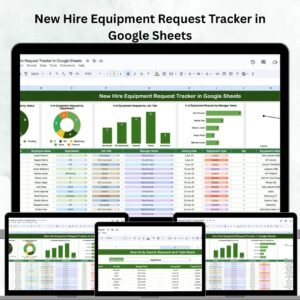
📊 Real-Time Dashboard – Automatically updates as new requests are logged.
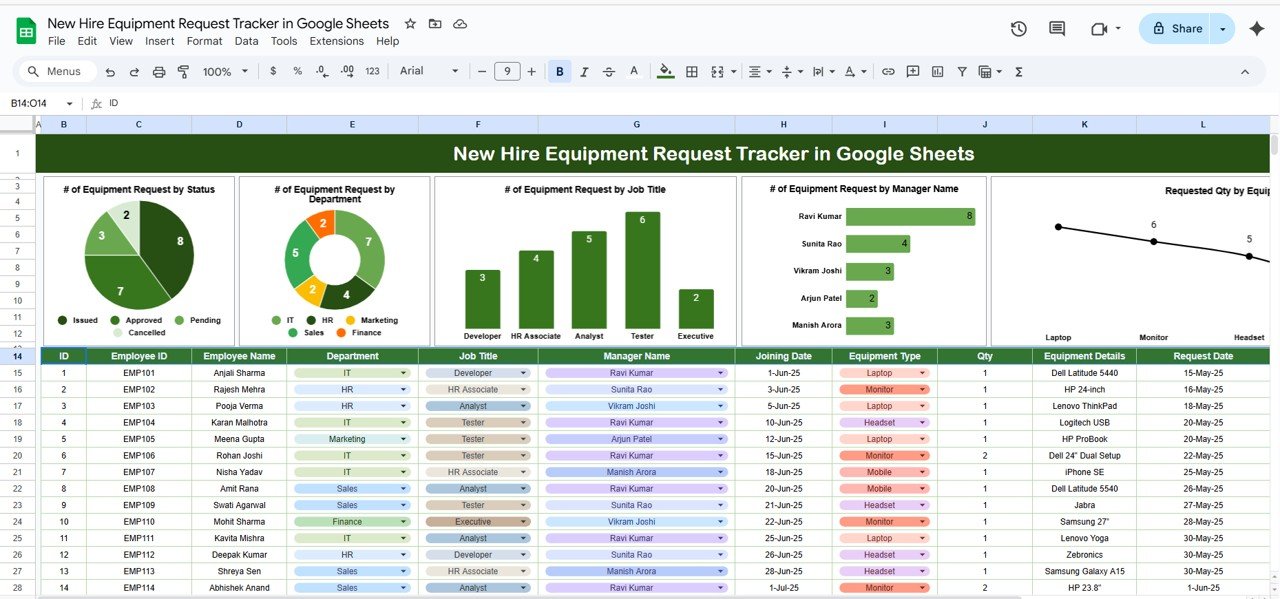
📈 Visual Charts – Track requests by department, job title, manager, and status (Pending, Approved, Fulfilled).
🗂 Structured Database – Record every detail: employee, equipment type, department, manager, and request date.
🔍 Quick Search Function – Instantly filter and find specific requests by employee, role, or equipment type.
⚡ Collaborative Access – Multiple HR and IT team members can update data simultaneously in Google Sheets.
📑 Status Tracking – Ensure no request is missed by monitoring Pending vs. Fulfilled requests.
📂 What’s Inside the New Hire Equipment Request Tracker
This template is built with two main sheets for maximum efficiency:
Tracker Sheet Tab
Cards & charts to visualize requests by status, department, role, and manager.
A detailed table showing each request with fields like equipment type, quantity, and status.
Helps managers and HR staff analyze demand patterns and monitor approvals.
Search Sheet Tab
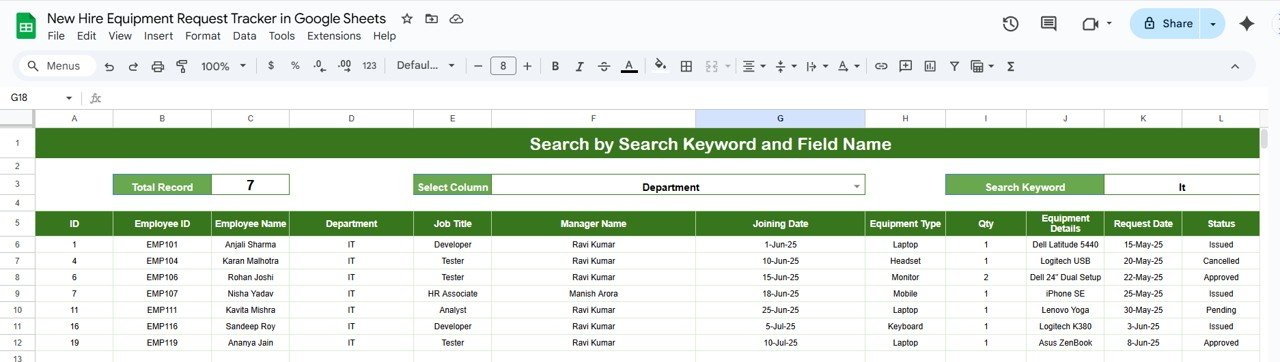
Allows quick searches by keyword or field.
Perfect for retrieving requests during audits, reporting, or departmental reviews.
Saves time and reduces manual scrolling.
🛠 How to Use the New Hire Equipment Request Tracker
Log Requests – Enter employee equipment requests in the Data Section.
Track Progress – Check charts for request distribution and fulfillment status.
Use Search Function – Quickly find requests by department, role, or specific employee.
Monitor Trends – Spot recurring demands (e.g., laptops for developers, headsets for sales).
Plan Ahead – Use insights to forecast equipment needs and optimize procurement.
No complex setup needed—simply start entering requests, and the dashboard does the rest.
👥 Who Can Benefit from This Tracker
HR Teams 👩💼 – Ensure smooth onboarding with timely equipment provisioning.
IT Departments 💻 – Monitor hardware/software distribution and avoid bottlenecks.
Hiring Managers 👔 – Track requests for their new team members easily.
Operations & Admin Teams 🏢 – Get full visibility into organizational resource allocation.
Finance Teams 💰 – Use request data for budgeting and forecasting equipment costs.
✅ Advantages of Using the Tracker
Centralized request tracking
Real-time updates & collaboration
Visual reporting with charts
Quick search & retrieval
Insights by department, role, and manager
Scalable for small and large organizations
Easy customization for unique needs
📖 Click here to read the Detailed blog post
Watch the step-by-step video Demo:
📺 Visit our YouTube channel to learn step-by-step video tutorials: PK An Excel Expert
Compatibility and Requirements
- Works in Google Sheets. You need a free Google account and a web browser.
- Several HR and IT team members can update the same file at the same time. Google explains the basics in Get started with Google Sheets.
Frequently Asked Questions
Which sheets are included?
Two sheets: the Tracker sheet, with cards, charts and the request table, and the Search sheet.
What can I track for each request?
Each request records the employee, equipment type, quantity, department, job title, manager, request date and status (Pending, Approved or Fulfilled).
Can HR and IT use the file together?
Yes. Because it runs in Google Sheets, several team members can update the data at once.
How do I find one request quickly?
Use the Search sheet. It lets you search by keyword or field, which helps during audits and department reviews.
Is there an Excel version?
Yes. See the New Hire Equipment Request Tracker in Excel.
Related Equipment and Onboarding Templates
- New Hire Equipment Request Tracker in Excel: the same tracker for Excel
- New Hire Onboarding Calendar in Google Sheets: schedule onboarding tasks for each new hire
- Employee Equipment Purchase Request Tracker in Google Sheets: track purchase requests for equipment
- Equipment Borrowing Request Tracker in Google Sheets: log loans of shared equipment
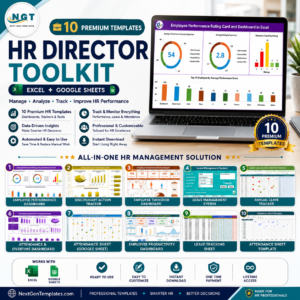
- HR Director Toolkit: 10 HR templates for Excel and Google Sheets in one bundle
Browse all Google Sheets trackers.


Reviews
There are no reviews yet.