



Remote work is no longer a temporary arrangement—it has become a permanent part of modern workplace strategy. As organizations adopt hybrid and fully remote models, managing employee remote work agreements becomes more complex than ever. HR teams must track who is working remotely, from which location, under what terms, for what duration, and with whose approval. When these details are handled through emails or scattered spreadsheets, agreements get misplaced, approvals are delayed, and compliance risks increase.
The Employee Remote Work Agreement Tracker in Google Sheets is designed to solve this challenge with a simple, structured, and centralized system. This ready-to-use tracker allows organizations to record, monitor, and analyze all remote work agreements in one place. Instead of chasing emails or searching through multiple files, HR teams get a single source of truth for remote workforce management.
Because this tracker runs entirely in Google Sheets, it is cloud-based, easy to share, and updates in real time. HR teams, managers, and compliance officers can collaborate on the same file without version conflicts or manual consolidation.

🚀 Key Features of the Employee Remote Work Agreement Tracker
📁 Centralized Agreement Management
All employee remote work agreements are stored in one structured tracker, eliminating confusion and data duplication.
📊 Auto-Updating Visual Charts
Built-in charts provide instant visibility into agreement status, work mode distribution, departments, managers, and locations.
🔍 Smart Search Functionality
Find any employee agreement instantly using keyword-based and field-level search.
🌍 Location & Work Mode Insights
Understand where employees work from and how remote, hybrid, and on-site models are distributed.
🤝 Real-Time Collaboration
Multiple stakeholders can access and update the tracker simultaneously.
⚙️ Fully Customizable Template
Modify fields, categories, and charts to match your organization’s policies.
📦 What’s Inside the Employee Remote Work Agreement Tracker
🧾 Tracker Sheet Tab – Core Data Repository
This is the backbone of the entire system where all agreement data is entered and maintained.
Typical fields include:
Employee Name
Employee ID
Department
Manager Name
Work Mode (Remote / Hybrid / On-site)
Remote Location
Agreement Status (Pending, Approved, Rejected, Expired)
Agreement Start Date
Agreement End Date
Remarks / Comments
Once data is updated, all charts refresh automatically—no manual recalculation required.
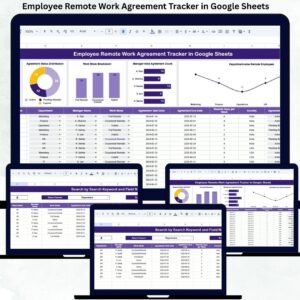
📊 Interactive Dashboard Charts
The tracker includes five powerful charts that give HR teams instant insights:
Location-Wise Agreement Count – Understand geographic distribution of remote employees
Agreement Status Distribution – Track pending, approved, rejected, and expired agreements
Work Mode Breakdown – Compare remote, hybrid, and on-site workforce ratios
Manager-Wise Agreement Count – Monitor approval load and accountability
Department-Wise Remote Employees – Identify departments with high remote adoption
These visuals help HR teams move from reactive tracking to proactive workforce planning.
🔎 Search Function – Find Any Agreement in Seconds
The built-in search panel allows users to:
Enter a Search Keyword
Select a Field Name (Employee, Department, Manager, Location, Status)
Matching records appear instantly, saving hours of manual filtering and improving response time during audits and reviews.
🛠️ How to Use the Employee Remote Work Agreement Tracker
1️⃣ Enter employee agreement details in the Tracker Sheet
2️⃣ Update agreement status as approvals progress
3️⃣ Review charts regularly for trends and compliance gaps
4️⃣ Use search to locate agreements instantly
5️⃣ Share access securely with relevant stakeholders
👥 Who Can Benefit from This Tracker
🧑💼 HR Teams
👔 Managers & Team Leads
📋 Compliance & Audit Teams
🏢 Operations Teams
🌐 Hybrid & Remote-First Organizations
### Click here to read the Detailed blog post
Watch the step-by-step video tutorial:
Visit our YouTube channel to learn step-by-step video tutorials
👉 https://youtube.com/@NeotechNavigators
Compatibility and Requirements
- Works in Google Sheets. You need a free Google account and a web browser.
- The tracker includes five charts that update when you change the data. Google explains how charts work in Add and edit a chart or graph.
Frequently Asked Questions
Which fields does the tracker record for each agreement?
Employee name, employee ID, department, manager name, work mode (Remote, Hybrid or On-site), remote location, agreement status, start date, end date and remarks.
Which statuses can I track?
Pending, Approved, Rejected and Expired.
What charts are included?
Five charts: location-wise agreement count, agreement status distribution, work mode breakdown, manager-wise agreement count and department-wise remote employees. They refresh when you update the Tracker sheet.
How do I find one employee’s agreement?
Use the search panel. Enter a keyword and choose a field name such as employee, department, manager, location or status, and the matching records appear.
Is there a Remote Work KPI Dashboard for Excel or Google Sheets?
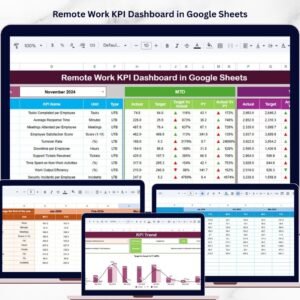
Yes. See the Remote Work KPI Dashboard in Google Sheets and the Remote Work KPI Dashboard in Excel.
Related Remote Work and HR Templates
- Remote Work KPI Dashboard in Google Sheets: KPIs for your remote workforce
- Remote Work KPI Dashboard in Excel: the same topic in Excel
- Remote Work Request Form Template in MS Word and Google Docs: a form for employees to request remote work
- HR Remote Work Calendar in Excel: a calendar for remote work days
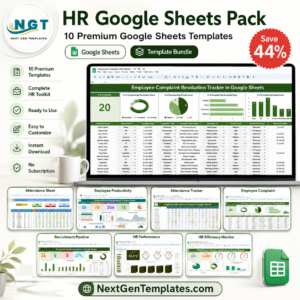
- HR Google Sheets Pack: 10 HR templates for Google Sheets in one download
Browse all Google Sheets trackers or Google Sheets HR and payroll templates.







Reviews
There are no reviews yet.