

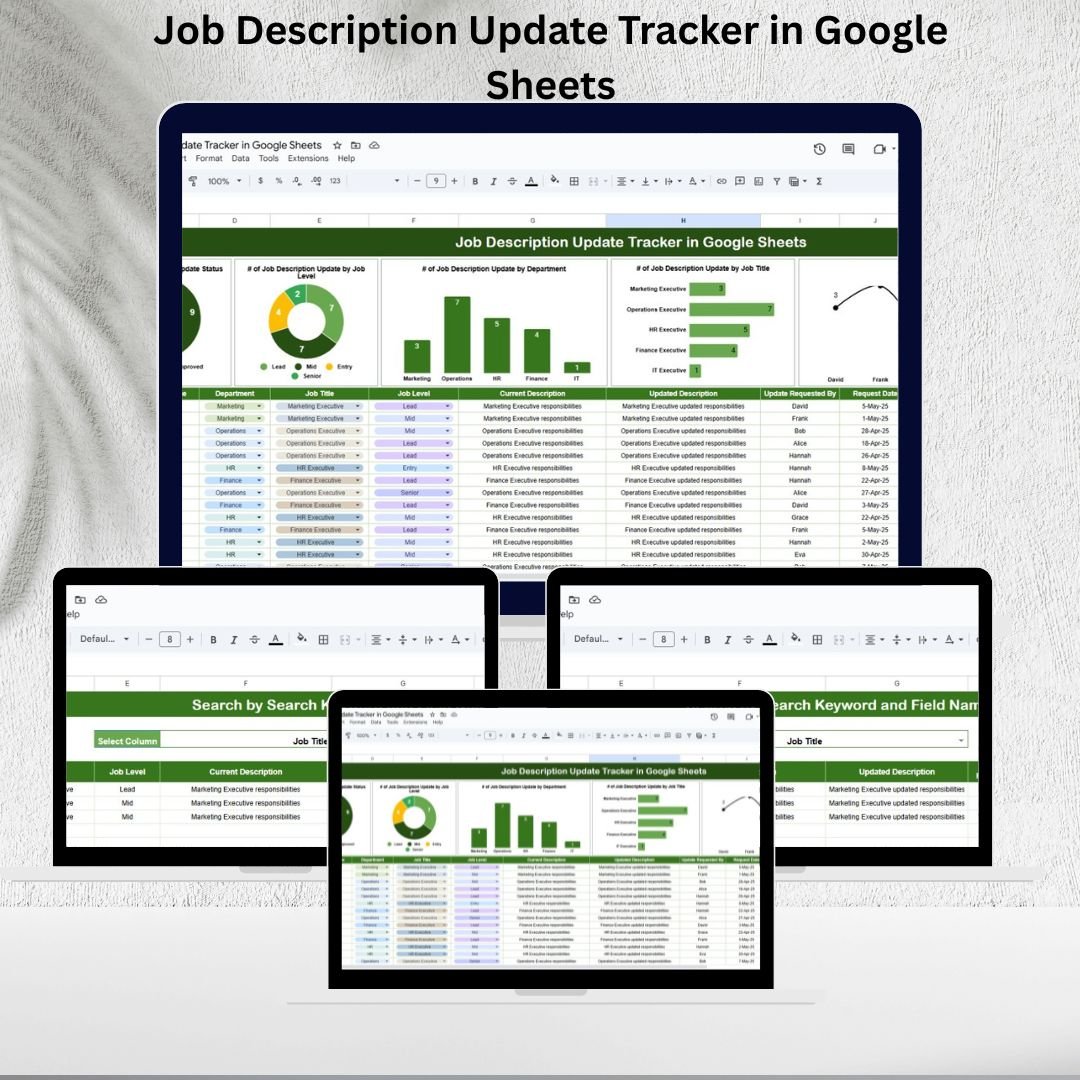

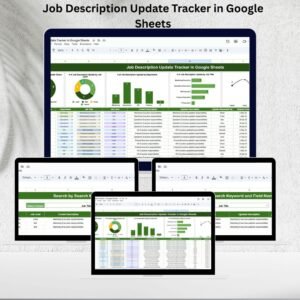
Maintaining accurate and up-to-date job descriptions is a critical part of HR management. When responsibilities shift, new roles are created, or compliance standards change, outdated job descriptions can cause confusion, inefficiency, and compliance risks. The Job Description Update Tracker in Google Sheets solves this challenge by giving HR teams and managers a structured, visual, and collaborative tool to manage updates seamlessly.Job Description Update Tracker in Google Sheets
Unlike scattered documents or manual logs, this tracker provides a centralized database with visual dashboards that help you monitor updates, track approvals, and analyze trends by department, job level, or requester. With its simple design and Google Sheets functionality, it’s accessible anytime, from anywhere, and can be updated by multiple HR members simultaneously.
✨ Key Features of Job Description Update Tracker in Google Sheets
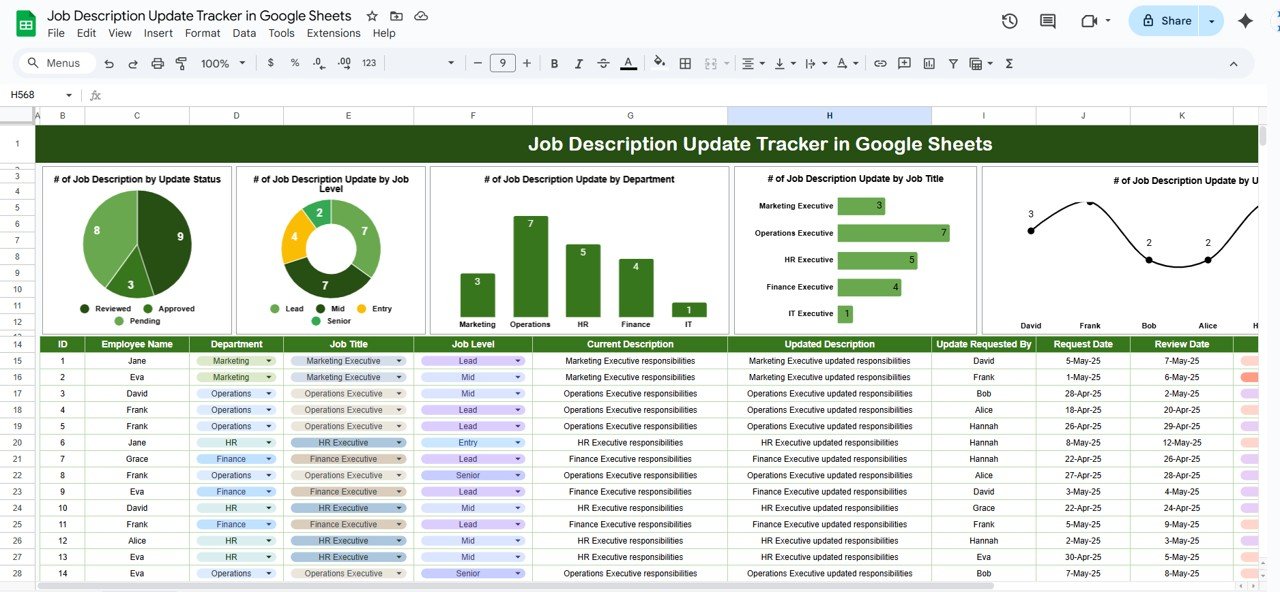
📊 Visual Dashboards – Track updates using summary charts and cards for better clarity.
🏢 Department-Wise Tracking – Monitor which departments are updating job descriptions most frequently.
📌 Job Level Insights – See trends across job levels such as executives, managers, and team leads.
🗂 Requester Monitoring – Identify who requested updates and their current approval status.
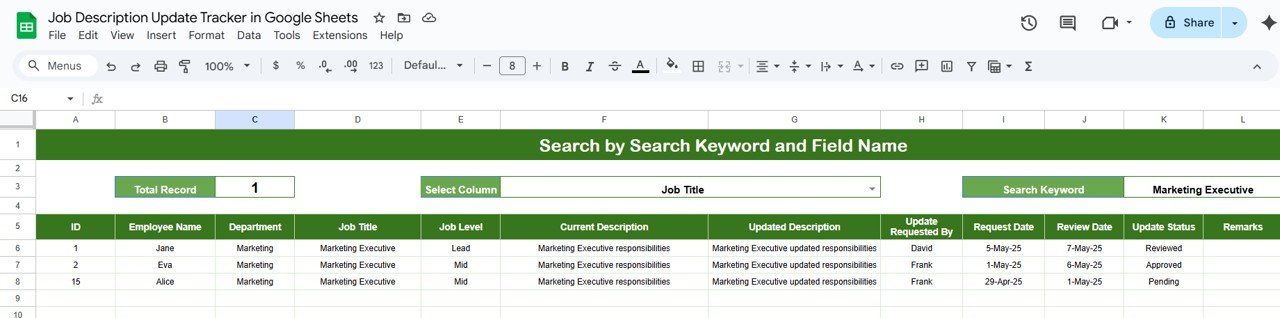
🔍 Quick Search – Instantly locate records using the Search tab by entering a keyword.
✅ Approval Tracking – Monitor which job descriptions are approved, pending, or rejected.
📝 Detailed Records – Capture employee name, department, job title, level, current vs updated descriptions, requester details, status, and remarks.
🔒 Collaborative & Cloud-Based – Real-time updates with Google Sheets make it easy for multiple HR managers to work together.
📂 What’s Inside the Job Description Update Tracker
The template comes with two well-structured worksheets:
Tracker Sheet Tab
Visual charts showing updates by status, department, job title, job level, and requester
Cards summarizing total updates, approved updates, pending requests, and rejected ones
A detailed bottom table storing all update records with complete information
Search Sheet Tab
Smart search functionality to quickly filter by keyword
Column-wise search (e.g., department, job title, requester)
Displays total matches to save time scrolling large datasets
🛠 How to Use the Job Description Update Tracker
Enter Data in the Tracker – Add new job description requests with details such as employee name, job title, department, requester, and remarks.
Monitor Progress – Use the dashboard charts to track approvals, departmental trends, and update frequency.
Search Records – Use the Search Sheet to instantly locate updates by job title, department, or requester name.
Review Approvals – Monitor approval status to ensure all changes are completed and documented.
Regular Review – Conduct monthly or quarterly reviews to maintain compliance and ensure consistency.
👥 Who Can Benefit from This Job Description Update Tracker?
HR Teams – Manage and update job descriptions efficiently across multiple departments.
Managers & Team Leads – Request updates and monitor approval status.
Compliance Officers – Ensure all roles are clearly defined and audit-ready.
Large Organizations – Handle high volumes of updates across multiple departments.
Startups & SMEs – Maintain clarity as roles evolve with growth.
✅ Advantages of Using This Tracker
Centralizes all job description updates in one Google Sheet
Improves compliance readiness with accurate records
Enhances accountability by tracking requester and approval details
Saves time with visual dashboards and smart search
Supports decision-making by identifying departments needing frequent updates
📌 Best Practices for Maximum Results
🔄 Update Promptly – Enter requests and approvals as soon as they happen.
📊 Segment Data – Use departments and job levels to analyze trends.
🕒 Review Regularly – Conduct scheduled reviews to avoid outdated roles.
✍ Maintain Notes – Use the remarks column to capture important context.
📈 Analyze Trends – Use the visual dashboard to identify recurring gaps and bottlenecks.
📚 Conclusion
The Job Description Update Tracker in Google Sheets is an essential HR tool for ensuring clarity, accountability, and compliance. With its visual dashboards, smart search, and detailed records, it empowers HR professionals to stay on top of job description updates with ease. Whether you manage a small business or a large enterprise, this template ensures every role remains accurate, transparent, and up to date.
Click here to read the Detailed Blog Post
Watch the step-by-step video Demo:
Visit our YouTube channel to learn step-by-step video tutorials NeotechNavigators
Compatibility and Requirements
- Works in Google Sheets. You need a free Google account and a web browser.
- The Tracker sheet uses charts and summary cards. Google explains charts in Add & edit a chart or graph.
Frequently Asked Questions
Which sheets are included?
Two sheets: a Tracker sheet with charts, cards and the record table, and a Search sheet.
What details does each record hold?
Employee name, department, job title, job level, current and updated descriptions, requester details, status and remarks.
What do the cards show?
Total updates, approved updates, pending requests and rejected ones.
How do I find a record?
Type a keyword in the Search sheet. You can search by column, such as department, job title or requester, and it shows the number of matches.
Is there an Excel version?
Yes. The Job Description Update Tracker in Excel covers the same job in Excel.
Related HR Trackers
- Job Description Update Tracker in Excel: the same tracker in Excel
- Job Description Review & Approval Tracker in Google Sheets: manage reviews and sign off
- Employee Onboarding Tracker in Google Sheets: track new hire onboarding
- HR Google Sheets Pack: 10 HR templates for Google Sheets in one download
Browse all Google Sheets trackers.





















Reviews
There are no reviews yet.