


Compliance has become a critical function for modern organizations. From data protection and regulatory audits to workplace safety and internal policies, businesses must ensure that every department and location adheres to required standards. Failing to track compliance properly can lead to penalties, reputational risks, and operational inefficiencies.
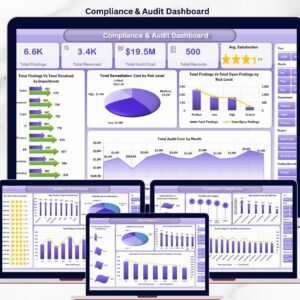
This is where the Compliance Dashboard in Excel makes a difference. Designed as a ready-to-use, cost-effective, and customizable solution, it transforms raw compliance data into visual insights, charts, and KPIs that help businesses stay on top of regulations. Whether you’re a compliance officer, auditor, or senior manager, this dashboard ensures clarity, accountability, and proactive risk management.
📊 What Is a Compliance Dashboard in Excel?
A Compliance Dashboard in Excel is a pre-built template that consolidates all compliance activities into one structured, interactive tool. Instead of relying on scattered spreadsheets, users can navigate through multiple analytical pages, view KPIs, and spot risks instantly.
With this dashboard, organizations can:
Monitor compliance levels across departments, locations, and compliance areas.
Visualize risk ratings and compliance percentages with charts.
Track monthly trends to identify recurring issues.
Prepare for audits confidently with centralized insights.
Reduce compliance gaps and strengthen organizational governance.
Because it is Excel-based, it is simple, widely accessible, and budget-friendly compared to expensive compliance management systems.
🌟 Key Features of the Compliance Dashboard
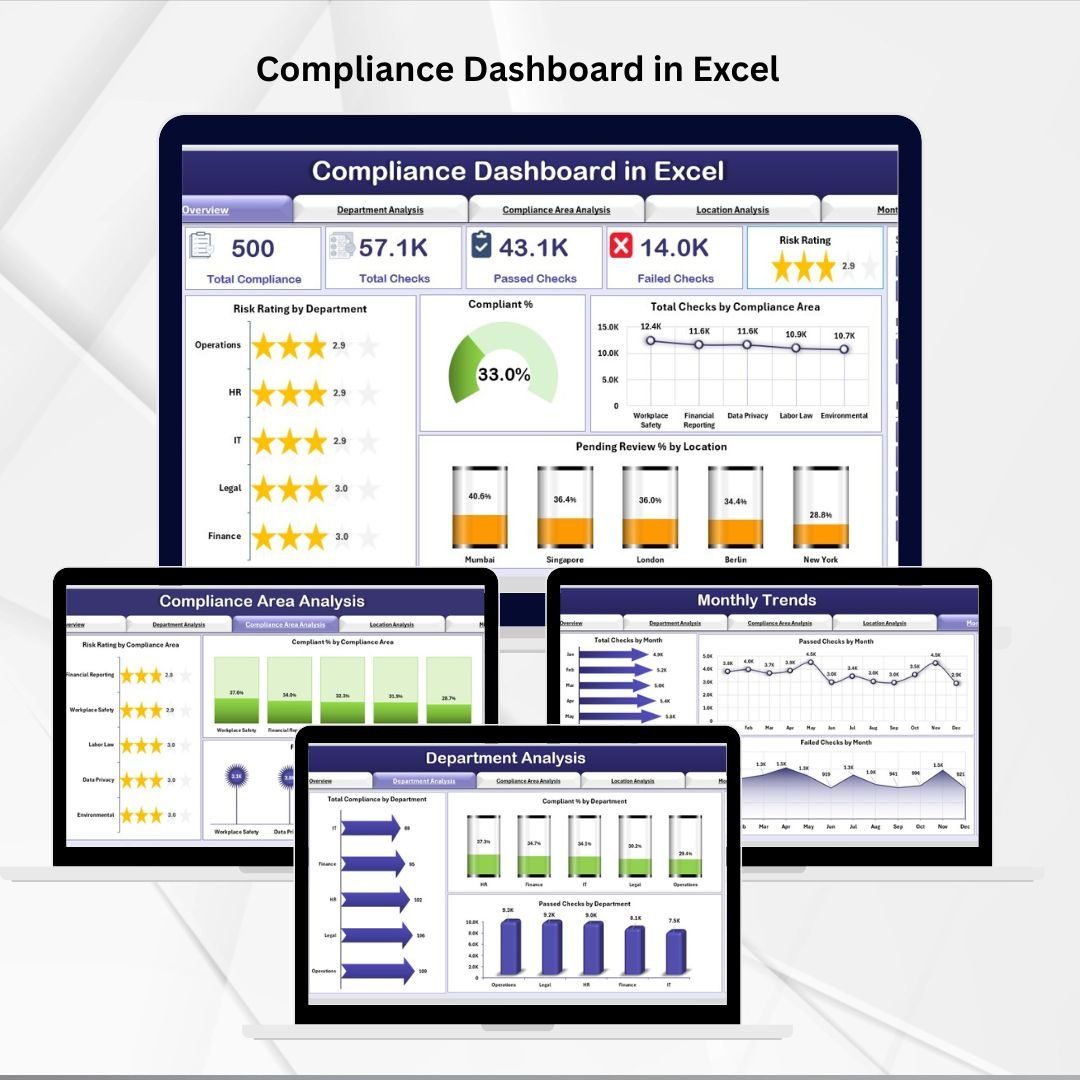
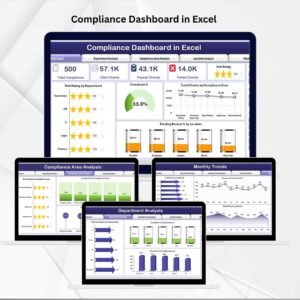
This template comes with five analytical pages and a support sheet, each serving a distinct purpose.
1. Overview Page
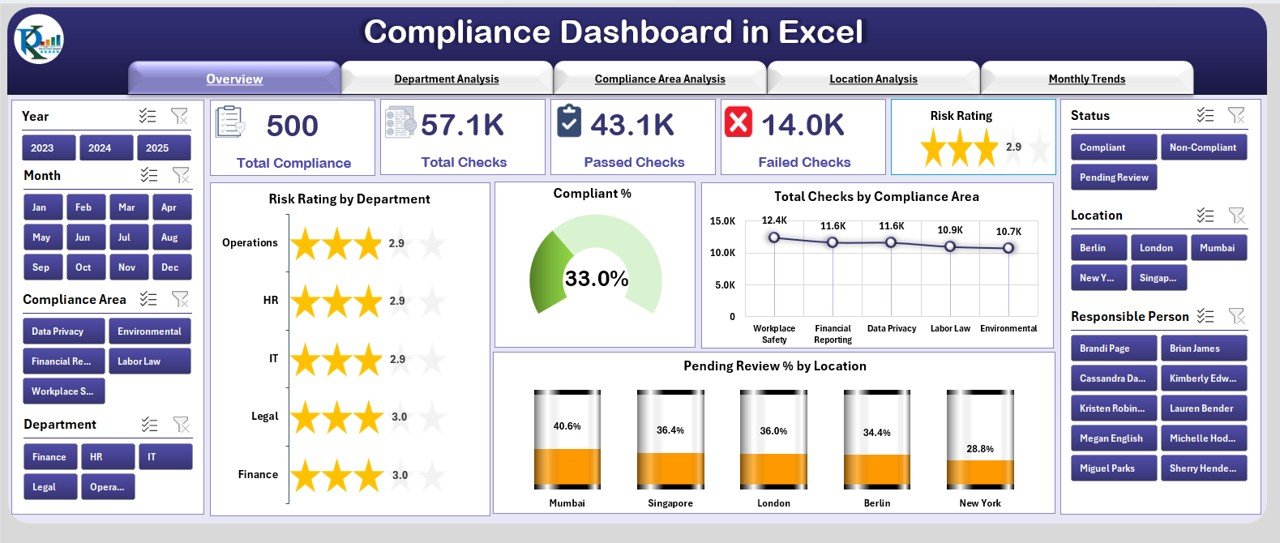
Displays 5 key summary cards.
Charts include:
Risk Rating by Department
Compliant %
Total Checks by Compliance Area
Pending Review % by Location
Provides a snapshot of compliance health across the organization.
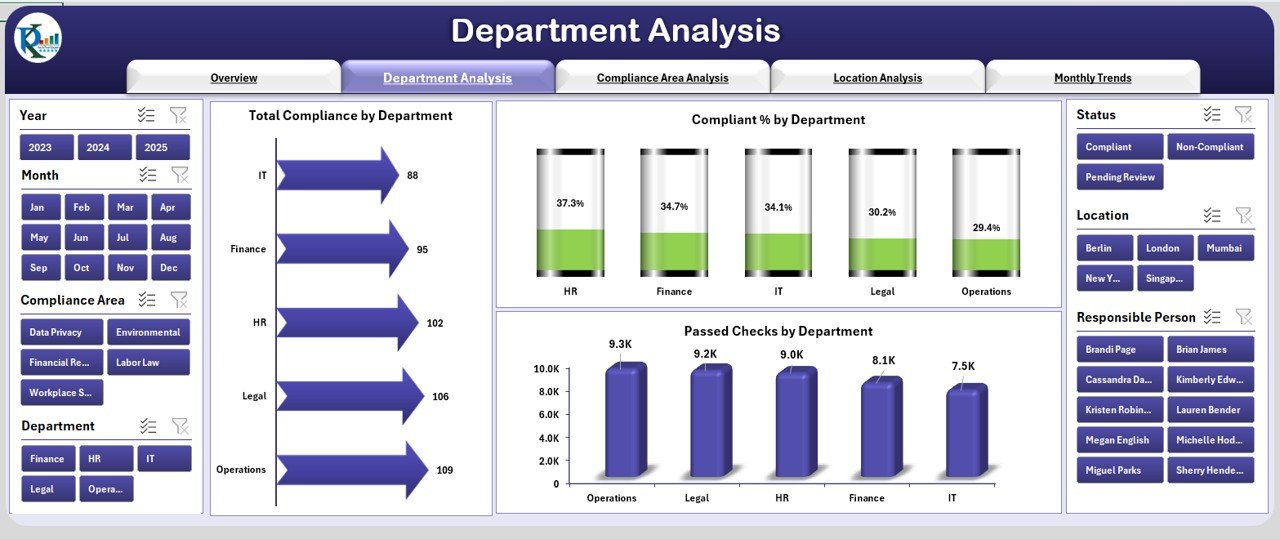
2. Department Analysis
Highlights compliance data by department.
Charts include Total Compliance, Compliant %, and Passed Checks by Department.
Helps identify underperforming departments and best performers.
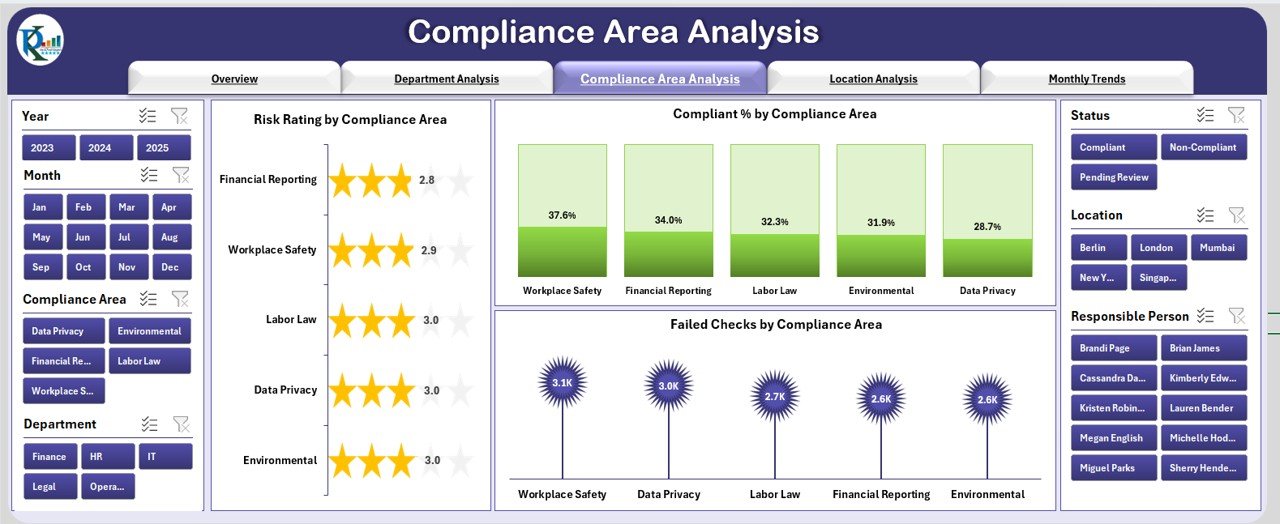
3. Compliance Area Analysis
Focuses on specific compliance areas like data protection, audits, or safety.
Charts include Risk Rating, Compliant %, and Failed Checks by Compliance Area.
Enables detailed tracking of specialized compliance processes.
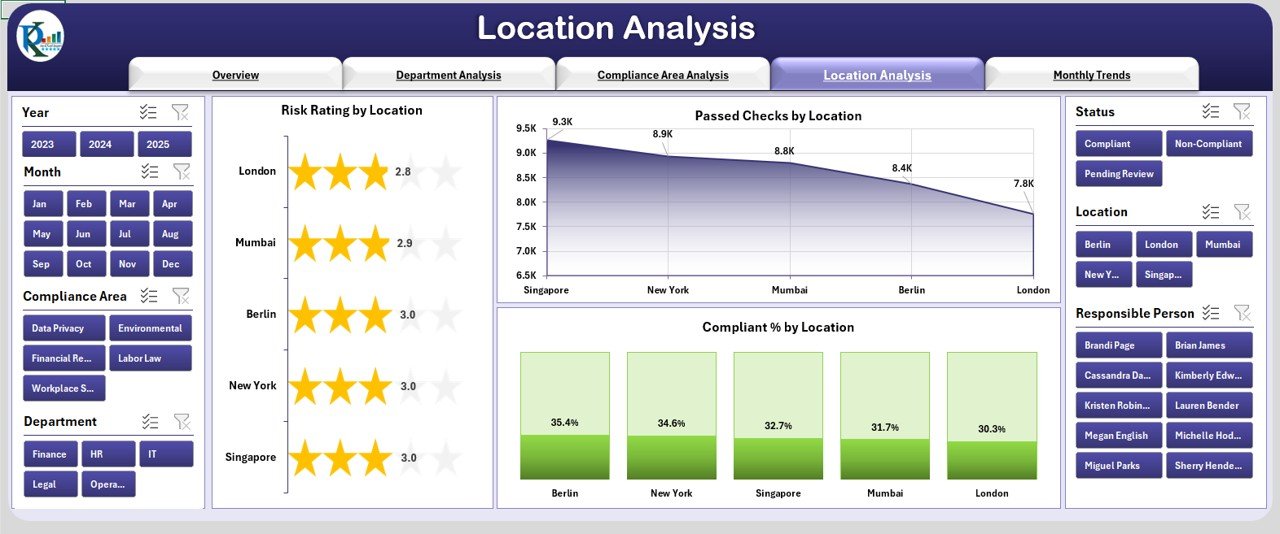
4. Location Analysis
Provides geographical insights into compliance performance.
Charts include Risk Rating, Passed Checks, and Compliant % by Location.
Helps organizations monitor multi-site operations and prioritize high-risk locations.
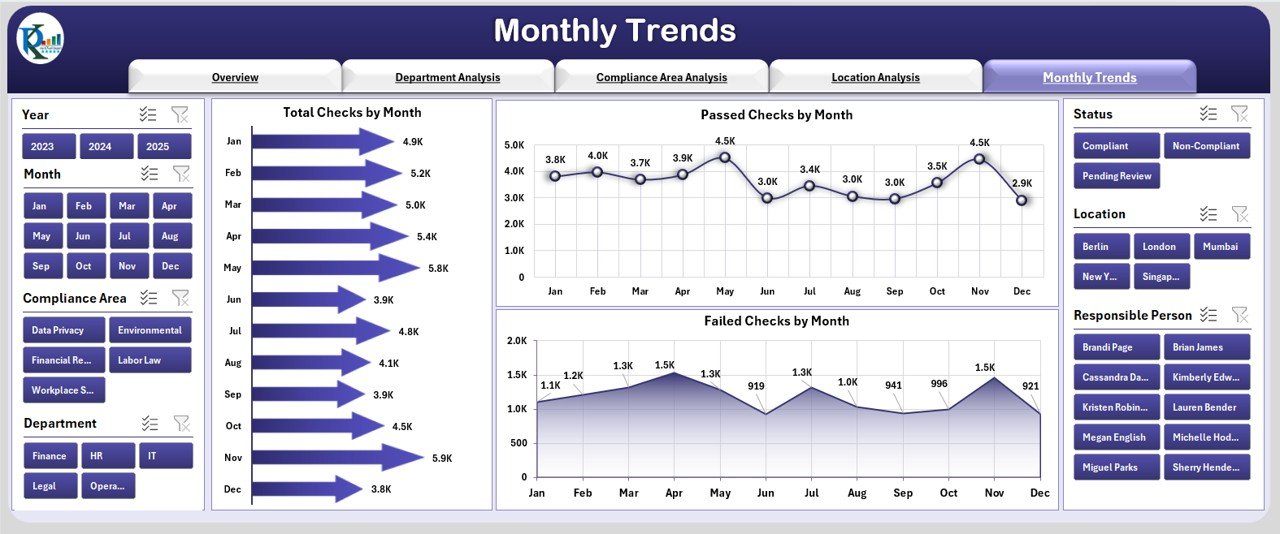
5. Monthly Trends
Tracks compliance over time.
Charts include Total, Passed, and Failed Checks by Month.
Reveals seasonal or recurring compliance gaps.
6. Support Sheet
Stores backend data.
Automates calculations and ensures visuals remain up to date.
💡 Why Do Organizations Need It?
Managing compliance manually is inefficient and risky. This dashboard ensures:
Centralized Monitoring – All compliance activities tracked in one tool.
Early Risk Detection – Spot risks before they escalate.
Transparency – Compliance performance visible to all stakeholders.
Efficiency – Save time with automated visuals.
Audit Preparedness – Always have clear records ready for inspections.
✅ Advantages of the Compliance Dashboard in Excel
📌 Centralized Compliance Data – Eliminates scattered reports.
📈 Visual Insights – Clear, easy-to-understand charts.
⚡ Performance Tracking – Monitor compliance by department, location, or time.
🛡 Risk Management – Identify failed checks and pending reviews quickly.
💲 Cost-Effective – Uses Excel, avoiding expensive compliance tools.
🔧 Customizable – Adaptable for industry-specific requirements.
🕒 Time-Saving – Automates reporting and analysis.
🔧 Opportunities for Improvement
Organizations can enhance the dashboard by:
Automating data updates using Power Query.
Adding role-based access control with VBA.
Integrating with external compliance systems.
Using conditional formatting for advanced risk highlighting.
Building alerts for overdue compliance checks.
📌 Best Practices for Using the Dashboard
Standardize data input formats.
Update compliance data weekly or monthly.
Use slicers and filters for quick analysis.
Focus on KPIs that align with business goals.
Train staff on usage and interpretation.
Review monthly trends to spot recurring issues.
🚀 Role in Risk Management
This dashboard doesn’t just track compliance—it helps manage risk. By identifying low-compliance departments, high-risk areas, and failing checks, organizations can:
Prioritize attention to high-risk zones.
Allocate resources effectively.
Build a compliance culture across teams.
Prevent penalties and reputational risks.
📌 Conclusion
The Compliance Dashboard in Excel is more than a reporting tool—it is a strategic compliance management system. With its structured pages, visual charts, and automated insights, it empowers businesses to stay compliant, reduce risks, and foster accountability.
🔗 Click here to read the Detailed blog post
Visit our YouTube channel to learn step-by-step video tutorials





















Reviews
There are no reviews yet.