


Staying compliant doesn’t have to be complicated. The Compliance Tracking Dashboard in Excel is a powerful, easy-to-use solution designed to help businesses stay ahead of regulations, deadlines, and compliance risks. Whether you’re managing internal audits, industry standards, or legal obligations, this ready-to-use Excel dashboard gives you a centralized system to monitor, track, and analyze your entire compliance landscape—all without expensive software.
Perfect for compliance managers, HR teams, operations leads, or legal departments, this template transforms your spreadsheet into a real-time compliance command center.
✨ Key Features of the Compliance Tracking Dashboard
🧭 Page Navigator for Easy Navigation
Quick-access buttons on the left-hand panel allow you to jump between all analytical pages—no scrolling or searching required.
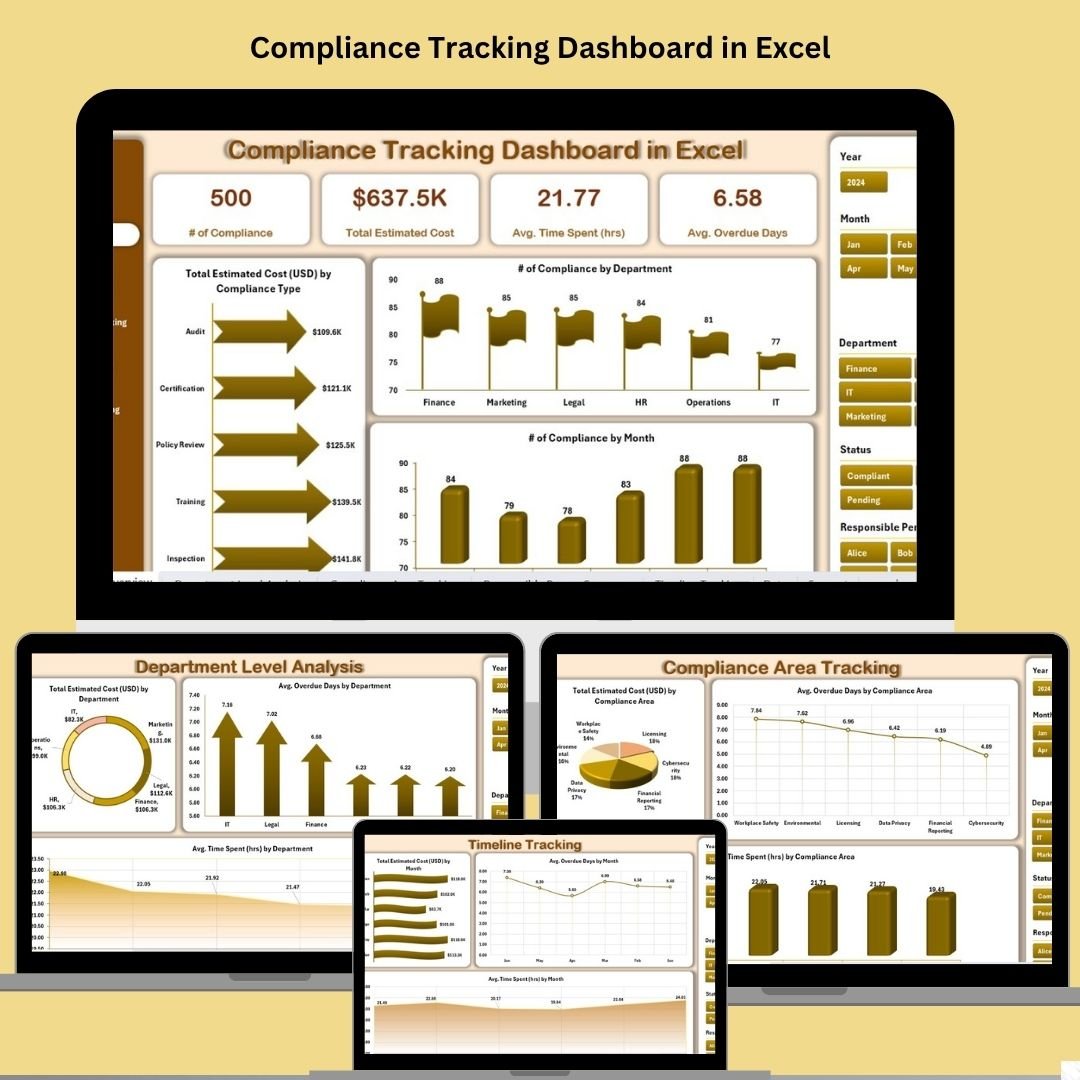
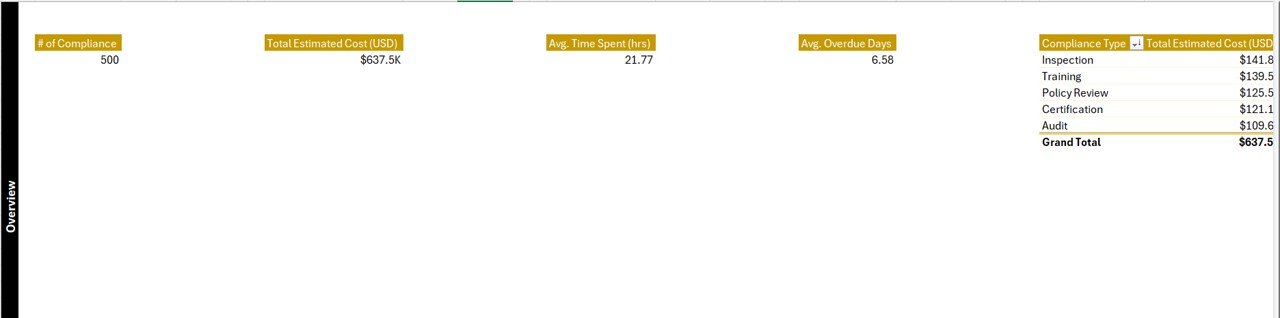
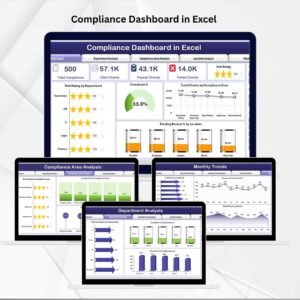
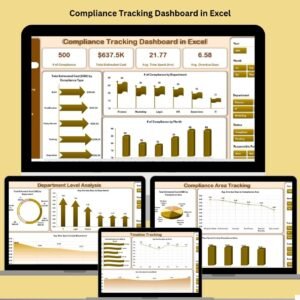
📊 Overview Page – Compliance at a Glance
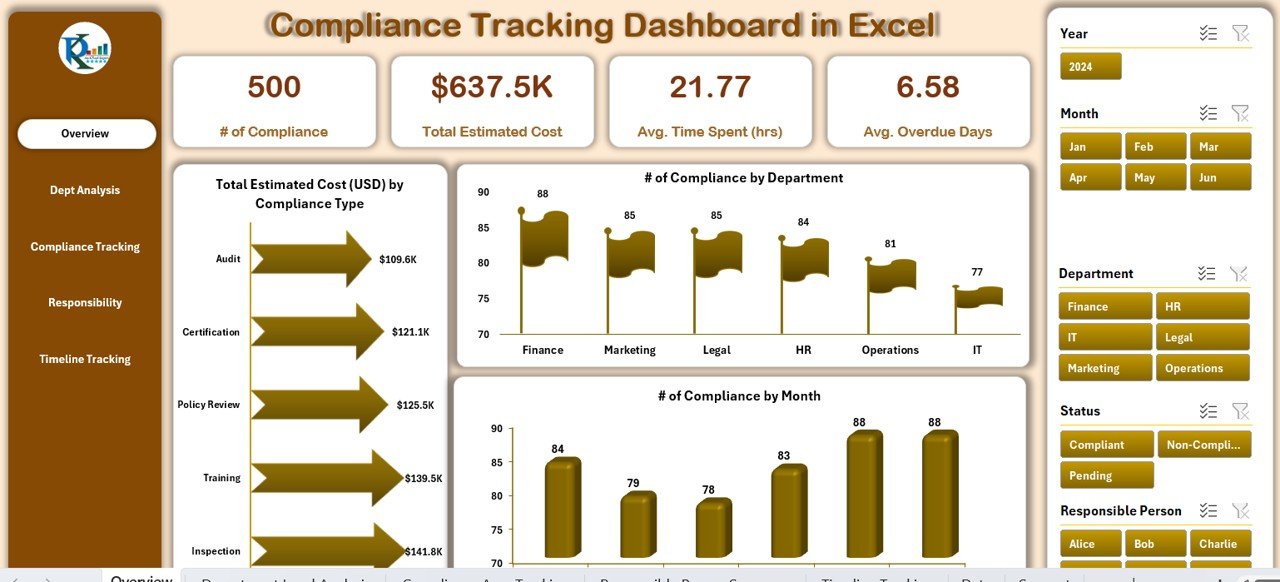
📈 Chart 1: Total Estimated Cost (USD) by Compliance Type
🏢 Chart 2: # of Compliance by Department
📅 Chart 3: # of Compliance by Month
This page gives a fast snapshot of overall compliance performance across key categories.
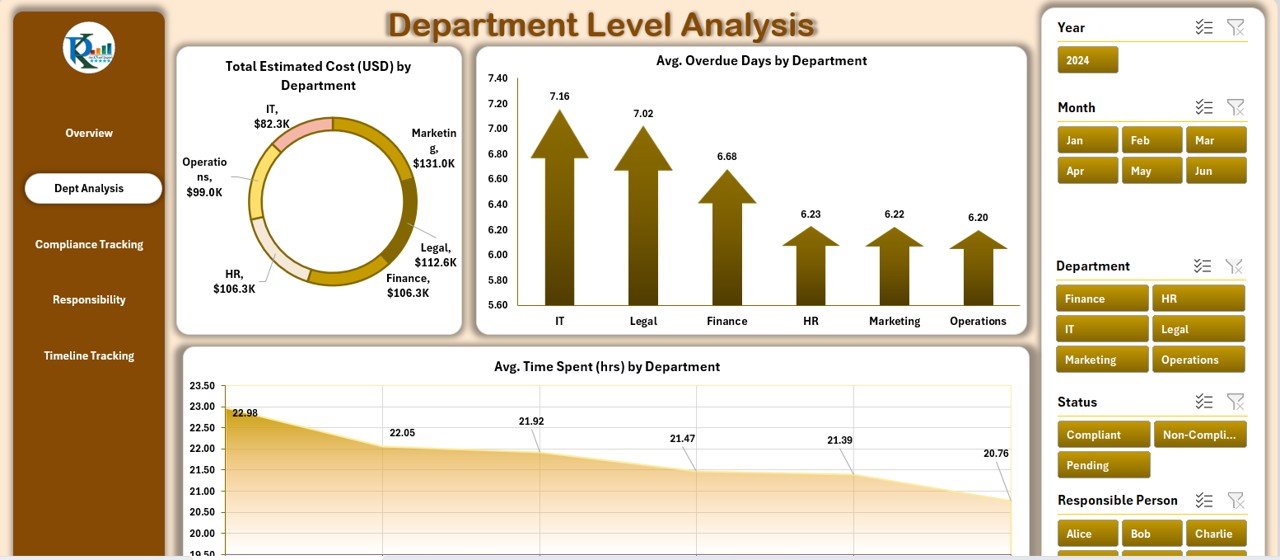
🏢 Department Level Analysis
Monitor departmental efficiency with:
Total Estimated Cost by Department
Avg. Overdue Days by Department
Avg. Time Spent (hrs) by Department
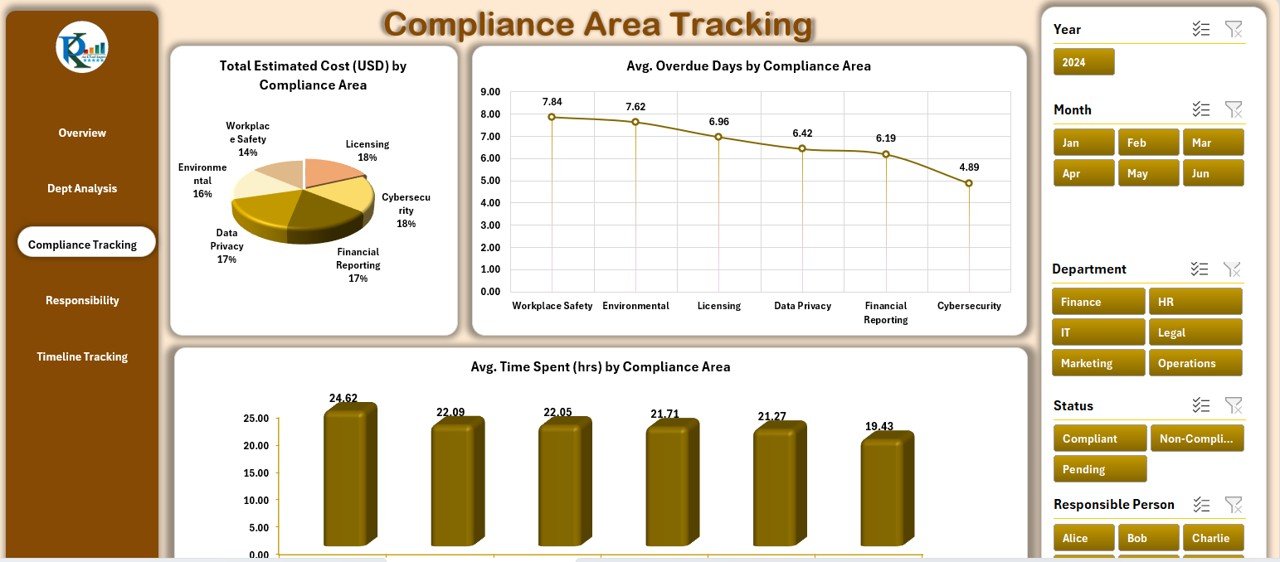
📘 Compliance Area Tracking
Analyze specific compliance areas using:
Total Estimated Cost by Compliance Area
Avg. Overdue Days by Compliance Area
Avg. Time Spent (hrs) by Compliance Area
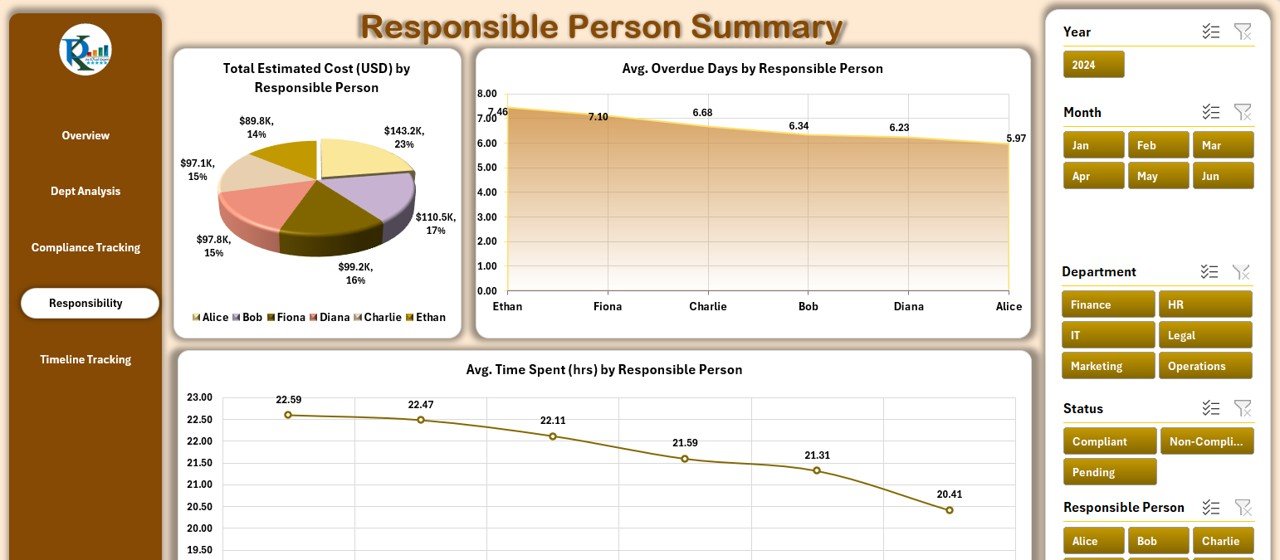
👤 Responsible Person Summary
Gain insights into individual accountability with:
Total Estimated Cost by Responsible Person
Avg. Overdue Days per Person
Avg. Time Spent (hrs) per Person
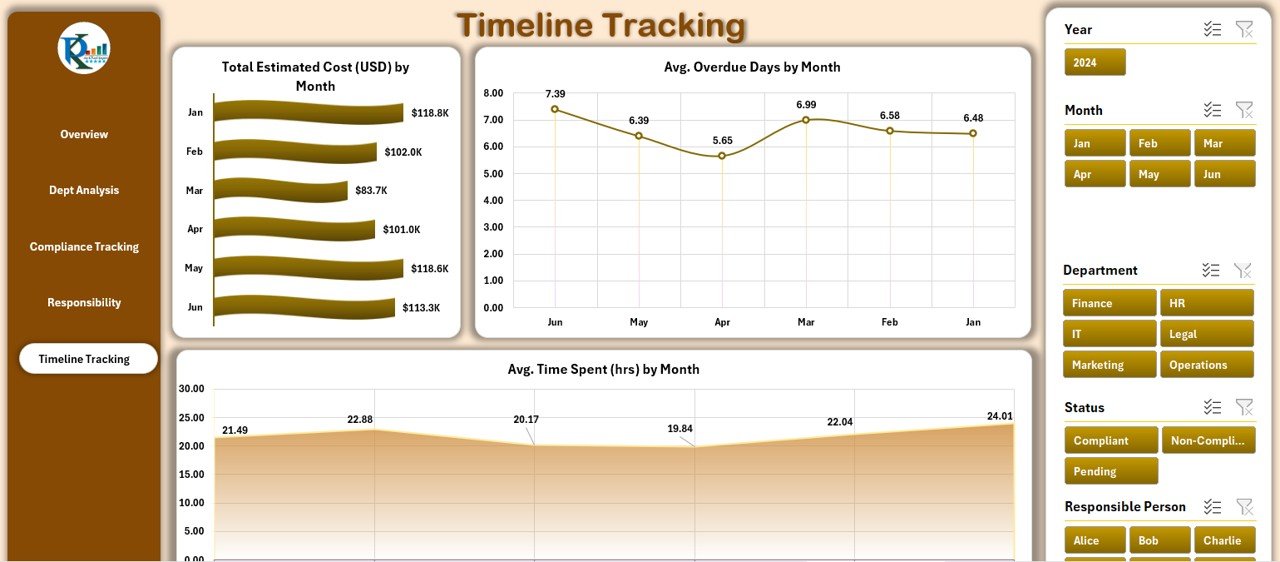
📆 Timeline Tracking
Track performance and cost over time:
Total Estimated Cost by Month
Avg. Overdue Days by Month
Avg. Time Spent (hrs) by Month
📂 What’s Inside the Dashboard Template
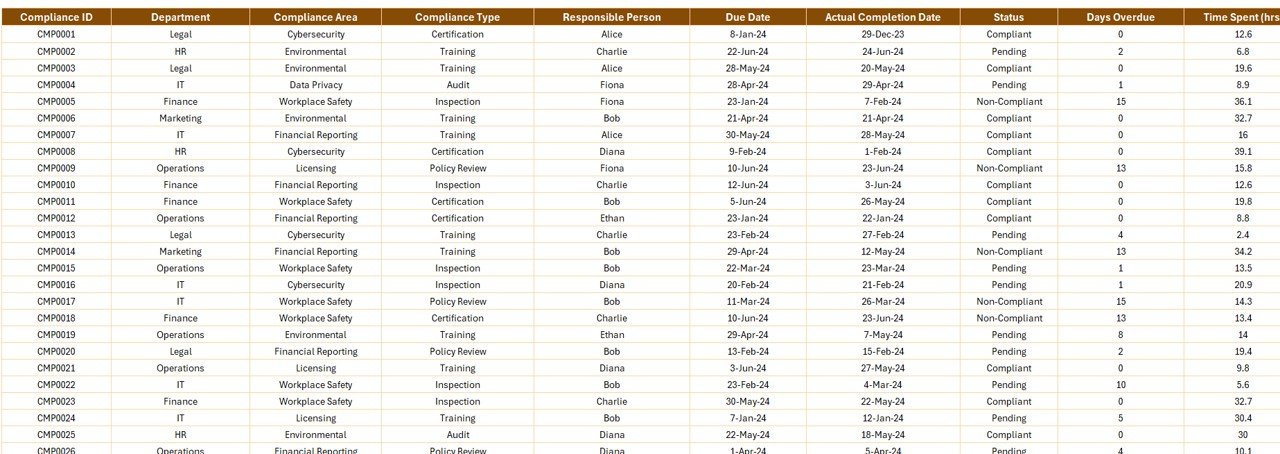
✅ Data Sheet – Central Compliance Database
Includes columns for:
Compliance ID
Department
Compliance Area
Compliance Type
Responsible Person
Due Date & Actual Completion Date
Status
Days Overdue
Time Spent (hrs)
Estimated Cost (USD)
Month & Year
✅ Support Sheet – For Notes and Custom Fields
Add descriptions, reference materials, or extra metadata to support your dashboard configuration.
🛠️ How to Use the Compliance Dashboard
👉 Step 1: Input Data in the Data Sheet
Add your compliance tasks, costs, deadlines, and responsible persons.
👉 Step 2: Customize Departments, Areas, and People
Use dropdowns or define your own categories to match your organization.
👉 Step 3: Review Summary and Drill-Down Pages
Each chart updates automatically to reflect the latest data entries.
👉 Step 4: Monitor Trends Over Time
Use the Timeline section to forecast delays, overdue trends, and resource planning.
👥 Who Can Benefit from This Dashboard?
✅ Compliance Managers – Oversee compliance workload and deadlines
✅ Operations Leads – Identify costly or overdue areas
✅ HR Teams – Monitor training and policy-related compliance
✅ Finance Teams – Analyze the cost of compliance efforts
✅ Project Teams – Track audit-readiness and task completion
🔧 Customization Options
🎨 Modify chart colors or department names
📊 Add new KPIs like Risk Level or Escalation Priority
📅 Include filters for regional tracking
📂 Attach documents via hyperlinks in the Data Sheet
⚠️ Use conditional formatting to highlight overdue items
This dashboard can be adapted to healthcare, IT, finance, manufacturing, or any compliance-heavy industry.
✅ Click here to read the Detailed blog post
🔗 Visit our YouTube channel to learn step-by-step video tutorials
Watch the step-by-step video tutorial:
Compatibility and Requirements
- Works in Microsoft Excel desktop (Excel 2016 or later, or Microsoft 365).
- Charts update from the Data Sheet, so there is nothing else to install.
- New to Excel charts? Microsoft explains the basics in Create a chart from start to finish.
Frequently Asked Questions
Which pages does the dashboard have?
Overview, Department Level Analysis, Compliance Area Tracking, Responsible Person Summary and Timeline Tracking, plus a Data Sheet and a Support Sheet.
What does each analysis page measure?
Total estimated cost, average overdue days and average time spent in hours, split by department, compliance area, person or month.
What columns are in the Data Sheet?
Compliance ID, department, compliance area, compliance type, responsible person, due date, actual completion date, status, days overdue, time spent, estimated cost, month and year.
Can I use my own departments and areas?
Yes. You can pick from dropdowns or define your own categories.
Related Compliance Templates
- Compliance Dashboard in Excel: another compliance dashboard layout
- Safety and Compliance Dashboard in Excel: safety and compliance in one view
- Compliance Audit Tracker in Excel: log audits task by task
- Compliance Audit Tracker in Google Sheets: the tracker online
- Safety and Compliance Dashboard in Power BI: for Power BI users
Browse all Excel dashboards or the Excel trackers.



















Reviews
There are no reviews yet.