



Running a skin care clinic requires juggling appointments, managing patient records, assigning treatments, tracking expenses, and overseeing staff — and doing it manually often leads to errors and inefficiencies.
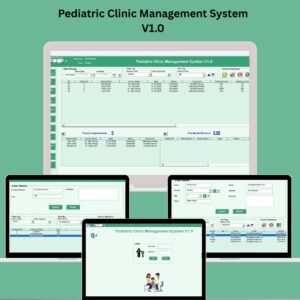
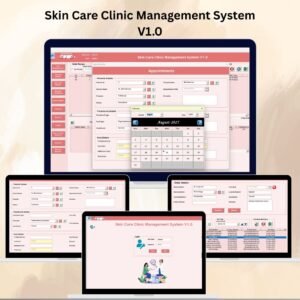
The Skin Care Clinic Management System V1.0 is a ready-to-use Excel & VBA-based solution designed to centralize and streamline all key clinic operations. With secure access, user-friendly forms, and automated reporting, this tool simplifies daily tasks so you can focus on delivering exceptional skin care services.
Built specifically for clinic managers, doctors, and administrative staff, the system provides an all-in-one platform to manage appointments, patients, treatments, staff, and expenses — while ensuring data accuracy and enhanced productivity.

🔑 Key Features of the Skin Care Clinic Management System V1.0
🔐 1. Login Form – Secure Access
Username: Admin1
Password: abcd
Prevents unauthorized access and protects sensitive data.
🧭 2. Main Form – Central Control Panel
One-click access to all modules
✅ List view with sorting & filtering
✅ Add / Update / Delete records
✅ Export data to Excel
✅ View full record history
📅 3. Appointments Module
Schedule & track all patient appointments
Assign therapists and treatments
Avoid double-booking and delays
👤 4. Patients Master
Store complete patient profiles
Track medical history & treatment preferences
💆 5. Test / Treatment Master
Maintain a full catalog of treatments
Assign treatments to patients easily
👨⚕️ 6. Doctor & Therapist Management
Manage staff information and assign duties
Monitor therapist workload & performance
💰 7. Expenses Module
Log all clinic-related expenses
Track operational, treatment and resource costs
👥 8. User Management
Add / update / delete users
Role-based access & password control
🗂️ 9. Manage Lists
Update master lists for patients, treatments & staff
Keep all dropdowns and forms up to date
📄 10. Log Form – Activity History
Full audit log of all record changes
Supports accountability & traceability
📊 11. Reports
Generate detailed reports for:
Appointments
Treatments
Patients
Expenses
Export to Excel for audits or management review
✅ Benefits
🔄 Centralized Management of all clinic data
⏱ Save Time by automating repetitive tasks
🔎 Improve Accuracy and eliminate manual errors
🩺 Enhance Patient Care with quick access to history & preferences
🔐 Secure Access with login & user roles
📈 Make Informed Decisions via built-in reporting
💻 No Additional Software Required (works entirely in Excel)
🔧 How It Works
Login using secure credentials
Navigate the system using the 🧭 Main Form
Add and manage patients, appointments, staff & treatments
Track expenses and generate reports
Use user controls & log history for secure operations
🚀 Opportunities for Improvement (Optional Upgrades)
✅ Online booking integration
✅ Automated SMS / email reminders
✅ Dashboard with visual analytics
✅ Mobile/tablet compatibility
✅ Multi-clinic support
🔗 Click here to read the Detailed blog post
Watch the step-by-step video Demo:
🔗 Visit our YouTube channel for step-by-step video tutorials
Who Can Use This System
Skin care clinic managers, doctors, therapists and front desk or admin staff who book appointments, keep patient records and track clinic expenses.
Compatibility and Requirements
- Needs Microsoft Excel desktop on Windows with macros enabled. The system is built with Excel VBA forms and a login.
- It does not run in Excel for the web, Google Sheets or Excel mobile apps.
- Microsoft explains how to turn macros on in Enable or disable macros in Microsoft 365 files.
Frequently Asked Questions
Which modules are included?
It includes appointments, a patients master, a test and treatment master, doctor and therapist management, expenses, user management, manage lists, an activity log and reports.
Does it have a login and user roles?
Yes. A login form protects the data, and the User Management module adds, updates and deletes users with role-based access.
Which reports can I create?
You can create reports for appointments, treatments, patients and expenses, and export them to Excel.
Is there a record of changes?
Yes. The Log Form keeps a full audit log of all record changes.
Do I need other software?
No. The system works entirely in Excel.
Related Clinic Templates
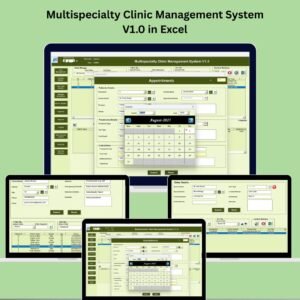
- Multispecialty Clinic Management System V1.0 in Excel: a clinic system for several specialties
- Physiotherapy Clinic Management System V1.0 in Excel VBA: the same approach for physiotherapy
- Dermatology Clinics KPI Dashboard in Excel: KPIs for dermatology clinics
- Dermatology Clinics Dashboard in Excel: clinic results on a dashboard
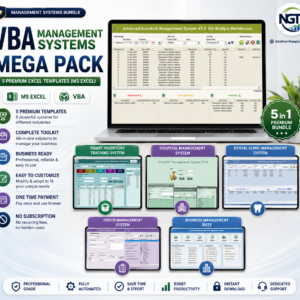
- VBA Management Systems Mega Pack: 5 Excel VBA systems in one download
Browse all Excel VBA tools or the Excel health and safety templates.








Reviews
There are no reviews yet.