

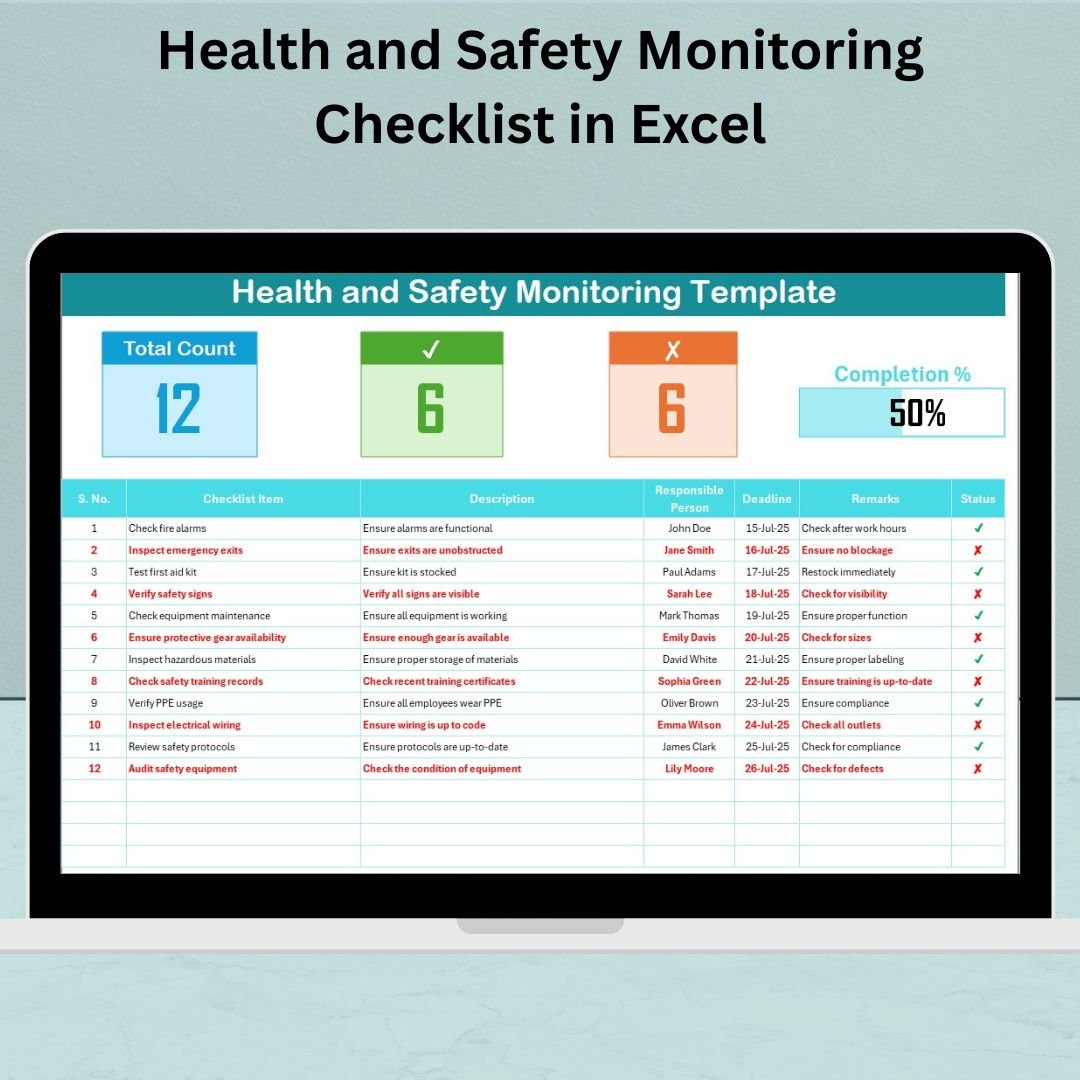


Monitoring workplace safety shouldn’t be a hassle—and now, it isn’t! Introducing the Health and Safety Monitoring Checklist in Excel—your all-in-one, ready-to-use solution for tracking health and safety compliance, monitoring employee responsibilities, and staying audit-ready. Whether you’re a safety officer, HR professional, or facility manager, this Excel-based tool makes safety tracking accurate, efficient, and surprisingly easy.
With built-in automation, dropdown menus, progress tracking, and status indicators, this checklist helps you take full control of your organization’s safety performance—all from a familiar and user-friendly Excel interface.
🔍 Key Features of Health and Safety Monitoring Checklist in Excel

✔ Progress Bar Tracking
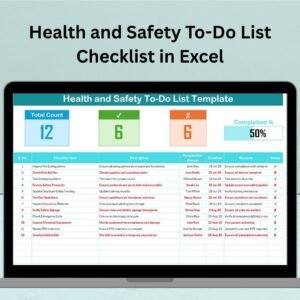
Instantly see how many tasks are complete and what still needs attention with a dynamic progress bar.📋 Interactive Checklist Table
Track each safety task with status checkboxes (✔ or ✘), deadlines, responsible persons, and remarks.👤 Responsible Person Drop-Down
Assign accountability with ease using a pre-filled list of team members in a drop-down format.📊 Real-Time Status Summary
Automatically calculates total items, completed tasks, and pending actions for immediate insight.🔄 Customizable Fields
Adapt column names, add new checklist items, and align the template with your company’s safety protocols.📁 All-in-One Excel File
No external tools needed—just open Excel and start tracking right away.
📂 What’s Inside the Health and Safety Monitoring Checklist
This template includes two smartly designed worksheet tabs:
🧾 1. Health and Safety Monitoring Checklist Sheet
This is where the action happens! Enter safety tasks, assign deadlines, and mark completion with visual progress indicators. It includes:
Task Status (✔ / ✘)
Description & Deadlines
Assigned Personnel
Auto-Progress Calculation
Task Summary Count
📃 2. List Sheet
The engine behind your dropdowns! Manage your Responsible Person list here. It ensures data accuracy and keeps task assignment standardized.
🚀 How to Use the Health and Safety Monitoring Checklist
Download and Open the Excel Template
Go to the List Sheet and enter the names of responsible persons.
Enter Your Checklist Tasks in the main sheet with description, deadline, and remarks.
Use the Status Column to check (✔) completed tasks or mark (✘) if incomplete.
Monitor Progress through the visual progress bar and summary counts.
Review & Update Weekly to stay compliant and audit-ready.
🎯 Who Can Benefit from This Product?
This template is a must-have for:
🛠 Workplace Safety Officers – Easily manage site-specific safety protocols.
🧑💼 HR & Admin Teams – Stay organized and compliant with regulations.
🏢 Facility & Plant Managers – Monitor daily/weekly inspections and tasks.
🏫 Educational Institutions – Keep track of staff/student safety checklists.
🧪 Labs & Healthcare Facilities – Ensure high standards of hygiene and safety.
📦 Warehousing & Logistics – Maintain safety in high-risk work zones.
✅ Click here to read the Detailed blog post
🔗 Visit our YouTube channel to learn step-by-step video tutorials
Watch the step-by-step video tutorial:
Compatibility and Requirements
- Works in Microsoft Excel desktop (Excel 2016 or later, or Microsoft 365).
- The Responsible Person column uses a drop-down list fed by the List Sheet. Microsoft’s guide to creating a drop-down list explains how these lists work.
Frequently Asked Questions
How does the progress bar work?
The progress bar shows how many safety tasks are complete. The summary next to it counts total items, completed tasks and pending actions, and updates as you mark each task ✔ or ✘.
How do I add people to the Responsible Person list?
Type their names on the List Sheet. The drop-down in the checklist reads from that list.
Can I add my own safety tasks?
Yes. Add new checklist items with a description, deadline and remarks, and rename the columns to match your company’s safety rules.
How many sheets does the file have?
Two: the Health and Safety Monitoring Checklist sheet, where you track tasks, and the List Sheet, which holds the drop-down names.
Is there a video guide?
Yes. The step-by-step video tutorial on this page walks through the checklist.
Related Health and Safety Templates
- Health and Safety Tracking Checklist in Excel: another Excel checklist for safety tasks.
- Incident Report Tracker in Excel: log incidents found during safety checks.
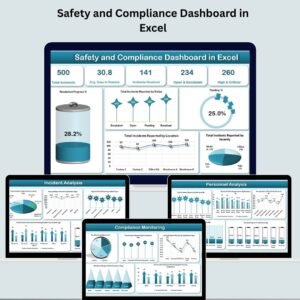
- Safety and Compliance Dashboard in Excel: charts for safety and compliance results.
- Employee Health and Safety Dashboard in Excel: track employee health and safety numbers.
- Checklist & SOP Pack: 12 Excel and Google Sheets checklist templates.
Browse all health and safety templates or the Excel checklist templates.





















Reviews
There are no reviews yet.