


Managing risks efficiently is the backbone of every successful business. Yet, most organizations still rely on manual tracking or complicated software that takes time, training, and effort. That’s where the ⚙️ Risk Management Checklist in Excel comes in — a ready-to-use, interactive, and automated Excel template that helps you identify, monitor, and control business risks with ease.
This professionally designed tool brings simplicity and structure to your risk management process — no coding, no complex setup, just clear insights and visual progress tracking in seconds. Whether you’re managing a project, department, or entire organization, this Excel checklist gives you the visibility you need to stay one step ahead of potential risks.
Key Features of Risk Management Checklist in Excel
✅ Interactive Dashboard Overview
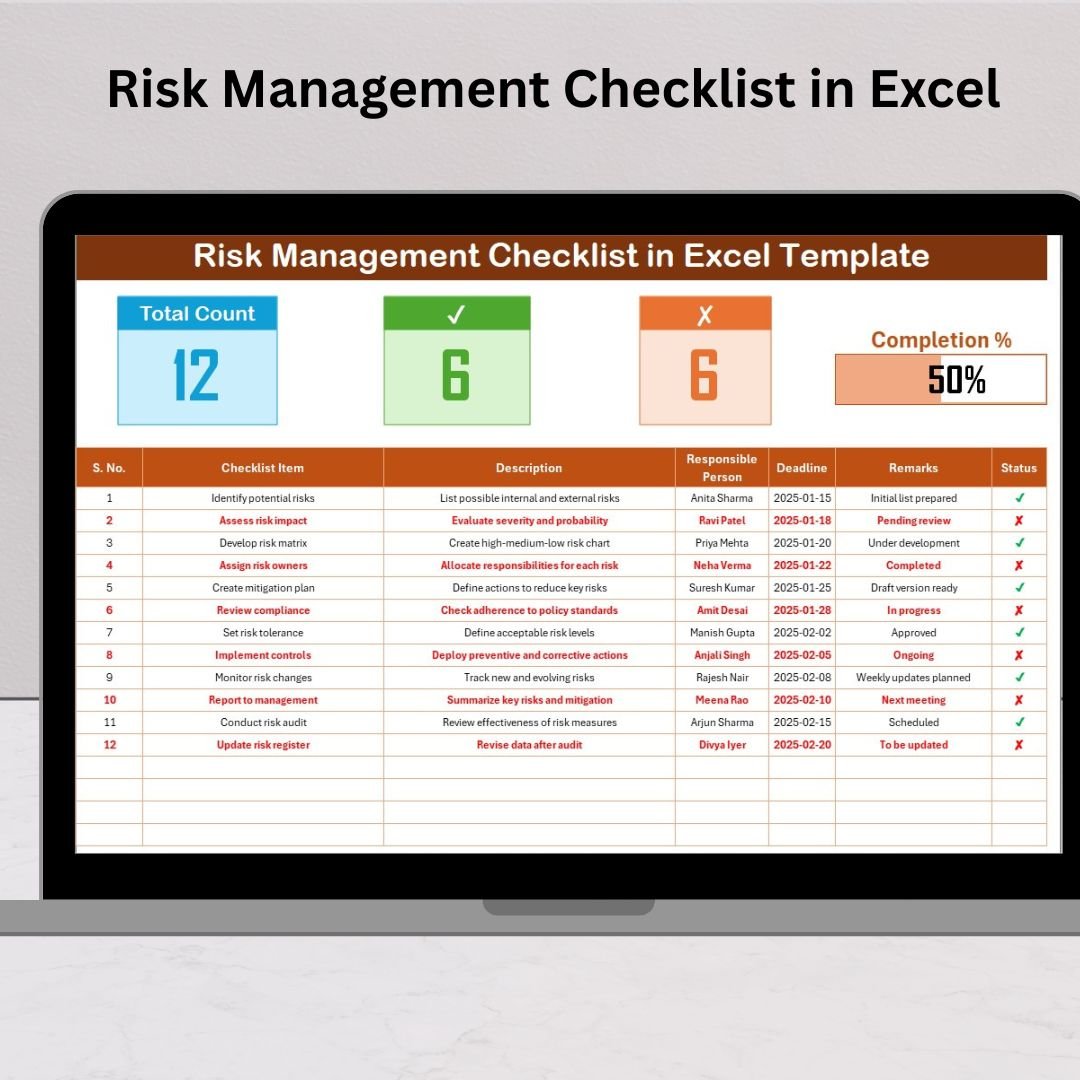
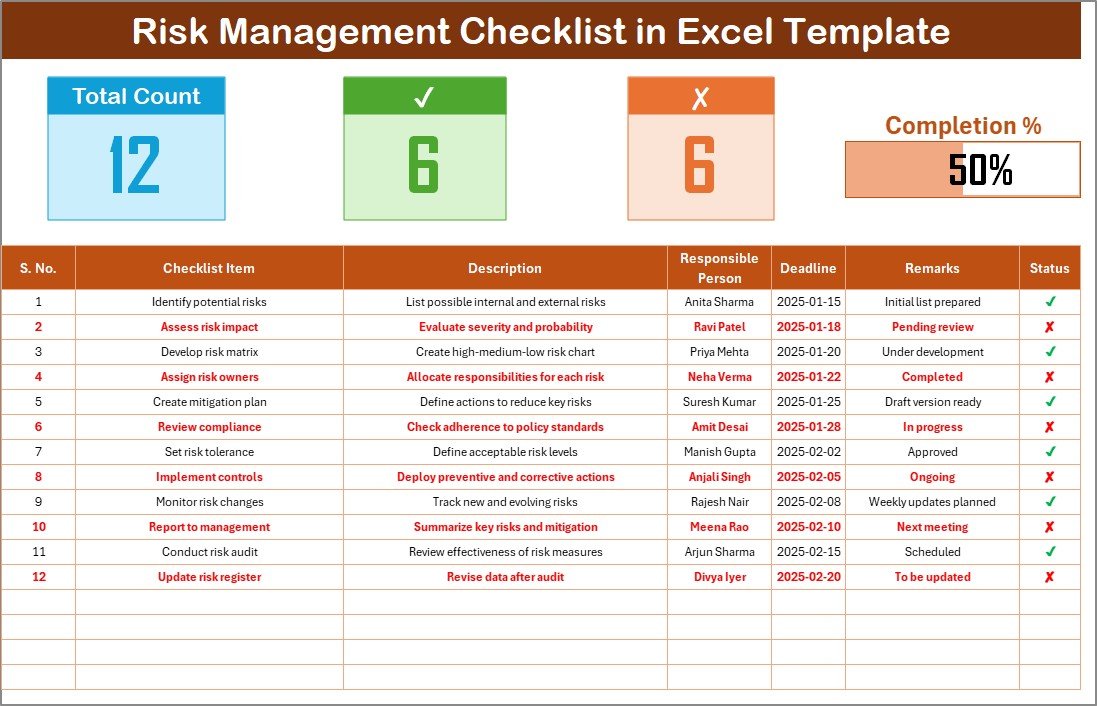
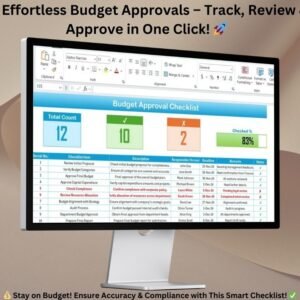
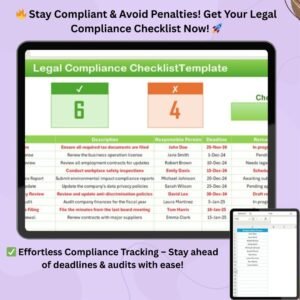
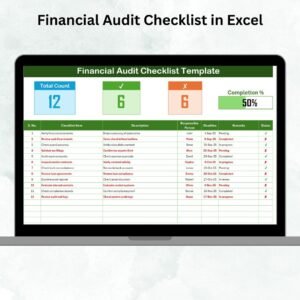
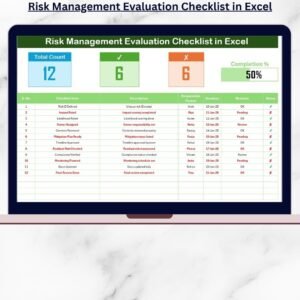
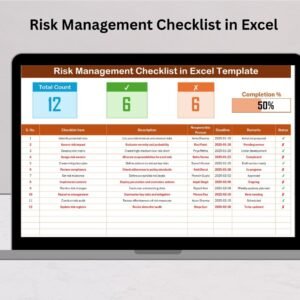
Quickly see your organization’s progress at a glance. The top section features smart KPI cards — Total Count, Completed Count, Pending Count, and a live progress bar — all updating automatically as you complete tasks.
✅ Easy Checkbox Status Tracking
Mark tasks as ✔ or ✘ in one click. The progress bar updates instantly, showing your real-time completion percentage without manual calculations.
✅ Responsible Person Drop-Down
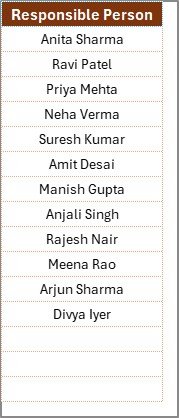
Assign accountability with a built-in drop-down list of responsible team members. Keep your data clean, accurate, and consistent across the organization.
✅ Two-Sheet Smart Layout
Includes a Main Checklist Sheet for tracking and a List Sheet for managing responsible persons — ensuring seamless data validation and organization.
✅ Automatic Calculations & Indicators
The template auto-updates key metrics, eliminating manual effort. All summary cards and visual indicators refresh in real time based on task status.
✅ Customizable & Scalable Design
Adapt it to your business easily. Add new risk categories, columns, or even integrate it into larger project dashboards.
✅ Beginner-Friendly Setup
No technical skills needed. Just open the file, start adding risks, assign owners, and track progress — everything is pre-built and formula-ready.
✅ Visually Appealing Interface
The modern, clean layout makes it easy for any team member to use. Visual cues, color indicators, and dynamic progress bars make the process engaging.
📦 What’s Inside the Risk Management Checklist in Excel
This template comes with two well-structured worksheet tabs designed for clarity and speed:
1️⃣ Main Checklist Sheet:
The control center for your risk monitoring. It includes:
Summary cards at the top (Total, Completed, Pending)
A dynamic progress bar showing overall completion
A structured checklist table with columns for Serial No., Checklist Item, Description, Responsible Person, Deadline, Remarks, and Status
2️⃣ List Sheet:
A secondary sheet that contains a list of team members or departments responsible for handling risks. This data auto-populates the drop-down options in the main sheet, ensuring consistency.
Together, these sheets provide a streamlined workflow — from identifying risks to monitoring progress visually.
⚙️ How to Use the Risk Management Checklist in Excel
Using this template is as easy as 1-2-3:
1️⃣ Open the Template: Download and open the Excel file.
2️⃣ Add Responsible Persons: Go to the List Sheet and enter names of all risk owners.
3️⃣ Enter Risk Details: Switch to the Main Checklist Sheet and list your risks.
4️⃣ Assign & Track: Select responsible persons, set deadlines, and mark each task ✔ or ✘ as progress updates.
5️⃣ Monitor in Real-Time: Instantly view your team’s progress through the dashboard cards and progress bar.
No coding or extra configuration required — everything is automated for you!
👥 Who Can Benefit from This Risk Management Checklist in Excel
💼 Project Managers: Track project risks, deadlines, and mitigation progress.
🏢 Business Owners: Keep a consolidated record of operational and compliance risks.
📊 Risk & Compliance Teams: Monitor financial, legal, and operational exposures effectively.
🧑💻 IT Managers: Manage cybersecurity, data protection, and system stability risks.
🏗️ Construction & Engineering Firms: Track safety and quality control issues proactively.
🏫 Educational Institutions: Monitor administrative and financial risks.
⚙️ Manufacturing Units: Manage equipment, safety, and supply-chain risks efficiently.
In short, any organization that values proactive planning, accountability, and transparency can benefit from this easy-to-use Excel checklist.
🔒 Why Choose This Template?
Because it’s simple, smart, and scalable. You get all the benefits of a professional risk management system — without expensive software or complex tools. Plus, you maintain complete control of your data right within Excel.
Stop wasting hours building checklists from scratch. With this ready-made template, you can start managing risks confidently — right now!
Click here to read the Detailed Blog Post
Watch the step-by-step video tutorial:
Visit our YouTube channel to learn step-by-step video tutorials — PK-AnExcelExpert
Compatibility and Requirements
- Works in Microsoft Excel desktop (Excel 2016 or later, or Microsoft 365).
- The Responsible Person column uses a drop-down list fed from the List sheet. Microsoft explains drop-down lists in Create a drop-down list.
Frequently Asked Questions
Which sheets are in the file?
Two: the Main Checklist sheet, where you track each risk item, and the List sheet, where you keep the names of responsible people or departments.
What columns does the checklist have?
Serial No., Checklist Item, Description, Responsible Person, Deadline, Remarks and Status.
How is progress calculated?
When you mark an item as done or not done, the Total, Completed and Pending cards and the progress bar at the top update on their own.
Can I add my own risk categories?
Yes. You can add new risk categories and columns to fit your business.
Related Risk Management Templates
- Risk Management Dashboard in Excel: charts and KPIs for a full risk register
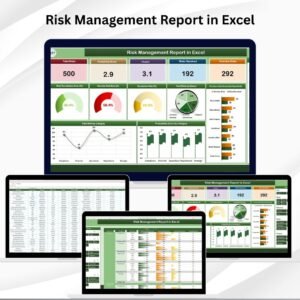
- Risk Management Report in Excel: a report layout for risk reviews
- Risk Management Planner Checklist in Excel: plan risk steps before a project starts
- Risk Assessment Checklist in Google Sheets: a browser-based checklist for shared teams
- Checklist and SOP Pack: a bundle of 12 Excel and Google Sheets checklists
Browse all Excel checklists or the Excel project management templates.






















Reviews
There are no reviews yet.