
🎉 Black Friday Sale: 40% OFF everything with code BF40 · ends 1 Dec  Shop now →

Investment Tracker in Google Sheets

Google Sheets - instant download

Original price was: ₹1,299.00.Current price is: ₹699.00.
Details, requirements and demo below
Sale!

Investment Tracker in Google Sheets

Original price was: ₹1,299.00.Current price is: ₹699.00.

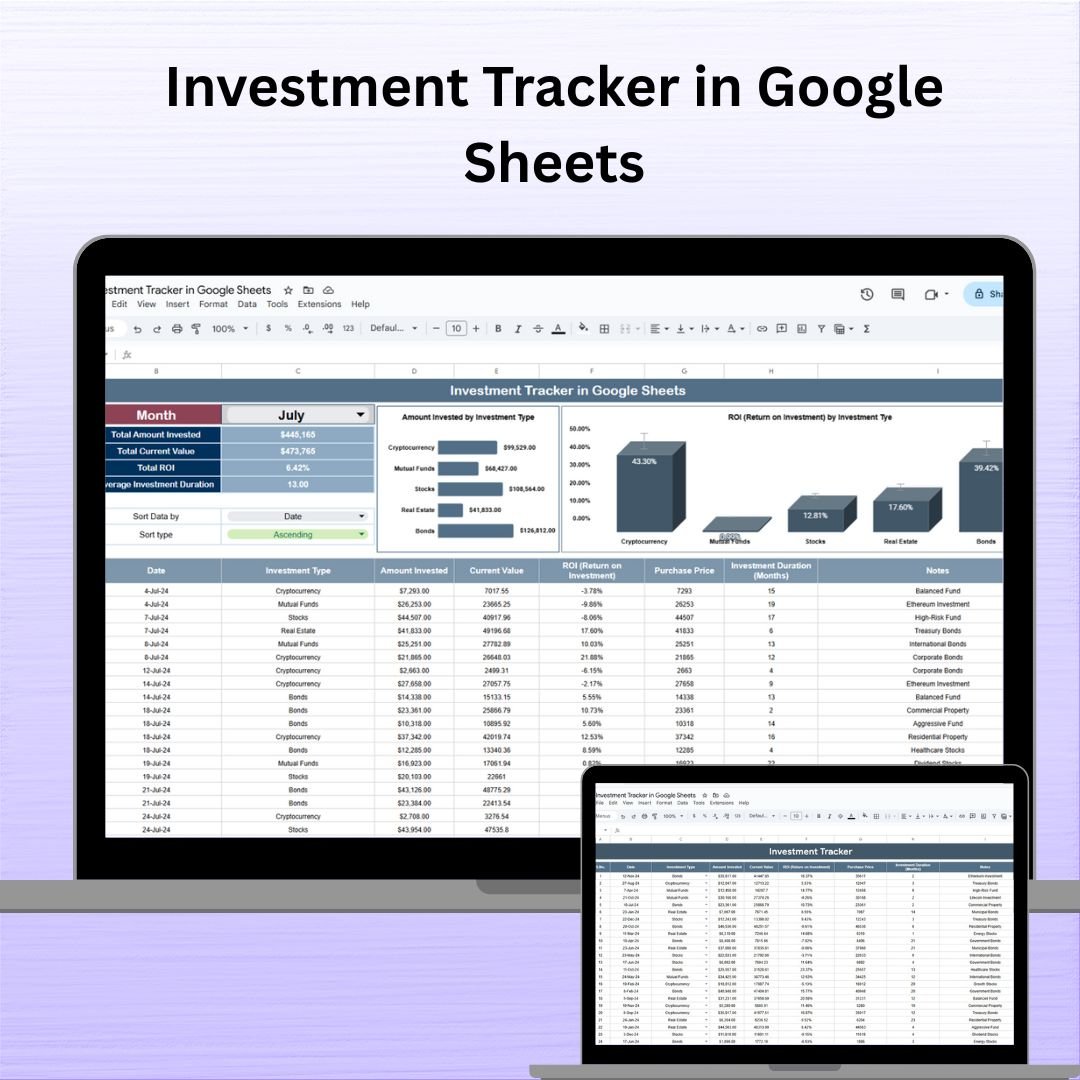
📊 Track, Analyze & Optimize Your Investments in Google Sheets!
A dynamic tracker to monitor ROI, asset performance, and portfolio health—all in one place.

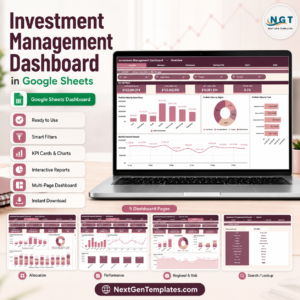
🔹 📁 2-Sheet System – Summary Dashboard + Transaction Log
🔹 📈 Auto ROI Calculations – Know your return instantly
🔹 📆 Month Selector – View data for any month
🔹 💰 Track Amount Invested & Current Value
🔹 🧮 Investment Duration Calculator
🔹 📊 Visual Charts for Asset Allocation & ROI
🔹 📤 Sort by Date or Type – Analyze with ease
🔹 📱 Mobile-Friendly Format – Access from anywhere
🔹 💡 Easy to Customize – Add your own investment types
🔹 📤 Shareable Google Sheet – Great for teams or advisors

Customize this template for your business (optional)

Handled by email: we contact you within 1 business day. One revision round included. What is included

- +
,

💡 Buy any 2 templates and save 20% automatically at checkout.

Included in All-Access Templates. Get this plus 7,000+ templates for ₹4,999.00 a year. Compare plans →
Pricing country
Prices follow your selected country; checkout uses your billing country.
Google Sheets Complete Course: Beginner to Advanced courseLaunch offer
🎓 NEXTGENTEMPLATES ACADEMY
Want to build Google Sheets like this yourself?
Google Sheets Complete Course: Beginner to Advanced

Formulas, lookups, QUERY, dynamic arrays, pivot tables, charts, live data and Apps Script, ending with an interactive sales dashboard. 74 lessons by PK with a practice file for every lesson.

Whether you’re a seasoned investor or just getting started, staying on top of your portfolio is essential. The Investment Tracker in Google Sheets is a ready-to-use, fully customizable tool that helps you track investment types, monitor ROI, and optimize your financial strategy—all in real-time. It’s the easiest way to bring clarity and control to your investments.
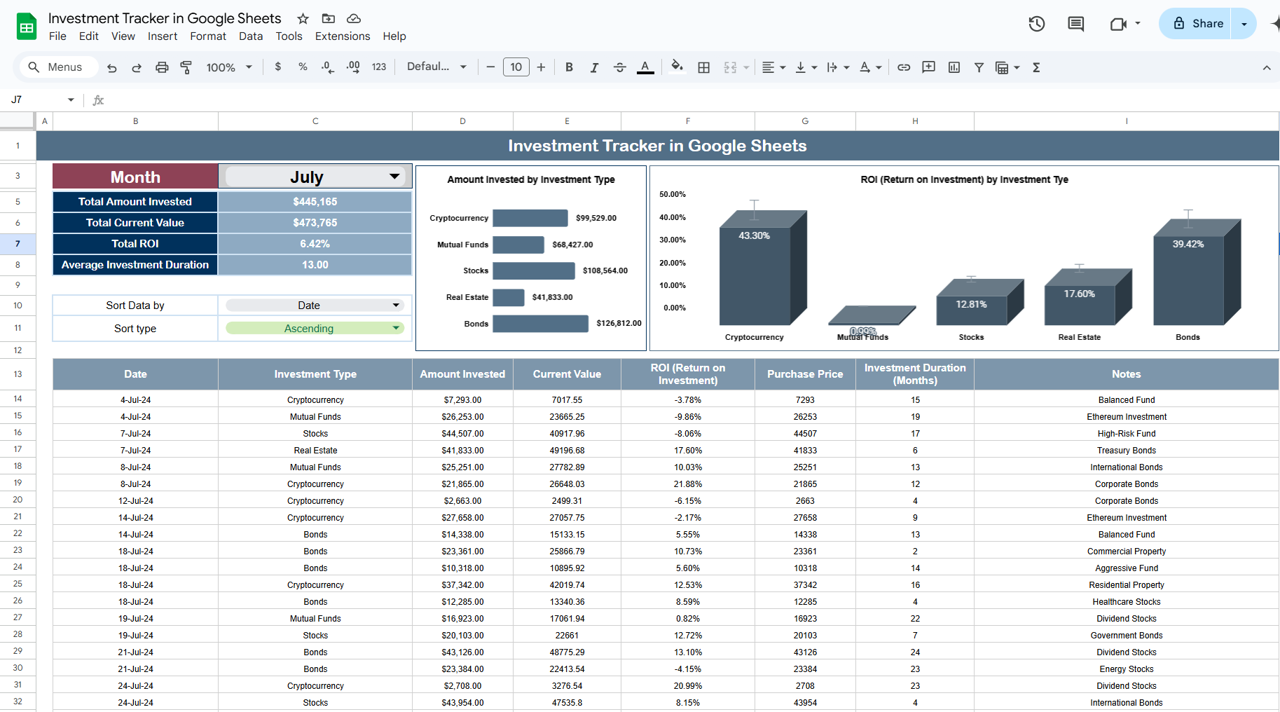
Investment Tracker in Google Sheets

📊 Key Features of the Investment Tracker in Google Sheets

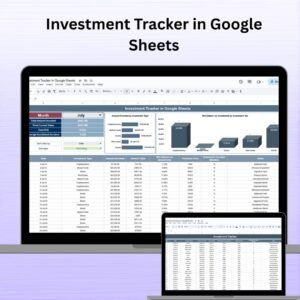
📋 Summary Sheet Tab
Get a complete overview of your portfolio in one glance with:

  • 📆 Month Selector – Pick a specific month to view filtered data

  • 📈 Amount Invested by Investment Type – Visual pie chart for asset allocation

  • 💰 ROI by Investment Type – Know which investments are paying off

  • 🔢 Key Metrics

    • Total Invested

    • Current Value

    • Total ROI (%)

    • Avg. Investment Duration (Months)

  • 📊 Data Sorting Options – Sort by Date or Investment Type

  • 📅 Table Fields:

    • Date

    • Investment Type

    • Amount Invested

    • Current Value

    • ROI

    • Purchase Price

    • Duration (Months)

    • Notes

📈 Dynamic Charts
The dashboard auto-updates with visuals every time you log a new transaction.


📁 What’s Inside the Investment Tracker in Google Sheets

You’ll get two powerful, fully integrated sheets:

1️⃣ Summary Sheet – Automatically aggregates and visualizes your entire portfolio by type, date, and ROI. Ideal for monthly performance reviews and presentations.

2️⃣ Investment Tracker Data Sheet – This is where you log all your transactions. Fields include:

  • Date

  • Investment Type (e.g., Crypto, Stocks, Bonds)

  • Amount Invested

  • Current Value

  • Purchase Price

  • ROI (Auto-calculated)

  • Investment Duration

  • Notes

As you update this sheet, the summary dashboard responds instantly—no formulas required.


🧭 How to Use the Investment Tracker

  1. 📥 Enter Transactions – Log each investment in the Data Sheet

  2. 📊 View Performance – Check the Summary Dashboard for ROI and total value

  3. 🗂️ Sort and Filter – Organize by date, type, or month with dropdown controls

  4. 🧮 Track ROI & Duration – Automatically calculate key metrics

  5. 📆 Monitor Progress Monthly – Select your preferred month to isolate data

  6. 📤 Review & Share – Export for analysis or present to financial advisors

This tracker offers full control of your portfolio—no spreadsheets skills needed.


👥 Who Can Benefit from This Investment Tracker?

👨‍💼 Individual Investors – Stay informed and in control of personal wealth
🏦 Financial Advisors – Use it to track and present client portfolios
📈 Traders & Crypto Enthusiasts – Monitor performance across asset classes
💸 Wealth Managers – Keep tabs on ROI, duration, and asset distribution
📊 Side Hustlers & Passive Income Investors – Analyze performance over time

If you invest money, this tool is for you!


💡 Why You’ll Love This Template

✅ Auto-calculates ROI—no formulas needed
✅ Visually track asset performance and distribution
✅ Filter by month or investment type
✅ Sort and analyze data instantly
✅ Mobile compatible—track on the go
✅ Shareable for advisors or tax reporting
✅ Beginner-friendly and highly customizable
✅ 100% Google Sheets—no software required

This tracker turns your scattered investment data into clean, decision-ready insights.


🔁 Click here to read the Detailed blog post

Click here to read the Detailed blog post

🎥 Visit our YouTube channel to learn step-by-step video tutorials

Youtube.com/@NeotechNavigators

Watch the step-by-step video tutorial:

Compatibility and Requirements

  • Works in Google Sheets with a free Google account and a web browser. Nothing to install.
  • Google explains the basics in How to use Google Sheets.

Frequently Asked Questions

Which sheets are included?

Two sheets: the Summary sheet with charts and key metrics, and the Investment Tracker data sheet where you log each transaction.

What do I enter for each investment?

Date, investment type, amount invested, current value, purchase price, investment duration and notes. ROI is calculated for you.

Which metrics does the Summary sheet show?

Total Invested, Current Value, Total ROI (%) and Avg. Investment Duration (Months), plus charts of amount invested and ROI by investment type.

Can I look at one month only?

Yes. Use the month selector on the Summary sheet to filter the data.

Which investment types can I track?

Any type you enter, for example crypto, stocks or bonds.

Related Investment Templates

Browse all Google Sheets Financial Tools or the Google Sheets Trackers.
Frequently asked questions

How do I get my own copy?
After purchase you get a link to the Google Sheet. Open it while signed in to your Google account and use File > Make a copy - the copy in your Google Drive is fully yours and editable.
Do I need a paid Google account? Will it expire?
No. A free Google account is enough, and your copy lives in your own Google Drive - it never expires and there is nothing to renew.
Does it work on Mac, phone or tablet?
Yes - in any browser on Windows, Mac or Chromebook, and in the Google Sheets mobile app for viewing and quick entries.
Can I share it with my team?
Yes. Share your copy with colleagues using Google's normal sharing, with view or edit rights as you choose.
Can I change the design and formulas?
Yes, your copy is fully editable - colours, labels, logo, formulas and charts. If a range is protected, use Data > Protect sheets and ranges to remove it in your copy.
Are there macros or add-ons?
No macros or add-ons - it uses normal Google Sheets formulas and charts.
Is it a one-time payment or a subscription?
One-time payment. No subscription, no per-user fees and nothing to renew - the file is yours to keep.
How do I get the file after payment?
Instantly. The download link appears on screen after checkout, is emailed to you, and stays under My Account > Downloads on our website. If the email does not arrive within a few minutes, check your spam or promotions folder.
Is a user manual included?
Most of our newer products include a PDF user manual in the download. If yours does not have one, message us with your order number and we will send it.
Do I get free updates?
Bug fixes are always free - if something does not work as described, we fix it and send you the corrected file. New versions with new features are not included in the price, unless this product's description says otherwise.
Can you customise it for me?
Yes. Small changes to this template (your columns, categories, logo, colours, minor layout) cost the template price plus $40-80 (Rs 3,000-6,000 + GST), quoted once you send your list. A fully custom build is usually $100-200 (Rs 8,000-18,000 + GST) with two revision rounds. Email your requirements to [email protected] or message us on WhatsApp.
Can I use it for my business or my clients?
Yes, for your own personal or internal business use, for as long as you like. Reselling or redistributing the template is not allowed.
What is your refund policy?
Because these are digital downloads, they are non-refundable once delivered - except when the product does not match its description (report it within 48 hours of purchase) or there is a technical problem our team cannot fix within 72 hours. Email [email protected] with your order number.
How do I get help?
Email [email protected] (Mon-Fri, 10 AM-7 PM IST) or message us on WhatsApp +91 80770 90260 (chat only, no calls). Please include your order number.

Still have a question? Click Need help? at the bottom-left to ask our assistant, or message us on WhatsApp.

Application

Google Sheets

Template Type

Tracker

Price

Paid

Business Or Department

Finance

Reviews

There are no reviews yet.

Only logged in customers who have purchased this product may leave a review.

You may also like…

Investment Tracker in Google SheetsInvestment Tracker in Google Sheets
Original price was: ₹1,299.00.Current price is: ₹699.00.
- +
Scroll to Top