



Managing enrolments doesn’t have to be a headache. With the Training Enrolment Tracker in Google Sheets, you can easily track participant information, payment statuses, course enrolments, and more—all in one centralized, customizable sheet. Perfect for training coordinators, HR departments, and educational institutes, this smart tracker makes organizing your training programs fast, efficient, and visually insightful.Training Enrolment Tracker in Google Sheets
Whether you’re running one course or multiple programs each month, this tool simplifies your workflow and keeps your enrolment data accessible and actionable.Training Enrolment Tracker in Google Sheets

✨ Key Features of the Training Enrolment Tracker
📋 1. Tracker Sheet – Your Data Hub
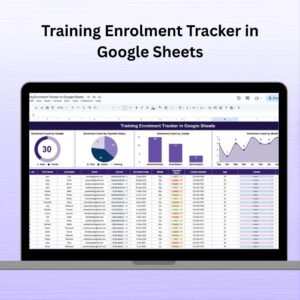
Serial No., Name, Email, Course, Enrolment Date, Month
Age, Gender, Contact Number, Remarks
💰 Payment Status – Track Paid, Pending, or Overdue enrolments
📞 Keep all contact and course details in one clean view
📈 2. Built-in Charts – Visualize Your Data
Enrolment Count by Gender – Pie chart view of gender distribution
Enrolment by Payment Status – Track who’s paid and who hasn’t
Enrolment by Course – Identify popular courses with ease
Enrolment by Month – Discover enrolment trends over time
Each chart updates automatically based on your data—giving you instant visual feedback for better decision-making.
🛠️ How to Use the Enrolment Tracker
👉 Step 1: Input New Enrolments
Add each participant’s details in the Tracker Sheet.
👉 Step 2: Update Payment Status
Use the drop-down options like Paid, Pending, or Overdue.
👉 Step 3: Analyze Charts
Scroll to the visual section and view real-time charts that reflect your data.
👉 Step 4: Customize Columns
Add or remove fields like session time, trainer, or location based on your program’s needs.
👉 Step 5: Collaborate and Share
Since it’s built in Google Sheets, you can easily share and edit with your team in real time.
👥 Who Should Use This Tracker?
🏢 Training Coordinators – Track attendees, follow-ups, and course popularity
🏫 Educational Institutes – Monitor enrolments by course and by month
💼 Corporate HR Teams – Use it to manage internal employee trainings
📊 Freelance Trainers – Keep participant data and payments organized
📚 Workshop Managers – Track enrolments across multiple sessions
This tracker is perfect for anyone managing participant data for training events, workshops, or courses.
🔧 Customization Options to Fit Your Needs
🖊️ Add columns like Session Time, Trainer Name, or Certificate Status
🎨 Update color schemes to match your brand
📅 Insert conditional formatting for urgent payment follow-ups
📌 Adjust chart types or add new dashboards for more reporting needs
📤 Integrate with Google Forms or CRM tools for auto-updating data
✅ Click here to read the Detailed blog post Training Enrolment Tracker in Google Sheets
Watch the step-by-step video Demo:
🔗 Visit our YouTube channel to learn step-by-step video tutorials
Compatibility and Requirements
- Works in Google Sheets. You need a free Google account and a web browser.
- Payment Status uses a dropdown with Paid, Pending and Overdue. Google explains dropdowns in Create an in-cell dropdown list.
Frequently Asked Questions
What details can I record for each participant?
The Tracker sheet has columns for Serial No., Name, Email, Course, Enrolment Date, Month, Age, Gender, Contact Number, Remarks and Payment Status.
Which charts are included?
There are four charts: Enrolment Count by Gender, Enrolment by Payment Status, Enrolment by Course and Enrolment by Month. They update when you change the data.
How do I track who has paid?
Set the Payment Status for each participant to Paid, Pending or Overdue. The payment status chart then shows the split.
Can I add my own columns?
Yes. You can add fields such as Session Time, Trainer Name or Certificate Status, and change colors or chart types to suit your program.
Is there an Excel version?
Yes. See the Training Enrolments Tracker in Excel.
Related Training Templates
- Training Enrolments Tracker in Excel: the same tracker for Excel users
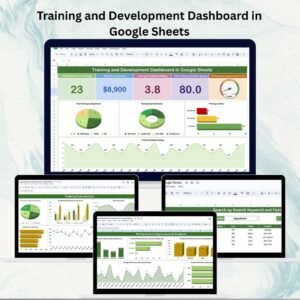
- Training and Development Dashboard in Google Sheets: a dashboard view of training activity
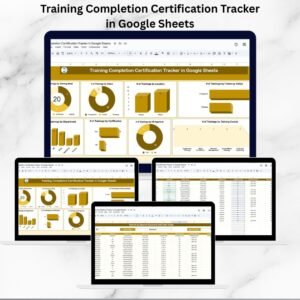
- Training Completion Certification Tracker in Google Sheets: track who has completed and been certified
- Training and Workshop Calendar in Google Sheets: schedule your sessions
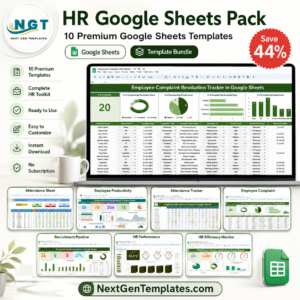
- HR Google Sheets Pack: 10 HR templates in one download
Browse all Google Sheets dashboards.












Reviews
There are no reviews yet.