

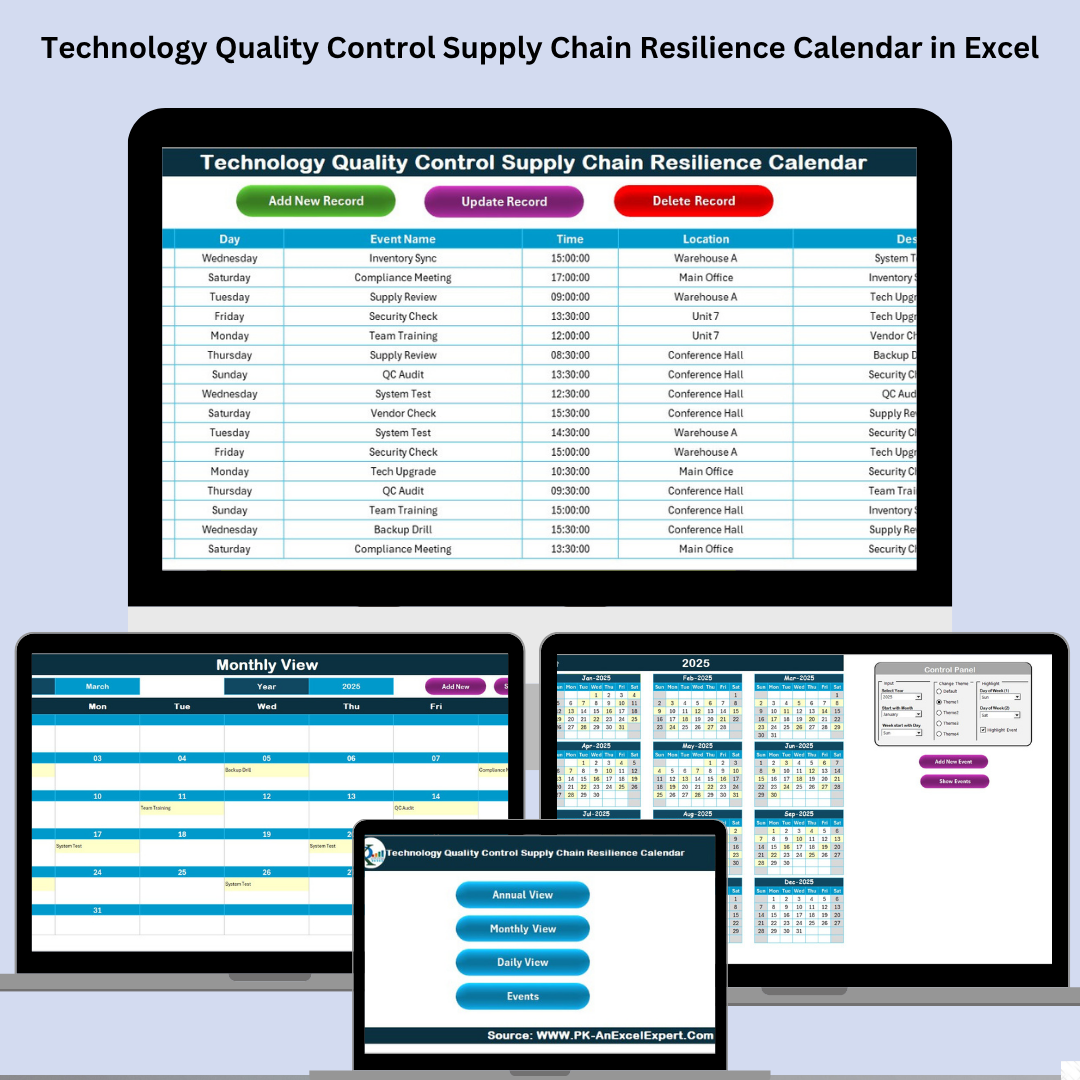

In today’s fast-paced, disruption-prone world, resilience and quality control are no longer optional—they’re essential. The Technology Quality Control Supply Chain Resilience Calendar in Excel is your powerful, ready-to-use solution to schedule, track, and manage critical events across your quality and supply chain processes.
Whether you’re managing vendor audits, equipment checks, compliance reviews, or risk assessments, this calendar brings clarity, control, and agility—all inside Excel, with no code required.
📅 Key Features of the Excel-Based Calendar
🏠 Home Sheet – One-Click Navigation
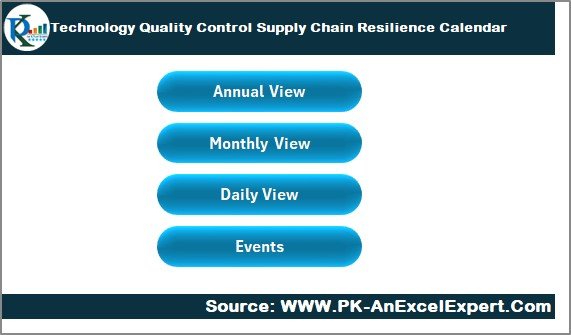
Jump effortlessly between:
✅ Annual View
✅ Monthly View
✅ Daily View
✅ Event Log
Built-in buttons make movement seamless—zero scrolling, maximum productivity.
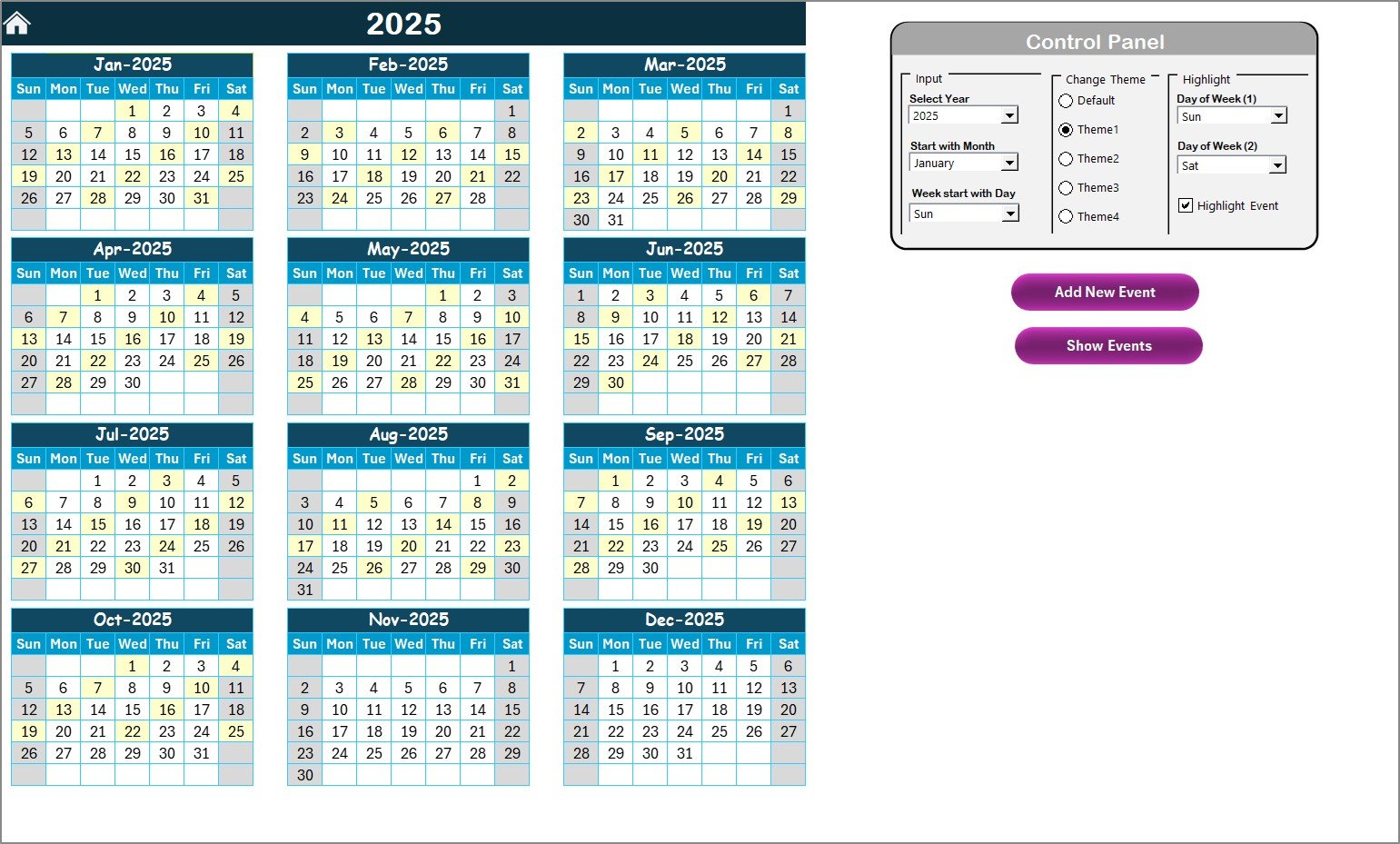
📆 Annual View Sheet – Big Picture Planning
Choose your Year, Start Month, and Day of Week
Customize your calendar with 5 color themes
Highlight weekends or event days with checkboxes
Add or view events with simple action buttons
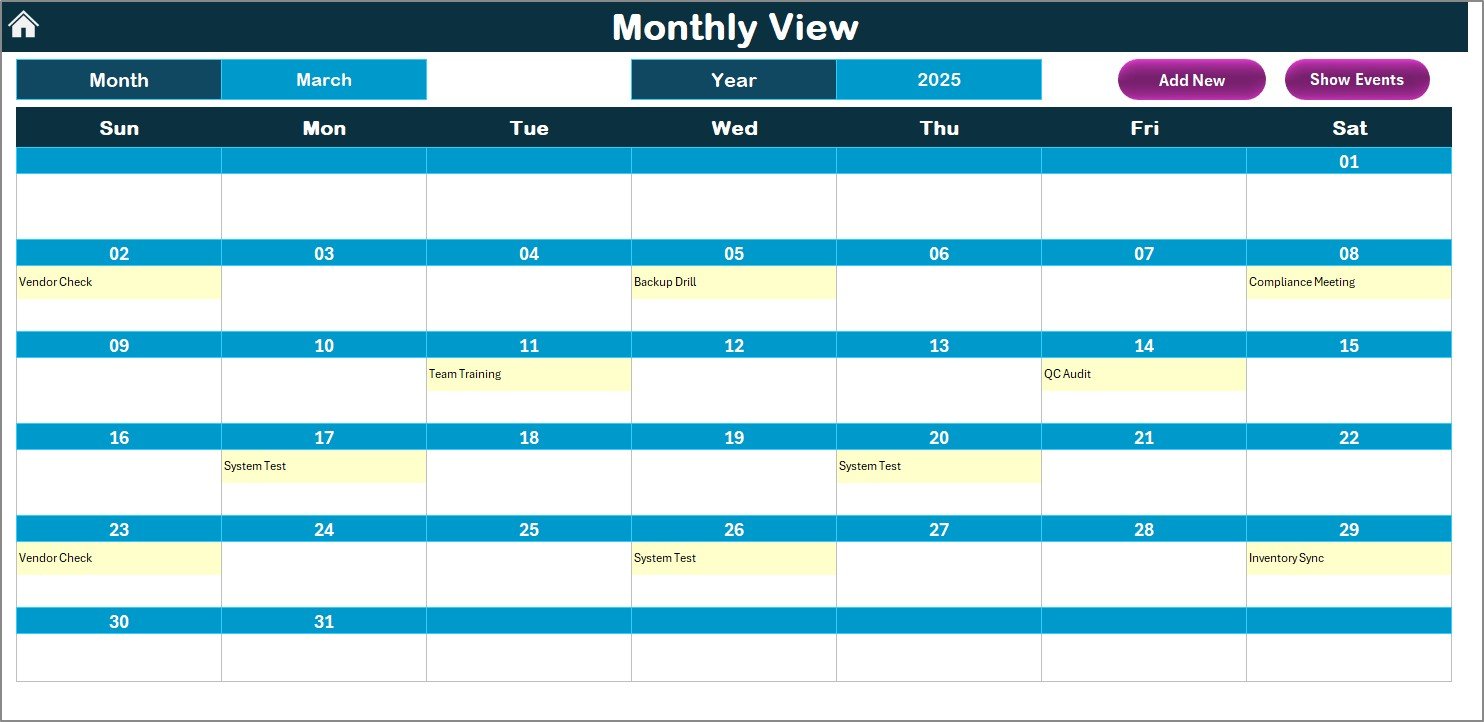
📅 Monthly View Sheet – Zoom into the Details
Select any Month and Year
Instantly see all events, even multiple ones per day
Add or review events directly with interactive buttons
📆 Daily View Sheet – Focused Planning
Define any start and end date range
View all events in that timeframe
Great for weekly standups, check-ins, or short-term task tracking
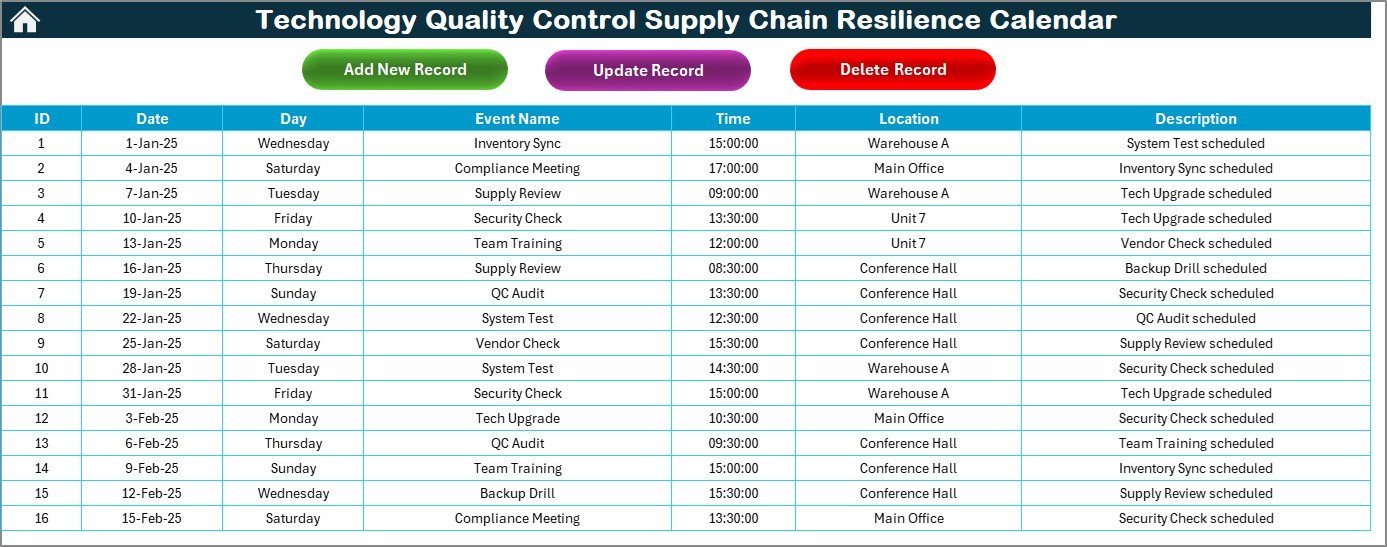
🗂️ Events Sheet – Complete Event Database
Maintain a full log of:
Auto-generated IDs
Date, Day, Event Name
Time, Location, Description
Update or delete events with a few clicks
Your historical records are intact and audit-ready.
🚀 Key Benefits
✅ Centralized Scheduling – Everything from vendor checks to audits in one workbook
🧠 No-Code Forms – Add, update, or delete events easily using smart Excel forms
🎨 Color-Coded & Branded – Choose your visual theme and insert your company logo
📊 Annual, Monthly, Daily Views – See your operations from all angles
📂 Real-World Applications – From inventory audits to supply disruptions—this calendar adapts to all
🔄 Real-Life Use Cases
Vendor Audits & Certifications – Track audit schedules and renewal dates
Preventive Maintenance – Schedule and log machine service checks
Inventory Milestones – Track reorder points, cycle counts, and stock reviews
Disruption Response – Plan and log risk assessments and mitigation actions
Team Sync-Ups – Schedule cross-functional coordination calls and reviews
🎓 Who Should Use This Calendar?
Ideal for:
Supply Chain Managers
Quality Control Teams
Plant Operations Leads
Procurement Officers
Project Managers in Tech, Retail, Logistics, and Manufacturing
If you manage deadlines, audits, and workflows, this calendar is for you.
🧠 Best Practices
✔️ Use the Annual View to block out your full year of audits and key events
✔️ Stick to one color theme for consistent formatting
✔️ Enter short, clear descriptions in event logs
✔️ Avoid deleting past events—they’re your audit trail
✔️ Use the Daily View for upcoming week planning
🛠️ Customization Tips
Add your company logo in the Home tab
Insert new fields like “Responsible Person” or “Priority Level” in the form
Use conditional formatting to mark urgent or delayed events
Everything is flexible—just open, modify, and go.
💻 Technical Requirements
Microsoft Excel 2016 or later
Works on Windows or Mac
No external plugins or VBA needed
File sharing supported via OneDrive or shared drives
🔗 Blog Post: (Insert your blog post URL here)
📹 Full Tutorial on YouTube: youtube.com/@PKAnExcelExpert
Watch the step-by-step video tutorial:
How to Use the Technology Quality Control Supply Chain Resilience Calendar
- Open the Home sheet and use the buttons to go to the Annual View, Monthly View, Daily View or Event Log.
- On the Annual View, choose the year, start month and first day of the week, then pick one of the 5 color themes.
- Add an event with the add button and enter its date, time, location and description.
- Use the Monthly View to see every event in a month, including days with more than one event.
- Set a start and end date on the Daily View to list the events for the coming week.
- Update or delete events from the Events sheet and keep past events as your audit trail.
Frequently Asked Questions
What sheets are in the Technology Quality Control Supply Chain Resilience Calendar?
Home, Annual View, Monthly View, Daily View and an Events sheet that stores every event.
What can I schedule with it?
Vendor audits and certifications, preventive maintenance checks, inventory reviews, risk assessments and cross-team review meetings.
What is stored for each event?
An auto-generated ID, date, day, event name, time, location and description.
Can I add my company logo or extra fields?
Yes. You can add your logo on the Home sheet and add fields such as Responsible Person or Priority Level to the form.
Related Supply Chain Calendar Templates
- Quality Control Supply Chain Resilience Calendar in Excel: the same calendar for quality teams outside tech.
- Technology Procurement Supply Chain Resilience Calendar in Excel: for tech procurement schedules.
- Logistics Supply Chain Resilience Calendar in Excel: for logistics events and reviews.
- Compliance Supply Chain Resilience Calendar in Excel: for compliance deadlines.
- Quality & Audit Management Bundle: 8 Excel quality and audit templates.
Browse all Excel calendar templates or the Excel quality control templates.







Reviews
There are no reviews yet.