

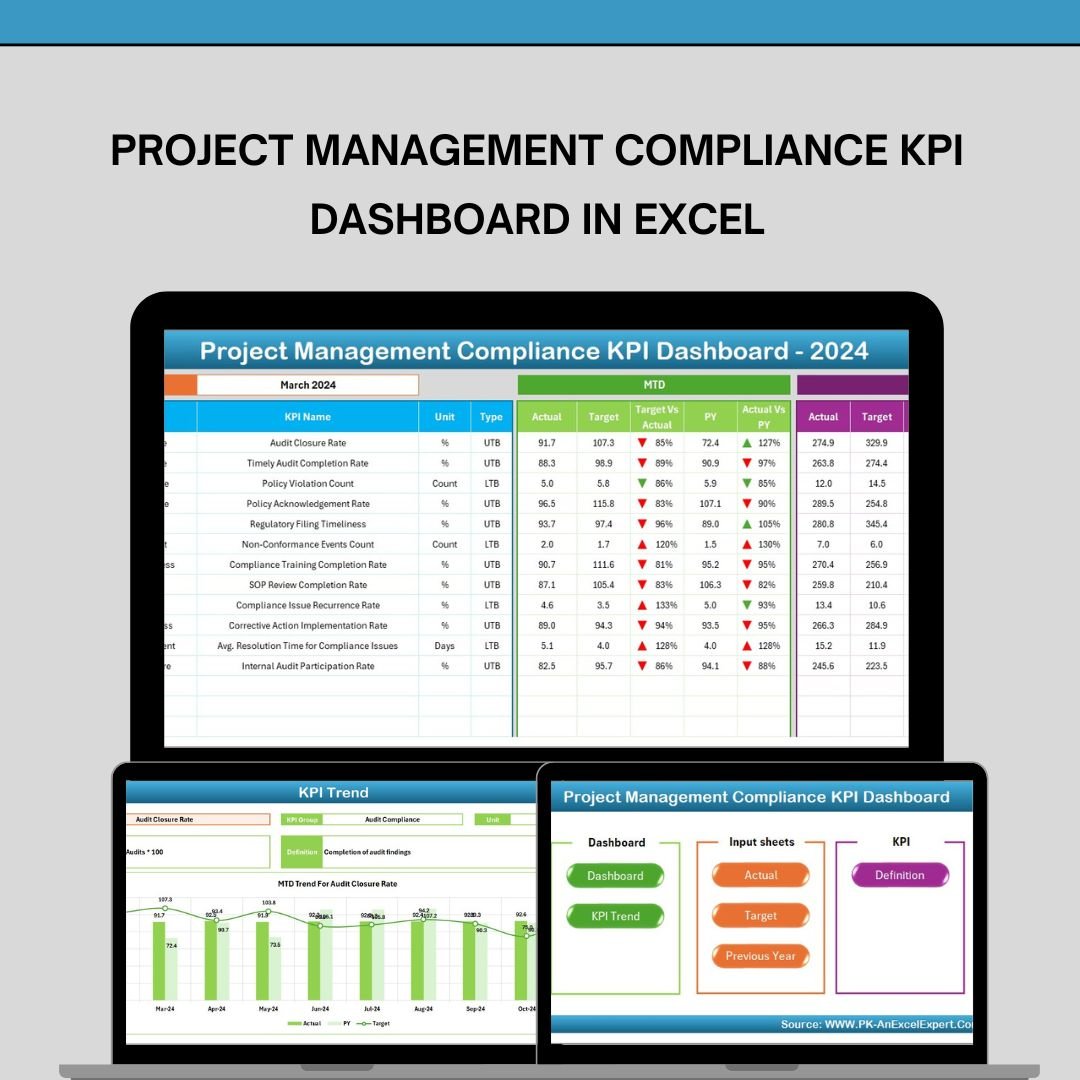
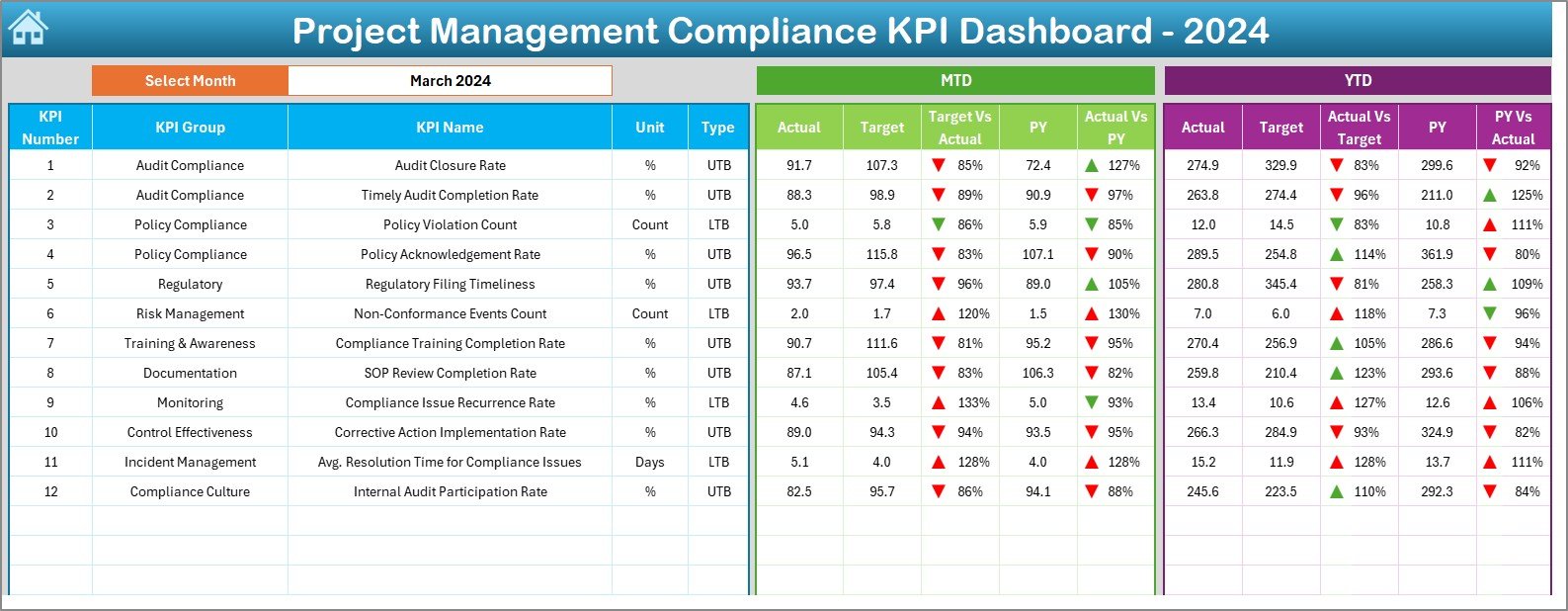
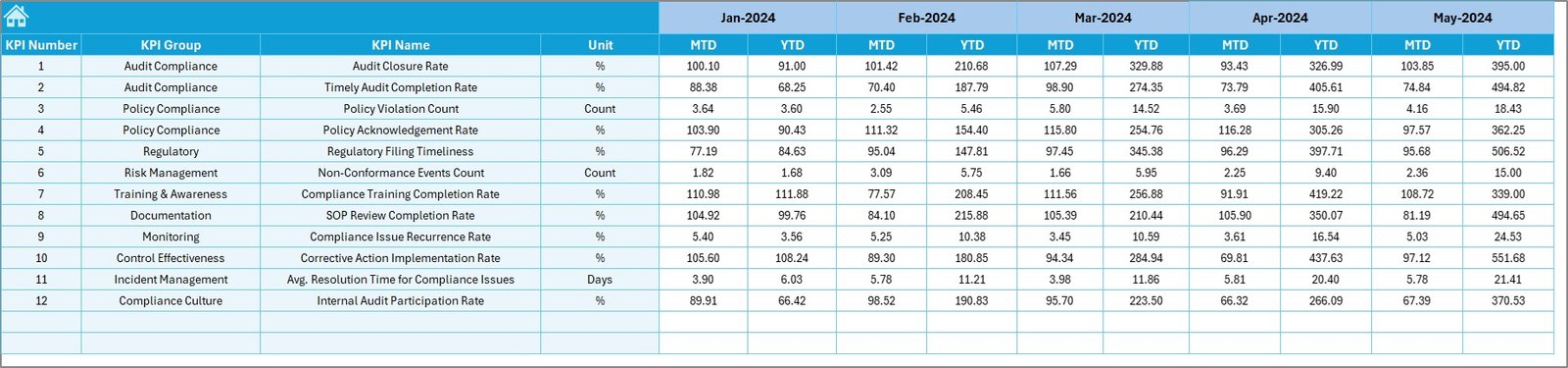
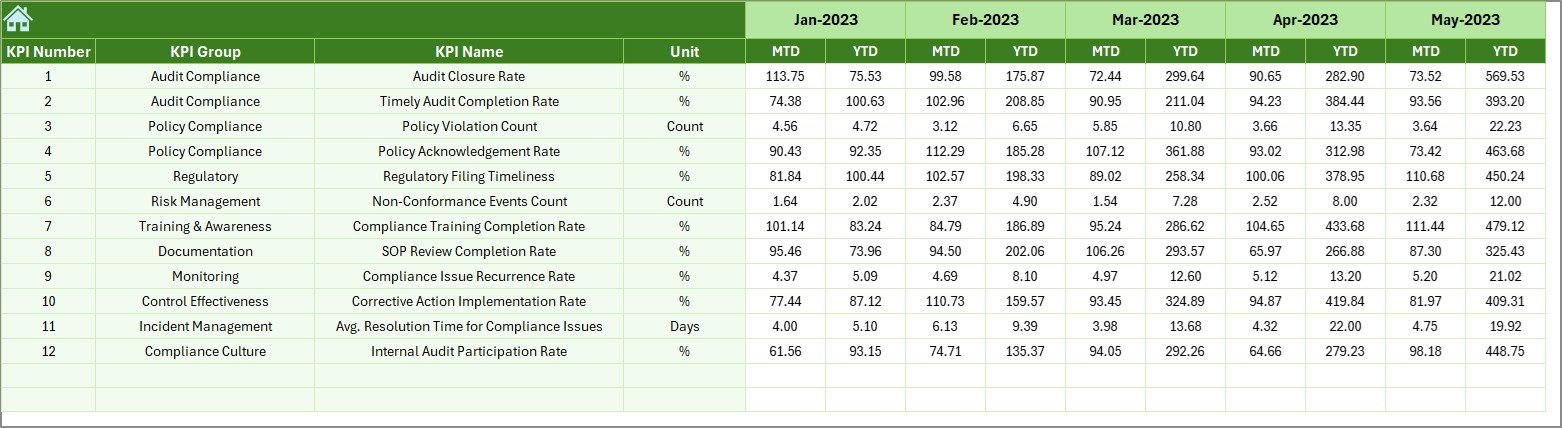


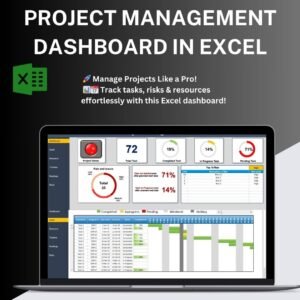
The Project Management Compliance KPI Dashboard in Excel is an essential tool for project managers and compliance officers, designed to help track and monitor compliance-related tasks across various projects. This comprehensive dashboard integrates key performance indicators (KPIs) that assess project compliance, helping you ensure that all aspects of the project are aligned with industry standards, regulations, and internal policies.
Built for efficiency and ease of use, this dashboard provides a visually appealing layout that makes tracking compliance straightforward and actionable. With real-time data integration, you can monitor project timelines, quality standards, risk management, resource allocation, and more, all in one place. The customizable nature of the dashboard allows you to tailor it to fit the specific compliance needs of any project.
Key Features of the Project Management Compliance KPI Dashboard in Excel
📊 Real-Time Compliance Tracking
Track the compliance status of various project components, ensuring that all tasks meet regulatory and internal standards.
📅 Timeline & Milestone Management
Monitor project deadlines and milestones to ensure timely completion and compliance with regulatory timeframes.
📈 Risk Management & Mitigation
Assess and manage potential risks that may affect project compliance. Highlight key risk areas and take proactive measures to mitigate them.
⚖️ Regulatory & Quality Standards Monitoring
Monitor adherence to quality standards and industry regulations, ensuring compliance at all stages of the project.
🔄 Customizable KPIs
Tailor the dashboard to track specific compliance metrics relevant to your project, whether it involves financial audits, safety regulations, or legal requirements.
📊 Data Visualization for Decision-Making
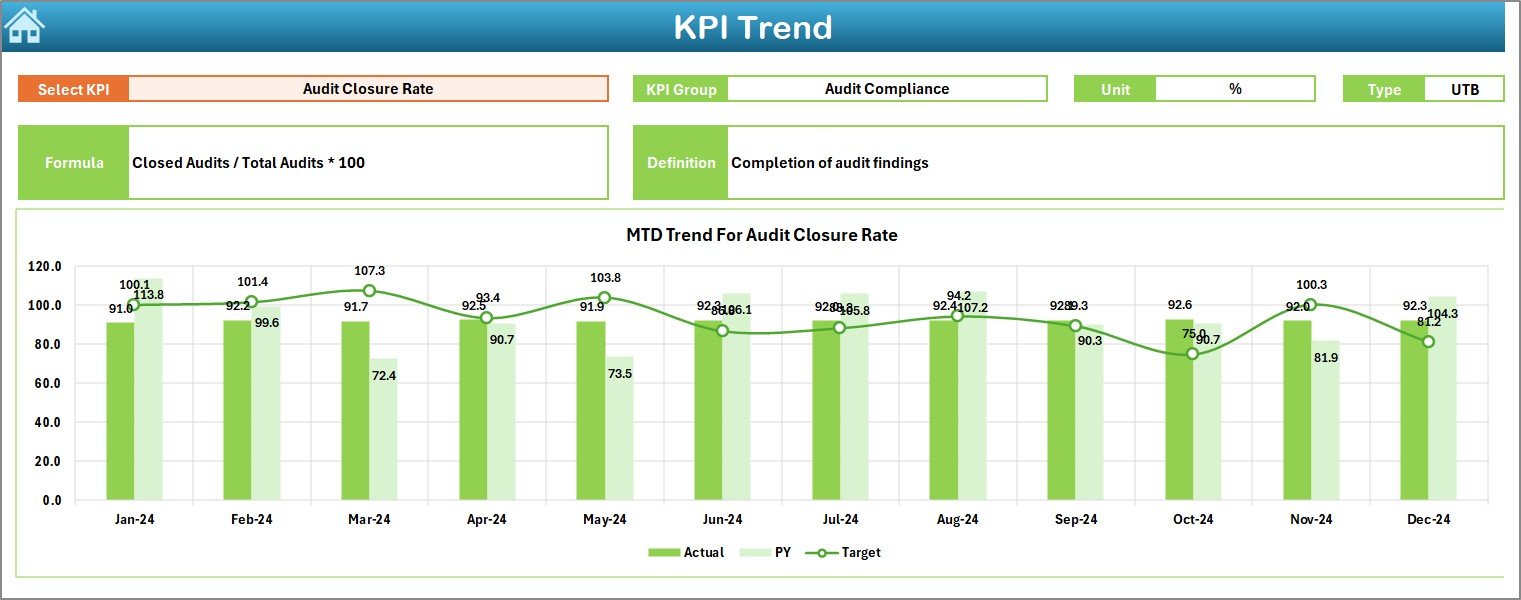
Leverage visually appealing charts and graphs to track compliance KPIs and project progress, making it easy to identify areas that need attention.
Why You’ll Love the Project Management Compliance KPI Dashboard in Excel
✅ Comprehensive Compliance Monitoring
Track all compliance-related tasks, risks, and deadlines in one place, helping you stay organized and proactive.
✅ Customizable to Fit Your Needs
Customize the dashboard to include the compliance KPIs that matter most to your project, whether it’s meeting financial, safety, or legal requirements.
✅ Real-Time Updates for Timely Action
Monitor real-time compliance data to ensure that issues are addressed quickly, reducing the risk of non-compliance.
✅ Efficient Risk Management
Identify potential risks early and take corrective actions to prevent compliance issues from affecting project delivery.
✅ Improved Decision Making
Use data-driven insights to make informed decisions, ensuring that your projects stay on track and compliant throughout their lifecycle.
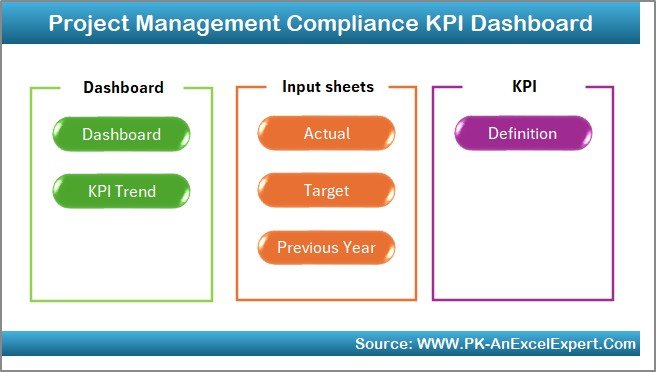
What’s Inside the Project Management Compliance KPI Dashboard in Excel?
Compliance Monitoring: Track the status of compliance-related tasks and ensure they meet necessary regulations.
Timeline Management: Monitor project milestones and deadlines to ensure on-time delivery.
Risk Management: Assess potential risks and monitor mitigation strategies.
Regulatory & Quality Standards: Monitor adherence to project regulations and quality standards.
Customizable Metrics: Tailor the dashboard to suit your project’s specific compliance needs.
Data Visualization: Use visual charts and graphs for easier interpretation of compliance data.
How to Use the Project Management Compliance KPI Dashboard in Excel
1️⃣ Download the Template: Access the dashboard immediately upon purchase.
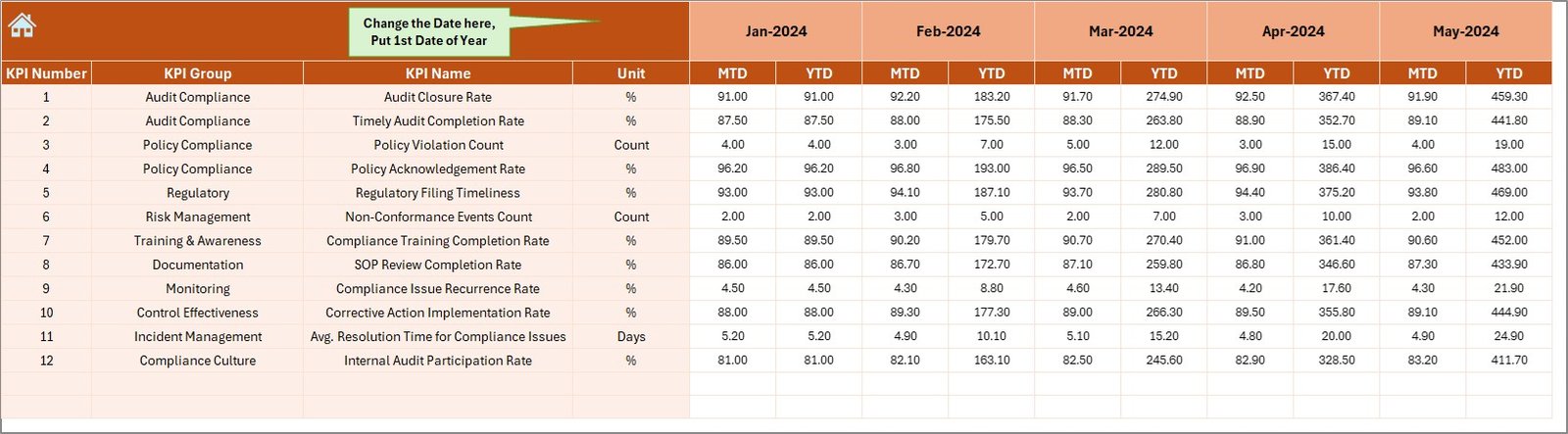
2️⃣ Integrate Your Project Data: Input your project details, including tasks, deadlines, and risks, into the dashboard.
3️⃣ Monitor KPIs: Track key compliance metrics in real-time to ensure project adherence to regulations.
4️⃣ Visualize Compliance Data: Use the built-in charts and graphs to visualize compliance trends.
5️⃣ Take Corrective Action: Address compliance issues early with data-driven insights.
Who Can Benefit from the Project Management Compliance KPI Dashboard in Excel?
🔹 Project Managers
🔹 Compliance Officers
🔹 Risk Management Teams
🔹 Legal and Regulatory Teams
🔹 Quality Assurance Teams
🔹 Large Enterprises & Small Businesses
🔹 Consultants and Auditors
The Project Management Compliance KPI Dashboard in Excel is designed to help you stay on top of compliance tasks, minimize risks, and keep projects aligned with regulatory standards.
Click here to read the Detailed blog post
Visit our YouTube channel to learn step-by-step video tutorials
Youtube.com/@PKAnExcelExpert
Compatibility and Requirements
- Works in Microsoft Excel desktop (Excel 2016 or later, or Microsoft 365).
- The dashboard uses charts and graphs to show compliance KPIs. Microsoft explains charts in Create a chart from start to finish.
Frequently Asked Questions
What does this dashboard track?
It tracks compliance-related tasks, project timelines and milestones, risks and mitigation, and adherence to regulatory and quality standards.
Can I change the KPIs?
Yes. The KPIs are customizable, so you can track the compliance metrics that fit your project, such as financial audits, safety regulations or legal requirements.
Does it include charts?
Yes. The dashboard uses charts and graphs so you can see compliance trends and spot areas that need attention.
How do I start using it?
Download the template, enter your project details such as tasks, deadlines and risks, then follow the KPIs and charts to see where action is needed.
Is there a similar dashboard for safety or general compliance?
Yes. See the Safety and Compliance Dashboard in Excel and the Compliance Dashboard in Excel.
Related Project and Compliance Templates
- Project Management Dashboard in Excel: an overall view of project progress
- Compliance Dashboard in Excel: a general compliance view
- Compliance Audit Tracker in Excel: log and follow audit items
- Project Status Update Tracker in Excel: record regular status updates
- Project Management Pro Bundle: 9 project templates in one download
Browse all Excel KPI dashboards.
































Reviews
There are no reviews yet.