



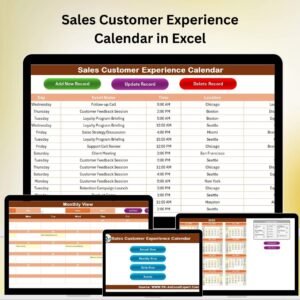
The Sales Customer Experience Calendar in Excel is a comprehensive tool designed to help sales teams and customer service departments manage and enhance customer interactions throughout the year. This Excel-based calendar provides a structured framework to plan, track, and measure customer engagement, ensuring that your customers are consistently engaged and satisfied.
Whether you’re tracking sales outreach, managing follow-up emails, or planning customer feedback sessions, this calendar helps you stay organized and on top of your customer experience initiatives. It enables teams to map out key customer touchpoints, align their outreach efforts, and assess the effectiveness of their customer service strategies.
Key Features of the Sales Customer Experience Calendar in Excel
📅 Annual & Monthly View Options
View your customer engagement plan with flexible views. Use the annual calendar for an overview of the year, or zoom into the monthly view for more detailed tracking of interactions, tasks, and events.
📝 Customer Interaction Tracking
Track every interaction with customers, including follow-up calls, meetings, emails, and other touchpoints. Ensure that all customer-facing activities are documented for future reference and improvement.
📈 Customer Feedback & Satisfaction Monitoring
Monitor customer satisfaction by incorporating feedback collection points. Track customer reviews, NPS scores, and other feedback metrics to assess the quality of customer service.
🔄 Sales & Service Alignment
Align sales activities with customer experience initiatives. Ensure that both teams are working towards the same goals, improving overall customer satisfaction and driving sales growth.
⚙️ Customizable for Your Sales Strategy
Tailor the calendar to your specific business needs. Add custom fields, deadlines, or team responsibilities, and track any type of customer interaction or service event.
📊 Data-Driven Insights & Reporting
Generate reports based on customer engagement activities. Track the progress of your initiatives, identify trends, and use insights to improve sales strategies and customer satisfaction.
Why You’ll Love the Sales Customer Experience Calendar in Excel

✅ Stay Organized & On Track
Keep all customer interactions and follow-ups in one easy-to-access place. Ensure that your team stays organized and that no customer interaction is missed.
✅ Improve Customer Satisfaction
Monitor customer feedback and satisfaction to identify areas for improvement. Use the data to refine your customer service approach and drive better results.
✅ Enhance Sales & Customer Service Collaboration
Align your sales and customer service teams. Both departments can track and respond to customer needs, ensuring a seamless customer experience.
✅ Data-Driven Decision Making
Utilize insights from customer interactions and feedback to make informed decisions that improve the customer experience and drive business growth.
✅ Customizable & Scalable
Customize the calendar to suit your business model and sales strategy. The tool is scalable and adaptable for teams of any size, from small businesses to large enterprises.
What’s Inside the Sales Customer Experience Calendar in Excel?
Annual & Monthly View Options: View the calendar in both detailed monthly and high-level annual formats.
Customer Interaction Tracking: Track each customer interaction and follow-up.
Customer Feedback Monitoring: Measure customer satisfaction and track feedback.
Sales & Service Alignment: Align sales activities with customer service efforts.
Customizable Fields & Deadlines: Adjust the calendar to suit your sales and customer experience strategy.
Reporting & Insights: Generate reports to analyze customer engagement trends.
How to Use the Sales Customer Experience Calendar in Excel
1️⃣ Download the Template: Get access to the Sales Customer Experience Calendar in Excel instantly.
2️⃣ Add Customer Interaction Data: Input customer details, interaction types, and feedback.
3️⃣ Track Engagement: Use the calendar to monitor sales outreach, meetings, follow-ups, and customer feedback.
4️⃣ Generate Reports: Analyze engagement trends and customer satisfaction levels.
5️⃣ Refine Sales & Service Strategies: Use insights to optimize customer interactions and improve satisfaction.
Who Can Benefit from the Sales Customer Experience Calendar in Excel?
🔹 Sales Teams
🔹 Customer Service & Support Teams
🔹 E-commerce & Retail Businesses
🔹 Small & Medium Enterprises (SMBs)
🔹 Large Corporations with Customer-Facing Teams
🔹 Marketing Teams Focused on Customer Engagement
🔹 Business Owners Looking to Improve Customer Experience
Enhance your customer engagement strategy with the Sales Customer Experience Calendar in Excel. Track interactions, monitor feedback, and improve the overall customer experience to drive sales and satisfaction.
Click here to read the Detailed blog post
Visit our YouTube channel to learn step-by-step video tutorials
Youtube.com/@PKAnExcelExpert






























Reviews
There are no reviews yet.