



The Home Renovation Checklist in Excel is a must-have tool for homeowners and contractors who want to keep track of every detail in their home renovation project. Whether you’re remodeling a single room or renovating an entire house, this Excel-based checklist helps you organize and manage tasks, budgets, timelines, and materials, ensuring your renovation is completed efficiently and on budget.
With an easy-to-use interface, customizable categories, and detailed tracking features, this checklist will help you stay organized throughout the renovation process and ensure that no step is missed, from planning to completion.

Key Features of the Home Renovation Checklist in Excel:
🛠 Task and Timeline Management
Track the progress of each renovation task, from initial planning to final completion, and ensure deadlines are met with real-time updates.
💰 Budget Tracking
Keep a close eye on your renovation budget by tracking estimated costs, actual costs, and remaining budget, ensuring that you don’t overspend.
📋 Material and Supplier Management
Record material requirements, costs, and suppliers, ensuring that you stay on top of material orders and deliveries.
📦 Contractor and Labor Tracking
Manage contractor details, agreements, payments, and work schedules, ensuring that the right labor is available at the right time.
🏠 Room-by-Room Breakdown
Organize tasks by room or project area, allowing you to track the progress of individual rooms and see how each part of the project is progressing.
🚀 Why You’ll Love the Home Renovation Checklist in Excel:
✅ Stay Organized – Track each phase of your renovation, from demolition to final touches, and stay on top of timelines and tasks.
✅ Manage Your Budget – Easily monitor estimated costs, actual expenses, and remaining budget to avoid overspending.
✅ Keep Materials and Labor in Check – Track materials, suppliers, contractors, and labor schedules to ensure everything is on track.
✅ Room-by-Room Progress – Break down the renovation project by rooms or areas, ensuring all tasks are accounted for and completed efficiently.
✅ Customizable and Easy-to-Use – This Excel checklist is simple to navigate and fully customizable to meet your specific renovation needs.
✅ Data-Driven Decisions – Use real-time tracking and reports to make informed decisions about your renovation project, ensuring timely and cost-effective results.
What’s Inside the Home Renovation Checklist in Excel:
- Task and Timeline Management: Track the status of each task, set deadlines, and monitor overall progress to keep the renovation on schedule.
- Budget Management: Enter estimated costs and actual expenses to ensure that you stay within your renovation budget.
- Material Tracking: List materials required for each phase of the renovation, track prices, and monitor delivery dates to avoid delays.
- Contractor and Labor Scheduling: Manage contractor agreements, payments, work schedules, and labor hours to ensure smooth coordination.
- Room-by-Room Breakdown: Track renovation tasks for each room in the house, from demolition to finishing touches.
- Custom Reports: Generate custom reports for stakeholders, contractors, or financial tracking.
How to Use the Home Renovation Checklist in Excel:
1️⃣ Download the Template – Instantly access your Excel file upon purchase.
2️⃣ Enter Renovation Details – Input tasks, budgets, contractor information, and material lists for each room or area being renovated.
3️⃣ Track Tasks and Deadlines – Use the checklist to monitor the progress of each renovation task and ensure deadlines are met.
4️⃣ Monitor Your Budget – Keep an eye on your budget by comparing estimated costs with actual expenses and adjusting as necessary.
5️⃣ Generate Reports – Create detailed reports summarizing your renovation progress, costs, and task completion for stakeholders or financial records.
Who Can Benefit from the Home Renovation Checklist in Excel:
- Homeowners undertaking renovation projects
- Contractors and Renovation Specialists
- Project Managers in Construction and Renovation
- Real Estate Investors
- Interior Designers
- DIY Enthusiasts
- Financial Analysts and Budget Planners for Renovations
The Home Renovation Checklist in Excel is the ultimate solution for managing your home renovation project. It helps you stay organized, manage your budget, and track progress efficiently from start to finish.
Click here to read the Detailed blog post
https://www.pk-anexcelexpert.com/home-renovation-checklist-in-excel/
Visit our YouTube channel to learn step-by-step video tutorials
Youtube.com/@PKAnExcelExpert
Compatibility and Requirements
- Works in Microsoft Excel desktop (Excel 2016 or later, or Microsoft 365).
- Use one file per renovation project, or one sheet per room if you prefer.
Frequently Asked Questions
What can I track with the Home Renovation Checklist?
Tasks and deadlines, the budget, materials and suppliers, and contractor details such as agreements, payments, work schedules and labor hours.
How does the budget tracking work?
You enter estimated costs and actual expenses, and the checklist shows the remaining budget so you can spot overspending early.
Can I organize tasks by room?
Yes. The room-by-room breakdown lets you track the progress of each room or project area, from demolition to finishing touches.
Can I share progress with others?
Yes. You can build reports on progress, costs and task completion for contractors, family members or your financial records.
Related Home Renovation Templates
- Home Renovation Budget Tracker in Google Sheets: a detailed renovation budget in Google Sheets.
- Home Renovation Budget and Project Tracker in Google Sheets: budget and project tasks in one tracker.
- Home Renovation Contractor KPI Dashboard in Excel: for contractors who track renovation KPIs.
- Home Maintenance Checklist in Excel: keep the house in shape once the work is done.
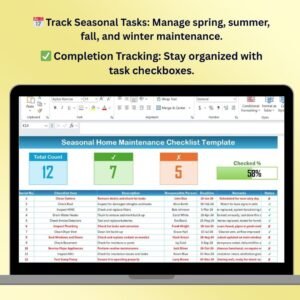
- Seasonal Home Maintenance Checklist Template in Excel: seasonal upkeep tasks for the year.
Browse all Excel checklist templates or the Excel project management templates.






























Reviews
There are no reviews yet.