

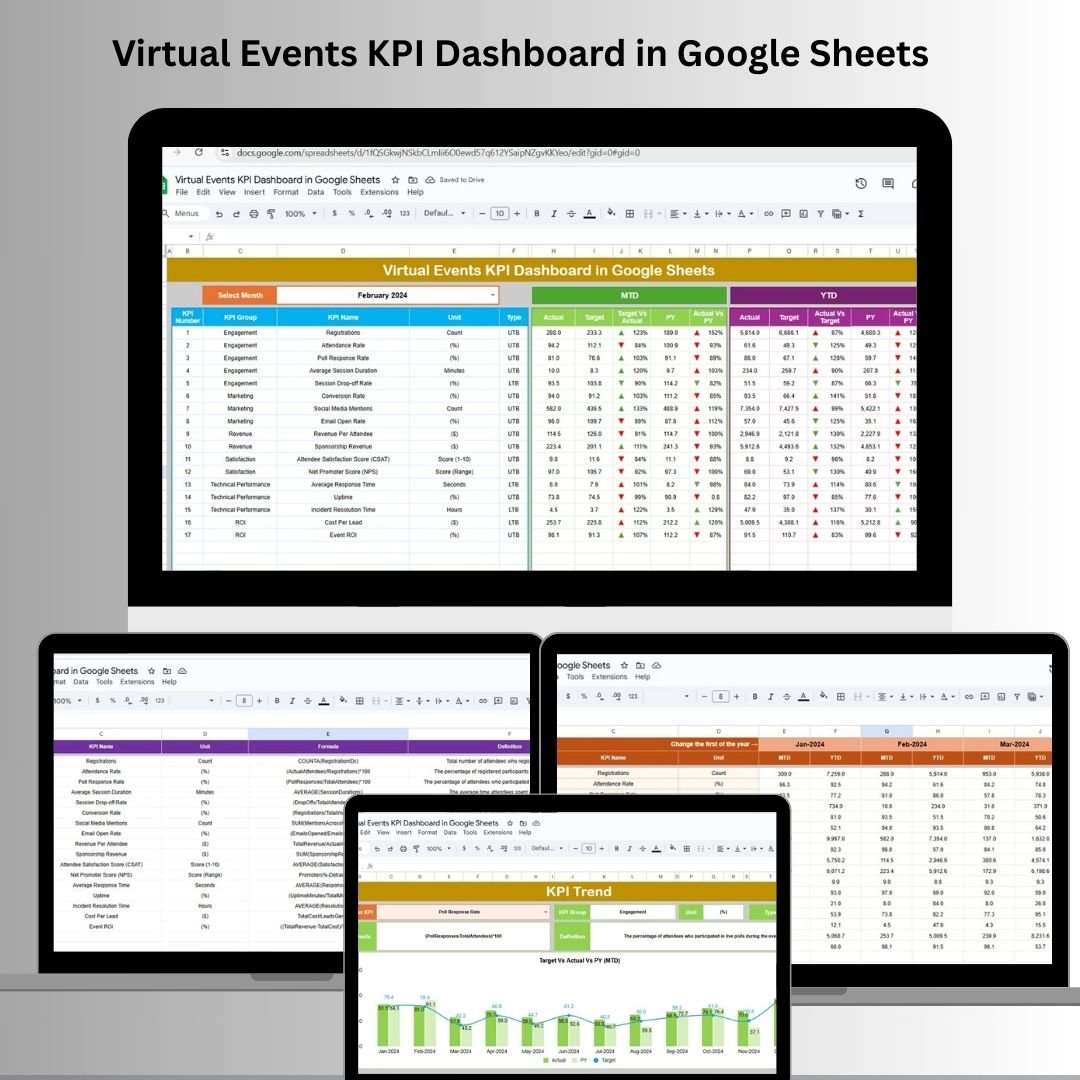
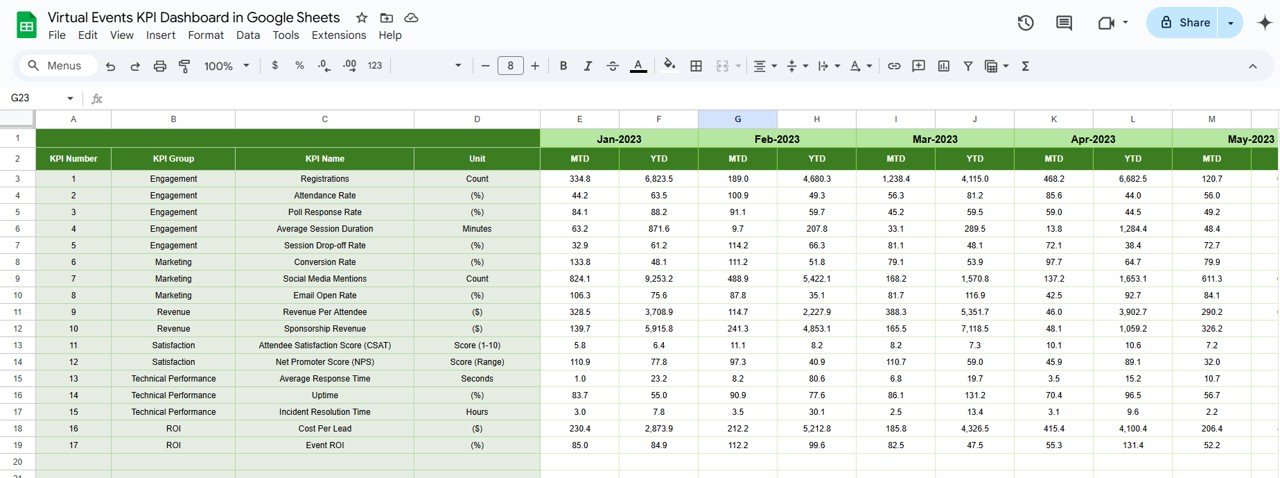


The Virtual Events KPI Dashboard in Google Sheets is an all-in-one solution for managing and optimizing your virtual events. Designed to track crucial KPIs and provide actionable insights, this dashboard allows event organizers to monitor their event performance in real time. Whether it’s a webinar, online conference, or virtual networking event, this tool ensures that your virtual events are effectively managed and optimized.
Centralized Tracking: All your event KPIs in one place, allowing you to see how your events are performing at a glance.
Real-Time Data: Automatically updates as you input new data, so you always have up-to-date metrics at your fingertips.
Customizable: Easily adapt the dashboard to track the KPIs most relevant to your specific event.
Historical Data Comparison: Easily compare current performance with previous years’ data to track progress and identify trends.
Collaborative: As it’s built in Google Sheets, your entire team can collaborate and stay aligned on the event’s performance.
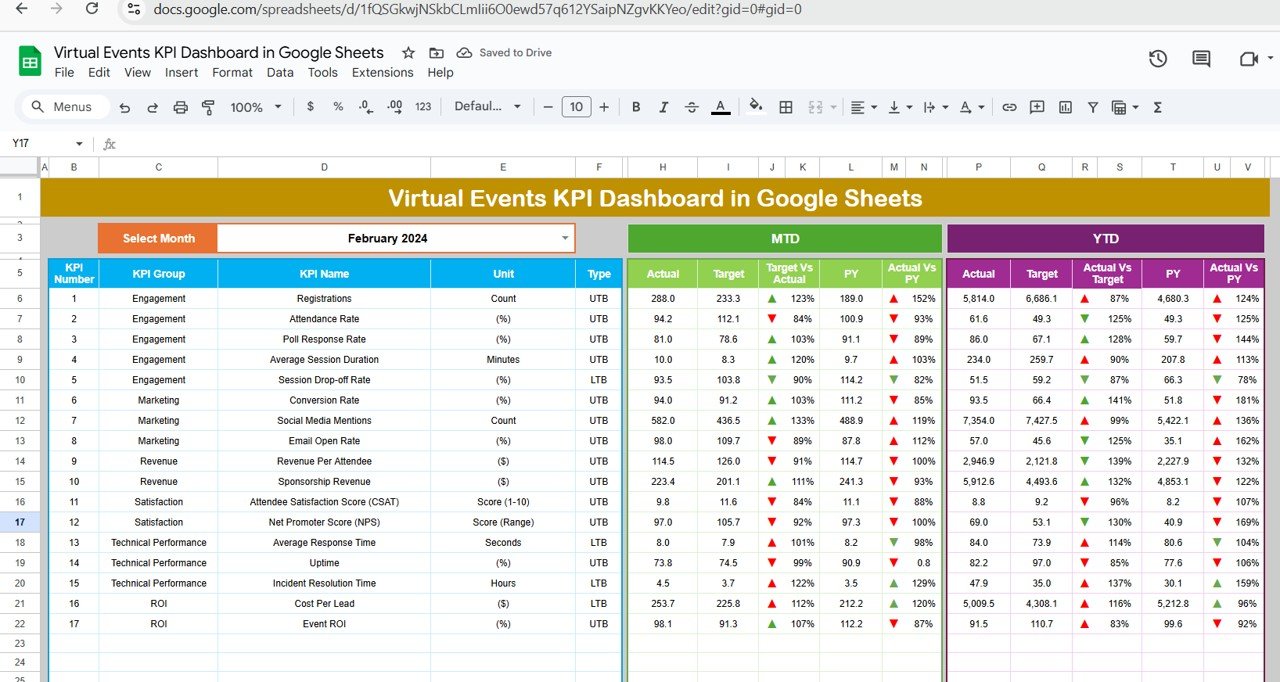
What’s Inside the Virtual Events KPI Dashboard
The Virtual Events KPI Dashboard comes with six specialized worksheets, each designed to handle key aspects of your event’s performance tracking:
Dashboard Sheet Tab: The central hub where all key metrics are displayed. Track MTD (Month-to-Date), YTD (Year-to-Date), and compare current performance with previous years’ metrics.
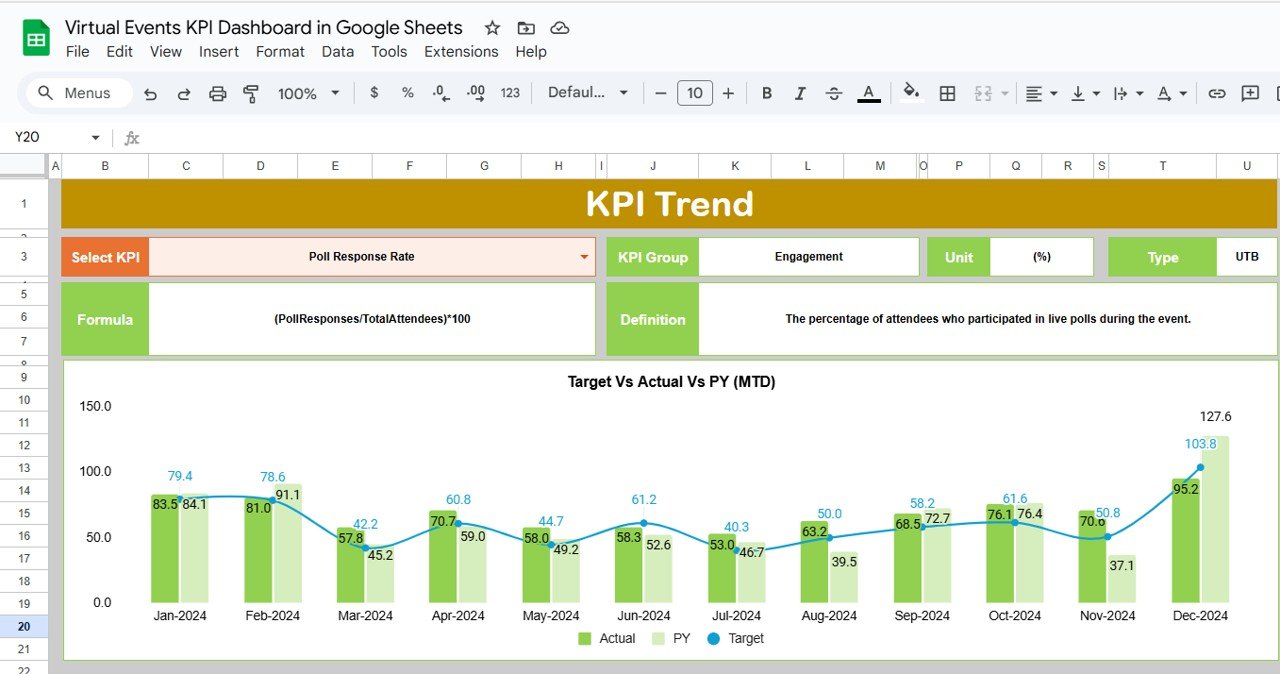
KPI Trend Sheet Tab: Visualizes the trends for each KPI over time, allowing you to assess how your events are performing across different periods.
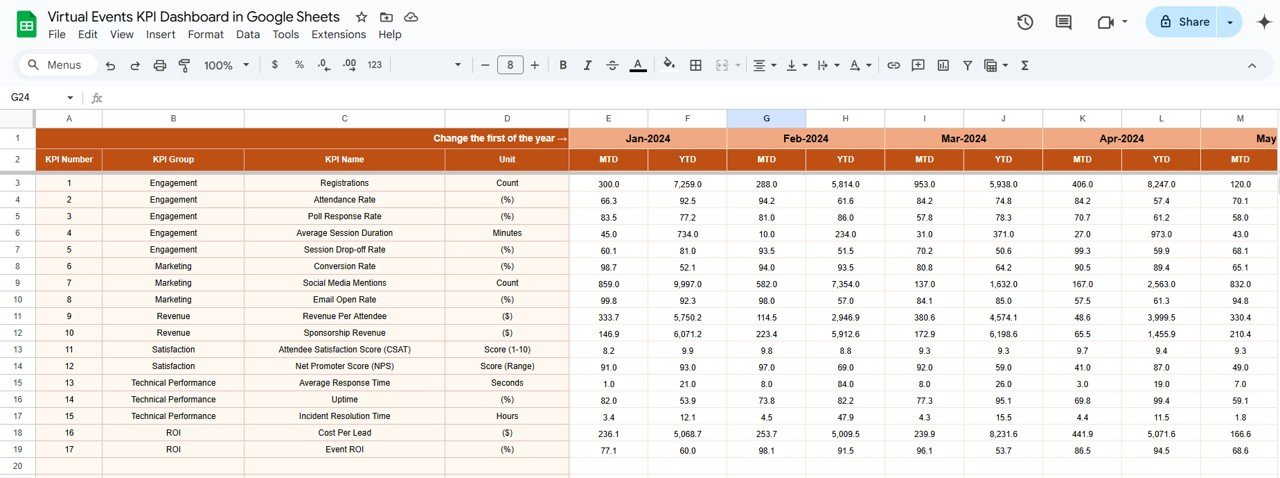
Actual Number Sheet Tab: Input actual performance data for each KPI, updating the dashboard automatically with your latest results.
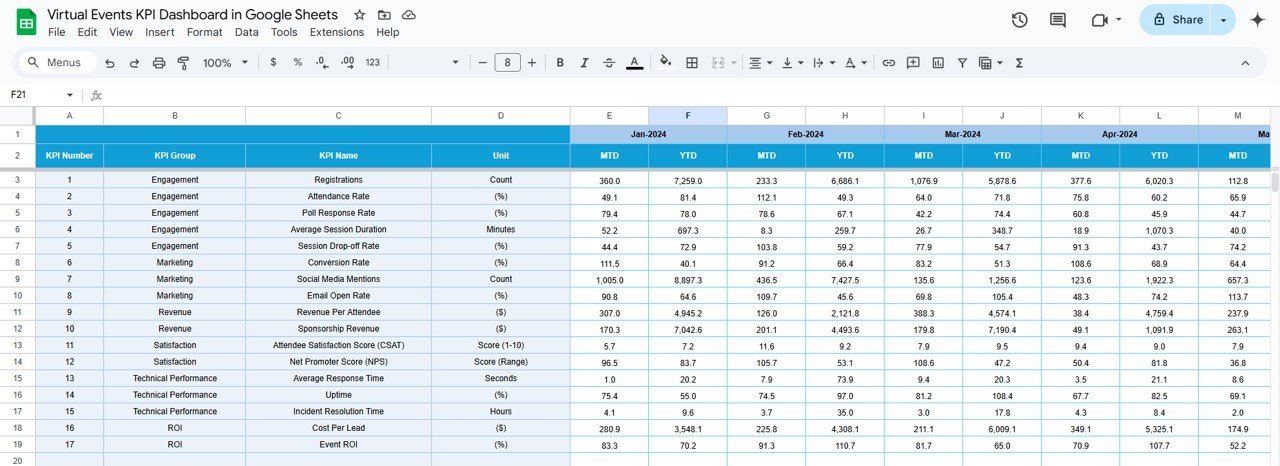
Target Sheet Tab: Enter your KPIs’ target values for MTD and YTD, and measure progress against set goals.
Previous Year Number Sheet Tab: Compares historical performance data against the current year’s results to measure growth or areas of improvement.
KPI Definition Sheet Tab: Provides detailed definitions, units, formulas, and the classification of KPIs (Lower the Better or Upper the Better).
How to Use the Virtual Events KPI Dashboard
Using the Virtual Events KPI Dashboard is simple and intuitive. Once you download the template, follow these easy steps to start tracking your event KPIs:
Input Your Data: Begin by entering the actual performance data for your virtual event, including metrics such as attendance, engagement rates, and satisfaction scores.
Set Your Targets: Define your target goals for each KPI in the Target Sheet Tab to assess how well you’re meeting your event objectives.
Monitor Progress: Use the Dashboard Sheet Tab to track the performance of your virtual events. Select the month you’re interested in, and the dashboard will display MTD and YTD data with real-time comparisons.
Collaborate with Your Team: Share the dashboard with team members to collaborate on tracking and improving your virtual events.
Who Can Benefit from This Virtual Events KPI Dashboard
This Virtual Events KPI Dashboard is perfect for event planners, marketers, and organizers looking to enhance their event performance. Here’s who will find it beneficial:
Event Planners: Track key metrics to measure engagement, attendance, and overall event success.
Marketing Teams: Measure campaign performance and make data-driven decisions to improve future event marketing strategies.
Organizers: Stay on top of multiple virtual events and assess the impact of various KPIs to improve event outcomes.
Data Analysts: Utilize the dashboard’s real-time data to analyze trends and gain insights into event effectiveness.
Click here to read the Detailed blog post
Watch the step-by-step video Demo:
Visit our YouTube channel to learn step-by-step video tutorials
Compatibility and Requirements
- Works in Google Sheets. You need a free Google account and a web browser.
- The dashboard shows month-to-date and year-to-date figures for the month you select. Google explains charts in Add & edit a chart or graph.
Frequently Asked Questions
Which sheets are included?
Six sheets: Dashboard, KPI Trend, Actual Number, Target, Previous Year Number and KPI Definition.
How do I update the dashboard?
Enter your actual figures in the Actual Number sheet and your goals in the Target sheet. Then select a month on the Dashboard sheet and it shows month-to-date and year-to-date results.
Can I compare this year with last year?
Yes. Add last year’s figures to the Previous Year Number sheet and the Dashboard compares them with your current results.
What does the KPI Definition sheet show?
It lists each KPI with its definition, unit and formula, and marks whether it is Lower the Better or Upper the Better.
Is there an Excel or Power BI version?
Yes. See the Virtual Events KPI Dashboard in Excel and the Virtual Events KPI Dashboard in Power BI.
Related Event Templates
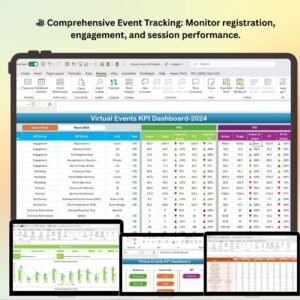
- Virtual Events KPI Dashboard in Excel: the same dashboard for Excel
- Virtual Events KPI Dashboard in Power BI: the Power BI edition
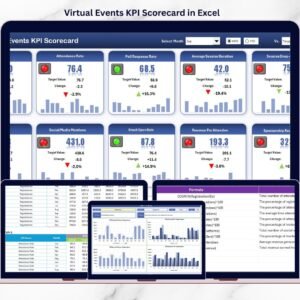
- Virtual Events KPI Scorecard in Excel: a scorecard view of event KPIs
- Event Planning Checklist in Google Sheets: a task list for event preparation
- Event Planning Calendar in Google Sheets: schedule your events
Browse all Google Sheets KPI dashboards.




























Reviews
There are no reviews yet.