


Car Rental Services Dashboard a car rental business without clear visibility often leads to confusion, missed opportunities, and rising costs. Rental data spreads across multiple sheets, revenue numbers stay unclear, maintenance expenses grow silently, and customer satisfaction becomes hard to track. As a result, managers struggle to understand what is working and what needs immediate attention.
That is exactly where the Car Rental Services Dashboard in Excel becomes a powerful, practical, and decision-ready solution 🚗📊.
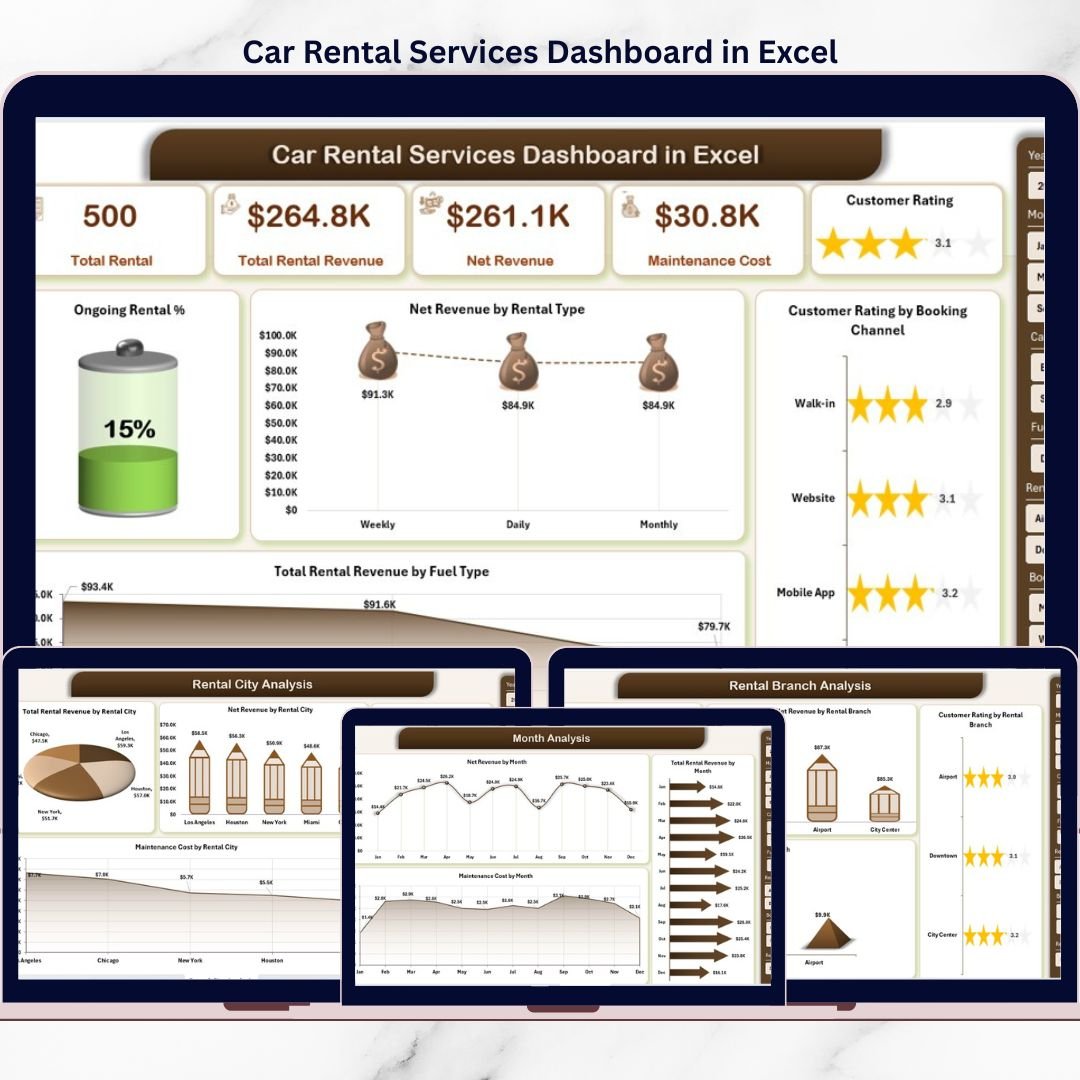
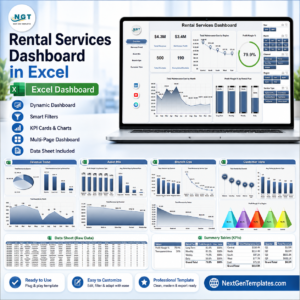
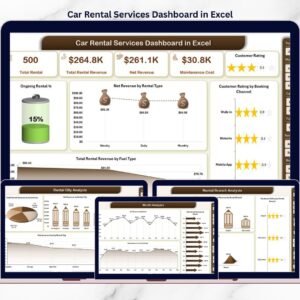
This ready-to-use Excel dashboard is designed specifically for car rental businesses to monitor revenue, rentals, customer ratings, maintenance costs, and operational performance from a single screen. Instead of manually analyzing rows of data, this dashboard converts raw rental information into clear visuals, KPI cards, and trend analysis.
Because the dashboard is built entirely in Microsoft Excel, it remains easy to use, cost-effective, and highly customizable. You do not need expensive BI tools or advanced technical skills. Simply update your data, refresh pivot tables, and instantly view updated insights.
With multiple analytical pages, interactive slicers, and professional visuals, this dashboard helps car rental owners and managers move from reactive reporting to proactive decision-making.
## ✨ Key Features of Car Rental Services Dashboard in Excel
This dashboard is built to support real-world car rental operations.
🚗 Centralized Rental Performance Tracking
All key rental metrics in one Excel dashboard.
📊 Interactive KPI Cards
Quick snapshot of business health.
🧭 Page Navigator for Easy Navigation
One-click movement across dashboard pages.
🎯 Category, Branch & City-Level Analysis
Deep insights into operational performance.
📈 Monthly Trend Tracking
Identify seasonality and growth patterns.
🧩 Excel-Native & Fully Customizable
No complex software or coding required.
## 📂 What’s Inside the Car Rental Services Dashboard in Excel
This dashboard includes 5 professionally designed analytical pages, supported by structured data sheets.
📊 Overview Page
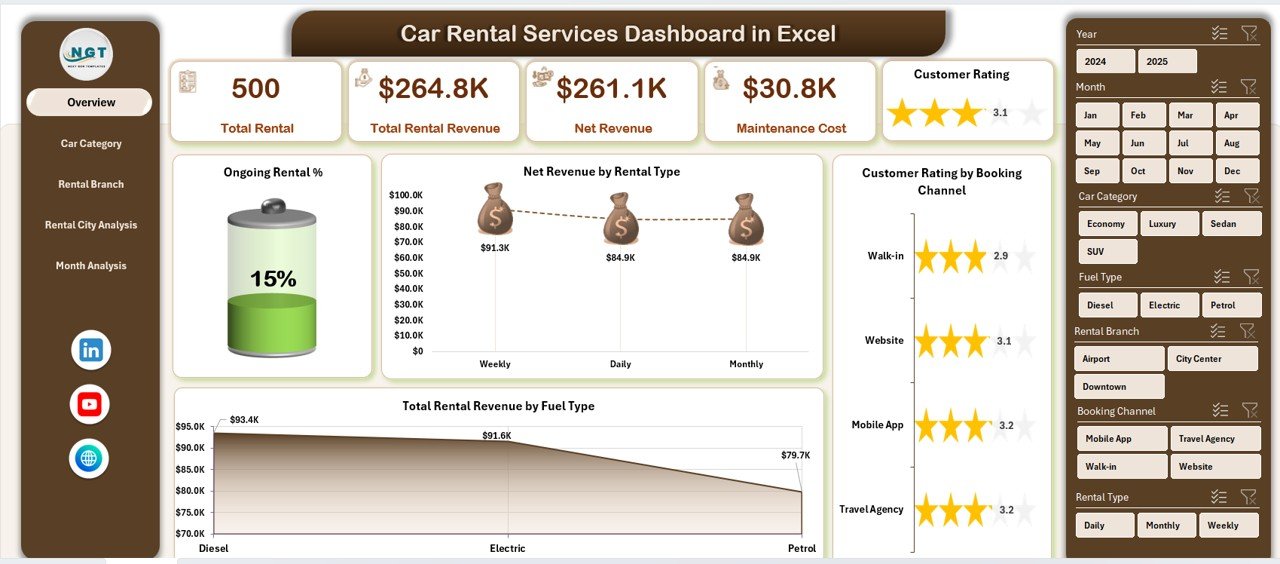
The command center of the dashboard showing:
Right-side slicer for filtering
5 KPI cards for instant insights
Key performance charts
Charts included:
Ongoing Rental %
Net Revenue by Rental Type
Customer Rating by Booking Channel
Total Rental Revenue by Fuel Type
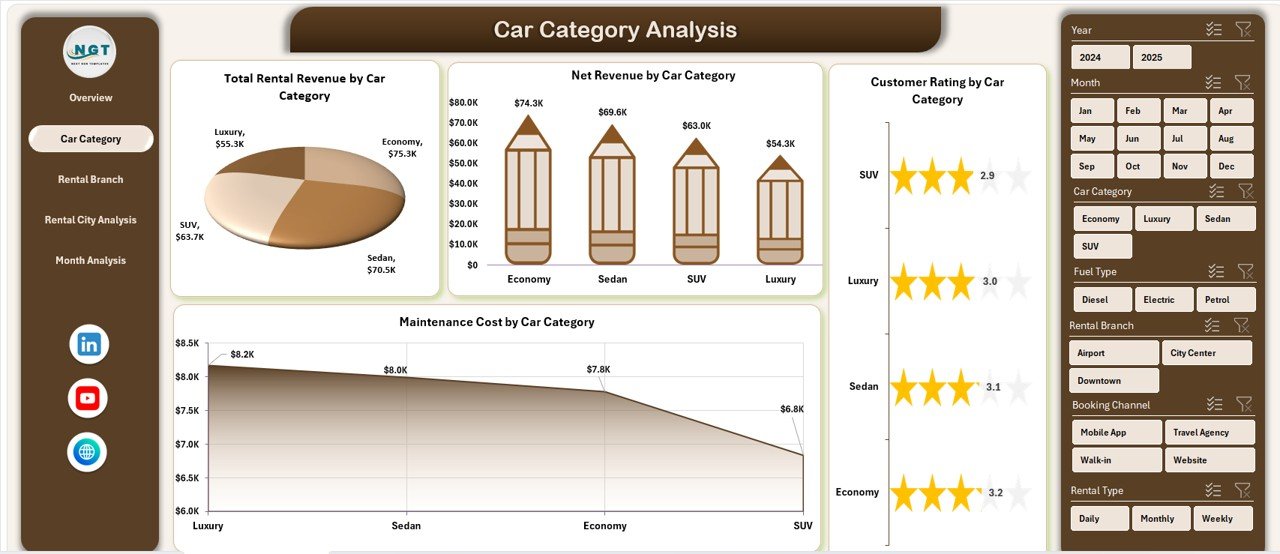
🚘 Car Category Analysis Page
Analyze performance by vehicle category with:
Net Revenue by Car Category
Customer Rating by Car Category
Total Rental Revenue by Car Category
Maintenance Cost by Car Category
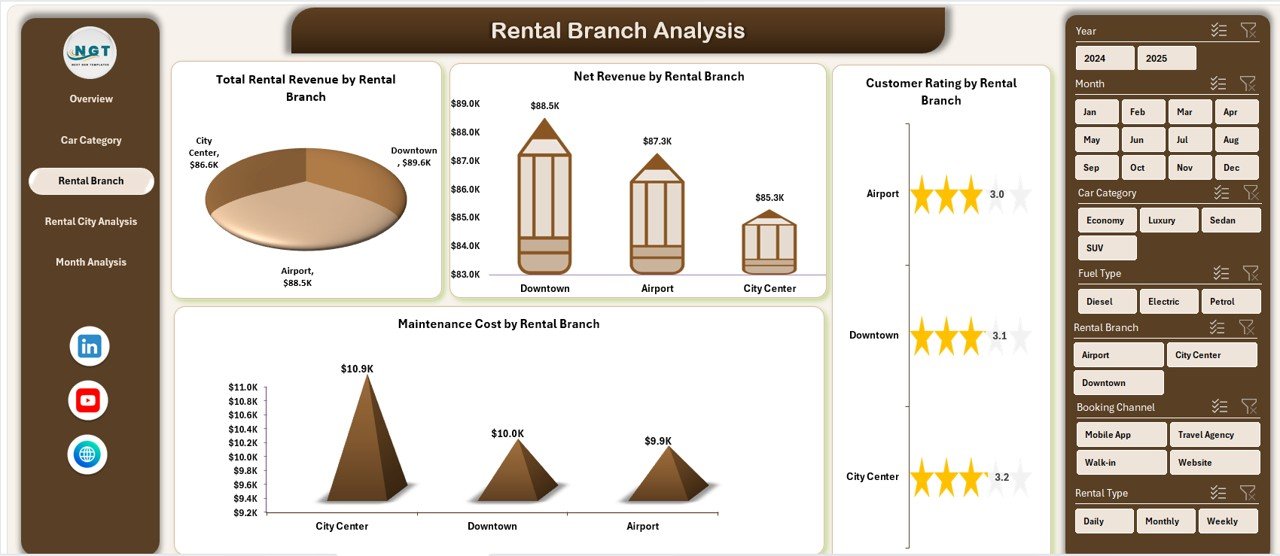
🏢 Rental Branch Analysis Page
Compare branch-wise performance using:
Net Revenue by Rental Branch
Customer Rating by Rental Branch
Total Rental Revenue by Rental Branch
Maintenance Cost by Rental Branch
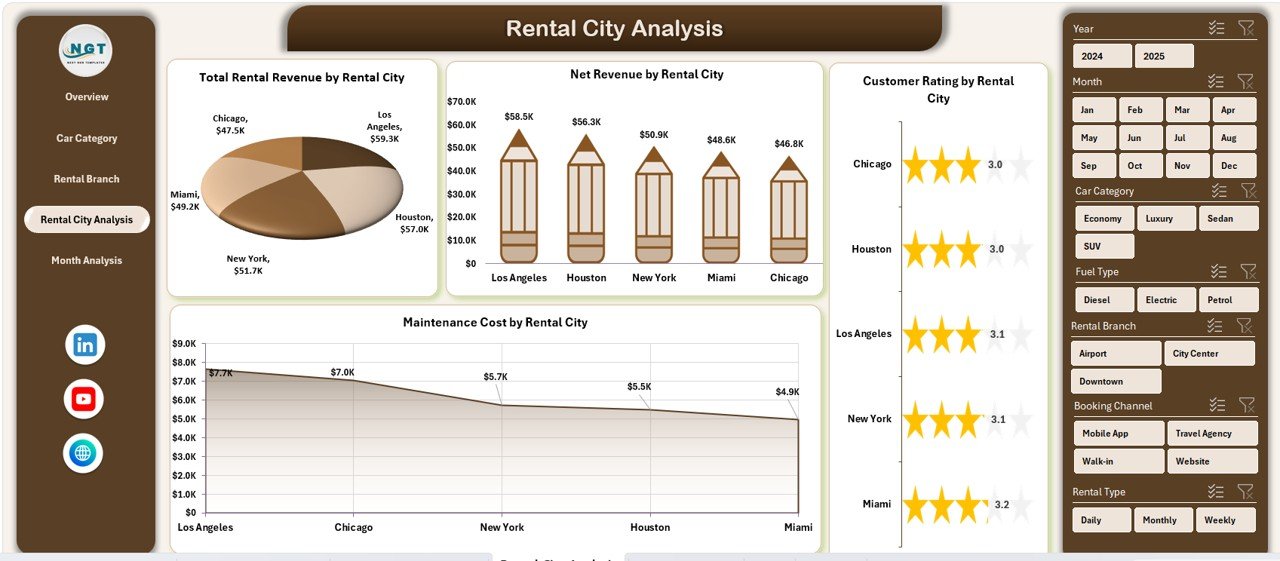
🌆 Rental City Analysis Page
Understand city-level demand and profitability through:
Net Revenue by Rental City
Customer Rating by Rental City
Total Rental Revenue by Rental City
Maintenance Cost by Rental City
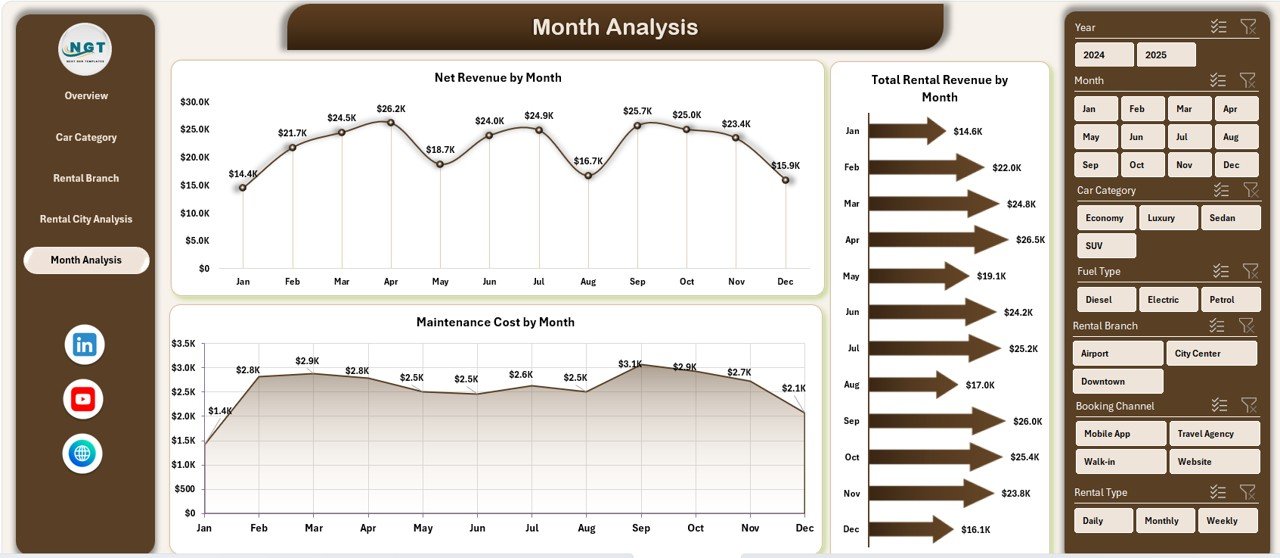
📅 Month Analysis Page
Track time-based trends with:
Net Revenue by Month
Total Rental Revenue by Month
Maintenance Cost by Month
📁 Data Sheet & Support Sheet
Data Sheet stores all raw rental records
Support Sheet manages lookups and helper logic
This structure ensures clarity, scalability, and long-term usability.
## 🧩 How to Use the Car Rental Services Dashboard in Excel
Using the dashboard is simple and intuitive:
1️⃣ Enter or update rental data in the Data Sheet
2️⃣ Refresh pivot tables
3️⃣ Use slicers to filter by category, branch, city, or month
4️⃣ Review KPIs and charts instantly
5️⃣ Analyze trends and cost drivers
6️⃣ Use insights for pricing, fleet, and expansion decisions
No advanced Excel knowledge required.
## 👥 Who Can Benefit from This Car Rental Services Dashboard
This dashboard is ideal for:
✔️ Car Rental Business Owners
✔️ Operations Managers
✔️ Branch & City Managers
✔️ Finance & Accounts Teams
✔️ Fleet Managers
✔️ Business Analysts
Suitable for single-location and multi-city rental businesses.
### Click here to read the Detailed blog post
Visit our YouTube channel to learn step-by-step video tutorials
👉 https://youtube.com/@PKAnExcelExpert
Watch the step-by-step video tutorial:
Compatibility and Requirements
- Works in Microsoft Excel desktop (Excel 2016 or later, or Microsoft 365).
- The pages are filtered with Excel slicers. Microsoft explains them in Use slicers to filter data.
Frequently Asked Questions
Which pages does the Car Rental Services Dashboard include?
Overview, Car Category Analysis, Rental Branch Analysis, Rental City Analysis and Month Analysis, plus a Data sheet and a Support sheet.
What does the Overview page show?
Five KPI cards and charts for ongoing rental percentage, net revenue by rental type, customer rating by booking channel and rental revenue by fuel type.
Can I compare branches and cities?
Yes. Separate pages show net revenue, customer rating, rental revenue and maintenance cost by branch and by city.
How do I update it?
Enter or update rental records on the Data sheet, refresh the pivot tables, then use the slicers to filter by category, branch, city or month.
Related Car Rental and Fleet Templates
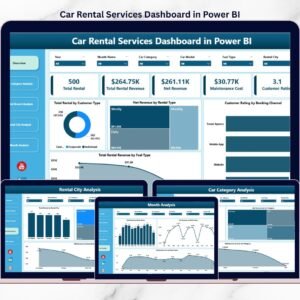
- Car Rental Services Dashboard in Power BI: the same analysis in Power BI
- Car Rental Services KPI Dashboard in Excel: KPI tracking for rental businesses
- Fleet Management Dashboard in Excel: track the vehicles behind your rentals
- Vehicle Reservation Tracker in Excel: log vehicle bookings
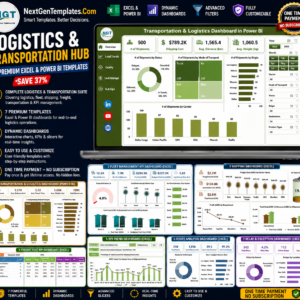
- Logistics and Transportation Hub: 7 Excel and Power BI transport templates
Browse all Excel dashboards or the Excel logistics templates.



Reviews
There are no reviews yet.