

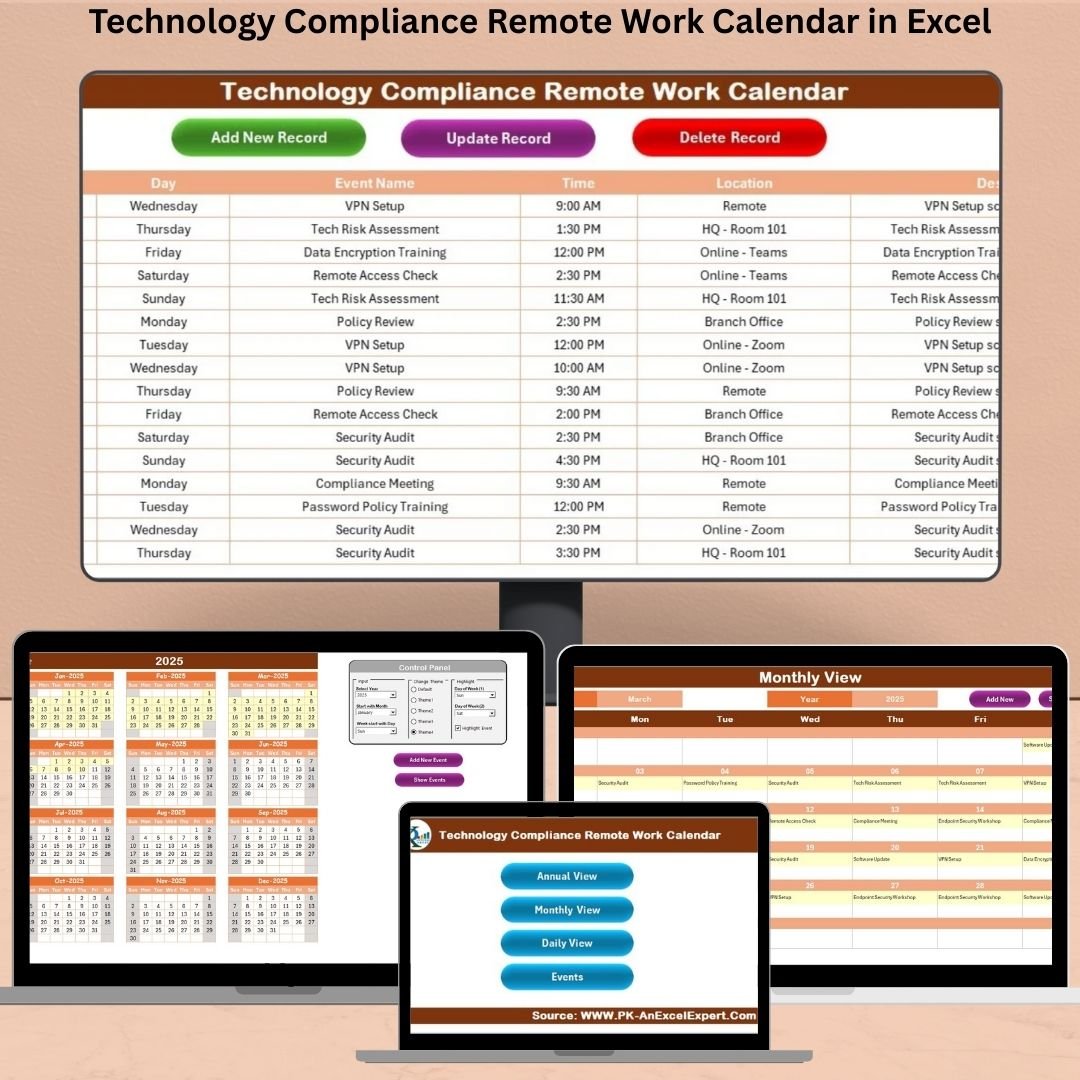

In today’s fast-moving digital age, remote work is here to stay — but it brings new challenges in tech compliance, coordination, and scheduling. That’s exactly where the Technology Compliance Remote Work Calendar in Excel becomes your ultimate productivity companion. This powerful tool helps you effortlessly track IT audits, policy updates, renewal reminders, and more — without the need for any complicated software or coding!
Whether you’re a compliance officer, a remote team leader, or an HR professional, this all-in-one planner ensures nothing falls through the cracks. Let’s explore how this calendar will transform your workflow.
✨ Key Features of Technology Compliance Remote Work Calendar
🗓️ Multiple Calendar Views
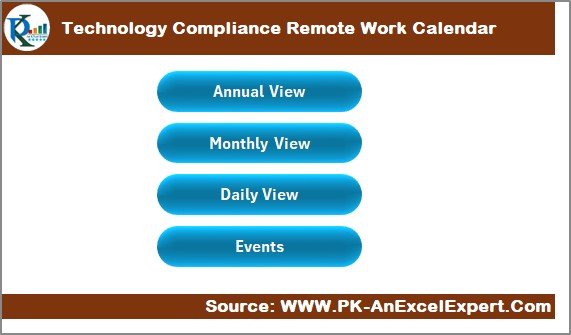
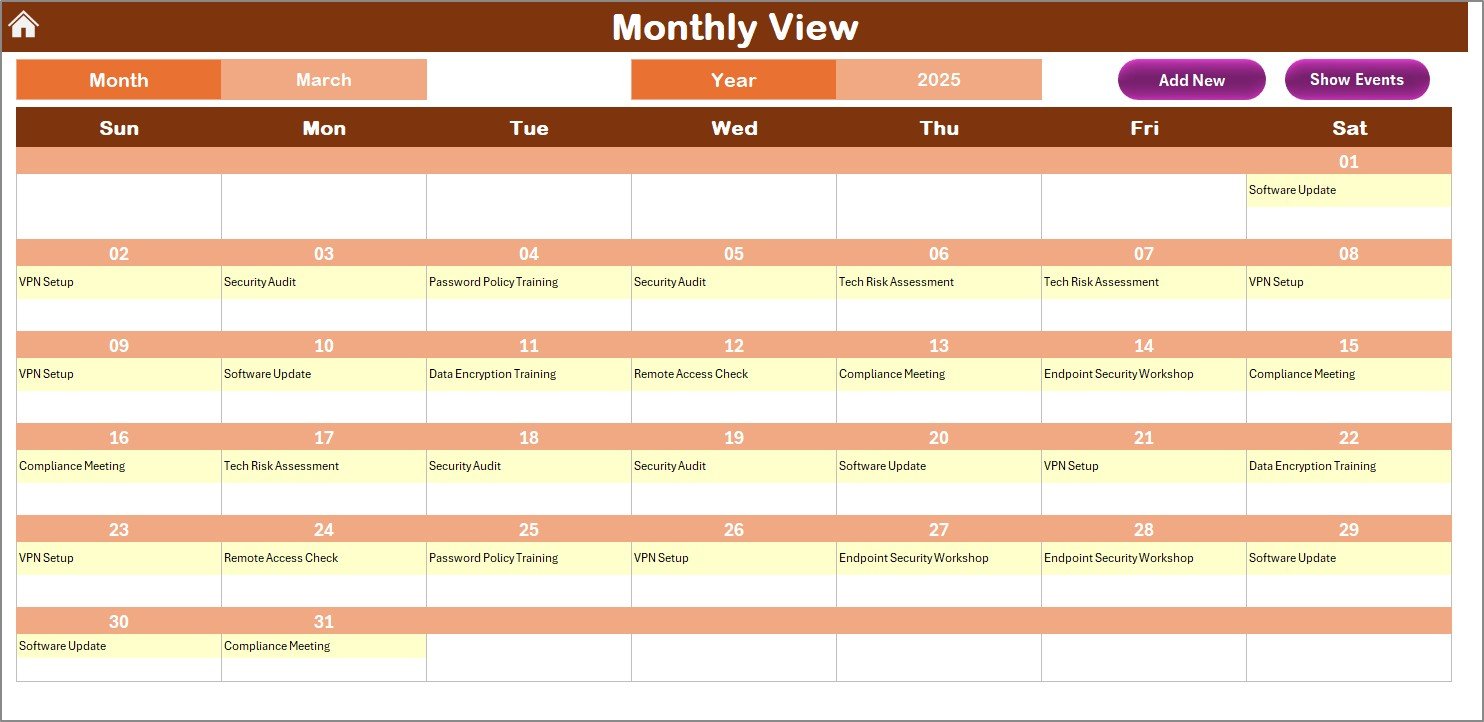
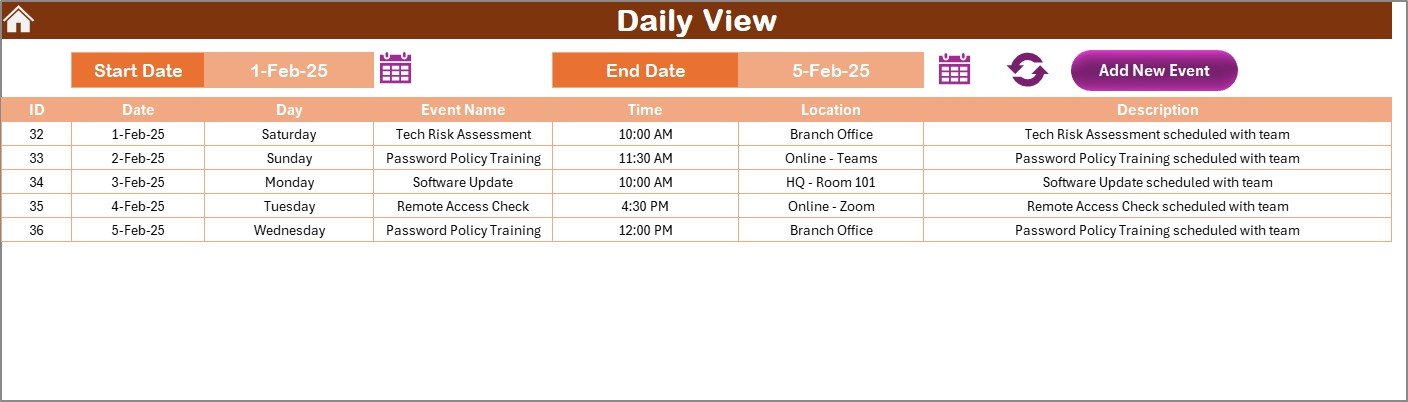
Switch seamlessly between Annual, Monthly, and Daily views for instant clarity on upcoming events and compliance tasks.
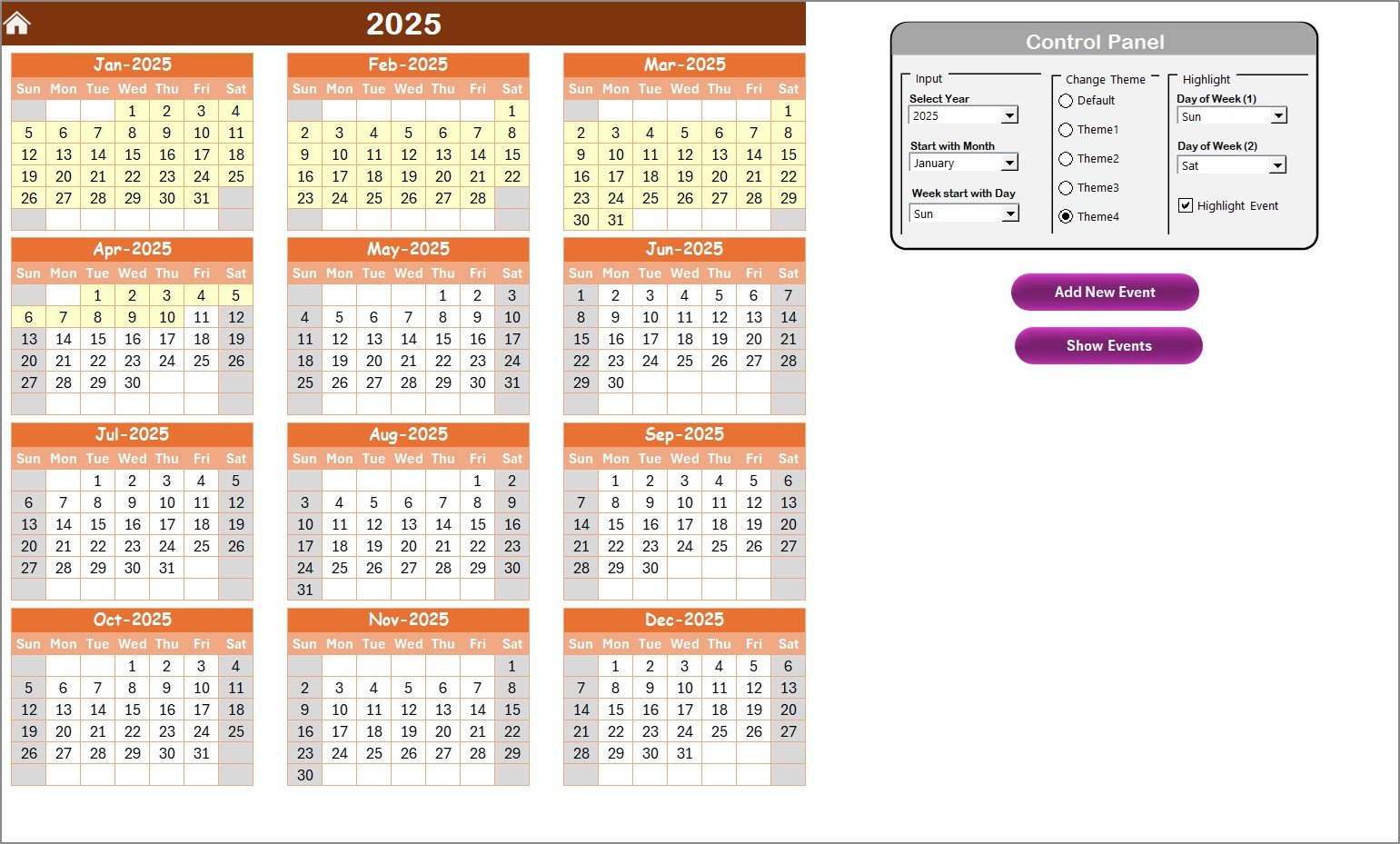
🎛️ Dynamic Control Panel
Customize the calendar for your team — select the year, start month, weekday preference, and even pick from 5 color themes.
🧠 Smart Event Highlights
Automatically highlight weekends or any two selected days. Plus, use the “Show Event” button to quickly see scheduled tasks.
🔁 Built-in Forms & Buttons
From adding events to updating or deleting them, everything is just a click away thanks to interactive Excel buttons.
🔒 Offline & Secure
No internet? No problem. This calendar works completely offline — perfect for secure environments or remote teams.
📦 What’s Inside the Technology Compliance Remote Work Calendar
Home Sheet Tab: Your command center with 4 navigation buttons.
Annual View Sheet: View 12 months, change themes, highlight key days.
Monthly View Sheet: See detailed event cells for a single selected month.
Daily View Sheet: Filter events by date range with quick selection tools.
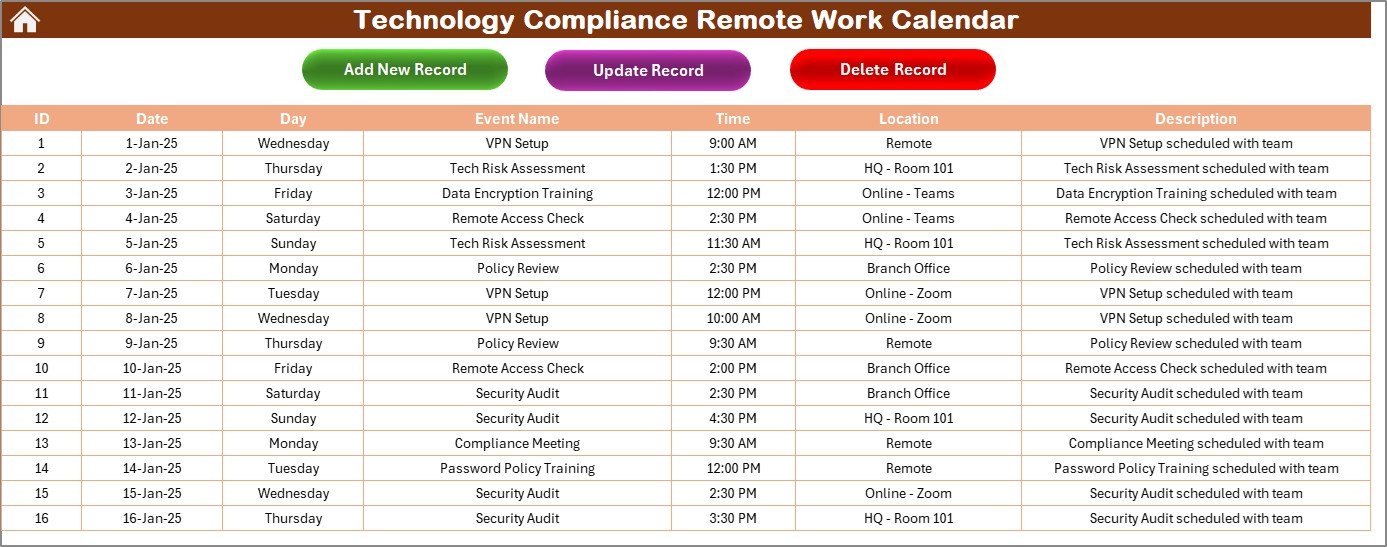
Events Sheet: Backend database storing all event details including:
Auto-generated ID
Date, Day, Event Name
Time & Location
Description
Every sheet is user-friendly and plug-and-play — no tech skills required!
🛠 How to Use the Technology Compliance Remote Work Calendar
Start at the Home Sheet: Use buttons to jump to views or event logs.
Customize in Annual View: Pick your year, theme, and highlight days.
Add an Event: Click the Add Event button, fill in the form, and hit submit.
Check Events: Use Show Event or go to the Events Sheet to view or edit.
Update/Delete Events: Everything managed with form buttons — no manual rows!
👥 Who Can Benefit from This Excel Calendar
✅ IT Compliance Officers – Stay on top of audit schedules and deadlines
✅ Remote Teams – Track internal syncs, security checks, or policy updates
✅ Project Managers – Plan milestones and review meetings
✅ HR Professionals – Monitor onboarding/offboarding and compliance training
✅ Freelancers & Consultants – Keep all project-related events in one place
No matter your industry, this calendar helps you work smarter, not harder.
📘 Click here to read the Detailed blog post
🎥 Visit our YouTube channel to learn step-by-step video tutorials
Watch the step-by-step video tutorial:
Compatibility and Requirements
- Works in Microsoft Excel desktop (Excel 2016 or later, or Microsoft 365).
- The calendar uses buttons and forms to add, update and delete events, so Excel needs macros enabled. Microsoft explains how in Enable or disable macros in Microsoft 365 files.
- It does not run in Excel for the web, Google Sheets or mobile Excel.
- The calendar works offline.
Frequently Asked Questions
Which sheets are included?
Five sheets: Home, Annual View, Monthly View, Daily View and Events. The Events sheet stores every event you add.
What details can I store for each event?
Each event has an auto-generated ID, a date, the day, an event name, a time, a location and a description.
Can I change the look of the calendar?
Yes. In the Annual View you can choose the year, the start month and the weekday preference. You can also pick one of 5 color themes and highlight weekends or any two days you select.
How do I add, update or delete an event?
Click the Add Event button, fill in the form and submit it. Updating and deleting work the same way, through form buttons, so you do not edit rows by hand.
Is there a version for another team or industry?
Yes. For example, see the Technology IT Remote Work Calendar in Excel or the Compliance Remote Work Calendar in Excel.
Related Calendar Templates
- Compliance Remote Work Calendar in Excel: the same calendar for general compliance work
- Technology IT Remote Work Calendar in Excel: a version for IT teams
- Technology HR Remote Work Calendar in Excel: a version for HR teams in tech companies
- Legal Compliance Calendar in Excel: track legal compliance dates
- Calendar & Planner Pack: 12 Excel and Google Sheets calendar templates in one download
Browse all Excel calendar templates.

































Reviews
There are no reviews yet.