


Student Counselling Calendar in Excel gives a school, college or university counselling team a ready-made scheduling workbook with 5 core calendar views, 7 verified product screens and 100 sample events across January to December 2026: one-on-one counselling clinics, mindfulness classes, peer support groups, career talks, parent-counsellor meetings and online wellbeing check-ins. It is built for Microsoft Excel for Windows desktop and uses macros for its buttons and event form, so enable macros after opening the file.
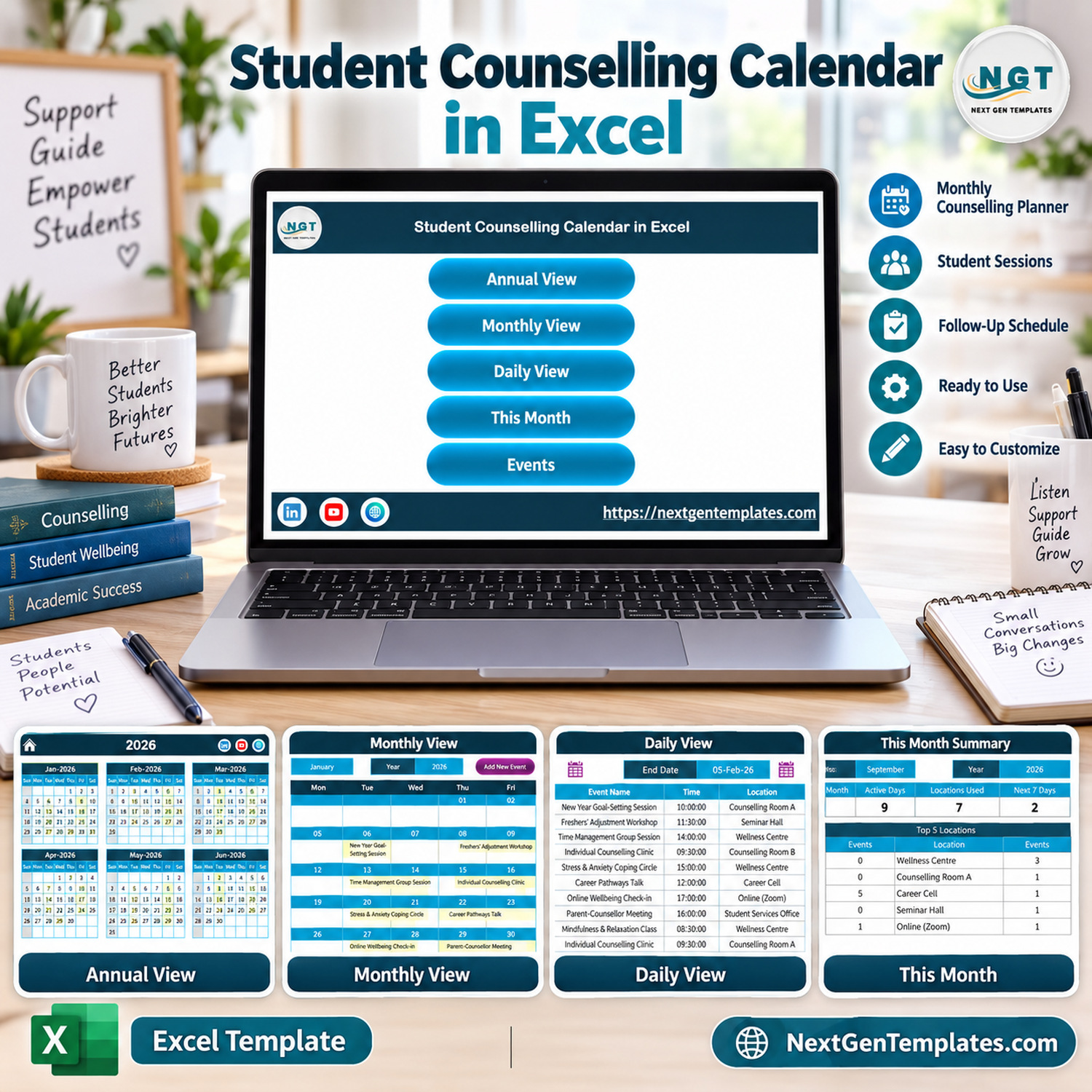
Key Features of the Student Counselling Calendar in Excel
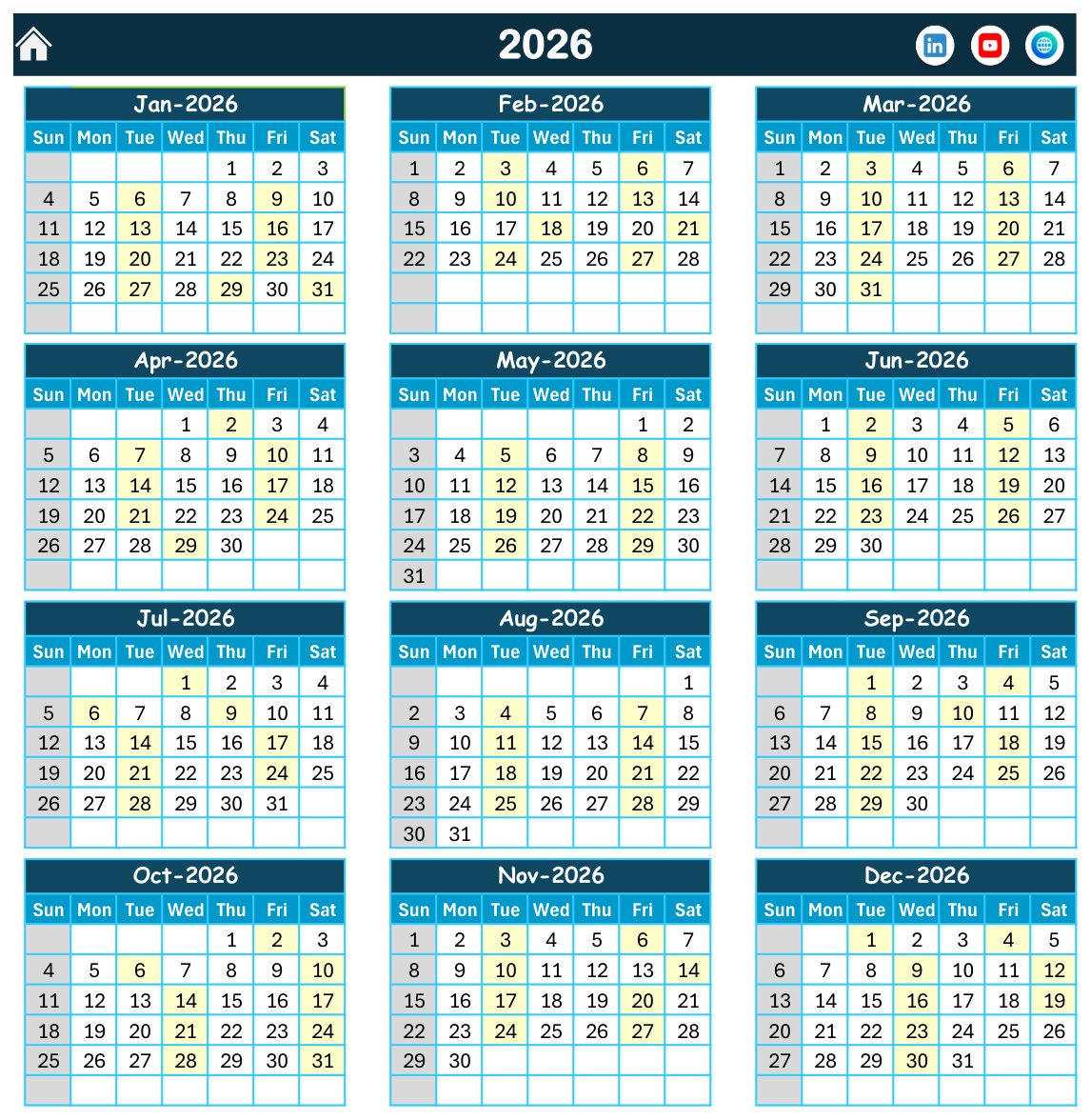
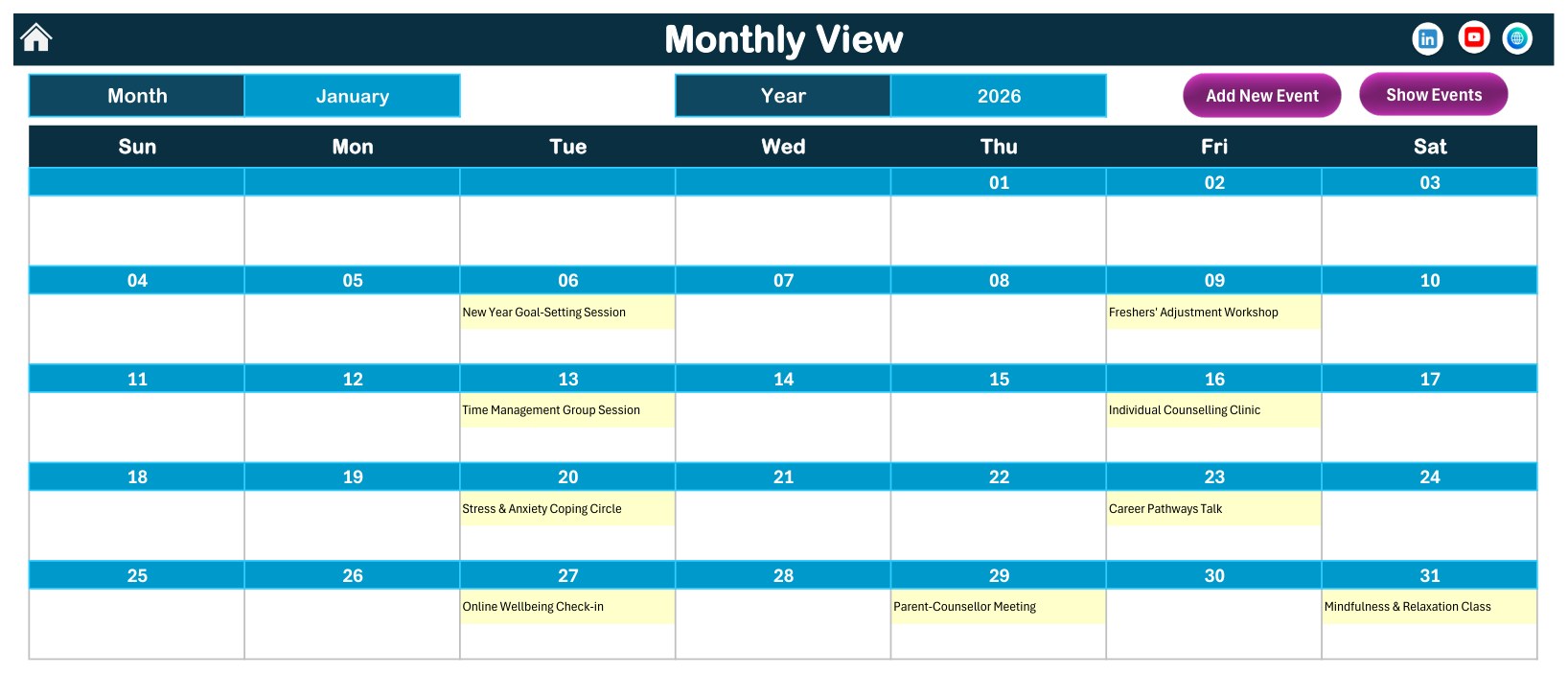
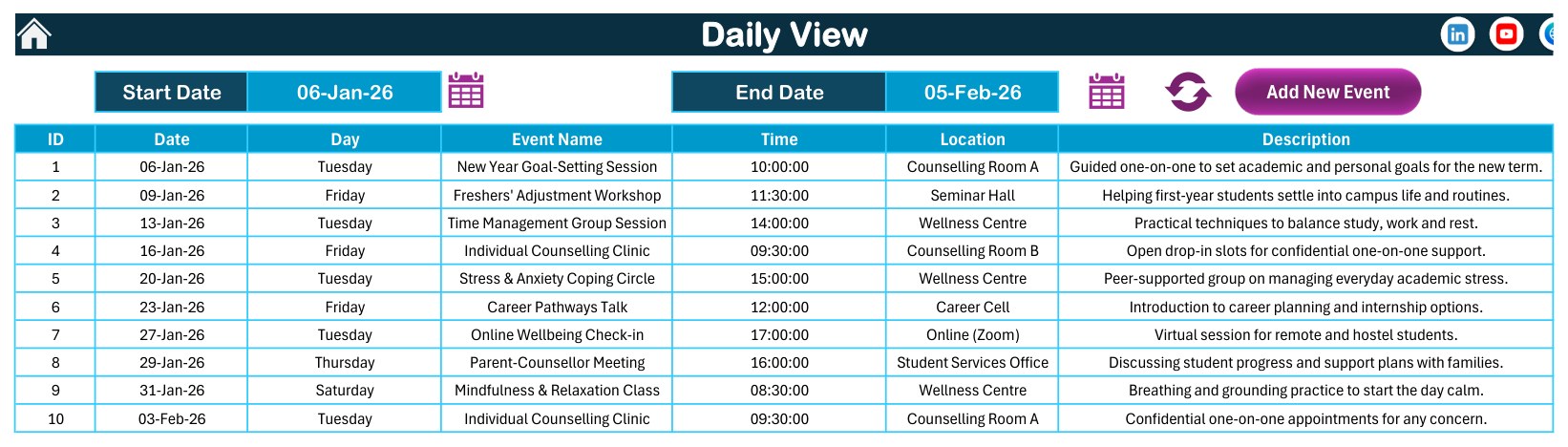
- Annual, monthly and daily views: see the whole counselling year, one selected month, or a date-range list of sessions without rebuilding formulas.
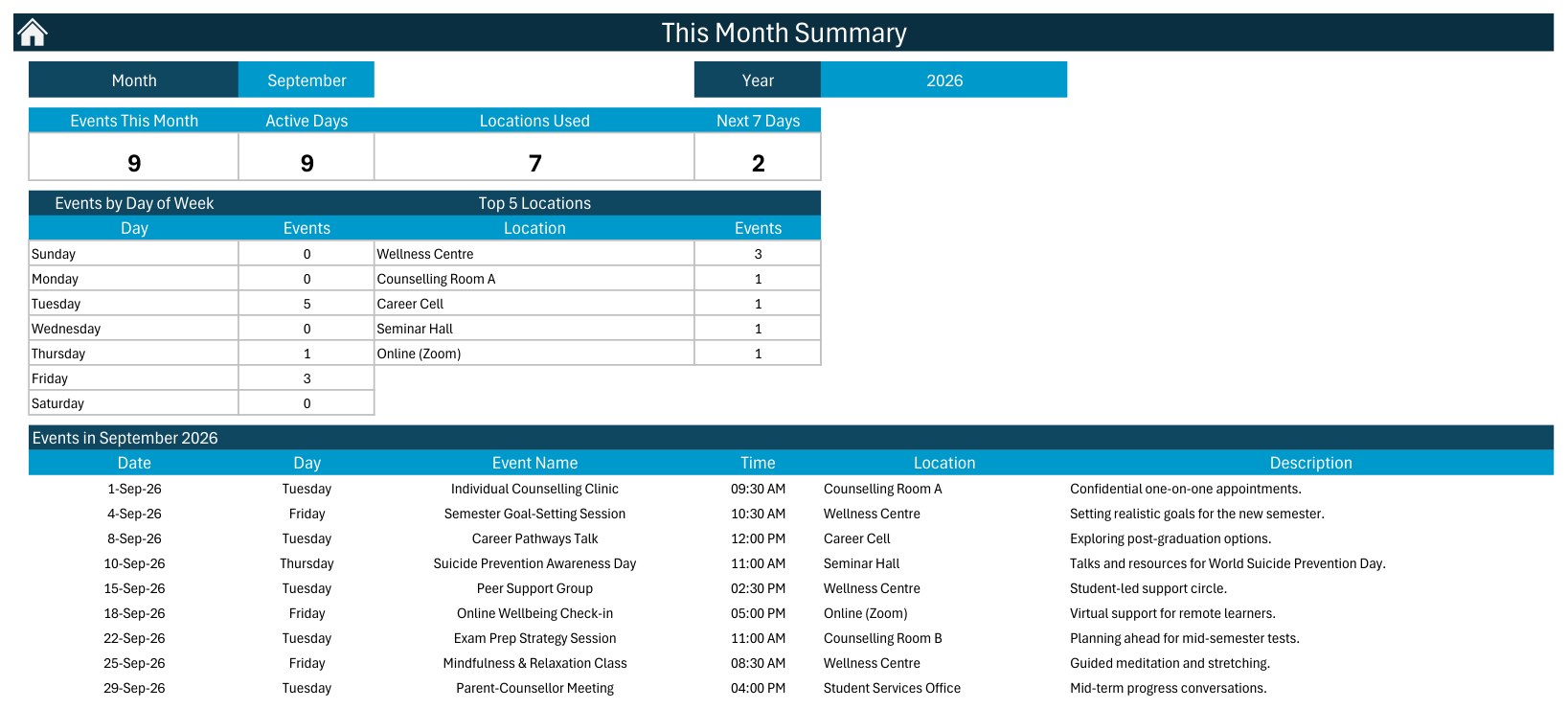
- This Month Summary: Events This Month, Active Days, Locations Used and Next 7 Days cards, plus Events by Day of Week, Top 5 Locations and the full event list for the selected month.
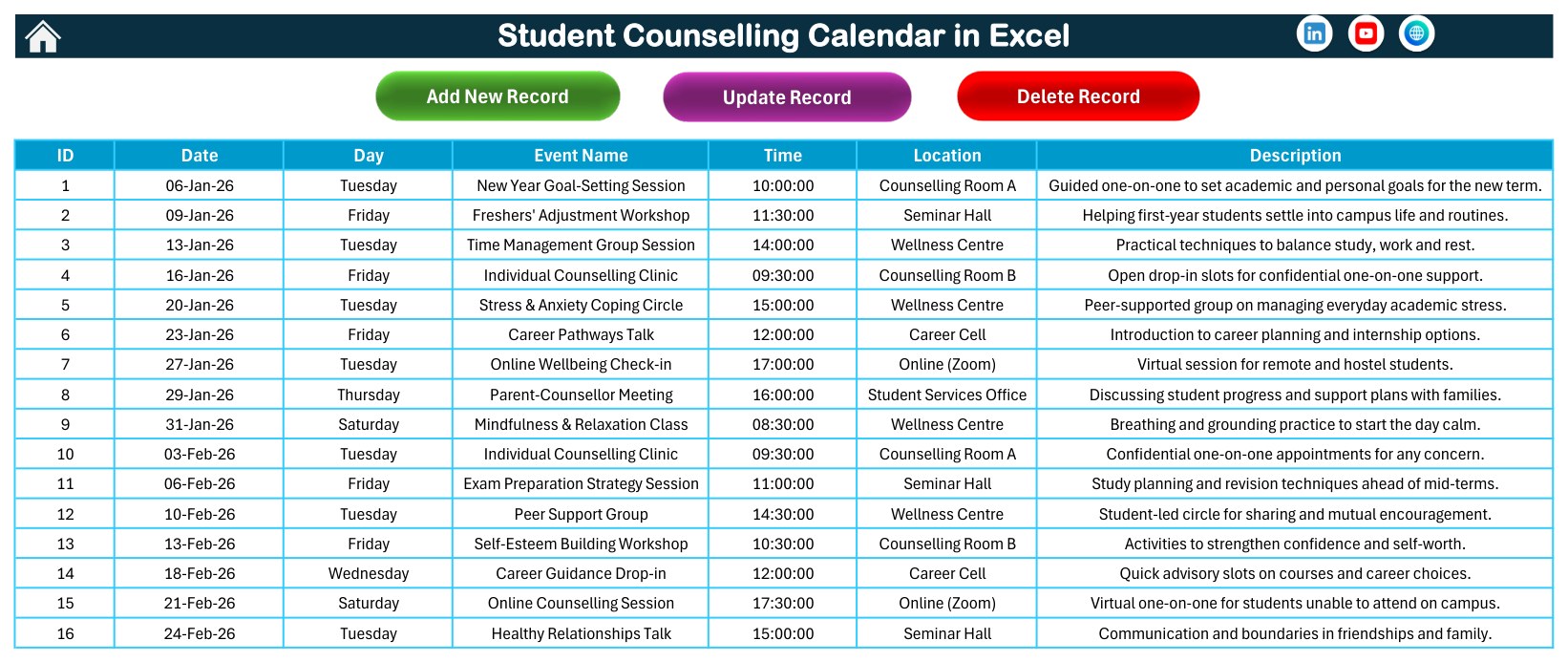
- Events database: one structured sheet with ID, Date, Day, Event Name, Time, Location and Description, with Add New Record, Update Record and Delete Record buttons.
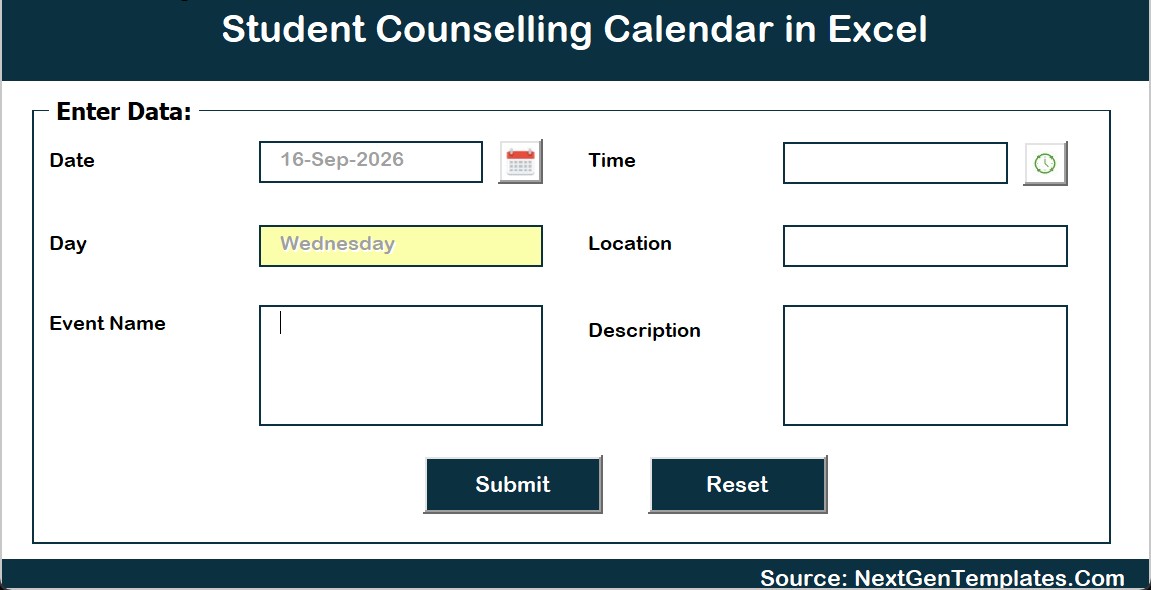
- Add New Event form: date picker, time picker, location, event name and description fields; the Day is filled in from the date.
- Theme and highlight settings: choose the year, starting month, first day of the week, two highlighted weekdays, event highlighting and one of 5 colour themes (Default, Blue, Red, Black, Orange).
- Realistic counselling sample data: 41 distinct event types over 7 locations (Wellness Centre, Counselling Room A, Counselling Room B, Seminar Hall, Career Cell, Student Services Office and Online (Zoom)). Every one of the 100 weekday labels matches its date.
What’s Inside the Workbook
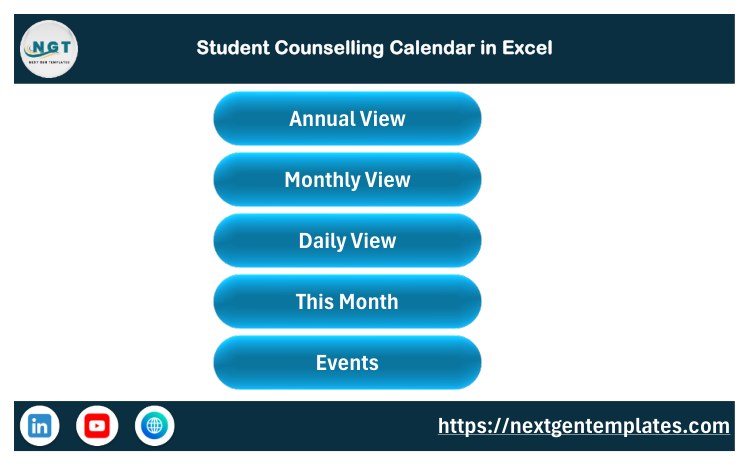
The download is a ZIP containing the macro-enabled workbook and the Excel Calendar user manual (PDF). The workbook has a Home sheet, Annual View, Monthly View, Daily View, This Month, Events and a Setting sheet, plus the Add New Event form. The screenshots below are the real product screens.
Excel Calendar vs. Google Sheets vs. Counselling Software – Where This Fits
| Factor | This Excel calendar | Google Sheets calendar | Paid counselling or case-management software |
|---|---|---|---|
| Best use | Planning counselling sessions, workshops and wellbeing events locally | A shared calendar edited in the browser | Student case records, referrals, notes and reporting |
| Setup time | Unzip, enable macros, replace the sample events | Make a copy and set sharing | Configure users, roles, forms and data policies |
| Year-1 cost at 5 users | One template purchase | One template purchase | Usually a recurring per-user or per-student subscription |
| Macros and forms | Yes, Excel VBA buttons and an event form | No Excel VBA | Vendor-defined workflows |
| Offline use | Yes, once downloaded | Online-first | Usually online-first |
| Confidential case notes | Not designed for them | Not designed for them | Typically the core purpose |
A Google Sheets edition, Student Counselling Calendar in Google Sheets, is also available for teams that prefer working in the browser. It is a separate build with its own sample events and screens.
Who This Template Is For – and Who It’s Not For
It is for school counsellors, college wellbeing teams, student services offices, career cells and pastoral-care coordinators who plan individual counselling clinics, group sessions, awareness days, exam-stress workshops and parent-counsellor meetings in Excel.
It is not a counselling case-management system, a clinical or mental-health record, or a crisis-support tool. It does not store consent, referrals or session notes securely, does not send reminders or calendar invites, and makes no confidentiality, safeguarding or regulatory-compliance claims. The sample events carry no student names or identifiers; keep it that way in your own copy and use anonymous codes (for example S-014) if you need to reference a student.
How to Use the Student Counselling Calendar
- Download the ZIP and extract it to a trusted folder.
- Open the workbook in Microsoft Excel for Windows desktop and enable macros when prompted.
- Use the Home buttons to open Annual View, Monthly View, Daily View, This Month or Events.
- On the Setting sheet, choose the year, starting month, first day of the week, highlighted weekdays and colour theme.
- Add sessions with the Add New Event form, or edit and delete them from the Events sheet buttons.
- Pick a month on the Monthly View or a date range on the Daily View to review what is coming up.
If your institution manages macro security centrally, check Microsoft’s guidance on enabling or disabling macros in Microsoft 365 files first.
Real-World Use Cases
School counselling office
Plan weekly drop-in clinics, time-management and self-esteem workshops, and parent-counsellor meetings across the term, then brief staff from the Daily View.
University wellbeing centre
Schedule mindfulness classes, peer support groups, exam-anxiety circles and awareness days, and use the This Month Summary to see which rooms and weekdays carry the load.
Career cell and student services
Map career pathway talks, resume and interview-skills workshops and orientation support alongside wellbeing sessions in one calendar.
Good to Know Before You Buy
- The Monthly View cell shows the first event on a date and adds an “N more” note when several events share that day; use the Daily View for the full list.
- The calendar does not detect or block overlapping bookings for the same room or counsellor.
- The workbook is built for Excel for Windows desktop; Excel Online and the mobile apps do not run its macros, buttons or form.
Frequently Asked Questions
Does the calendar require macros?
Yes. It is a macro-enabled workbook for Microsoft Excel for Windows desktop; the navigation buttons, record buttons and event form need macros enabled.
Can I replace the sample events?
Yes. The Events sheet feeds every view. Delete or overwrite the 100 sample rows with your own sessions, workshops and meetings.
Should I enter student names?
We recommend against it. The template is a scheduling tool, not a secure record. Use session titles or anonymous codes, and keep confidential notes in your institution’s approved system.
Can I change the year and start month?
Yes. The Setting sheet controls the year, starting month and first day of the week, and the Monthly View has its own month and year selectors.
Does it send reminders to students?
No. It does not send email, SMS, WhatsApp or calendar invitations.
Can I use my own locations?
Yes. Type any room, hall or online meeting name in the Location field, and the This Month Summary will count it.
You May Also Like
- Mental Health Session Calendar in Excel
- Parent-Teacher Meeting Calendar in Excel
- Student Attendance Calendar in Excel
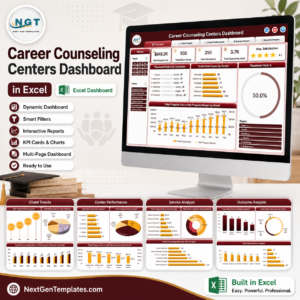
- Career Counseling Centers Dashboard in Excel
Read the full walkthrough on the blog: Student Counselling Calendar in Excel guide. For video tutorials, visit PK: An Excel Expert on YouTube.
Watch the demo video:
Related Calendar and Education Templates
- Student Counselling Calendar in Google Sheets: the same calendar for teams that work in the browser
- Mental Health Session Calendar in Excel: schedule wellbeing sessions in Excel
- Parent-Teacher Meeting Calendar in Excel: plan parent and teacher meetings
- Student Attendance Calendar in Excel: track attendance by date
- Printable Holiday and Event Calendar in Excel: a free calendar for holidays and school events
Browse all Excel calendar templates and Excel education templates.































Reviews
There are no reviews yet.