

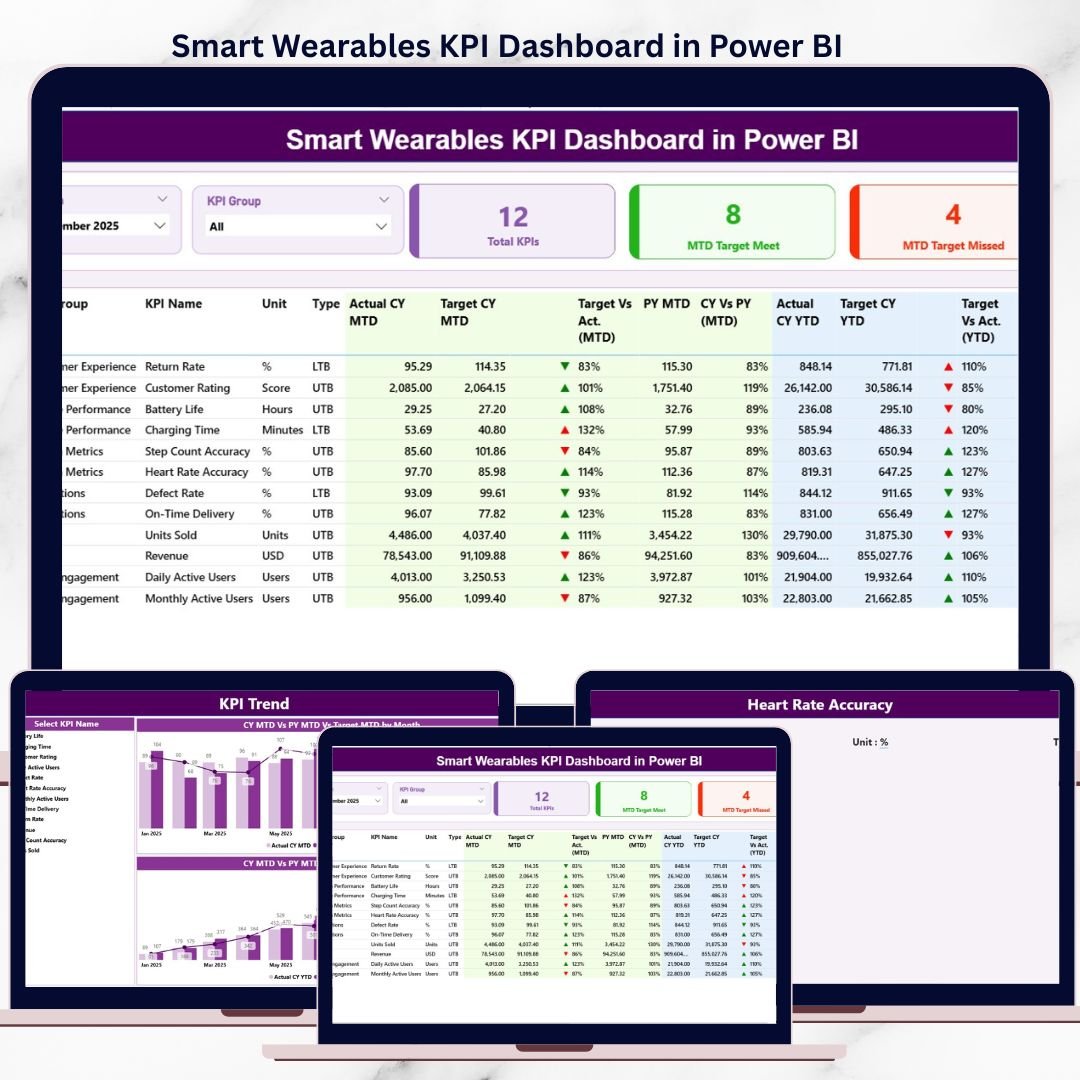

Smart Wearables KPI Dashboard are transforming healthcare, fitness, sports, and lifestyle industries at an unprecedented pace ⌚📈. From device usage and engagement metrics to performance targets and historical trends, smart wearables businesses generate massive volumes of KPI data every month. However, when this data remains locked in Excel sheets or static reports, it becomes difficult to analyze and act on.
That is exactly where the Smart Wearables KPI Dashboard in Power BI delivers real value 🚀.
This professionally designed Power BI dashboard converts raw smart wearables data into clear, interactive, and actionable KPI insights. Instead of manually compiling reports or switching between multiple spreadsheets, decision-makers can monitor MTD, YTD, Target, and Previous Year performance from a single, unified dashboard.
The dashboard uses Microsoft Power BI for visualization and Microsoft Excel as the data source, making it both powerful and easy to maintain. You simply update the Excel file, refresh the Power BI report, and instantly see updated KPIs. No complex coding, no heavy IT dependency.
Whether you are a smart wearable manufacturer, health-tech startup, IoT analytics team, or product manager, this dashboard helps you track performance accurately, identify gaps early, and make faster data-driven decisions with confidence.
🔑 Key Features of Smart Wearables KPI Dashboard in Power BI
📊 Centralized KPI tracking in one Power BI dashboard
📅 Month and KPI Group slicers for dynamic filtering
📈 MTD & YTD Actual vs Target comparison
🔄 Current Year vs Previous Year analysis
⬆️⬇️ Performance indicators with up/down icons
📉 MTD & YTD KPI trend combo charts
📘 Built-in KPI Definition drill-through page
⚡ Excel-based data input (easy to update)
🚀 No coding required for end users
📂 What’s Inside the Smart Wearables KPI Dashboard in Power BI
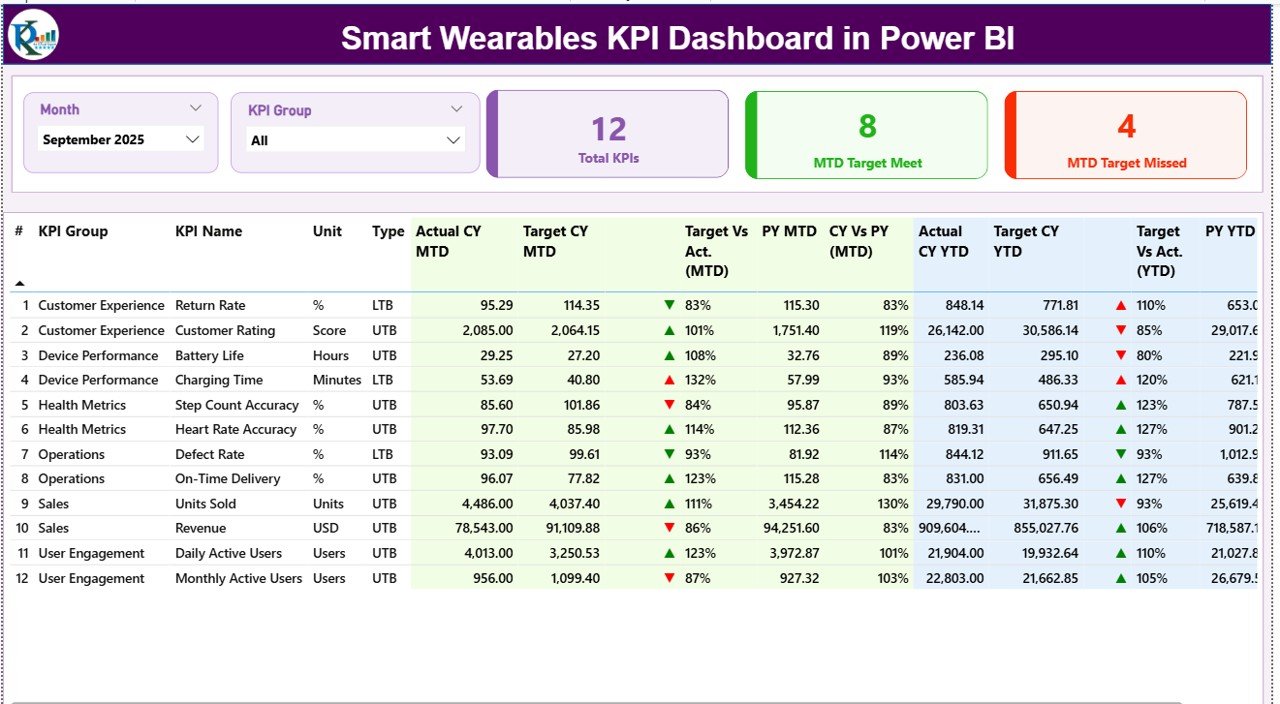
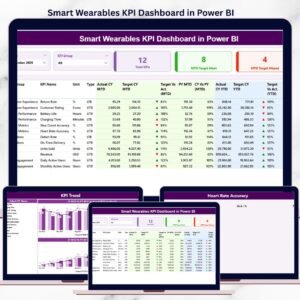
📌 Summary Page – Complete KPI Snapshot
Smart Wearables KPI Dashboard
The Summary Page is the main control panel of the dashboard.
Key elements include:
📅 Month slicer for period-wise analysis
🗂️ KPI Group slicer to focus on specific KPI categories
High-impact KPI cards:
📊 Total KPIs Count
✅ MTD Target Met Count
❌ MTD Target Missed Count
Detailed KPI table with:
KPI Number, Group, Name, Unit, and Type (UTB / LTB)
Actual CY MTD vs Target CY MTD
Target vs Actual (MTD %)
Previous Year MTD and CY vs PY comparison
Actual CY YTD vs Target CY YTD
Target vs Actual (YTD %)
Previous Year YTD and CY vs PY comparison
⬆️⬇️ Visual indicators instantly highlight over-performance and under-performance, allowing leaders to act quickly.
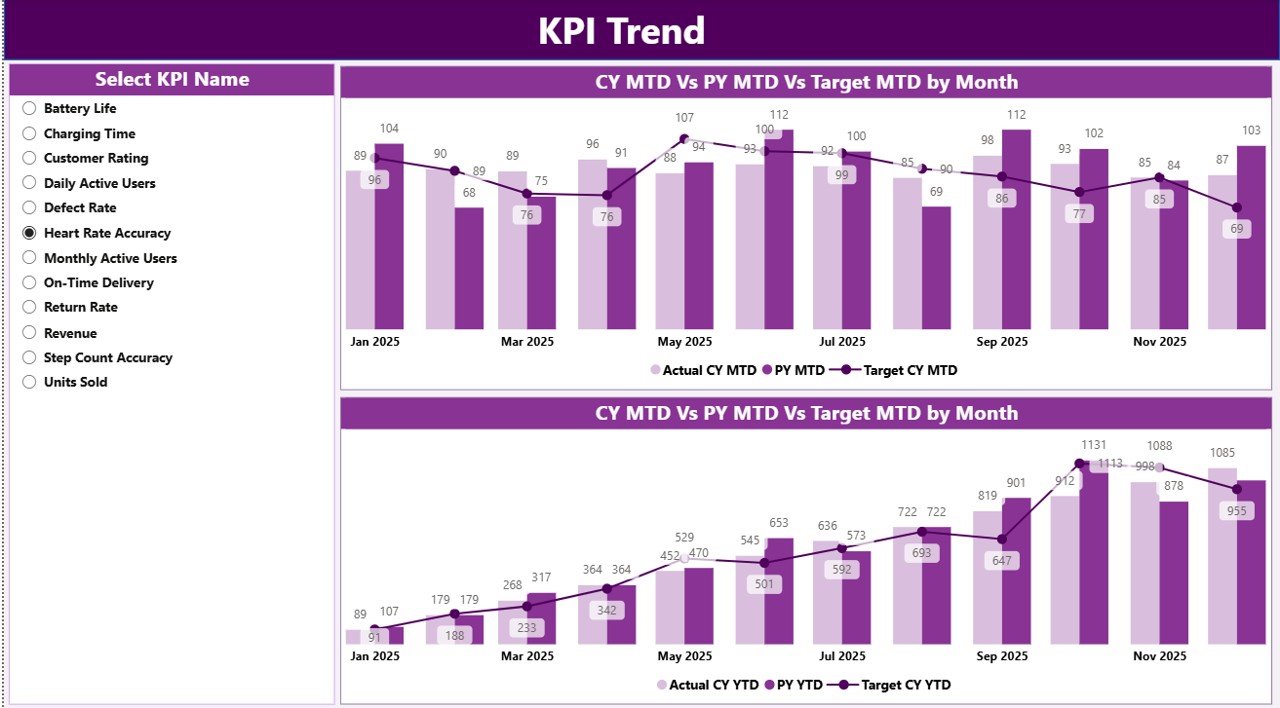
📉 KPI Trend Page – Performance Over Time
The KPI Trend Page focuses on trend-based analysis.
Interactive features:
🎯 KPI Name slicer on the left
📊 Two combo charts showing:
MTD Actual vs Target vs Previous Year
YTD Actual vs Target vs Previous Year
This page helps users:
Identify growth or decline trends
Detect seasonality patterns
Understand long-term KPI behavior
As a result, strategy discussions become data-backed instead of assumption-based.
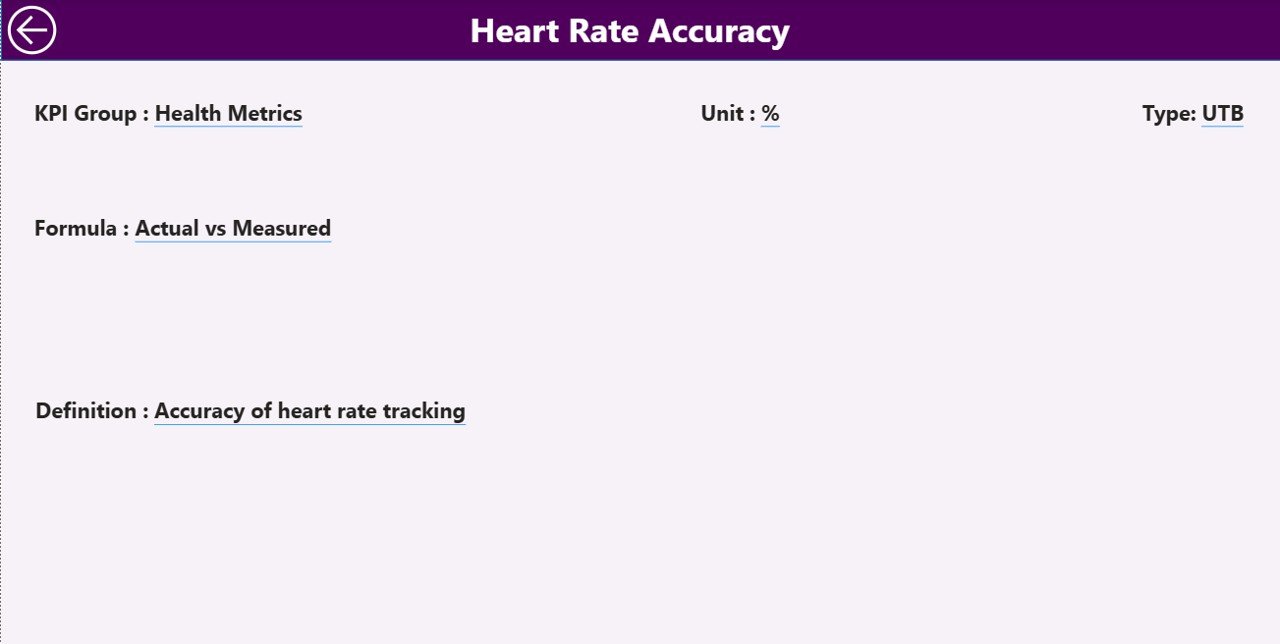
📘 KPI Definition Page – Clarity & Consistency
The KPI Definition Page acts as a KPI knowledge base.
What it includes:
KPI Formula
KPI Definition
KPI Type (Upper the Better / Lower the Better)
This page is available as a drill-through from the Summary Page, ensuring users always understand what each KPI means. A back button allows easy return to the main dashboard.
📊 Excel Data Source Structure (Simple & Scalable)
The dashboard connects to a structured Excel file with three sheets:
📥 Input_Actual Sheet
Stores actual performance values:
KPI Name
Month (first date of month)
MTD Actual
YTD Actual
🎯 Input_Target Sheet
Stores target values:
KPI Name
Month
MTD Target
YTD Target
📘 KPI Definition Sheet
Stores KPI metadata:
KPI Number
KPI Group
KPI Name
Unit
Formula
Definition
Type (UTB / LTB)
This structure ensures clean data, easy updates, and reliable insights.
🎯 Who Should Use This Dashboard?
⌚ Smart Wearable Manufacturers
🏃 Health & Fitness Tech Companies
📡 IoT & Wearable Analytics Teams
📊 Product & Operations Managers
📈 Business Analysts & Leadership Teams
▶️ Visit our YouTube channel to learn step-by-step video tutorials
https://youtube.com/@PKAnExcelExpert
🔗 Click here to read the Detailed blog post
Watch the step-by-step video tutorial:
Compatibility and Requirements
- Works in Power BI Desktop, which is free. Microsoft explains how to get it in Get Power BI Desktop.
- The data source is a Microsoft Excel file with three sheets: Input_Actual, Input_Target and KPI Definition.
Frequently Asked Questions
Where do I enter my data?
In the Excel file. Add actual values to the Input_Actual sheet and targets to the Input_Target sheet, then refresh the Power BI report.
Which pages does the dashboard have?
Three pages: Summary, KPI Trend and KPI Definition. The KPI Definition page opens as a drill-through from the Summary page.
Can I compare this year with last year?
Yes. The Summary page shows current year against previous year for both MTD and YTD, next to actual and target values.
How do I see the trend for one KPI?
Open the KPI Trend page and pick the KPI name in the slicer. Two combo charts show MTD and YTD actual, target and previous year.
Is there an Excel version?
Yes. See the Smart Wearables KPI Dashboard in Excel.
Related Smart Technology Dashboards
- Smart Wearables KPI Dashboard in Excel: the same KPIs in Excel
- Smart Home Industry KPI Dashboard in Power BI: a Power BI dashboard for the smart home industry
- Smart Cities KPI Dashboard in Power BI: a Power BI dashboard for smart city programs
- Smart Agriculture KPI Dashboard in Power BI: a Power BI dashboard for smart farming
- Power BI Dashboard Mega Collection: 15 Power BI templates in one download
Browse all Power BI KPI dashboards.































Reviews
There are no reviews yet.