

The robotics industry is evolving faster than ever across manufacturing, automation, logistics, healthcare, and smart factories 🤖. As competition intensifies, robotics companies must track performance accurately to stay ahead. However, when KPIs are managed using scattered Excel files or manual reports, teams lose visibility, alignment, and control. That is why the Robotics Industry KPI Scorecard in Excel is an essential performance management tool for modern robotics organizations.
This ready-to-use Excel KPI scorecard helps you monitor, analyze, and compare key robotics KPIs in one centralized and structured file. Instead of spending hours calculating metrics manually, this scorecard automatically tracks Month-to-Date (MTD) and Year-to-Date (YTD) performance, enabling faster and smarter decision-making 📊.
Built entirely in Microsoft Excel, this KPI scorecard is easy to use, highly flexible, and cost-effective—making it ideal for both growing robotics startups and established automation companies.
✅ Key Features of Robotics Industry KPI Scorecard in Excel
The Robotics Industry KPI Scorecard in Excel is designed to deliver clear insights with minimal effort 🚀.
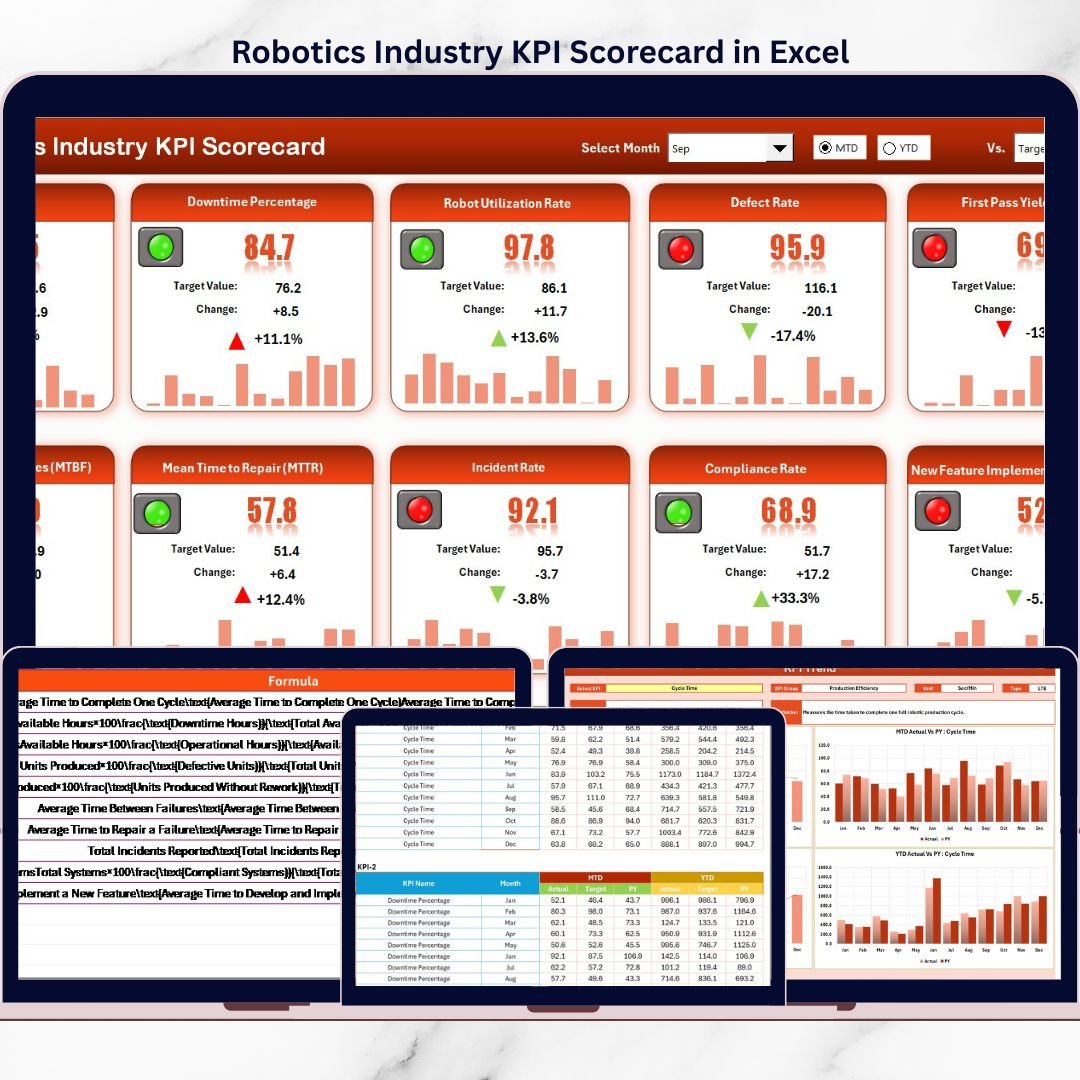
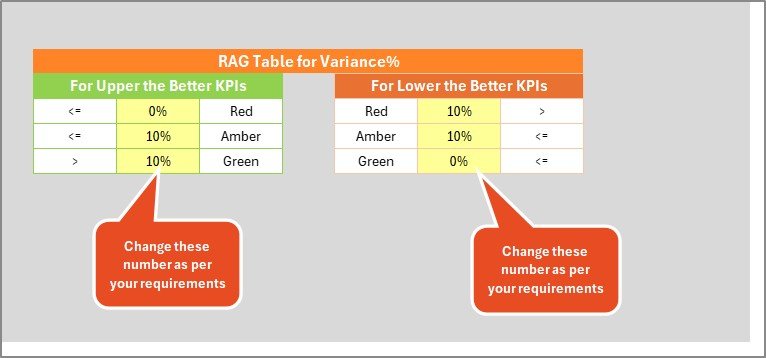
It provides a centralized scorecard view where users can compare Actual vs Target KPI values instantly. Color-coded indicators and conditional formatting highlight whether targets are met or missed, allowing quick performance reviews.
The scorecard supports:
MTD and YTD performance tracking
KPI group-wise analysis
Unit-based KPI measurement
Visual performance indicators
With dropdown-based period selection, users can easily switch between months and analysis types. As soon as data is updated, all calculations and visuals refresh automatically saving time and reducing errors.
📦 What’s Inside the Robotics Industry KPI Scorecard in Excel
This product includes four professionally structured worksheets, each serving a specific purpose:
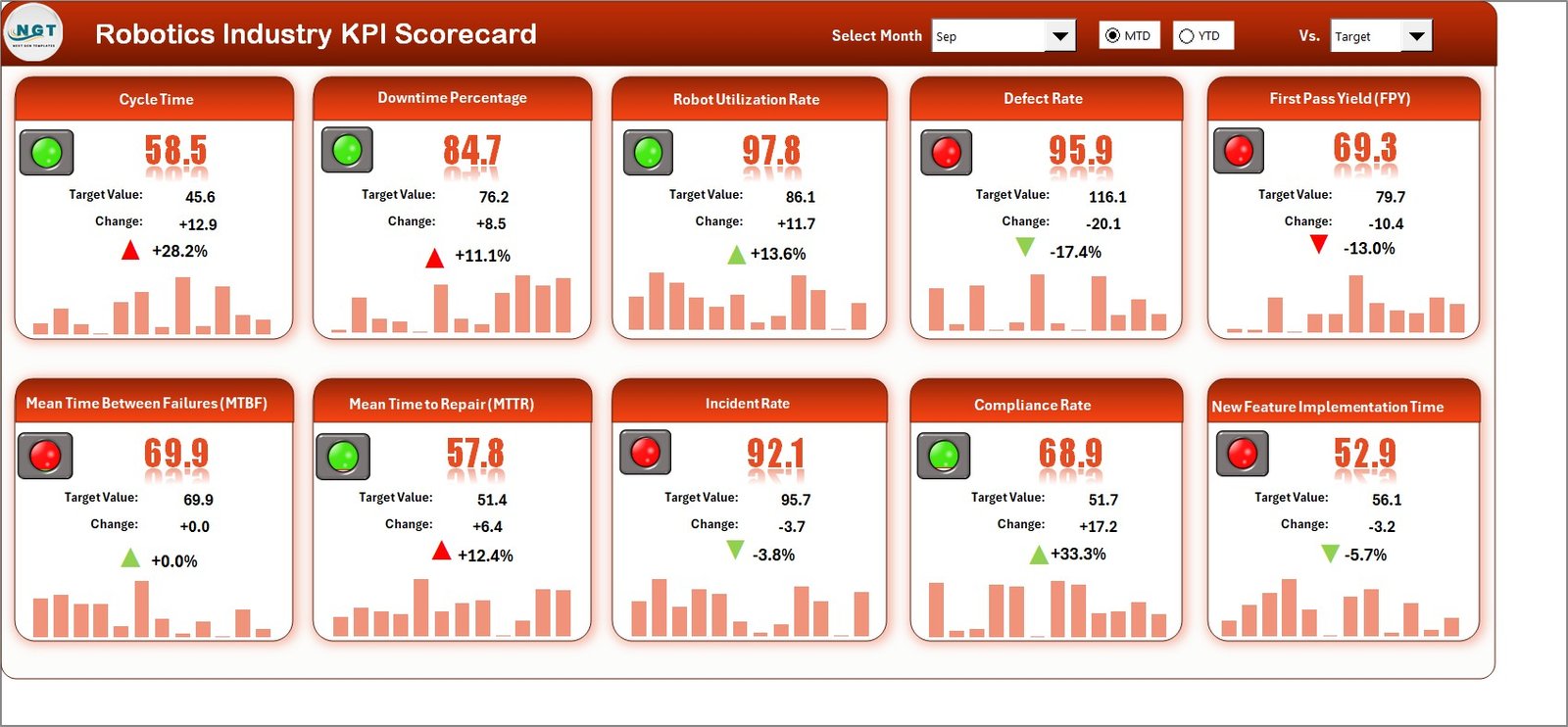
1️⃣ Scorecard Sheet
This is the main dashboard view showing all KPIs in one place. It displays:
KPI Name and Group
Unit of measurement
Actual vs Target values
MTD and YTD results
Visual indicators for performance status
Because everything appears on a single screen, management reviews become fast and effective.
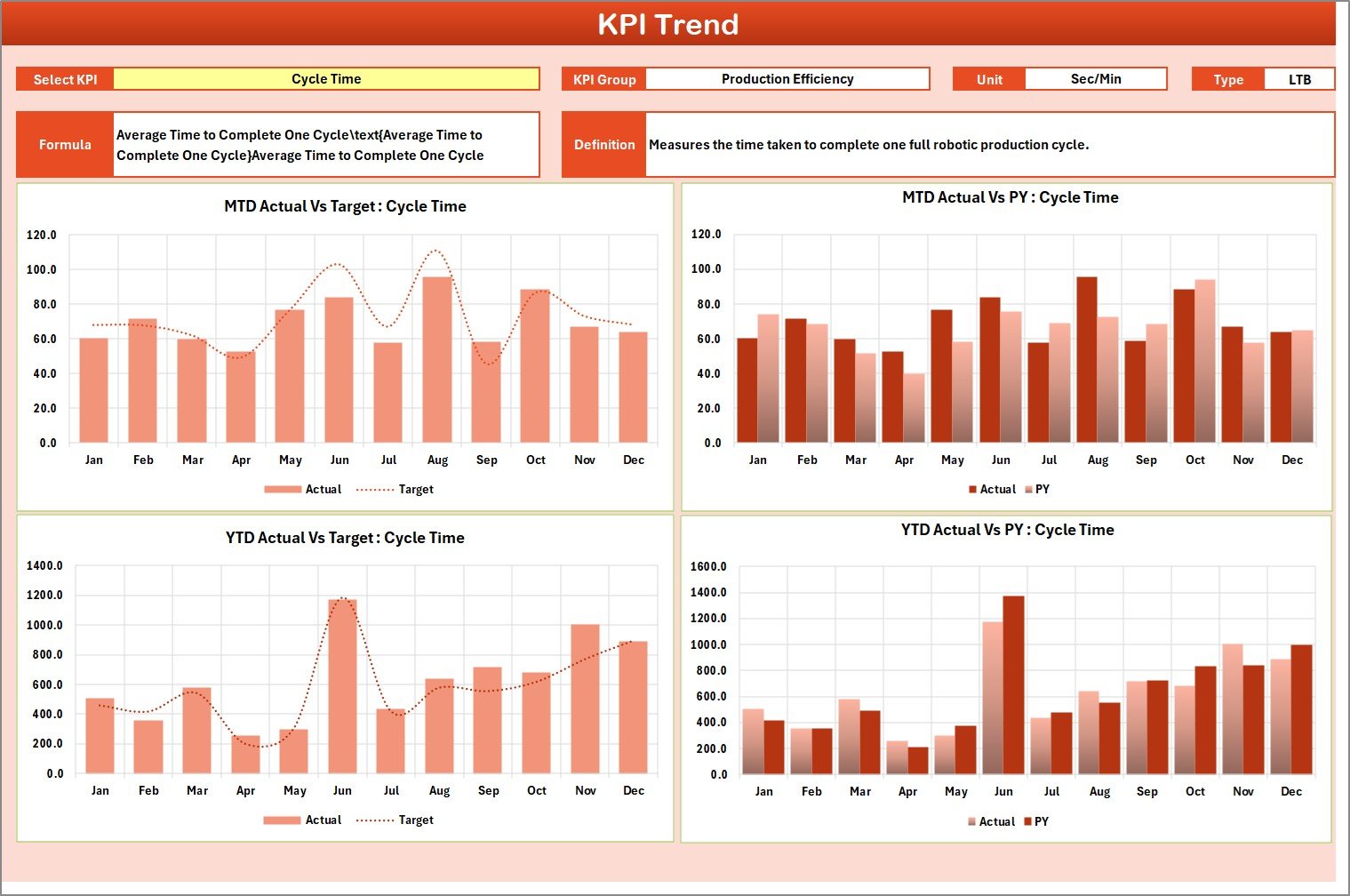
2️⃣ KPI Trend Sheet
This sheet focuses on trend analysis 📈. Users select a KPI from a dropdown, and the sheet automatically updates to show:
KPI definition and formula
KPI type (LTB or UTB)
MTD, YTD, and Previous Year trends
Trend charts help teams understand performance patterns over time.
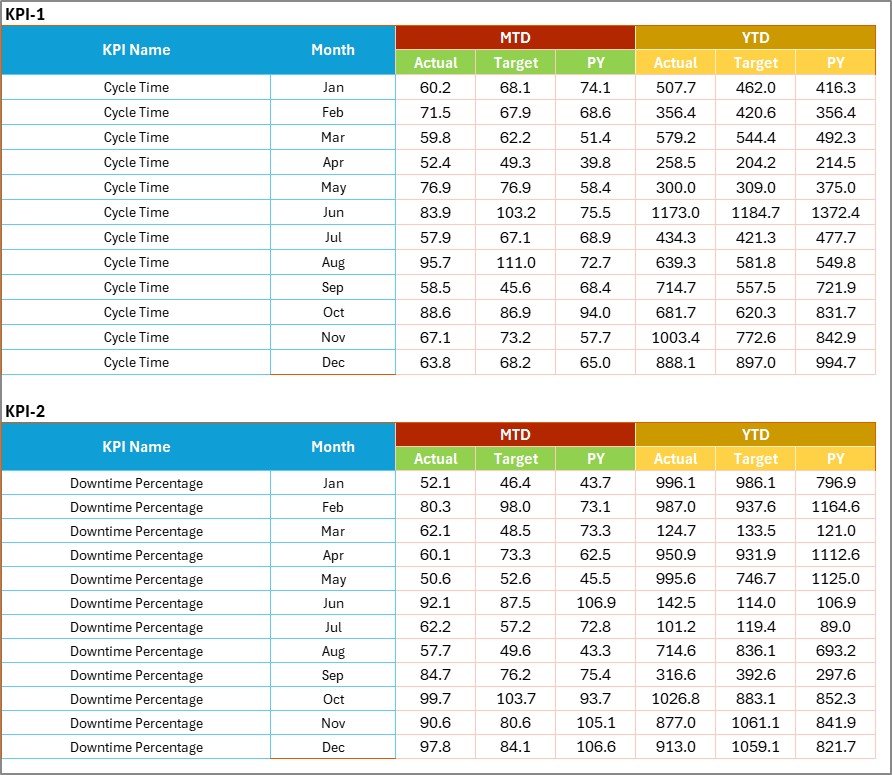
3️⃣ Input Data Sheet
This sheet acts as the data foundation. Users enter:
Actual KPI values
Target values
Time-based data
Structured data entry ensures accuracy and consistency across the scorecard.
4️⃣ KPI Definition Sheet
This sheet stores:
KPI names
KPI groups
Units
Formulas
Definitions
It ensures clarity, consistency, and proper KPI interpretation across teams.
🛠️ How to Use the Robotics Industry KPI Scorecard in Excel
Using the scorecard is simple and intuitive 👍.
First, enter actual and target KPI values in the Input Data sheet.
Next, select the month and analysis type from dropdowns in the Scorecard sheet.
Then, review Actual vs Target comparisons and visual indicators.
Finally, analyze performance trends using the KPI Trend sheet.
Because everything is automated, managers always get up-to-date insights without manual calculations.
👥 Who Can Benefit from This Robotics Industry KPI Scorecard
This KPI scorecard is ideal for:
Robotics Operations Managers
Manufacturing Managers
Automation Engineers
Quality Assurance Teams
Plant Heads
Business & Performance Analysts
It works perfectly for robotics manufacturing units, automation solution providers, and smart factory environments.
🔗 Click here to read the Detailed blog post
🎥 Visit our YouTube channel to learn step-by-step video tutorials
👉 https://www.youtube.com/@PKAnExcelExpert
Watch the step-by-step video tutorial:
Compatibility and Requirements
- Works in Microsoft Excel desktop (Excel 2016 or later, or Microsoft 365).
- The Scorecard and KPI Trend sheets use dropdowns to pick the month, the analysis type and the KPI. Microsoft explains them in Create a drop-down list.
Frequently Asked Questions
Which sheets are included?
Four sheets: Scorecard, KPI Trend, Input Data and KPI Definition.
Where do I enter my KPI numbers?
Enter actual values, target values and time-based data in the Input Data sheet. The Scorecard and KPI Trend sheets update from it.
Does it show month-to-date and year-to-date results?
Yes. The Scorecard sheet shows MTD and YTD results. You choose the month and the analysis type from dropdowns.
How do I see the trend for one KPI?
Open the KPI Trend sheet and select the KPI from the dropdown. It shows the definition, the formula, the KPI type (LTB or UTB) and the MTD, YTD and Previous Year trends.
Is there a dashboard version of this template?
Yes. See the Robotics Industry KPI Dashboard in Excel, the Robotics Industry KPI Dashboard in Power BI and the Robotics Industry KPI Dashboard in Google Sheets.
Related Robotics and KPI Scorecard Templates
- Robotics Industry KPI Dashboard in Excel: the dashboard edition of the same KPIs
- Robotics Industry KPI Dashboard in Power BI: the Power BI edition
- Robotics Industry KPI Dashboard in Google Sheets: the Google Sheets edition
- Manufacturing KPI Scorecard in Excel: a scorecard for plant and production metrics
- KPI Scorecard Mega Pack: 12 KPI scorecard templates in one download
Browse all Excel KPI dashboards.