


The Radio & Podcasts Dashboard is expanding faster than ever. Every day, millions of listeners tune in from different countries, devices, platforms, and audio apps. Content creators, radio stations, and podcast networks must track performance continuously—because listener behavior changes quickly, sponsorship trends shift, and marketing costs vary. Traditional spreadsheets and manual reports cannot meet the speed and accuracy the industry demands.
A Radio & Podcasts Dashboard in Power BI solves this problem completely. It transforms raw audio performance data into beautiful visuals, actionable metrics, and real-time insights. With a single click, you can understand what content works, which platforms generate more revenue, which regions perform better, and how your monthly marketing costs are behaving.
This ready-to-use dashboard is built to support radio channels, podcast creators, streaming platforms, advertisers, and media managers. It helps you remove guesswork and make confident, data-driven decisions.
🎧 Key Features of the Radio & Podcasts Dashboard in Power BI
Designed with five powerful analytical pages, this dashboard gives teams full control over revenue, cost, satisfaction scores, device usage, platform trends, and country-wise performance.
🎙️ What’s Inside the Radio & Podcasts Dashboard in Power BI?
(Each section below is built using clean visuals, slicers, and dynamic Power BI charts.)
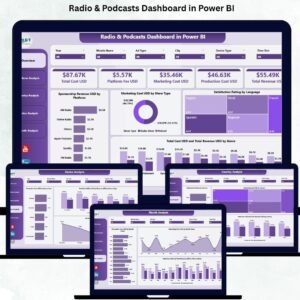
⭐ 1) Overview Page – The Command Center of the Dashboard
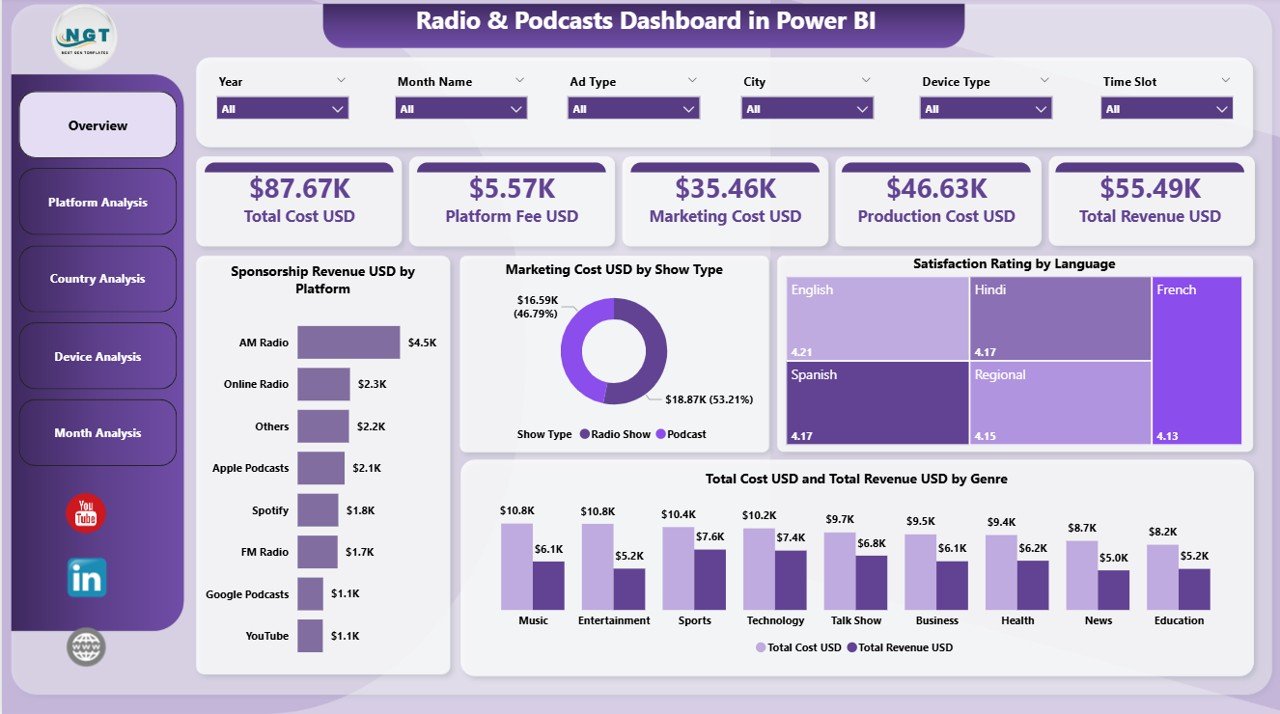
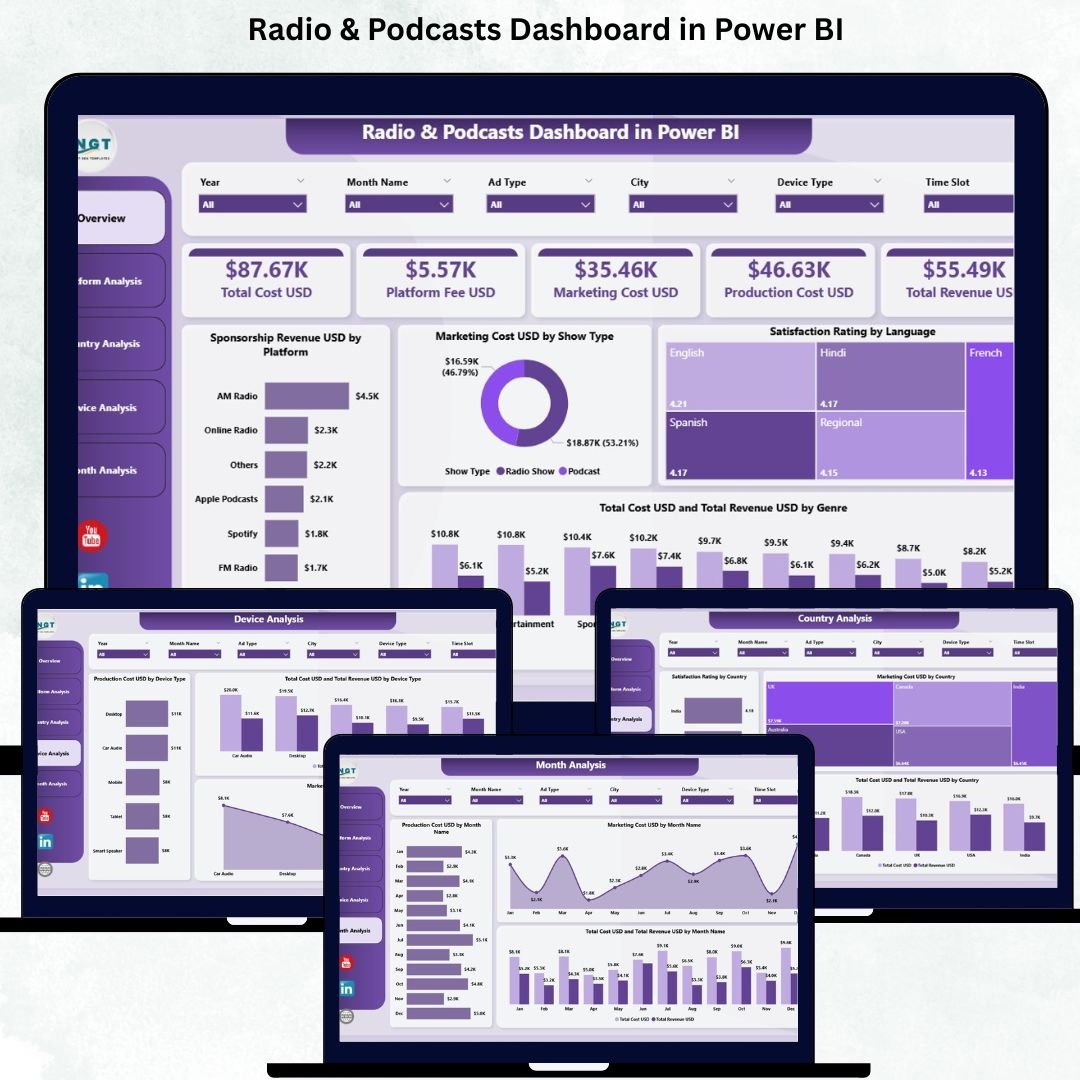
The Overview Page gives you a complete snapshot of business performance.
🔹 KPI Cards Include:
💰 Total Sponsorship Revenue (USD)
📢 Total Marketing Cost (USD)
⭐ Total Satisfaction Rating
📊 Total Cost & Total Revenue
🔹 Charts Included:
Sponsorship Revenue by Platform
Marketing Cost by Show Type
Satisfaction Rating by Language
Total Cost & Revenue by Genre
With slicers for platform, month, country, device, or show type—users get clean, instant insights.
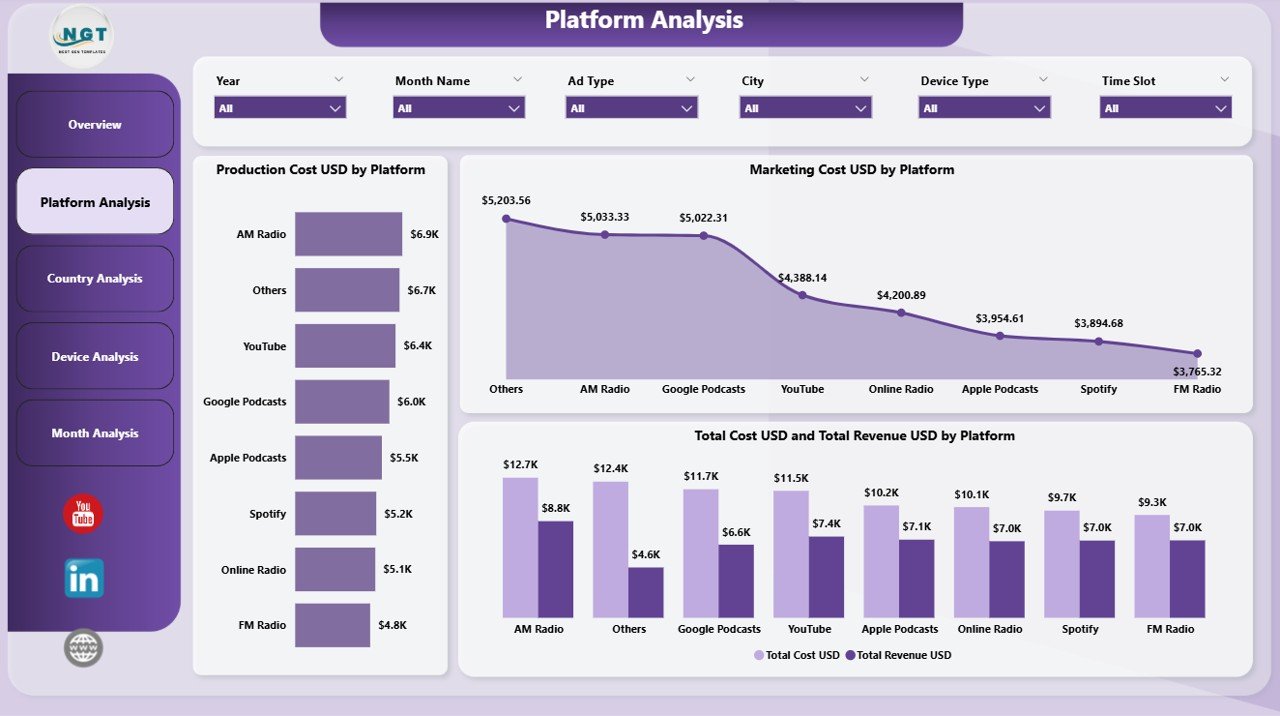
⭐ 2) Platform Analysis – Compare All Audio Platforms
The Platform Analysis Page helps you evaluate performance across listening platforms like:
🎧 Spotify
📻 FM Radio
🎵 Apple Podcasts
📺 YouTube
📱 Amazon Music
…and more.
Charts Included:
Production Cost by Platform
Marketing Cost by Platform
Total Cost & Revenue by Platform
This helps teams decide where to invest, promote, and publish for maximum returns.
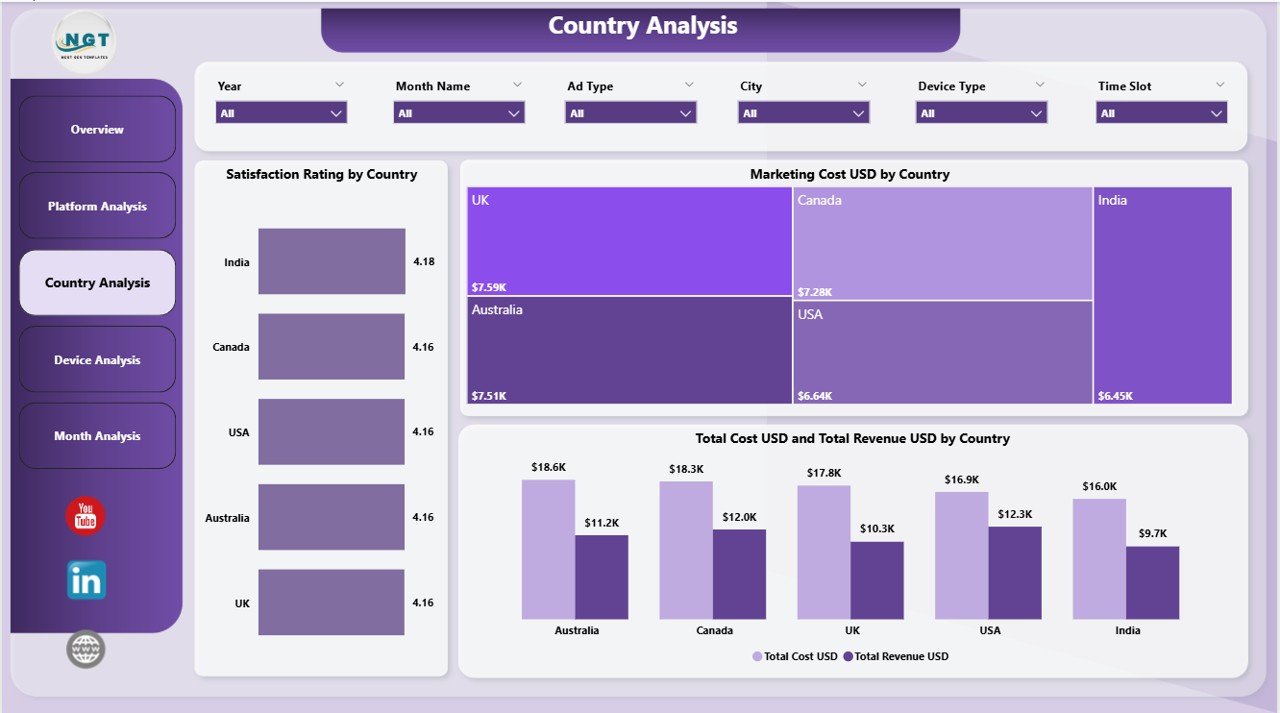
⭐ 3) Country Analysis – Track Regional Listener Behavior
Listeners behave differently across regions. The Country Analysis Page uncovers this clearly.
Charts Included:
⭐ Satisfaction Rating by Country
💸 Marketing Cost by Country
📊 Total Cost & Revenue by Country
This page is perfect for geo-targeted campaigns and regional content planning.
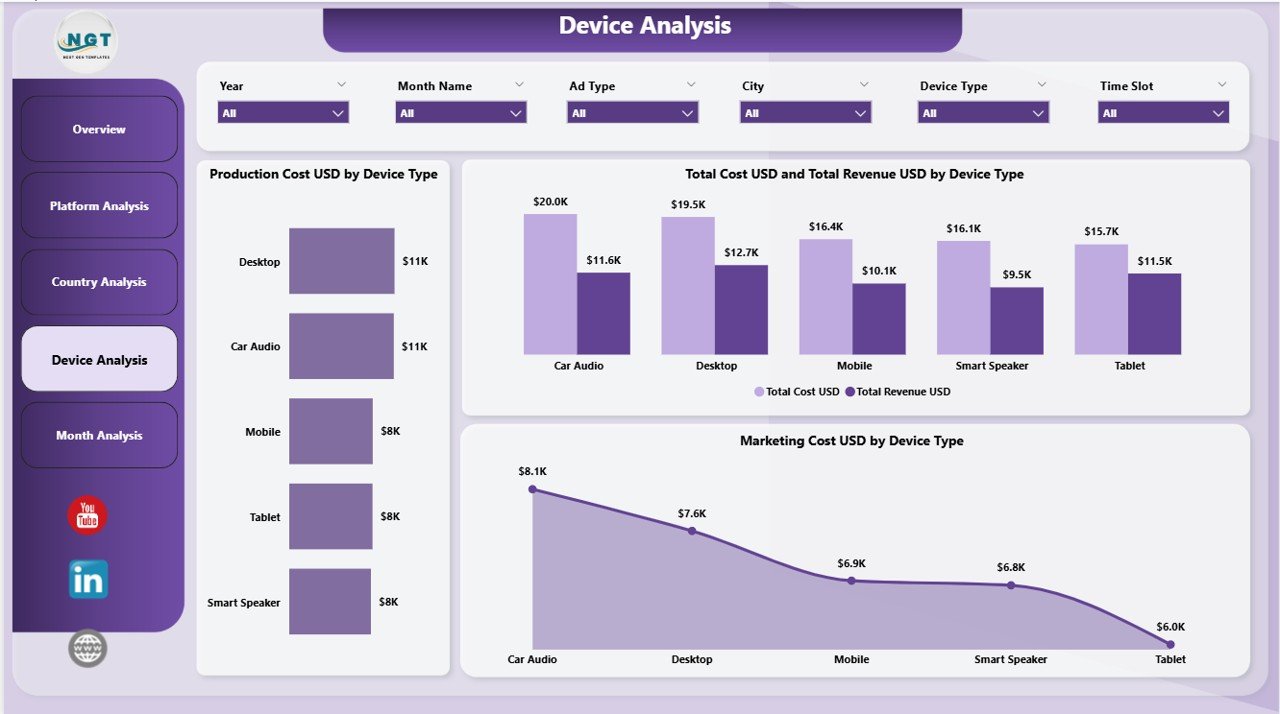
⭐ 4) Device Analysis – Understand How Your Audience Listens
Listeners use multiple devices—mobile, tablet, laptop, smart speaker, car audio, etc.
Charts Included:
Production Cost by Device Type
Marketing Cost by Device Type
Total Cost & Revenue by Device Type
This helps creators and tech teams optimize content quality and distribution channels.
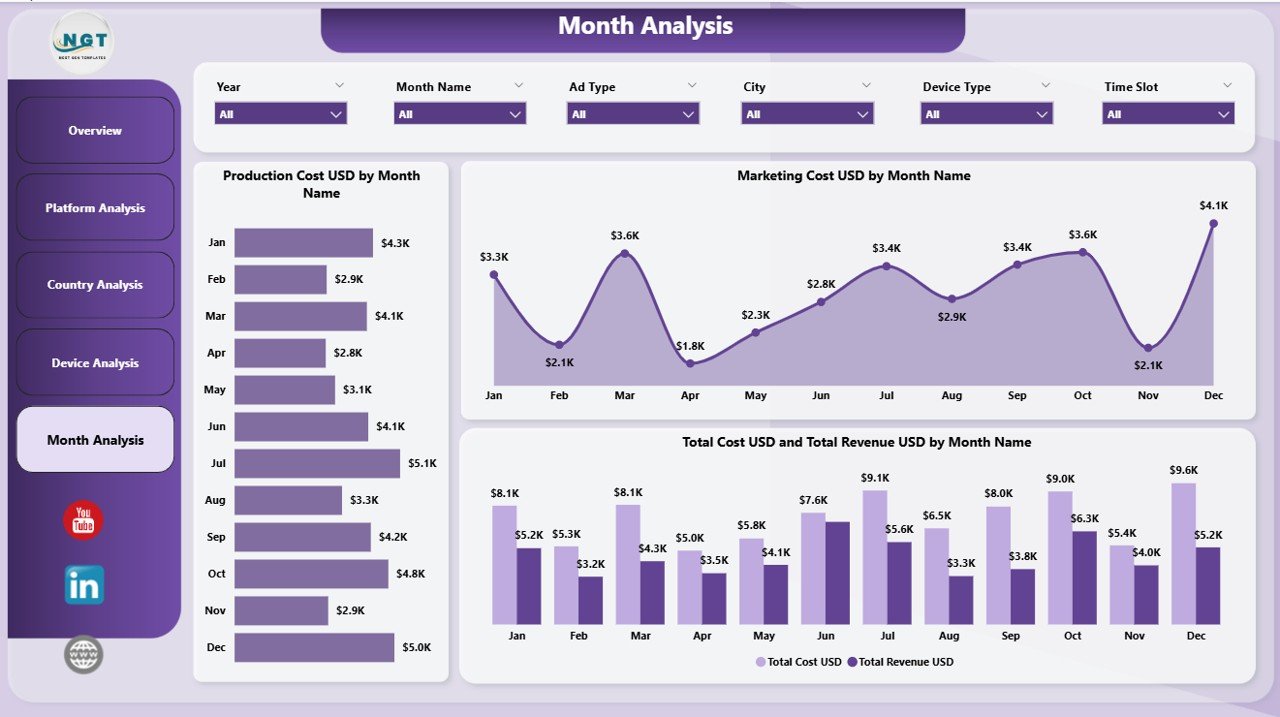
⭐ 5) Monthly Trends – Track Seasonal & Monthly Performance
This page delivers a clear, month-by-month breakdown of your financial and audience trends.
Charts Included:
Production Cost by Month
Marketing Cost by Month
Total Cost & Revenue by Month
It helps you track peak seasons, festival spikes, holiday slowdowns, and campaign impact.
📦 What’s Inside the Product?
✔ 5 fully interactive Power BI pages
✔ Slicers for country, platform, device, show type & month
✔ Real-time cards, charts & KPIs
✔ Complete revenue & cost comparison visuals
✔ Country-wise satisfaction & engagement analysis
✔ All data powered by a simple Excel file
✔ 100% customizable layout & visuals
✔ Beginner-friendly—no coding required
👥 Who Can Benefit From This Dashboard?
Radio stations (FM/AM)
Podcast creators & producers
Digital audio streaming apps
Media networks & content teams
Advertising & sponsorship teams
Platform managers & data analysts
Marketing & finance teams
Audio production houses
🛠 How to Use the Dashboard
Upload your data into the Excel file
Refresh the Power BI dashboard
Apply slicers to filter month, platform, device, country, or show type
Review KPIs on the Overview Page
Compare platforms & devices
Track costs vs. revenue
Study monthly trends before planning promotions
Share insights with teams for better decision-making
### Click here to read the Detailed Blog Post
📺 Visit our YouTube channel to learn step-by-step video tutorials
👉 youtube.com/@PKAnExcelExpert
Watch the step-by-step video tutorial:
Compatibility and Requirements
- Works in Power BI Desktop, which is free to download. Microsoft explains how to get it in Get Power BI Desktop.
- The data comes from a simple Excel file, so you also need Microsoft Excel to edit your figures.
Frequently Asked Questions
How many pages does the dashboard have?
Five pages: Overview, Platform Analysis, Country Analysis, Device Analysis and Monthly Trends.
Which KPIs are on the Overview page?
Total Sponsorship Revenue (USD), Total Marketing Cost (USD), Total Satisfaction Rating, and Total Cost and Total Revenue.
Can I filter the data?
Yes. Slicers let you filter by country, platform, device, show type and month.
Where does the data come from?
All data comes from a simple Excel file. You add your own figures there and refresh the Power BI dashboard.
Do I need coding skills?
No. The page describes the dashboard as beginner-friendly with no coding required, and the layout and visuals can be customized.
Is there an Excel version?
Yes. See the Radio & Podcasts Dashboard in Excel.
Related Radio and Podcast Templates
- Radio & Podcasts Dashboard in Excel: the same dashboard in Excel
- Radio & Podcasts KPI Dashboard in Power BI: a KPI-focused view in Power BI
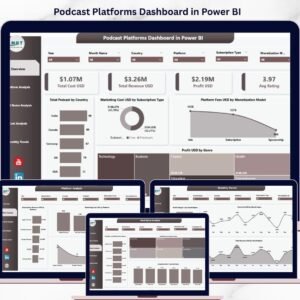
- Podcast Platforms Dashboard in Power BI: compare podcast platforms
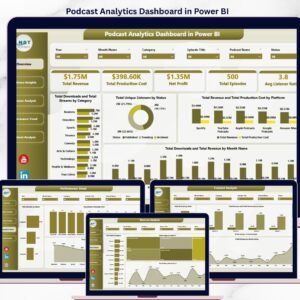
- Podcast Analytics Dashboard in Power BI: podcast performance analytics
- Podcast Analytics Dashboard in Google Sheets: a Google Sheets option
Browse all Power BI dashboards.





















Reviews
There are no reviews yet.