


The media and journalism industry moves fast—stories change every second, platforms evolve, and reader engagement shifts rapidly. Editors, reporters, digital teams, and newsroom managers need clear, real-time insights to stay ahead. But when data spreads across multiple sheets, tools, or platforms, decision-making becomes slow and confusing.
This is exactly why the News & Journalism Dashboard in Power BI becomes an essential reporting solution for modern newsrooms.
This ready-to-use Power BI dashboard brings every important journalism metric into one clean, visual, and interactive system. Whether you manage articles, reporters, categories, promotions, or monthly content trends—this dashboard shows everything instantly. It removes manual work, improves clarity, and empowers teams to take data-driven decisions faster.
Perfect for media houses, digital publishers, editors, corporate communication teams, and content strategists—this dashboard ensures your newsroom operates with full efficiency and accuracy.
📰 Key Features of the News & Journalism Dashboard in Power BI
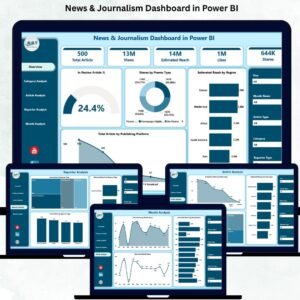
This dashboard includes 5 professionally designed pages, each offering deep insights into article performance, categories, reporters, reach, and publishing trends. Below is a complete breakdown of each page.
⭐ 1. Overview Page – The Main Control Center
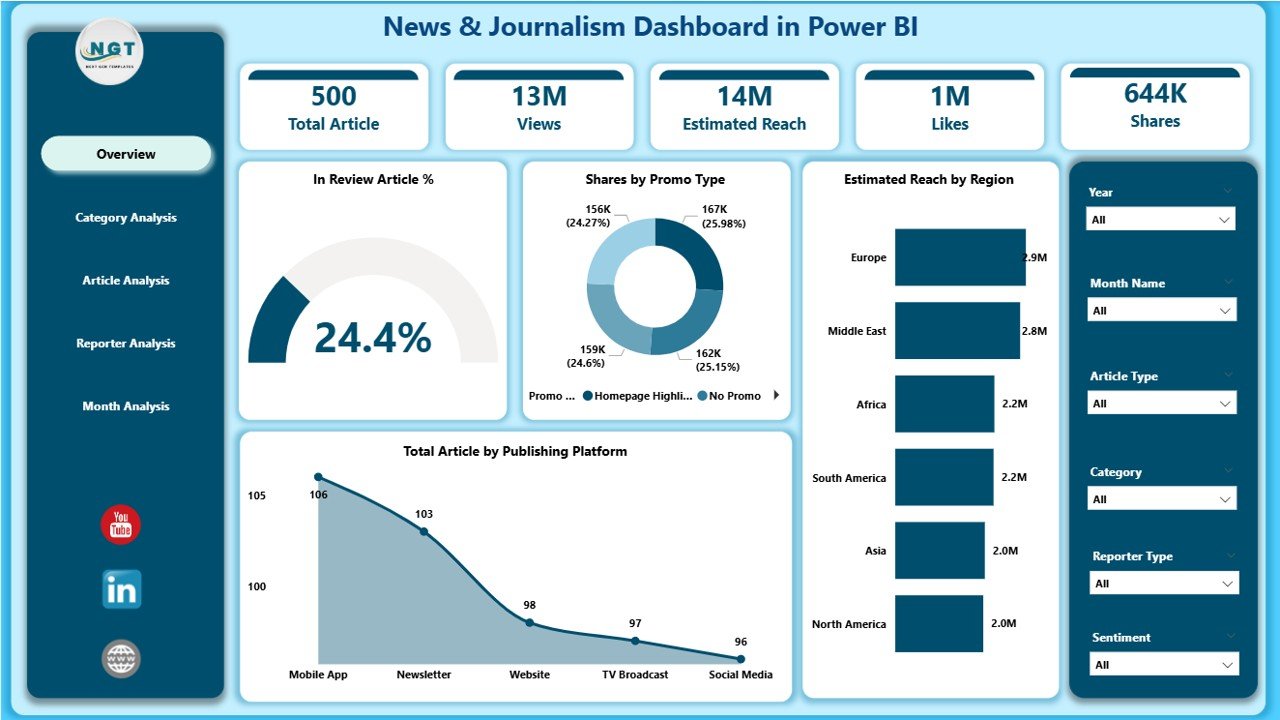
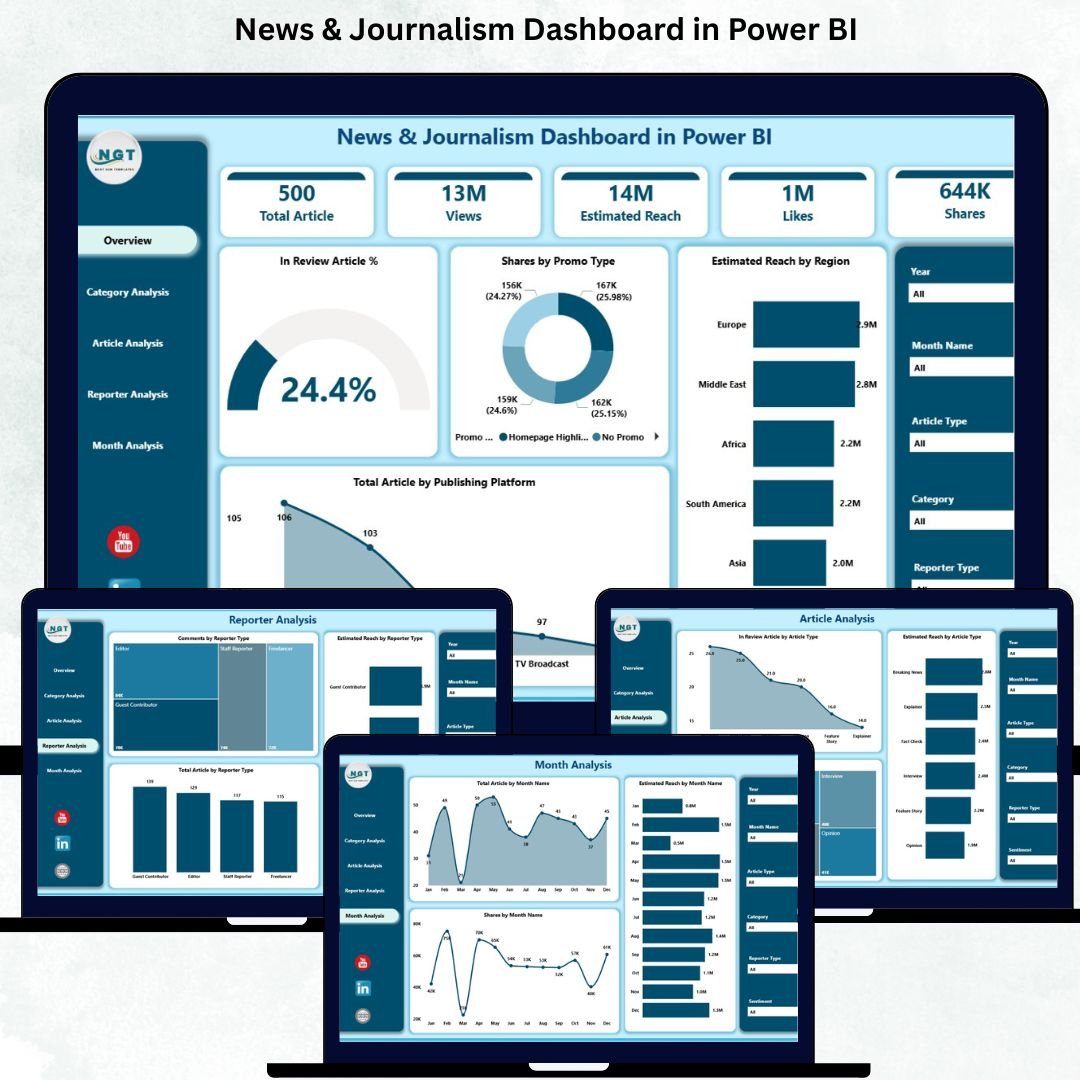
The Overview Page gives a clean snapshot of newsroom performance. It includes:
🔹 Four Essential KPI Cards
These help you monitor daily and monthly content health:
In Review Article %
Share by Promo Type
Estimated Reach by Region
Total Articles by Publishing Platform
Each card updates dynamically based on slicers.
🔹 Interactive Charts
The page includes four powerful visual charts:
📊 In Review Article %
🌍 Estimated Reach by Region
📰 Total Articles by Publishing Platform
🎯 Share by Promo Type
These visuals make it easy to understand where your content stands and how your audience interacts with it.
This page works as the newsroom’s real-time performance dashboard.
⭐ 2. Category Analysis Page – Deep Category-Level Insights
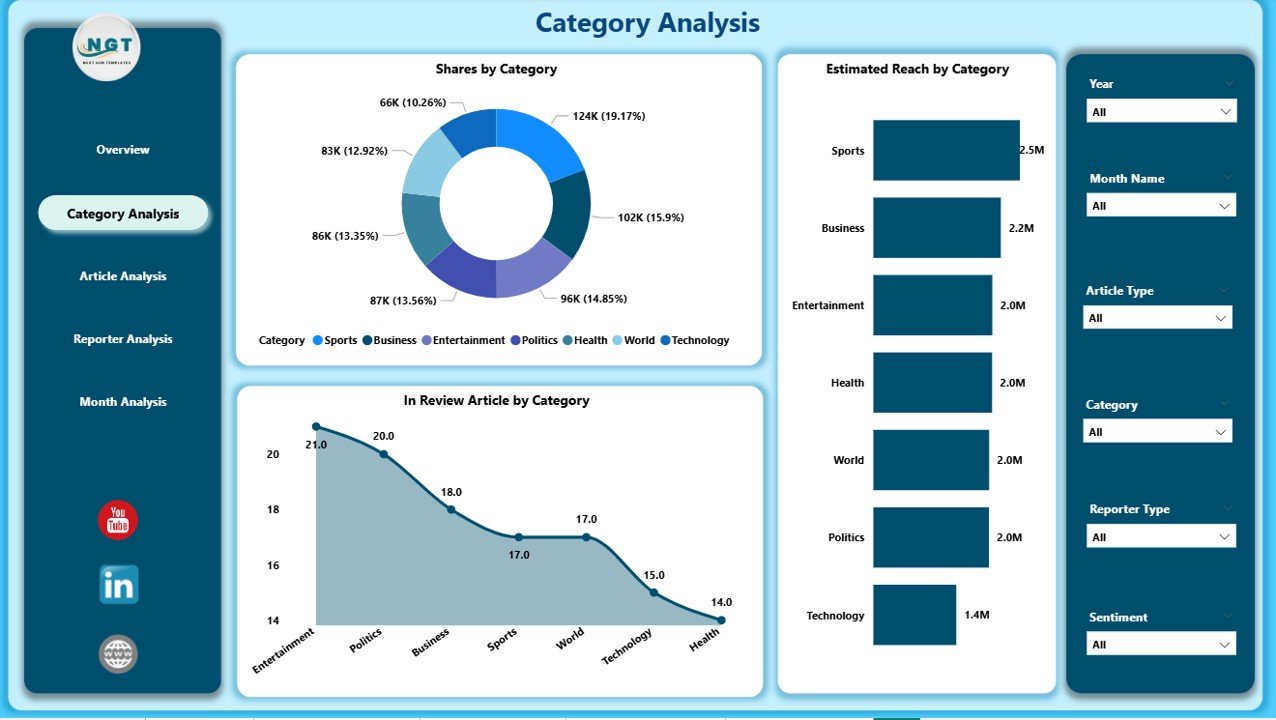
The Category Analysis Page helps you measure performance across different article categories such as politics, entertainment, sports, finance, lifestyle, and more.
Charts Included:
🗂 In Review Article by Category
🎯 Share by Category
🌐 Estimated Reach by Category
These insights help editors and content strategists understand which categories perform well, need improvement, or require more focus.
⭐ 3. Article Analysis Page – Understand Article Type Performance
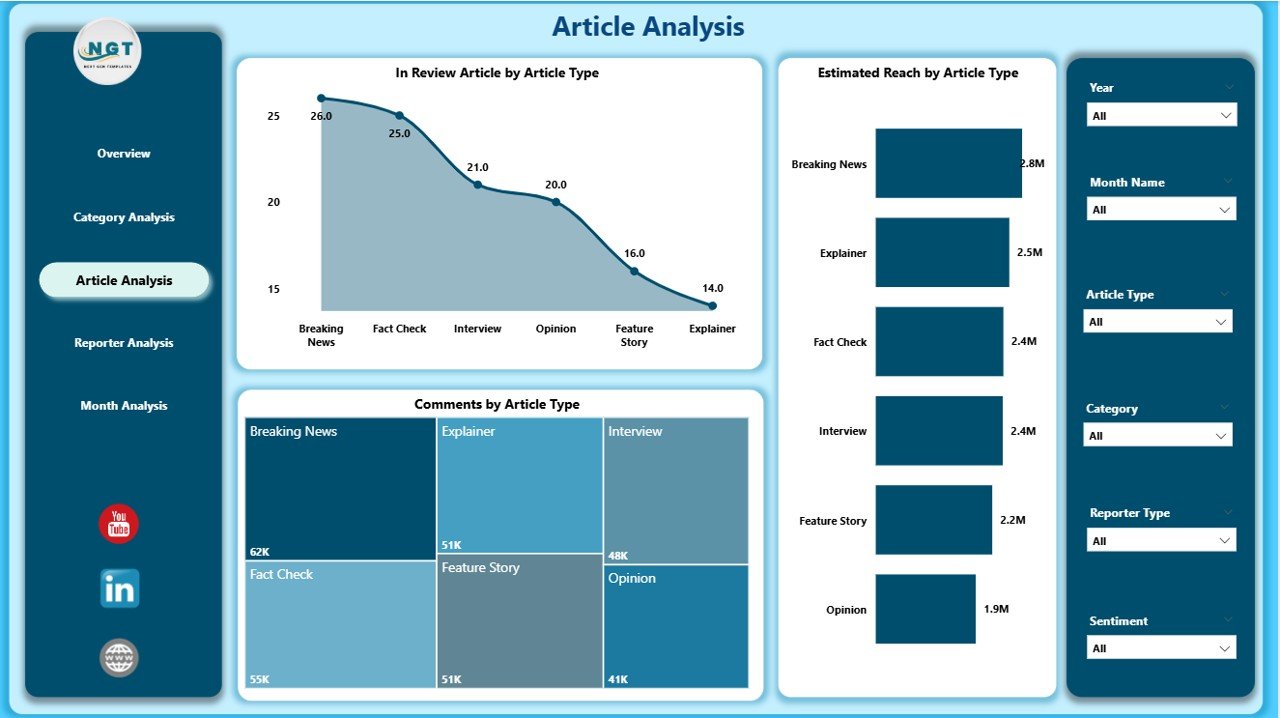
Different article types perform differently—breaking news, editorials, interviews, explainers, and more.
This page helps you identify what content formats your audience prefers.
Charts Included:
📝 In Review Article by Article Type
💬 Comments by Article Type
📡 Estimated Reach by Article Type
These visuals allow content teams to plan better formats, improve engagement, and optimize content strategy.
⭐ 4. Reporter Analysis Page – Track Reporter Productivity & Impact
A modern newsroom needs visibility into reporter performance.
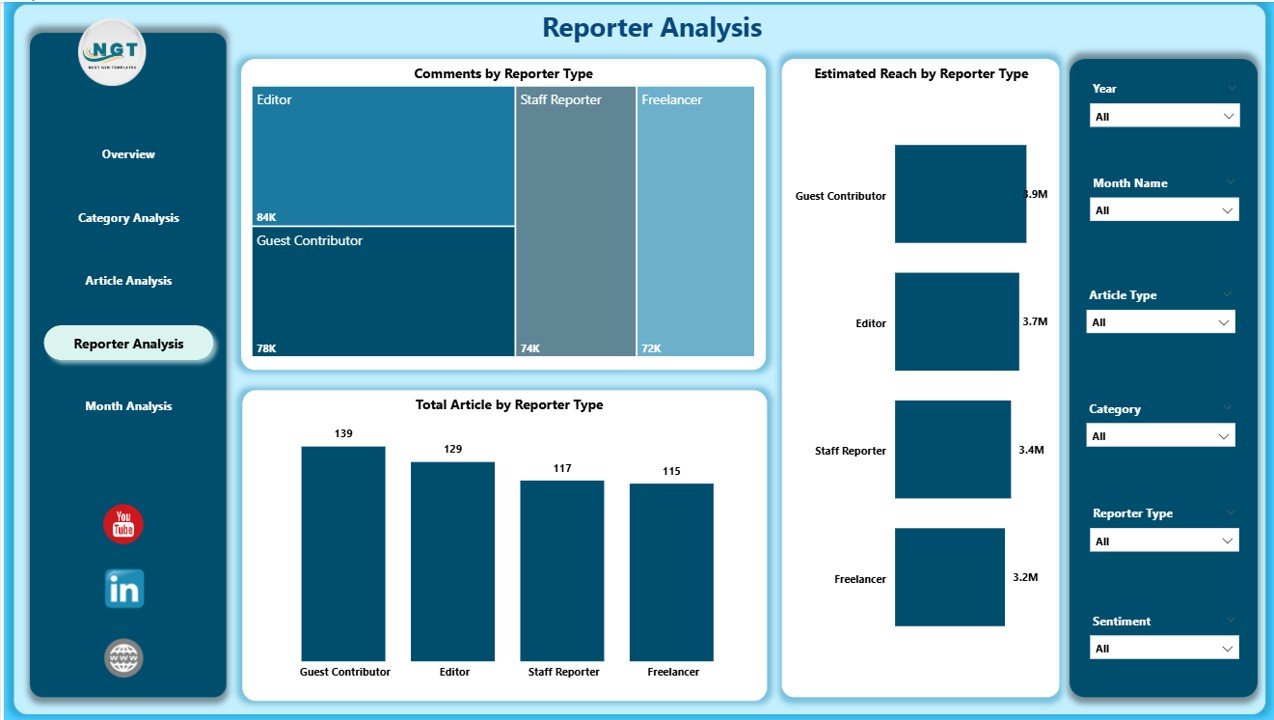
The Reporter Analysis Page highlights:
📰 Total Articles by Reporter Type
💬 Comments by Reporter Type
🌍 Estimated Reach by Reporter Type
These insights help identify top-performing reporters, high-engagement contributors, and improvement areas.
This is extremely valuable for editorial planning and performance reviews.
⭐ 5. Monthly Trends Page – Track the Pulse of Publishing Activity
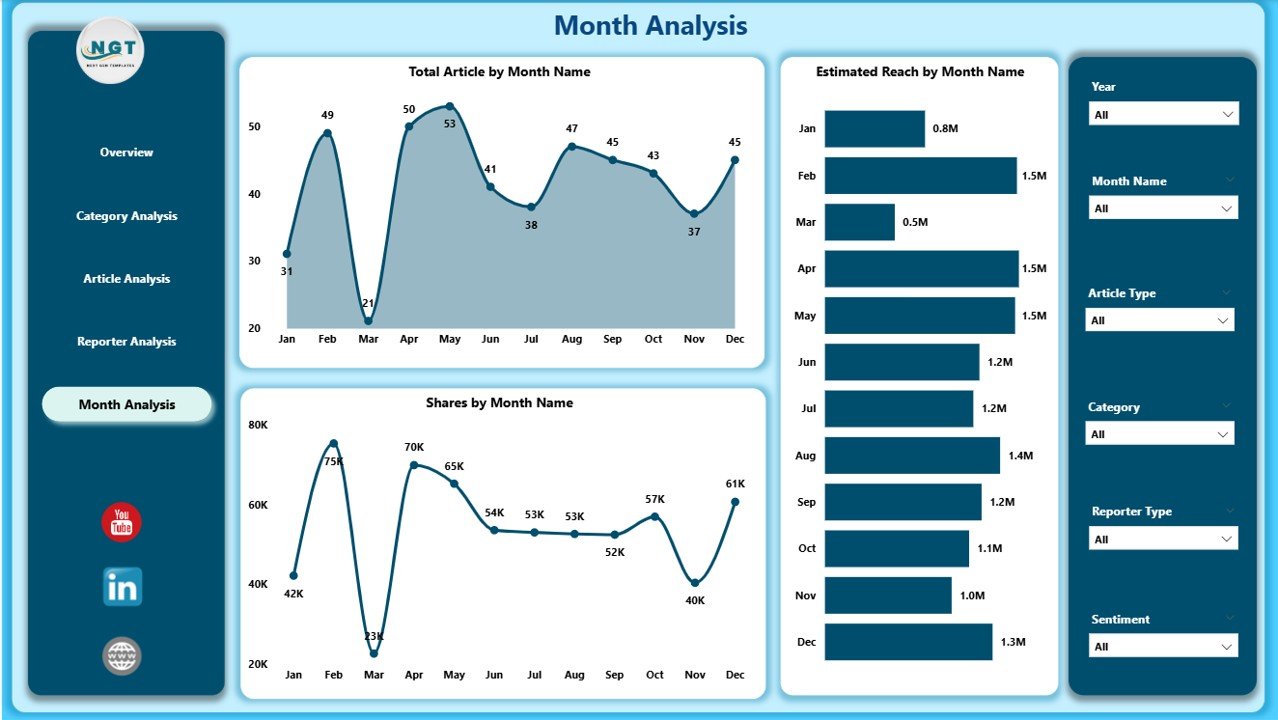
The final page, Monthly Trends, gives a month-by-month breakdown of newsroom performance.
Charts Included:
📅 Total Articles by Month
🌍 Estimated Reach by Month
📈 Share by Month
These visuals help teams understand seasonal trends, special event impact, publishing cycles, and growth opportunities.
🎯 What’s Inside the News & Journalism Dashboard?
✔ 5 fully interactive Power BI pages
✔ Real-time slicers for platform, region, promo type & category
✔ KPI cards for instant content health monitoring
✔ Deep analysis on reporters, categories & article types
✔ Monthly visual trends for planning
✔ Clean layout with attractive visuals
✔ Excel-driven data source for easy updates
✔ Zero coding required—just refresh and use
👥 Who Can Benefit from This Dashboard?
Newsrooms & Media Houses
Digital Publishing Teams
Editors & Content Managers
Corporate Communication Teams
PR & Media Strategy Departments
Online News Portals
Journalism Schools & Researchers
Freelance Editorial Agencies
Anyone who manages content, audience engagement, or newsroom analytics will benefit from this dashboard.
🛠 How to Use the Dashboard
Update article, reach, category & reporter data in Excel
Refresh the Power BI file
Use slicers to filter by month, category, region, promo type, or platform
Review each page for detailed insights
Track content performance, engagement & reach
Use trend charts for planning future content
Optimize categories, reporters & publishing platforms based on insights
### Click here to read the Detailed Blog Post
📺 Visit our YouTube channel to learn step-by-step video tutorials
👉Visit our YouTube channel to learn step-by-step video tutorials
Watch the step-by-step video tutorial:
Compatibility and Requirements
- Works in Power BI Desktop, which is free to download. Microsoft explains the install in Get Power BI Desktop.
- The data source is an Excel file, so you update your numbers in Excel and refresh the Power BI file.
Frequently Asked Questions
How many pages does the dashboard have?
Five pages: Overview, Category Analysis, Article Analysis, Reporter Analysis and Monthly Trends.
How do I update the data?
Enter your article, reach, category and reporter data in the Excel source file, then refresh the Power BI file. The charts and KPI cards update from there.
Can I filter by region or platform?
Yes. Slicers let you filter by month, category, region, promo type and publishing platform.
Which KPIs are on the Overview page?
Four KPI cards: In Review Article %, Share by Promo Type, Estimated Reach by Region and Total Articles by Publishing Platform.
Is there an Excel or other Power BI version?
Yes. See the News & Journalism Dashboard in Excel and the News and Journalism KPI Dashboard in Power BI.
Related News and Journalism Templates
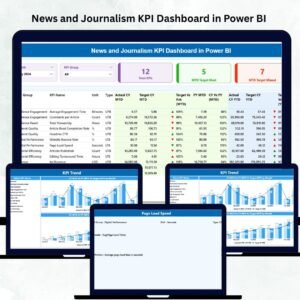
- News and Journalism KPI Dashboard in Power BI: a KPI-focused Power BI edition
- News & Journalism Dashboard in Excel: the same dashboard in Excel
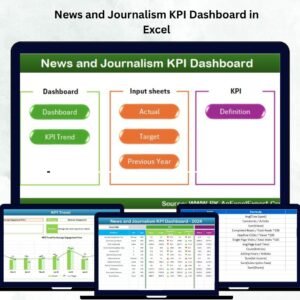
- News and Journalism KPI Dashboard in Excel: KPI tracking for newsrooms in Excel
- News Portals KPI Dashboard in Excel: KPIs for online news portals
- Power BI Dashboard Mega Collection: 15 Power BI dashboard templates in one download
Browse all Power BI dashboards.































Reviews
There are no reviews yet.