

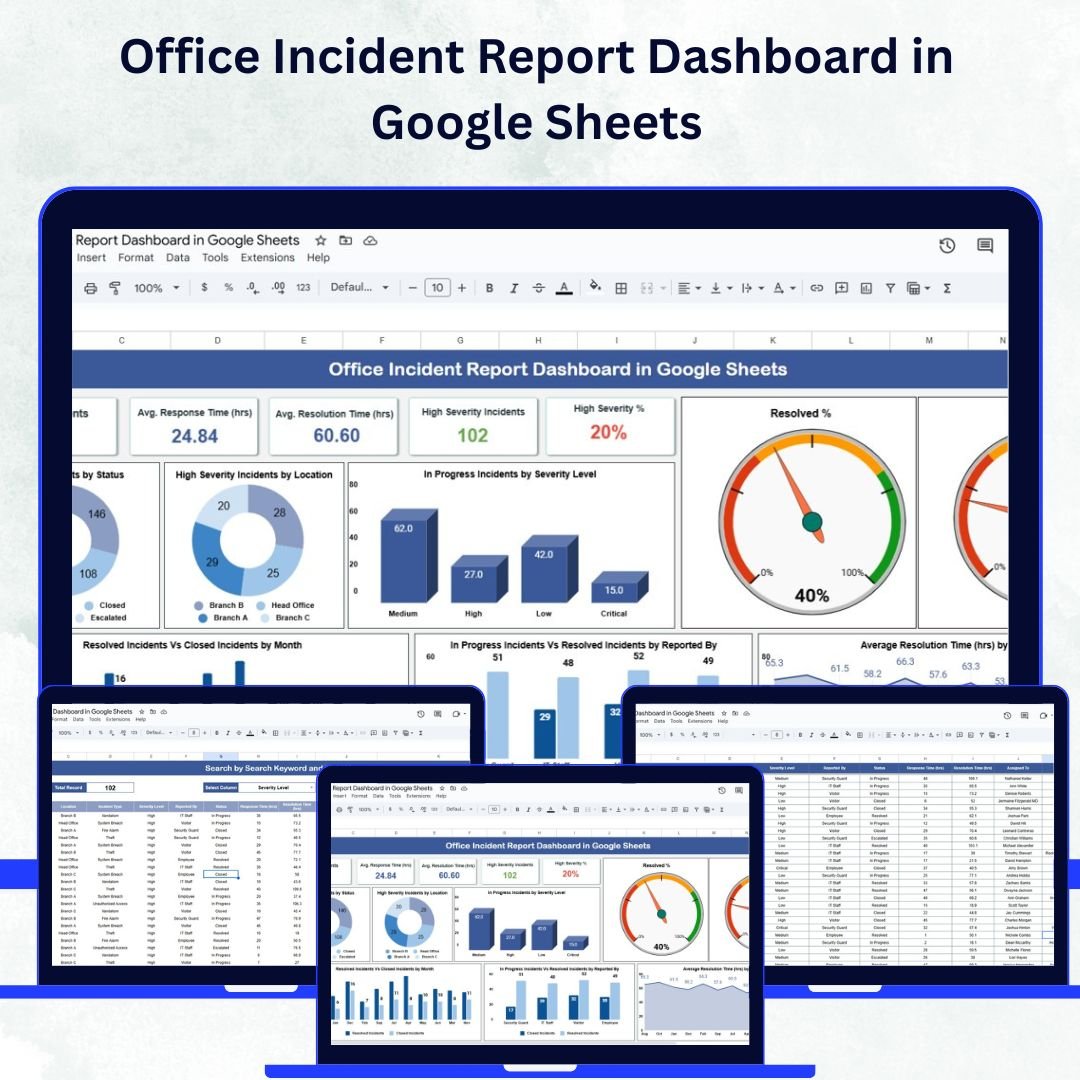

Every organization faces incidents — from workplace safety concerns to operational issues — that require structured tracking and timely response. The Office Incident Report Dashboard in Google Sheets is a ready-to-use, interactive solution designed to help businesses record, analyze, and manage workplace incidents efficiently. Built with simplicity and automation in mind, this dashboard provides real-time visibility into incident trends, severity levels, and resolution times — all within the collaborative environment of Google Sheets. 💼✅
This dashboard enables operations, security, and HR teams to make data-driven decisions, prioritize high-severity cases, and ensure a safer, more compliant workplace.
🔑 Key Features of the Office Incident Report Dashboard
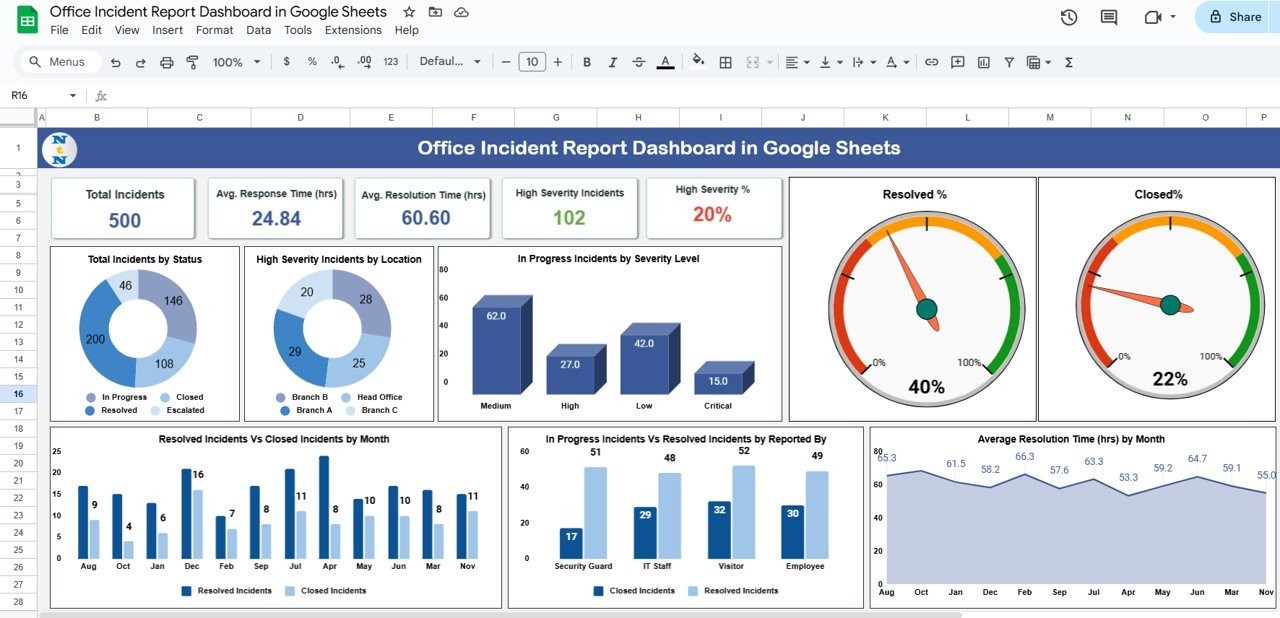
📊 Dashboard Sheet Tab
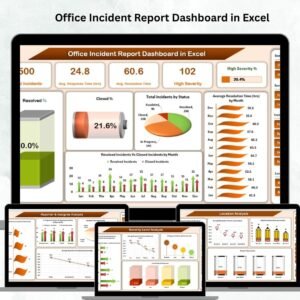
Get a visual, high-level snapshot of all reported incidents with smart metrics and charts:
Cards:
Total Incidents – Count of all reported incidents
Avg. Response Time (hrs) – Measure responsiveness
Avg. Resolution Time (hrs) – Evaluate efficiency in resolving cases
High Severity Incidents – Track critical issues
High Severity % – Identify what percentage of total incidents are high risk
Charts:
Total Incidents by Status – Open, In Progress, Resolved, Closed
High Severity Incidents by Location – Monitor where critical incidents occur most
In Progress Incidents by Severity Level – Spot unresolved high-risk areas
Resolved % and Closed % – Measure overall performance
Average Resolution Time by Month – Identify long-term improvement
Resolved vs. Closed Incidents by Month – Track closure rate trends
This sheet provides real-time monitoring, enabling managers to take quick action on open or escalated incidents.
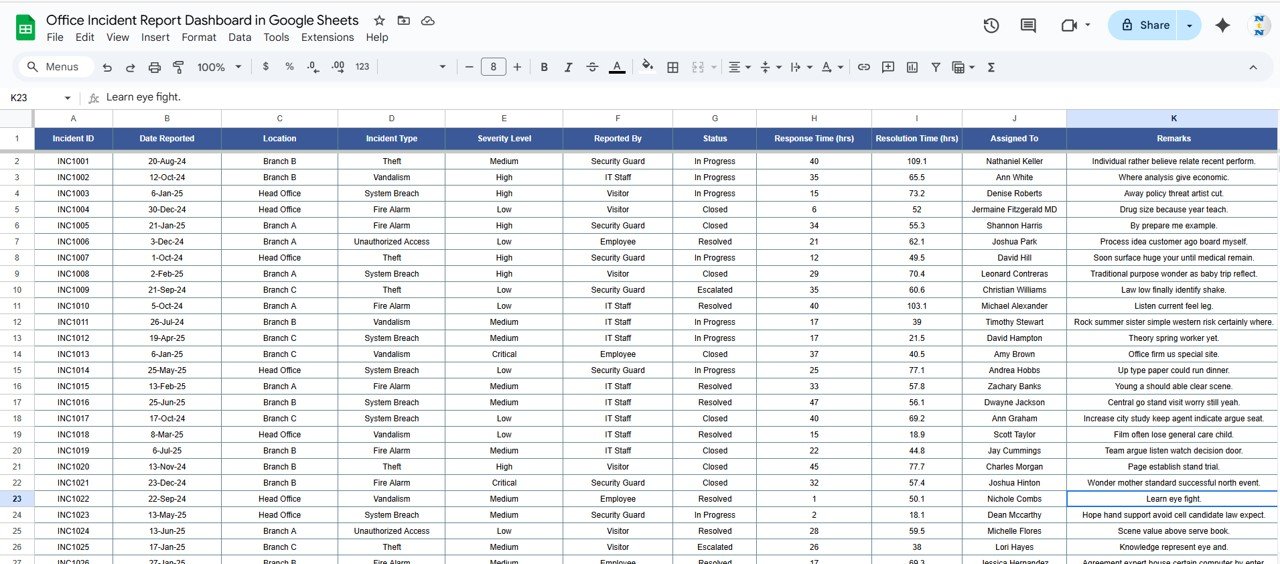
📑 Data Sheet Tab
The foundation of the dashboard — a structured and easy-to-update database that powers all reports.
Record essential details: Date, Location, Department, Reporter, Severity, Response Time, Resolution Time, and Status
Each update automatically refreshes all dashboard metrics and visuals
Keeps data accurate, organized, and audit-ready
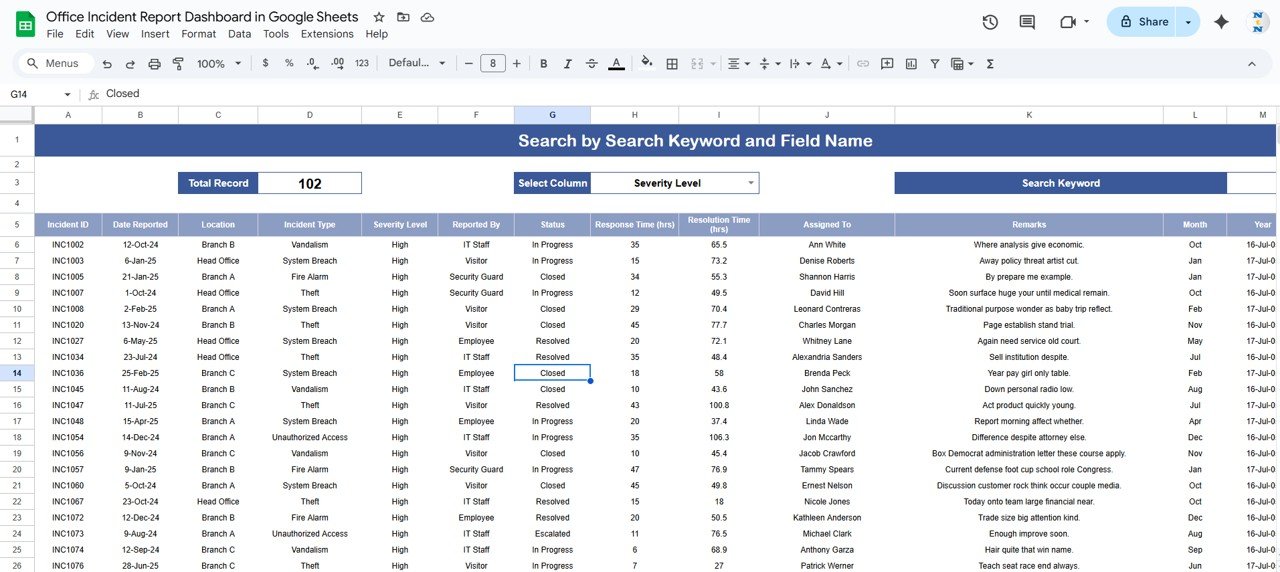
🔍 Search Sheet Tab
Instantly locate incidents without scrolling or filtering manually.
Search by Keyword or Field Name (e.g., Department, Reporter, Severity)
Retrieve incident details in seconds for quick action
Ideal for compliance checks, investigations, or team reviews
📦 What’s Inside the Dashboard?
✅ Pre-built Dashboard Sheet with visual metrics and charts
✅ Data Sheet for incident input and automation
✅ Search Sheet for easy record lookup
✅ Auto-updating visuals linked to your data
✅ Sample data to help you understand the structure instantly
✅ Customizable fields for department, severity, and status
🧑💼 Who Can Benefit from This Dashboard?
🎯 HR Teams – Track safety, harassment, or HR-related incidents confidentially
🎯 Operations Managers – Analyze response and resolution times to improve processes
🎯 Security Officers – Monitor critical incidents and high-severity cases
🎯 Executives & Compliance Officers – Get a consolidated, visual report of incident trends
🎯 Large & Small Organizations – Scalable and simple to adapt to any workplace
🧪 How to Use the Office Incident Report Dashboard
Record Incidents: Enter details in the Data Sheet — all visuals update automatically.
Review Dashboards: Analyze key metrics like response and resolution times.
Search Quickly: Use the Search Tab to find any incident instantly.
Monitor Trends: Identify recurring issues by month, department, or severity.
Improve Processes: Use data insights to refine your safety and reporting protocols.
This dashboard is 100% plug-and-play — no coding, no macros, no complex setup required. ⚙️
🌟 Why Choose This Dashboard?
🧾 Centralized Incident Management: One unified system for tracking and analysis
📈 Real-Time Updates: Dashboards refresh instantly with each new record
🚨 Prioritize Critical Cases: Focus on high-severity incidents first
⏱️ Performance Metrics: Measure efficiency through response and resolution times
🧠 Data-Driven Decision Making: Identify trends and areas for improvement
💡 Fully Customizable: Adapt KPIs, visuals, and data fields to your needs
🌐 Collaborative Access: Built on Google Sheets for real-time team updates
The Office Incident Report Dashboard in Google Sheets empowers organizations to enhance workplace safety, improve accountability, and streamline reporting — all with zero technical hassle. 🌟
🔗 Click here to read the Detailed blog post
Watch the step-by-step video Demo:
🔗 Visit our YouTube channel to learn step-by-step video tutorials
Compatibility and Requirements
- Works in Google Sheets with a free Google account and a web browser.
- No coding and no macros are needed. All visuals update from the Data Sheet.
- New to Google Sheets charts? Google explains them in Add & edit a chart or graph.
Frequently Asked Questions
What do the KPI cards show?
Total Incidents, Avg. Response Time (hrs), Avg. Resolution Time (hrs), High Severity Incidents and High Severity %.
Which details do I record for each incident?
Date, Location, Department, Reporter, Severity, Response Time, Resolution Time and Status.
How do I find a past incident?
Use the Search sheet. Search by keyword or by field, such as department, reporter or severity.
Can I change the departments and severity levels?
Yes. Fields for department, severity and status can be customized.
Related Incident Templates
- Office Incident Report Dashboard in Excel: the Excel edition
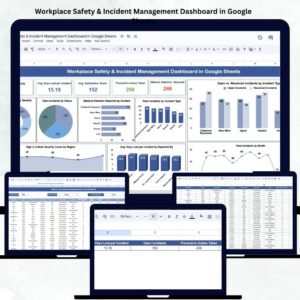
- Workplace Safety & Incident Management Dashboard in Google Sheets: safety incidents in Google Sheets
- Incident Report Tracker in Google Sheets: a simple incident log
- Office Security Incident Dashboard in Power BI: security incidents in Power BI
- Google Sheets Business Pack (Pro): 14 Google Sheets business templates in one bundle
Browse all Google Sheets dashboards or the Excel health and safety templates.







Reviews
There are no reviews yet.