


Running a Physiotherapy and Rehabilitation Dashboard center today requires more than excellent clinical skills. You must also track patient progress, treatment efficiency, therapist performance, and operational costs—all in real time. However, when this information stays scattered across spreadsheets or disconnected systems, decision-making becomes slow and reactive.
That is exactly where the Physiotherapy and Rehabilitation Dashboard in Power BI becomes a powerful solution 🚀.
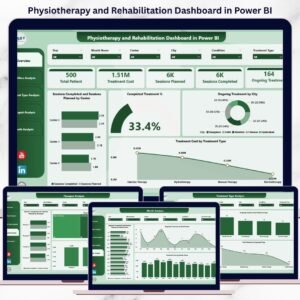
This ready-to-use Power BI dashboard converts raw physiotherapy and rehabilitation data into clear KPIs, interactive visuals, and actionable insights. Instead of manually compiling reports, clinic owners, managers, and clinical leads can instantly understand treatment completion rates, session gaps, therapist workloads, and cost trends from one centralized dashboard.
Designed for physiotherapy clinics, hospitals, and rehabilitation centers, this dashboard helps organizations improve patient outcomes while maintaining strong financial and operational control.
🔑 Key Features of Physiotherapy and Rehabilitation Dashboard in Power BI
📊 5 Dedicated Analytical Pages for complete performance visibility
🎯 Interactive Slicers & Filters for dynamic analysis
📈 KPI Cards & Visual Comparisons for instant insights
🧑⚕️ Therapist Performance Monitoring
💰 Treatment Cost Analysis across dimensions
📍 City & Centre-Wise Performance Tracking
📆 Month-Wise Trend Analysis
🔄 Automated Data Refresh from connected sources
This dashboard delivers clarity, speed, and confidence for healthcare decision-makers.
📂 What’s Inside the Physiotherapy and Rehabilitation Dashboard
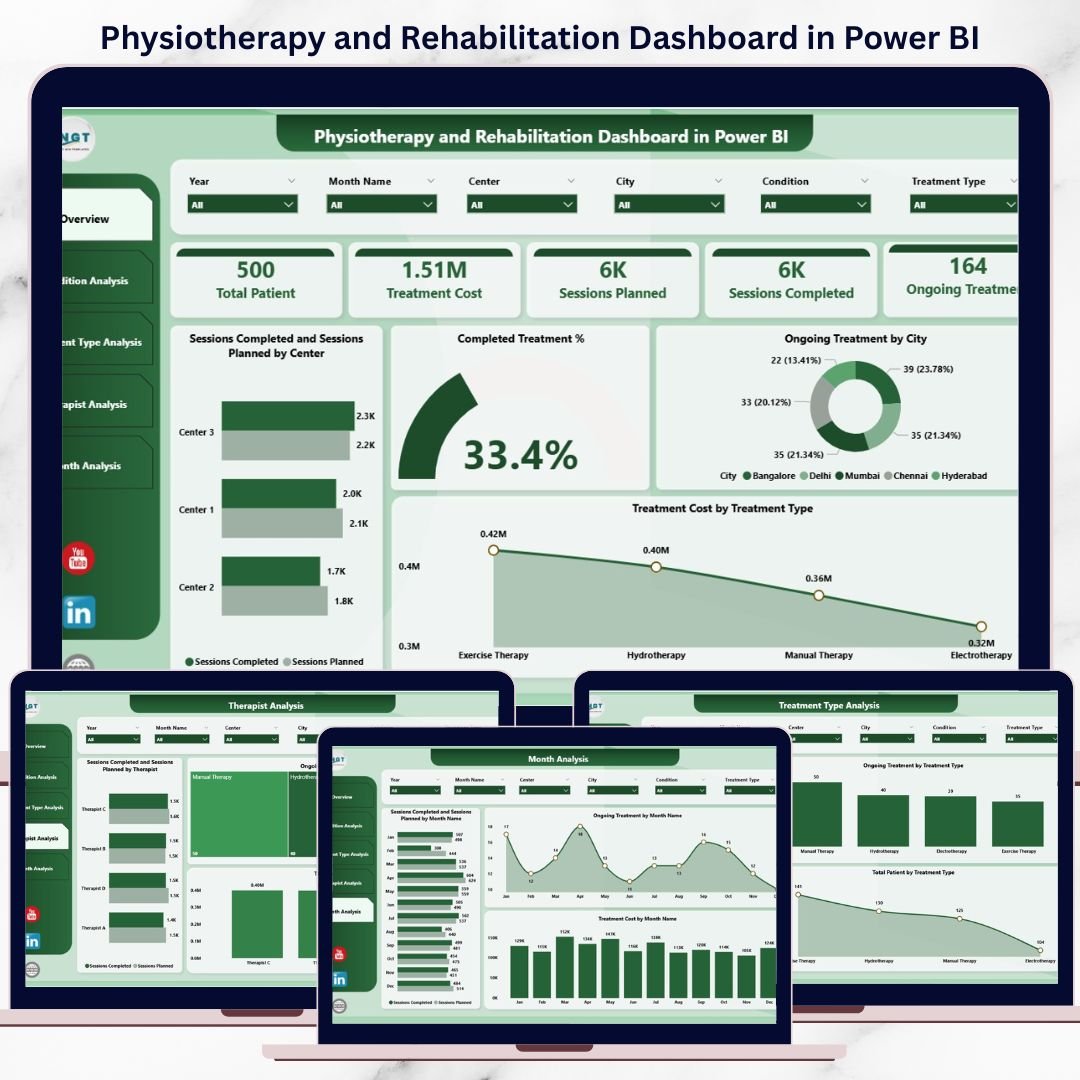
🏠 Overview Page
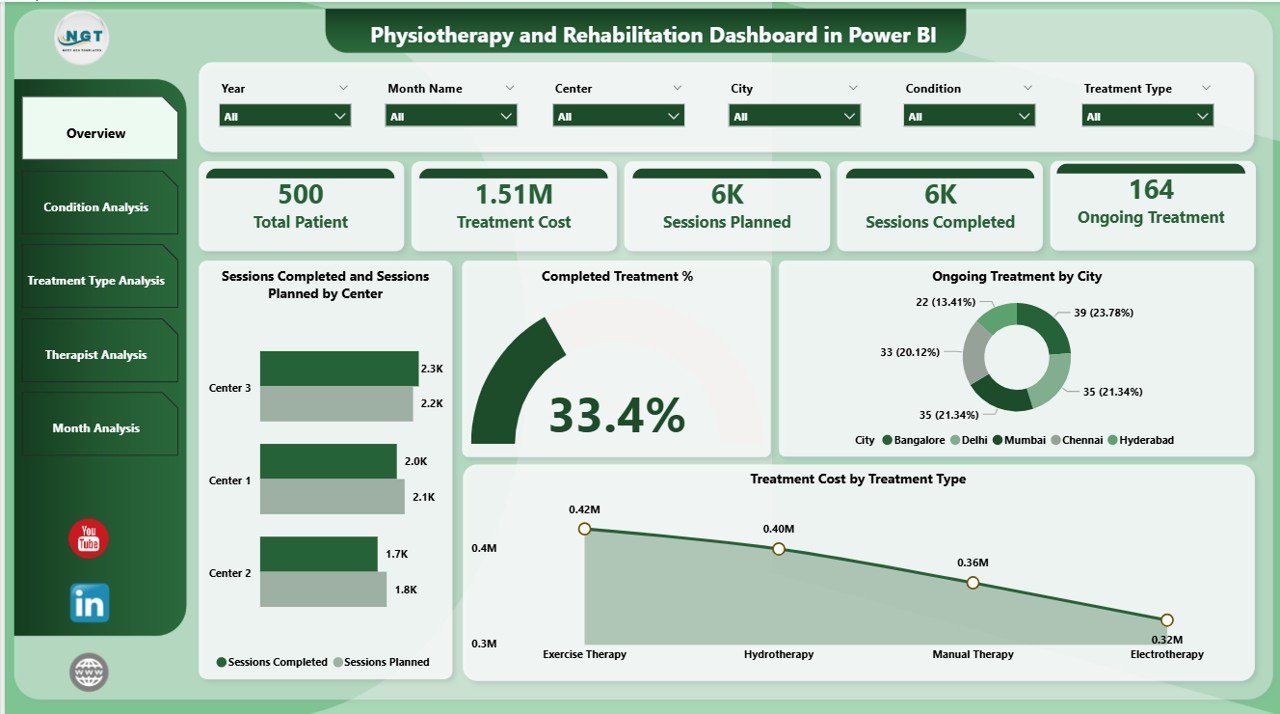
The Overview Page works as the executive summary of the dashboard.
Key Insights Displayed:
Completed Treatment %
Ongoing Treatment % by City
Sessions Planned vs Sessions Completed by Centre
Treatment Cost by Treatment Type
This page allows leadership to understand overall clinic performance in seconds and take quick corrective actions.
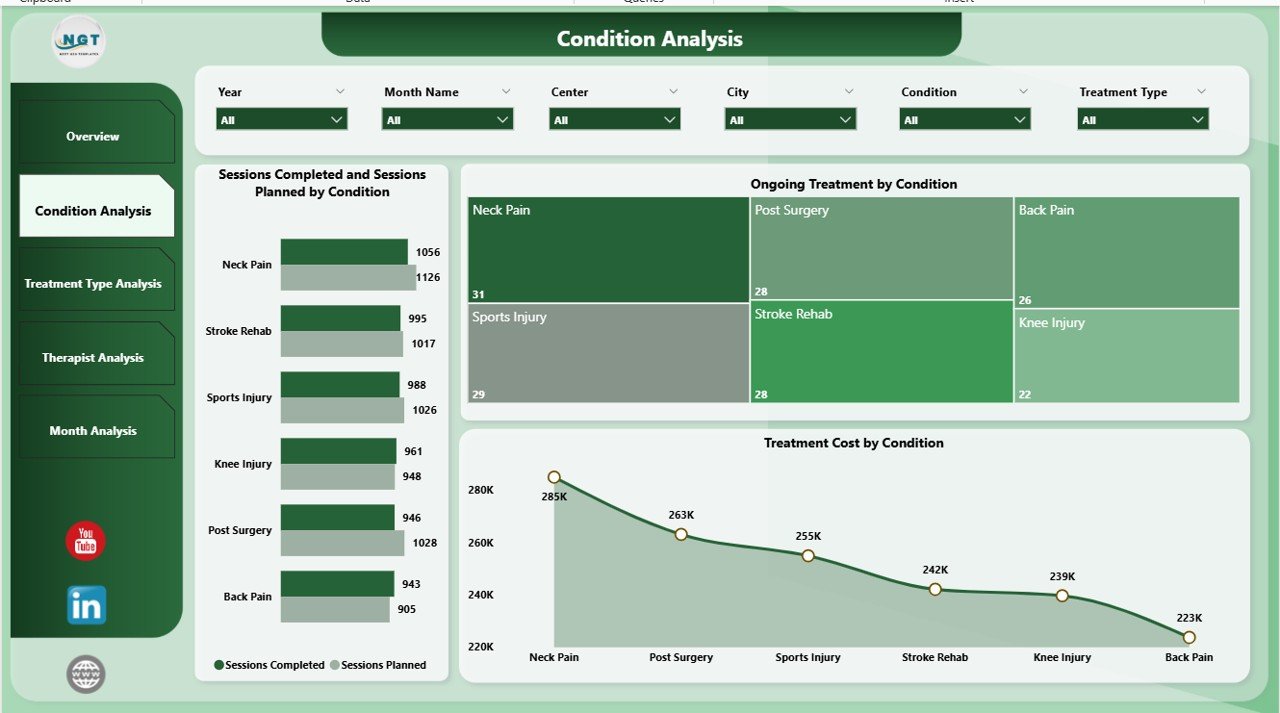
🦵 Condition Analysis Page
This page focuses on condition-wise treatment performance.
Charts Included:
Sessions Planned vs Sessions Completed by Condition
Ongoing Treatment by Condition
Treatment Cost by Condition
Clinics can identify high-cost conditions, delayed recoveries, and execution gaps with ease.
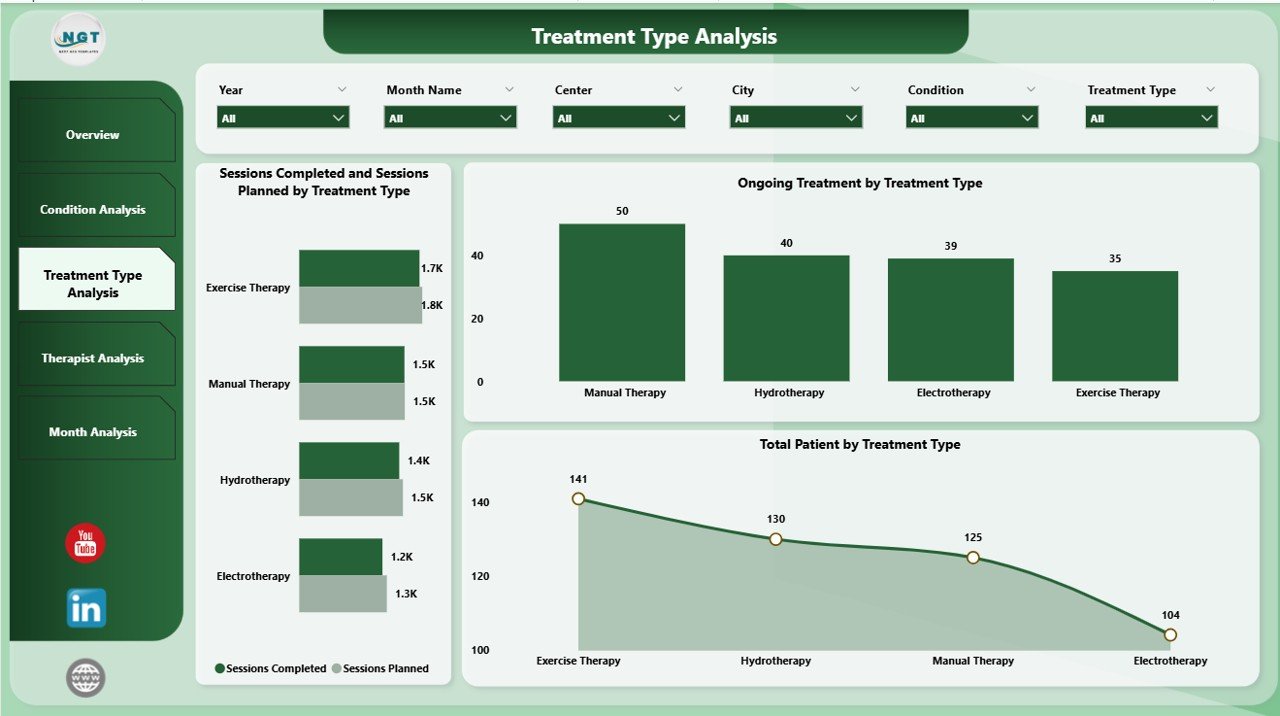
💆 Treatment Type Analysis Page
Different therapies demand different resources. This page evaluates treatment-wise performance.
Key Visuals:
Sessions Planned vs Sessions Completed by Treatment Type
Ongoing Treatment by Treatment Type
Total Patients by Treatment Type
This helps clinics optimize treatment offerings, scheduling, and resource allocation.
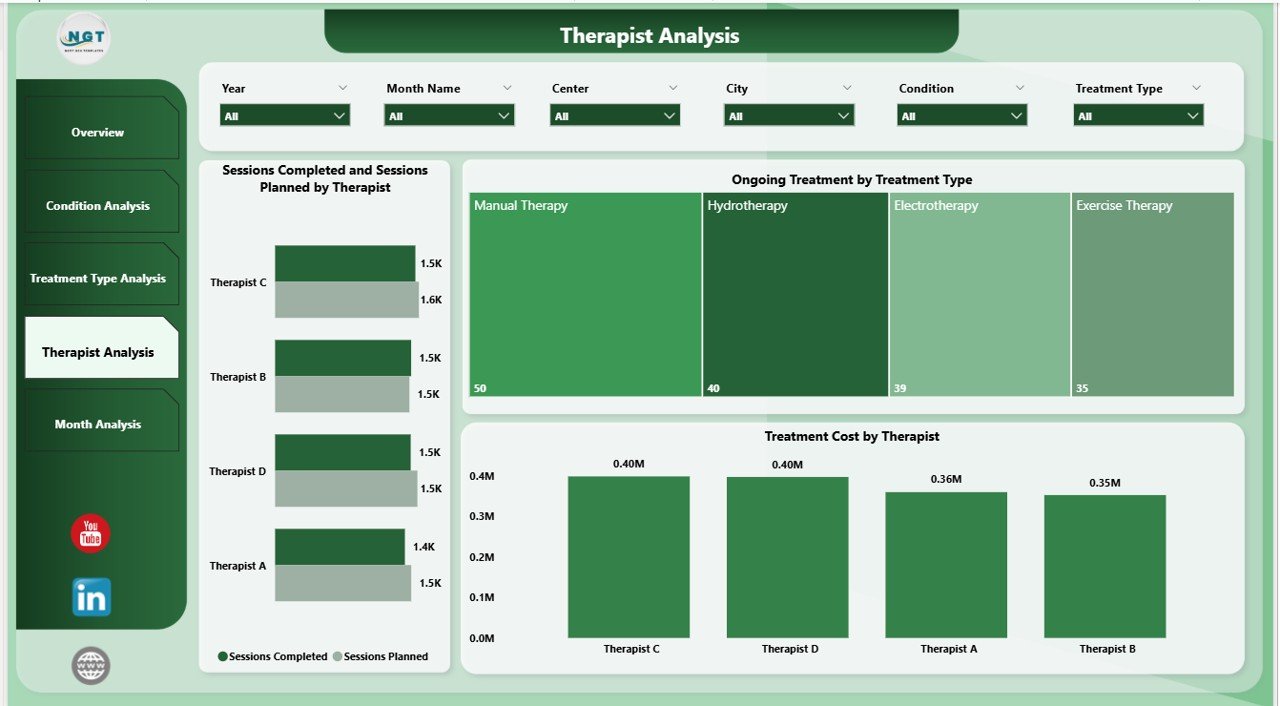
👩⚕️ Therapist Analysis Page
Therapists are the backbone of rehabilitation success. This page evaluates individual therapist performance.
Insights Available:
Sessions Planned vs Sessions Completed by Therapist
Ongoing Treatment by Therapist
Treatment Cost by Therapist
Managers can balance workloads, recognize high performers, and improve productivity fairly.
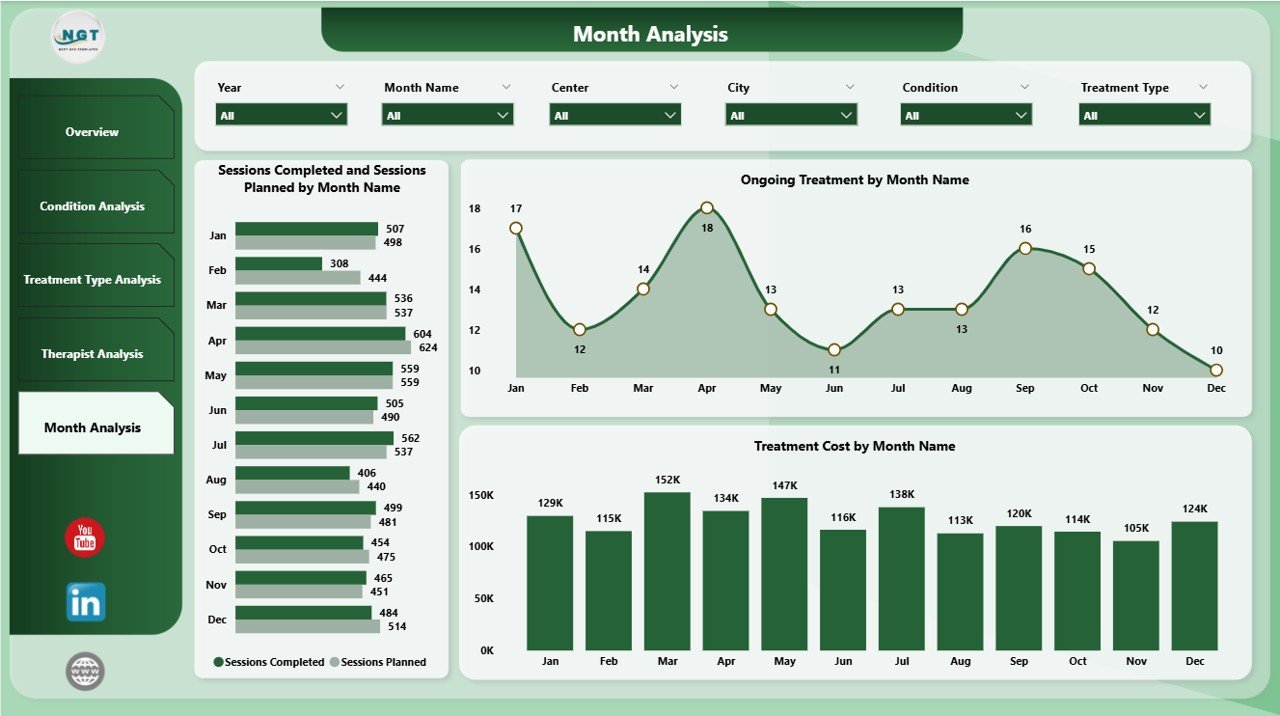
📆 Month Analysis Page
Healthcare demand changes over time. This page tracks monthly trends.
Monthly Metrics:
Sessions Planned vs Sessions Completed by Month
Ongoing Treatment by Month
Treatment Cost by Month
This supports forecasting, staffing plans, and budget control.
🛠️ How to Use the Physiotherapy and Rehabilitation Dashboard
✅ Connect your Excel or system data to Power BI
✅ Refresh the dataset (scheduled or manual)
✅ Use slicers to filter by city, condition, therapist, or month
✅ Review KPIs and trends instantly
✅ Make faster, data-driven clinical and business decisions
No advanced Power BI skills are required.
👥 Who Can Benefit from This Dashboard?
🏥 Physiotherapy Clinics
🧑⚕️ Rehabilitation Centers
🏨 Hospitals & Healthcare Networks
📊 Clinic Managers & Administrators
💰 Operations & Finance Teams
📈 Healthcare Analysts
Suitable for single clinics to multi-location healthcare organizations.
👉 Click here to read the Detailed blog post
▶️ Visit our YouTube channel to learn step-by-step video tutorials
https://youtube.com/@PKAnExcelExpert
Watch the step-by-step video tutorial:
Compatibility and Requirements
- Works in Power BI Desktop, which is free to download from Microsoft. Get it from Get Power BI Desktop.
- You connect your own Excel or system data to the dashboard, then refresh the dataset.
Frequently Asked Questions
How many pages does the dashboard have?
Five pages: Overview, Condition Analysis, Treatment Type Analysis, Therapist Analysis and Month Analysis.
Can I compare planned and completed sessions?
Yes. Sessions Planned vs Sessions Completed is shown by centre, condition, treatment type, therapist and month.
Can I track therapist performance?
Yes. The Therapist Analysis page shows planned vs completed sessions, ongoing treatment and treatment cost for each therapist.
Does it show treatment costs?
Yes. Treatment cost is shown by treatment type, condition, therapist and month.
Is there an Excel or Google Sheets version?
Yes. See the Physiotherapy and Rehabilitation Dashboard in Excel and the Physiotherapy & Rehabilitation Dashboard in Google Sheets.
Related Physiotherapy and Rehabilitation Templates
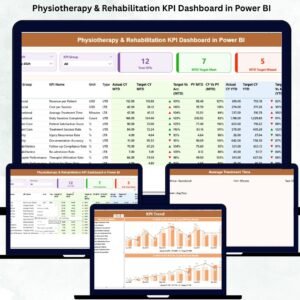
- Physiotherapy & Rehabilitation KPI Dashboard in Power BI: a KPI view for the same type of clinic
- Physiotherapy and Rehabilitation Dashboard in Excel: the Excel edition
- Physiotherapy & Rehabilitation Dashboard in Google Sheets: the Google Sheets edition
- Rehabilitation Homes KPI Dashboard in Power BI: KPIs for rehabilitation homes
- Physiotherapy Clinic Management System Web App: manage clinic records in one web app
Browse all Power BI dashboards.

























Reviews
There are no reviews yet.