

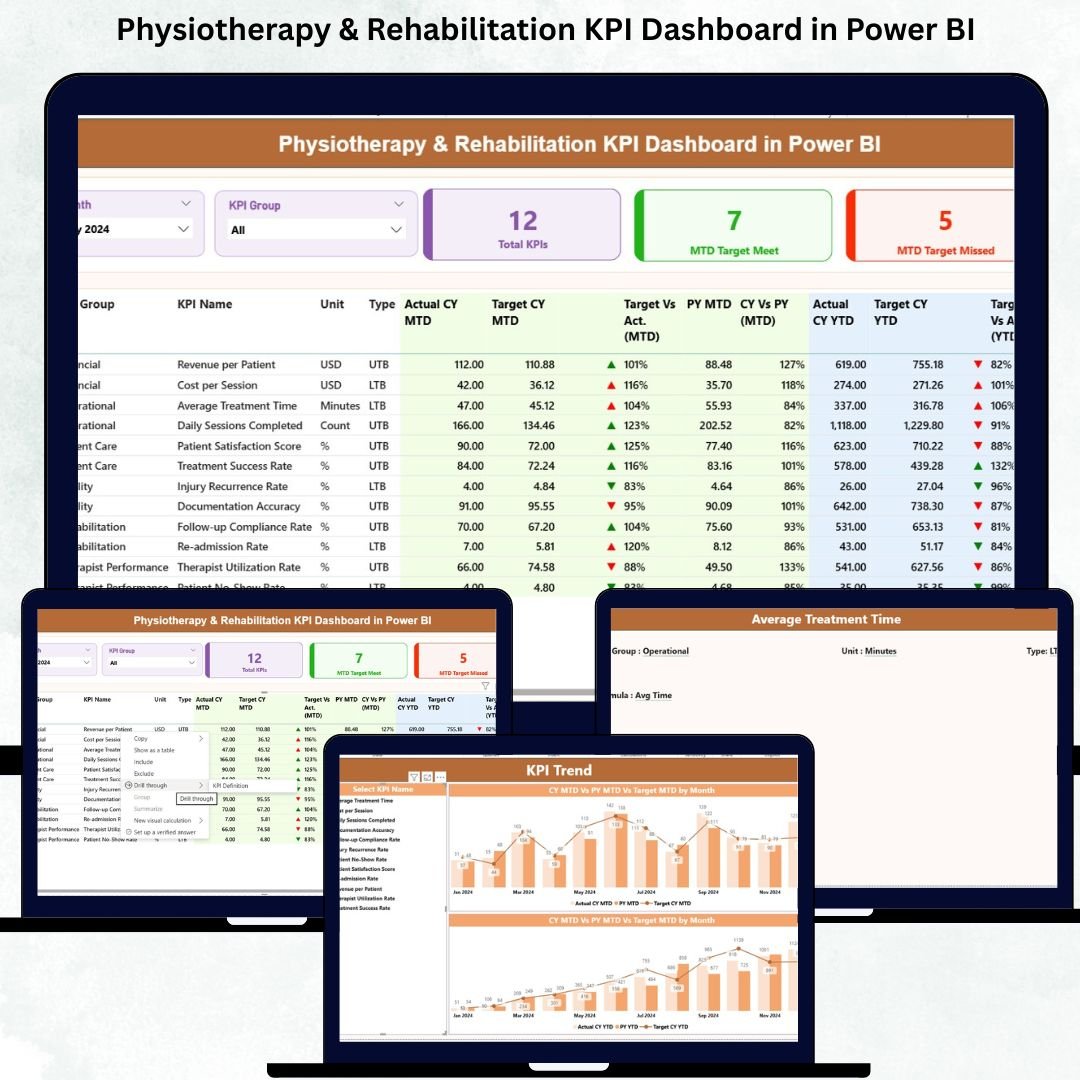



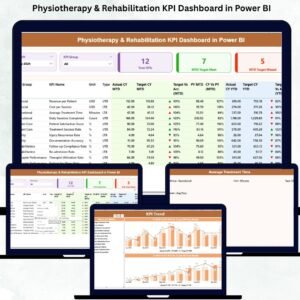
A Physiotherapy & Rehabilitation center needs a fast, accurate, and reliable way to track patient progress, therapist performance, operational efficiency, and overall treatment outcomes. Managing everything through scattered spreadsheets leads to delays, poor decision-making, and missed opportunities to improve recovery results. That’s exactly why the Physiotherapy & Rehabilitation KPI Dashboard in Power BI is the ultimate data tool designed for therapy centers, clinics, recovery units, and healthcare administrators who want complete visibility—instantly.Physiotherapy & Rehabilitation KPI Dashboard in Power BI
This ready-to-use dashboard converts raw Excel numbers into smart, interactive visuals. With one click, you can analyze patient outcomes, measure therapy effectiveness, track MTD/YTD results, review treatment bottlenecks, and monitor staff performance. Whether you manage a small physiotherapy clinic or a large rehabilitation hospital, this dashboard helps you work smarter, deliver better patient experiences, and boost operational productivity.Physiotherapy & Rehabilitation KPI Dashboard in Power BI
💡 Key Features of the Physiotherapy & Rehabilitation KPI Dashboard in Power BI
This dashboard gives physiotherapy centers a fully automated and structured reporting system. Here’s what makes it powerful:
✨ ✔ Monthly Slicers for Quick Filtering
Switch between months instantly and view updated MTD & YTD metrics.
✨ ✔ KPI Group Slicer
Analyze KPIs by Therapy, Patient Care, Operations, or Financials.
✨ ✔ Summary Performance Cards
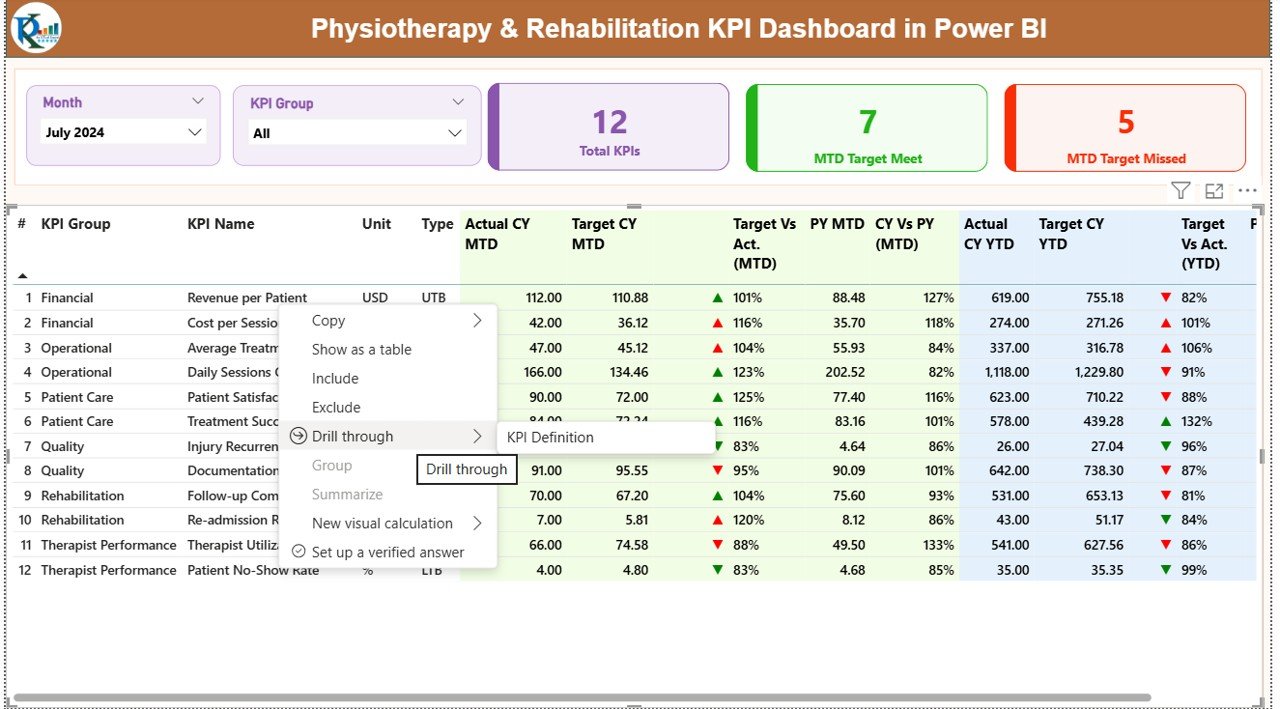
View Total KPIs Count, MTD Target Met, and MTD Target Missed at a glance.Physiotherapy & Rehabilitation KPI Dashboard in Power BI
✨ ✔ Detailed KPI Table
See KPI Number, KPI Group, Target, Actual, LTB/UTB logic, MTD & YTD insights, and PY comparisons.
✨ ✔ Visual Indicators
Up/down arrows and colors show performance status instantly.
✨ ✔ Drill-Through KPI Definitions
Right-click any KPI to view its Formula, Definition, Unit, and Type for clarity.
✨ ✔ Trend Charts
Compare CY, PY, and Target visually for any KPI.

📦 What’s Inside the Physiotherapy & Rehabilitation KPI Dashboard
This product includes everything required to run a fully functioning KPI measurement system:
📁 1. Power BI Dashboard File (.PBIX)
Professionally designed dashboard with slicers, KPI visuals, combo charts, and drill-through pages.
📄 2. Excel Data Source (Fully Structured)
Includes three sheets:
Input_Actual → For entering monthly MTD & YTD actuals
Input_Target → For entering monthly MTD & YTD targets
KPI Definition → KPI Name, Group, Unit, Formula, Type (UTB/LTB)
📘 3. KPI Definition Page
A built-in reference that helps any new team member understand how each KPI works.
📊 4. KPI Trend Page
Visual charts to compare monthly CY/PY/Target performance.
📚 5. Complete Documentation
Clear instructions on how to update the Excel file and refresh Power BI.
🛠️ How to Use the Physiotherapy & Rehabilitation KPI Dashboard
Using this dashboard is extremely simple—even for non-technical users:
🟩 Step 1: Open the Excel data file
🟩 Step 2: Update Actuals & Targets for the month
🟩 Step 3: Save the file
🟩 Step 4: Open Power BI
🟩 Step 5: Click Refresh
Power BI will instantly update all cards, charts, and tables with your latest numbers. No coding, formulas, or advanced steps required.Physiotherapy & Rehabilitation KPI Dashboard in Power BI
You can also drill-through KPIs to see full definitions, compare trends, or use slicers to analyze patient, therapist, financial, or operational KPIs.Physiotherapy & Rehabilitation KPI Dashboard in Power BI
🎯 Who Can Benefit from This Physiotherapy & Rehabilitation KPI Dashboard
This dashboard is ideal for:
💼 Clinic Owners
Monitor performance, identify gaps, and improve patient outcomes.
🏥 Rehabilitation Hospitals
Track operational efficiency, therapist workload, and recovery metrics.
🧑⚕️ Physiotherapists & Treatment Teams
Understand progress, therapy effectiveness, and workload balance.
📊 Healthcare Administrators
Make better decisions using real-time data.
📈 Performance Managers & Data Analysts
Measure monthly improvements, trends, and PY comparisons.
💰 Finance & Billing Teams
Review revenue KPIs, billing cycle time, and package conversions.
If your physiotherapy center wants accuracy, transparency, and data-driven decision-making, this Power BI dashboard is the perfect tool.
Click here to read the Detailed blog post
Watch the step-by-step video tutorial:
Visit our YouTube channel to learn step-by-step video tutorials
Compatibility and Requirements
- Open the .pbix file in Power BI Desktop, which is free for Windows.
- Monthly actuals and targets are entered in the included Excel data file.
- Microsoft’s guide Get Power BI Desktop shows how to install it.
Frequently Asked Questions
What is included in the download?
The Power BI dashboard file (.pbix), an Excel data source with Input_Actual, Input_Target and KPI Definition sheets, and documentation on updating the data and refreshing the report.
How do I update the numbers each month?
Open the Excel data file, update the actuals and targets for the month, save it, then open Power BI and click Refresh.
Can I filter KPIs by group?
Yes. A KPI Group slicer filters by Therapy, Patient Care, Operations or Financials, and a month slicer switches the MTD and YTD figures.
Where do I see how each KPI is calculated?
Right-click a KPI to drill through to its formula, definition, unit and type.
Related Physiotherapy and Rehabilitation Templates
- Physiotherapy & Rehabilitation KPI Dashboard in Excel: the same KPI dashboard in Excel
- Physiotherapy and Rehabilitation Dashboard in Power BI: a full physiotherapy dashboard in Power BI
- Physiotherapy & Rehabilitation Dashboard in Google Sheets: physiotherapy reporting in Google Sheets
- Rehabilitation Center KPI Dashboard in Excel: KPIs for rehabilitation centers
- Healthcare & Hospital Management Bundle: healthcare templates in one bundle
Browse all Power BI KPI dashboards.






Reviews
There are no reviews yet.